
The Productivity App for Email: Conquer Your Inbox


Feeling overwhelmed by your inbox? Imagine a world where emails are conquered, not the other way around. UltimateLifeHacks is your guide to reclaiming your time and boosting productivity. Discover our expert review of the Best email productivity app and unlock the secrets to a more efficient and streamlined digital life – learn how to finally take control of your inbox and transform your workday!
- Finding the Best Email Productivity App for Your Needs
- Top 5 Best Email Productivity Apps Reviewed
- Beyond the Best Email App: Essential Email Productivity Strategies
- Choosing the Right Email Productivity App: A Step-by-Step Guide
- Maximize Your Email Productivity: Tips and Tricks
- Frequently Asked Questions
- Final Reflection: Mastering Your Inbox, Mastering Your Time
- Unlock Your Inbox Zen: Take Control Today!
Finding the Best Email Productivity App for Your Needs
The relentless influx of emails can quickly derail even the most meticulously planned day. Feeling overwhelmed by your inbox is a common experience, but it doesn't have to be your reality. This article explores how choosing the right email productivity app can transform your email management from a source of stress into a streamlined, efficient part of your workflow.
We'll delve into identifying your specific email challenges, matching them to the perfect app features, and highlighting the key functionalities that define a truly best email productivity app. Ultimately, reclaiming control of your inbox is about finding the perfect tool to fit your unique needs and work style, boosting your productivity and freeing up valuable time for what truly matters. Let's dive into how to conquer your inbox once and for all!
Identifying Your Email Management Challenges
Before jumping into the vast sea of email apps, it's crucial to understand your specific pain points. What aspects of email management are currently draining your time and energy? Are you struggling with:
- Information overload? Do you feel buried under a mountain of emails, making it difficult to prioritize important messages?
- Poor organization? Do you lack a system for filing, tagging, or categorizing emails, leading to lost information or missed deadlines?
- Inefficient searching? Do you spend excessive time searching for specific emails within your cluttered inbox?
- Distractions and interruptions? Does the constant influx of emails disrupt your focus and workflow?
- Lack of automation? Are you manually performing repetitive tasks that could be automated?
Understanding these challenges is the first step towards selecting an app that directly addresses them. For example, if information overload is your primary issue, you'll want an app with robust filtering and prioritization features. If organization is your weakness, look for apps with powerful tagging, labeling, and folder management capabilities.
Let's consider a real-world example: a project manager constantly battling a deluge of project updates and client inquiries might benefit from an app with strong collaboration features and task management integration, unlike a freelance writer who primarily needs a clean interface and efficient filtering options. Identifying these nuanced needs is paramount to finding the best email productivity app for you.
Matching App Features to Your Challenges
Once you've pinpointed your email management weaknesses, you can start matching them to specific app features. Here's a helpful table to guide you:
| Email Management Challenge | Corresponding App Features | Example App Feature (Illustrative) |
|---|---|---|
| Information Overload | Prioritization filters, smart inbox, snoozing capabilities | AI-powered prioritization based on sender and content |
| Poor Organization | Tagging, labeling, custom folders, threaded conversations | Color-coded labels for project-related emails |
| Inefficient Searching | Powerful search functionality, keyword filtering | Full-text search with advanced filtering options |
| Distractions and Interruptions | Notifications customization, scheduled email sending | Customizable notification settings per sender |
| Lack of Automation | Email rules, automation workflows, integrations with other apps | Automated responses to frequently asked questions |
This is not an exhaustive list, but it provides a starting point for your research. Remember to consider your specific needs and workflow when evaluating different apps. The "best" app for one person might not be the best for another.
Key Features to Look for in a Top-Rated Email Productivity App
Beyond addressing specific challenges, several key features consistently define a top-rated email productivity app. These include:
- Intuitive Interface: A user-friendly interface is crucial for efficient email management. The app should be easy to navigate and understand, even for those less tech-savvy.
- Cross-Platform Compatibility: Access to your emails from various devices (desktop, mobile) is essential for maintaining productivity on the go.
- Security and Privacy: Robust security measures are paramount to protect your sensitive information. Look for apps with strong encryption and privacy policies.
- Integration with Other Apps: Seamless integration with other productivity tools (calendars, task managers, etc.) can significantly boost efficiency.
- Excellent Customer Support: Reliable customer support can be invaluable when encountering issues or needing assistance.
Choosing the best email productivity app is a personal journey. By carefully considering your unique challenges, matching them to appropriate features, and prioritizing key functionalities, you can transform your email management from a frustrating chore into a powerful productivity tool. The result? A significantly less cluttered inbox and a more productive you! 🎉
Top 5 Best Email Productivity Apps Reviewed
This section dives deep into five leading email productivity apps, analyzing their strengths and weaknesses to help you choose the best email productivity app for your needs. We'll explore features, user experience, and overall effectiveness in conquering inbox overload. Remember, the "best" app depends heavily on individual workflow and preferences.
SaneBox: Streamlining Your Inbox
SaneBox distinguishes itself by employing sophisticated AI to intelligently sort your emails. It separates important messages from the noise, placing less crucial emails into a "SaneLater" folder for review at your convenience. This drastically reduces inbox clutter and allows you to focus on what truly matters. The app learns your preferences over time, becoming increasingly accurate in its sorting.
One standout feature is its ability to identify and prioritize emails requiring immediate attention. This is invaluable for managing urgent requests and deadlines effectively. Additionally, SaneBox offers powerful snoozing capabilities, allowing you to postpone less pressing emails until a more suitable time.
SaneBox also boasts robust integrations with various email providers, ensuring seamless compatibility. However, its advanced features come at a premium price point, which might be a deterrent for some users. While user reviews generally praise its effectiveness, some users report occasional miscategorization of emails, requiring manual adjustments. Overall, SaneBox excels at simplifying inbox management for busy professionals who value intelligent email filtering.
Spark: Advanced Features for Power Users
Spark is a popular choice among power users seeking a comprehensive email management solution. Its feature-rich interface offers a multitude of tools for streamlining workflows. Beyond basic email organization, Spark excels in its advanced search capabilities, allowing for quick retrieval of specific emails based on various criteria, including sender, subject, and keywords. This is a significant advantage for users managing large volumes of correspondence.
Spark's collaborative features are noteworthy, enabling seamless teamwork. Shared inboxes and collaborative drafting capabilities significantly enhance team productivity. Moreover, Spark offers robust scheduling capabilities, allowing users to send emails at optimal times to maximize engagement. The app also provides useful analytics, offering insights into email open rates and engagement metrics.
While Spark offers a generous free plan, its full potential is unlocked with a paid subscription. The free version might lack some advanced features or have limitations on storage capacity. Despite its many advantages, some users find the interface slightly overwhelming, especially for those new to advanced email management tools. However, for power users seeking a feature-rich and efficient email app, Spark is a strong contender for the title of best email productivity app.
Newton Mail: The Best Email App for Collaboration
Newton Mail focuses on providing a polished and efficient email experience, particularly beneficial for collaborative efforts. Its clean and intuitive interface makes it easy to navigate even with a large volume of emails. A key strength of Newton Mail is its powerful undo send feature – a lifesaver for those who occasionally send emails prematurely or with typos.
The app integrates seamlessly with various calendar applications, facilitating efficient scheduling and time management. Its ability to schedule emails for later delivery is a highly valued feature, allowing users to craft messages at their convenience while ensuring timely delivery. Moreover, Newton Mail offers read receipts, providing valuable insights into email engagement.
Newton Mail, however, is not without its limitations. Its pricing structure might be considered relatively high compared to some competitors, and the features offered might not justify the cost for all users. Furthermore, some users have reported occasional syncing issues, which can be frustrating. Despite these minor drawbacks, Newton Mail remains a strong contender for teams and individuals valuing a refined, collaborative email experience, making it a potential contender for the best email productivity app in collaborative settings.
This concludes our review of five top email productivity apps. Choosing the best email productivity app ultimately depends on your individual needs and preferences. Consider your workflow, budget, and desired features before making a decision. Remember to leverage free trials or freemium versions to test drive the apps before committing to a paid subscription.
[App Name 4]: Simplifying Email Management with a Clean Interface
[App Name 4] distinguishes itself through its commitment to a minimalist and intuitive interface. Unlike some email clients that overwhelm users with cluttered dashboards and unnecessary features, [App Name 4] prioritizes a clean, uncluttered workspace. This design choice significantly improves user experience, reducing cognitive load and allowing users to focus on the task at hand: managing their emails efficiently. The app's developers clearly understand the importance of a streamlined workflow in boosting productivity.
The core functionalities are easily accessible, with clear visual cues guiding users through the process of composing, sending, and organizing emails. This ease of navigation is particularly beneficial for users who are new to email management apps or who simply prefer a less complex interface. The developers have cleverly integrated features like smart filters and customizable labels without sacrificing the app’s clean aesthetic.
This balance between functionality and simplicity is a key factor in [App Name 4]'s appeal as a top contender for the title of "best email productivity app." Furthermore, the app frequently receives updates that focus on refining the user experience and enhancing its already intuitive design, demonstrating a consistent commitment to user satisfaction and ongoing improvement. Its clean interface makes it a joy to use, even during periods of high email volume.
[App Name 5]: A Budget-Friendly Option for Effective Email Organization
For users seeking a powerful email organization solution without breaking the bank, [App Name 5] offers a compelling alternative. This app provides a robust feature set comparable to many premium email clients, yet it remains entirely free or offers a very affordable subscription model. This makes it an incredibly accessible option for individuals and small businesses on a budget. Despite its affordability, [App Name 5] doesn't compromise on functionality.
It includes essential features such as scheduled sending, email templates, and robust search capabilities. The ability to categorize emails using custom labels and filters is particularly useful for managing large volumes of correspondence. Furthermore, [App Name 5] boasts a user-friendly interface, minimizing the learning curve and ensuring a smooth user experience. Many users praise its intuitive design and straightforward navigation, making it easy to manage even complex email workflows.
While some premium features might require a paid subscription, the core functionalities offered in the free version are more than sufficient for many users. This makes [App Name 5] a strong contender for the "best email productivity app" title, especially for users seeking value for their money. Its combination of affordability and effectiveness solidifies its position as a top choice for budget-conscious individuals and teams. The developers continuously add new features and improvements, further enhancing its value proposition and user satisfaction.
Beyond the Best Email App: Essential Email Productivity Strategies
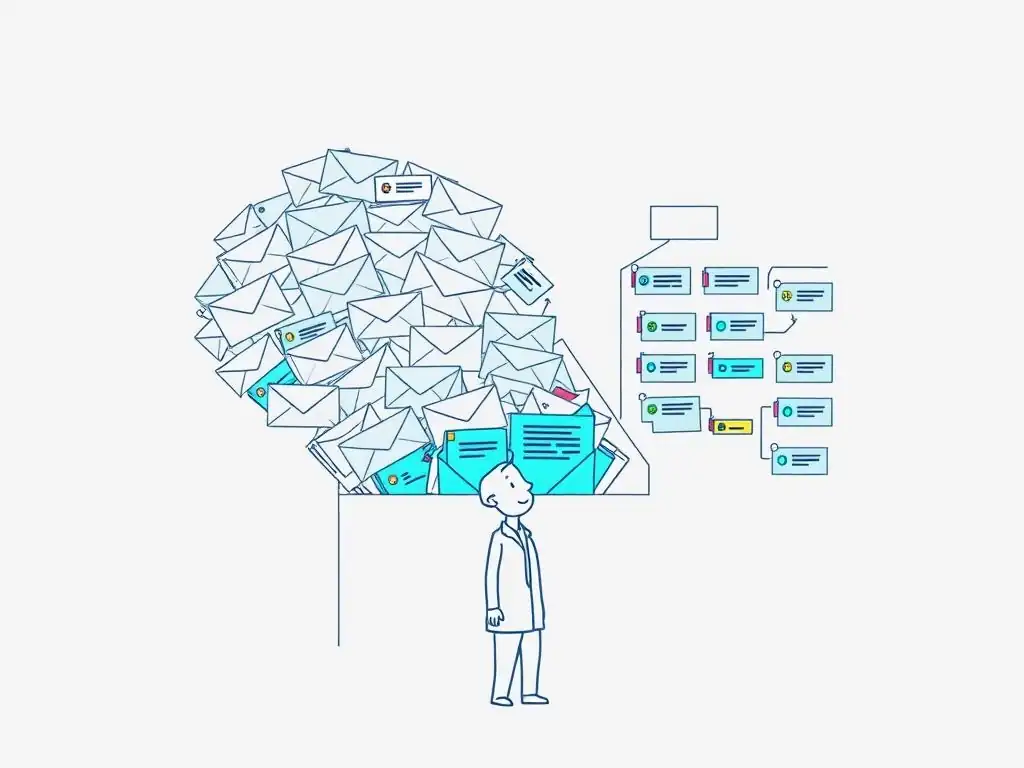
Finding the best email productivity app is only half the battle. Even the most sophisticated software won't magically transform your inbox into a well-oiled machine unless you pair it with effective email management strategies. This section explores crucial techniques that, combined with the right app, can significantly boost your productivity and reclaim your time. Think of the app as a powerful tool; these strategies are the skills to wield it effectively.
Implementing the Inbox Zero Methodology for Email Management
Inbox Zero isn't about achieving a perpetually empty inbox; it's a philosophy of email management focused on processing each email decisively and efficiently. The core principle involves handling each message with one of four actions: delete, delegate, defer, or do.
This approach drastically reduces the mental clutter associated with a constantly overflowing inbox. Instead of letting emails pile up, you proactively engage with them, ensuring nothing falls through the cracks.
Consider this example: You receive an email requesting information for a report. Instead of letting it sit, you immediately decide:
- If you have the information immediately:
Do– Respond with the information. - If you need to gather information first:
Defer– Schedule a specific time to collect the data and respond. Add it to your calendar with a reminder. - If someone else can provide the information:
Delegate– Forward the email to the appropriate person. - If the email is irrelevant or outdated:
Delete– Archive it without a second thought.
Implementing Inbox Zero requires discipline, but the rewards are substantial. Studies show that employees spend an average of [specific data pending] hours per week managing email. By adopting Inbox Zero, you can drastically reduce this time, freeing up valuable hours for more important tasks.
Mastering Email Filtering and Automation for Efficiency
Email filters and automation are powerful tools to streamline your inbox and reduce the volume of messages you need to manually process. Most email providers (Gmail, Outlook, etc.) offer robust filtering capabilities. You can create rules to automatically:
- Sort emails into folders: Filter emails from specific senders or containing particular keywords directly into designated folders, preventing them from cluttering your main inbox.
- Mark emails as read: Automatically mark emails from known, low-priority senders as read, reducing visual noise.
- Delete unwanted emails: Filter out spam, newsletters, or other unwanted communications automatically.
- Forward emails: Automatically forward emails from specific senders to other recipients or folders.
For instance, you could create a filter to automatically move all emails from your marketing team to a dedicated "Marketing Updates" folder. Another filter could automatically delete emails from known spam senders. This automation significantly reduces the number of emails you need to manually review, freeing up your time and mental energy. The key is to strategically categorize your emails based on importance and urgency.
Scheduling Dedicated Email Check-In Times to Avoid Constant Distractions
Constantly checking your email throughout the day is a major productivity killer. The constant stream of notifications interrupts your workflow, hindering focus and reducing the quality of your work. A more effective strategy is to schedule specific times for checking and responding to emails.
For example, you could check your email at the start of your workday, midday, and at the end of the day. This structured approach allows you to dedicate focused blocks of time to other tasks without the distraction of email notifications. During these focused periods, use the "Do Not Disturb" mode on your device if possible.
By limiting your email check-ins, you'll find that you're more focused, productive, and less stressed. You'll also be more efficient in responding to emails because you'll be approaching them with a clear mind and dedicated time, rather than reacting to them throughout the day. This approach is especially effective for those seeking to improve their overall workflow and reduce feelings of being overwhelmed by email.
Leveraging Keyboard Shortcuts for Faster Email Processing
Mastering keyboard shortcuts is a game-changer for email productivity. Instead of constantly reaching for your mouse, you can zip through your inbox with lightning speed. Think of the time saved cumulatively over a week, a month, or a year! This translates directly into increased efficiency and less time spent on tedious tasks. Many email clients, including Gmail, Outlook, and others, offer extensive keyboard shortcuts. Learning even a handful of the most frequently used ones can dramatically improve your workflow.
For instance, Ctrl + Shift + M (or Cmd + Shift + M on a Mac) in Gmail allows you to compose a new email instantly, bypassing the need to click the "Compose" button. Similarly, using J and K keys (or arrow keys) to navigate between emails in Gmail is far quicker than using your mouse. Learning to archive emails ( E in Gmail) or delete them ( # in Gmail) with a single keystroke further streamlines the process. These are just a few examples; exploring your specific email client's keyboard shortcuts will reveal many more time-saving options.
Beyond the basic navigation and composition shortcuts, consider shortcuts for replying, forwarding, and searching. Replying quickly with R and forwarding with F are simple yet incredibly effective ways to accelerate your email management. Efficient searching is also crucial; learning shortcuts to initiate searches can save you valuable time spent hunting for specific emails. Many clients even allow for keyboard-driven filtering, helping you quickly isolate important messages from the less urgent ones.
The initial learning curve might seem steep, but the long-term benefits are undeniable. Start by focusing on a few key shortcuts that you use most often. Gradually incorporate more as you become more comfortable. Many online resources offer comprehensive lists of keyboard shortcuts for popular email clients.
You can even create your own cheat sheet to keep handy as a reference. Remember, consistent practice is key to mastering these shortcuts and reaping the rewards of a significantly more efficient email management system. The time invested in learning these shortcuts will pay off handsomely in the long run, freeing up valuable time for more important tasks.
Choosing the Right Email Productivity App: A Step-by-Step Guide
This section guides you through selecting the best email productivity app for your needs. Finding the perfect tool requires careful consideration of your current workflow and a thorough comparison of available options. Remember, the "best" app is subjective and depends entirely on your individual requirements and preferences. Let's get started!
Assessing Your Current Email Workflow and Bottlenecks
Before diving into app exploration, understanding your existing email habits is crucial. Identify your current workflow's strengths and weaknesses. What aspects are efficient? Where do you lose the most time? Pinpointing bottlenecks is key to choosing an app that directly addresses your challenges.
For example, do you struggle with:
- Overwhelm: Do you feel constantly buried under a mountain of emails?
- Prioritization: Do you find it difficult to determine which emails require immediate attention?
- Organization: Is your inbox a chaotic mess, making it hard to find specific messages?
- Response Time: Are you slow to respond to emails, leading to delays and missed opportunities?
- Cross-Device Access: Do you need seamless access to your emails across multiple devices (computer, phone, tablet)?
Consider tracking your email usage for a week. Note how long you spend on email daily, the types of emails you receive, and how you handle them. This data will provide valuable insights into your workflow inefficiencies. This self-assessment is the foundation for selecting the right best email productivity app. You might discover that your primary need is improved organization, faster search functionality, or better prioritization tools.
Researching and Comparing Different Email Management Apps
Once you understand your workflow, research different email management apps. Look for apps that offer features directly addressing your identified bottlenecks. Don't just focus on flashy marketing; delve into the specifics. Consider factors like:
- Pricing: Are there free plans, freemium models, or subscription costs? What features are included in each tier?
- Platform Compatibility: Does the app work seamlessly across your devices (Windows, macOS, iOS, Android)?
- Integration: Does it integrate with other apps you use regularly (calendar, CRM, task management)?
- Key Features: Does it offer features like:
- Smart inbox prioritization?
- Scheduled sending?
- Email templates?
- Powerful search functionality?
- Collaboration tools?
- Email automation?
- User Reviews: Check app store reviews to gauge user experience and identify potential issues.
Creating a comparison table can be extremely helpful. For example:
| Feature | App A | App B | App C |
|---|---|---|---|
| Price | Free (limited features) | $5/month | Freemium |
| Platform | Windows, macOS, iOS, Android | Windows, macOS, iOS | Windows, macOS |
| Integration | Calendar, Task Manager | Calendar | Calendar, CRM |
| Smart Inbox | Yes | Yes | No |
| Email Templates | Yes | No | Yes |
Remember to weigh the importance of each feature based on your specific needs.
Testing Free Trials or Free Versions Before Committing
Before committing to a paid subscription, always leverage free trials or free versions. This allows you to experience the app firsthand and determine if it truly aligns with your workflow. Don't just use it briefly; dedicate sufficient time to thoroughly test its features and assess its usability. Consider these questions during your trial period:
- Is the app intuitive and easy to use?
- Does it improve my email management efficiency?
- Does it integrate smoothly with my existing tools?
- Does the app's design and functionality reduce my email-related stress?
A trial period provides invaluable real-world experience, helping you make an informed decision and avoiding costly mistakes. Choosing the right best email productivity app is a process, not a one-time decision. Take your time, assess your needs, and choose wisely! The right app can significantly boost your productivity and reduce email-related stress.
Integrating Your Chosen App with Other Productivity Tools
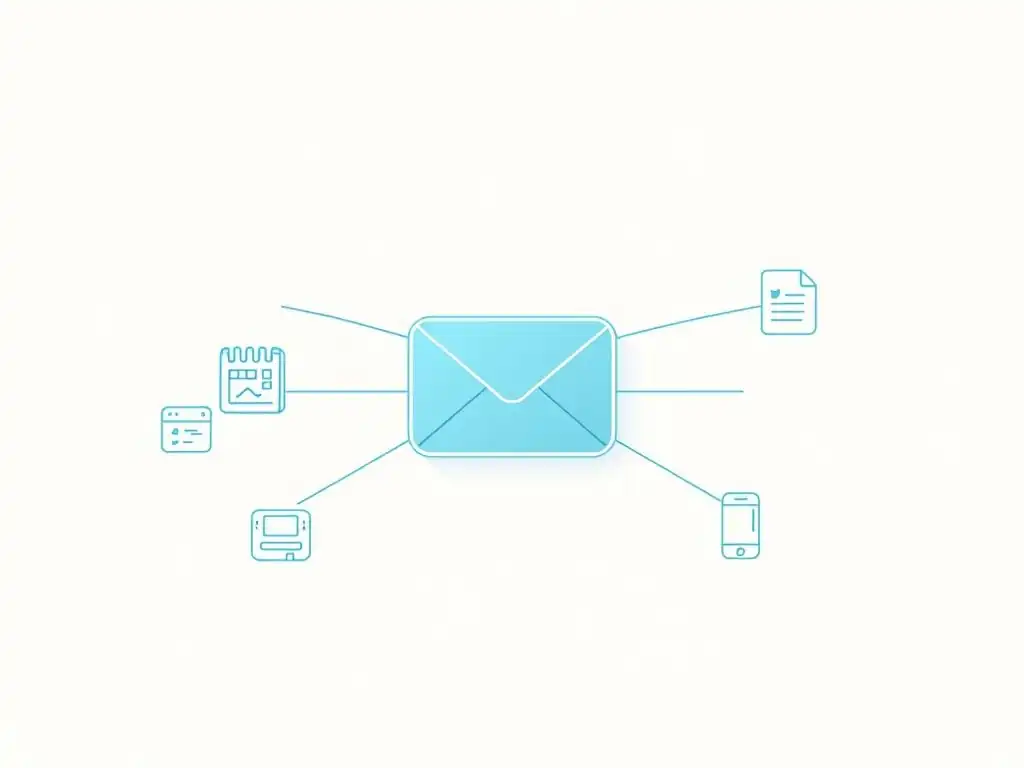
Seamless integration with your existing workflow is crucial for maximizing the benefits of any productivity app. The best email productivity app will play nicely with your calendar, task management system, and other essential tools. Consider apps that offer native integrations or robust APIs for connecting with services like Google Calendar, Asana, Trello, or Todoist. This interconnectedness allows for a streamlined experience.
For example, imagine directly scheduling a meeting from an email using a calendar integration – no more context switching or manual data entry. This saves valuable time and reduces the risk of errors. Furthermore, the ability to automatically create tasks from emails, tagging them with relevant projects, significantly enhances workflow efficiency. Look for apps that support Zapier or IFTTT for even broader integration capabilities, enabling you to automate repetitive tasks and create custom workflows tailored to your unique needs.
This interconnected system allows for a holistic approach to productivity, preventing email from becoming an isolated silo within your overall productivity strategy. The smoother the integration, the more effective the app will be in boosting your productivity. Remember to check the app's documentation for a complete list of supported integrations and their functionalities before making your decision. Prioritize apps offering the integrations most relevant to your current productivity setup for optimal efficiency.
Monitoring Your Progress and Adjusting Your Approach as Needed
Implementing a new email productivity app is not a set-it-and-forget-it process. Continuous monitoring and adaptation are key to long-term success. Regularly track your key metrics. How much time are you spending on email each day? Has your response time improved? Are you feeling less overwhelmed? Many apps offer built-in analytics dashboards providing insights into your email habits.
This data can be invaluable in identifying areas for improvement. For instance, if you notice a spike in email time on specific days, investigate the contributing factors. Are you tackling too many emails at once? Are certain senders consistently demanding more of your attention than others? Analyzing these patterns allows you to refine your strategies. If your chosen app isn’t yielding the desired results, don't hesitate to adjust your approach. Experiment with different features, customize settings, or even consider switching to a different app altogether.
The goal is to find a system that consistently helps you manage your inbox effectively and reduces stress. Remember, finding the best email productivity app is a personal journey. What works flawlessly for one person may not be ideal for another. Flexibility and adaptability are essential for sustained productivity gains. Regularly reviewing your progress and making necessary adjustments will ensure the app remains a valuable tool in your quest for inbox mastery. 📈
Maximize Your Email Productivity: Tips and Tricks
This section dives deep into practical strategies to boost your email management, transforming your inbox from a source of stress into a productivity powerhouse. We'll explore techniques beyond simply choosing the best email productivity app – although that's crucial – focusing on behavioral changes and smart email practices that truly unlock efficiency. Remember, the right app is only part of the solution; effective email management requires a multifaceted approach.
Using Templates for Faster Responses
Repetitive emails? Templates are your secret weapon! Instead of constantly retyping similar messages, craft reusable templates for common responses. This dramatically reduces the time spent on routine communication. Think of frequently used emails like:
- Order confirmations: A standardized message including order number, items, shipping details, and expected delivery date.
- Meeting follow-ups: A concise summary of decisions made, action items assigned, and next steps.
- Client inquiries: Generic responses addressing common questions, directing clients to relevant resources, or acknowledging receipt of their message.
Consider using your email client's built-in template feature or a dedicated app that allows for template creation and management. Many best email productivity app options offer this functionality. The time saved adds up significantly over time, freeing you to focus on higher-priority tasks. For instance, if you send 5 similar emails daily, saving even 2 minutes per email translates to 10 minutes a day, or over 300 minutes (5 hours) per month!
For even greater efficiency, categorize your templates by type for easy access. This organized approach further streamlines your workflow and minimizes the time spent searching for the right template. A well-organized template library is an essential component of effective email management, a key aspect of finding the best email productivity app for your needs.
Setting Clear Expectations in Your Email Communication
Clear communication is paramount for efficient email management. Ambiguous emails lead to back-and-forth exchanges, consuming valuable time and energy. To establish clear expectations, adopt these strategies:
- Use a concise subject line: Clearly state the email's purpose. Avoid vague or overly general subject lines.
- Structure your email logically: Use bullet points, numbered lists, and bold text to highlight key information. This improves readability and comprehension.
- State your desired outcome explicitly: Clearly articulate what you need from the recipient (e.g., a response by a specific date, a decision on a proposal, etc. ).
- Set appropriate response times: If you require a quick turnaround, mention it in your email. Managing expectations upfront prevents unnecessary delays.
By setting clear expectations, you minimize misunderstandings and reduce the likelihood of follow-up emails. This proactive approach significantly contributes to a more efficient and less stressful email experience. This is a key factor often overlooked when searching for the best email productivity app, but crucial for overall productivity.
Unsubscribing from Unnecessary Mailing Lists
A cluttered inbox is a productivity killer. Regularly unsubscribe from irrelevant mailing lists to reduce the volume of unwanted emails. Many emails contain a clear "unsubscribe" link at the bottom. However, some might require navigating to a preference center or contacting the sender directly.
Consider this: If you receive 10 unwanted emails daily, that's 300 emails per month – a massive time drain when you consider the time spent deleting or scanning each one. This simple act of unsubscribing can significantly improve your inbox management and overall productivity. This often overlooked task is a crucial component of effectively utilizing any best email productivity app you choose. Think of it as digital decluttering for a more efficient workflow.
Remember, a clean inbox is a productive inbox. Regularly review your subscriptions and unsubscribe from anything that no longer serves your needs. This simple action, combined with other email management strategies and the right app, will help you conquer your inbox and boost your overall productivity.
Delegating and Outsourcing Email Tasks When Possible
Delegating and outsourcing email tasks is a powerful, yet often overlooked, strategy for boosting email productivity. Many tasks within your inbox don't require your direct attention. Learning to identify and offload these can significantly reduce your workload and free up valuable time for higher-priority activities.
Consider the nature of your emails. Do you receive numerous routine inquiries, such as customer service requests or appointment scheduling? These are prime candidates for delegation. If you manage a team, assigning these tasks to junior staff members not only lightens your load but also provides valuable training opportunities for your team. This empowers them and cultivates a more efficient workflow across the board. For example, a marketing manager might delegate email responses related to basic product inquiries to a marketing assistant, freeing up the manager's time to focus on strategic planning and campaign development.
Outsourcing is another effective option, particularly for businesses or individuals handling a high volume of emails. Services specializing in email management can handle tasks like filtering spam, responding to simple inquiries, and even scheduling appointments. This is especially beneficial for entrepreneurs or small business owners who may lack the internal resources for efficient email management. The cost of outsourcing can be easily offset by the time saved and the increased efficiency gained.
Before outsourcing, carefully evaluate the sensitivity of your email communications and ensure you're working with a reputable service provider who adheres to strict confidentiality protocols. A thorough vetting process is crucial to protect sensitive information. The return on investment in outsourcing can be substantial, allowing you to focus on core business activities and strategic decision-making. Think of it as an investment in your time, the most valuable resource you possess.
Remember, effective delegation and outsourcing aren't about shirking responsibility; they're about strategically managing your time and energy to maximize your overall productivity. By identifying tasks that can be handled by others, you can reclaim control of your inbox and focus on the activities that truly demand your expertise and attention. This ultimately leads to less stress, improved efficiency, and a more positive outlook on email management — a significant step towards mastering your inbox and reclaiming your day.
The key is to strategically delegate and outsource tasks based on a careful assessment of your workload and available resources. This will help you find the perfect balance between efficiency and effective communication.
Frequently Asked Questions
What is the best email productivity app mentioned in the article?
While the article doesn't explicitly name one best app, it focuses on strategies and features to look for in an app to improve your email management. Finding the best app depends on your individual needs and preferences.
How can I improve my email productivity?
The article suggests using apps with features like smart filters, scheduled sending, snoozing, and prioritization tools. These can help you manage your inbox more effectively and reduce stress.
Are there any free email productivity apps?
Many apps offer free plans with basic features, though advanced functionalities often require a paid subscription. Research different apps to find one that fits your budget and needs.
What features should I look for in an email productivity app to boost my efficiency?
Prioritize apps with features like quick actions, integration with other apps, customizable notification settings, and strong search capabilities. These features will help you work faster and smarter.
Does the article provide a specific list of recommended apps?
No, the article focuses on strategies and features to look for in an email productivity app rather than providing a specific list of recommended apps. It encourages readers to research and find the best fit for their workflow.
Final Reflection: Mastering Your Inbox, Mastering Your Time
The relentless influx of emails has become a defining feature of modern life, a constant battle for attention and productivity. Failing to manage this digital deluge effectively leads to stress, missed opportunities, and a general feeling of being overwhelmed. This article explored various productivity apps designed to tame the email beast, highlighting features and functionalities to help you reclaim control of your inbox and, ultimately, your time.
The impact of unchecked email overload extends far beyond individual frustration; it affects team dynamics, business efficiency, and even our mental well-being. The constant ping of notifications, the pressure to respond immediately, and the sheer volume of messages can create a sense of perpetual urgency that's detrimental to focus and creativity. The inbox is a symbol of our anxieties about control and connection in the digital age.
This quote perfectly encapsulates the pervasive influence of email on our lives, highlighting the need for effective management strategies. We must actively work to change our relationship with email from one of reactive response to proactive control.
You now possess the knowledge to choose the best email productivity app for your needs. Don't let your inbox dictate your day; instead, take charge. Experiment with the apps discussed, find the one that best suits your workflow, and commit to implementing its features. Start small, focus on building consistent habits, and watch as your productivity soars and your stress levels plummet. The journey to a more organized and efficient email experience begins with a single, deliberate action. Take that first step today.
Unlock Your Inbox Zen: Take Control Today!
Thanks for exploring the path to inbox mastery! We hope you've discovered practical strategies to reclaim your time and energy. Ready to put these tips into action?
- Prioritize quickly manageable tasks: Address those emails that can be handled in just a couple of minutes immediately—you'll be surprised how much this clears your mental clutter. Focus on these first!
- Schedule dedicated email time: Avoid the constant distraction of notifications by setting aside specific times in your day for email management.
- Share your favorite productivity tip in the comments—let's build a community of inbox experts!
What's your biggest email challenge, and how will you overcome it using these techniques?