
Workflow Automation
Unlock more hours in your day by mastering workflow automation—the ultimate life hack for busy professionals, entrepreneurs, and productivity enthusiasts. Instead of drowning in repetitive clicks, manual copy-pasting, or endless email sorting, you can set it and forget it with smart digital tools that work in the background. From streamlining online workflows that connect your favorite apps to leveraging powerful platforms like IFTTT & Zapier, this hub is your go-to guide for turning mundane tasks into seamless, self-running systems. Whether you’re automating email responses, scheduling social media posts, or syncing data across your cloud storage, you’ll discover actionable step-by-step strategies to boost efficiency, eliminate errors, and reclaim precious time. Say goodbye to busywork and hello to smarter, faster, and more automated routines—because your time is too valuable to waste on tasks a machine can handle. Dive in and transform your daily grind into a fully optimized, hands-off operation that runs on autopilot.
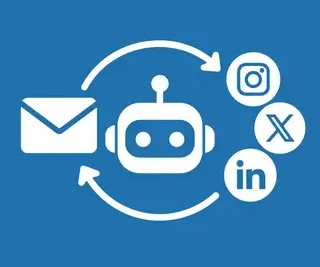 Automating Digital Tasks: Email & Social Media Automation
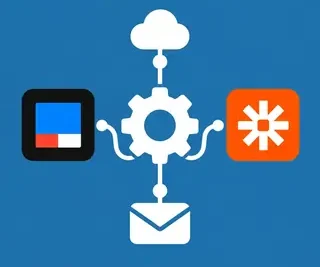 Automating Digital Tasks: Using IFTTT & Zapier for Automation
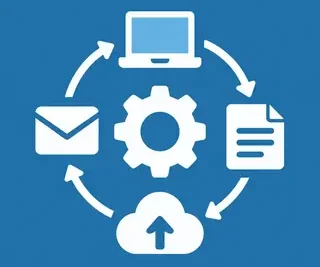 Automating Digital Tasks: Streamlining Online Workflows
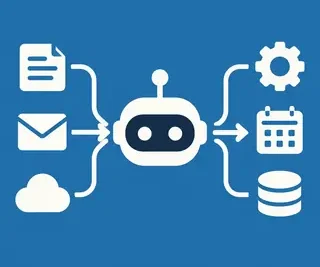 Automating Digital Tasks
Workflow Automation: Master Your Digital Life with UltimateLifeHacks
Workflow automation is the smartest way to reclaim hours in your day by letting technology handle repetitive tasks. At UltimateLifeHacks, we focus on practical, actionable strategies to streamline your digital routines—from automating digital tasks to leveraging tools like IFTTT and Zapier. Discover how to eliminate manual busywork, reduce errors, and create seamless online workflows that boost your productivity and free up time for what truly matters.
🤖 Automating Digital Tasks
Start here to grasp the fundamentals of automating digital tasks—the cornerstone of modern productivity. You’ll learn how to identify time-draining activities like file organization, data entry, and notifications, then apply simple rules to automate them. Expect practical examples of automating daily chores such as renaming files, backing up photos, and syncing calendars. This section focuses on low-barrier techniques using built-in tools and simple scripts, ensuring you can immediately implement changes without learning complex coding. Error reduction and consistent execution are your main gains.
⚡ Automating Digital Tasks: Streamlining Online Workflows
Dive deeper into optimizing entire sequences of online actions rather than single tasks. This subcategory teaches you to map out repeatable processes—like content publishing, lead handling, or order processing—and then compress them into tidy, automated pipelines. Expect guides on using browser extensions, native app integrations, and task schedulers to remove manual handoffs between platforms. You’ll see how to reduce click fatigue and minimize human error in multi-step daily routines. Real-world case studies show how small businesses and solo professionals cut hours weekly.
🔗 Automating Digital Tasks: Using IFTTT & Zapier for Automation
Unlock the full potential of no-code automation with this focused deep dive on IFTTT and Zapier, the most popular integration platforms. This section provides step-by-step tutorials for creating “if-this-then-that” recipes that connect over 1,000 apps—from Slack to Google Sheets to smart home devices. Learn to automate tasks like posting social media updates, saving email attachments to cloud storage, or triggering reminders from calendar events. Prebuilt templates and advanced multi-step Zaps are explained, helping you scale automation without hiring a developer. Perfect for beginners and power users alike.
📧 Automating Digital Tasks: Email & Social Media Automation
Focus specifically on two of your most time-consuming channels: inbox and social feeds. This subcategory delivers proven tactics to automate email responses, filter and label messages, schedule sends, and create canned replies for common queries. For social media, you’ll discover tools to batch-schedule posts across platforms, auto-repost evergreen content, and curate feeds based on keywords. Expect tips to keep your communication personal yet efficient while avoiding spam filters. Learn how to set up an automated welcome sequence for new subscribers or clients, freeing your evening hours for strategic work.
Frequently Asked Questions
What is the easiest way to start automating digital tasks?
Begin with a single, repetitive task—like saving email attachments to Google Drive. Use a free IFTTT applet or a simple Zapier task to connect Gmail and Drive. Within ten minutes, you’ll see the instant benefit. Once comfortable, expand to two-step workflows like tagging emails plus sending a Slack notification. The key is starting small to build momentum.
Do I need coding skills to use Zapier or IFTTT?
No. Both platforms are designed for non-coders with visual, point-and-click builders. You choose a trigger (e.g., new row in Google Sheets) and an action (e.g., send email). Zapier offers more complex logic with filters and paths, but still no code. Tutorials on UltimateLifeHacks walk you through every click.
How can email automation avoid sounding robotic?
Use personalization tokens like first name or company, and vary your message templates. For follow-ups, add a “human check” trigger—like pausing for 24 hours before sending. Also, set automated responses only for initial replies, then take over manually. This blends speed with authenticity, keeping your brand warm.
Which tasks should I never automate?
Avoid automating anything requiring sensitive judgment, empathy, or legal review—for example, final contract approvals, crisis responses, or complex customer complaints. Also, don’t automate one-off tasks where setup time exceeds execution time. Stick to high-frequency, predictable activities like file sorting, post scheduling, and data backups.
Will job automation replace human workers?
No, it replaces repetitive tasks, not people. By offloading mundane work, you gain capacity for creative problem-solving, strategic planning, and relationship building—skills that AI and bots lack. Companies that automate report higher employee satisfaction, as teams focus on meaningful projects instead of copy-paste drudgery. Embrace automation as your assistant, not your replacement.