
Productivity Hacks
Unlock your full potential with science-backed productivity hacks designed to save hours daily, eliminate overwhelm, and transform chaotic routines into streamlined success. From mastering time management with the Pomodoro Technique and Eisenhower Matrix to creating a distraction-free zone using mindfulness and digital focus strategies, these actionable insights help you work smarter—not harder. Whether you’re a student, entrepreneur, creative, or remote worker, discover tailored tools for maximizing efficiency, improving workplace organization, and boosting communication. Say goodbye to procrastination and hello to deep work with proven methods that optimize every minute. Dive into practical tips that fuel sustainable productivity and reclaim your day, one genius hack at a time.
 Time Management Tips: Eisenhower Matrix
 Time Management Tips: Time Blocking
 Productivity for Specific Professions: Productivity Hacks for Entrepreneurs
 Maximizing Productivity at Work: Remote Work Productivity
 Minimizing Distractions: Digital Distraction Management
 Productivity for Specific Professions: Productivity Hacks for Remote Workers
 Productivity for Specific Professions: Productivity Hacks for Creatives
 Time Management Tips: Getting Things Done (GTD)
 Productivity for Specific Professions
 Minimizing Distractions: Creating Focus Workspace
 Maximizing Productivity at Work: Effective Communication
 Maximizing Productivity at Work: Workplace Organization
 Maximizing Productivity at Work
 Minimizing Distractions: Mindfulness and Focus Techniques
 Minimizing Distractions
 Time Management Tips
 Productivity for Specific Professions: Productivity Hacks for Students
 Maximizing Productivity at Work: Project Management Tools
 Time Management Tips: Pomodoro Technique
Productivity Hacks: Master Your Time and Focus
Welcome to the ultimate hub for productivity hacks at UltimateLifeHacks. Here, we decode the science of efficiency, helping you reclaim hours every week. Whether you struggle with time management tips, need to excel at maximizing productivity at work, or seek tailored strategies for your career, this category delivers actionable, evidence-based solutions. Explore our subcategories below to transform overwhelming to-dos into a streamlined system that works for you.
🕒 Time Management Tips: Pomodoro Technique
The Pomodoro Technique breaks work into focused 25-minute intervals separated by short breaks. This method combats burnout and boosts concentration by leveraging our natural attention spans. You will learn to set a timer, eliminate interruptions, and reward yourself with rest. Perfect for tasks that feel monotonous, Pomodoro turns procrastination into a game of sprints, making daunting projects feel manageable and measurable.
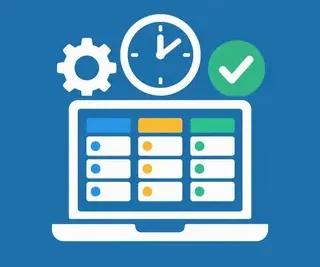
🏢 Maximizing Productivity at Work: Project Management Tools
Project management tools like Trello, Asana, and Jira are the backbone of modern efficiency. This subcategory guides you through selecting, configuring, and adopting these platforms to centralize tasks, deadlines, and team collaboration. Expect tutorials on automation, board setups, and reporting. By mastering these tools, you reduce email clutter, clarify responsibilities, and ensure every project moves forward without constant check-ins.
🎓 Productivity for Specific Professions: Productivity Hacks for Students
Students face unique challenges: heavy reading, assignments, and exam prep. Here, we share hacks like active recall, spaced repetition, and batch study sessions. You’ll discover how to organize notes digitally, use the two-minute rule for small tasks, and create a distraction-free study zone. These strategies help you retain more information in less time, leaving room for rest and extracurriculars.
⏰ Time Management Tips
This foundational section covers core principles: planning, prioritization, and delegation. We explain why to-do lists often fail and how to replace them with time-boxed schedules. Learn to identify time-wasters, set realistic deadlines, and use calendars effectively. You’ll also explore energy management—matching high-cognitive tasks to your peak hours. Simple tweaks here create a ripple effect, making your whole day more productive.
🚫 Minimizing Distractions
Distractions cost you up to 2 hours daily. This section dives into environmental, digital, and behavioral interruptions. We teach you how to recognize your distraction triggers, whether they are social media notifications or open office chatter. Practical fixes include phone stacking, browser extensions that block sites, and scheduled “deep work” blocks. You’ll also learn to train your brain to refocus faster after interruptions, preserving mental stamina.
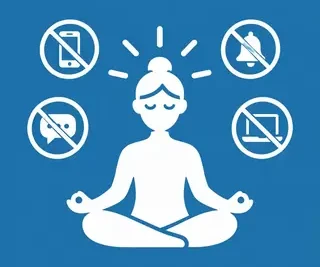
🧘 Minimizing Distractions: Mindfulness and Focus Techniques
Mindfulness isn’t just meditation—it’s a productivity superpower. Here, we introduce breathing exercises, body scans, and single-tasking routines that anchor your attention. Techniques like the 4-7-8 breath or mindful checking reduce stress and impulsive switches. You’ll practice “noticing” your wandering mind and gently steering it back. Over time, this builds a calmer, more resilient focus that resists external noise.
💼 Maximizing Productivity at Work
Broad strategies for the workplace: setting SMART goals, managing meetings, and optimizing workflows. We cover the 80/20 rule, weekly reviews, and the importance of saying “no” to low-value requests. You’ll learn to batch similar tasks, automate repetitive processes, and track your output with simple metrics. These skills transform you from busy to genuinely productive, ensuring your efforts align with career-impacting objectives.
🗂️ Maximizing Productivity at Work: Workplace Organization
A cluttered desk leads to a cluttered mind. This subcategory covers physical and digital decluttering: filing systems, desktop folders, and cable management. We share the “touch once” rule for paperwork and email, plus labeling strategies for rapid retrieval. A clean workspace reduces cognitive load, speeds up decision-making, and signals professionalism. You’ll also learn to schedule weekly resets so your environment stays optimized.
💬 Maximizing Productivity at Work: Effective Communication
Miscommunication kills productivity. Here, we teach concise email writing, agenda-driven meetings, and clear async updates. Tools like Slack and Loom are covered, but the focus is on etiquette: response times, status indicators, and when to escalate. You’ll practice the “bottom line up front” (BLUF) method to cut through noise. Better communication reduces back-and-forth, prevents errors, and frees hours weekly.
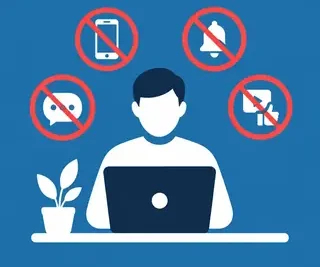
🖥️ Minimizing Distractions: Creating Focus Workspace
Your environment shapes your output. This section guides you in designing a workspace that encourages flow: ergonomic setup, proper lighting, and noise control. We suggest plants, white noise machines, and visual cues like “do not disturb” signs. For home offices, separate a dedicated zone from living areas. A well-designed workspace lowers the effort needed to start working and keeps you in the zone longer.
🔧 Productivity for Specific Professions
Every job has its own rhythm. Here, we tailor productivity tips to roles like sales, healthcare, education, and IT. Expect role-specific scripts, tools, and scheduling hacks. For example, sales professionals learn caller batching, while developers use kanban boards with story points. The goal is to adapt general principles to your unique constraints, making advice immediately applicable without generic fluff.
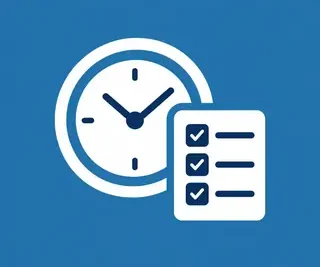
✅ Time Management Tips: Getting Things Done (GTD)
David Allen’s GTD method captures every task in a trusted system, freeing your mind from remembering. We walk you through the five steps: capture, clarify, organize, reflect, and engage. You’ll set up lists for next actions, projects, and waiting-for items. Weekly reviews become your safety net. GTD excels at handling overwhelming inputs, ensuring nothing slips through the cracks—a true stress reducer.
🎨 Productivity for Specific Professions: Productivity Hacks for Creatives
Creative work demands inspiration, not just discipline. This subcategory explores energy management, mood tracking, and iterative drafting. We discuss tools like Notion for mood boards and Canva for quick design flow. Learn to protect your “creative mornings” and use constraints (e.g., 30-minute sketches) to spark ideas. You’ll also handle creative blocks with structured breaks and external input, turning messy genius into polished output.
🏠 Productivity for Specific Professions: Productivity Hacks for Remote Workers
Remote work blurs life and labor. We address time zone coordination, virtual meeting fatigue, and self-discipline without supervision. You’ll learn to create a morning routine, use the “two-morning” rule (workout + deep work), and set hard stop times. Tools like time-tracking apps and shared calendars keep you accountable. Also, we cover how to communicate availability to teammates, preventing after-hours pings.
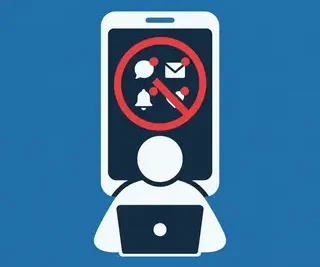
📵 Minimizing Distractions: Digital Distraction Management
Smartphones and apps are engineered to steal focus. Here, we cover notification schemas, grayscale mode, and app blockers like Freedom or Forest. You’ll schedule “check-in” windows for email and social media, not constant access. Learn to unsubscribe, archive, and mute non-critical alerts. We also discuss the dopamine loop and how to retrain your brain to crave focus over mindless scrolling.
🌐 Maximizing Productivity at Work: Remote Work Productivity
Beyond basics, this section dives into advanced remote workflows: async-first communication, documentation culture, and virtual watercoolers. You’ll learn to run effective stand-ups, use documented decisions, and set clear KPIs. Video call best practices (camera on, agenda shared) reduce meeting time. We also cover time-tracking for freelancers and how to show results, not just hours, to keep trust high.
🚀 Productivity for Specific Professions: Productivity Hacks for Entrepreneurs
Entrepreneurs juggle everything: product, sales, hiring, and finance. This subcategory teaches ruthless prioritization, delegation to virtual assistants, and using the “ROI of your time” framework. Tools like Rocket and Harvest track time vs. value. You’ll also learn to batch similar tasks into “power hours” and say no to non-scalable activities. Protect your founder hours for deep strategy, not busywork.
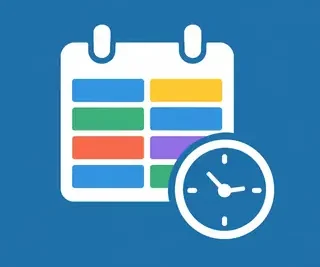
📅 Time Management Tips: Time Blocking
Time blocking turns your calendar into a truth-teller. Instead of a vague to-do list, you assign every task a specific slot. This prevents overruns and ensures important tasks get attention. We teach color-coding, buffer times, and theme days (e.g., admin Mondays, creative Thursdays). You’ll learn to adjust blocks dynamically, but the key is respecting them. Expect a 20% boost in output from this single habit.
⚖️ Time Management Tips: Eisenhower Matrix
This matrix sorts tasks by urgency and importance. You’ll categorize into do now, schedule, delegate, or delete. We provide templates and examples for daily decisions. By focusing on “important but not urgent” tasks (quadrant II), you proactively grow rather than react to fires. Learn to delegate without guilt and say no to trivial requests. This method clarifies your true priorities, eliminating anxiety from decision paralysis.
Frequently Asked Questions
What is the best time management tip for beginners?
Start with time blocking. Allocate 30 minutes to plan your day each morning, then assign each task a specific slot on your calendar. This simple method forces you to confront workload and priorities. Unlike to-do lists, time blocking creates realistic deadlines and reduces procrastination because you know exactly when to start. Pair it with a 5-minute break between blocks to stay fresh.
How do I minimize distractions when working from home?
Design a dedicated workspace with physical boundaries, like a closed door or a room divider. Use phone apps to block distracting sites during focus hours, and set your status to “Do Not Disturb” on team tools. Schedule specific times for email and social media, perhaps every 2 hours. Finally, communicate your deep-work hours to family or housemates to reduce interruptions.
Can the Pomodoro Technique help with long-term projects?
Yes, especially when combined with milestone planning. Use 25-minute Pomodoros to break a large project into tiny, actionable steps. After each Pomodoro, note one next action. This reduces overwhelm and keeps momentum. However, for deep creative flow, extend to 50-minute sessions with longer breaks. The key is consistency—track your completed Pomodoros to see progress and stay motivated.
What project management tool is easiest for a solo worker?
For solo workers, Trello or Notion are ideal. Trello uses simple Kanban boards to track tasks visually—create lists for To Do, Doing, and Done. Notion offers more flexibility with databases and templates, perfect for managing notes, projects, and habits. Both are free for basic use. Start with one and avoid over-customizing; simplicity is your friend.
How can students boost focus without relying on caffeine?
Use active recall and spaced repetition techniques while studying, as they engage your brain deeply and reduce fatigue. Take 10-minute movement breaks every hour—stretch or walk—to recharge. Also, set a dedicated study timer (like 25 minutes) and promise a reward afterward, such as a snack or short video. Maintain hydration and a regular sleep schedule for natural energy.