
Home Office & Productivity Gear
Transform your workspace into a hub of efficiency with expert-backed strategies for a productive home office. Discover how the psychology of your environment—from lighting to layout—can supercharge focus, while integrating cutting-edge tech gadgets and ergonomic solutions that prioritize both comfort and performance. Whether you’re battling distractions, seeking dual-screen productivity with portable monitors, or finding the perfect noise-canceling headphones for deep work, this is your blueprint for remote work success. Unlock the best software for seamless collaboration and project management, pair it with space-saving organizers and standing desks for a healthier posture, and craft a setup that maximizes output without sacrificing well-being. Ready to optimize your daily routine and reclaim your time? Dive in for actionable life hacks that turn any corner into a command center.
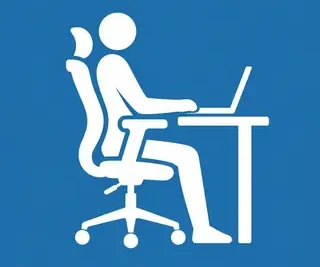 Ergonomic Home Office Furniture: Best Ergonomic Office Chairs for Comfort
 Creating a Productive Home Office Environment: Setting Up Your Home Office for Maximum Focus
 Ergonomic Home Office Furniture: Standing Desks for a Healthier Workspace
 Essential Software for Remote Work: Top Collaboration Software for Teams
 Essential Software for Remote Work: Project Management Software Reviews
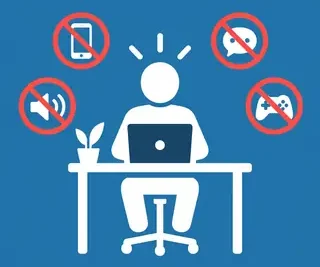 Creating a Productive Home Office Environment: Minimizing Distractions in Your Home Office
 Best Tech Gadgets for Home Office Productivity: Must-Have Home Office Tech Gadgets
 Best Tech Gadgets for Home Office Productivity: Portable Monitors for Dual-Screen Productivity
 Ergonomic Home Office Furniture: Desk Organizers and Space Savers
 Creating a Productive Home Office Environment
 Best Tech Gadgets for Home Office Productivity: Noise-Canceling Headphones for Focus
 Essential Software for Remote Work
 Essential Software for Remote Work: Communication Tools for Remote Teams
 Ergonomic Home Office Furniture
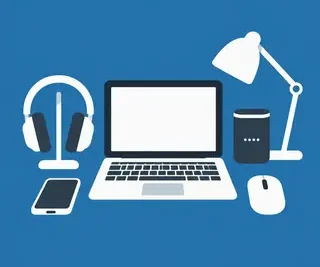 Best Tech Gadgets for Home Office Productivity
 Creating a Productive Home Office Environment: The Psychology of a Productive Workspace
UltimateLifeHacks: Home Office & Productivity Gear
Transform your remote workspace into a powerhouse of efficiency with our curated guides on home office productivity, ergonomic furniture, and essential tech gadgets. Whether you are battling distractions, suffering from back pain, or juggling virtual teams, these expert-driven resources help you save time, improve focus, and optimize your daily workflow. Dive into practical life hacks covering everything from noise-canceling headphones to standing desks, ensuring every square foot of your home supports peak performance.
Creating a Productive Home Office Environment: The Psychology of a Productive Workspace
Understand how lighting, color, and spatial arrangement influence your brain’s ability to concentrate. This subcategory reveals the psychological triggers that turn a spare room into a cognitive sanctuary. Learn to use natural light to regulate circadian rhythms, declutter to reduce mental load, and add plants for stress reduction. By mastering the psychology of workspace design, you will lower procrastination and enter “flow state” faster every single morning, boosting overall output without extra effort.
Best Tech Gadgets for Home Office Productivity
Discover game-changing devices that automate mundane tasks and streamline your digital workflow. From smart desk lamps that adjust brightness to wireless charging hubs and voice-controlled assistants, these home office tech gadgets eliminate friction points. We evaluate real-world performance, battery life, and integration with your existing setup. Each recommendation is a practical life hack aimed at saving you 30 minutes daily, letting you reclaim time for deep work and family life.
Ergonomic Home Office Furniture
Protect your body while boosting stamina with furniture designed for long sitting sessions. This section covers adjustable monitor arms, footrests, and lumbar-supportive seating that promote proper posture. We explain how poor ergonomics leads to fatigue and reduced cognitive function, then provide actionable shopping guides. Investing in ergonomic furniture is not a luxury—it is a productivity hack that prevents chronic pain and keeps you energized from 9 to 5.
Essential Software for Remote Work: Communication Tools for Remote Teams
Bridge the distance gap with seamless audio, video, and instant messaging solutions. Compare platforms like Slack, Microsoft Teams, and Zoom based on latency, screen-sharing quality, and file transfer speeds. We highlight best practices for asynchronous communication to reduce meeting fatigue. These tools are the backbone of remote team productivity, enabling crisp collaboration, clear decision-making, and a sense of presence even when miles apart.
Essential Software for Remote Work
Go beyond chat apps with a full-stack software toolkit covering time tracking, password management, and cloud storage. This umbrella category helps you choose all-in-one suites versus specialized apps for maximum efficiency. We break down subscription costs, learning curves, and security features. With the right software stack, you automate reporting, sync documents, and protect sensitive data—turning your home office into a secure, self-managing digital fortress.
Best Tech Gadgets for Home Office Productivity: Noise-Canceling Headphones for Focus
Block out barking dogs, lawnmowers, and household chatter with industry-leading active noise cancellation. We test over-ear and in-ear models for comfort during marathon calls, battery endurance, and microphone clarity for conference calls. These headphones are essential for deep work sprints, allowing you to simulate a library-quiet environment anywhere. Find the perfect pair that balances price, sound isolation, and multipoint pairing to keep you in the zone.
Creating a Productive Home Office Environment
Master the physical setup of your workspace with actionable checklists covering desk placement, lighting angles, and cable management. This core guide teaches you to zone your room into work, break, and storage areas, reducing transition time between tasks. We also discuss temperature control and air quality, which directly impact alertness. A well-structured environment is the foundation of every productivity life hack, minimizing decision fatigue and maximizing daily output.
Ergonomic Home Office Furniture: Desk Organizers and Space Savers
Maximize limited square footage with clever organizers, vertical shelving, and under-desk drawers. These space-saving solutions reduce visual clutter and keep essential tools within arm’s reach, cutting time wasted on searching. We review cable trays, monitor risers, and modular pegboards that adapt to your workflow. By optimizing storage, you create a clean slate for creative thinking and faster task completion, even in cramped apartments.
Best Tech Gadgets for Home Office Productivity: Portable Monitors for Dual-Screen Productivity
Expand your visual workspace without a bulky desktop setup using lightweight portable monitors. Ideal for laptops, these USB-C powered displays add a second screen for side-by-side research, coding, or video editing—boosting efficiency by up to 30%. We evaluate brightness, color accuracy, and connectivity with Mac and PC. Perfect for digital nomads and hybrid workers, these gadgets turn any coffee table into a full workstation, enhancing multitasking during travel.
Best Tech Gadgets for Home Office Productivity: Must-Have Home Office Tech Gadgets
Curated top-ten lists covering everything from smart pens to ergonomic mice and 4K webcams. This category is your quick-buy guide for high-impact devices that offer the biggest return on investment. We prioritize gadgets that save time, reduce errors, or enhance comfort. Each item is vetted for durability and customer satisfaction, ensuring you avoid impulse purchases. Upgrade your desk with tech that works as hard as you do, streamlining repetitive tasks.
Creating a Productive Home Office Environment: Minimizing Distractions in Your Home Office
Implement psychological boundaries and physical barriers to keep interruptions at bay. Learn door signage strategies, app-blocking software, and scheduled “do not disturb” blocks for family members. We also cover noise masking via white noise machines or fan ambient sounds. By engineering your environment to reduce notification pings and visual temptations, you safeguard your attention span, enabling longer stretches of uninterrupted, high-quality work.
Essential Software for Remote Work: Project Management Software Reviews
Compare heavyweights like Asana, Trello, and Monday.com for task assignment, progress tracking, and deadline management. We analyze granular features such as Gantt charts, automation recipes, and workload balancing. This subcategory helps you choose software that matches your team’s size and complexity. With clear project visibility, you reduce miscommunication, avoid missed deadlines, and keep stakeholders aligned—critical for smooth remote operations.
Essential Software for Remote Work: Top Collaboration Software for Teams
Deep dive into real-time co-editing, whiteboarding, and document sharing via tools like Google Workspace, Notion, and Miro. We test simultaneous editing latency, version history, and permission settings for secure collaboration. These platforms are virtual watercoolers that foster brainstorming and cross-functional synergy. By centralizing knowledge and feedback, you eliminate email chains and speed up decision cycles, making your remote team feel tightly knit and highly responsive.
Ergonomic Home Office Furniture: Standing Desks for a Healthier Workspace
Alternate between sitting and standing to reduce the health risks of prolonged sitting, such as back pain and metabolic slowdown. We review electric sit-stand desks with memory presets, stability at max height, and quiet motors. Pair them with anti-fatigue mats to ease leg pressure. This setup is a productivity booster because it increases blood flow, sharpens focus, and burns extra calories—making your workday both healthier and more profitable.
Creating a Productive Home Office Environment: Setting Up Your Home Office for Maximum Focus
Follow a step-by-step room transformation that includes painting walls in calming colors, installing blackout curtains, and positioning your desk facing the door (or away from high-traffic areas). We also suggest using visual cues like a dedicated “work lamp” that signals your brain to enter professional mode. This holistic approach addresses sensory overload, privacy concerns, and organization, creating a mental trigger that instantly shifts you into high-concentration gear.
Ergonomic Home Office Furniture: Best Ergonomic Office Chairs for Comfort
Evaluate chairs based on adjustable lumbar support, seat depth, armrest flexibility, and breathable mesh materials. We recommend models that support natural spinal curves and encourage micro-movements to prevent stiffness. A premium ergonomic chair is a long-term investment in your posture and productivity, as discomfort directly distracts from cognitive tasks. Find the right balance between premium features and budget to ensure you remain pain-free during marathon work sessions.
Frequently Asked Questions
How much should I spend on an ergonomic office chair?
Quality ergonomic chairs range from $200 to $1,500. Budget options around $200 offer basic lumbar support, while $500+ models provide adjustable seat pans and dynamic recline. For full-time remote work, invest at least $300 to ensure durability and proper back support, which prevents costly medical bills and productivity loss from back pain.
Do portable monitors slow down my laptop?
No, most portable monitors connect via USB-C or HDMI and do not load your CPU. They simply extend your display. However, using two screens can increase power consumption, so keep your laptop charged. For graphic-heavy tasks, choose a monitor with a dedicated power source to avoid draining your battery quickly.
What is the best software for small remote teams?
For small teams (under 15), Slack for communication, Trello for simple task boards, and Google Workspace for documents are ideal. These tools are affordable, easy to adopt, and scale well. Avoid overly complex platforms like Jira unless you need advanced agile reporting, which can overwhelm productivity.
How can I minimize distractions without a separate office?
Use a room divider or tall bookshelf to create a visual boundary. Schedule “focus hours” on shared family calendars, wear noise-canceling headphones, and turn off non-essential notifications. Additionally, use an app like Freedom to block social media during work periods, effectively creating a virtual private office.
Are standing desks worth the extra cost?
Yes, if you suffer from back pain or low energy. Standing desks improve circulation and alertness, but you must alternate every 30–45 minutes. Budget models around $250 work fine for occasional use. If you stand for more than two hours daily, invest $500+ for sturdier motors and better weight capacity.