
Unlock Your Potential: The Secret to a ClutterFree, Productive Home Workspace

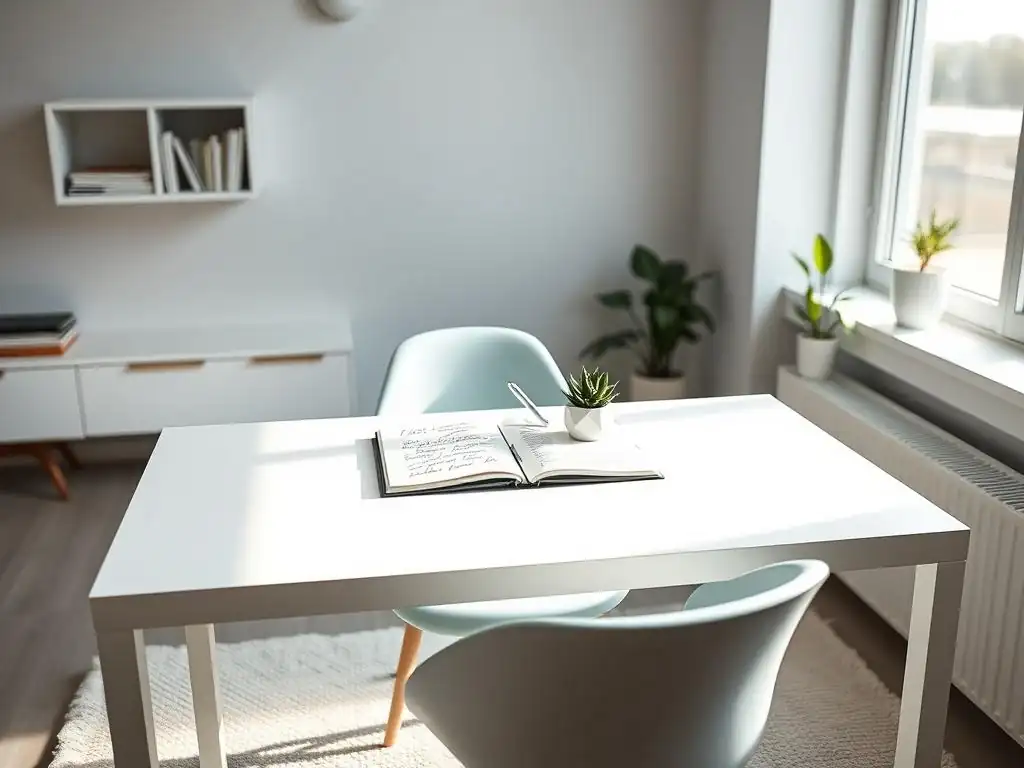
Ready to transform your home workspace from chaotic clutter to a productivity powerhouse? At UltimateLifeHacks, we believe in unlocking your full potential through practical strategies and ingenious tips. Discover the secrets to effortlessly organizing a productive home workspace, and say goodbye to wasted time and hello to increased efficiency. Dive in and learn how to create a space that fuels your ambition—it's easier than you think!
- Assessing Your Current Workspace: Identifying Clutter and Inefficiency
- Decluttering Your Home Office: A Step-by-Step Guide
- Optimizing Your Workspace for Maximum Productivity
- Implementing Time Management Techniques in Your Home Workspace
- Maintaining a Clutter-Free and Productive Home Workspace: Long-Term Strategies
- Investing in Your Productive Home Workspace: The ROI of Organization
- Conclusion: Transforming Your Home Office into a Productivity Powerhouse
- Frequently Asked Questions
- Final Reflection: Reclaiming Your Space, Reclaiming Your Life
- Rediscover Your Focus: Design Your Dream Workspace Today!
Assessing Your Current Workspace: Identifying Clutter and Inefficiency
Creating a truly productive home workspace isn't just about having a nice desk and a comfortable chair; it's about optimizing your environment for maximum focus and efficiency. This article will guide you through a process of assessing your current workspace, identifying areas for improvement, and implementing practical strategies to unlock your full potential. We'll explore how to effectively organize your productive home workspace, minimizing clutter and maximizing your productivity.
This detailed approach will help you transform your home office from a source of stress into a haven of productivity, allowing you to tackle tasks with renewed energy and focus. We'll delve into practical solutions, backed by real-world examples, to help you achieve a clutter-free and highly productive home office environment. Let's start by examining the state of your current workspace.
Identifying Clutter Hotspots in Your Home Office
Before you can effectively organize your productive home workspace, you need to identify the areas where clutter tends to accumulate. These "hotspots" are often the culprits behind decreased productivity and increased stress. Common clutter hotspots include:
- Desk surfaces: Papers, pens, sticky notes, and electronic devices can quickly overwhelm a desk.
- Shelves and drawers: Overstuffed shelves and drawers make it difficult to find what you need, leading to wasted time and frustration.
- Floors: Accumulated papers, books, and other items create visual clutter and physical obstacles.
- Corners and unused spaces: These areas often become dumping grounds for items that don't have a designated place.
To identify your specific clutter hotspots, take some time to carefully observe your workspace. Consider taking photos to document the areas that need the most attention. Ask yourself: Where do things tend to pile up? Where do you struggle to find specific items? Identifying these areas is the first crucial step towards creating a more organized and productive environment. Remember, a clean and organized space promotes a clear and focused mind.
Evaluating Your Current Workflow: Bottlenecks and Inefficiencies
Once you've identified your clutter hotspots, it's time to analyze your workflow. Are there any bottlenecks or inefficiencies in the way you currently work? Do you spend excessive time searching for files or tools? Do you frequently interrupt your work to deal with distractions?
Consider these questions:
| Question | Potential Bottleneck | Solution |
|---|---|---|
| Where do you spend most of your time? | Specific areas or tasks? | Optimize the setup for those tasks. |
| What tools do you use most frequently? | Difficult to access? | Keep them within easy reach. |
| What are your biggest time-wasters? | Email, social media, unnecessary meetings? | Schedule dedicated time for these, minimizing interruptions during work hours. |
| What tasks are most challenging? | Lack of organization, unclear processes? | Implement clear procedures and better organization systems. |
Addressing these bottlenecks is crucial for improving overall productivity. By streamlining your workflow, you'll free up valuable time and mental energy to focus on the tasks that matter most. This will significantly contribute to your overall success in creating an organized productive home workspace.
The Impact of Clutter on Productivity and Focus: A Case Study
Numerous studies demonstrate a strong correlation between a cluttered workspace and decreased productivity. A cluttered environment can lead to:
- Increased stress and anxiety: Visual clutter can overwhelm the brain, making it difficult to focus and concentrate.
- Reduced cognitive function: Studies show that clutter can impair cognitive function, leading to decreased creativity and problem-solving abilities.
- Lowered mood and motivation: A disorganized workspace can contribute to feelings of negativity and demotivation.
For example, a study by Princeton University Neuroscience Institute showed that participants performed tasks more effectively in an organized environment. Participants exposed to visual clutter experienced difficulties concentrating, exhibiting higher levels of cortisol (a stress hormone). This case study highlights the importance of creating a clean, organized workspace to support optimal cognitive function and productivity. A clutter-free workspace can significantly improve your overall well-being and contribute to a more positive and productive work experience. The results are clear: organizing your productive home workspace is an investment in your mental and professional health.
Decluttering Your Home Office: A Step-by-Step Guide
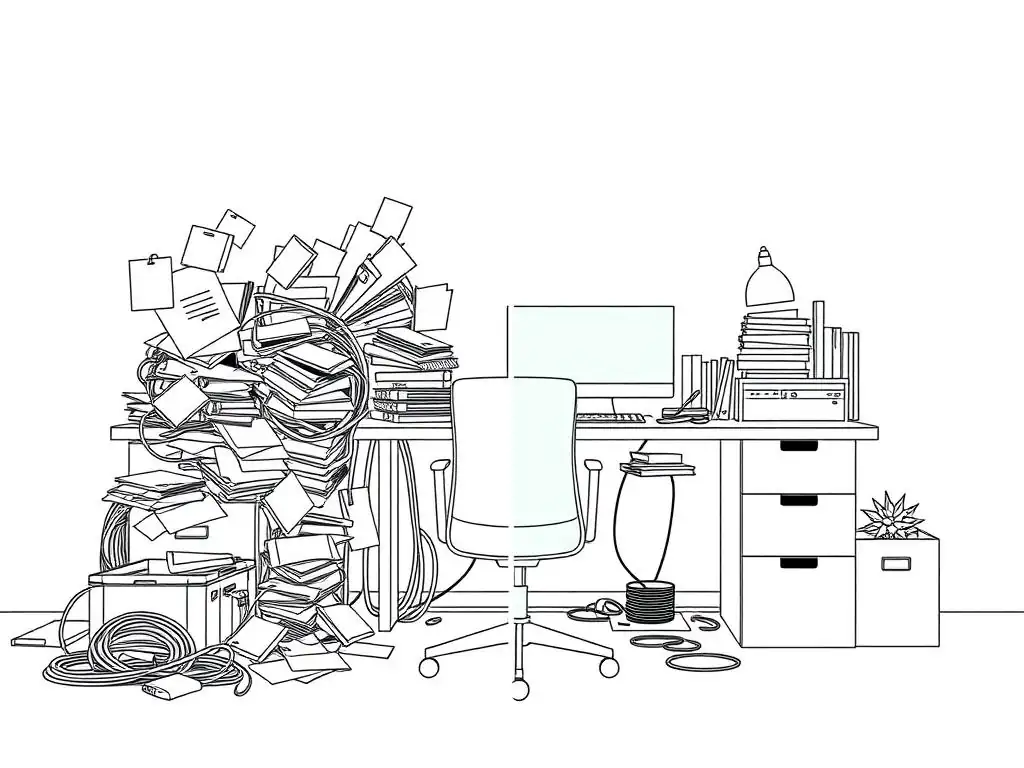
This section focuses on the crucial first step in organizing a productive home workspace: decluttering. A cluttered space directly impacts focus and productivity. We'll explore practical strategies to effectively remove unnecessary items and digital clutter, paving the way for a more efficient and inspiring work environment. Mastering this process is key to achieving your goal of an organize productive home workspace.
Purging Unnecessary Items: The KonMari Method and Alternatives
The KonMari Method, popularized by Marie Kondo, emphasizes keeping only items that "spark joy." While this approach is emotionally driven, it's surprisingly effective for identifying truly essential items in your workspace. However, it might not be suitable for everyone. Let's explore this and some alternative decluttering methods:
The KonMari Method: This involves tackling categories (clothing, books, papers, komono (miscellaneous items), and sentimental items) one by one, holding each item and assessing its emotional resonance. Items that don't spark joy are thanked and removed. This process can be surprisingly therapeutic and helps you become more mindful of your possessions.
Alternative Decluttering Strategies:
- The "One-In, One-Out" Rule: For every new item you bring into your workspace, remove an old one. This prevents accumulation and keeps your space manageable.
- The 20/20 Rule: If an item costs less than $20 and can be replaced in under 20 minutes, consider discarding it to minimize clutter and save time.
- The 90-Day Rule: If you haven't used an item in 90 days, it's a strong indicator you likely don't need it. Consider donating, selling, or discarding it.
Remember, the goal is not to become a minimalist overnight but to create a workspace that supports your productivity. A decluttered space promotes a clear mind, fostering better concentration and efficiency. Efficient decluttering is a cornerstone of an organize productive home workspace.
Digital Decluttering: Organizing Your Computer Files and Emails
Digital clutter can be just as detrimental to productivity as physical clutter. An overflowing inbox and disorganized computer files can lead to wasted time searching for documents and information. Implementing a digital decluttering strategy is essential for an organize productive home workspace.
Here are some effective strategies:
- File Naming Conventions: Establish a consistent and logical system for naming your files. Use descriptive names, dates, and keywords to easily locate files later. For example, instead of "Document1.docx," use "ProjectX_Report_2024-03-08.docx."
- Folder Structure: Create a clear and hierarchical folder structure on your computer. Organize files by project, client, or topic. Use subfolders to further categorize your information.
- Email Management: Unsubscribe from unnecessary newsletters and mailing lists. Create folders to organize emails by topic or sender. Develop a routine for processing emails—either responding, archiving, or deleting them promptly. Consider using filters to automatically sort emails into specific folders.
- Cloud Storage: Utilize cloud storage services to back up your files and free up space on your computer. This also provides accessibility from multiple devices.
A well-organized digital workspace is as important as a physically organized one. It contributes significantly to a more streamlined workflow and minimizes time spent searching for information. This is a crucial step toward achieving an organize productive home workspace.
Utilizing Storage Solutions: Shelving, Drawers, and Vertical Space Maximization
Once you've decluttered, it's time to implement effective storage solutions to maintain a tidy and organized workspace. Maximizing vertical space and using appropriate storage containers are essential for creating an organize productive home workspace.
Here are some practical ideas:
| Storage Solution | Benefits | Considerations |
|---|---|---|
| Shelving | Versatile, affordable, customizable | Ensure stability, consider weight capacity |
| Drawers | Conceal clutter, protect items from dust | Can be space-consuming if not used efficiently |
| Vertical Storage | Maximizes space, utilizes often-unused areas | Requires careful planning and organization |
| Desk Organizers | Keeps frequently used items within easy reach | Choose organizers that fit your workspace |
| Wall-Mounted Units | Saves floor space, provides additional storage | Requires installation, may not suit all walls |
Remember to choose storage solutions that complement your workspace and personal style. The key is to create a system that is both functional and aesthetically pleasing. Proper storage is essential for long-term maintenance of an organize productive home workspace. A well-organized space reduces stress and improves focus, ultimately leading to increased productivity.
Recommended Products: Storage Solutions
Choosing the right storage solutions is crucial for maintaining a clutter-free and organized home workspace. The key is to select products that fit your specific needs and aesthetic preferences while maximizing space efficiency. Don't just grab the first containers you see; consider the types of items you need to store and the available space. For example, if you have a lot of paperwork, a vertical filing cabinet might be a better choice than a series of drawers. Conversely, if you primarily work with digital files, you might prioritize a sleek, minimalist desk organizer with minimal storage for physical documents.
Consider the material of your storage solutions. Plastic containers are generally affordable and lightweight, but they might not be as aesthetically pleasing as woven baskets or wooden boxes. Metal shelving units offer durability and sturdiness, ideal for heavier items like books or printers. However, they can be more expensive and may require assembly. Think about the overall style of your home office and choose storage solutions that complement it. A consistent aesthetic contributes to a more calming and productive environment.
When selecting storage, prioritize functionality. Look for containers with clear labels or easily customizable labeling options. This allows for quick identification of contents, saving you valuable time searching for specific items. Consider using drawer dividers or adjustable shelves within larger units to further optimize space and keep things neatly separated. Think about the accessibility of your storage.
Frequently used items should be easily reachable, while less frequently used items can be stored higher up or in less accessible locations. This simple strategy significantly improves workflow efficiency. Remember to measure your space carefully before purchasing any storage solutions to ensure a perfect fit and avoid unnecessary clutter from oversized or awkwardly shaped containers. Investing in high-quality, well-designed storage solutions will pay dividends in terms of long-term organization and productivity. A well-organized workspace is a happier, more productive workspace.
Optimizing Your Workspace for Maximum Productivity
This section delves into the practical strategies for optimizing your home workspace to maximize productivity. We'll explore ergonomic considerations, lighting solutions, and cable management techniques to create an environment conducive to focused work. Proper organization is key to unlocking your potential and achieving a clutter-free, productive home office. Remember, a well-organized workspace directly impacts your ability to organize productive home workspace routines.
Ergonomic Setup for Comfort and Efficiency: Choosing the Right Chair and Desk
Ergonomics plays a crucial role in maintaining comfort and preventing physical strain during long work sessions. Investing in the right chair and desk is paramount for a productive and healthy home office. A poorly designed setup can lead to back pain, neck stiffness, and eye strain, significantly impacting your work efficiency and overall well-being.
Choosing the right chair involves considering several factors. Adjustability is key. Look for a chair with adjustable height, lumbar support, and armrests. The chair should support your back's natural curvature and allow you to sit with your feet flat on the floor. Consider materials; breathable mesh fabrics are often preferred for comfort and temperature regulation. High-quality chairs, while more expensive upfront, offer long-term benefits by preventing health issues associated with poor posture.
Your desk should also be ergonomically sound. The height should allow you to type with your elbows at a 90-degree angle and your wrists straight. A standing desk converter can be a valuable addition, allowing you to alternate between sitting and standing throughout the day, promoting better circulation and reducing sedentary behavior.
The desk's surface area should be ample to accommodate your equipment and leave space for comfortable work. Consider a desk with built-in cable management features to further enhance organization. Ultimately, the perfect ergonomic setup is personalized; experiment to find the best fit for your body and work style.
Lighting Solutions for Enhanced Focus: Natural Light vs. Artificial Lighting
Proper lighting is often overlooked but significantly impacts productivity and well-being. Natural light is ideal, promoting alertness and reducing eye strain. Position your desk near a window to maximize natural light exposure. However, relying solely on natural light isn't always practical. Supplement with artificial lighting to ensure consistent brightness throughout the day, especially during evenings or on cloudy days.
Artificial lighting should mimic natural daylight as closely as possible. Choose full-spectrum lighting that emits a balanced spectrum of light, reducing eye fatigue. Avoid harsh fluorescent lights; instead, opt for LED bulbs or task lamps that provide soft, diffused light. Layer your lighting; a combination of ambient, task, and accent lighting creates a more comfortable and functional workspace.
Ambient lighting provides general illumination, task lighting focuses on your work area, and accent lighting highlights specific areas or objects. Consider using a dimmer switch to adjust brightness levels depending on the time of day and your task. Proper lighting is a crucial element in creating an organize productive home workspace.
Cable Management Solutions: Keeping Wires Organized and Tidy
Tangled wires are a common eyesore and a productivity killer. Effective cable management not only improves the aesthetics of your workspace but also enhances safety and efficiency. A cluttered desk can lead to frustration and wasted time searching for specific cords.
Several strategies can be implemented for effective cable management. Cable ties, zip ties, and Velcro straps are inexpensive and effective for bundling and organizing cords. Use cable organizers, such as sleeves or boxes, to conceal and protect cables. Consider a power strip with built-in surge protection to centralize power sources.
Routing cables along the back of your desk or through grommets keeps them out of sight and prevents tripping hazards. Labeling cables can also be beneficial, especially if you have multiple devices and peripherals. For wireless devices, consider using a wireless keyboard and mouse to further minimize cable clutter. A clean, well-organized cable system contributes to a more streamlined and productive organize productive home workspace.
Recommended Products: Ergonomic Equipment
Investing in ergonomic equipment is crucial for creating a productive and healthy home workspace. Poor posture and uncomfortable setups lead to fatigue, pain, and decreased efficiency. By prioritizing ergonomics, you're not just enhancing comfort; you're actively preventing long-term health issues and boosting your overall productivity. Let's explore some key ergonomic products to consider:
Ergonomic chairs are paramount. Look for chairs with adjustable lumbar support, armrests, and seat height. A good ergonomic chair should mold to your body, providing proper spinal alignment and reducing strain. Consider features like breathable mesh fabric to prevent overheating and adjustable headrests for added neck support.
Investing in a high-quality ergonomic chair is an investment in your long-term health and well-being. Don't underestimate the impact a good chair can have on your focus and productivity throughout the day. Many reputable brands offer a wide range of options to suit different budgets and preferences. Take your time to research and select the best fit for your body type and work style.
Next, consider an adjustable standing desk. Alternating between sitting and standing throughout the workday can significantly reduce back pain and improve energy levels. These desks allow you to customize your working height, promoting better posture and reducing strain on your neck and shoulders. The ability to switch positions helps combat the sedentary nature of desk work, contributing to a healthier and more productive work environment. The initial investment in an adjustable standing desk can be substantial, but the long-term benefits for your health and productivity often outweigh the cost.
Furthermore, don't forget about ergonomic accessories. This includes items like ergonomic keyboards and mice designed to reduce wrist strain and carpal tunnel syndrome. These peripherals are specifically shaped to promote a more natural hand and wrist position, minimizing discomfort during extended periods of computer use. Look for keyboards with split designs or vertical mice to further enhance wrist comfort and prevent repetitive strain injuries. Even small adjustments to your keyboard and mouse setup can significantly improve your comfort and overall productivity. These seemingly minor upgrades can make a substantial difference in your daily comfort and efficiency.
Finally, consider a monitor arm. Positioning your monitor at eye level reduces neck strain and improves posture. A good monitor arm allows for easy adjustment of height, tilt, and swivel, ensuring optimal viewing comfort. This is especially important for those who spend long hours working on their computers.
Proper monitor placement contributes to better focus and reduces the risk of developing eye strain and headaches. Investing in a monitor arm is a simple yet effective way to improve your workspace ergonomics and enhance your overall well-being. A well-positioned monitor is a crucial aspect of a productive and comfortable home office.
Implementing Time Management Techniques in Your Home Workspace
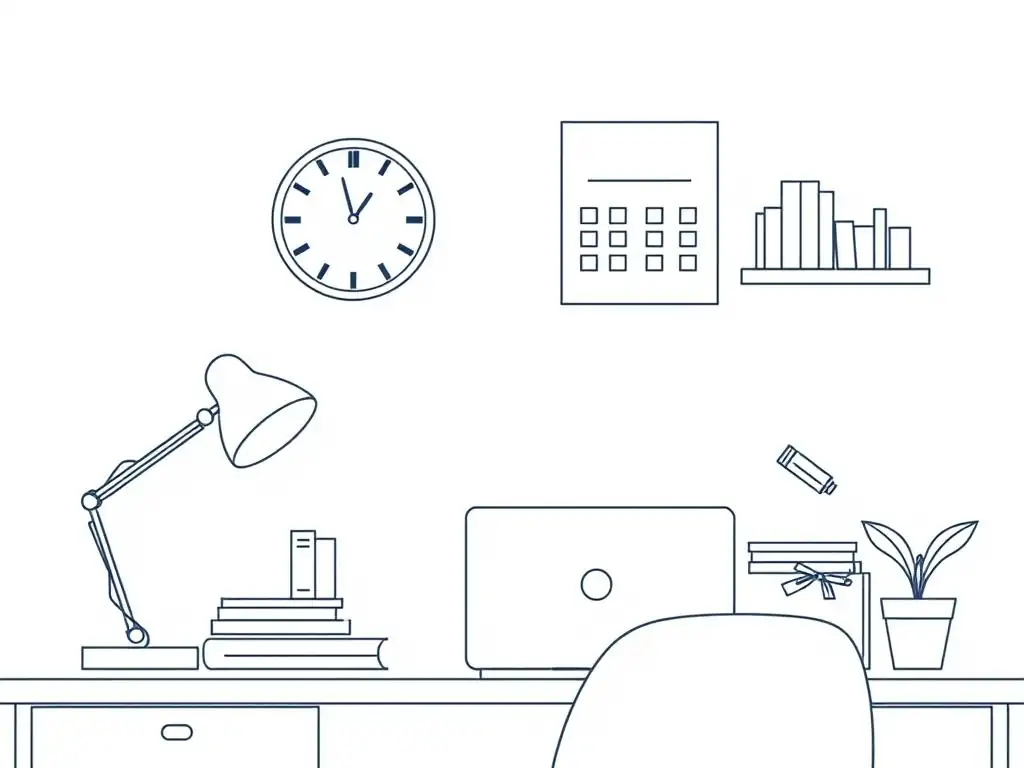
Creating a clutter-free and productive home workspace is only half the battle. To truly unlock your potential, you need to implement effective time management strategies. This section explores several techniques to help you maximize your productivity and minimize wasted time within your organized home office. Efficient time management is key to achieving your goals and reducing stress, leading to a more fulfilling work-life balance. Let's dive into some proven methods for organizing your time effectively.
The Pomodoro Technique: Structured Breaks for Enhanced Focus
The Pomodoro Technique is a simple yet powerful time management method that involves working in focused bursts interspersed with short breaks. The classic approach involves 25 minutes of focused work (a "Pomodoro"), followed by a 5-minute break. After four Pomodoros, you take a longer break of 15-20 minutes. This structured approach combats procrastination and prevents burnout by incorporating regular rest periods.
The beauty of this technique lies in its simplicity and adaptability. You can adjust the length of the work and break intervals to suit your individual needs and preferences. For instance, some individuals might find that 50-minute Pomodoros with 10-minute breaks work better for them. The key is consistency and adhering to your chosen schedule.
Experimentation is key to finding the optimal Pomodoro cycle for your personal workflow. Track your progress and adjust the intervals to find what keeps you focused and energized throughout the day. Many apps and timers are available to assist with tracking Pomodoros, providing visual cues and notifications for breaks. This structured approach to work can significantly boost productivity and concentration in your organized home workspace.
Time Blocking: Scheduling Specific Tasks for Optimal Productivity
Time blocking involves allocating specific time slots in your day for particular tasks. Instead of simply listing tasks, you schedule them into your calendar as appointments. This method promotes a proactive approach to task management, ensuring that you dedicate sufficient time to each activity.
For example, you might block out 9:00 AM to 10:30 AM for responding to emails, 10:30 AM to 12:00 PM for writing a report, and 1:00 PM to 3:00 PM for client calls. This structured approach helps to prioritize tasks and provides a clear visual representation of your workday. It also helps to prevent task-switching, which can significantly reduce productivity and increase stress levels.
Effective time blocking requires careful planning and realistic estimations of how long tasks will take. Overestimating time allocations is better than underestimating, as it provides a buffer for unexpected delays or interruptions. Regularly review and adjust your time blocks based on your progress and changing priorities. This organized approach will significantly improve your time management skills within your home workspace.
Prioritization Strategies: Identifying and Tackling High-Impact Tasks
Prioritizing tasks is crucial for maximizing productivity. Not all tasks are created equal; some have a greater impact on your overall goals than others. Several strategies can help you identify and tackle high-impact tasks effectively. The Eisenhower Matrix (urgent/important), the Pareto Principle (80/20 rule), and simply listing tasks by importance are all viable options.
The Eisenhower Matrix, also known as the Urgent/Important Matrix, categorizes tasks based on their urgency and importance. High-importance, high-urgency tasks should be tackled immediately. High-importance, low-urgency tasks should be scheduled. Low-importance tasks should be delegated or eliminated. This framework provides a clear structure for prioritizing tasks based on their impact.
The Pareto Principle, or 80/20 rule, suggests that 80% of your results come from 20% of your efforts. Identifying and focusing on that crucial 20% can significantly boost productivity. This requires careful analysis of your tasks and their potential impact.
Finally, a simple list ranked by importance can be surprisingly effective. Start by listing all your tasks, then rank them from most to least important. Focus on completing the top items on your list before moving on to lower-priority tasks. Consistent application of these strategies will significantly improve your workflow and contribute to a more productive home workspace. Remember, organizing your time is just as crucial as organizing your space.
Using Productivity Apps: Task Management Software
Harnessing the power of technology is crucial for organizing a productive home workspace. Productivity apps offer a streamlined approach to task management, significantly improving efficiency and reducing stress. Many excellent options cater to diverse needs and preferences, ranging from simple to-do lists to sophisticated project management systems. Choosing the right app depends on your individual workflow and the complexity of your tasks.
For instance, individuals managing several projects simultaneously might benefit from apps like [app name pending], which allow for detailed task breakdown, subtask creation, and collaborative features. These features are invaluable for keeping projects on track and ensuring accountability. Conversely, those with simpler needs might find a basic to-do list app like [app name pending] sufficient for managing daily tasks and appointments.
The key is to select an app that aligns with your personal preferences and doesn't add unnecessary complexity to your workflow. Experimenting with free trials or free versions of different apps is a great way to determine the best fit.
Beyond basic task management, many apps integrate calendar functions, allowing for seamless scheduling of tasks and appointments. This integrated approach minimizes the need to switch between multiple applications, further enhancing productivity. Some apps even offer features like time tracking, which can be invaluable for identifying time-wasting activities and optimizing your workflow. Understanding how you spend your time is a powerful tool for improving time management, and these apps can provide the data to facilitate this self-awareness.
Furthermore, consider apps that integrate with other productivity tools you already use. Seamless integration with email, cloud storage, and other essential applications can dramatically improve efficiency and reduce the friction associated with managing multiple platforms. For example, an app that automatically pulls tasks from your email inbox and adds them to your to-do list can save significant time and reduce the risk of overlooking important tasks.
The ultimate goal is to create a centralized system for managing all your work-related activities, minimizing context switching and maximizing focus. Remember, the best productivity app is one that you consistently use and find helpful; don't be afraid to experiment until you find the perfect fit for your needs.
Maintaining a Clutter-Free and Productive Home Workspace: Long-Term Strategies
This section focuses on establishing sustainable practices to keep your home workspace organized and productive, preventing the return of clutter and maximizing your efficiency over the long term. We'll explore strategies that go beyond simple tidying and delve into the core habits and systems that support a consistently clutter-free environment. The key to a productive home workspace isn't just about occasional cleaning; it's about building a system of ongoing maintenance. Think of it as preventative maintenance for your mind and your workspace.
Regular Decluttering Schedule: Preventing Clutter Buildup
The most effective way to organize a productive home workspace is to prevent clutter from accumulating in the first place. This requires a proactive approach, not a reactive one. Instead of waiting until your workspace is overwhelmingly messy, implement a regular decluttering schedule. This could be a weekly, bi-weekly, or monthly routine, depending on your needs and the level of clutter you tend to generate.
Consider these options:
- The "5-Minute Tidy": Dedicate five minutes at the end of each workday to quickly tidy your workspace. This involves putting away items, filing papers, and generally organizing your immediate surroundings. This small, consistent effort prevents minor clutter from snowballing into a major problem.
- The "Weekly Purge": Once a week, spend 15-30 minutes more thoroughly decluttering your workspace. This could involve going through papers, discarding unnecessary items, and organizing your files. This is a more in-depth cleaning than the 5-minute tidy.
- The "Monthly Deep Clean": Once a month, dedicate a longer period (1-2 hours) to a more thorough cleaning and organization of your entire workspace. This is an opportunity to tackle larger organizational tasks, rearrange your setup, and ensure everything is in its proper place.
Remember, consistency is key. Establish a schedule that works for you and stick to it. Even small, consistent efforts are far more effective than sporadic, intense cleaning sessions. Think of it like this: a little bit of prevention goes a long way in preventing a massive cleanup later! 🧹
Developing Consistent Work Habits: Maintaining Focus and Efficiency
A clutter-free workspace is only half the battle. To truly organize a productive home workspace, you need to develop consistent work habits that support focus and efficiency. These habits are interconnected with maintaining a clean and organized space. For example, a designated space for each item reduces search time and frustration, boosting productivity.
Here are some habits to cultivate:
- Time Blocking: Schedule specific blocks of time for specific tasks. This helps you stay focused and prevents task-switching, which can lead to wasted time and mental clutter.
- The Pomodoro Technique: Work in focused bursts (e.g., 25 minutes) followed by short breaks. This technique improves concentration and prevents burnout.
- Prioritization: Start your workday by identifying the most important tasks and tackling them first. This ensures that you accomplish your highest-priority goals.
- End-of-Day Routine: Develop a consistent end-of-day routine to prepare your workspace for the next day. This could involve tidying up, organizing your materials, and planning your next day's tasks. This proactive approach minimizes the mental load at the start of the next day.
Utilizing Cleaning Supplies for Ongoing Maintenance: Cleaning Supplies
Maintaining a clean and organized workspace requires the right tools. Investing in appropriate cleaning supplies is crucial for effective ongoing maintenance. This isn't just about aesthetics; a clean workspace directly impacts your health and productivity. Dust, allergens, and general grime can impact concentration and well-being.
Consider these essential cleaning supplies:
| Supply | Purpose | Frequency of Use |
|---|---|---|
| All-purpose cleaner | General cleaning of surfaces. | Daily or as needed |
| Disinfectant wipes | Sanitizing frequently touched surfaces. | Daily or as needed |
| Microfiber cloths | Gentle cleaning and polishing without scratching. | Daily or as needed |
| Dustpan and brush | Quick cleanup of spills and debris. | Daily or as needed |
| Desk organizer | Keeps pens, pencils, and other small items organized and easily accessible. | Ongoing |
| File folders and organizer | Keeps important documents organized and readily available. | Ongoing |
| Trash cans (desk & nearby) | Prevents clutter accumulation and maintains hygiene. | Regularly emptied |
Remember, investing in quality cleaning supplies can save you time and effort in the long run. A well-maintained workspace fosters a productive and healthy work environment. A clean workspace is a clear mind! ✨
Creating a Relaxing Workspace Atmosphere: Incorporating Plants and Calming Decor
Incorporating elements that promote relaxation is crucial for maintaining a productive home workspace. A cluttered, stressful environment directly impacts focus and efficiency. Studies have shown that exposure to nature, even in small doses, can significantly reduce stress levels and improve cognitive function. 1 This is where strategically placed plants and calming décor come into play.
The benefits of adding plants to your workspace extend beyond aesthetics. Plants help purify the air, removing toxins and improving air quality. This translates to a healthier workspace and potentially fewer sick days.
Consider low-maintenance plants like snake plants, ZZ plants, or pothos, known for their air-purifying qualities and ability to thrive in low-light conditions, perfect for many home office setups. Beyond air quality, the presence of greenery creates a more visually appealing and calming environment, fostering a sense of peace and tranquility. The subtle movement of leaves and the natural textures add a dynamic yet soothing element to the space.
Calming décor complements the benefits of incorporating plants. Think soft, muted colors on the walls, perhaps a calming blue or a gentle green. Avoid harsh, bright colors that can be stimulating and distracting. Incorporate natural materials like wood and bamboo into your workspace through furniture or decorative accessories.
These elements add warmth and texture, contributing to a more inviting and relaxing atmosphere. Soft lighting is also crucial; harsh overhead lighting can be jarring and unproductive. Opt for a combination of ambient lighting, like a floor lamp, and task lighting, such as a desk lamp, to create a balanced and comfortable illumination.
Consider incorporating aromatherapy diffusers with calming scents like lavender or chamomile to further enhance the relaxing ambiance. Remember, the goal is to create a space where you feel comfortable, relaxed, and ready to focus. Experiment with different combinations of plants, colors, and textures until you find the perfect blend that works for you and promotes a productive yet peaceful workspace.
1 [Specific study referencing the positive effects of nature on stress and cognitive function pending]
Investing in Your Productive Home Workspace: The ROI of Organization
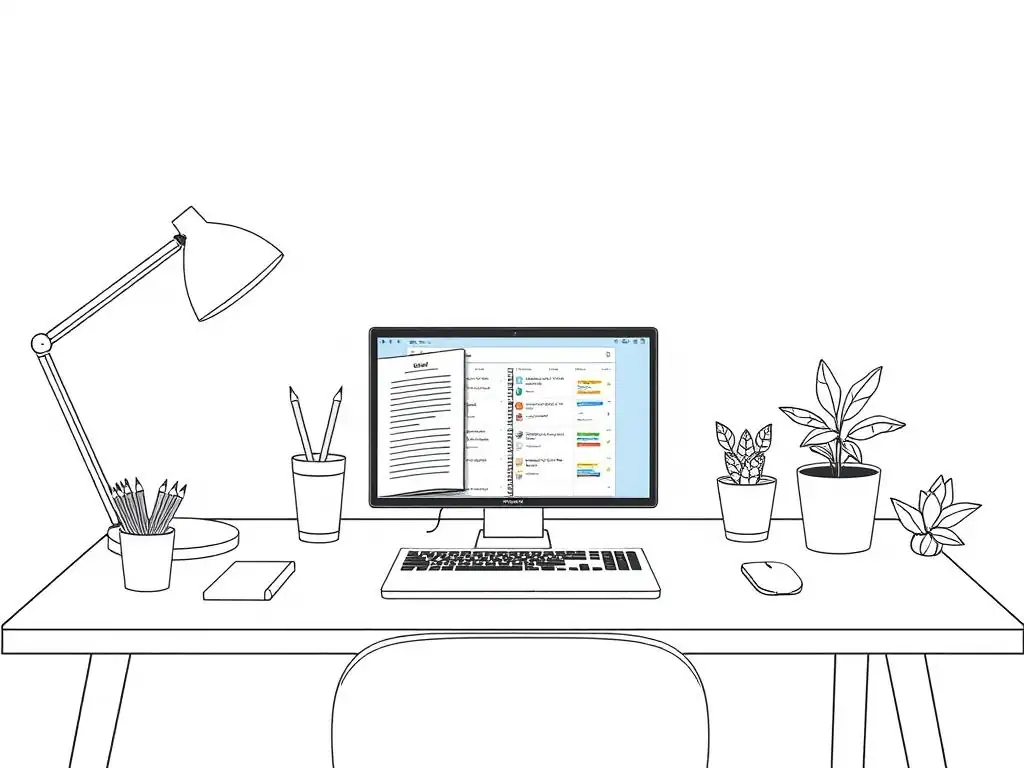
Organizing your home workspace isn't just about aesthetics; it's a strategic investment in your productivity and overall well-being. Think of it as an investment with a significant return on investment (ROI). A well-organized space directly translates to increased efficiency, reduced stress, and ultimately, a more fulfilling work-life balance. This section will explore the tangible and intangible benefits of prioritizing organization in your home office, demonstrating the clear financial and personal value.
The Cost-Benefit Analysis of a Well-Organized Workspace: Increased Productivity and Reduced Stress
The benefits of a clutter-free workspace extend far beyond a visually appealing environment. A study by Princeton University Neuroscience Institute showed that a cluttered environment can lead to decreased focus and increased stress levels. 1 This translates to lost time, reduced efficiency, and ultimately, lower productivity. Conversely, a well-organized workspace promotes mental clarity, reduces distractions, and allows for a more focused workflow.
Let's quantify this: Imagine you spend 30 minutes each day searching for misplaced documents or struggling to find essential tools. Over a year, that adds up to approximately 182.5 hours – almost nine full work weeks! This lost time represents a significant opportunity cost, potentially impacting your income or overall project completion.
Investing in organizational solutions, such as filing systems, drawer dividers, and ergonomic furniture, can drastically reduce this wasted time, leading to a substantial increase in productivity and a significant return on your investment. The reduction in stress alone is also invaluable; leading to improved health and well-being, further increasing your ROI in the long run.
Long-Term Savings through Efficiency and Reduced Waste
A well-organized home workspace isn't just about immediate productivity gains; it leads to significant long-term savings. Consider these points:
- Reduced waste: When everything has its place, you're less likely to buy duplicates of items you already own. This applies to stationery, office supplies, and even technology. This minimizes unnecessary expenses over time.
- Improved asset management: Knowing exactly where everything is reduces the risk of losing or damaging valuable equipment or documents. Replacing lost or damaged items can be costly, so proactive organization prevents these unexpected expenses.
- Extended lifespan of equipment: Proper storage and organization protect your equipment from damage, extending its lifespan and delaying the need for replacements. This is especially true for electronics and other delicate items.
Recommended Upgrades for Enhanced Productivity: Productivity Enhancements
Investing in certain organizational upgrades can significantly boost productivity. These enhancements offer a strong ROI by streamlining your workflow and minimizing distractions. Consider these examples:
| Upgrade | Cost (Approximate) | Productivity Benefit | ROI |
|---|---|---|---|
| High-quality filing system | $50 - $150 | Efficient document retrieval, reduced search time | Significant time savings, reduced stress |
| Ergonomic chair | $100 - $500 | Improved posture, reduced back pain, increased focus | Improved health, increased work capacity |
| Adjustable standing desk | $200 - $800 | Enhanced energy levels, reduced sedentary behavior | Improved health, increased productivity |
| Cable management system | $20 - $50 | Reduced clutter, improved workspace aesthetics | Enhanced focus, improved workspace flow |
| Multifunctional organizer | $30 - $100 | Consolidates stationery, tools, and other items | Improved efficiency, reduced search time |
Investing in your home workspace is an investment in yourself. By prioritizing organization, you're not just tidying up; you're optimizing your potential for greater productivity, reduced stress, and long-term financial savings. The key is to strategically assess your needs and choose upgrades that offer the highest return on investment for your specific workflow and budget. Remember, a productive workspace isn't a luxury; it's a necessity for achieving your professional and personal goals.
1 [Specific information pending: Citation for Princeton University Neuroscience Institute study on cluttered environments and stress.]
Conclusion: Transforming Your Home Office into a Productivity Powerhouse
This journey to organizing a productive home workspace isn't just about tidying up; it's about cultivating an environment that fosters focus, creativity, and ultimately, success. By implementing the strategies discussed, you're not merely decluttering your physical space, but also clearing mental clutter, paving the way for enhanced productivity and a more fulfilling work-life integration. Remember, a well-organized workspace is a reflection of a well-organized mind.
The benefits extend far beyond a visually appealing office; they translate into increased efficiency, reduced stress, and a greater sense of accomplishment. Investing time in optimizing your home office is an investment in yourself and your future success.
Recap of Key Strategies for a Clutter-Free Workspace
Let's revisit the core principles for achieving a truly productive home workspace:
- Strategic Decluttering: This isn't just about throwing things away. It involves a mindful process of identifying what you truly need, what can be donated or recycled, and what can be stored efficiently. Regular decluttering sessions, perhaps once a month or quarterly, are crucial for maintaining this organized state. Consider the KonMari method or similar systems to guide your decluttering efforts.
- Effective Organization Systems: Implementing practical organizational systems is key. This could involve using drawer dividers, file organizers, label makers, or even color-coding your files. The key is to find a system that works for you and your specific needs. Experiment with different methods until you find one that consistently helps you locate items quickly and efficiently.
- Ergonomic Setup: Your physical comfort directly impacts your productivity. Ensure your chair provides adequate back support, your desk is at the correct height, and your monitor is positioned to minimize eye strain. A comfortable and ergonomic setup minimizes physical discomfort and maximizes focus.
- Designated Workspace: Having a dedicated workspace, even if it's a small corner, signals to your brain that it's time to work. This separation of work and relaxation areas is crucial for maintaining focus and preventing burnout.
- Regular Maintenance: Consistency is key. A few minutes of tidying each day prevents clutter from accumulating and overwhelming you. Regular maintenance ensures that your organized workspace stays that way.
Actionable Steps to Implement Today
Don't wait for a perfect moment to begin organizing your home workspace. Start small, and build momentum. Here are three actionable steps you can take today:
- The 15-Minute Tidy: Set a timer for 15 minutes and focus on decluttering one specific area of your workspace, like your desk or a filing cabinet. You'll be surprised at how much you can accomplish in just a short burst of focused effort. This technique is excellent for maintaining a tidy space, too.
- Implement One Organizational System: Choose one organizational system – be it a new filing system, drawer dividers, or a label maker – and implement it in one area. Focusing on one small change at a time makes the entire process less overwhelming.
- Adjust Your Ergonomics: Take a moment to assess your posture and workstation setup. Adjust your chair height, monitor position, and keyboard placement to ensure optimal comfort and minimize strain. Even small adjustments can significantly impact your productivity and well-being.
Resources for Further Learning and Support
While this guide provides a solid foundation for organizing your productive home workspace, numerous additional resources are available to deepen your understanding and refine your approach. Explore books, online courses, and productivity blogs dedicated to home office organization and workspace design. Many offer detailed guidance, practical tips, and inspiring examples to help you create the perfect workspace tailored to your individual needs and preferences.
Remember, continuous learning and adaptation are crucial for maintaining a consistently productive and fulfilling home office environment. Seek out resources that resonate with your learning style and preferences to enhance your journey towards a clutter-free and highly productive workspace.
Frequently Asked Questions
How can I create a clutter-free workspace at home?
To create a clutter-free workspace, start by decluttering your area. Remove unnecessary items and organize what remains using storage solutions like drawers, shelves, and baskets. Regularly purge items you no longer need.
What are some essential tools for an organized home workspace?
Essential tools include a comfortable chair, good lighting, a reliable computer, and sufficient storage. Consider adding organizational tools such as file organizers, a planner, and a comfortable keyboard and mouse. Prioritize items that support your workflow.
How do I stay productive in my home workspace?
Establish a routine with dedicated work hours and breaks. Minimize distractions by turning off notifications and creating a designated workspace separate from relaxation areas. Prioritize tasks and use time management techniques like the Pomodoro method.
What if I have limited space for a home workspace?
Even in a small space, you can create a functional workspace. Utilize vertical space with shelves and wall-mounted organizers. Employ multi-functional furniture like a desk with built-in storage. Foldable furniture can also maximize space.
How can I maintain a productive and organized home workspace long-term?
Consistency is key. Dedicate time each day or week to tidying and organizing. Regularly review your system and adjust as needed. Develop good habits like putting things away after use and regularly decluttering to maintain a productive and organized space.
Final Reflection: Reclaiming Your Space, Reclaiming Your Life
A clutter-free workspace isn't just about aesthetics; it's the cornerstone of a productive and fulfilling life. The impact of our environment on our mental clarity and overall well-being is undeniable, and creating a sanctuary of organization in our home offices is more crucial than ever in our increasingly busy world. This isn't merely about tidying up; it's about unlocking potential.
The journey to a productive home workspace is a continuous process of self-discovery and refinement. It's about understanding your own work style, identifying your needs, and creating a space that truly supports them. The best way to find yourself is to lose yourself in the service of others.
While this quote from Gandhi might seem unrelated at first glance, it speaks to the core principle: by creating a space that serves you, you free yourself to serve others and pursue your passions with greater focus and energy. The ripple effect of a well-organized workspace extends far beyond the confines of your home office.
Now, consider your own workspace. What adjustments can you make today to foster a more productive and inspiring environment? Perhaps it's decluttering a drawer, investing in a better ergonomic chair, or simply taking five minutes each evening to tidy up. Start small, build momentum, and watch as a more organized space translates into a more organized, and ultimately more fulfilling, life. Embrace the power of intentionality in shaping your surroundings, and unlock the potential that awaits within.
Rediscover Your Focus: Design Your Dream Workspace Today!
Thank you for exploring the secrets to a clutter-free, productive home workspace! We hope you've found valuable insights and inspiration to transform your work environment. Now, let's put that knowledge into action.
- Prioritize One Area: Begin by decluttering a small section of your workspace. Even organizing a single drawer can significantly improve your focus and mood.
- Share Your Success: Take before-and-after photos of your workspace transformation and share them on social media using #UltimateLifeHacksWorkspace. Let's inspire each other!
- Find New Organization Ideas: Spend some time browsing online for creative workspace organization solutions. You might be surprised by the innovative ideas you discover!
What's the first step you'll take today to create a more productive and inspiring workspace? Let us know in the comments below!