
Parental Control Mastery: Safeguarding Your Children's Online Experiences


Welcome to UltimateLifeHacks, your one-stop destination for practical tips and tricks to conquer your daily routine! We're dedicated to helping you unlock a more efficient and fulfilling life. In today's digital age, safeguarding your children online is paramount. Discover how to master parental controls and create a secure digital environment for your kids—read on to explore our expert guide on Safe Kids Online Parental Controls and gain peace of mind.
- Understanding the Risks: Why Robust Parental Controls are Essential
- Choosing the Right Parental Control Software: A Comprehensive Guide
- Implementing Effective Parental Control Strategies: A Step-by-Step Approach
- Beyond Software: Building a Culture of Online Safety at Home
- Advanced Parental Control Techniques for Enhanced Protection
- Troubleshooting Common Parental Control Issues
- Maintaining a Balance: Promoting Responsible Tech Use While Fostering Independence
-
Frequently Asked Questions
- What are the best parental control tools for safeguarding my child's online activity?
- How can I monitor my child's social media usage effectively?
- What age is appropriate to start using parental controls?
- How can I balance online safety with my child's independence?
- What should I do if I discover inappropriate content on my child's device?
- Final Reflection: Nurturing Digital Citizenship in a Connected World
- Unlock Your Child's Online Safety Now!
Understanding the Risks: Why Robust Parental Controls are Essential
Navigating the digital world as a parent presents unique challenges. The internet, while offering incredible educational and social opportunities, also exposes children to a myriad of potential dangers. This article delves into the crucial role of parental control software and strategies in safeguarding your children's online experiences, helping you effectively manage their digital lives and mitigate risks associated with unsupervised internet access.
We'll explore the specific threats children face online and provide actionable steps to create a safer digital environment for your family. Mastering parental controls isn't just about restricting access; it's about fostering responsible digital citizenship and empowering your children to navigate the online world safely and confidently.
This guide focuses on practical, effective strategies to address the growing concerns surrounding children's safety online, equipping you with the knowledge and tools to protect your children from the ever-evolving landscape of online threats. The goal is to provide you with a comprehensive understanding of "safe kids online parental controls" and how to implement them effectively.
The Dangers of Unmonitored Internet Access for Children
Unmonitored internet access exposes children to a vast range of risks. These risks extend beyond the obvious dangers of inappropriate content and online predators. Children may unintentionally encounter graphic violence, hate speech, or sexually explicit material, impacting their emotional and psychological well-being.
Furthermore, the constant connectivity can lead to addiction, sleep deprivation, and a decline in physical activity. The sheer volume of information available online can be overwhelming, leading to information overload and difficulty focusing on schoolwork or other important tasks. Consider the potential for exposure to scams, phishing attempts, and online harassment, which can have lasting consequences.
The lack of parental guidance and supervision creates a vulnerable environment where children may not possess the critical thinking skills to discern trustworthy information from misinformation or harmful content. This lack of digital literacy is a critical factor in understanding the need for comprehensive parental controls. Implementing effective parental controls is therefore not merely a matter of convenience; it's a crucial step in safeguarding your child's physical, mental, and emotional health.
Cyberbullying and Online Predators: Protecting Your Child
Cyberbullying is a significant concern, as it can lead to severe emotional distress, anxiety, and even depression in children. Online predators often use social media and online games to target vulnerable children, grooming them for exploitation. These predators may pose as peers, building trust before attempting to manipulate or harm the child. The anonymity provided by the internet makes it easier for bullies and predators to act without fear of immediate consequences.
Protecting children from these threats requires a multifaceted approach. Parental controls can help by monitoring online activity, blocking inappropriate websites, and limiting communication with strangers. Open communication with your child is also essential. Creating a safe space where your child feels comfortable discussing their online experiences is crucial for early detection of potential problems.
Educating your child about online safety, including the importance of reporting cyberbullying and suspicious behavior, empowers them to take an active role in their online protection. Remember that consistent monitoring and proactive measures are key to mitigating the risks of cyberbullying and predatory behavior. Regularly reviewing your child's online activity and engaging in open conversations about their digital life can significantly reduce their vulnerability.
Age-Appropriate Content and Avoiding Inappropriate Material
Ensuring access to age-appropriate content is another vital aspect of parental control. The internet contains vast amounts of material unsuitable for children, ranging from violent video games to sexually suggestive images and videos. Exposure to such content can have detrimental effects on a child's development and well-being. Parental controls offer a range of tools to filter inappropriate content, including website blockers, content filters, and time limits.
These tools can be customized to suit your child's age and maturity level, allowing you to create a safer browsing experience. However, it is crucial to remember that no system is foolproof. Regular monitoring and open communication with your child remain essential components of a comprehensive online safety strategy.
Utilizing a multi-layered approach, combining technological solutions with ongoing dialogue and education, is the most effective way to ensure your child's online safety and promote responsible digital citizenship. Remember that the digital landscape is constantly evolving, so staying informed about the latest threats and updating your parental controls regularly is vital. This proactive approach will help you stay ahead of potential dangers and protect your child in the ever-changing online world.
Data Privacy Concerns for Kids Online
Children are particularly vulnerable to online data privacy breaches. Unlike adults, they often lack the understanding of the implications of sharing personal information online. A seemingly innocent game or social media profile can inadvertently expose sensitive details like home address, school name, and even family routines. This information, in the wrong hands, can lead to various risks, from targeted advertising and scams to more serious threats like identity theft and online stalking. Predators often prey on children's naivety, using manipulative tactics to gather information and build trust before exploiting them.
Furthermore, many children's apps and websites collect vast amounts of data, often without parental knowledge or consent. This data can include browsing history, location data, and even voice recordings. The long-term implications of this data collection are often unclear, raising concerns about potential misuse and the creation of detailed profiles that could be exploited later in life.
Understanding the data privacy policies of every app and platform your child uses is virtually impossible, highlighting the need for robust parental control mechanisms that can at least mitigate some of these risks. The lack of robust age verification systems on many platforms further exacerbates this problem, allowing underage children to access services and create profiles without proper oversight.
This lack of regulation underscores the importance of proactive parental involvement and the implementation of strong parental controls to safeguard children's digital footprint. Effective parental controls can limit data collection, restrict access to inappropriate content, and provide parents with greater transparency into their children's online activities.
Choosing the Right Parental Control Software: A Comprehensive Guide
Protecting your children online requires a strategic approach, and selecting the right parental control software is a crucial first step. The digital landscape is vast and ever-evolving, presenting both incredible opportunities and significant risks for young users. Choosing the right software means understanding your specific needs and the capabilities of different solutions. This section will guide you through the process, ensuring you make an informed decision to safeguard your children's online experiences. The goal is to find a balance between security and allowing appropriate digital exploration, fostering a healthy relationship with technology.
Top Parental Control Apps and Software for Different Devices
The market offers a wide range of parental control software, each with its strengths and weaknesses. The best choice depends on your family's specific needs and the devices your children use. Consider the operating systems (iOS, Android, Windows, macOS) and the types of devices (smartphones, tablets, computers). Here’s a glimpse into the variety available:
- For Mobile Devices (iOS & Android): Many apps excel at managing screen time, blocking inappropriate content, and tracking location. Some examples include [Specific app names pending – requires further research and verification to avoid outdated or inaccurate information], each with varying features and pricing models. Consider factors such as ease of use for both parents and children, the level of customization offered, and the reputation of the developer.
- For Computers (Windows & macOS): Software designed for computers often provides more comprehensive control over internet usage, including website filtering, application blocking, and monitoring of online activity. [Specific software names pending – requires further research and verification to avoid outdated or inaccurate information] are examples, but again, thorough research is vital before committing.
- Cross-Platform Solutions: Ideally, you'll want a solution that works seamlessly across all your children's devices. This provides a consistent level of protection and simplifies management. Many services offer this cross-platform functionality, simplifying the parental control process. However, it's essential to verify compatibility before purchasing.
Key Features to Look For in Effective Parental Control Solutions
Beyond the basic functionality of blocking inappropriate content, several key features should be considered when evaluating parental control solutions. These features enhance security and provide valuable insights into your children's online activities.
- Website Filtering and Blocking: This is a foundational feature. Effective software should allow you to create custom blocklists and allowlists, blocking access to harmful websites while permitting access to educational or approved sites. The ability to customize these lists is crucial for tailoring the software to your family's specific needs.
- App Monitoring and Control: Similar to website filtering, the ability to control which apps your children can access is vital. This is particularly important for younger children who may be more susceptible to downloading inappropriate or unsafe applications. Consider solutions that allow you to set time limits for specific apps.
- Screen Time Management: Setting limits on daily screen time is essential for promoting healthy digital habits. Look for software that allows you to schedule screen-free time, set daily limits, and even pause access remotely.
- Location Tracking (GPS): For safety and peace of mind, location tracking can provide reassurance, especially for older children. This feature should be used responsibly and ethically, with open communication with your children.
- Content Filtering (YouTube, etc.): Many platforms require specific content filtering tools beyond simple website blocking. Ensure your chosen software integrates with these platforms to effectively manage the content your children consume.
- Reporting and Monitoring: Regular reporting on your children's online activity provides valuable insights. Look for features that provide detailed reports on website visits, app usage, and other online interactions. This allows for proactive intervention and open conversations about online safety.
Free vs. Paid Parental Controls: Weighing the Options
The choice between free and paid parental control software often comes down to a balance between features and cost. Free options may offer basic functionality, like screen time limits or simple website blocking. However, they frequently lack the advanced features and comprehensive protection of paid options.
| Feature | Free Parental Controls | Paid Parental Controls |
|---|---|---|
| Features | Limited, basic functionality | Extensive, advanced features |
| Customization | Often minimal | Highly customizable |
| Support | Limited or nonexistent | Typically includes customer support |
| Updates | Infrequent or unreliable | Regular updates and improvements |
| Device Compatibility | May be limited to specific devices or platforms | Often supports multiple devices and operating systems |
| Data Privacy | May have less stringent data privacy policies | Often have more transparent and robust data privacy policies |
Choosing between free and paid solutions requires careful consideration of your family's needs and budget. While free options can be a starting point, paid solutions often provide the necessary comprehensive protection and peace of mind for navigating the complexities of the digital world. Remember, the safety and well-being of your children are invaluable. Investing in robust parental control software is a wise investment in their future.
Setting Up Parental Controls on Multiple Devices (Smartphones, Tablets, Computers)
Setting up robust parental controls across multiple devices—smartphones, tablets, and computers—requires a multi-pronged approach. Consistency is key; a child circumventing controls on one device easily negates the protection offered on others. The complexity increases with the variety of operating systems involved (iOS, Android, Windows, macOS). Let's break down the process for each major device type.
First, consider the centralized management aspect. Some parental control software offers a single dashboard to manage settings across all devices linked to a child's profile. This significantly simplifies the process, allowing you to adjust time limits, block inappropriate content, or monitor activity from one central location. This is particularly beneficial for families with multiple children and a range of devices. The convenience of a unified system cannot be overstated; it saves considerable time and effort compared to managing each device individually.
For smartphones and tablets, the process often involves downloading and installing a dedicated parental control app. These apps usually require parental accounts and the creation of child profiles. Features typically include app blocking, screen time limits, location tracking, and content filtering.
Android and iOS devices often have built-in parental control features accessible within the device's settings menu, but third-party apps generally offer more comprehensive and customizable options. Remember to carefully review the permissions requested by any app before installation, and choose reputable providers with strong privacy policies. Regularly check for app updates to benefit from security patches and improved features.
Managing parental controls on computers (laptops and desktops) presents a slightly different challenge. Again, dedicated software is often the most effective solution. These programs allow for web filtering, restricting access to specific websites or categories (like social media or gaming sites), limiting screen time, and monitoring online activity. Many programs offer features to block inappropriate content, prevent downloads from untrusted sources, and even restrict the installation of new software.
For Windows and macOS, built-in parental controls exist but are usually less comprehensive than dedicated third-party solutions. Consider the age and maturity level of your child when selecting features and setting restrictions. For younger children, stricter controls might be necessary, while older children may benefit from a more collaborative approach with gradually loosening restrictions as they demonstrate responsible online behavior.
Finally, remember to educate your children about online safety and responsible digital citizenship. Parental control software is a valuable tool, but it shouldn't be the sole reliance for online safety. Open communication and ongoing discussions about online risks and responsible behavior are vital components of a comprehensive approach to safeguarding your children's online experience.
Regularly review and adjust the settings as your children grow and their online activities evolve. This proactive approach ensures the parental controls remain effective and relevant to their changing needs. The goal is not just to restrict access but to foster responsible digital habits and a safe online environment.
Implementing Effective Parental Control Strategies: A Step-by-Step Approach

This section details practical strategies for implementing robust parental controls, ensuring your children's online safety and fostering responsible digital citizenship. We'll explore how to effectively manage screen time, filter harmful content, and monitor online activities, all crucial components of the "safe kids online parental controls" strategy. Remember, proactive parental control is not about restricting children entirely; it’s about guiding them towards a healthy and secure online experience.
Setting Time Limits and Scheduling Internet Access
Effective time management is paramount in maintaining a healthy digital-life balance for children. Setting daily or weekly time limits on internet access is a fundamental aspect of "safe kids online parental controls." This isn't just about preventing excessive screen time; it's about creating space for other crucial activities like homework, physical exercise, and social interaction offline. Consider these approaches:
- Using built-in device features: Many smartphones, tablets, and computers offer built-in parental controls that allow you to schedule specific internet access times. For example, you can configure a device to allow internet access only during homework hours or after completing chores. This approach provides a structured framework for online usage.
- Employing third-party apps: Numerous parental control apps provide sophisticated scheduling tools. These apps often go beyond simple time limits; they can create customized schedules, blocking access during specific times or days. Some even offer features to reward responsible internet usage with extended access.
- Negotiating and establishing clear expectations: Instead of imposing arbitrary restrictions, involve your children in the process. Explain the reasoning behind time limits, emphasizing the importance of balance and the potential negative effects of excessive screen time. This fosters open communication and understanding.
Consider the following table illustrating a sample weekly schedule for internet access:
| Day | Morning (7:00 AM - 12:00 PM) | Afternoon (12:00 PM - 5:00 PM) | Evening (5:00 PM - 10:00 PM) |
|---|---|---|---|
| Monday | Allowed | Allowed (with homework focus) | 1 hour allowed |
| Tuesday | Allowed | Allowed (with homework focus) | 1 hour allowed |
| Wednesday | Allowed | Allowed (with homework focus) | 1.5 hours allowed |
| Thursday | Allowed | Allowed (with homework focus) | 1 hour allowed |
| Friday | Allowed | Allowed | 2 hours allowed |
| Weekend | 2 hours total | 3 hours total | 2 hours total |
Remember, flexibility is key. Adjust the schedule based on your child's age, responsibilities, and individual needs. Regular review and adaptation are crucial for maintaining effectiveness and preventing resentment.
Blocking Inappropriate Websites and Content Categories
Filtering inappropriate content is a critical component of "safe kids online parental controls." This involves blocking access to websites and content categories that may be harmful or unsuitable for your child's age and maturity level. Several methods exist to achieve this:
- Utilizing built-in browser features: Many web browsers offer built-in parental control features, allowing you to block specific websites or entire categories (e.g., adult content, violence, hate speech). These features are often easy to implement but may not be as comprehensive as dedicated parental control software.
- Employing dedicated parental control software: Specialized parental control software provides more advanced filtering capabilities. These programs can block access to specific websites, keywords, or even entire content categories with greater precision. They often include features to monitor search history and block inappropriate apps.
- Utilizing DNS filtering services: DNS filtering services work by blocking access to specific websites at the DNS level, making it more difficult for children to bypass filters. This method can be particularly effective in protecting against phishing scams and malware.
The effectiveness of these methods depends on the sophistication of the filtering system and the child's technical skills. Regular updates and monitoring are crucial to ensure the filters remain effective and adapt to evolving online threats. Remember that no filter is foolproof; open communication and ongoing education remain vital components of a comprehensive approach.
Monitoring your child's online activity is a crucial aspect of responsible "safe kids online parental controls." This involves tracking their online interactions, ensuring they are using the internet safely and responsibly, and addressing any concerns that may arise. However, it's crucial to balance monitoring with respecting your child's privacy.
- Using parental control software with monitoring features: Many parental control apps offer detailed monitoring features, including browsing history tracking, app usage monitoring, and social media activity tracking. This allows you to understand your child's online behavior and identify any potential red flags.
- Open communication and trust: Encourage open dialogue about online safety. Create a safe space for your child to share their experiences and concerns without fear of judgment. This fosters trust and encourages responsible online behavior.
- Regularly reviewing online activity: Regularly review your child's online activity, focusing on potential red flags such as inappropriate content, cyberbullying, or contact with strangers. Remember to approach this review with sensitivity and understanding. The goal is not to invade their privacy but to ensure their safety and well-being.
Maintaining a balance between monitoring and respecting privacy is crucial. Transparency is key. Explain to your children why you're monitoring their activity, emphasizing that it's for their safety and protection. This approach helps build trust and prevents resentment. Remember, the ultimate goal is to empower your children to navigate the digital world safely and responsibly.
Managing App Usage and In-App Purchases
Parental controls extend beyond simply blocking websites; effective management of app usage and in-app purchases is crucial for safeguarding your children's online experience and your wallet. Many apps, especially games, employ in-app purchase mechanisms that can lead to unexpected and significant expenses. Understanding how to control these is paramount.
One effective strategy is utilizing the built-in parental controls offered by app stores like Google Play and the Apple App Store. These platforms typically allow you to set age restrictions, approve or deny app downloads, and manage in-app purchase permissions. For example, you can restrict purchases to require your password or even completely disable the in-app purchasing feature for specific apps or the entire device. This prevents accidental or unauthorized spending.
Beyond app store controls, consider using third-party parental control apps that offer more granular control over app usage. These apps often allow you to set time limits for specific apps, block certain apps entirely, or even monitor app usage patterns to identify potential problems. For instance, you can schedule "screen-free" time periods, ensuring your child isn't spending excessive hours on their devices.
Remember to choose reputable apps with strong privacy policies to avoid introducing new security vulnerabilities. Regularly review the app usage reports to maintain awareness of your child's digital activities. This proactive approach allows for timely interventions and open conversations about responsible app usage.
Educating Your Children About Online Safety
Technical controls are only one part of the equation; educating your children about online safety is equally, if not more, important for ensuring their well-being in the digital world. This education should be an ongoing process, adapted to your child's age and understanding. Teaching children about the potential dangers they might encounter online, empowers them to make safer choices.
Start with age-appropriate conversations. For younger children, focus on the basics: never sharing personal information online (like their address, phone number, or full name), being cautious about talking to strangers online, and understanding that not everything they see online is true. Use relatable examples and stories to illustrate the risks. For example, explain how sharing their location on social media could make them vulnerable.
As children get older, introduce more complex concepts like cyberbullying, online predators, and the importance of privacy settings. Teach them how to identify phishing scams and recognize potentially harmful content. Encourage open communication; create a safe space where they feel comfortable coming to you with any concerns or questions they have about their online experiences. Regularly review online safety guidelines together and adjust your approach as their understanding grows.
Remember, consistent and age-appropriate education is key to fostering responsible online behavior. This proactive approach will equip your children with the knowledge and skills to navigate the online world safely and confidently. Consider using online resources and age-appropriate educational materials to supplement your conversations.
Beyond Software: Building a Culture of Online Safety at Home
Protecting children online requires more than just installing parental control software; it demands a holistic approach that fosters a culture of online safety within the family. Think of parental controls as a crucial part of a larger safety net, not the entire net itself. This section explores strategies beyond technological solutions to cultivate responsible digital citizenship in your children.
Effective strategies go beyond simply blocking inappropriate content; they empower children to make safe and informed decisions online. This proactive approach leads to greater online safety and healthier digital habits. The keyword "Safe kids online parental controls" is best implemented through a multi-faceted strategy, one that encompasses technological safeguards and proactive education.
Open Communication and Establishing Family Tech Rules
Open communication is paramount. Regularly discuss online safety with your children, adapting your conversations to their age and understanding. Start early, even before they have significant online access. Frame discussions positively, focusing on responsible online behavior rather than simply listing restrictions. This approach builds trust and encourages children to come to you with questions or concerns.
For younger children, use simple, age-appropriate language. Explain the dangers of talking to strangers online, sharing personal information, and the importance of verifying information found online. For teenagers, focus on issues such as cyberbullying, online predators, and the long-term consequences of their online actions. Consider creating a family media agreement, a document outlining acceptable online behaviors and consequences for violations. This agreement should be collaboratively developed, fostering a sense of shared responsibility and ownership.
Example family tech rules might include:
- No unsupervised internet access until a certain age.
- Designated times for online activities.
- Open access to devices and accounts for parental monitoring.
- Clear consequences for violating the rules.
- Regular family discussions about online experiences.
Remember, consistency is key. Enforce the rules fairly and consistently to establish clear expectations. The goal is not to control every aspect of their online lives, but to guide them towards safe and responsible digital habits. This proactive communication builds trust and helps children navigate the digital world confidently and safely.
Regularly Reviewing and Updating Parental Control Settings
Parental control software is a dynamic tool; it’s not a “set it and forget it” solution. Regularly review and update your parental control settings to keep pace with your child's age, maturity, and online activities. Children’s interests and online habits evolve, requiring adjustments to the parameters you’ve set. What was appropriate at age 8 might be overly restrictive at age 12. Keeping the settings updated reflects this evolution.
Furthermore, software updates often include improved features and security patches. Staying current with these updates ensures your parental control system remains effective against the latest online threats. Think about it like this: You wouldn’t use an outdated antivirus program, would you? The same logic applies to parental controls.
Regular checks, at least monthly, are recommended. Consider adding new features, such as time limits or app blockers, as your children's needs change. This ongoing vigilance ensures that your parental control measures remain effective and relevant in a constantly evolving digital landscape. Remember to tailor the settings to each child's individual needs and maturity level.
Teaching Children Critical Thinking Skills for Online Safety
Equipping children with critical thinking skills is crucial for long-term online safety. This means teaching them to evaluate information, identify misinformation, and understand the potential risks associated with online interactions. Don't just tell them what not to do; teach them why.
This involves several key elements:
- Source Verification: Teach children to question the credibility of online sources. Encourage them to look for evidence of bias, check multiple sources, and consider the author's expertise.
- Privacy Awareness: Emphasize the importance of protecting personal information online. Explain the dangers of sharing sensitive data like addresses, phone numbers, or passwords with strangers.
- Cyberbullying Awareness: Educate children about cyberbullying and its impact. Teach them how to identify and report cyberbullying incidents. Discuss strategies for responding to online harassment without retaliation.
- Digital Footprint Understanding: Explain the concept of a digital footprint and its long-term consequences. Help children understand that their online actions have lasting implications.
By combining technological safeguards with proactive education and open communication, you can create a strong foundation for online safety within your family. Remember, the goal is not to eliminate all risks, but to empower your children to navigate the digital world responsibly and safely. This comprehensive approach is key to effectively address the keyword "Safe kids online parental controls" in a holistic and meaningful way.
Utilizing Family-Friendly Search Engines and Browsers
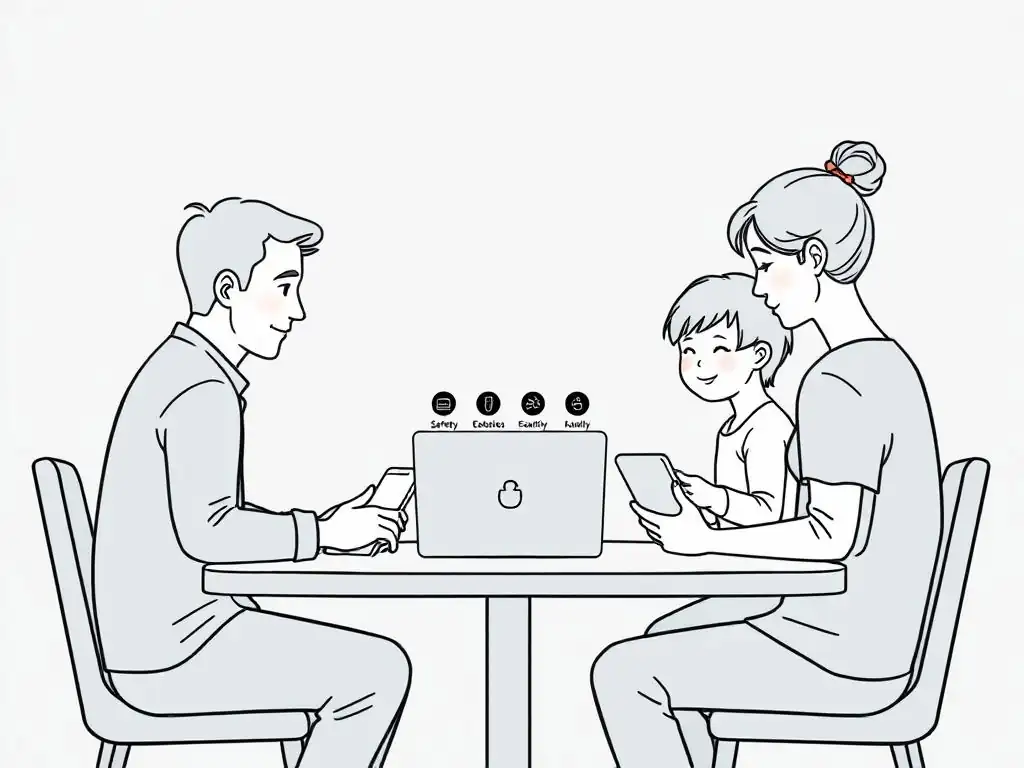
Parental control software is a crucial first step, but it's not a silver bullet. Supplementing software with family-friendly search engines and browsers significantly enhances your child's online safety. These tools are designed to filter out inappropriate content, reducing exposure to harmful material that even the most robust software might miss. For example, some family-friendly search engines employ sophisticated algorithms to identify and block explicit content, hate speech, and violence, providing a safer browsing experience for children of all ages. They often offer age-appropriate results, prioritizing educational and entertaining content suitable for younger users.
The benefit extends beyond simply blocking inappropriate websites; these engines actively promote a more positive and constructive online environment. This proactive approach helps children develop healthier online habits from a young age. It's important to note that no system is perfect, and vigilant monitoring remains essential. However, using family-friendly search engines and browsers adds another layer of protection, significantly reducing the likelihood of accidental exposure to harmful content.
Consider exploring different options to find the best fit for your family's needs and your children's age groups. Regularly review the settings and features of these tools to ensure they remain effective and aligned with your child's developmental stage. This proactive approach to online safety fosters a more secure and enriching online experience for your children. Remember that educating your children about responsible online behavior is equally crucial for long-term online safety.
Creating a Safe and Positive Online Environment
Building a safe and positive online environment at home goes beyond simply installing software and using family-friendly tools. It's about fostering open communication, establishing clear rules and boundaries, and actively participating in your children's online lives. This proactive approach cultivates a culture of trust and responsibility, making it easier to address potential online risks. For instance, establishing designated areas for internet use, such as a family computer in a common area, allows for greater supervision and easier monitoring of online activity. Implementing time limits for screen time can help prevent excessive internet use, promoting a healthy balance between online and offline activities.
Setting clear rules regarding online interactions, including social media usage and online gaming, is vital. This includes establishing guidelines about sharing personal information, communicating with strangers, and reporting cyberbullying. Regularly engage in conversations with your children about their online experiences, fostering a comfortable environment where they feel safe discussing any concerns or challenges they might encounter. Active listening and empathetic responses are key to building trust and ensuring your children feel supported.
In addition to these measures, consider involving your children in the process of setting up and using parental control tools. This collaborative approach can help them understand the importance of online safety and encourage their participation in maintaining a secure online environment. Remember, creating a safe and positive online environment is an ongoing process that requires consistent effort and open communication between parents and children. It's about nurturing responsible digital citizenship and promoting a healthy relationship with technology.
Advanced Parental Control Techniques for Enhanced Protection
This section delves into sophisticated parental control strategies beyond the basics, providing a robust shield for your children's online safety. We'll explore advanced techniques to ensure comprehensive protection in the digital landscape. Mastering these methods will significantly enhance your ability to safeguard your children's online experiences and address the evolving challenges of the internet. Remember, proactive parental control is key to "Safe kids online parental controls".
Geolocation Tracking and Location Monitoring
Geolocation tracking offers a powerful layer of protection, especially for younger children or teenagers venturing out independently. Many parental control apps offer real-time location tracking, allowing you to see your child's current whereabouts on a map. This isn't just about knowing where they are; it's about peace of mind and the ability to intervene if necessary.
For example, if you've set a geofence around your child's school, you'll receive an alert if they leave that designated area. This feature is particularly beneficial for ensuring children arrive safely at school and return home without detours. Similarly, tracking can be invaluable during after-school activities or when they're meeting friends. The ability to quickly ascertain their location in case of an emergency is a significant advantage.
Beyond simple location tracking, some advanced systems provide historical location data, allowing you to review your child's movements over a period of time. This can be helpful for understanding their routines and identifying any unusual patterns. However, it’s crucial to balance the benefits of tracking with your child's privacy and establish clear communication about its use. Transparency and open dialogue are vital.
Social media presents unique challenges, and monitoring your child's online interactions is crucial for their safety and well-being. Advanced parental control tools allow you to monitor activity across various platforms, providing insights into their online conversations and interactions. This goes beyond simply blocking access; it provides a window into potential risks.
Many apps offer keyword alerts, notifying you if specific words or phrases appear in your child's messages or posts. This allows you to proactively address potentially harmful content or conversations. For instance, you can set alerts for words related to cyberbullying, self-harm, or inappropriate behavior. The ability to monitor private messages and direct communications is also a significant feature, helping you identify potential threats early.
Remember, monitoring should be done responsibly and ethically. Open communication with your child about your monitoring activities is crucial to build trust and avoid creating conflict. Explain the reasons behind your actions, emphasizing your concern for their safety and well-being. It’s about guidance, not surveillance. The goal is to empower them to make safe online choices, not to control their every move.
Utilizing Content Filtering and Website Blockers
Content filtering and website blockers are fundamental aspects of effective parental control. While basic blocking features restrict access to certain websites, advanced systems offer more nuanced control, allowing you to customize the level of restriction based on age appropriateness and content type.
Advanced filtering goes beyond simple keyword blocking. Sophisticated algorithms analyze website content, identifying potentially harmful material such as violence, hate speech, or sexually explicit content. This dynamic approach ensures that even new websites or evolving content are screened effectively. The ability to create custom block lists and allow lists allows for granular control over your child's online experience. You can block specific websites while allowing access to educational resources or approved social media platforms.
Some systems even allow you to schedule access, restricting access during certain times of the day or week. This promotes healthy online habits and ensures that screen time doesn't interfere with homework, sleep, or other important activities. This feature is incredibly useful for managing screen time and preventing excessive internet use, contributing significantly to a balanced lifestyle. Regularly reviewing and updating your filtering rules is essential to maintain effectiveness as the online landscape constantly evolves. Staying ahead of the curve is key to maintaining "Safe kids online parental controls".
Utilizing Device Management Tools for Comprehensive Control

Device management tools offer a powerful layer of protection beyond basic parental controls. These tools go beyond simply blocking websites; they provide granular control over various aspects of device usage. For instance, you can set daily time limits for app usage, preventing excessive screen time and encouraging a healthy balance between online and offline activities. This is particularly crucial for younger children who might struggle with self-regulation. Many modern tools allow you to schedule "downtime," effectively disabling access to devices during specific hours, like bedtime or during family time.
This promotes healthy sleep patterns and encourages family interaction. Furthermore, location tracking features offer peace of mind, allowing you to monitor your child's whereabouts, especially when they're out and about with their devices. Remember to clearly communicate these features with your children, emphasizing that it's about safety and not about invading their privacy. Open communication fosters trust and helps them understand the reasons behind these safety measures.
Careful consideration should be given to the specific needs of your child's age and maturity level when selecting and configuring these features. For example, a teenager may require less stringent controls than a younger child. The key is to find a balance between protection and respecting their growing independence. Regularly reviewing and adjusting the settings is essential to adapt to your child's changing needs and the evolving digital landscape.
Staying Updated on Emerging Online Threats and Parental Control Updates
The online world is constantly evolving, with new threats and challenges emerging regularly. To ensure your children's safety, staying informed about the latest online threats is paramount. This means regularly checking reputable cybersecurity news sources and parental control blogs for updates on emerging scams, malware, and inappropriate content. Many parental control software providers release updates to address these evolving threats, incorporating new features and improvements to their existing functionalities.
Therefore, it's crucial to enable automatic updates for your chosen parental control software to benefit from these improvements. This ensures that the software remains effective in protecting your children from the latest online dangers. Regularly reviewing the settings and features of your parental control software is also advisable. New features may be added that could enhance your child's safety, or previously configured settings might need adjustments based on their age and online activities.
Consider participating in online forums or communities dedicated to parental control and online safety. These platforms offer valuable insights and experiences shared by other parents, providing a collaborative environment for learning and sharing best practices. Staying vigilant and proactive in your approach to online safety for your children is essential for their well-being in the digital age. Remember, proactive monitoring and regular updates are key to maintaining a safe online environment for your kids.
Troubleshooting Common Parental Control Issues
Parental control software, while incredibly beneficial for safeguarding children online, isn't always without its hiccups. Understanding common issues and how to resolve them is crucial for maintaining a secure online environment for your kids. Proactive troubleshooting minimizes frustration and ensures the continued effectiveness of your chosen "safe kids online parental controls" solution.
Dealing with Password Problems and Software Glitches
Forgotten passwords are a frequent source of parental control frustration. Many systems offer password recovery options, often involving email verification or security questions. However, if these fail, contacting the software provider's support team is necessary. Remember to carefully note down your passwords in a secure, offline location – a password manager is a great solution for this.
Software glitches can manifest in various ways, from intermittent functionality to complete system failure. First, ensure your software is updated to the latest version. Outdated software often contains bugs that have been patched in newer releases. Restarting your router and the device(s) the parental controls are installed on can also resolve minor glitches. If problems persist, uninstall and reinstall the software; this often clears temporary files that may be causing conflicts. Consider checking your system's compatibility with the software – outdated operating systems can sometimes cause incompatibility issues.
Remember to regularly check for software updates to ensure your parental controls remain effective against ever-evolving online threats. This proactive approach is key to maintaining robust "safe kids online parental controls." A well-maintained system is far less likely to experience unexpected issues.
Addressing Children's Resistance to Parental Controls
Implementing parental controls can sometimes meet resistance from children, particularly teenagers. Open communication is key. Explain why these controls are in place – emphasizing their role in safety and responsible online behavior, rather than focusing on restrictions. Frame parental controls not as punishment, but as a collaborative effort to ensure their online safety and well-being.
Involve your children in the process, where appropriate. For example, allow them to participate in setting reasonable screen time limits or choosing approved websites. This fosters a sense of ownership and reduces feelings of being controlled. Listen to their concerns and address them fairly. A collaborative approach, rather than a dictatorial one, is far more likely to succeed in the long run. Remember, transparency and clear communication are essential for building trust and ensuring the smooth implementation of "safe kids online parental controls."
Staying Ahead of Evolving Technology and Online Threats
The online landscape is constantly changing, with new apps, platforms, and threats emerging regularly. Staying ahead of these changes requires proactive monitoring and adaptation of your parental control strategies. Regularly review the settings of your chosen software, adjusting them as needed to reflect your children's age and online activities. Familiarize yourself with the latest online threats and trends, paying close attention to emerging social media platforms and online games that might present new risks.
Consider diversifying your approach to online safety. Parental control software is a crucial tool, but it shouldn't be the sole method of protection. Educate your children about online safety, responsible social media use, and the dangers of cyberbullying and online predators. Open and honest conversations about online risks are essential for fostering responsible online behavior. Staying informed and adapting your strategies proactively ensures that your "safe kids online parental controls" remain effective in the ever-evolving digital world. This ongoing vigilance is a crucial aspect of responsible digital parenting.
Knowing When to Seek Professional Help for Online Safety Concerns
Parental controls are powerful tools, but they aren't foolproof. Sometimes, despite your best efforts, you might encounter situations that require more specialized expertise. Knowing when to seek professional help is crucial for ensuring your child's online safety. This isn't a sign of failure as a parent; it's a proactive step towards comprehensive protection. Many situations warrant professional intervention, and recognizing these scenarios can make a significant difference.
One clear indicator is when you suspect your child is engaging in risky online behavior that you can't address effectively. This could involve cyberbullying, exposure to inappropriate content that persists despite your attempts to block it, or even signs of online grooming or exploitation. These situations require the skills and resources of professionals trained in child online safety. They can provide guidance, support, and even legal assistance if necessary. Early intervention is key in these sensitive matters. Don't hesitate to reach out – your child's well-being is paramount.
Another scenario that calls for professional help is when you're struggling to manage the technical aspects of parental control software. While many programs are user-friendly, some require a degree of technical knowledge. If you're consistently encountering errors, are unable to configure the settings effectively, or are struggling to understand the software's features, seeking assistance from a tech-savvy individual or a professional IT service is advisable.
Trying to troubleshoot complex issues alone can be frustrating and may leave your child vulnerable in the meantime. A professional can quickly identify and resolve technical problems, restoring a secure online environment for your family.
Finally, consider seeking professional help if your family is experiencing significant conflict related to screen time and online access. Setting boundaries around technology use can be challenging, and disagreements can arise. A family therapist or counselor can provide mediation and guidance in navigating these discussions effectively and establishing healthy digital habits for the entire family. They can help facilitate open communication and create a supportive environment where children feel heard and understood, while also ensuring their online safety is prioritized.
Remember, seeking professional help demonstrates responsible parenting and commitment to your child's well-being. It’s a proactive measure that strengthens your family’s resilience and fosters a safer digital environment. Don't underestimate the value of expert support in navigating the complexities of online safety for your children.
Maintaining a Balance: Promoting Responsible Tech Use While Fostering Independence
This section focuses on the crucial aspect of balancing robust parental control measures with the equally important need to foster responsible tech use and independence in children. The goal isn't simply to restrict access, but to cultivate a healthy relationship with technology. This requires a delicate approach, understanding that children need to learn digital responsibility, not just be shielded from its potential harms.
Overly restrictive measures can backfire, leading to secretive online behavior and ultimately undermining the very safety you're trying to achieve. A balanced approach involves empowering children with the knowledge and skills to navigate the digital world safely and responsibly.
Fostering Open Communication About Online Activities
Open and honest communication is the bedrock of effective parental control. It’s not enough to simply install software; you need to actively engage in conversations about your children's online activities. This means creating a safe space where they feel comfortable discussing their experiences, both positive and negative. Regularly ask about their online interactions, the websites they visit, and the people they connect with.
Avoid accusatory questioning; instead, frame your inquiries as expressions of concern and a desire to understand their digital world. For example, instead of asking "Who are you talking to online? ", try "Tell me about some of the people you've connected with online – what are they like?". This approach encourages open dialogue and builds trust.
Remember, consistent communication is key. Schedule regular "tech talks" as part of your family routine, making it a normal and expected aspect of family life. This proactive approach helps prevent problems before they escalate. Consider using family time to play online games together, fostering shared experiences and opportunities for conversation.
Encouraging Responsible Digital Citizenship and Online Ethics
Beyond monitoring, actively teach your children responsible digital citizenship and online ethics. This means educating them about online safety, privacy, and responsible behavior. Discuss topics such as cyberbullying, online predators, and the importance of protecting personal information. Use real-life examples and age-appropriate scenarios to illustrate the potential consequences of risky online behavior. Teach them about responsible sharing of personal information and the dangers of sharing passwords or revealing sensitive details to strangers.
Encourage them to think critically about the information they encounter online and to be aware of misinformation and scams. Consider role-playing different online scenarios to help them practice safe and responsible online behavior. For instance, role-play a situation where someone they don't know sends them a friend request, demonstrating how to handle such situations appropriately. Remember, consistent reinforcement of these principles is crucial for long-term effectiveness.
Balancing Parental Control with Child Autonomy and Privacy
Finding the right balance between parental control and respecting a child's autonomy and privacy is a delicate act. While monitoring is necessary, it's crucial to avoid excessive surveillance, which can erode trust and foster resentment. Explain to your children why you're implementing parental controls, emphasizing that it's about their safety and well-being, not about distrust. As they mature, gradually grant them more autonomy and control over their online activities, always within established boundaries and guidelines.
For example, you could start by allowing them to use specific apps with pre-approved accounts and gradually increase their access to other platforms as they demonstrate responsible online behavior. This approach instills a sense of responsibility and helps them learn to manage their digital lives independently. Openly discuss privacy concerns and explain why certain information should remain private.
Teach them about their digital footprint and the importance of protecting their online reputation. This approach not only enhances their safety but also fosters their digital literacy and responsibility. Remember, the goal is to empower them to make safe and informed choices online, not to control every aspect of their digital lives.
Adapting Parental Controls as Children Grow and Mature
Parental controls aren't a "set it and forget it" solution. As children mature and demonstrate responsible online behavior, the level of supervision needs to adapt accordingly. Rigidly maintaining stringent controls throughout adolescence can stifle independence and foster resentment. The key is to gradually loosen restrictions, replacing strict limitations with open communication and education about online safety.
For younger children, comprehensive parental controls, including website filtering, time limits, and app restrictions, are essential. However, as children enter their pre-teen and teen years, consider transitioning to a more collaborative approach. This might involve gradually increasing their allowed screen time, lifting restrictions on specific websites (after discussions about appropriate online conduct), or granting more autonomy over their app usage. Regular family meetings to discuss online safety and responsible digital citizenship are crucial during this transition.
A good strategy is to establish clear expectations and consequences for violating agreed-upon rules. This fosters a sense of responsibility and accountability. For example, if a teenager consistently violates the agreed-upon screen time limits, a temporary reduction in screen time could be a consequence. This is far more effective than simply blocking access without explanation or dialogue. Transparency and clear communication are key to building trust and ensuring that your child understands the reasons behind the controls.
Furthermore, adapting parental controls involves more than just adjusting technical settings. It also means fostering critical thinking skills. Teach your children how to identify misinformation, evaluate online sources, and protect their personal information. Encourage them to come to you with questions or concerns about their online experiences, creating a safe space for open communication.
Remember, the goal is not to eliminate all risks, but to equip your children with the tools and knowledge to navigate the digital world safely and responsibly. This approach promotes digital literacy and helps them develop into responsible digital citizens. This gradual transition ensures that the focus shifts from strict control to empowered self-regulation, preparing them for the increasingly digital world they will inhabit as adults.
Frequently Asked Questions
What are the best parental control tools for safeguarding my child's online activity?
There are many options, but some top-rated parental control tools include Qustodio, Bark, and Net Nanny. Consider features like website filtering, screen time limits, and location tracking when making your choice. Remember to choose a tool that fits your family's needs and tech savviness.
Many parental control apps offer social media monitoring capabilities. These tools can alert you to suspicious activity or inappropriate content. Open communication with your child about their online activities is also crucial.
What age is appropriate to start using parental controls?
It's wise to implement parental controls as soon as your child begins using the internet, regardless of age. Even young children can accidentally stumble upon inappropriate content. The level of control can be adjusted as your child matures.
How can I balance online safety with my child's independence?
Start by having open conversations about online safety. Set clear expectations and rules, but also allow for age-appropriate independence. Gradually give your child more autonomy as they demonstrate responsible online behavior.
What should I do if I discover inappropriate content on my child's device?
Remain calm and address the issue directly, but avoid overreacting. Use this as an opportunity to educate your child about online safety and responsible internet usage. Consider adjusting your parental control settings to prevent future incidents.
Final Reflection: Nurturing Digital Citizenship in a Connected World
The digital landscape is no longer a peripheral aspect of our lives; it's the very fabric of our children's upbringing. Mastering parental controls isn't just about technological proficiency; it's about proactively shaping a safe and enriching online environment for the next generation. The stakes are high, and the responsibility rests squarely on our shoulders.
The ongoing evolution of technology presents an ever-shifting challenge for parents. We must remain vigilant, adapting our strategies as new platforms and threats emerge. This constant learning process is crucial, not just for protecting our children from harm, but also for fostering their digital literacy and responsible online behavior. The best way to predict the future is to create it.
This quote, often attributed to Abraham Lincoln, perfectly encapsulates the proactive approach we must take in navigating the digital world with our children. We can't simply react; we must anticipate and shape their online experiences.
You, the reader, now hold the power to translate knowledge into action. Consider the strategies discussed within this article – from setting clear boundaries and open communication to utilizing the various parental control tools available. Don't just passively consume information; actively engage in creating a digital environment where your children can thrive, learn, and explore safely. The journey towards mastering parental control is an ongoing one, but the rewards – a generation of responsible digital citizens – are immeasurable.
Unlock Your Child's Online Safety Now!
Thank you for taking the time to learn about protecting your children online. We hope this article has provided you with valuable strategies. Now, let's put that knowledge into action.
- Immediately implement robust parental controls on all devices. This is the most crucial step in ensuring your child's online safety. Consider features appropriate for their age and online activities. For example, you might set time limits, block inappropriate websites, or monitor their online interactions.
- Share this article with other parents. Let's create a stronger community of informed guardians. Collective knowledge significantly improves online safety for our children.
- Continue learning about online safety for kids. Best practices are constantly evolving, so staying informed is vital. Look for reputable resources from organizations dedicated to child online protection.
What parental control feature will you prioritize today to create a safer online environment for your child?