
Don't Just Work From Home, Thrive: The Key to a Productive Home Office

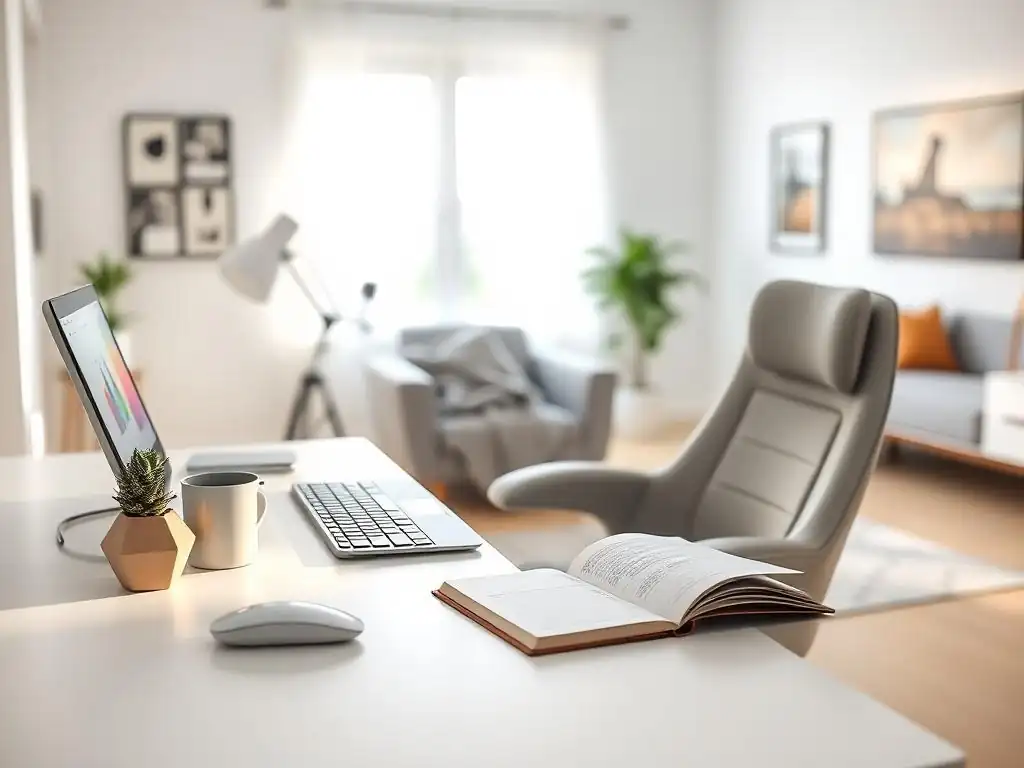
Ready to transform your home office from a chaotic workspace into a productivity powerhouse? UltimateLifeHacks is your guide to unlocking peak efficiency. Discover the secrets to a truly optimized workspace with our comprehensive Productive home office setup guide, designed to help you not just work from home, but thrive in it. Let's dive in and uncover the strategies that will revolutionize your daily routine!
- Creating Your Ideal Productive Home Office Setup Guide: Ergonomics and Comfort
- Maximizing Space and Organization in Your Productive Home Office Setup
- Technology and Tools for a Productive Home Office Setup Guide: Boosting Efficiency
- Optimizing Your Home Office Environment for Productivity: Beyond the Basics
- Maintaining a Productive Home Office Setup: Long-Term Strategies
- Case Studies: Real-World Examples of Productive Home Office Setups
- Conclusion: Building Your Thriving Home Office for Long-Term Success
-
Frequently Asked Questions
- What are the essential elements of a productive home office setup?
- How can I minimize distractions while working from home?
- What technology is crucial for a productive home office?
- How can I maintain a healthy work-life balance while working from home?
- How can I improve my home office's organization and efficiency?
- Final Reflection: Cultivating a Thriving Home Workspace
- Unleash Your Home Office Potential!
Creating Your Ideal Productive Home Office Setup Guide: Ergonomics and Comfort
Working from home has become increasingly prevalent, transforming the traditional office environment into a personalized workspace within our homes. However, simply working from home doesn't guarantee productivity. This comprehensive guide, focusing on the keyword "Productive home office setup guide," will equip you with the knowledge and strategies to not just work from home, but to thrive in your home office.
We'll explore the crucial elements of creating a productive home office environment, emphasizing ergonomics, comfort, and the optimization of your workspace to maximize focus and efficiency. From selecting the perfect ergonomic chair to optimizing your lighting, we'll cover every aspect to help you build a home office that boosts your productivity and well-being.
This isn't just about setting up a space; it's about creating a sanctuary for focused work and achieving peak performance in the comfort of your own home. Let's dive in and transform your home office from a distraction-filled space into a productivity powerhouse!
Ergonomic Chair Selection: Investing in Your Well-being
Investing in an ergonomic chair is paramount for a productive and healthy home office. A subpar chair can lead to back pain, poor posture, and reduced concentration, significantly impacting your productivity. Choosing the right chair requires considering several factors. The chair should offer adjustable features such as lumbar support, armrests, and seat height.
Look for chairs with breathable materials to prevent overheating and discomfort during extended work sessions. Consider the chair's overall build quality and durability. A high-quality ergonomic chair is an investment in your long-term health and well-being, paying dividends in increased comfort, reduced fatigue, and ultimately, enhanced productivity. Don't underestimate the importance of this foundational element in your productive home office setup.
Remember, a comfortable and supportive chair is the cornerstone of a productive workday. Consider factors like your body type and preferred seating position when making your selection. For example, individuals with back problems might benefit from chairs with extra lumbar support or specialized features.
Desk Setup for Optimal Posture: Height-Adjustable Desks and Their Benefits
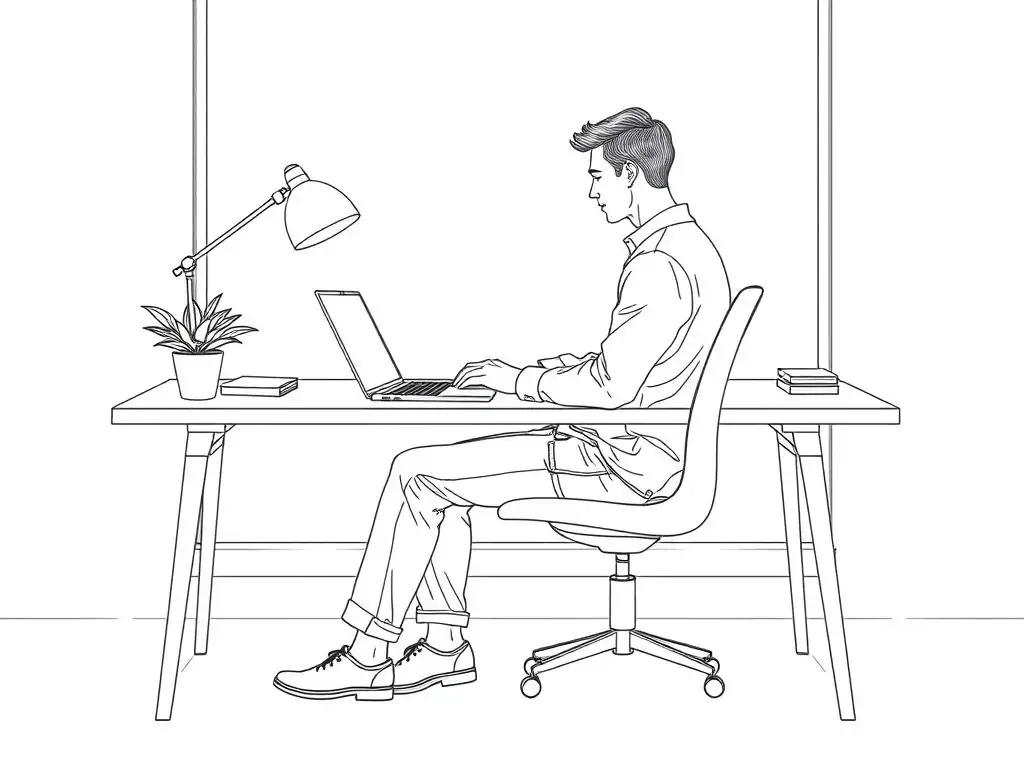
Your desk setup plays a critical role in maintaining good posture and preventing musculoskeletal issues. A poorly configured desk can lead to neck pain, shoulder strain, and carpal tunnel syndrome. The ideal setup involves maintaining a neutral posture with your feet flat on the floor, your elbows at a 90-degree angle, and your monitor positioned at eye level. Height-adjustable desks are particularly beneficial, allowing you to switch between sitting and standing throughout the day.
This dynamic approach promotes better blood circulation, reduces stiffness, and boosts energy levels. The benefits extend beyond physical well-being; improved posture can enhance concentration and cognitive function, leading to greater productivity. Furthermore, consider the size and organization of your desk.
A cluttered workspace can be a major distraction, hindering focus and efficiency. A well-organized desk promotes a sense of calm and control, fostering a more productive work environment. Think about incorporating cable management solutions to keep wires tidy and prevent tripping hazards.
Lighting Solutions for Focus and Eye Health: Natural Light vs. Artificial Light Sources
Adequate lighting is crucial for eye health and maintaining focus throughout the workday. Natural light is ideal, offering a brighter, more stimulating environment that reduces eye strain and promotes alertness. However, relying solely on natural light isn't always feasible. Therefore, supplementing with artificial lighting is essential.
Choose light sources that mimic natural daylight as closely as possible, avoiding harsh fluorescent lights that can cause eye fatigue. Consider using a combination of ambient, task, and accent lighting to create a balanced and comfortable workspace. Ambient lighting provides overall illumination, while task lighting focuses on your work area, reducing glare and shadows. Accent lighting adds visual interest and can be used to highlight specific elements of your workspace.
Proper lighting significantly impacts your mood, energy levels, and overall productivity. A well-lit workspace promotes a more positive and engaging work experience, contributing to a more productive and enjoyable workday. Experiment with different lighting options to find the perfect balance for your individual needs and preferences. Remember to consider the color temperature of your light sources; warmer light tones are generally more relaxing, while cooler tones can be more stimulating.
Maximizing Space and Organization in Your Productive Home Office Setup
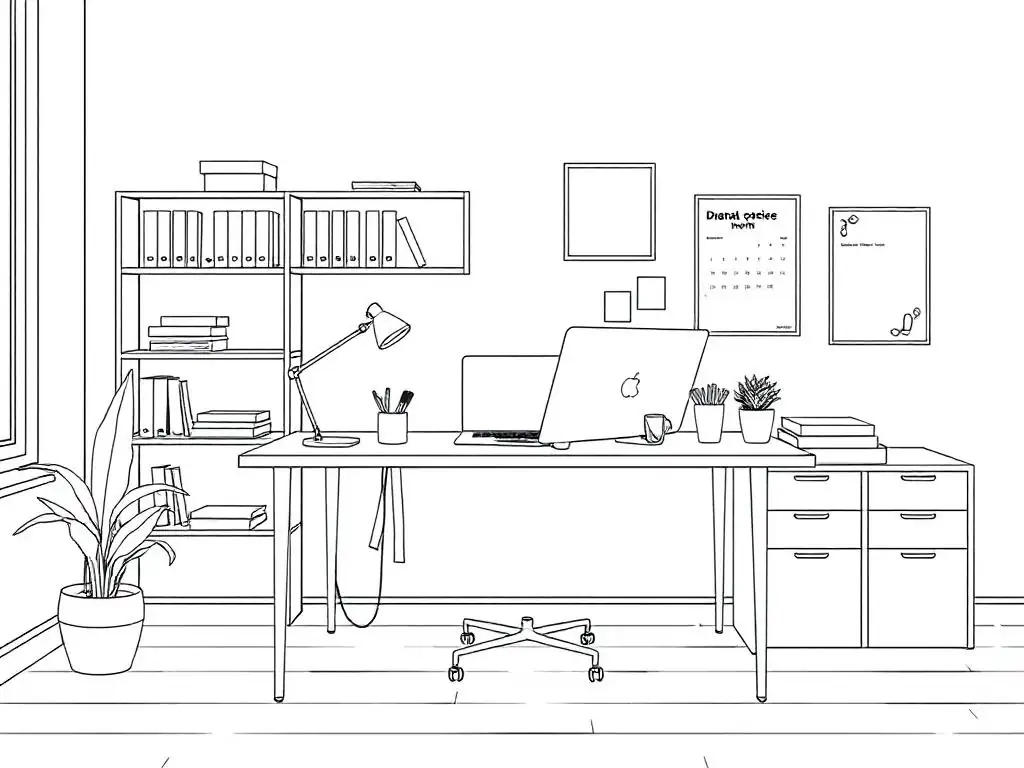
Creating a productive home office isn't just about having a desk and a chair; it's about optimizing your space for maximum efficiency and minimizing distractions. A well-organized workspace directly contributes to a productive mindset, allowing you to focus on the task at hand without the mental clutter of a disorganized environment. This section explores practical strategies for maximizing space and organization within your home office, transforming it into a haven of productivity. This guide will help you achieve a truly productive home office setup.
Decluttering Strategies for a Focused Workspace: The KonMari Method and its Application
Clutter is the enemy of productivity. A cluttered workspace leads to a cluttered mind, hindering your ability to concentrate and complete tasks efficiently. The KonMari Method, developed by Marie Kondo, provides a powerful framework for decluttering and organizing your space. The core principle is to keep only those items that "spark joy." Applying this to your home office means meticulously going through each item – from stationery and books to technology and décor – and discarding anything that doesn't bring you a sense of happiness or serve a clear purpose.
This process isn't just about discarding; it's about consciously choosing what you want to keep. For example, do you really need all those old pens that don't write anymore? What about those outdated manuals or software CDs? By letting go of unnecessary items, you create a more spacious and calming atmosphere, fostering better focus. After decluttering, organize the remaining items into categories, storing them in designated places to maintain order. Regular decluttering sessions (even short ones) are crucial to prevent clutter from accumulating again. Consider a monthly "tidy-up" to maintain your productive home office setup.
Smart Storage Solutions: Utilizing Vertical Space and Drawer Organizers
Once you've decluttered, maximizing storage is key to maintaining a tidy workspace. Vertical space is often underutilized. Instead of spreading items across your desk, consider using vertical storage solutions like shelves, wall-mounted organizers, and even stackable drawers. This frees up valuable desk space and keeps frequently used items within easy reach.
Drawer organizers are another excellent investment. They transform chaotic drawers into organized spaces, making it easy to locate specific items. Consider using drawer dividers for stationery, small tools, or cables. For larger items, use shallow baskets or trays to group similar objects. Think about the frequency of access when placing items. Items used daily should be in easily accessible locations, while those used less often can be stored higher up or in less accessible areas. Remember, the goal is to optimize your productive home office setup for seamless workflow.
Cable Management Techniques: Keeping Your Workspace Tidy and Efficient
Tangled cables are a common sight in many home offices, creating visual clutter and potentially hindering productivity. Effective cable management is crucial for maintaining a clean and organized workspace. Several techniques can be employed to tame the cable chaos:
- Cable ties: These are inexpensive and effective for bundling groups of cables together. Label each bundle to easily identify its purpose.
- Cable sleeves: These fabric or braided sleeves offer a more aesthetically pleasing way to group and organize cables.
- Cable organizers: Desk-mounted or wall-mounted cable organizers provide a dedicated space for routing and managing cables neatly.
- Wireless solutions: Whenever possible, opt for wireless peripherals (keyboard, mouse, printer) to minimize the number of cables.
Implementing these strategies can significantly improve the appearance and functionality of your workspace, contributing to a more serene and productive home office setup. A well-managed cable system prevents tripping hazards and ensures easy access to your devices, fostering a smoother workflow. Remember, even small improvements in cable management can significantly impact your overall productivity and the aesthetic appeal of your productive home office setup.
Technology and Tools for a Productive Home Office Setup Guide: Boosting Efficiency
This section delves into the crucial role technology plays in creating a truly productive home office setup. We'll examine specific software, hardware, and connectivity solutions that can significantly enhance your workflow and minimize distractions, ultimately leading to increased efficiency and a better work-life balance. A well-equipped home office isn't just about aesthetics; it's about strategically employing technology to support your productivity goals.
Essential Software and Apps for Productivity: Project Management and Collaboration Tools
Effective project management and seamless collaboration are cornerstones of a productive home office. The right software can streamline your tasks, improve communication, and foster a more organized work environment. Consider these categories and examples:
- Project Management: Tools like Asana, Trello, and Monday.com offer visual project boards, task assignments, deadlines, and progress tracking. These are invaluable for managing multiple projects simultaneously, ensuring nothing slips through the cracks. For example, using a Kanban board in Trello allows for easy visualization of workflow stages, from "To Do" to "In Progress" to "Completed." This visual representation significantly boosts efficiency and accountability.
- Collaboration: Efficient communication is key. Tools like Slack, Microsoft Teams, and Google Chat facilitate instant messaging, file sharing, and video conferencing, fostering smooth collaboration with colleagues and clients, even remotely. Real-time communication reduces email clutter and ensures quick responses, preventing delays and bottlenecks.
- Calendar and Scheduling: Integrating a robust calendar application like Google Calendar or Outlook Calendar is essential for managing appointments, deadlines, and personal commitments. Effective scheduling minimizes scheduling conflicts and ensures you allocate sufficient time for each task. The ability to set reminders and integrate with other productivity apps is a significant advantage.
The selection of the best software depends heavily on your specific needs and workflow preferences. Experimenting with free trials or freemium versions before committing to a paid subscription is highly recommended. Remember to consider factors like ease of use, integration capabilities, and scalability as your needs evolve.
Noise-Cancelling Headphones for Focused Work: Blocking Distractions and Enhancing Concentration
In a home office environment, distractions are abundant. From household noises to family members, maintaining focus can be challenging. High-quality noise-canceling headphones are an invaluable investment for creating a quiet and concentrated workspace. The ability to block out external sounds significantly enhances productivity and allows for deeper concentration during focused work sessions.
Consider these factors when choosing noise-canceling headphones:
- Noise Cancellation Technology: Look for headphones with advanced noise cancellation technology to effectively block out a wide range of frequencies. The effectiveness of noise cancellation varies between models; read reviews to assess performance in different environments.
- Comfort and Fit: You'll be wearing these headphones for extended periods, so comfort is paramount. Consider factors like earcup size, headband pressure, and overall weight. A comfortable fit prevents fatigue and ensures uninterrupted work sessions.
- Sound Quality: While noise cancellation is the primary focus, good sound quality is still important, especially if you listen to music or participate in video calls. Look for headphones with balanced audio reproduction across different frequencies.
Investing in a reliable pair of noise-canceling headphones can dramatically improve your ability to focus and complete tasks efficiently, minimizing the impact of environmental distractions on your productivity. The return on investment in terms of increased focus and output is significant.
High-Speed Internet for Seamless Workflow: Choosing the Right Plan for Your Needs
A reliable and high-speed internet connection is the backbone of a productive home office. Slow internet speeds can lead to frustrating delays, interruptions, and decreased efficiency. Choosing the right internet plan is crucial for ensuring a seamless workflow.
Factors to consider when selecting an internet plan:
| Factor | Description | Importance |
|---|---|---|
| Speed (Mbps) | Download and upload speeds, measured in megabits per second. | Crucial for fast downloads, uploads, and smooth video conferencing. |
| Latency (ms) | The delay in data transmission. Lower latency is better. | Impacts responsiveness in online applications and video calls. |
| Data Allowance | The amount of data you can use per month. | Important if you frequently download large files or stream high-definition video. |
| Reliability | Consistency of service; fewer outages and interruptions. | Essential for uninterrupted work. |
| Cost | The monthly price of the plan. | Balance cost with the required speed and data allowance. |
Before selecting a plan, assess your internet usage habits. Consider the number of devices connected, the types of applications you use (video conferencing, large file transfers), and the number of users in your household. Choose a plan that offers sufficient speed, data allowance, and reliability to meet your specific needs. A reliable internet connection is an investment in your productivity and overall work experience.
Optimizing Your Home Office Environment for Productivity: Beyond the Basics
This section delves into the crucial aspects of creating a truly productive home office setup, going beyond the basics of simply having a desk and a computer. We'll explore strategies to maximize your focus and efficiency, transforming your home office from a mere workspace into a thriving hub of productivity. This guide will help you achieve a productive home office setup that boosts your work performance and overall well-being.
Creating a Dedicated Workspace: Separating Work and Personal Life
Establishing a clear separation between your work and personal life is paramount for a productive home office. Avoid working from your bed or couch; instead, dedicate a specific area solely for work. This psychological separation significantly improves focus and reduces the blurring of boundaries that can lead to burnout. Consider these points:
- Physical Boundaries: Even a small, defined space can make a huge difference. If possible, create a room or a clearly demarcated corner solely for work. Use a room divider, bookshelf, or even strategically placed furniture to create visual separation.
- Dedicated Equipment: Keep work-related items confined to your workspace. This includes your laptop, stationery, and any other tools you use for work. Putting them away at the end of the day reinforces the separation between work and leisure.
- Visual Cues: Use visual cues to signal the transition between work and personal time. This could involve changing into work clothes, lighting a specific candle, or playing focused work music only within your designated workspace.
Minimizing Distractions: Techniques for Managing Interruptions
Distractions are the enemy of productivity. In a home office, these can range from family members to household chores. Implementing effective strategies to manage these interruptions is crucial for maintaining focus.
- Time Blocking: Schedule specific times for work and stick to them. Communicate these times to your family members or housemates to minimize interruptions during your focused work periods.
- Noise Cancellation: Invest in noise-canceling headphones or utilize white noise apps to create a more peaceful work environment. The reduction in auditory distractions can significantly improve concentration.
- Website Blockers: Use website blockers or productivity apps to limit access to distracting websites and social media during work hours. These tools help enforce self-discipline and prevent unproductive browsing.
- Visual Decluttering: A cluttered workspace often leads to a cluttered mind. Keep your desk and surrounding area organized and free from unnecessary items. A clean, tidy space promotes a clearer thought process.
Incorporating Plants for Improved Air Quality and Focus: Biophilic Design in Your Home Office
Biophilic design, the incorporation of natural elements into the built environment, has been shown to improve focus, reduce stress, and boost creativity. Adding plants to your home office can significantly enhance your productivity and overall well-being.
- Air Purification: Plants help filter the air, removing toxins and improving air quality. This leads to better breathing and improved cognitive function. Consider plants known for their air-purifying properties, such as snake plants, spider plants, and peace lilies.
- Stress Reduction: The presence of greenery has a calming effect, reducing stress and promoting relaxation. This is particularly important in a home office environment where the lines between work and personal life can sometimes blur.
- Increased Focus: Studies have shown that the presence of plants can improve concentration and focus. The visual stimulation of greenery can help break up monotonous tasks and reduce mental fatigue.
- Plant Selection: Choose low-maintenance plants that thrive in indoor environments. Consider the size and placement of your plants to ensure they don't obstruct your workspace or require excessive care. A well-placed plant can be a beautiful and functional addition to your productive home office setup. Remember to research the specific needs of your chosen plants to ensure their longevity and effectiveness in improving your work environment.
Maintaining a Productive Home Office Setup: Long-Term Strategies
Maintaining a productive home office isn't a one-time setup; it's an ongoing process requiring consistent effort and strategic planning. Think of it as cultivating a garden – you need to nurture it regularly to reap the rewards. This section focuses on long-term strategies to ensure your home office remains a haven of productivity, not a source of stress.
We'll explore practical steps to keep your workspace organized, the importance of investing in quality equipment, and the crucial role of self-care in sustaining your productivity levels. This "Productive home office setup guide" emphasizes the importance of sustainable practices for lasting success.
Regular Cleaning and Maintenance: Keeping Your Workspace Organized
A cluttered workspace often mirrors a cluttered mind. Regular cleaning and maintenance are not just about aesthetics; they directly impact your focus and efficiency. Think of it as preventative maintenance for your productivity engine. A clean, organized space promotes a sense of calm and control, allowing you to concentrate on your tasks without distractions.
Consider implementing a weekly cleaning routine. This could involve:
- Tidying up your desk: Removing unnecessary papers, clearing away empty coffee cups, and organizing your stationery.
- Dusting and wiping surfaces: Preventing the accumulation of dust and grime, which can impact air quality and potentially trigger allergies.
- Organizing your files: Both digital and physical files should be organized systematically. Consider using cloud storage for digital files and a filing cabinet for physical documents. A well-organized filing system saves significant time searching for information.
- Decluttering regularly: Regularly assess items on your desk and in your office. If something isn't used regularly, consider donating, selling, or discarding it. This prevents clutter from accumulating.
Implementing these simple steps will drastically improve your workspace's functionality and contribute significantly to your overall productivity. Think of it as a small investment of time that yields substantial returns in focus and efficiency. Remember, a clean desk equates to a clear mind! 🧹
Investing in High-Quality Equipment: The Long-Term Benefits of Durable Products
While the initial cost might seem higher, investing in durable, high-quality equipment pays off handsomely in the long run. Cheap alternatives often break down quickly, leading to costly replacements and disruptions to your workflow. This "Productive home office setup guide" highlights the importance of considering long-term value when purchasing equipment.
Consider these aspects when making purchasing decisions:
- Ergonomic chair: A comfortable, supportive chair is crucial for preventing back pain and maintaining good posture. This is a significant investment in your long-term health and productivity.
- High-quality monitor: A good monitor reduces eye strain and improves overall visual comfort, leading to better focus and less fatigue.
- Reliable laptop or desktop: A powerful and reliable computer prevents frustrating slowdowns and crashes, allowing for uninterrupted workflow.
- Durable keyboard and mouse: Comfortable and responsive input devices are essential for efficient typing and navigation.
Investing in quality equipment is not an expense; it's an investment in your productivity and well-being. It minimizes downtime caused by equipment failures and creates a more comfortable and efficient work environment. The long-term benefits far outweigh the initial cost.
Regular Breaks and Self-Care: Preventing Burnout and Maintaining Productivity
Maintaining a productive home office requires more than just a well-organized workspace and high-quality equipment; it also necessitates prioritizing self-care and incorporating regular breaks into your routine. Burnout is a real threat, and neglecting self-care can significantly impact your productivity and overall well-being. This section of our "Productive home office setup guide" emphasizes the importance of integrating self-care strategies into your daily routine.
Here are some strategies to prevent burnout and maintain peak productivity:
- Scheduled Breaks: Implement short, regular breaks throughout your workday. Even a 5-10 minute break every hour can significantly improve focus and reduce fatigue. Use this time to stretch, walk around, or simply step away from your screen.
- Mindfulness and Meditation: Incorporating mindfulness techniques or meditation into your routine can help reduce stress and improve concentration. Even a few minutes a day can make a difference.
- Physical Activity: Regular exercise is crucial for both physical and mental well-being. Aim for at least 30 minutes of moderate-intensity exercise most days of the week.
- Adequate Sleep: Getting enough sleep is essential for optimal cognitive function and productivity. Aim for 7-8 hours of quality sleep per night.
- Healthy Diet: Nourishing your body with a balanced diet provides the energy and nutrients needed to maintain focus and productivity throughout the day.
Prioritizing self-care isn't selfish; it's essential for long-term productivity and overall well-being. By incorporating these strategies, you can create a sustainable and fulfilling work-from-home experience. Remember, a well-rested and cared-for mind is a productive mind! 🧘♀️
Case Studies: Real-World Examples of Productive Home Office Setups
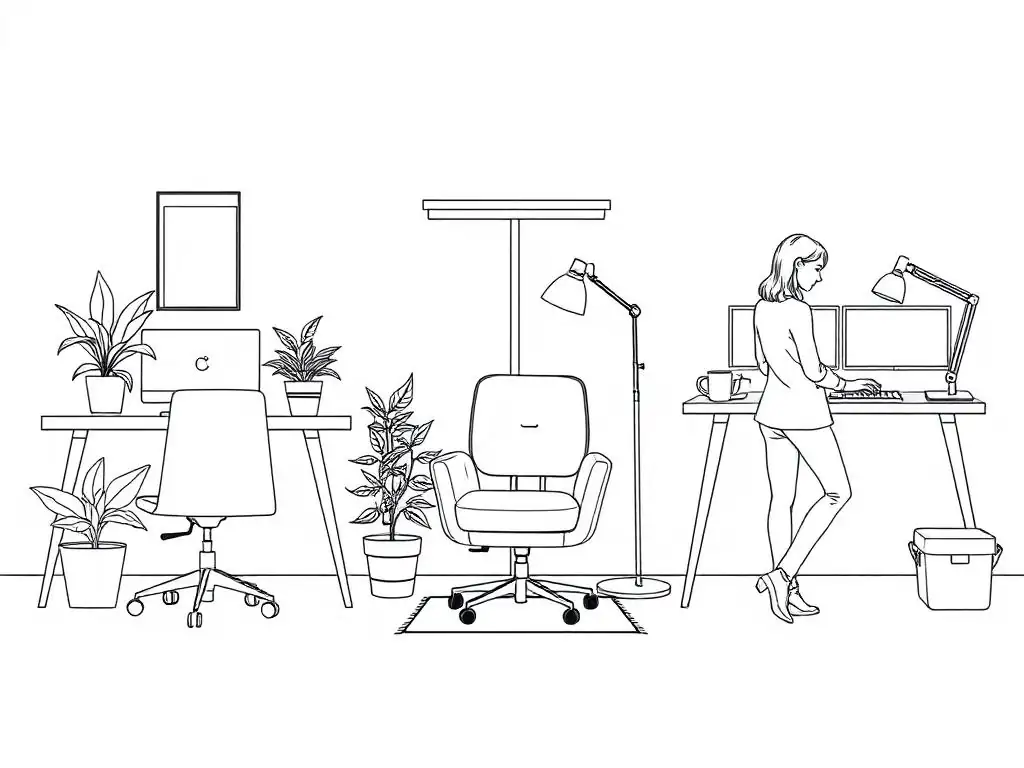
This section showcases real-world examples of highly productive home office setups, illustrating how different approaches can lead to success. We'll analyze key elements contributing to their effectiveness, highlighting what makes them a Productive home office setup guide worthy of emulation. These examples demonstrate that a productive home office isn't about a specific aesthetic, but rather a thoughtful integration of functionality and personal needs.
Case Study 1: Successful Home Office Setup - The Minimalist Entrepreneur
This case study focuses on Anya Petrova, a freelance graphic designer who operates a highly successful minimalist home office. Anya's setup emphasizes functionality and decluttering. Her workspace is small, approximately 8x10 feet, but incredibly efficient. The key to her success lies in her meticulous organization and the strategic use of space.
Anya utilizes a standing desk converter, allowing her to switch between sitting and standing throughout the day, combating the sedentary nature of desk work. She employs a vertical monitor setup, maximizing screen real estate while minimizing desktop clutter. Her storage solutions are cleverly integrated, using drawer organizers and wall-mounted shelves to keep everything within easy reach but out of sight. She prioritizes only essential tools, regularly purging items she rarely uses.
This minimalist approach reduces distractions and promotes focus. Furthermore, Anya incorporates natural light and plants to create a calming and inspiring atmosphere. Her color palette is neutral and calming, further enhancing concentration.
Her productivity is further enhanced by using the Pomodoro Technique, breaking her workday into focused intervals separated by short breaks. This method improves her concentration and prevents burnout, a common issue for home-based workers. Anya's success underscores the importance of mindful organization and the elimination of unnecessary items in creating a productive home office setup guide.
| Feature | Description | Impact on Productivity |
|---|---|---|
| Workspace Size | Small (8x10 feet) | Encourages minimalism and efficient space utilization |
| Desk Setup | Standing desk converter, vertical monitor setup | Promotes physical activity and maximizes screen real estate |
| Storage | Drawer organizers, wall-mounted shelves | Keeps supplies organized and easily accessible, reducing clutter |
| Decluttering | Regular purging of unused items | Minimizes distractions and promotes focus |
| Environment | Natural light, plants, neutral color palette | Creates a calming and inspiring atmosphere |
| Time Management | Pomodoro Technique | Improves concentration and prevents burnout |
Case Study 2: Successful Home Office Setup - The Tech-Savvy Freelancer
This case study highlights the setup of Mark Olsen, a software developer who leverages technology to maximize his productivity. Mark's home office is larger than Anya's, but his focus is on seamless technological integration.
Mark's setup centers around a powerful desktop computer with multiple monitors, allowing him to work on several tasks simultaneously. He utilizes advanced software for project management, task automation, and communication, streamlining his workflow. He uses a noise-canceling headset to minimize distractions from household noises. His lighting is carefully controlled, using smart bulbs to adjust the ambiance throughout the day. He also employs a sophisticated ergonomic chair and keyboard to promote comfort and prevent physical strain during long work sessions. He emphasizes the importance of regular breaks and uses a fitness tracker to monitor his activity levels throughout the day.
Mark's success demonstrates that technology, when thoughtfully integrated, can significantly boost productivity. His setup serves as a productive home office setup guide for those who prioritize technological solutions for efficiency.
| Feature | Description | Impact on Productivity |
|---|---|---|
| Technology | Powerful desktop, multiple monitors, advanced software (project management, task automation, communication) | Streamlines workflow, enables multitasking, improves efficiency |
| Noise Control | Noise-canceling headset | Minimizes distractions |
| Lighting | Smart bulbs | Adjusts ambiance for optimal concentration throughout the day |
| Ergonomics | Ergonomic chair, keyboard | Promotes comfort and prevents physical strain |
| Health Tracking | Fitness tracker | Monitors activity levels, encourages regular breaks and movement |
| Organization | Digital organization systems, cloud storage | Maintains order and accessibility of files |
These case studies offer diverse perspectives on creating a productive home office, emphasizing that the optimal setup is highly personalized. Remember, a productive home office setup guide focuses on your individual needs and preferences to achieve maximum efficiency and well-being. The key is to prioritize functionality, minimize distractions, and create an environment that supports your unique work style.
Conclusion: Building Your Thriving Home Office for Long-Term Success
Creating a truly productive home office isn't a one-time fix; it's an ongoing process of refinement and adaptation. The key is to build a space that caters to your individual needs and working style, fostering both focus and well-being. Remember, a productive home office setup guide isn't just about the furniture and gadgets; it's about cultivating a holistic environment that supports your peak performance.
By thoughtfully considering ergonomics, minimizing distractions, incorporating elements of personal comfort, and establishing consistent routines, you'll transform your home office from a workspace into a sanctuary for productivity. The investment in creating this optimal environment will yield significant returns in terms of increased efficiency, reduced stress, and a more fulfilling work-life integration. This approach ensures that your home office isn't just a place to work, but a place to thrive.
Actionable Steps to Implement Today: A Checklist for Immediate Improvement
Let's translate the principles discussed into concrete actions you can take right now to boost your home office productivity. This checklist focuses on quick wins that deliver immediate improvements:
- [ ] Declutter your workspace: Spend 15 minutes clearing away unnecessary items from your desk and immediate surroundings. A clean space promotes a clear mind.
- [ ] Optimize your lighting: Ensure you have adequate task lighting to avoid eye strain. Consider a desk lamp or reposition your existing light source.
- [ ] Adjust your posture: Check your chair height and monitor placement to ensure proper ergonomic alignment. Even small adjustments can make a big difference.
- [ ] Hydrate and nourish: Keep a water bottle nearby and have a healthy snack readily available to avoid energy dips.
- [ ] Set clear boundaries: Communicate your work hours to family members to minimize interruptions. This is crucial for maintaining focus and avoiding distractions.
- [ ] Plan your day: Take five minutes to create a prioritized to-do list for the day. This focused planning helps you stay on track and achieve more.
- [ ] Take short breaks: Schedule regular short breaks to stretch, walk around, or simply rest your eyes. This prevents burnout and maintains energy levels throughout the day. 🧘♀️
This checklist provides a springboard to immediate improvements. Even small changes can have a significant cumulative effect on your daily productivity. Remember, consistency is key!
Resources for Further Learning: Books, Articles, and Online Courses
To delve deeper into creating a highly productive home office, consider exploring these additional resources:
- Books: Many excellent books explore the intersection of productivity, workspace design, and well-being. Search for titles focusing on "ergonomics," "home office design," and "productivity techniques." Look for authors specializing in workplace optimization and personal effectiveness.
- Articles: Numerous online articles offer practical advice on specific aspects of home office setup, such as choosing the right chair, optimizing lighting, and managing distractions. Look for articles that provide data-driven recommendations and actionable strategies.
- Online Courses: Several online platforms offer courses on productivity, time management, and workspace design. These courses often provide structured learning experiences with practical exercises and expert guidance. Look for courses that align with your specific needs and learning style.
By continuing your learning journey and consistently applying these strategies, you will build a thriving home office that supports your long-term success and well-being. Remember, a productive home office setup guide is a living document, adapting to your evolving needs and preferences. Embrace the iterative process of improvement, and you'll reap the rewards of a highly effective and enjoyable workspace.
Frequently Asked Questions
What are the essential elements of a productive home office setup?
A productive home office needs ergonomic furniture, like a comfortable chair and adjustable desk, sufficient lighting, and a dedicated workspace free from distractions. Prioritize organization with good storage solutions.
How can I minimize distractions while working from home?
Establish clear boundaries with family members, turn off notifications, and use website blockers if needed. Consider using noise-canceling headphones or working in a quiet space to maximize focus.
What technology is crucial for a productive home office?
A reliable internet connection is paramount. Invest in a good quality computer and peripherals like a comfortable keyboard and mouse. Consider tools for project management and communication.
How can I maintain a healthy work-life balance while working from home?
Set clear working hours, take regular breaks, and dedicate specific times for personal activities. Avoid working constantly; prioritize self-care to prevent burnout.
How can I improve my home office's organization and efficiency?
Utilize vertical space with shelves and drawers. Employ a filing system for documents, both physical and digital. Regular decluttering is vital to maintain a productive and organized space.
Final Reflection: Cultivating a Thriving Home Workspace
The shift to remote work isn't just a trend; it's a fundamental reshaping of how we approach our careers and lives. Creating a truly productive home office isn't about simply setting up a laptop at the kitchen table; it's about intentionally designing a space that fosters focus, creativity, and well-being. This intentional approach is crucial for long-term success and satisfaction in the evolving landscape of modern work.
The impact of a well-designed home office extends far beyond increased productivity; it influences our overall mental and physical health. A dedicated workspace allows for a healthier separation between work and personal life, reducing stress and burnout. It fosters a sense of professionalism and control, even within the familiar confines of home. As the great architect Frank Lloyd Wright once said, Form follows function – that has been misunderstood. Form and function should be one, joined in a spiritual union.
This principle applies beautifully to the creation of a productive home office; the design should seamlessly support your work style and enhance your overall well-being.
Now, consider your own workspace. What adjustments can you make to better support your unique needs and goals? Take a moment to reflect on the elements discussed in this guide – ergonomics, organization, ambiance, and mindful boundaries – and identify areas for improvement. By actively cultivating a thriving home office, you're not just increasing your productivity; you're investing in your overall well-being and setting the stage for a more fulfilling and successful career. Embrace the opportunity to transform your home office from a mere workspace into a sanctuary of productivity and personal growth.
Unleash Your Home Office Potential!
Thank you for exploring the secrets to a thriving home office! We hope you found valuable insights to boost your productivity and well-being. Now it's time to apply what you've learned.
- Implement a new productivity technique this week. Even a small change can make a big difference! For example, try the Pomodoro Technique or create a dedicated workspace.
- Share your biggest home office challenge (and any solutions you've discovered!) in the comments below – let's build a supportive community together!
- Surprise yourself: Spend 15 minutes this evening organizing a small area of your workspace. You'll feel the difference immediately.
What simple change will you make today to transform your home office from a merely functional space into a place of genuine productivity and enjoyment?