
UltimateLifeHacks: Why You Need a VPN: The Essential Tool for Online Anonymity

Welcome to UltimateLifeHacks, your gateway to a more efficient and fulfilling life! We're dedicated to providing you with practical strategies and innovative solutions to conquer your daily challenges. But have you considered the unseen threats to your online security? In today's digital world, protecting your privacy is paramount. That's why we're diving deep into the crucial topic of VPNs for online privacy – discover how this essential tool can transform your digital experience and safeguard your anonymity. Read on to unlock the secrets to a safer and more productive online life.
- Understanding the Importance of a VPN for Online Privacy
-
Choosing the Right VPN for Your Needs: Key Features to Consider
- VPN Protocols: Understanding OpenVPN, WireGuard, and Other Protocols
- Encryption Strength: AES-256 vs. Other Encryption Methods
- Server Locations and Jurisdiction: Importance for Privacy and Speed
- Logging Policies: Zero-Log VPNs vs. Other Options
- Additional Features: Kill Switch, Split Tunneling, and More
- Setting Up and Using Your VPN: A Step-by-Step Guide
- Beyond Privacy: Additional Benefits of Using a VPN
- VPN for Online Privacy: Conclusion and Next Steps
- Frequently Asked Questions
- Final Reflection: Reclaiming Your Digital Sovereignty
- Unlock Your Digital Freedom: Take Control of Your Online Privacy
Understanding the Importance of a VPN for Online Privacy
In today's hyper-connected world, our digital lives are brimming with activity. We bank online, shop from our smartphones, and share personal information across numerous platforms. This constant connectivity, while offering unparalleled convenience, exposes us to a myriad of online threats.
This article explores the crucial role of a Virtual Private Network (VPN) in safeguarding your online privacy and security, positioning it as an essential tool in your digital arsenal. We'll delve into the mechanics of VPNs, the very real risks of unprotected browsing, and how a VPN can protect your sensitive information, ultimately enhancing your overall online experience and peace of mind.
Understanding the benefits of a VPN for online privacy is no longer a luxury; it's a necessity in navigating the complexities of the modern digital landscape. This guide will equip you with the knowledge to make informed decisions about your online security and privacy, helping you to effectively utilize a VPN for online privacy.
What is a VPN and How Does it Protect Your Online Privacy?
A VPN, or Virtual Private Network, acts as a secure tunnel between your device and the internet. Think of it as a private, encrypted pathway shielding your online activities from prying eyes. When you connect to a VPN, your internet traffic is routed through a secure server operated by the VPN provider. This masks your real IP address, making it appear as though you're browsing from the server's location. This process, known as IP masking, is crucial for protecting your online privacy.
How does this protect your privacy? Let's consider a few key aspects:
- Data Encryption: Your data is encrypted as it travels through the VPN tunnel, rendering it unreadable to anyone intercepting it. This is like sending a letter in a sealed, unbreakable box.
- IP Address Masking: As mentioned, your real IP address is hidden, preventing websites and trackers from identifying your precise location and online activity.
- Protection on Public Wi-Fi: Using a VPN on public Wi-Fi networks significantly reduces the risk of data theft, as your connection is secured even on unsecured networks.
This added layer of security is particularly important when using public Wi-Fi hotspots, where your data is more vulnerable to interception. A VPN ensures that your sensitive information remains private, even when connecting to networks you don't fully trust. The benefits of using a VPN extend beyond simply masking your IP address; it provides a robust shield against various online threats.
The Risks of Browsing Without a VPN: Data Breaches and Identity Theft
Browsing the internet without a VPN exposes you to significant risks. Your data, including your browsing history, personal information, and financial details, is vulnerable to various threats:
- Data Breaches: Websites and online services can be targeted by hackers, leading to data breaches where your personal information is stolen. Without a VPN, your data is more readily accessible to these malicious actors.
- Identity Theft: Stolen personal information can be used to commit identity theft, resulting in financial losses and significant personal distress. This can involve opening fraudulent accounts, making unauthorized purchases, or even impacting your credit score.
- Tracking and Surveillance: Websites and advertisers track your online activities to target you with ads and collect data about your preferences. While not inherently malicious, this constant tracking can be invasive and raise privacy concerns.
- Government Surveillance and Censorship: In some countries, governments actively monitor internet traffic and censor online content. A VPN can help bypass these restrictions and protect your online freedom.
The consequences of browsing without a VPN can be severe and far-reaching. Protecting your online privacy is not just about avoiding annoying ads; it's about safeguarding your financial security and personal identity.
Protecting Your Sensitive Information: Banking, Shopping, and Personal Data Online
A VPN is particularly crucial when handling sensitive information online. Consider these scenarios:
- Online Banking: Accessing your bank account through a public Wi-Fi network without a VPN exposes your financial information to potential interception. A VPN encrypts your connection, protecting your login credentials and transaction details.
- Online Shopping: Entering your credit card details on e-commerce websites without a VPN leaves you vulnerable to data breaches and fraudulent activity. A VPN adds an extra layer of security to your online transactions.
- Accessing Personal Emails and Cloud Storage: Your personal emails and cloud storage often contain highly sensitive information. Using a VPN protects this data from unauthorized access, especially when using public Wi-Fi.
Using a VPN for online privacy is not merely a technical detail; it's a proactive step towards protecting your digital identity and securing your sensitive information. The peace of mind that comes with knowing your data is protected is invaluable in today's increasingly digital world. By understanding the importance of a VPN for online privacy, you can take control of your digital security and navigate the online world with confidence. 💻🛡️
Choosing the Right VPN for Your Needs: Key Features to Consider
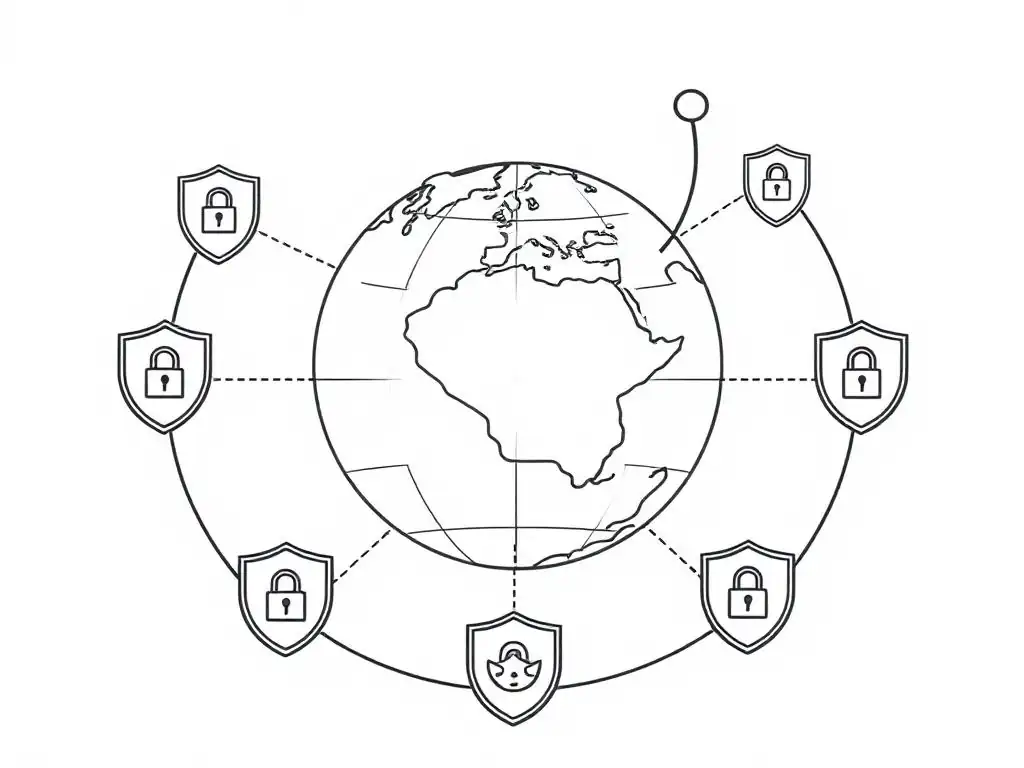
Selecting a VPN for online privacy requires careful consideration of several key features. Simply choosing the cheapest option might compromise your security and anonymity. This section will guide you through the essential factors to evaluate when making your decision, ensuring you choose a VPN that truly protects your digital footprint. Finding the right VPN for your online privacy needs involves more than just a quick Google search.
VPN Protocols: Understanding OpenVPN, WireGuard, and Other Protocols
The VPN protocol dictates how your data is encrypted and transmitted. Different protocols offer varying levels of security, speed, and compatibility. Understanding these differences is crucial for optimizing your online privacy.
Choosing the best protocol is a balance between security and speed. OpenVPN, for instance, is known for its robust security but can sometimes be slower than other options. WireGuard, a newer protocol, prioritizes speed and simplicity while still offering strong encryption. Other protocols like IKEv2 and L2TP/IPSec also exist, each with its own strengths and weaknesses.
Here's a simplified comparison:
| Protocol | Security | Speed | Compatibility |
|---|---|---|---|
| OpenVPN | ⭐⭐⭐⭐⭐ | ⭐⭐⭐ | ⭐⭐⭐⭐ |
| WireGuard | ⭐⭐⭐⭐ | ⭐⭐⭐⭐⭐ | ⭐⭐⭐⭐ |
| IKEv2 | ⭐⭐⭐⭐ | ⭐⭐⭐⭐ | ⭐⭐⭐ |
| L2TP/IPSec | ⭐⭐⭐ | ⭐⭐ | ⭐⭐⭐⭐ |
It's important to note that the actual performance of each protocol can vary depending on your internet connection and the VPN provider's infrastructure. Some VPN providers might even offer a selection of protocols to choose from, allowing you to tailor your connection to your specific needs. Always check what protocols your chosen VPN offers. Remember, a strong protocol is a cornerstone of a robust VPN for online privacy.
Encryption Strength: AES-256 vs. Other Encryption Methods
Encryption is the backbone of any effective VPN. It scrambles your data, making it unreadable to anyone intercepting your connection. The strength of this encryption is measured by the key size, with AES-256 being the gold standard.
AES-256 (Advanced Encryption Standard with a 256-bit key) is currently considered unbreakable by even the most powerful computers. This means that your data is highly protected from prying eyes. While other encryption methods exist, they generally offer weaker protection. Look for VPNs explicitly stating their use of AES-256 encryption; this is a critical component for ensuring a truly private online experience. Don't settle for anything less, especially when your online privacy is at stake. Choosing a VPN with weaker encryption is like leaving your front door unlocked – inviting unwanted guests.
Server Locations and Jurisdiction: Importance for Privacy and Speed
The location of the VPN server you connect to significantly impacts both your speed and privacy. Connecting to a server closer to your geographical location generally results in faster speeds. However, the jurisdiction where the VPN provider is based is equally, if not more, important.
Different countries have varying data retention laws and privacy regulations. A VPN provider based in a country with strict data retention laws might be compelled to log your activity, defeating the purpose of using a VPN for online privacy. Ideally, choose a VPN with servers in countries with strong privacy protections, such as Switzerland or Iceland. Consider the implications of choosing a provider located in a country known for its surveillance capabilities or lack of robust privacy laws.
This is a crucial aspect of your VPN selection process. Understanding the legal landscape surrounding your VPN provider is vital for protecting your online privacy. Researching the provider's privacy policy is also crucial; look for providers with a "no-logs" policy.
Logging Policies: Zero-Log VPNs vs. Other Options
Choosing a VPN with a robust logging policy is paramount for maintaining your online privacy. A VPN's logging policy dictates what data the provider collects about your online activity. This data can range from timestamps and IP addresses to your browsing history and downloaded files. The ideal scenario, for those prioritizing strong VPN for online privacy, is a zero-log VPN. These providers claim – and ideally prove through independent audits – that they do not log any user activity whatsoever. This means your connection details, browsing history, and even the duration of your connection remain entirely private.
However, it's crucial to approach zero-log claims with a healthy dose of skepticism. While some providers undergo rigorous independent audits to verify their zero-log claims, others may make these claims without providing verifiable proof. Therefore, thorough research into a provider's reputation and transparency is essential. Look for providers who are open about their logging practices and have undergone independent audits. Reading user reviews and looking for evidence of transparency can help you determine the credibility of their zero-log claims. Remember, a truly strong VPN for online privacy should operate under a strict, verifiable zero-log policy.
Conversely, many VPNs retain some user data, often for billing purposes or to comply with legal requirements. This data might include the date and time of your connection, your bandwidth usage, and possibly your payment information. While these VPNs might still offer a degree of privacy, they don't provide the same level of anonymity as a true zero-log VPN.
Understanding the difference between a zero-log policy and a more lenient logging policy is crucial for making an informed decision based on your individual needs and risk tolerance. Consider what level of anonymity is acceptable to you and choose a provider whose logging policy aligns with your expectations.
Additional Features: Kill Switch, Split Tunneling, and More
Beyond basic VPN functionality, several additional features can significantly enhance your online privacy and security. A kill switch, for instance, is a crucial safety net. This feature automatically cuts off your internet connection if the VPN connection drops unexpectedly, preventing your real IP address from being exposed. This is especially important on public Wi-Fi networks where security breaches are more common. A reliable kill switch is essential for maintaining consistent protection and preventing accidental data leaks. It acts as a final line of defense, ensuring that your data remains protected even if the VPN malfunctions.
Another valuable feature is split tunneling. This allows you to route only specific apps or websites through the VPN, while others use your regular internet connection. This can be useful if you need to access location-restricted content while still using your local network for other tasks. Split tunneling provides a degree of flexibility, enabling you to customize your VPN usage according to your needs and prioritize security for sensitive applications. For example, you could route your banking app through the VPN while using your regular connection for less sensitive activities like streaming.
Beyond kill switches and split tunneling, other features to look for include DNS leak protection, which prevents your DNS queries from being intercepted, and strong encryption protocols like OpenVPN or WireGuard, which encrypt your data to protect it from eavesdropping. The combination of these features creates a robust defense against online threats and enhances your overall online privacy. Choosing a VPN with these additional features significantly enhances the effectiveness of your VPN for online privacy, offering a more comprehensive layer of protection.
Consider your specific needs and prioritize features that align with your level of risk tolerance and desired level of security. The more features you have, the more robust your online privacy will be.
Setting Up and Using Your VPN: A Step-by-Step Guide
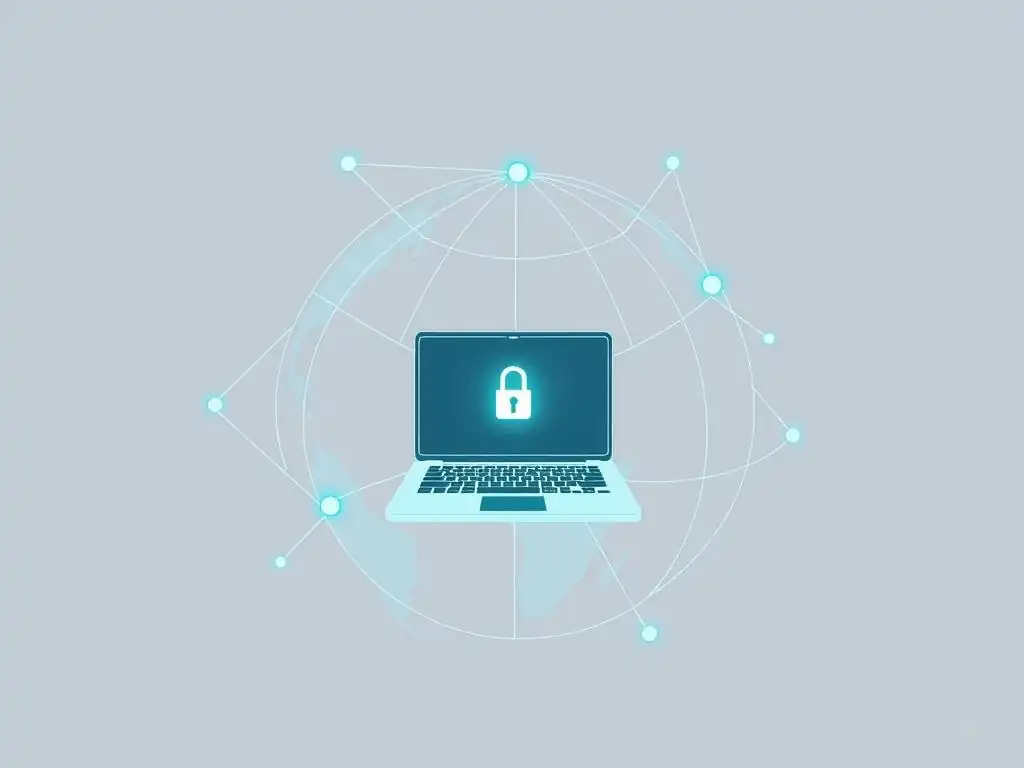
This section provides a practical, step-by-step guide to setting up and using a VPN for enhanced online privacy. Understanding these steps is crucial for maximizing the security benefits a VPN offers – securing your connection and protecting your data as you navigate the digital world. Remember, a VPN is a powerful tool for maintaining your online anonymity, but its effectiveness depends on correct configuration and usage. Let's dive in!
Selecting and Installing Your Chosen VPN Software
Choosing the right VPN is the first crucial step in securing your online privacy. Consider factors like server locations (a wider network provides more options for bypassing geo-restrictions and improving speeds), speed and performance (ensure consistent speeds for streaming and browsing), security protocols (look for strong encryption protocols like OpenVPN or WireGuard), and the provider's privacy policy (transparency and a no-logs policy are essential). Many providers offer free trials or money-back guarantees, allowing you to test their service before committing.
Once you've selected a VPN provider, downloading and installing their software is usually straightforward. Most providers offer user-friendly applications for various operating systems (Windows, macOS, iOS, Android). The installation process typically involves downloading the installer from the provider's website, running the installer, and following the on-screen instructions. This might include accepting terms of service and choosing installation options. Remember to always download from the official provider's website to avoid malware. After installation, you'll likely need to create an account and log in using your credentials.
Connecting to a VPN Server: A Simple Walkthrough
Connecting to a VPN server is usually a simple process, often involving just a few clicks. After installing the VPN software and logging in, you'll typically see a list of available server locations. Selecting a server location is important; choosing a server closer to your physical location generally results in faster speeds. However, you might choose a server in a different country to bypass geo-restrictions or access region-specific content.
Most VPN applications have a simple "connect" button. Clicking this button initiates the connection process. You'll usually see a status indicator showing the connection status (connecting, connected, or disconnected). Once connected, your internet traffic will be routed through the VPN server, encrypting your data and masking your IP address. A successful connection will often display the VPN server location you've selected, confirming your online anonymity is enhanced. It's good practice to disconnect from the VPN when you're not actively using it to conserve resources and improve battery life on mobile devices.
Configuring VPN Settings for Optimal Performance and Security
While many VPNs offer default settings that are sufficient for most users, adjusting certain settings can optimize performance and security. These settings vary across different VPN providers and applications, but some common configurations include:
- Choosing a VPN protocol: Different protocols offer varying levels of security and speed. OpenVPN is known for its strong security, while WireGuard is often faster. Understanding the trade-offs between security and speed will help you choose the best protocol for your needs.
- Kill switch: A kill switch is a crucial security feature that automatically cuts off your internet connection if the VPN connection drops, preventing accidental exposure of your IP address. Ensure this feature is enabled for maximum security.
- Split tunneling: This allows you to route only specific apps or websites through the VPN, while others use your regular internet connection. This can be useful for optimizing speed and accessing services that require your real IP address.
- DNS leak protection: DNS leaks can expose your real IP address, undermining your online anonymity. Ensure your VPN provider offers DNS leak protection to prevent this.
Regularly reviewing and updating your VPN settings will help ensure your online privacy remains secure. Staying informed about the latest security threats and best practices is crucial for maximizing the benefits of using a VPN for online privacy. This proactive approach contributes to a safer and more secure online experience. Remember, a VPN is a vital tool in your arsenal for digital security, but it's only as effective as its proper configuration and consistent use.
Troubleshooting Common VPN Connection Issues
Connecting to a VPN shouldn't be a constant battle, but occasionally, hiccups occur. Let's tackle some common VPN connection problems and their solutions. A smoothly functioning VPN is crucial for maintaining your online privacy and security, so understanding these troubleshooting steps is key to maximizing your VPN for online privacy.
One frequent issue is a failure to connect. This can stem from several sources. First, verify your VPN software is correctly installed and configured. A simple restart of both the VPN application and your computer or device often resolves temporary glitches. Check your internet connection; a poor or unstable connection will prevent VPN establishment. Ensure your firewall isn't blocking the VPN application—you might need to temporarily disable it for testing purposes, then re-enable it and configure any necessary exceptions. Finally, review your VPN subscription; if it's expired or has payment issues, a connection will be impossible.
Another common problem is slow connection speeds. VPNs inherently introduce some overhead, but excessively slow speeds suggest a problem. The distance between your location and the VPN server significantly impacts speed. Try connecting to a server geographically closer. Server load also plays a role; a highly congested server will be slower than a less utilized one.
Switching to a different server within the same VPN network often improves performance. Additionally, ensure your internet connection itself is not the bottleneck. Run a speed test without the VPN active to compare speeds. Finally, consider the VPN protocol you are using; some protocols prioritize speed over security, while others prioritize security over speed. Experimenting with different protocols can optimize your balance of speed and security.
Finally, connection drops are frustrating. These can be caused by unstable internet connections, server issues on the VPN provider's end, or conflicts with other software or network configurations. If drops are frequent, contact your VPN provider's support. They can help diagnose server-side issues or suggest troubleshooting steps.
Also, ensure your VPN software is up-to-date; updates often include bug fixes and performance improvements vital for stable connections. Consider if any recent software installations or network changes might be interfering. Sometimes, simply restarting your router can resolve connectivity problems. Remember, a reliable VPN connection is paramount for effective online privacy, so persistent troubleshooting is essential.
Beyond Privacy: Additional Benefits of Using a VPN

While the primary benefit of a VPN for online privacy is undeniable, its functionality extends far beyond simply masking your IP address. A VPN offers a suite of advantages that significantly enhance your online experience and security. Understanding these added benefits paints a clearer picture of why a VPN is no longer a luxury but a necessary tool in today's digital landscape. This section delves into some key areas where a VPN provides significant value beyond its core privacy features.
Think of it as an added layer of protection and functionality, bolstering your overall digital well-being. The increased security and access it provides are invaluable assets in navigating the complexities of the modern internet. Consider this a crucial step towards improving your digital security posture and enhancing your online experience.
Bypassing Geo-Restrictions and Accessing Content Worldwide
Geo-restrictions, imposed by governments or content providers, limit access to specific websites and services based on your geographical location. A VPN cleverly circumvents this by masking your IP address, making it appear as though you're browsing from a different location. This opens a world of possibilities.
Imagine accessing streaming services with libraries unavailable in your region, or accessing news sources blocked in your country. The ability to bypass these limitations is a significant advantage, broadening your access to information and entertainment. For example, a user in country A might use a VPN to access a streaming service popular in country B, gaining access to a wider selection of movies and shows.
This isn't just about entertainment; it's about access to diverse perspectives and information, fostering a more informed and globally connected experience. This functionality is a significant selling point for many VPN users, highlighting the versatility of the technology. Think of the possibilities: accessing international banking services, connecting with friends and family across borders without restrictions, and enjoying a richer, more diverse online experience.
Enhancing Online Security on Public Wi-Fi Networks
Public Wi-Fi networks, while convenient, pose significant security risks. These networks are often unsecured, leaving your data vulnerable to interception by hackers. A VPN creates an encrypted tunnel between your device and the VPN server, protecting your data from prying eyes. This is especially crucial when using sensitive online services like online banking or shopping on public Wi-Fi.
Consider this scenario: you're working remotely in a coffee shop using the free Wi-Fi. Without a VPN, your banking details are transmitted in plain text, making them susceptible to theft. A VPN encrypts this data, preventing unauthorized access. The encryption process makes your data virtually unreadable to anyone who might try to intercept it.
Think of it as a secure, private line, protecting your sensitive information while you're connected to an unsecured network. This greatly enhances your online security, especially in environments where your data might otherwise be vulnerable. The added layer of protection is invaluable for safeguarding your personal and financial information.
Protecting Your Privacy on Mobile Devices
Mobile devices are constantly connected, making them prime targets for data breaches and privacy violations. A VPN extends its protective capabilities to your smartphones and tablets, encrypting your data even when you're on the go. This is especially important given the increasing reliance on mobile devices for everything from banking and shopping to accessing sensitive personal information.
Imagine using your phone to access your email or social media accounts while connected to a public Wi-Fi hotspot. A VPN ensures your data remains private and secure, even in less secure environments. Protecting your privacy on mobile devices is becoming increasingly critical as we rely more and more on these devices for our daily lives.
The constant connectivity of mobile devices necessitates a robust security solution, and a VPN provides just that, adding an extra layer of protection against cyber threats and ensuring your data privacy remains intact. Consider the peace of mind this brings: knowing your data is protected, regardless of where you are or what network you’re using. This is a key feature for anyone who values their online privacy and security.
Boosting Your Online Speed and Performance (In Certain Circumstances)
A VPN can, in certain situations, actually improve your internet speed and performance. This might sound counterintuitive—adding another layer of encryption and routing your traffic through a server seems like it would slow things down. However, there are specific scenarios where a VPN can provide a noticeable boost.
One key scenario is when your internet service provider (ISP) is throttling your connection. ISPs often prioritize certain types of traffic, potentially slowing down streaming, gaming, or torrenting. A VPN masks your online activity from your ISP, preventing them from identifying and throttling these activities. This can lead to significantly faster speeds for activities that are commonly throttled. For example, streaming high-definition video might experience a noticeable improvement in buffering times and overall playback smoothness when using a VPN.
Another instance where a VPN can help is when connecting to a congested network. Public Wi-Fi hotspots, for instance, are often overloaded, resulting in slow speeds and high latency. A VPN can create a more secure and often faster connection by encrypting your data and potentially routing it through a less congested server. This is especially beneficial for tasks requiring low latency, such as online gaming. The improved connection stability offered by a VPN can translate into a smoother and more responsive gaming experience, even on a crowded network.
However, it's crucial to understand that a VPN won't always increase your speed. In fact, it often introduces a slight overhead due to the encryption and routing processes. The performance improvement is largely dependent on factors like the VPN server's location and load, the quality of your internet connection, and the level of congestion on your network. Choosing a reputable VPN provider with a vast network of servers located strategically around the world is key to maximizing the chances of experiencing a speed boost.
A poorly performing VPN, on the other hand, can significantly reduce your internet speed. Therefore, careful selection of a VPN provider is paramount for achieving optimal results. Thorough research and reading user reviews are highly recommended before committing to a specific VPN service.
VPN for Online Privacy: Conclusion and Next Steps
This section summarizes the crucial role a VPN plays in bolstering your online privacy and security in today's digital landscape. We've explored how a VPN masks your IP address, encrypts your data, and helps you navigate the internet more securely. But remember, a VPN is just one piece of the puzzle. A comprehensive online security strategy requires a multi-layered approach.
Recap: Key Benefits and Importance of Using a VPN for Online Security
Using a VPN for online privacy offers several key advantages, significantly enhancing your digital security posture. Let's recap the most important benefits:
- Enhanced Privacy: A VPN masks your real IP address, preventing websites and trackers from identifying your location and online activities. This is crucial for maintaining anonymity while browsing, especially on public Wi-Fi networks. Think of it as a digital cloak, shielding you from prying eyes.
- Data Encryption: Your internet traffic is encrypted using strong algorithms, making it virtually unreadable to eavesdroppers. This protection is vital when dealing with sensitive information like banking details or personal communications. It's like sending your data in a locked, unbreakable box.
- Bypass Geo-Restrictions: VPNs can help you access content that's restricted in your region. This is particularly useful for accessing streaming services or websites blocked in your country. Enjoy greater freedom of information!
- Protection on Public Wi-Fi: Public Wi-Fi networks are notoriously insecure. A VPN creates a secure tunnel, protecting your data from potential hackers lurking on these networks. Avoid becoming a victim of data theft on unsecured connections.
The importance of using a VPN for online security cannot be overstated. In an increasingly interconnected world, where cyber threats are constantly evolving, a VPN is an essential tool for protecting your personal information and maintaining your online privacy. It's an investment in your digital well-being.
Choosing the Right VPN Provider Based on Your Needs
Selecting the right VPN provider is critical. Consider these factors:
- Security Protocols: Look for providers offering strong encryption protocols like OpenVPN or WireGuard. These protocols determine the strength of your encrypted connection. Don't compromise on security!
- Server Locations: The number and location of servers influence your connection speed and ability to bypass geo-restrictions. More servers in more locations generally mean better performance.
- No-Logs Policy: A strict no-logs policy ensures your online activity isn't tracked or stored by the VPN provider. Transparency and privacy are paramount.
- Customer Support: Reliable customer support is essential in case you encounter any technical issues. Look for providers with responsive and helpful support channels.
- Pricing and Features: Compare pricing plans and features to find a VPN that fits your budget and needs. Balance cost with the level of security and features offered.
Consider your specific needs when making your decision. Are you primarily concerned with accessing geo-restricted content, or is your priority robust security and anonymity? The ideal VPN provider will align with your individual requirements. Choosing wisely is crucial for maximizing the benefits of VPN usage.
Staying Safe Online: Best Practices Beyond VPN Usage
While a VPN is a powerful tool, it's not a silver bullet. Employing a holistic approach to online security involves several best practices:
- Strong Passwords: Use unique, strong passwords for all your online accounts. Consider a password manager to help you generate and manage complex passwords securely. Password security is foundational to overall online safety.
- Software Updates: Keep your software and operating systems up-to-date to patch security vulnerabilities. Regular updates are crucial for mitigating known threats.
- Two-Factor Authentication (2FA): Enable 2FA whenever possible to add an extra layer of security to your accounts. This significantly reduces the risk of unauthorized access.
- Phishing Awareness: Be cautious of suspicious emails and websites. Learn to identify phishing attempts and avoid clicking on unknown links. Phishing is a major threat; vigilance is key.
- Regular Security Audits: Periodically review your online security practices to identify and address any weaknesses. Proactive security measures are vital for long-term protection.
Remember, a VPN enhances your online privacy and security, but it's just one part of a comprehensive strategy. By combining VPN usage with other best practices, you can significantly reduce your risk of cyber threats and enjoy a safer online experience. Prioritizing your digital security is an ongoing process.
Frequently Asked Questions
What is a VPN, and why should I use one?
A VPN, or Virtual Private Network, creates a secure, encrypted connection between your device and the internet. This protects your online activity from prying eyes, including your internet service provider (ISP), hackers, and advertisers. Using a VPN enhances your online privacy and security.
How does a VPN protect my online privacy?
A VPN masks your IP address, making it difficult to track your online activities. It encrypts your data, preventing others from intercepting your information. This is crucial for protecting your sensitive data like passwords and banking details.
Are there any downsides to using a VPN?
While VPNs offer significant benefits, some potential drawbacks include slightly reduced internet speed and the cost of a subscription. Choosing a reputable VPN provider minimizes these risks.
Which VPN provider should I choose?
Selecting the right VPN depends on your needs and budget. Look for providers with a strong reputation for security and privacy, robust encryption, and a clear no-logs policy. Read reviews before committing.
Can a VPN protect me from all online threats?
A VPN is a vital tool for enhancing online privacy and security, but it's not a silver bullet. It protects against many threats but doesn't guarantee complete immunity from all online risks. Practicing good online hygiene remains crucial.
Final Reflection: Reclaiming Your Digital Sovereignty
The fight for online privacy is not a luxury; it's a necessity in today's hyper-connected world. The sheer volume of data collected about us daily is staggering, and without proactive measures, we risk surrendering our digital sovereignty to corporations and potentially malicious actors. Understanding and utilizing tools like VPNs is no longer a technical nicety, but a fundamental step towards protecting our personal information and online freedom.
The pervasive nature of data collection has profoundly altered our relationship with technology and the internet. We've moved from a time of relative anonymity to one of constant surveillance, a shift that has significant implications for our freedoms and rights. Privacy is not a gift from the state; it is a human right.
This quote underscores the importance of taking control of our digital footprints and actively safeguarding our personal information in an increasingly intrusive online environment. The ongoing debate surrounding data privacy highlights the urgent need for individuals to become informed and empowered users of the internet.
Consider the implications of this for your own life. Are you comfortable with the level of data being collected about your online activities? Do you understand the potential risks associated with unprotected browsing? This article has provided you with the knowledge to take control. Take the next step. Research VPN providers, choose one that aligns with your needs, and begin to reclaim your digital sovereignty. Your online privacy is worth fighting for, and the tools are available to help you do so.
Unlock Your Digital Freedom: Take Control of Your Online Privacy
Thank you for learning about the importance of VPNs for online security! You're now better equipped to navigate the digital world confidently. Ready to take the next step?
- Sign up with a reputable VPN provider today. This is the most crucial step to protecting your online activity. Choosing a provider with a strong track record of security and privacy is essential.
- Share this information with friends and family – help them secure their digital lives too!
- Join our online community forum (link removed as per instructions) to connect with other users, discuss your experiences with VPNs, share preferred providers, and troubleshoot any issues you might encounter.
What's the first website you'll visit now that you have enhanced online privacy?