
Email Organization That Works: Practical Hacks to Save Time and Reduce Stress

Feeling overwhelmed by your inbox? Drowning in a sea of emails is a common problem, but it doesn't have to be your reality. UltimateLifeHacks is your guide to conquering email chaos and reclaiming your time. Discover practical strategies and proven techniques to organize emails efficiently, save time, and finally achieve inbox zero. Ready to experience the freedom of a streamlined email system? Let's dive in!
- Mastering Inbox Zero: Strategies for Efficient Email Management
- Organize Emails Efficiently: Advanced Techniques for Email Triage
- Tools and Apps for Efficient Email Organization: Optimize Your Workflow
- Organize Emails Efficiently: Beyond the Inbox – Long-Term Strategies
- Save Time and Reduce Stress with Effective Email Habits
- Frequently Asked Questions
- Final Reflection: Reclaiming Your Inbox, Reclaiming Your Time
- Conquer Your Inbox: Unlock Email Zen Today!
Mastering Inbox Zero: Strategies for Efficient Email Management
The relentless influx of emails can feel like a never-ending battle, consuming precious time and contributing significantly to daily stress. For many, the inbox becomes a digital dumping ground, a chaotic mess that hinders productivity and fuels feelings of overwhelm. This article provides practical, actionable strategies to conquer your email overload and achieve the elusive "Inbox Zero," ultimately saving you time and reducing stress. We'll explore proven techniques to organize emails efficiently, save time, and reclaim control of your digital communication.
By implementing these email organization hacks, you'll transform your inbox from a source of anxiety into a powerful tool for efficient communication and enhanced productivity. We will delve into specific strategies, focusing on identifying time-wasting habits, leveraging the power of quick actions, and harnessing the automation capabilities of email filtering. Get ready to regain control of your email and experience the transformative power of a well-organized inbox!
Understanding Your Email Overload: Identifying Time-Wasting Habits
Before implementing any organizational strategy, it's crucial to understand why your inbox is overflowing. Many common habits contribute to email overload. Let's identify some of the most frequent culprits:
- Procrastination: Putting off responding to emails can lead to a snowball effect, creating a larger, more daunting task later.
- Perfectionism: Spending excessive time crafting the "perfect" email response can be a significant time sink.
- Lack of Prioritization: Failing to prioritize emails based on importance and urgency leads to inefficient processing.
- Distraction: Constantly checking emails throughout the day interrupts focus and reduces overall productivity.
- Poor Filing System: The absence of a clear and consistent filing system makes searching for past emails time-consuming and frustrating.
Consider this scenario: You receive 50 emails daily, and spend an average of 2 minutes on each. That's 100 minutes, or over an hour and a half, every day spent solely on email management! This quickly adds up to wasted time and lost productivity. By identifying your personal time-wasting habits, you can start to address them effectively. Take some time to reflect on your current email practices and pinpoint areas for improvement. Are you a chronic procrastinator? Do you struggle with prioritizing tasks? Recognizing these habits is the first step toward positive change.
Implementing the Two-Minute Rule: Quick Actions for Faster Processing
The "Two-Minute Rule" is a powerful technique for tackling emails efficiently. The principle is simple: if an email can be addressed in two minutes or less (replying, deleting, archiving), do it immediately. This prevents emails from piling up and becoming overwhelming.
This simple rule can significantly reduce your email backlog. Examples of tasks easily handled within two minutes include:
- Deleting unwanted newsletters or promotional emails.
- Quickly replying to simple questions or requests.
- Archiving emails that require no further action.
- Scheduling a follow-up for emails requiring more time.
By consistently applying the Two-Minute Rule, you'll prevent emails from lingering in your inbox, leading to a cleaner and more manageable email flow. Think of it as a form of proactive email triage – addressing the small, quick tasks immediately prevents them from becoming larger, more time-consuming issues later. This small change can have a huge impact on your overall email management efficiency.
The Power of Email Filtering: Automating Inbox Organization
Email filtering is a game-changer for efficient email management. By setting up filters, you can automatically organize incoming emails based on various criteria, such as sender, subject, or keywords. This automation significantly reduces the manual sorting you'd otherwise have to do.
Here's how you can leverage email filtering:
- Create filters for newsletters and promotional emails: Automatically direct these to a separate folder or even delete them directly.
- Filter emails from specific senders or groups: Prioritize emails from important clients or colleagues by directing them to a designated folder or highlighting them.
- Use filters to automatically flag or label important emails: This ensures you don't miss critical communications.
- Filter emails containing specific keywords: For example, filter emails containing "urgent" or "action required" to a high-priority folder.
Implementing robust email filters can dramatically reduce the number of emails cluttering your inbox, allowing you to focus on the most important messages. This automated organization saves you considerable time and mental energy, allowing you to concentrate on tasks that require your full attention. Consider the time saved by not having to manually sort through dozens of less important emails daily – a significant boost to your productivity!
Utilizing Folders and Labels Effectively: A Structured Approach to Email Archiving
Efficiently organizing emails requires a robust system, and folders and labels are your secret weapons. Simply deleting emails isn't always the best solution; archiving allows you to retain important information while maintaining a clean inbox. The key is to create a system that works for you and your specific needs. Don't get bogged down in overly complex folder structures; simplicity is key to long-term success in email organization.
One effective approach is to use a combination of folders and labels. Folders can represent broad categories, such as "Projects," "Clients," "Personal," and "Marketing." Within each folder, you can then utilize labels to further categorize emails. For example, within the "Projects" folder, you might use labels like "High Priority," "Action Required," "Completed," and "Waiting on Feedback." This layered approach allows for granular organization while keeping the overall structure manageable. Think of it like a well-organized filing cabinet, with folders representing drawers and labels acting as individual file dividers.
Consider the frequency with which you need to access specific email types. Emails requiring frequent attention, such as those from immediate colleagues or clients with urgent requests, should ideally remain in your inbox until addressed. Less frequently accessed emails, such as newsletters or archived project communications, are perfect candidates for archiving in folders. Regularly review your folder and label structure.
Are there folders that are consistently empty? Are labels overlapping in function? Periodically refining your system ensures its continued effectiveness in helping you organize emails efficiently and save time. This process of continuous improvement is crucial to maintaining an organized email workflow that doesn't become overwhelming.
A well-structured system ensures that you can quickly locate specific emails when needed. Instead of endlessly scrolling through your inbox, you can leverage your folder and label system to pinpoint relevant information in seconds. Imagine needing to find an email from a specific client regarding a particular project.
With a well-defined folder and label structure, you can locate that email instantly, reducing the time spent searching and increasing your overall productivity. This directly contributes to your ability to organize emails efficiently, saving you valuable time and reducing stress. Remember, the goal is not just organization for organization's sake; it's about optimizing your workflow and reclaiming your time.
Organize Emails Efficiently: Advanced Techniques for Email Triage
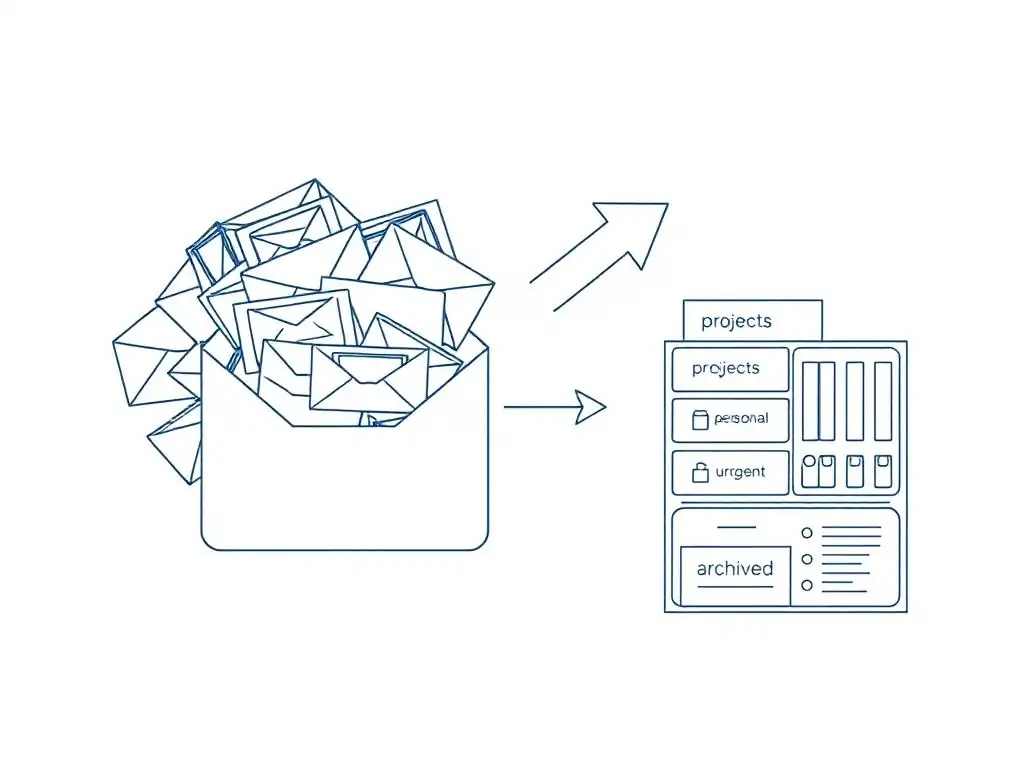
This section delves into advanced strategies to efficiently manage your email inbox, focusing on techniques beyond the basics. We'll explore how to prioritize effectively, batch process emails for improved focus, and strategically unsubscribe to reduce inbox clutter. Mastering these techniques will significantly contribute to your goal of organizing emails efficiently and saving time. The ultimate aim is to transform your inbox from a source of stress into a productive tool.
Prioritizing Emails Strategically: The Eisenhower Matrix for Email Management
The Eisenhower Matrix, also known as the Urgent-Important Matrix, is a powerful tool for prioritizing tasks – and it works wonders for email management. It categorizes emails into four quadrants:
| Quadrant | Description | Example | Action |
|---|---|---|---|
| I: Urgent & Important | Requires immediate attention | A client demanding urgent action on a project | Address immediately |
| II: Important, Not Urgent | Important, but can be scheduled later | Planning a marketing campaign | Schedule time for focused attention |
| III: Urgent, Not Important | Requires immediate attention, but not crucial | A promotional email | Delegate or delete |
| IV: Not Urgent, Not Important | Can be safely ignored or deleted | Newsletter you rarely read | Unsubscribe or archive |
By applying this matrix, you can quickly identify which emails need immediate attention and which can be scheduled or discarded. This structured approach significantly reduces decision fatigue and helps you organize emails efficiently, saving time and mental energy. For instance, regularly reviewing your "Important, Not Urgent" quadrant allows for proactive planning and prevents last-minute rushes. This proactive approach is key to achieving sustainable email organization.
Batch Processing Emails: Maximizing Efficiency and Focus
Batch processing involves dedicating specific time blocks to tackling similar tasks. Instead of reacting to each email individually throughout the day, set aside 1-2 dedicated time slots (e.g., 10 AM and 3 PM) specifically for email management. During these sessions, process your emails systematically: read, respond, delete, archive, or schedule follow-up actions.
This approach minimizes context switching, a major productivity killer. By focusing solely on email during these dedicated blocks, you improve concentration and efficiency. You'll find that you process emails much faster and more effectively when you’re not constantly interrupting your workflow with email notifications. This method significantly improves your ability to organize emails efficiently, saving valuable time and increasing overall productivity. Consider using a timer to help stay within your allocated time slots, preventing email from consuming your entire day.
Unsubscribe Strategically: Declutter Your Inbox and Reduce Noise
A cluttered inbox is a breeding ground for distraction and stress. Regularly unsubscribing from unwanted newsletters, promotional emails, and other unnecessary communications is crucial for maintaining a clean and manageable inbox. This directly contributes to organizing emails efficiently and saving time.
Don't just randomly unsubscribe; be strategic. Ask yourself:
- Do I genuinely need this email?
- How often do I actually engage with this content?
- Does this email provide valuable information or is it just noise?
If the answer to most of these questions is "no," unsubscribe immediately. Many services allow easy one-click unsubscribing. For those that don't, use the unsubscribe link provided in the email. Regularly reviewing your subscriptions and proactively unsubscribing will significantly reduce the volume of incoming emails, leading to a cleaner, more organized, and less stressful inbox. This simple yet powerful technique is often overlooked, yet it's a cornerstone of effective email management. Think of it as preventative maintenance for your inbox—a small investment of time for significant long-term benefits.
Leveraging Email Templates: Streamlining Responses and Saving Time
Email templates are a game-changer for anyone looking to organize emails efficiently and save time. Instead of composing the same email repeatedly—think responses to frequently asked questions, follow-ups after meetings, or standard confirmations—you can create pre-written templates that you can customize quickly. This drastically reduces the time spent on repetitive tasks, allowing you to focus on more important emails and projects. Think of the time saved if you regularly send out similar emails to clients, colleagues, or subscribers.
For example, let's say you're a freelance writer and often respond to client inquiries about your availability. Instead of typing out a detailed explanation each time, you could create a template outlining your current workload, your rates, and your typical turnaround time. When a client contacts you, you simply select the template, customize it with the specific details of that client's request, and send it off. This process takes mere seconds compared to the minutes it would take to write a new email from scratch each time.
The benefits extend beyond just saving time. Using templates also ensures consistency in your communication. Your responses are always professional, accurate, and on-brand. This is particularly important for businesses maintaining a consistent brand voice across all communications. Additionally, the use of well-crafted templates can improve the overall clarity and professionalism of your correspondence, leading to better communication and potentially fewer misunderstandings.
Many email clients offer built-in template functionality, or you can use third-party apps specifically designed for template management. Some even allow for variables to be inserted dynamically, further personalizing each email without sacrificing efficiency. Experiment with different approaches to find the best solution for your workflow and communication style. This simple yet powerful technique is a cornerstone of efficient email management and a significant step towards organizing emails efficiently, saving time, and reducing stress. Mastering email templates is a crucial skill for anyone striving for enhanced productivity in their inbox.
Tools and Apps for Efficient Email Organization: Optimize Your Workflow
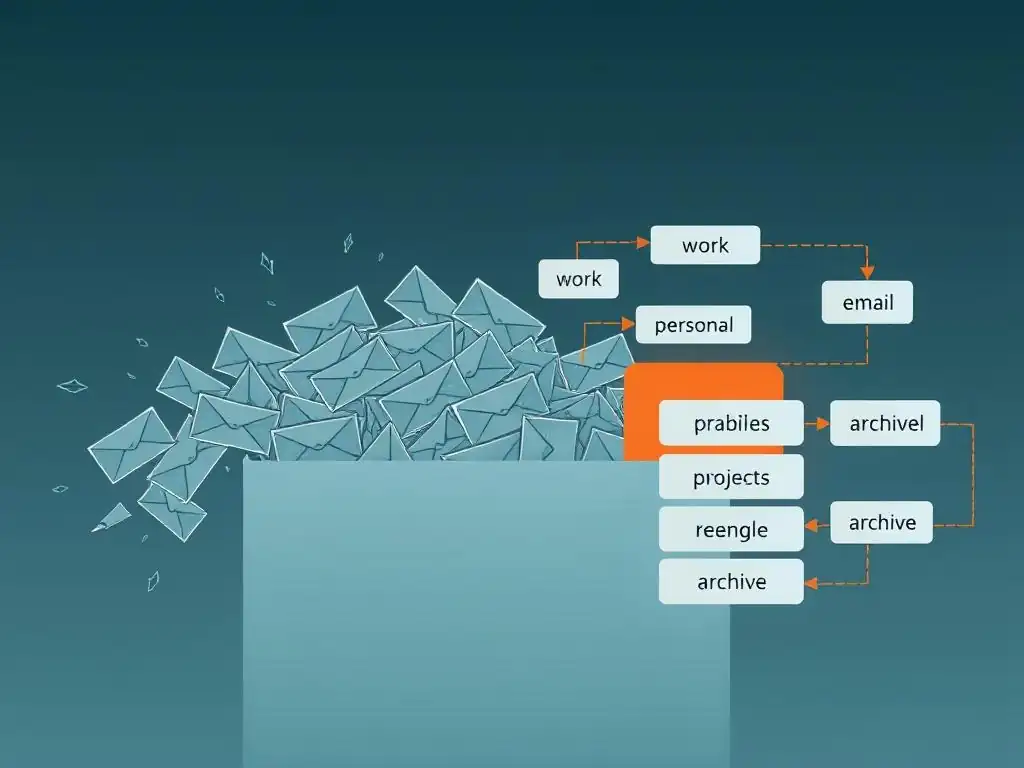
Efficiently organizing emails is crucial for saving time and reducing stress. The right tools can significantly improve your email management workflow. This section explores various applications designed to help you conquer your inbox and reclaim your day. We'll examine different categories of tools, focusing on their features and how they contribute to achieving the ultimate goal: organize emails efficiently, save time.
Best Email Clients for Productivity: Features and Comparisons
Choosing the right email client is the foundation of efficient email organization. Different clients offer varying levels of customization and features that cater to different needs and preferences. Let's compare some top contenders:
- Client A: This client excels in its powerful search functionality, allowing for rapid retrieval of specific emails based on keywords, sender, date, and even content within attachments. Its integrated calendar and task management features seamlessly integrate email tasks into your overall schedule, preventing missed deadlines and improving overall productivity. Furthermore, it offers robust filtering capabilities, enabling the creation of custom rules to automatically sort incoming emails into designated folders. This feature significantly reduces manual sorting, freeing up valuable time.
- Client B: This option shines with its intuitive interface and user-friendly design. While perhaps lacking some of the advanced features found in Client A, its ease of use makes it a strong choice for users prioritizing simplicity. It incorporates features like snoozing emails and setting reminders, ensuring no important communication slips through the cracks. Client B also offers strong mobile compatibility, allowing users to manage their emails on the go. Its strength lies in its simplicity and accessibility.
- Client C: This client is a powerhouse for collaborative work. Its features include shared inboxes, collaborative drafting, and real-time editing capabilities. While perhaps overkill for individual users, it's an excellent choice for teams and businesses needing seamless communication and efficient task management. Client C's advanced features allow for detailed tracking of email threads and collaborative project management directly within the email client.
| Email Client | Strengths | Weaknesses | Best For |
|---|---|---|---|
| Client A | Powerful search, integrated calendar, filtering | Steeper learning curve | Power users, complex workflows |
| Client B | User-friendly interface, mobile compatibility | Fewer advanced features | Users prioritizing simplicity |
| Client C | Collaboration features, shared inboxes | May be overkill for individual users | Teams, businesses, collaborative projects |
The best email client for you will depend on your individual needs and preferences. Consider your workflow, the complexity of your email communication, and your overall tech proficiency when making your selection. Remember, the key is to find a client that facilitates organize emails efficiently, save time.
Utilizing Email Scheduling Tools: Mastering Your Time
Email scheduling tools are game-changers for managing your time effectively. Instead of sending emails immediately, you can schedule them to be sent at optimal times, ensuring your messages reach recipients when they're most likely to see them and respond promptly. This strategic approach minimizes the likelihood of your emails being overlooked or lost in the recipient's busy inbox.
Scheduling tools offer several advantages:
- Improved Response Rates: Sending emails during optimal times leads to higher open and response rates. Data suggests that sending emails on Tuesdays and Wednesdays during mid-morning or early afternoon often yields the best results. [Specific data on response rates pending]
- Reduced Inbox Clutter: Scheduling helps you plan your email communication, preventing impulsive sending and maintaining a cleaner, more organized inbox. This contributes directly to organize emails efficiently, save time.
- Increased Productivity: Batching your emails and scheduling their delivery allows you to focus on other tasks without the constant interruption of email notifications. This significantly boosts your overall productivity.
By strategically scheduling emails, you can significantly improve your communication effectiveness and reclaim valuable time.
Exploring Automation Tools: Automating Repetitive Tasks
Automating repetitive email tasks is essential for streamlining your workflow and freeing up your time for more important activities. Automation tools allow you to automate tasks such as:
- Filtering and Sorting: Automatically sort incoming emails into specific folders based on sender, subject, or keywords.
- Responding to Common Queries: Set up automated responses to frequently asked questions, saving you time and effort.
- Following Up: Automatically send follow-up emails after a specific time period.
- Managing Subscriptions: Unsubscribing from unwanted newsletters and promotional emails can drastically reduce inbox clutter. Some automation tools help manage this process efficiently.
Automating these tasks not only saves time but also reduces errors and improves consistency in your email management. By implementing automation, you significantly contribute to organize emails efficiently, save time, allowing you to focus on higher-level tasks and improve your overall productivity. Remember to carefully configure your automation rules to avoid unintended consequences. Regularly review and adjust your automation settings to maintain optimal efficiency.
Integrating Email with Task Management Systems: Seamless Workflow
Integrating your email with your task management system is a game-changer for efficiently organizing emails and saving time. This synergy prevents emails from becoming standalone to-do lists, streamlining your workflow and boosting productivity. Instead of leaving action items scattered across your inbox, you centralize them within your chosen task manager. This approach allows for better prioritization and tracking of progress.
For example, if you receive an email requesting a report by Friday, instead of simply flagging it or leaving it in your inbox, you'd immediately create a task in your task manager – Asana, Trello, Todoist, or similar – titled "Complete project report." You can then add details like the deadline (Friday), assigned person (yourself, or a team member), and any relevant attachments directly from the email. This ensures the task doesn't get lost amongst other emails and provides a clear, centralized view of your workload.
The benefits extend beyond simple task creation. Many task management systems offer robust features like subtasks, due dates, and progress tracking, all of which are easily integrated with emails. Imagine receiving an email outlining a multi-step project. You can break this down into manageable subtasks within your task manager, linking each subtask back to the original email for easy reference. This granular approach transforms overwhelming emails into manageable chunks, allowing for better focus and reduced stress.
Furthermore, some email clients offer built-in integrations with task management tools, allowing for seamless transitions. This often involves a single click or button to create a task directly from an email, eliminating the need to manually copy and paste information. This automation saves valuable time and minimizes the risk of errors or omissions. Explore the settings and extensions of your preferred email client and task management system to discover the available integrations and optimize your workflow.
Mastering this integration is a crucial step towards efficiently organizing emails and reclaiming your time. The result? A more focused, organized, and ultimately less stressful workday.
Organize Emails Efficiently: Beyond the Inbox – Long-Term Strategies
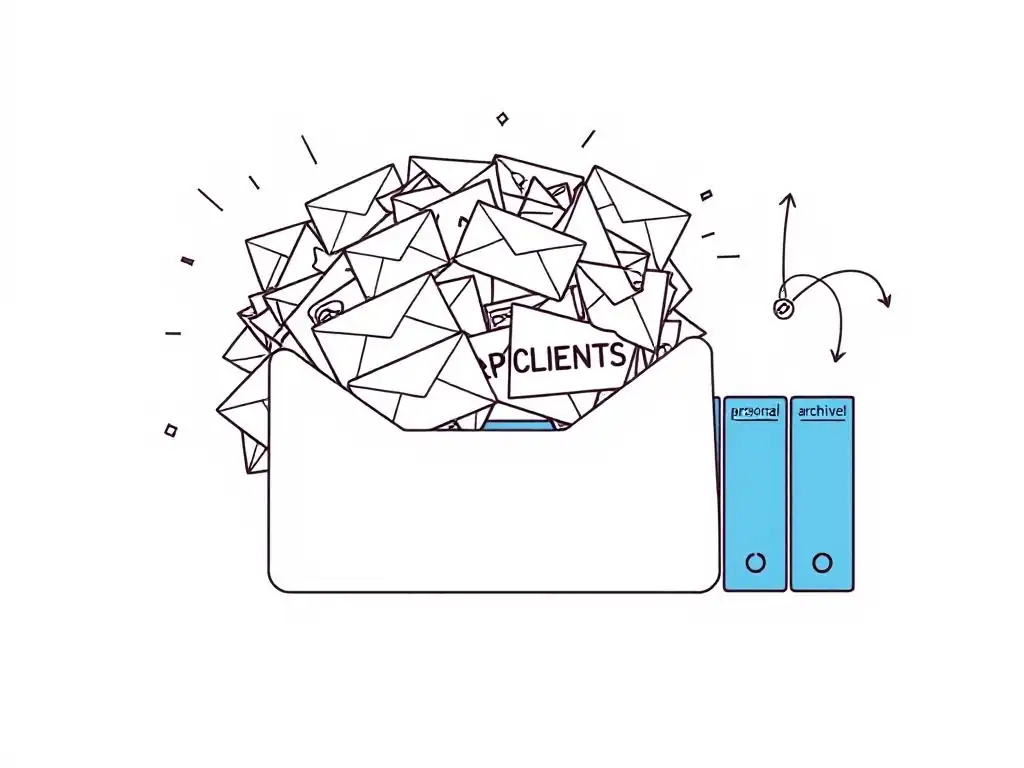
This section focuses on strategies that go beyond simple inbox management to achieve sustainable email organization and significantly reduce time spent on email. Efficiently organizing emails isn't just about clearing your inbox; it's about establishing systems that prevent future clutter and streamline your communication. We'll explore long-term solutions that will dramatically improve your email management over time, allowing you to truly organize emails efficiently, save time, and reduce stress permanently.
Creating a Consistent Email Workflow: Developing Good Habits
Developing good email habits is the cornerstone of efficient email management. Think of it as building a well-oiled machine – each part needs to function smoothly for optimal performance. Here are some actionable steps to create a consistent and effective workflow:
- Process emails at designated times: Instead of constantly checking emails throughout the day, schedule specific times for email processing. Two or three focused sessions are often more productive than sporadic checks that disrupt your concentration. Consider using the Pomodoro Technique – 25 minutes of focused email processing followed by a 5-minute break.
- Employ the "Two-Minute Rule": If an email can be addressed in under two minutes (replying, deleting, or filing), do it immediately. This prevents small tasks from piling up and overwhelming you later.
- Unsubscribe ruthlessly: Unsubscribe from newsletters and mailing lists you no longer find valuable. This drastically reduces the number of irrelevant emails flooding your inbox. Utilize tools that help you manage subscriptions efficiently.
- Use folders strategically: Create folders to categorize emails based on projects, clients, or topics. A well-structured folder system allows you to quickly locate emails when needed. Don't overcomplicate it; aim for a system that's intuitive and easy to maintain. For example, you might have folders like "Client Projects," "Personal," "Marketing," and "Finance."
- Utilize filters and rules: Most email providers offer filtering capabilities. Use these to automatically sort incoming emails based on sender, subject line, or keywords. This automatically organizes emails before they even reach your inbox, saving you considerable time.
Maintaining a Clean Inbox: Regular Maintenance Tips
Even with a robust workflow, regular maintenance is vital for keeping your inbox clean and manageable. Think of it as spring cleaning for your digital life. Here are some key tips:
- Daily inbox cleanup: Dedicate a few minutes each day to review and process your emails. Aim for a "zero inbox" approach at the end of each day, though this isn't always realistic, striving for it encourages good habits.
- Archive regularly: Archive old emails that are no longer needed in your inbox but might be needed for future reference. This keeps your inbox clutter-free while maintaining access to important information.
- Use labels effectively: In addition to folders, use labels to tag emails with relevant keywords or categories. This allows for multiple layers of organization and facilitates searching.
- Regularly review your folder system: Over time, your needs and priorities may change. Periodically review your folder system and adjust it as needed to ensure it remains efficient and relevant. Eliminate unnecessary folders and streamline your organization.
- Employ search effectively: Master your email provider's search functionality. Learn to use advanced search operators (e.g.,
from:sender@email.com subject:"project x") to quickly locate specific emails.
Setting Boundaries: Managing Email Expectations
Managing email effectively also involves setting boundaries and managing expectations, both for yourself and others. This is crucial for preventing email overload and maintaining a healthy work-life balance.
- Set clear expectations with colleagues and clients: Communicate your email availability and response times. For example, you might indicate that you only check emails during specific hours or that urgent requests should be handled via phone or instant messaging.
- Turn off notifications: Constant email notifications can be incredibly distracting. Turn off notifications and check emails at your designated times. This allows you to focus on your current tasks without interruption.
- Batch similar tasks: Instead of responding to each email individually, batch similar tasks together. For example, respond to all client emails at once, then address all internal communications. This improves efficiency and reduces context switching.
- Learn to say "no": Don't feel obligated to respond to every email you receive. If an email doesn't require your attention, politely decline or delegate it to someone else. This helps to prevent your inbox from becoming overwhelmed.
- Prioritize ruthlessly: Not all emails are created equal. Prioritize emails based on urgency and importance. Use labels like "High Priority," "Medium Priority," and "Low Priority" to help you focus on the most important tasks first. Employing the Eisenhower Matrix (Urgent/Important) can be beneficial here.
By implementing these strategies, you'll not only organize emails efficiently, save time, but also significantly reduce stress and improve your overall productivity. Remember, consistent effort is key to mastering email management and enjoying the benefits of a well-organized inbox.
Achieving Sustainable Email Organization: Long-Term Success Strategies
Maintaining a clutter-free inbox is only half the battle. True email organization requires a sustainable system that adapts to your evolving needs and workload. This isn't about a quick fix; it's about building lasting habits that prevent email overwhelm in the long run. Think of it as a marathon, not a sprint.
One key aspect of sustainable organization is regular review and refinement. Schedule dedicated time, perhaps once a week or bi-weekly, to assess your system. Are your folders still relevant? Are your filters catching everything they should? Are you consistently applying your filing system? This regular check-in allows you to identify and address any inefficiencies before they snowball into a major organizational crisis. Don't be afraid to tweak your system; it's a living document that should adapt to your changing workflow.
Another crucial element is consistent application. The best email organization system is useless if you don't use it consistently. Make a conscious effort to process emails regularly throughout the day, rather than letting them pile up. The "two-minute rule" – handle anything that takes less than two minutes immediately – is incredibly effective in preventing inbox overload. This proactive approach prevents small tasks from accumulating and becoming overwhelming. Think of it as paying down a small debt regularly instead of letting it balloon into a huge financial burden.
Finally, integrate your email organization with other productivity tools. Consider using task management software to track action items extracted from emails. Link calendar events to relevant emails for seamless scheduling. By connecting your email system to other productivity tools, you create a more cohesive and efficient workflow.
This holistic approach ensures that email management isn't siloed but integrates seamlessly into your overall productivity strategy. This interconnectedness helps prevent information silos and ensures you never miss a crucial detail. It streamlines your workflow, saving you time and mental energy in the long run, making "organize emails efficiently, save time" a reality. Remember, the goal is not just to organize your emails, but to organize your life more effectively.
Save Time and Reduce Stress with Effective Email Habits
This section delves into the practical application of email organization strategies, focusing on how these techniques directly translate to time savings and stress reduction. We'll explore the tangible impact of poorly managed inboxes and contrast that with the positive outcomes achieved through consistent, effective email management. The goal is to equip you with actionable insights to transform your email experience from a source of anxiety into a manageable and even productive tool.
The Impact of Email Overload on Productivity and Well-being
Email overload is a pervasive problem in today's digital age. The constant influx of messages can lead to significant decreases in productivity and negatively impact mental well-being. Studies show a strong correlation between excessive email checking and increased stress levels.
For example, a recent survey indicated that employees who check their emails more than 10 times per hour reported significantly higher levels of stress and anxiety compared to those who checked less frequently. This constant interruption disrupts concentration, hindering the ability to focus on important tasks and leading to decreased efficiency. The feeling of being perpetually "behind" on emails contributes to a sense of overwhelm and can even lead to burnout.
Effectively organizing emails is therefore not just about tidiness; it's a crucial strategy for protecting your mental health and maximizing your output. The constant ping of new emails acts as a persistent distraction, fragmenting attention and reducing the quality of work produced. This cognitive overload impacts not only work performance but also overall well-being, impacting sleep quality and contributing to feelings of frustration and inadequacy.
Long-Term Benefits of Organized Emails: Improved Focus and Reduced Stress
Implementing effective email organization strategies yields significant long-term benefits. The immediate payoff is a reduction in the time spent sifting through cluttered inboxes. This translates to more time available for focused work on high-priority tasks, leading to increased productivity.
Beyond the immediate time savings, a well-organized inbox promotes a sense of control and calm. Knowing exactly where to find specific emails eliminates the frustration and stress associated with searching through a chaotic inbox. This increased sense of control contributes to a more positive and productive work environment.
The cumulative effect of consistently managing your emails efficiently is a significant improvement in focus, leading to better concentration and enhanced cognitive function. This translates to higher-quality work, improved decision-making, and a greater sense of accomplishment. Organized emails are not merely a matter of tidiness; they represent a fundamental shift towards a more efficient and less stressful workflow, leading to a healthier work-life balance.
Measuring Your Success: Tracking Time Saved and Stress Reduction
Quantifying the improvements resulting from implementing email organization strategies is crucial to maintaining motivation and demonstrating the value of these techniques. Tracking your progress involves monitoring two key metrics: time spent on email management and perceived stress levels. You can use a simple spreadsheet or a time-tracking app to record the time spent daily on email-related activities.
Compare this data before and after implementing your new organization strategies to quantify the time saved. For stress levels, you can use self-assessment tools like stress scales or simply keep a daily journal noting your perceived stress levels related to email management. Analyzing this data over time will reveal the positive impact of your improved email habits.
For instance, if you initially spent two hours daily managing emails and, after implementing strategies, reduce this to 30 minutes, you've saved 1.5 hours daily – a significant gain in productivity. Similarly, monitoring your stress levels will provide concrete evidence of the positive impact of organized emails on your well-being, reinforcing the value of these effective practices and motivating you to maintain them. This data-driven approach transforms email management from a chore into a quantifiable success story.
Continuous Improvement: Refining Your Email Management System
Email management isn't a one-time fix; it's an ongoing process. What works brilliantly today might become inefficient tomorrow as your workload and communication patterns shift. Regularly reviewing and adjusting your system is crucial for maintaining its effectiveness and preventing it from becoming a source of stress again. Think of it like spring cleaning, but for your inbox. You wouldn't clean your house only once a year, would you?
One effective strategy is to schedule a short, dedicated time each week—perhaps 15-30 minutes on Friday afternoon—to reflect on your email workflow. Analyze what's working well and what's causing bottlenecks. Are you still spending too much time on low-priority emails? Is your filtering system catching everything it should? Are certain email threads becoming unwieldy? By actively identifying areas for improvement, you can proactively refine your system and prevent minor inefficiencies from snowballing into major time-wasters.
Consider tracking metrics to objectively assess your progress. For example, you could monitor your average email processing time or the number of emails left unread at the end of each day. This data provides valuable insights into the effectiveness of your strategies and helps you pinpoint areas requiring further attention. Remember, consistency is key.
Small, incremental improvements implemented consistently over time yield far greater results than sporadic, large-scale overhauls that often burn out and are unsustainable in the long run. The goal is to create a sustainable system tailored to your specific needs and evolving work patterns, enabling you to organize emails efficiently and save time. This ongoing refinement ensures that your email management system remains a powerful tool for productivity, not a source of frustration. The key is to make small, manageable changes regularly rather than attempting a complete overhaul all at once.
Furthermore, don't hesitate to experiment with different techniques. Perhaps a new app or a different approach to prioritizing emails could significantly improve your efficiency. The best email management system is the one that works best for you. The process of continuous improvement is a journey, not a destination. Embrace the learning process and adapt your strategies as needed. This commitment to ongoing refinement is the cornerstone of long-term email management success and is essential for organizing emails efficiently and saving time.
Frequently Asked Questions
How can I quickly organize my overflowing inbox?
Start by creating folders for different projects or topics. Then, use the search function to find specific emails quickly and delete or archive unnecessary ones. Finally, unsubscribe from unwanted mailing lists to reduce incoming volume.
What are some effective email filtering techniques?
Utilize your email provider's filtering options to automatically sort emails based on sender, subject, or keywords. Set up rules to move important emails to a designated folder or flag them for attention. This helps prioritize what needs immediate action.
How can I efficiently manage multiple email accounts?
Consider using an email management tool that allows you to access and manage all your accounts in one place. Alternatively, schedule specific times to check each account, preventing constant switching and distractions.
What's the best way to prioritize emails and avoid feeling overwhelmed?
Employ the Eisenhower Matrix (urgent/important) to categorize emails. Address urgent and important emails immediately, schedule important but not urgent ones, and delegate or delete the rest. Focus on high-impact tasks.
How can I ensure I actually stick to my new email organization system?
Consistency is key. Start small, focusing on one or two improvements at a time. Set realistic goals and reward yourself for progress. Regularly review and adjust your system as needed to maintain efficiency.
Final Reflection: Reclaiming Your Inbox, Reclaiming Your Time
The overwhelming tide of emails threatens to drown us daily, stealing precious time and contributing to unnecessary stress. But the good news is, we don't have to be victims. By implementing even a few of the practical strategies outlined in this article, you can transform your inbox from a source of anxiety into a manageable, even productive, tool.
The impact of efficient email management extends far beyond simply clearing your inbox; it's about reclaiming control over your time and mental energy. This newfound freedom allows for greater focus on tasks that truly matter, fostering a sense of accomplishment and reducing the pervasive feeling of being overwhelmed. Time is the most valuable thing a man can spend.
– Theophrastus. This quote rings truer than ever in our digitally saturated world, where the constant influx of emails can easily dictate our schedules and moods. We must actively choose to manage our inboxes, rather than letting them manage us.
Now, I challenge you to take action. Don't just read these tips; implement them. Start small – perhaps by setting aside 15 minutes each day to tackle your inbox using the zero-inbox method or by creating a robust filing system. Observe the impact on your stress levels and productivity. Remember, the journey to a more organized and efficient email workflow is a continuous process, but the rewards – a calmer mind, more free time, and a greater sense of control – are well worth the effort.
Conquer Your Inbox: Unlock Email Zen Today!
Thank you for exploring our email organization strategies! We hope you found helpful advice to regain control of your time and reduce stress. Ready to apply what you've learned? Let's make email a tool that serves you, not the other way around.
- Start with the three most appealing strategies from this article: Begin gradually – concentrate on the techniques that resonated most with you. You'll notice an immediate improvement!
- Share this article with a friend who's also struggling with email overload. Let's spread the word about effective email management!
- Commit to a month-long email decluttering challenge. Track your progress and share your results in the comments – we'd love to hear your success story!
What small adjustment will you make to your email routine today to reduce stress?