
Never Miss a Payment Again: Set Up Recurring Transfers with [Bank/App Name]


Ready to reclaim your precious time and banish the stress of missed payments? At UltimateLifeHacks, we're dedicated to simplifying your life with practical solutions. This week, we're diving into the world of Financial Wellness & Tech with a game-changing hack: learn how to easily automate your bill payments and never worry about late fees again. Discover the secrets to seamless financial management and unlock a more efficient, stress-free you – starting now.
- Automate Bill Payments Easily: The Ultimate Guide to Financial Freedom
- Choosing the Right Method for Automating Payments: Chase vs. Other Options
-
Step-by-Step Guide: Setting Up Automated Payments with Chase
- Accessing Your Account and Navigating to Payment Settings
- Linking Your Accounts: Connecting Your Bank and Credit Card Accounts
- Scheduling Recurring Transfers: Setting Up Payments for Bills and Subscriptions
- Customizing Payment Schedules: Flexibility for Irregular Payments and Variable Amounts
- Setting Up Payment Reminders and Notifications: Staying Informed and in Control
- Advanced Features: Maximizing Chase's Automation Capabilities
- Troubleshooting Common Issues: Solving Problems with Automated Payments
- Secure Payment Automation: Protecting Your Financial Information
- The Benefits of Automating Payments: A Summary of Time Savings and Financial Peace of Mind
- Conclusion: Embrace the Simplicity of Automated Payments with Chase
- Frequently Asked Questions
- Final Reflection: The Freedom of Automated Finances
- Unlock Financial Freedom: Take Control of Your Payments Today!
Automate Bill Payments Easily: The Ultimate Guide to Financial Freedom
Financial stress is a pervasive problem, impacting sleep, relationships, and overall well-being. One significant contributor to this stress is the constant worry of missed payments and the subsequent late fees. This comprehensive guide will show you how to effortlessly manage your finances and eliminate this worry by automating your bill payments using [Bank/App Name]'s recurring transfer feature.
We'll explore the significant benefits of automation, detailing how it saves you valuable time, reduces stress, and ultimately contributes to a more financially secure and peaceful life. By the end of this article, you'll be equipped with the knowledge and confidence to set up recurring transfers, ensuring you never miss a payment again and achieving a new level of financial freedom. This guide focuses on automating bill payments easily, offering a practical approach to financial management automation tools, a key aspect of financial wellness and tech.
Why Automate Your Bill Payments? Saving Time and Avoiding Late Fees
Manually tracking due dates and making individual payments for each bill consumes considerable time and mental energy. This process is not only inefficient but also carries a significant risk of overlooking payments, leading to late fees and potentially damaging your credit score. Automating your bill payments through recurring transfers offers a powerful solution.
Consider this: the average person spends approximately [Time spent managing bills - Insert data here] hours per month managing their bills. That's [Equivalent in days/weeks - Insert data here] of valuable time that could be spent on more fulfilling activities. Moreover, late payment fees can quickly accumulate, costing you hundreds or even thousands of dollars annually.
By automating your payments, you reclaim this lost time and eliminate the financial penalties associated with missed payments. This translates to both significant time savings and substantial cost reductions, directly contributing to improved financial health. The convenience alone is a major advantage; imagine the peace of mind knowing your bills are handled automatically and efficiently, month after month.
The Stress-Free Life: Eliminating Late Payment Worries with Automated Transfers
The anxiety associated with potential late payments significantly impacts mental well-being. The constant worry of missing a deadline creates unnecessary stress and can negatively affect your overall quality of life. Automating your bill payments removes this source of stress entirely.
Imagine this scenario: You're enjoying a relaxing evening, completely free from the worry of pending bills. Your payments are handled automatically, securely, and on time, every time. This is the reality of automated bill payments. No more scrambling at the last minute to make payments, no more frantic searches for account numbers, and no more sleepless nights worrying about potential late fees.
This newfound peace of mind is invaluable, contributing to a more balanced and fulfilling life. The transition to automated payments is a significant step towards achieving a stress-free financial life, allowing you to focus your energy on what truly matters. The ease and security provided by automated transfers are key advantages in achieving financial wellness and optimizing your daily routine.
Choosing the Right Method for Automating Payments: Chase vs. Other Options
Automating bill payments easily is a crucial step towards financial wellness, and the method you choose significantly impacts your experience. While many banks and apps offer recurring transfer capabilities, understanding the nuances of each platform is key. This section focuses on comparing Chase's recurring transfer features with those of other popular options, helping you determine which best suits your needs and financial goals.
We'll examine factors like ease of setup, security features, transaction fees, and customer support responsiveness when comparing different approaches to automating your bill payments. The aim is to help you effortlessly manage your finances and avoid late payment penalties.
Comparing Recurring Transfer Methods: Chase Features and Benefits
Chase offers robust recurring transfer capabilities within its online banking platform and mobile app. Setting up automatic payments is generally straightforward, involving selecting the account to debit, the recipient account (payee), the payment amount, and the payment frequency (daily, weekly, bi-weekly, monthly, etc.). Chase's system allows for both one-time and recurring transfers, providing flexibility for various payment scenarios.
A key benefit of using Chase for automated bill payments is its robust security infrastructure. Chase employs multiple layers of security, including multi-factor authentication and fraud monitoring systems, to protect your financial information. This minimizes the risk of unauthorized access and fraudulent transactions. Moreover, Chase provides detailed transaction history readily accessible through online banking and the mobile app, allowing for easy tracking and reconciliation of automated payments.
However, Chase, like other banks, may have limitations. For example, the specific features and options available might vary slightly depending on the type of Chase account you hold (checking, savings, etc.). Furthermore, while generally reliable, occasional system glitches or unexpected delays are possible, although infrequent. Understanding these potential minor drawbacks helps you manage expectations and proactively address any issues that might arise. Remember, proactive planning and monitoring are essential, regardless of the chosen payment automation method.
Chime vs. Chase: A Detailed Comparison of Features
Chime, a popular mobile-first banking option, also offers recurring transfers, but its features differ from Chase's in several key aspects. While both platforms allow for automated payments, Chime's interface is designed for simplicity and ease of use, particularly appealing to users who prefer a streamlined banking experience. However, Chime's offerings might be less comprehensive than Chase's, potentially lacking some advanced features or integrations available within the Chase platform.
| Feature | Chase | Chime |
|---|---|---|
| Interface | Web and mobile app | Primarily mobile app |
| Transaction Fees | Typically none for recurring transfers | Typically none for recurring transfers |
| Security Features | Multi-factor authentication, fraud monitoring | Multi-factor authentication, fraud monitoring |
| Account Types | Checking, savings, business accounts | Checking and savings accounts |
| Customer Support | Phone, online chat, in-person branches | Primarily online and phone support |
One crucial difference lies in customer support. Chase offers multiple channels (phone, online chat, in-person branches), while Chime primarily relies on online and phone support. This difference might significantly impact the resolution of any issues that arise with automated payments. Therefore, the best choice depends on individual preferences and priorities. Consider your comfort level with different support channels and the level of complexity you anticipate in managing your automated payments.
Capital One vs. Chase: Which Offers the Best Value?
Capital One, another major financial institution, provides comparable recurring transfer capabilities to Chase. Both banks offer secure platforms for automating bill payments, with robust security features and detailed transaction histories. However, a direct comparison requires considering factors beyond core functionality.
For instance, Capital One might offer different rewards programs or incentives for using their automated payment system, which could translate to tangible financial benefits. Conversely, Chase might excel in other areas, such as customer service responsiveness or the breadth of its financial product offerings. The "best value" is subjective and depends on individual needs and priorities.
A careful evaluation of each bank's offerings – including fees, rewards, customer support quality, and the overall user experience – is crucial before making a decision. Consider comparing specific aspects such as ease of setup, the clarity of transaction fees, and the reliability of their automated payment systems to determine which best aligns with your financial management style. Ultimately, selecting the best platform hinges on a personalized assessment of your specific requirements and preferences.
Step-by-Step Guide: Setting Up Automated Payments with Chase
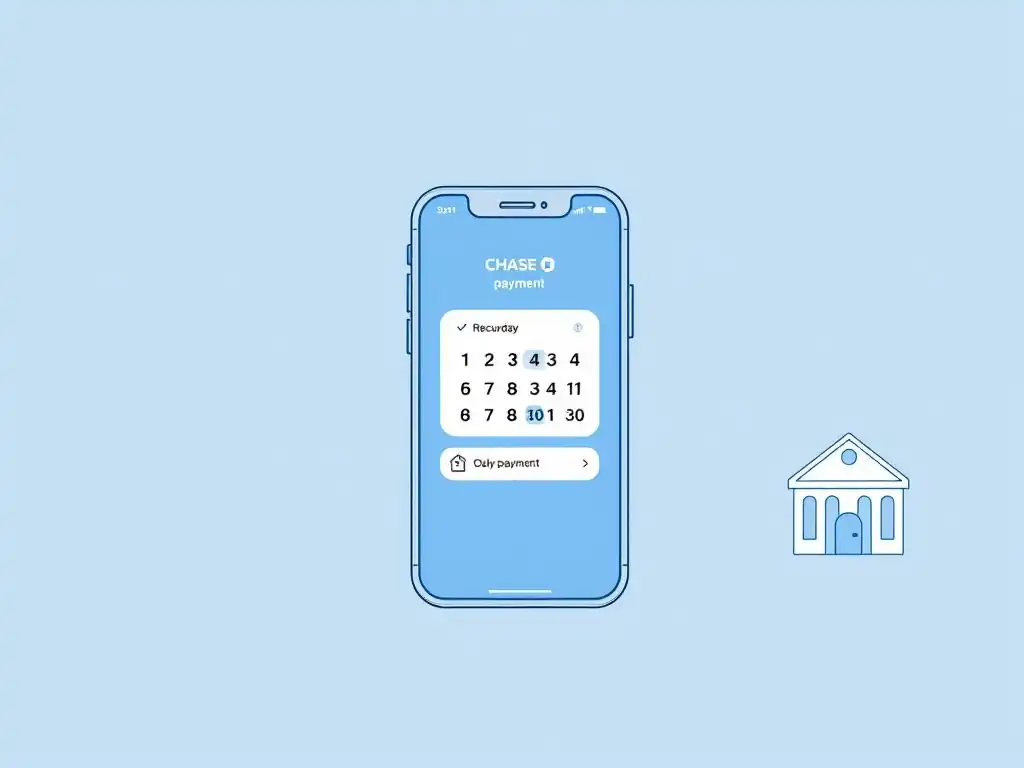
This section provides a detailed, step-by-step guide on how to automate your bill payments easily using Chase's online banking platform. Automating bill payments is a simple yet powerful way to improve your financial organization and avoid late payment fees. We'll walk you through the process, covering account linking and scheduling recurring transfers. By the end, you'll be well-equipped to effortlessly manage your finances and say goodbye to late payment worries.
The first step in automating your bill payments easily involves accessing your Chase account. This is typically done through the Chase website or mobile app. Once logged in, you'll need to locate the payment settings section. The exact location might vary slightly depending on whether you are using the website or the app, and even on occasional updates to the interface. However, generally, you should look for sections labeled "Bill Pay," "Payments," "Manage Payments," or something similar. These sections usually reside within the main account overview or under a "Services" or "Account Management" tab.
Finding the right menu option is crucial for automating bill payments easily. If you're having trouble locating the payment settings, consider using the search function within the Chase app or website. Search terms like "recurring payments," "automatic payments," or "schedule payments" should quickly lead you to the correct page. Remember, familiarity with your online banking interface is key to efficiently managing your finances. Take some time to explore the different sections and familiarize yourself with the navigation. This will save you time and frustration in the long run.
The process for accessing the payment settings is designed to be user-friendly, but if you still encounter difficulties, Chase's customer support can provide assistance. They can guide you through the process and answer any specific questions you may have. Remember to have your account information ready to ensure a smooth and efficient interaction.
Linking Your Accounts: Connecting Your Bank and Credit Card Accounts
Before you can schedule recurring transfers, you need to link the accounts you want to use for automated payments. This typically involves connecting your checking account (from which payments will be drawn) and the accounts (credit cards, loan accounts, etc.) you wish to make payments from or to. For example, to automate your credit card payments easily, you will need to link both your checking account and the credit card account.
The process usually involves entering the account number and routing number for your checking account. For credit card accounts, you'll need the credit card number. Chase's system might verify the account information by making a small, temporary deposit or withdrawal. This is a security measure to ensure you have access to the accounts you're trying to link. You will need to confirm this transaction amount in your account statement within a day or two.
Efficient linking of accounts is essential for automating bill payments easily. Double-check all the account details you enter to avoid errors. Incorrect account information can lead to failed payments and potentially late payment fees. Take your time, and carefully review each detail before confirming. Remember, accuracy is paramount when dealing with your finances. Take the time to meticulously verify all the information to ensure a smooth and trouble-free automated payment experience.
Scheduling Recurring Transfers: Setting Up Payments for Bills and Subscriptions
Once your accounts are linked, you can finally start scheduling recurring transfers to automate bill payments easily. This is where the magic happens! You'll be presented with options to set up automated payments for various bills and subscriptions. This usually involves specifying the recipient (payee), the amount to be paid, and the payment frequency (e.g., daily, weekly, bi-weekly, monthly). You can choose to set up one-time payments or recurring payments, depending on your needs.
For recurring payments, you'll need to indicate the start date and whether you want the payments to continue indefinitely or for a specific duration. Some systems allow you to set up reminders before each payment is processed. This allows you to review the payment details and make changes if necessary, adding an extra layer of security and control over your automated payments.
The ability to easily manage and modify your automated payments is a crucial aspect of financial wellness. Regularly reviewing your scheduled payments ensures that the information remains accurate and up-to-date, preventing potential issues. You can also easily add new automated payments or delete existing ones as your financial needs change. This flexibility makes managing your finances much simpler and more efficient. The key is to set it up and monitor it periodically to ensure everything is running as expected. This approach to automating bill payments easily will save you time and reduce stress in the long run.
Customizing Payment Schedules: Flexibility for Irregular Payments and Variable Amounts
Automating bill payments easily doesn't mean sacrificing flexibility. While the beauty of recurring transfers lies in their consistency, life throws curveballs. Some bills, like quarterly insurance premiums or variable energy costs, don't fit neatly into a fixed monthly schedule. Chase offers solutions for managing these irregular payments. You can, for instance, create separate recurring transfers for these exceptional payments, scheduling them manually based on the due dates. This method allows you to maintain the automation benefit for regular bills while still controlling the timing and amounts for irregular ones.
For variable amounts, consider setting up a recurring transfer with a minimum payment amount. Then, supplement this with manual payments to cover any additional amounts. This ensures you never miss the minimum payment while allowing for adjustments based on your actual bill. This hybrid approach combines the convenience of automation with the control needed for unpredictable expenses.
For example, if your energy bill fluctuates seasonally, you could set a recurring transfer for the lowest expected monthly amount and then manually add funds when the bill is higher. This safeguards against late fees while preventing overpayments during low-consumption months. Careful tracking of your bills and a bit of planning are key to successfully managing variable expenses with automated payments. This approach to automating bill payments easily allows for a personalized financial management strategy.
Setting Up Payment Reminders and Notifications: Staying Informed and in Control
Even with automated payments, staying informed is crucial. Missing a crucial update or a change in payment terms could lead to unexpected issues. Chase provides robust notification systems to keep you in the loop.
You can easily customize email and/or text message alerts to notify you when a recurring payment is initiated, scheduled, or if there are any issues with the transfer. These timely reminders offer peace of mind, ensuring you're always aware of your payment activity and can quickly address any problems. Think of it as an extra layer of security, providing immediate feedback and preventing potential late payment penalties.
Furthermore, you can leverage Chase's online and mobile banking platforms to monitor your recurring transfers. Regularly reviewing your transaction history allows you to verify payments, identify potential discrepancies, and proactively manage your finances. This proactive approach is essential for maintaining financial control, even with the convenience of automated bill pay. This simple step ensures you’re not just automating bill payments easily, but also maintaining a clear overview of your financial health, leading to a more efficient and less stressful financial life. Remember, consistent monitoring, even with automation, is a key element for successfully managing your finances.
Advanced Features: Maximizing Chase's Automation Capabilities
This section delves into the advanced features offered by Chase (or your chosen bank/app – replace "Chase" with the actual name throughout if needed) to automate your bill payments beyond the basic recurring transfer setup. We'll explore how to leverage these functionalities for superior financial organization and peace of mind. Mastering these features will truly help you automate bill payments easily.
Utilizing Budgeting Tools Integrated with Recurring Transfers
Chase offers robust budgeting tools that can seamlessly integrate with your recurring transfers. This allows for proactive financial management, preventing overspending and ensuring sufficient funds are available for automated payments. Instead of simply setting up automated payments, you can link them directly to your budget categories. For example, you can allocate a specific amount from your "Utilities" budget category to automatically pay your electricity bill each month.
This eliminates the need for manual tracking and significantly reduces the risk of missed payments. The system provides real-time updates, showing how much of your allocated budget remains after each automated payment. This level of integration offers a significant advantage in effectively managing your finances and automating bill payments easily.
Imagine this: You set a monthly budget of $200 for groceries. Within the budgeting tool, you can link a recurring transfer to your grocery store debit card, automatically transferring $150 each week. The system will alert you if you're close to exceeding your budget, providing an early warning system to avoid overspending. This proactive approach is key to improving your financial health and automating bill payments easily.
Tracking Your Spending: Monitoring Automated Payments for Financial Health
Beyond merely scheduling payments, effectively monitoring your automated transactions is crucial. Chase (or your bank/app) provides comprehensive transaction history, allowing you to review all automated payments made. This detailed record helps you track your spending habits, identify potential areas for saving, and ensure the accuracy of your automated payments. Regularly reviewing this data is essential to maintaining financial health and ensuring you're automating bill payments easily without unexpected issues.
For instance, you can easily compare your actual spending against your budgeted amounts for each category. Discrepancies can highlight potential problems, such as unexpected charges or changes in your spending habits. This allows for timely adjustments to your budgets and recurring transfers, ensuring your finances remain under control. This detailed tracking feature is a significant benefit in successfully automating bill payments easily and maintaining financial wellness.
Setting Up Multiple Recurring Transfers: Managing Various Bills and Expenses Efficiently
Effectively managing numerous bills and expenses requires a robust system for automating payments. Chase's (or your bank/app's) system allows you to create multiple recurring transfers, each tailored to a specific bill or expense. This eliminates the need to manually manage each payment individually, saving you valuable time and reducing the risk of missed payments. The platform's intuitive interface simplifies the process of setting up and managing these multiple transfers, ensuring a streamlined approach to automating bill payments easily.
Consider a scenario with several recurring expenses: mortgage payment, car loan payment, credit card payment, utility bills (electricity, gas, water), and subscription services. Each of these can be set up as an independent recurring transfer, scheduled to be paid on the due date. The system's ability to handle multiple transfers simultaneously is a key advantage in simplifying financial management and automating bill payments easily.
This organized approach significantly reduces stress and improves overall efficiency. You can even categorize these recurring transfers within the app for easier monitoring and analysis. This detailed level of control is invaluable for effectively managing your finances and automating bill payments easily.
Troubleshooting Common Issues: Solving Problems with Automated Payments

Automating bill payments offers significant convenience, but occasional glitches can arise. Understanding how to troubleshoot these issues is crucial for maintaining seamless financial management. This section details common problems and their solutions, empowering you to confidently utilize automated payment systems. Remember, proactive monitoring is key to preventing larger issues. Successfully automating bill payments easily requires a bit of initial setup and ongoing vigilance.
What to Do If a Payment Fails: Troubleshooting Common Errors and Solutions
A failed payment can trigger late fees and damage your credit score. Immediate action is vital. Common causes include insufficient funds, incorrect account information, or temporary bank issues.
First, check your account balance. Ensure sufficient funds are available to cover the payment, accounting for any pending transactions. Next, verify the payment details. Double-check the account number, routing number (for checking accounts), and any other required information for accuracy. Even a single incorrect digit can cause a failure.
If the problem persists, contact your bank or the payment provider. They can identify the root cause – perhaps a temporary system issue or a problem with your account. They may also provide detailed transaction logs to pinpoint the exact moment of failure and offer insight into the cause of the problem. Keep detailed records of all communication and troubleshooting steps.
Here's a table summarizing potential issues and solutions:
| Problem | Possible Cause(s) | Solution |
|---|---|---|
| Insufficient Funds | Low account balance, unexpected charges | Check account balance, review recent transactions, adjust payment amounts. |
| Incorrect Account Information | Typographical errors, outdated account details | Verify all payment details, update information as needed. |
| Bank System Issues | Temporary outages, maintenance, processing delays | Contact your bank, check for service announcements. |
| Payment Provider Issues | Technical glitches, account limitations | Contact the payment provider, check their service status. |
| Account Holds or Restrictions | Fraud prevention measures, account issues | Contact your bank to resolve any holds or restrictions. |
Remember to always prioritize prompt resolution. A timely response can prevent further complications. Automate bill payments easily, but stay vigilant!
Updating Payment Information: Managing Changes in Account Details
Life changes necessitate updates to your automated payment information. Moving, changing banks, or receiving a new debit/credit card requires immediate action to avoid payment failures. Proactive management prevents disruption to your automated financial systems.
The process for updating information varies depending on your bank or payment provider. Generally, you'll log into your online banking or payment app and navigate to the section managing recurring transfers. Look for options such as "Edit Payment," "Update Account," or similar. You'll then be prompted to enter the new details. Always double-check the accuracy of the updated information before saving.
Consider setting reminders for annual account information reviews. This proactive approach minimizes the risk of outdated information causing payment failures.
For example, if you've recently switched to a new bank account, you must update the account number and routing number in your automated payment setup. Failure to do so will result in failed payments and potential fees. Treat updating this information as a high priority.
Canceling or Modifying Recurring Transfers: Maintaining Control of Your Finances
Maintaining control over your automated payments is essential. You might need to cancel a recurring transfer (e.g., subscription cancellation) or modify the payment amount (e.g., changing your utility bill payment due to seasonal changes in usage).
The process for canceling or modifying recurring transfers is usually straightforward. Most online banking platforms and payment apps offer clear instructions and options to manage these settings. Look for options like "Cancel Payment," "Modify Payment," or "Edit Recurring Transfer." You may need to confirm the cancellation or modification. Always retain confirmation receipts or screenshots for your records.
Consider creating a spreadsheet or using a calendar to track all your automated payments, including the payment amounts, due dates, and the relevant accounts. This provides a comprehensive overview of your automated financial setup, enabling easy monitoring and management. This level of organization helps you automate bill payments easily and efficiently.
Secure Payment Automation: Protecting Your Financial Information
Automating bill payments offers incredible convenience, freeing up valuable time and mental energy. However, the security of your financial information must remain paramount. Successfully automating payments hinges on understanding and implementing robust security practices. This section details the crucial security aspects to consider when automating your payments with [Bank/App Name], ensuring peace of mind alongside efficient financial management. This is key to truly automating bill payments easily.
Understanding Security Measures Implemented by [Bank/App Name]
[Bank/App Name] employs multiple layers of security to protect your financial data during automated transactions. These measures go beyond simply encrypting your data; they encompass a holistic approach designed to detect and prevent fraudulent activity. Let's examine some key aspects:
- Two-Factor Authentication (2FA): This is a cornerstone of [Bank/App Name]'s security. Every time you log in or authorize a new recurring payment, you'll receive a unique code via SMS or a dedicated authentication app. This adds an extra layer of protection, even if someone gains access to your password. This is crucial for automating bill payments easily and securely.
- Transaction Monitoring: [Bank/App Name]'s system actively monitors your transactions for any unusual patterns or suspicious activity. If a payment deviates significantly from your usual spending habits, you'll receive an alert, allowing you to investigate and prevent potential fraud. This proactive approach contributes significantly to the security of automated payments.
- Encryption: All data transmitted between your device and [Bank/App Name]'s servers is encrypted using industry-standard protocols (e.g., SSL/TLS). This ensures that your sensitive information, including account numbers and payment details, remains confidential and unreadable to unauthorized individuals. This encryption is vital for automating bill payments easily and safely.
- Fraud Detection Algorithms: Sophisticated algorithms analyze transaction data in real-time, identifying potentially fraudulent activities. This automated system flags suspicious transactions for review, minimizing the risk of unauthorized payments. This sophisticated system is part of how [Bank/App Name] makes automating bill payments easily and securely a reality.
- Regular Security Audits: [Bank/App Name] conducts regular security audits and penetration testing to identify and address vulnerabilities proactively. These audits ensure the ongoing effectiveness of their security measures, contributing to a safer environment for automated payments.
Best Practices for Secure Online Banking: Protecting Your Accounts from Fraud
While [Bank/App Name] provides robust security measures, your active participation is crucial. Following these best practices significantly reduces your risk of fraud, even when automating bill payments:
- Strong Passwords: Use strong, unique passwords for all your online accounts, including [Bank/App Name]. Avoid easily guessable passwords and consider using a password manager to generate and store complex passwords securely. This is essential for automating bill payments easily and without risk.
- Regular Password Changes: Change your passwords regularly, at least every three months, to minimize the risk of unauthorized access. This simple step adds a considerable layer of security to your automated payments.
- Beware of Phishing Attempts: Be vigilant against phishing emails and text messages that attempt to steal your login credentials. Never click on suspicious links or provide your personal information unless you're certain of the sender's authenticity. This vigilance is paramount when automating bill payments easily and safely.
- Secure Your Devices: Protect your devices (computers, smartphones) with strong passwords and up-to-date security software (antivirus, anti-malware). Avoid using public Wi-Fi for accessing your online banking accounts. This protects your devices and your financial information when automating bill payments easily.
- Monitor Your Accounts Regularly: Regularly review your account statements for any unauthorized transactions. Prompt detection allows for quick action to minimize losses. This is a crucial step in successfully automating bill payments easily and responsibly.
By understanding and implementing both [Bank/App Name]'s security measures and your own best practices, you can confidently automate your bill payments, enjoying the convenience and efficiency while maintaining the highest level of security for your financial information. This comprehensive approach ensures you can automate bill payments easily and securely.
The Benefits of Automating Payments: A Summary of Time Savings and Financial Peace of Mind
Automating bill payments offers a significant upgrade to your financial management, translating to substantial time savings and a considerable reduction in financial stress. This section details the key advantages, focusing on how automating payments with [Bank/App Name] contributes to a more efficient and financially secure life. The ease of setup and the subsequent benefits far outweigh the initial effort, ultimately leading to a more streamlined and less anxiety-inducing financial existence. Let's delve into the specifics.
Free Up Your Time: Reclaim Hours Spent on Manual Payment Processes
Manually paying bills consumes a surprising amount of time. Consider the process: logging into multiple accounts, remembering due dates, writing checks (if applicable), and dealing with potential payment delays. This fragmented process adds up, potentially consuming several hours each month. Automating these payments, however, frees up this valuable time for more productive activities or simply relaxing. Think of the hours reclaimed – time that could be spent pursuing hobbies, connecting with loved ones, or even working on additional income streams.
For example, let's say you spend an average of 30 minutes each month managing 5 different bills manually. That's 2.5 hours a month, or 30 hours a year dedicated solely to bill payments! This time cost doesn't account for potential issues like missed payments or late fees, which further add to the time burden. Automating these payments with [Bank/App Name]'s recurring transfer feature reduces this burden to mere minutes per month, a significant improvement in efficiency and time management. This translates to a better work-life balance and a more relaxed approach to personal finances.
Avoid Late Fees and Negative Impacts on Credit Score: Maintain Financial Stability
One of the most significant advantages of automating bill payments is the near-elimination of late payments. Late fees can quickly accumulate, significantly impacting your overall budget. More importantly, consistently late payments can severely damage your credit score, making it more difficult to secure loans, rent an apartment, or even get approved for certain jobs in the future. Automating your payments ensures timely payments, protecting your credit score and preventing the financial strain of unexpected late fees. This proactive approach to payment management contributes directly to long-term financial stability.
Consider the potential cost of a single late payment: ranging from $25 to over $100 depending on the creditor. Multiply that by several bills over the course of a year, and the financial impact becomes substantial. Protecting your credit score is crucial for securing favorable interest rates on loans and maintaining financial health. The peace of mind that comes from knowing your bills are paid on time is priceless. [Bank/App Name]'s automated payment system minimizes this risk, making financial stability significantly more attainable.
Gain Control Over Your Finances: Achieve Financial Clarity and Organization
Automating your bill payments contributes significantly to better financial organization and clarity. By centralizing your payment processes, you gain a clearer picture of your monthly expenses. This enhanced visibility allows for better budgeting and financial planning. The [Bank/App Name] app or online portal often provides comprehensive transaction histories and summaries, offering a clear, organized overview of your financial obligations. This level of control empowers you to make informed decisions about your spending habits and financial goals.
This enhanced financial awareness is invaluable for long-term financial success. You'll be able to spot potential areas for savings and make adjustments to your budget more easily. Instead of reacting to unexpected late fees or struggling to remember due dates, you can proactively manage your finances and plan for the future.
The improved organization and control afforded by automated payments with [Bank/App Name] empowers you to take charge of your financial well-being. This proactive approach to financial management is a key step towards achieving long-term financial security and peace of mind. The ability to easily track and manage your payments contributes directly to a more secure and confident financial future.
Conclusion: Embrace the Simplicity of Automated Payments with Chase
Automating bill payments is more than just a convenience; it's a cornerstone of proactive financial management. By setting up recurring transfers with Chase, or a similar service, you significantly reduce the risk of late payments, freeing up mental space and minimizing the stress associated with managing finances. The time saved can be redirected towards more productive activities, personal pursuits, or simply enjoying a more relaxed lifestyle.
This streamlined approach fosters a sense of control and confidence in your financial well-being. Remember, consistently automating your bill payments contributes directly to building a strong credit score, opening doors to better financial opportunities in the future. The small effort of setting up the automation far outweighs the potential negative consequences of missed payments.
Start Automating Your Bills Today: Take the First Step Towards Financial Freedom
Taking that first step towards automating your bill payments can feel daunting, but the process is surprisingly straightforward. Start by consolidating your bills. Make a list of all your recurring expenses—rent, utilities, subscriptions, loan repayments, etc. Then, carefully review your Chase account (or your chosen financial institution's app) to understand how to schedule recurring transfers.
Most platforms offer intuitive interfaces guiding you through the process. Begin by automating one or two bills; this allows you to familiarize yourself with the system before expanding to your entire payment schedule. Remember to double-check the payment amounts and recipient information before scheduling each recurring transfer to avoid any errors. Consider setting up email or SMS alerts to receive notifications confirming each payment.
This adds an extra layer of security and peace of mind. Celebrate each successful automated payment as a small victory in your journey towards financial freedom! The feeling of accomplishment is incredibly motivating and will encourage you to continue automating other aspects of your finances. Remember, achieving financial freedom is a marathon, not a sprint, and automating your bill payments is a significant step in the right direction.
Resources and Further Reading: Learn More About Financial Automation Tools
While automating bill payments with Chase is a powerful tool, exploring other financial automation tools can further enhance your financial management. Consider researching personal finance apps that integrate with your bank accounts to provide comprehensive budgeting and expense tracking. These apps often offer features beyond simple bill payment automation, such as investment tracking, savings goals, and personalized financial advice.
Many offer free versions with limited functionality, allowing you to test the waters before committing to a paid subscription. Additionally, exploring resources from reputable financial literacy organizations can provide valuable insights into budgeting, saving, and investing. Remember, continuous learning and adaptation are key to mastering personal finance.
Staying informed about the latest financial automation tools and best practices will help you refine your strategies and achieve greater financial success. The journey towards improved financial wellness is a continuous process of learning and improvement, and embracing technology is a vital component of that journey. Don't hesitate to explore the many resources available to help you automate your finances and achieve your financial goals.
Frequently Asked Questions
What is the best way to automate my bill payments?
You can easily automate bill payments by setting up recurring transfers with your bank or a financial app like [Bank/App Name]. This allows you to schedule automatic payments for your bills, ensuring you never miss a due date. Choose the option to set up automatic payments for each bill.
Are recurring transfers safe?
Yes, recurring transfers are generally very safe when set up through reputable banks or financial apps. These platforms employ robust security measures to protect your financial information. Always ensure you are using a secure and trusted platform.
What if my account balance is low when a payment is due?
Most banks and apps offer features like low-balance alerts to prevent overdraft fees. You'll receive a notification before a payment is processed if your funds are insufficient. You can then manually intervene or adjust the payment schedule.
Can I automate payments for all my bills?
Yes, you can typically automate payments for most recurring bills, such as utilities, subscriptions, and loans. However, some bills may require manual payment or may not be compatible with automatic payment systems. Check with each biller to confirm their payment options.
How do I cancel recurring transfers if needed?
Most banks and apps provide a simple way to manage and cancel your recurring transfers. You can usually do this through your online banking portal or mobile app. Consult your bank's or app's help section for specific instructions on how to cancel or modify scheduled payments.
Final Reflection: The Freedom of Automated Finances
The ability to automate bill payments isn't just a convenience; it's a cornerstone of financial stability in the modern world. Failing to pay bills on time can lead to late fees, damaged credit scores, and significant stress. By embracing automated systems, we can reclaim our time and mental energy, focusing on what truly matters.
The shift towards automated bill payments reflects a broader cultural change – a move towards efficiency and proactive financial management. We're increasingly reliant on technology to streamline our lives, and personal finance is no exception. This trend speaks to a desire for control and peace of mind, a freedom from the constant worry of missed deadlines. Time is the most valuable asset we have, and automating our finances allows us to reclaim it.
This simple truth underscores the importance of embracing tools like recurring transfers.
Now, consider your own financial landscape. What areas could benefit from automation? Are there recurring bills you're still manually paying? Take a moment to explore the options available to you. By taking control of your finances through automation, you're not just simplifying your life; you're investing in your future, building a foundation of stability and empowering yourself to pursue your goals with confidence and peace of mind.
Unlock Financial Freedom: Take Control of Your Payments Today!
Thank you for learning how to master your payments with recurring transfers! We hope you found the tips helpful and insightful. Now, let's put that knowledge into practice.
Here's what you can do next:
- Set up your first recurring transfer today! This is key to effortlessly managing your bills and avoiding late fees. Choose one bill to automate—it's easier than you think!
- Explore additional automation features offered by your bank or app. You might discover hidden functionalities to further streamline your finances.
- Share your experience with recurring transfers! Tell us (and other UltimateLifeHacks.org readers) how it's simplifying your life in the comments below.
What's the one bill you're most excited to automate using recurring transfers?