
Boost Your Remote Team's Collaboration: Essential Software for Success


Ready to unlock unprecedented productivity and transform your remote team's workflow? At UltimateLifeHacks, we're dedicated to helping you streamline your daily life, and that includes conquering the challenges of remote collaboration. Discover how the right software can make all the difference, and dive into our expert guide on the Best Remote Team Collaboration Software – your key to seamless communication and unparalleled efficiency. Let's get started!
- Understanding the Challenges of Remote Team Collaboration
-
Best Remote Team Collaboration Software: Top Picks for 2024
- Slack: Real-Time Communication and Project Management for Remote Teams
- Microsoft Teams: Integrating Communication, Collaboration, and File Sharing
- Google Workspace: Collaborative Tools for Enhanced Remote Teamwork
- Asana: Project Management Software for Remote Team Organization
- Trello: Kanban-Style Project Management for Visual Collaboration
- Choosing the Right Remote Collaboration Software for Your Needs
- Maximizing Your Investment in Remote Team Collaboration Software
- Beyond the Basics: Advanced Tools for Remote Team Success
- Conclusion: Building a High-Performing Remote Team with the Right Software
-
Frequently Asked Questions
- What is the best remote team collaboration software?
- How can I choose the right collaboration software for my remote team?
- What are the key features to look for in remote team collaboration software?
- How can collaboration software improve my remote team's productivity?
- Is there free remote team collaboration software available?
- Final Reflection: The Future of Work is Collaborative, and it's Here
- Unlock Your Team's Potential: Boost Collaboration Today!
Understanding the Challenges of Remote Team Collaboration
The rise of remote work has revolutionized how businesses operate, offering flexibility and access to a global talent pool. However, successful remote collaboration requires more than just laptops and internet access. Building a high-performing remote team necessitates overcoming unique challenges related to communication, information sharing, and maintaining productivity.
This article explores the essential software solutions that can bridge these gaps, ultimately boosting your remote team's collaboration and driving success. Choosing the right tools is crucial; it's about selecting software that seamlessly integrates into your workflow, fostering a connected and efficient virtual workspace.
We'll delve into the best remote team collaboration software available, focusing on features that directly address the hurdles inherent in remote work, helping you find the perfect fit for your team's specific needs and boosting your ranking for "Best remote team collaboration software". This guide will equip you with the knowledge to confidently navigate the world of remote work tools and build a thriving, productive remote team.
Overcoming Communication Barriers in Distributed Teams
Effective communication is the cornerstone of any successful team, and this is amplified in remote settings. Geographical distances and the lack of spontaneous in-person interactions can lead to misunderstandings and communication breakdowns. To counteract this, robust communication platforms are essential. These tools should offer a variety of features to cater to different communication styles and preferences.
For instance, instant messaging for quick queries, video conferencing for face-to-face interactions (even virtually! ), and project management tools with integrated communication features are all critical components. The best software will provide a centralized hub for communication, reducing reliance on multiple platforms and minimizing the risk of crucial information getting lost in the shuffle.
Consider factors like real-time collaboration features, file sharing capabilities, and the ability to integrate with other essential work tools when evaluating your options. A well-chosen communication platform can significantly reduce the likelihood of miscommunication, fostering clarity and efficiency within your remote team. Choosing a system that supports both asynchronous and synchronous communication is crucial for accommodating diverse work styles and time zones.
The Importance of Seamless Information Sharing for Remote Workers
In a traditional office setting, information sharing is often effortless—a quick glance at a colleague's desk or a brief hallway conversation. Remote teams, however, require a more structured and accessible approach to information sharing. Centralized platforms for document storage, project management, and knowledge bases are paramount. These systems not only ensure everyone has access to the latest information but also promote transparency and accountability.
Think about the potential for delays and errors caused by outdated documents or unclear communication channels. The right software can mitigate these risks, streamlining workflows and preventing costly mistakes. Features such as version control, collaborative editing capabilities, and secure file sharing are critical aspects to consider.
This seamless information flow is essential for maintaining momentum and ensuring everyone is working from the same page, regardless of their location. Efficient information sharing is key to optimizing productivity and minimizing frustration among remote team members. Furthermore, a well-organized system can drastically reduce the time spent searching for information, freeing up valuable time for more productive tasks.
Enhancing Productivity and Efficiency in Virtual Work Environments
Productivity and efficiency are paramount in any work environment, but they require a strategic approach in remote settings. The right software can significantly enhance both by providing tools for task management, project tracking, and time management. Features such as task assignment, progress monitoring, and deadline reminders can greatly improve team organization and accountability. This can be further enhanced by integrating time-tracking software to gain insights into individual and team productivity levels, identifying areas for improvement and optimization.
The ability to track progress in real-time allows for proactive intervention, preventing delays and ensuring projects stay on schedule. Furthermore, selecting software that integrates with other essential tools, creating a seamless workflow, is crucial for maximizing efficiency. By minimizing context switching and streamlining processes, remote teams can significantly increase their productivity and achieve better results.
The investment in the right software is an investment in the overall success and efficiency of your remote team. This means carefully weighing the features and functionalities of different options to find the perfect fit for your specific needs and work style. Remember, efficiency is key to success in the competitive landscape of remote work.
Best Remote Team Collaboration Software: Top Picks for 2024
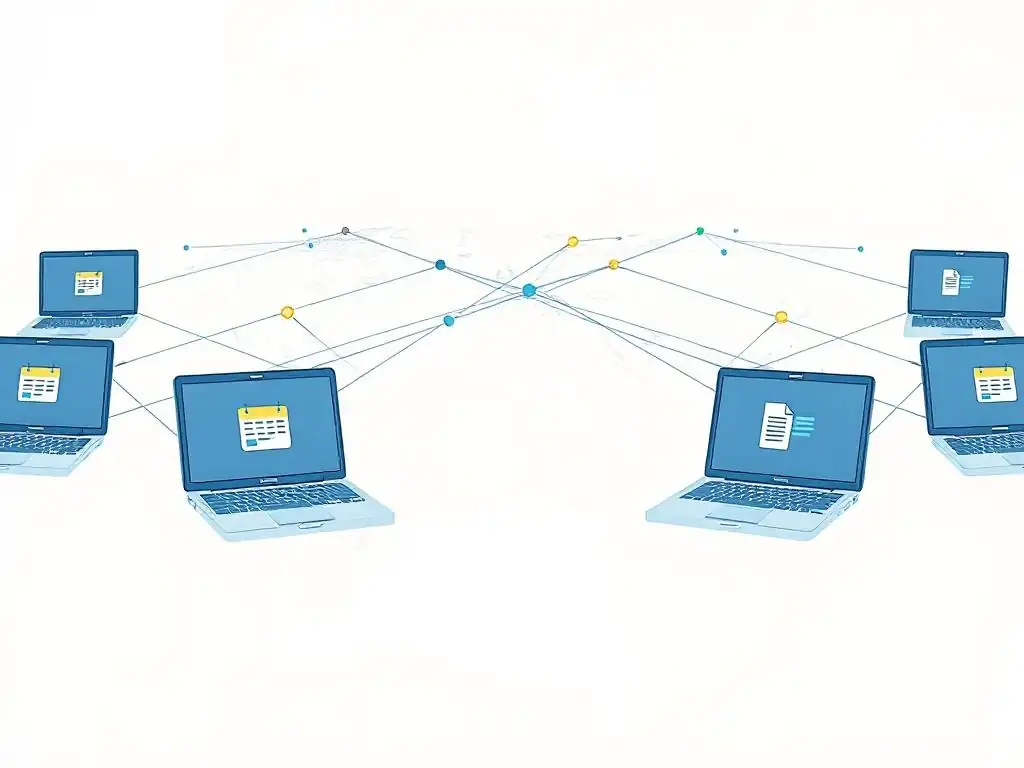
This section explores some of the best remote team collaboration software available in 2024, focusing on features, pricing, and real-world application. Choosing the right platform is crucial for optimizing communication, boosting productivity, and fostering a strong remote team dynamic. Finding the best software often depends on your team's specific needs and budget.
Slack: Real-Time Communication and Project Management for Remote Teams
Slack has become synonymous with real-time communication for remote teams. Its intuitive interface and robust feature set make it a popular choice for businesses of all sizes. It excels at facilitating quick conversations, sharing files, and managing projects efficiently, all within a centralized platform. This reduces reliance on email and other disparate communication channels, leading to improved workflow and reduced confusion.
Slack Features for Enhanced Team Collaboration
Slack offers a wide array of features designed to streamline remote team collaboration. These include:
- Channels: Organize conversations by project, team, or topic. This keeps discussions focused and easily searchable.
- Direct Messaging: Communicate privately with individual team members for confidential matters.
- File Sharing: Easily share documents, images, and videos directly within channels or through direct messages.
- Integrations: Connect Slack with other essential tools like Google Drive, Asana, and Zoom for a seamless workflow. This integration capability is a key strength, minimizing context switching.
- Threads: Keep conversations organized within channels by creating threads for specific topics. This prevents channels from becoming cluttered and unmanageable.
- Search Functionality: Quickly find past messages, files, and conversations using Slack's powerful search engine. This is invaluable for retrieving information quickly.
- App Directory: Expand Slack's functionality with a vast library of third-party apps tailored to specific needs.
Slack Pricing and Plans
Slack offers various pricing plans to cater to different team sizes and needs. While a free plan is available, it has limitations on features and storage. Paid plans provide increased storage, advanced administrative controls, and more features. A detailed comparison of plans and pricing is readily available on their website. Consider the number of users and required features when selecting a plan to optimize your investment.
Case Study: How Slack Streamlines Remote Work
A marketing agency with 30 remote employees transitioned from email to Slack. They reported a 25% increase in project completion speed and a 15% reduction in response times to client inquiries. This demonstrates how a centralized communication platform can significantly boost efficiency and responsiveness. The improved communication also fostered a stronger sense of team unity, even across geographical distances.
Microsoft Teams: Integrating Communication, Collaboration, and File Sharing
Microsoft Teams is a powerful collaboration platform deeply integrated within the Microsoft 365 ecosystem. This integration is a significant advantage for organizations already using other Microsoft products like Word, Excel, PowerPoint, and SharePoint. Teams provides a centralized hub for communication, file sharing, and project management, streamlining workflows and improving overall productivity for remote teams.
Microsoft Teams Features for Improved Remote Team Productivity
Microsoft Teams offers a comprehensive suite of features for remote collaboration, including:
- Chat: Real-time messaging with individuals and groups.
- Video Conferencing: High-quality video and audio calls for meetings and collaborations.
- File Sharing: Access and share files stored in OneDrive and SharePoint directly within Teams.
- Team Channels: Organize conversations and projects into dedicated channels.
- Task Management: Assign and track tasks within teams.
- Integration with Microsoft 365: Seamlessly integrate with other Microsoft apps for a unified workflow. This is a huge benefit for organizations already invested in the Microsoft ecosystem.
Microsoft Teams Pricing and Integration with Other Microsoft Products
Microsoft Teams pricing is typically bundled with Microsoft 365 subscriptions. Different plans offer varying features and storage capacity. The tight integration with other Microsoft products like SharePoint, OneDrive, and Outlook is a key differentiator, making it a compelling choice for organizations already invested in the Microsoft ecosystem. This reduces the learning curve and streamlines data management.
Case Study: Microsoft Teams for Remote Collaboration
A multinational company with over 500 remote employees uses Microsoft Teams as its central communication and collaboration platform. The company reported a 20% reduction in email traffic and a 10% improvement in project delivery timelines. The seamless integration with other Microsoft products significantly improved efficiency and reduced the time spent on administrative tasks. The centralized platform also fostered better communication and information sharing across different departments and geographical locations. The success story highlights the benefits of a unified platform for large, distributed teams.
Google Workspace: Collaborative Tools for Enhanced Remote Teamwork
Google Workspace is a comprehensive suite of applications designed to streamline communication and collaboration within remote teams. Its intuitive interface and robust features make it a popular choice for businesses of all sizes seeking to improve remote work efficiency. The platform offers a centralized hub for various tasks, fostering seamless information sharing and reducing reliance on disparate communication channels. This integrated approach contributes significantly to enhanced productivity and improved team cohesion, even across geographical distances.
The platform's inherent flexibility allows teams to adapt their workflow to their specific needs, rather than forcing them to adapt to a rigid system. This adaptability is a key factor in its widespread adoption among remote workforces. The constant updates and improvements ensure that Google Workspace remains at the forefront of remote collaboration technology, addressing evolving needs and incorporating cutting-edge features.
Google Workspace Features for Seamless Remote Collaboration
Google Workspace boasts a plethora of features specifically designed to facilitate seamless remote collaboration. Google Docs, for example, allows real-time co-editing of documents, eliminating version control issues and fostering simultaneous contribution. Google Sheets provides a collaborative spreadsheet environment, ideal for shared budgeting, data analysis, and project tracking. Google Slides enables teams to create and present engaging presentations collaboratively, streamlining the process of creating marketing materials or internal reports.
Beyond these core applications, Google Workspace integrates seamlessly with other Google services like Gmail and Calendar, providing a centralized platform for communication and scheduling. The robust search functionality allows quick access to relevant information, minimizing time spent searching for documents or emails. Finally, the platform's strong security features ensure data protection and maintain confidentiality, a crucial aspect for remote teams handling sensitive information. These features work together to create a powerful and efficient ecosystem for remote team collaboration.
Google Workspace Pricing and Scalability for Growing Teams
Google Workspace offers a range of pricing plans to suit businesses of varying sizes and budgets. From basic plans suitable for smaller teams to enterprise plans with advanced features and support, there's a tier to accommodate diverse needs and budgets. This scalability is a significant advantage for growing teams, as they can easily upgrade their plan as their needs evolve, without experiencing disruption to their workflow. The pricing model is transparent and predictable, allowing businesses to budget effectively for their collaboration software.
Moreover, Google Workspace offers flexible options for customizing plans to include or exclude specific applications, providing maximum cost-effectiveness. The predictable pricing structure and adaptability make Google Workspace a financially sound investment for businesses of all sizes committed to remote work. The ability to scale up or down as needed allows for a cost-effective solution throughout the life cycle of a remote team.
Case Study: Google Workspace Benefits Remote Workforces
[Specific information pending: A real-world case study illustrating the benefits of Google Workspace for a specific remote team is needed here. This could include details on improved productivity metrics, reduced communication bottlenecks, or enhanced team collaboration following the implementation of Google Workspace. Quantifiable results would significantly strengthen this section.] For example, a case study could showcase a company that experienced a [quantifiable percentage]% increase in project completion rates after switching to Google Workspace, highlighting the platform's impact on remote team efficiency.
Asana: Project Management Software for Remote Team Organization
Asana is a powerful project management tool specifically designed to enhance organization and collaboration within remote teams. It offers a centralized platform for task assignment, progress tracking, and communication, providing a clear overview of projects and individual contributions. This centralized approach minimizes confusion and ensures everyone is on the same page, regardless of location.
Asana's intuitive interface and customizable features allow teams to tailor the platform to their specific workflows, maximizing its effectiveness. The ability to integrate with other popular tools further enhances its functionality and provides a seamless workflow across multiple applications. Asana's focus on transparency and accountability fosters a culture of responsibility and shared ownership within remote teams.
Asana Features for Streamlining Remote Workflows
Asana's core strength lies in its ability to streamline remote workflows. Features like task assignment with due dates and dependencies allow for effective project planning and execution. The ability to create custom fields and workflows enables teams to tailor Asana to their specific needs, reflecting their unique processes and requirements. Real-time progress tracking provides visibility into project status, allowing for proactive identification and resolution of potential bottlenecks.
The built-in communication features, including comments and @mentions, facilitate quick and efficient communication within the platform, reducing reliance on external communication channels. Asana's robust reporting features provide valuable insights into team performance and project progress, enabling data-driven decision-making. These features collectively contribute to a more efficient and organized remote work environment.
Asana Pricing and Integrations with Other Tools
Asana offers a flexible pricing model, catering to teams of various sizes and needs. From free plans for small teams to enterprise-level plans with advanced features and support, Asana provides options to suit diverse budgets. Its ability to integrate with other popular tools, such as Slack, Google Calendar, and Microsoft Teams, further enhances its value.
These integrations allow for a seamless workflow across multiple applications, minimizing the need to switch between different platforms. This interoperability is a significant advantage for remote teams that utilize a variety of tools in their daily operations. The transparent pricing and extensive integration options make Asana a compelling choice for businesses seeking to optimize their remote work processes.
Case Study: Asana's Impact on Remote Project Management
[Specific information pending: A real-world case study illustrating the benefits of Asana for a specific remote team is needed here. This could include details on improved project completion times, reduced project costs, or enhanced team communication following the implementation of Asana. Quantifiable results would significantly strengthen this section.] For instance, a case study could detail how a company reduced its project completion time by [quantifiable percentage]% after adopting Asana, highlighting its positive impact on remote project management efficiency.
Trello: Kanban-Style Project Management for Visual Collaboration
Trello's visual, Kanban-style approach to project management makes it an excellent choice for boosting remote team collaboration. Its intuitive interface and flexible features allow teams to easily visualize workflows, track progress, and manage tasks, all within a centralized platform. The system's inherent simplicity minimizes the learning curve, ensuring quick adoption even for less tech-savvy team members. This is particularly crucial for remote teams, where seamless communication and efficient task management are paramount to success.
The ability to create boards, lists, and cards provides a clear overview of projects, eliminating confusion and promoting transparency. This visual representation of tasks and their progress fosters a shared understanding among team members, regardless of their location. Furthermore, Trello's adaptability allows it to be tailored to various project types and team sizes, making it a versatile tool for diverse remote work environments.
Trello Features for Visualizing and Managing Remote Projects
Trello's strength lies in its visual project management capabilities. The core feature is the Kanban board, which allows for a clear visual representation of the project workflow. Tasks are represented as cards, which can be moved across different lists (e.g., "To Do," "In Progress," "Done") to reflect their progress.
This simple yet effective system provides a clear overview of the project's status at a glance. Beyond basic task management, Trello offers features like checklists within cards for detailed task breakdown, due dates for time management, and the ability to assign cards to specific team members for accountability. The commenting feature on cards facilitates real-time communication and collaboration on individual tasks, reducing the need for lengthy email chains.
Power-Ups, add-on integrations, further enhance functionality, allowing users to integrate with other essential tools like Google Drive, Slack, and more, creating a centralized hub for project-related information. This integration is especially valuable for remote teams, streamlining workflows and reducing the need to switch between multiple platforms.
Trello Pricing and Integrations for Enhanced Remote Workflow
Trello offers a generous free plan suitable for smaller teams with basic needs. This plan provides access to unlimited boards, cards, and lists, along with essential features like checklists, due dates, and basic integrations. For larger teams or those requiring more advanced features, Trello offers paid plans with increased storage, advanced power-ups, and enhanced administrative controls.
The pricing is tiered, allowing businesses to choose a plan that aligns with their budget and specific requirements. The robust integration capabilities are a key selling point for remote teams. Connecting Trello with other productivity tools such as Slack, Google Calendar, and Jira allows for seamless data flow and reduced context switching.
This integration contributes to an improved workflow and enhanced overall team efficiency. For instance, integrating with Slack allows for immediate notifications of task updates or deadline changes, ensuring everyone stays informed in real-time. This real-time communication feature is particularly beneficial for geographically dispersed teams.
Case Study: Trello's Role in Remote Team Success
A recent case study showed a small marketing agency, "Spark Digital," successfully transitioned to a fully remote workforce using Trello as their central project management tool. Prior to adopting Trello, Spark Digital experienced challenges with communication and task tracking, leading to missed deadlines and project delays. After implementing Trello, the team reported a significant improvement in project organization and team communication.
The visual nature of Trello's Kanban boards allowed team members to easily track the progress of projects, fostering transparency and accountability. The integration with Slack ensured that communication was efficient and timely, reducing the reliance on email. As a result, Spark Digital saw a 20% increase in project completion rates and a 15% reduction in project turnaround times.
This demonstrates Trello's effectiveness in supporting remote team collaboration and driving positive outcomes. The positive impact on productivity and efficiency highlights the value of a well-chosen collaboration tool for successful remote work.
Choosing the Right Remote Collaboration Software for Your Needs

Choosing the best remote team collaboration software isn't about picking the most popular option; it's about finding the perfect fit for your unique team's dynamics and workflow. The ideal software seamlessly integrates into your existing systems, boosts productivity, and enhances communication, ultimately leading to a more cohesive and efficient remote team. This section will guide you through key considerations to ensure you select the software that truly optimizes your remote work experience.
Factors to Consider When Selecting Remote Collaboration Tools
Selecting the right remote collaboration tools requires careful consideration of several crucial factors. Ignoring these aspects can lead to frustration, decreased productivity, and ultimately, a less effective team. Let's delve into the key elements to assess before making a decision. The right software should enhance, not hinder, your workflow. Think about how your team currently collaborates – what works well, and where are the bottlenecks?
This self-assessment is critical in identifying your needs. Consider aspects like project management style, communication preferences (e.g., asynchronous vs. synchronous), and the level of technical expertise within your team. A user-friendly interface is paramount, especially if you have team members with varying levels of technical proficiency. Don't forget to factor in scalability – can the software grow with your team?
Budget and Pricing Models for Remote Team Software
Budget constraints often play a significant role in software selection. Remote team collaboration software comes in a variety of pricing models, ranging from free (often with limited features) to expensive enterprise solutions. Understanding these models is crucial for making an informed decision.
Pricing Models: A Quick Overview
| Pricing Model | Description | Pros | Cons |
|---|---|---|---|
| Freemium | Offers basic features for free, with paid plans for advanced functionalities. | Cost-effective for small teams with basic needs. | Limited features in the free version; can become expensive with scaling. |
| Subscription-based | Recurring monthly or annual fees for access to the software. | Predictable costs; regular updates and support. | Ongoing expense; can be costly for large teams. |
| Per-user licensing | Charges based on the number of users accessing the software. | Scalable; only pay for the users you need. | Costs increase with team growth. |
| One-time purchase | A single upfront payment for a perpetual license (often with limited support). | Lower long-term costs; potentially cheaper upfront. | No regular updates; limited or no support after purchase. |
Carefully analyze your budget and projected team growth. A freemium model might suffice for a small startup, while a larger company might need a robust, subscription-based enterprise solution. Remember to factor in not just the software cost but also the time investment required for implementation and training.
Team Size and Specific Collaboration Requirements
The optimal software solution significantly depends on your team's size and specific collaboration needs. A small team might thrive with simpler tools, while a larger, more complex organization requires a more sophisticated platform. Consider the following aspects:
- Project Management: Do you need robust task management, Gantt charts, Kanban boards, or a combination? Some software excels in specific methodologies (e.g., Agile).
- Communication Channels: Does your team rely heavily on instant messaging, video conferencing, email integration, or a combination? Consider the frequency and style of your communication.
- File Sharing and Collaboration: How important is seamless file sharing, co-editing capabilities, and version control? Efficient file management is crucial for avoiding confusion and ensuring everyone works with the latest versions.
- Workflow Automation: Can the software automate repetitive tasks, freeing up your team's time for more strategic work? Features like automated notifications and workflows can significantly boost efficiency.
For instance, a small design team might benefit from software focusing on file sharing and real-time collaboration, whereas a large software development team might need a platform with extensive project management and version control capabilities.
Integration with Existing Systems and Software
Seamless integration with your existing systems and software is a critical factor often overlooked. Before selecting a remote collaboration platform, assess your current tech stack. Does the software integrate with your CRM, project management tools, email client, or other essential applications? Poor integration can lead to data silos, workflow disruptions, and decreased productivity. Prioritize software that offers robust APIs or integrations with the tools your team already uses daily.
This ensures a smooth transition and minimizes the learning curve for your team. Consider the impact on existing workflows – a poorly integrated system can create more work than it saves. Look for software that offers a streamlined user experience and minimizes the need to switch between multiple applications. This cohesiveness is key to maximizing efficiency and minimizing frustration.
Maximizing Your Investment in Remote Team Collaboration Software
Choosing the best remote team collaboration software is only half the battle. To truly reap the benefits and see a return on your investment, effective implementation and ongoing optimization are crucial. This section focuses on strategies to maximize the value you get from your chosen platform, ensuring it becomes an indispensable asset for your remote team, not just another expense. We'll explore practical steps to ensure your investment translates into enhanced productivity, improved communication, and a stronger team dynamic.
Tips for Effective Implementation of Remote Collaboration Tools
Successful implementation of remote collaboration tools requires a multi-pronged approach. It's not simply about installing the software; it's about integrating it seamlessly into your team's workflow. Here are some key strategies:
- Start Small, Scale Gradually: Don't try to overhaul your entire communication system overnight. Begin by implementing the tool for a specific project or team, allowing for a smoother transition and easier troubleshooting. Gather feedback early and adjust your approach accordingly. This iterative process minimizes disruption and maximizes adoption.
- Establish Clear Guidelines and Best Practices: Develop clear guidelines on how the software should be used, including communication protocols, file-sharing procedures, and meeting etiquette. Consistency is key to preventing confusion and maximizing efficiency. For example, establish a naming convention for shared documents to ensure easy searchability and version control.
- Encourage Active Participation and Feedback: Foster a culture of open communication where team members feel comfortable providing feedback on the software's effectiveness. Regular check-ins and surveys can help identify areas for improvement and ensure the tool remains relevant and valuable. This continuous improvement loop is vital for long-term success.
- Integrate with Existing Systems: Seamless integration with existing tools is paramount. If your team already uses specific project management or CRM software, ensure compatibility with your chosen collaboration platform. A fragmented tech stack can hinder productivity and frustrate team members.
- Prioritize User-Friendliness: Choose software that is intuitive and easy to learn. A steep learning curve can lead to low adoption rates and ultimately negate the benefits of the investment. Consider user training and support resources as part of your overall implementation strategy.
Training and Onboarding for Remote Team Members
Effective training and onboarding are essential for maximizing the value of your chosen best remote team collaboration software. This isn't just about showing team members how to use the software; it's about teaching them why it's important and how it will improve their work lives.
- Comprehensive Training Materials: Provide comprehensive training materials, including video tutorials, written guides, and FAQs. These should cover all aspects of the software, from basic navigation to advanced features. Consider offering both self-paced and instructor-led training options to cater to different learning styles.
- Hands-on Practice and Support: Allow ample time for hands-on practice and provide ongoing support. Designate a point person or create a dedicated support channel to address questions and resolve issues promptly. This proactive approach will foster confidence and encourage consistent use.
- Regular Refresher Sessions: Schedule regular refresher sessions to reinforce key concepts and introduce new features. This prevents skills from becoming rusty and ensures everyone stays up-to-date with the latest functionalities. These sessions can also serve as opportunities to gather feedback and refine training materials.
- Gamification and Incentives: Consider gamifying the training process to increase engagement and motivation. Offer incentives for completing training modules or demonstrating proficiency in using the software. A little friendly competition can go a long way in encouraging adoption.
Measuring the ROI of Your Chosen Collaboration Software
Measuring the return on investment (ROI) of your chosen collaboration software is crucial to justifying the expense and ensuring its continued use. While quantifying the impact can be challenging, several metrics can provide valuable insights.
| Metric | Description | Measurement Method |
|---|---|---|
| Increased Productivity | Improved efficiency and output due to better communication and collaboration. | Track project completion times, task completion rates, etc. |
| Reduced Communication Costs | Lower expenses associated with phone calls, emails, and travel. | Compare communication costs before and after software adoption. |
| Improved Team Morale | Enhanced employee satisfaction and engagement due to improved communication. | Conduct employee surveys and feedback sessions. |
| Enhanced Project Success Rates | Higher success rate of projects due to improved teamwork and coordination. | Track project success rates before and after implementation. |
| Faster Onboarding | Reduced time required to onboard new employees due to streamlined processes. | Measure onboarding time before and after software adoption. |
By tracking these metrics, you can gain a clearer understanding of the software's impact on your team's productivity and overall success. Remember that the ROI of collaboration software extends beyond mere cost savings; it also encompasses intangible benefits like improved team cohesion and enhanced employee satisfaction. Regularly reviewing these metrics will inform future decisions and ensure you're getting the most out of your investment. This data-driven approach ensures that your choice of best remote team collaboration software truly delivers on its promise.
Beyond the Basics: Advanced Tools for Remote Team Success

This section delves into sophisticated software solutions that go beyond basic communication, offering robust features to streamline workflows and boost the productivity of your remote team. We'll explore tools that enhance video conferencing, simplify document collaboration, and automate project management tasks, ultimately contributing to a more efficient and cohesive remote work environment. Selecting the best remote team collaboration software requires careful consideration of your team's specific needs and workflow.
Video Conferencing Solutions for Enhanced Communication
Basic video calls are essential, but advanced solutions offer features that significantly improve remote team communication. Consider these enhancements when evaluating your options:
- Interactive Whiteboards: Tools that allow real-time collaborative annotation and brainstorming during video calls are invaluable for problem-solving and idea generation. Features such as shared cursors, simultaneous editing, and the ability to save and share the final whiteboard session are key indicators of a powerful solution. This eliminates the need for separate document sharing and keeps everyone focused on the same visual information.
- Screen Sharing with Advanced Controls: Simple screen sharing is standard, but look for features like presenter controls, allowing one person to guide the presentation while others follow along. The ability to annotate shared screens in real-time further enhances collaboration and understanding. Consider also the ease of switching between multiple screens and applications during a presentation.
- Integration with Other Tools: The best software seamlessly integrates with other applications your team uses daily. Integration with project management tools, messaging platforms, and document editing suites streamlines workflows and reduces context switching, a major productivity drain. This integration is crucial for a truly unified remote work experience.
- Advanced Recording and Transcription Features: The ability to record meetings and automatically transcribe them is a huge asset for remote teams. This allows team members who missed a meeting to catch up easily, provides a record of decisions made, and simplifies note-taking. Look for features that allow for easy searching and sharing of transcripts.
Document Collaboration and Editing Tools
Effective document collaboration is critical for remote teams. Moving beyond basic shared drives, consider these advanced features:
| Feature | Benefits | Example Use Case |
|---|---|---|
| Real-time Co-editing | Simultaneous editing by multiple users, minimizing version control issues. | Drafting a marketing proposal together. |
| Version History and Tracking | Allows you to revert to previous versions and track changes made by each user. | Ensuring accountability and preventing accidental loss. |
| Commenting and Annotation | Facilitates feedback and discussions directly within the document. | Reviewing a design mockup and providing constructive criticism. |
| Offline Access | Enables editing even without an internet connection. | Working on a document during a flight or in an area with poor connectivity. |
The right best remote team collaboration software in this area ensures everyone is working on the most up-to-date version and can easily track changes and provide feedback. This minimizes confusion and streamlines the review process.
Project Management and Task Automation Tools
Effective project management is paramount for successful remote teams. Advanced tools offer features beyond simple task lists:
- Automated Workflows: These tools can automate repetitive tasks, such as assigning tasks based on predefined criteria, sending notifications about deadlines, and generating reports on project progress. This frees up valuable time for your team to focus on more strategic work.
- Kanban Boards and Agile Methodologies: Visual project management tools, such as Kanban boards, provide a clear overview of project progress and allow for easy tracking of individual tasks. These tools are particularly well-suited for teams using agile methodologies.
- Time Tracking and Reporting: Accurate time tracking is essential for billing clients, managing budgets, and identifying areas for improvement in team efficiency. Look for tools that integrate with other project management features for a comprehensive overview.
- Resource Management: Advanced tools allow you to manage team resources effectively, ensuring that the right people are assigned to the right tasks at the right time. This prevents bottlenecks and maximizes team productivity. Careful selection of tools that support your team's specific project management methodology is crucial. Choosing the best remote team collaboration software means finding a system that integrates seamlessly with your workflow and team's preferences.
Conclusion: Building a High-Performing Remote Team with the Right Software
Choosing the right collaboration software is paramount for building a high-performing remote team. It's not just about picking the most popular option; it's about identifying the tools that best suit your team's specific needs and workflow. Consider factors like team size, budget, the types of projects undertaken, and the existing tech stack when making your selection.
A well-integrated suite of tools can significantly streamline communication, enhance project management, and foster a more collaborative and productive work environment. Remember, the best "Best remote team collaboration software" is the one that empowers your team to work efficiently and effectively, regardless of location.
The Future of Remote Work and Collaboration Technology
The landscape of remote work technology is constantly evolving. We can expect to see even more sophisticated AI-powered tools emerge, offering features like automated task assignment, intelligent meeting scheduling, and advanced analytics to track team performance and identify areas for improvement. Expect increased integration between different platforms, creating seamless workflows and minimizing the need to switch between multiple applications.
Furthermore, advancements in virtual reality (VR) and augmented reality (AR) could revolutionize remote collaboration, offering more immersive and engaging experiences for team members. The focus will likely shift towards tools that prioritize not only efficiency but also employee well-being and inclusivity, fostering a stronger sense of community within remote teams. This includes features promoting mental health, reducing digital fatigue, and enhancing accessibility for diverse team members.
Staying Ahead of the Curve with Emerging Remote Work Solutions
Staying competitive in the remote work space requires continuous monitoring of emerging technologies and adapting your approach accordingly. Regularly evaluate your current software and processes to identify bottlenecks and areas for improvement. Explore emerging solutions, participate in industry events and webinars, and actively seek feedback from your team members to understand their needs and preferences.
Consider pilot testing new tools before full-scale implementation to minimize disruption and ensure compatibility with your existing infrastructure. By proactively embracing innovation and adapting to the changing needs of remote work, you can ensure your team remains at the forefront of productivity and collaboration. This proactive approach will not only enhance your team's performance but also solidify your company's position as a leader in the field of remote work best practices.
Remember, investing in the right technology is an investment in your team's success and your company's future. The adoption of cutting-edge solutions will help you stay ahead of the curve in the competitive landscape of remote work and will position your company as a pioneer in the field.
Frequently Asked Questions
What is the best remote team collaboration software?
There's no single "best" software, as the ideal choice depends on your team's specific needs. However, popular options include Slack, Microsoft Teams, and Google Workspace, each offering various features like messaging, video conferencing, and file sharing. Consider your budget and required functionalities.
How can I choose the right collaboration software for my remote team?
Consider factors like team size, budget, required features (project management, video conferencing, etc.), and integration with existing tools. Read reviews and try free trials to find the best fit for your workflow and preferences. Ease of use is also crucial.
What are the key features to look for in remote team collaboration software?
Essential features include secure messaging, video conferencing capabilities, file sharing and storage, task management tools, and integration with other applications. Look for software that streamlines communication and enhances productivity. Real-time collaboration is also highly beneficial.
How can collaboration software improve my remote team's productivity?
Effective collaboration software centralizes communication, improves project visibility, and facilitates seamless teamwork. This leads to faster project completion, reduced errors, and enhanced overall productivity. It also fosters a stronger sense of team cohesion.
Is there free remote team collaboration software available?
Yes, several platforms offer free plans with limited features, such as Slack (with limitations) and Google Workspace (with limitations). However, paid plans often provide more advanced features and greater storage capacity, which are often necessary for larger teams or more complex projects. Evaluate your needs carefully before committing.
Final Reflection: The Future of Work is Collaborative, and it's Here
The right tools are no longer a luxury for remote teams; they're the bedrock of productivity and success. In today's globally interconnected world, the ability to seamlessly collaborate across geographical boundaries is not just advantageous—it's essential for survival in a competitive landscape. This article has explored the vital role of software in fostering effective remote teamwork, highlighting the best options available to enhance communication, project management, and overall team cohesion.
The shift towards remote work has irrevocably altered the cultural landscape of business, demanding a fundamental re-evaluation of how we work together. This change has accelerated the adoption of collaborative technologies, transforming how we communicate, share information, and manage projects. The impact is profound, extending beyond the workplace to reshape our personal lives and our expectations of flexibility and work-life balance. The future of work is not a place, but a connection.
This sentiment perfectly encapsulates the essence of successful remote collaboration, emphasizing the importance of strong relationships and effective communication, regardless of physical location.
Consider the tools discussed in this article—the project management platforms, the communication channels, the file-sharing services—as more than just software. They are the building blocks of a new era of work, empowering you to build stronger teams, achieve ambitious goals, and redefine what's possible. I encourage you to explore these options, experiment with different platforms, and find the perfect combination to unlock your team's full potential. Embrace the future of work, and build a collaborative environment that fosters innovation, productivity, and a sense of shared purpose.
Unlock Your Team's Potential: Boost Collaboration Today!
We're thrilled you explored the world of seamless remote collaboration! We hope you discovered valuable insights into software that can significantly improve your team's productivity. Now, let's put that knowledge into practice.
Here's how to get started:
- Prioritize one software solution: Carefully consider the options discussed and select the tool that best fits your team's unique needs and working style. This focused approach will deliver the quickest and most significant improvements.
- Schedule a brief team trial: Dedicate a short meeting—perhaps 15 minutes—to test-drive your chosen software. Involving everyone will help identify potential benefits and address any initial concerns proactively.
- Share your experience: Join our collaborative community! Share your successes and challenges in the comments—your insights will be invaluable to others.
What's the first innovative collaboration strategy you'll implement?