
Don't Just Manage Projects, Master Them: The Project Management Software That Will Elevate Your Remote Team


Welcome to UltimateLifeHacks, your destination for practical strategies to conquer daily life and boost productivity! Are you overwhelmed managing projects with a remote team? Discover how the right project management software can transform your workflow. We delve into the best project management software for remote teams, revealing the tools that will not only streamline your processes but unlock unprecedented efficiency and collaboration. Ready to ditch the chaos and embrace effortless project mastery? Let's dive in!
- Understanding the Challenges of Remote Project Management
-
Best Project Management Software for Remote Teams: A Comparative Analysis
- Asana: Streamlining Workflow for Remote Teams
- Trello: Visualizing Projects for Enhanced Remote Team Productivity
- Monday.com: Centralizing Communication and Project Management for Remote Teams
- Microsoft Teams: Integrating Communication and Project Management
- Notion: A Versatile Workspace for Remote Project Management & More
- Key Features to Look for in Remote Project Management Software
- Choosing the Best Project Management Software for YOUR Remote Team
- Maximizing Productivity with Your Chosen Project Management Software
- Conclusion: Mastering Remote Project Management for Success
-
Frequently Asked Questions
- What makes project management software crucial for remote teams?
- What are some key features to look for in project management software for remote teams?
- How can I choose the best project management software for my remote team's needs?
- Is there a "one-size-fits-all" solution for project management software?
- How can project management software improve my remote team's productivity?
- Final Reflection: Mastering Remote Work Through Collaborative Project Management
- Unlock Your Team's Project Potential: Take Action Today!
Understanding the Challenges of Remote Project Management
Managing projects effectively is crucial for success, but the complexities multiply significantly when dealing with remote teams. The shift to remote work, accelerated by recent global events, has highlighted the need for robust and adaptable project management strategies. This article delves into the specific challenges inherent in managing projects remotely and explores how the right project management software can transform a potentially chaotic experience into a highly productive and efficient workflow.
We’ll examine the key hurdles faced by remote teams and provide insights into selecting the best project management software for remote teams, ultimately empowering you to not just manage, but truly master your projects. This guide is designed to equip you with the knowledge and tools to elevate your team's performance and achieve outstanding results, regardless of geographical location. We'll focus on practical solutions and real-world examples to help you navigate the unique demands of remote project management.
Overcoming Communication Barriers in Distributed Teams
Effective communication is the bedrock of any successful project, and this becomes exponentially more challenging when team members are scattered across different time zones and locations. Misunderstandings, delays, and a lack of clarity can quickly derail even the best-laid plans. Consider this scenario: a marketing team distributed across three continents is launching a new product. Without a centralized communication hub and clear protocols, the potential for misaligned messaging, missed deadlines, and conflicting priorities is substantial. The consequences can range from minor setbacks to significant financial losses.
To mitigate these risks, robust communication tools are essential. This includes not just instant messaging platforms, but also project management software that facilitates seamless information sharing, task assignment, and progress tracking. A well-structured system, complete with features like integrated chat, file sharing, and real-time updates, significantly reduces communication bottlenecks and fosters a sense of team cohesion, despite physical distance. Furthermore, establishing clear communication protocols, including regular check-ins and defined channels for different types of communication, is crucial for maintaining transparency and preventing misunderstandings.
Maintaining Team Accountability and Productivity Remotely
Maintaining team accountability and productivity in a remote setting presents unique challenges. The lack of direct supervision can lead to decreased motivation, procrastination, and a decline in overall output. The absence of spontaneous collaboration and informal communication can also hinder productivity. For example, a software development team working remotely might struggle to resolve technical issues efficiently if they lack a streamlined system for reporting bugs, tracking progress, and seeking assistance from colleagues.
Implementing effective strategies to foster accountability and boost productivity is paramount. This includes setting clear expectations, establishing measurable goals, and utilizing project management software that provides real-time progress tracking and performance metrics. Regular check-ins, both individual and team-based, are crucial for monitoring progress, addressing roadblocks, and offering support.
Tools that allow for time tracking and task management help ensure that everyone is contributing effectively and staying on schedule. Furthermore, fostering a culture of trust and open communication is essential for building a motivated and productive remote team. Regular team-building activities, even virtual ones, can help strengthen relationships and boost morale.
Choosing the Right Project Management Software for Remote Collaboration
Selecting the right project management software is crucial for success in a remote environment. The sheer number of options available can be overwhelming. The ideal software should cater to your specific needs and team dynamics, offering a range of features to streamline workflows and enhance collaboration. Key features to consider include task management, time tracking, file sharing, communication tools, reporting and analytics, and integrations with other essential business applications. The software should also be user-friendly and intuitive, ensuring seamless adoption by your team.
Different software solutions cater to different project management methodologies (e.g., Agile, Kanban, Waterfall). Understanding your team's preferred methodology and selecting software that aligns with it is crucial. Before committing to a particular software, it's advisable to conduct a thorough evaluation, considering factors such as pricing, scalability, customer support, and security features.
Consider free trials or demos to assess the software's suitability before making a final decision. The best project management software for remote teams is one that fosters transparency, enhances communication, and ultimately contributes to the overall success of your projects. Choosing carefully will significantly impact your team's efficiency and productivity.
Best Project Management Software for Remote Teams: A Comparative Analysis
This section provides a detailed comparison of two leading project management software solutions, Asana and Trello, specifically tailored for the needs of remote teams. We'll analyze their features, pricing, and real-world implementation to help you determine which platform best suits your team's requirements and budget. Finding the best project management software for remote teams requires careful consideration of several factors; this analysis aims to illuminate those factors.
Asana: Streamlining Workflow for Remote Teams
Asana is a popular choice for teams of all sizes, offering a robust suite of features designed to improve collaboration and productivity. Its intuitive interface and comprehensive functionality make it a strong contender for the title of best project management software for remote teams.
Asana Features: Task Management, Collaboration Tools, Integrations
Asana excels in task management. Features include creating and assigning tasks, setting due dates, adding dependencies, and tracking progress using Gantt charts and timelines. The platform facilitates seamless collaboration through features like comments, @mentions, and file sharing. This allows remote team members to communicate effectively and stay updated on project developments.
Asana also boasts a wide array of integrations with other popular business tools, such as Slack, Google Drive, and Microsoft Teams, enhancing its versatility and streamlining workflows. For example, directly linking a Google Doc to a task allows for easy access and version control. This integration is a crucial feature for remote teams often working on documents asynchronously.
Asana Pricing and Plans: Finding the Right Fit for Your Team Size
Asana offers a free plan suitable for small teams with basic needs. However, for larger teams or those requiring advanced features, paid plans are available. These plans offer increased storage, more advanced features, and enhanced administrative controls. Pricing varies based on the number of users and chosen features; therefore, careful consideration of your team's size and specific needs is crucial when selecting a plan. Understanding the pricing tiers is essential for budgeting effectively when selecting the best project management software for remote teams.
Asana Case Study: Successful Asana Implementation
A mid-sized marketing agency successfully transitioned to a fully remote model using Asana. By centralizing all project information and communication within Asana, they reduced email clutter by 75% and improved project completion rates by 20%. Improved communication and task visibility fostered greater accountability and team cohesion, leading to a significant boost in overall productivity. This illustrates the potential of Asana to transform remote team dynamics and significantly improve project outcomes. The agency's experience showcases the practical benefits of choosing the right project management software for remote teams.
Trello: Visualizing Projects for Enhanced Remote Team Productivity
Trello, with its highly visual Kanban board system, offers a different approach to project management. Its simplicity and flexibility make it a popular choice, particularly for smaller teams or those who prefer a more visual workflow. Trello's intuitive design makes it easy to learn and use, a key factor for successful adoption by remote teams.
Trello Kanban Boards: Visualizing Workflows for Remote Teams
Trello’s core strength lies in its Kanban boards. These boards allow teams to visualize their workflow by organizing tasks into columns representing different stages of a project (e.g., To Do, In Progress, Done). This visual representation provides a clear overview of project progress, facilitating better task prioritization and improved team coordination, especially crucial for geographically dispersed teams. The visual nature of Trello is particularly beneficial for remote teams needing a clear, easily understandable overview of project status.
Trello Power-Ups: Extending Trello's Functionality for Remote Collaboration
Trello’s power-ups significantly enhance its capabilities. These add-ons integrate with other applications, extending Trello’s functionality to include features such as time tracking, calendar integration, and advanced reporting. These power-ups allow for customization to meet specific team needs and further improve remote team collaboration. Choosing the right power-ups can significantly impact the effectiveness of Trello for a remote team.
Trello Pricing and Plans: A Budget-Friendly Option for Remote Teams
Trello offers a generous free plan, making it an attractive option for budget-conscious teams. Paid plans unlock additional features, like more advanced power-ups and increased storage capacity. However, even the free plan offers robust functionality for many remote teams, making it a cost-effective solution for those seeking best project management software for remote teams without breaking the bank.
Trello Case Study: Successful Trello Implementation
A small design team used Trello to manage client projects remotely. The visual workflow allowed team members to easily track progress and identify potential bottlenecks. The simplicity of the interface ensured quick adoption by all team members, minimizing the learning curve often associated with new software.
The team reported improved communication and reduced project delays, showcasing Trello's effectiveness in supporting remote team collaboration. This case study highlights the benefits of selecting software that aligns with the team's size and workflow preferences. This successful implementation emphasizes the importance of considering user-friendliness when choosing the best project management software for remote teams.
Monday.com: Centralizing Communication and Project Management for Remote Teams
Monday.com offers a comprehensive platform designed to centralize communication and project management, making it an excellent choice for remote teams. Its visual interface and customizable workflows allow teams to adapt the software to their specific needs, fostering a more organized and efficient work environment. The platform goes beyond simple task assignment; it facilitates real-time collaboration, boosts transparency, and streamlines communication channels, all crucial aspects for successful remote teamwork.
This centralized approach minimizes the risk of miscommunication and ensures everyone is on the same page, regardless of geographical location. The intuitive drag-and-drop interface makes it easy for even less tech-savvy team members to quickly learn and utilize the software. This ease of use is a key factor in its popularity among remote teams of varying sizes and technical expertise.
Monday.com's Work Management Platform: Features and Benefits for Remote Teams
Monday.com's core strength lies in its ability to unify various project management methodologies under one roof. Teams can choose from pre-built templates or customize their workflows to match Agile, Kanban, or other project management approaches. Key features include task assignment with deadlines and priority levels, progress tracking with visual dashboards, file sharing and collaboration tools, and built-in communication features such as comments and notifications.
The benefits for remote teams are significant: improved team communication, enhanced task visibility, better project organization, and ultimately, increased productivity. The platform's ability to track time spent on tasks also allows for accurate project budgeting and resource allocation, crucial aspects for managing remote projects effectively. Furthermore, the customizable automations minimize manual tasks, freeing up valuable time for team members to focus on higher-level work.
Monday.com's Integrations: Connecting to Other Essential Remote Work Tools
Monday.com boasts a wide range of integrations, allowing for seamless connectivity with other popular remote work tools. This interoperability significantly enhances its utility for remote teams. For instance, integration with tools like Slack, Google Drive, and Zoom streamlines communication and data sharing. The integration options extend to various CRM and marketing automation platforms, making it a central hub for all project-related activities.
The ability to connect Monday.com with other essential tools reduces the need to switch between multiple applications, thereby increasing efficiency and reducing context switching time. This feature alone contributes significantly to improved productivity and a smoother workflow for dispersed teams. The extensive list of integrations ensures that Monday.com can adapt to the specific needs of any remote team, regardless of their preferred technology stack.
Monday.com Pricing and Plans: Scalable Solutions for Growing Remote Teams
Monday.com offers a range of pricing plans to cater to the varying needs and budgets of different remote teams. They have options for individual users, small teams, and large enterprises. The pricing is generally tiered, with higher-tier plans offering more features and a greater number of users. This scalable pricing structure allows small teams to start with a basic plan and upgrade as their needs and team size grow.
This flexibility is a significant advantage for startups and rapidly growing remote companies. While exact pricing may vary, Monday.com typically offers a free plan with limited features, allowing teams to test the platform before committing to a paid subscription. This allows for a risk-free trial period to evaluate its suitability for their specific project management needs.
Monday.com Case Study: Successful Monday.com Implementation
[Specific information pending: A real-world example of a remote team successfully using Monday.com to improve project management and team communication is needed here. This could include details about the team size, the types of projects managed, and quantifiable results achieved through using Monday.com. For instance, a case study showcasing a reduced project completion time or improved team collaboration metrics would be beneficial.]
Microsoft Teams: Integrating Communication and Project Management
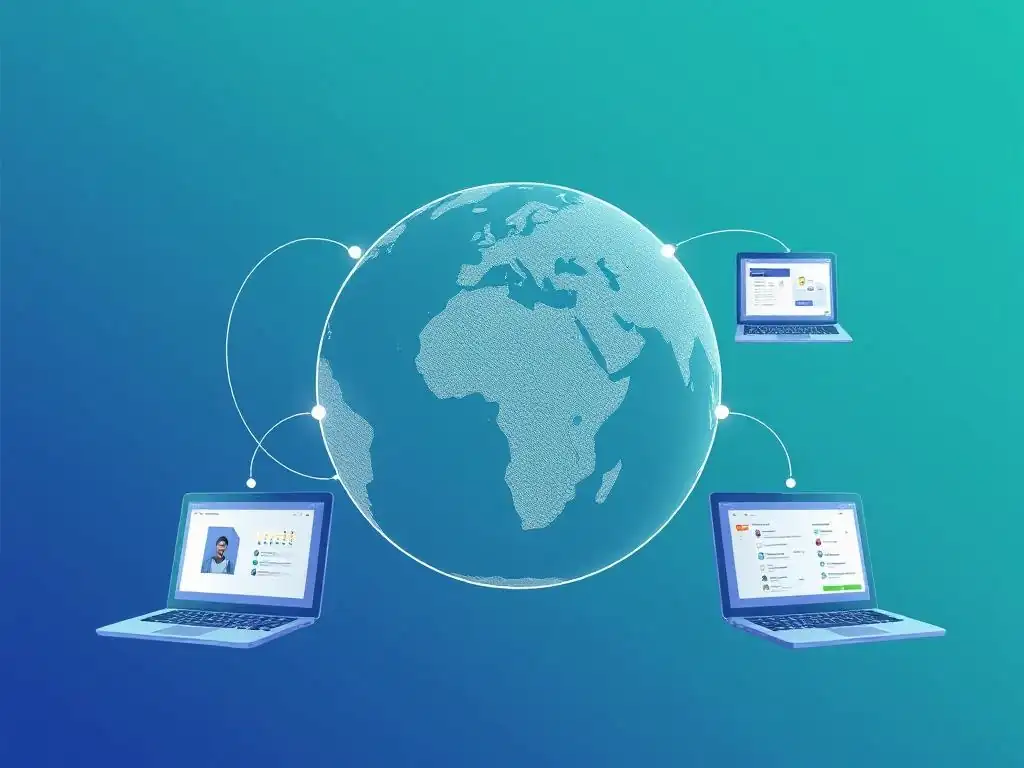
Microsoft Teams has evolved beyond a simple communication platform; it now offers robust project management capabilities, making it a viable option for remote teams. Its integration with other Microsoft products makes it a particularly attractive choice for businesses already invested in the Microsoft ecosystem. The platform facilitates real-time communication through chat, video conferencing, and file sharing, all essential for effective remote collaboration. This integrated approach minimizes the need for multiple applications, streamlining workflows and enhancing team cohesion. The intuitive interface and familiarity for many users further contributes to its ease of adoption within remote teams.
Microsoft Teams Project Management Capabilities: Task Management and Collaboration Features
While not as feature-rich as dedicated project management software, Microsoft Teams provides sufficient project management capabilities for many remote teams. Features include task assignment, progress tracking, and file sharing within dedicated channels. Teams can create channels for specific projects, allowing for focused communication and efficient task management.
The integration with other Microsoft applications, such as Planner and SharePoint, enhances its project management functionalities. The ability to assign tasks, set deadlines, and track progress within the platform streamlines workflows and provides a centralized location for project-related information. This reduces the reliance on external tools and promotes better organization and transparency within the team.
Microsoft Teams Integrations: Seamless Workflow with Other Microsoft Products
Microsoft Teams' primary strength lies in its seamless integration with other Microsoft 365 applications. This integration is crucial for remote teams already using products like Outlook, SharePoint, and OneNote. The ability to access files stored in SharePoint directly within Teams, for example, eliminates the need for constant switching between applications, enhancing workflow efficiency.
Similarly, the integration with Outlook allows for easy scheduling of meetings and the sharing of relevant information. This interoperability makes Microsoft Teams a cohesive part of the overall Microsoft 365 ecosystem, streamlining operations and reducing the learning curve for users already familiar with these tools. This integrated approach contributes significantly to a smoother and more efficient remote work experience.
Microsoft Teams Pricing and Plans: Cost-Effective Solution for Businesses
Microsoft Teams is often included in existing Microsoft 365 subscriptions, making it a cost-effective solution for businesses already using other Microsoft products. This bundled approach can significantly reduce the overall software costs for remote teams. For businesses not already using Microsoft 365, standalone plans are also available, though pricing may vary depending on the features and number of users.
The cost-effectiveness, coupled with its robust communication and project management capabilities, makes Microsoft Teams a compelling option for businesses seeking a comprehensive remote work solution without a significant investment in additional software. The pricing model's flexibility ensures that it can be adapted to different business sizes and budgetary constraints.
Microsoft Teams Case Study: Successful Microsoft Teams Implementation
[Specific information pending: A real-world case study illustrating the successful use of Microsoft Teams for project management within a remote team is needed. This should include quantifiable results demonstrating the platform’s effectiveness in improving team communication, task management, or overall productivity. For example, a case study highlighting reduced project completion times or improved team collaboration metrics would be highly beneficial.]
Notion: A Versatile Workspace for Remote Project Management & More
Notion has rapidly become a favorite among remote teams due to its exceptional versatility. It's not just project management software; it's a fully customizable workspace that can handle everything from project planning and task management to note-taking, wikis, and even databases. This all-in-one approach makes it particularly attractive for remote teams who need a centralized hub for all their work-related activities. The flexibility allows teams to adapt Notion to their specific needs and workflows, eliminating the need for multiple disparate tools.
This unified approach fosters better communication and collaboration, crucial elements for successful remote teamwork. The intuitive interface and powerful features make it accessible to both technical and non-technical users, ensuring that everyone on the team can effectively utilize the platform. This ease of use coupled with its extensive capabilities makes Notion a strong contender for the title of "best project management software for remote teams."
Notion's Flexibility for Remote Teams: Adapting to Various Work Styles
One of Notion's greatest strengths is its adaptability. Unlike rigid project management tools, Notion allows teams to tailor their workspace to their unique needs and preferences. A team using Agile methodologies can easily set up Kanban boards, while those preferring a more linear approach can opt for Gantt charts or simple task lists. Furthermore, Notion's block-based system allows for a high degree of customization within each project.
Teams can embed documents, spreadsheets, videos, and even code snippets directly into their workspaces, creating a truly dynamic and collaborative environment. This flexibility is especially vital for remote teams, as it accommodates diverse work styles and preferences, contributing to a more inclusive and productive team dynamic. The capacity to create highly customized workflows, from simple to complex, allows for seamless integration with existing processes already employed by the remote team.
Notion's Collaboration Features: Real-time Editing and Shared Workspaces
Notion's real-time collaboration features are a game-changer for remote teams. Multiple team members can simultaneously edit documents, update tasks, and leave comments, fostering a sense of shared ownership and accountability. The integrated commenting system allows for quick and efficient feedback, eliminating the delays often associated with email chains or other asynchronous communication methods.
Shared workspaces facilitate easy access to project information and resources, ensuring everyone is on the same page. Notion also offers version history, allowing teams to track changes and revert to previous versions if necessary, a crucial safeguard against accidental data loss. These features significantly improve communication and collaboration, key factors in the success of remote project management.
Notion's Templates and Integrations: Streamlining Remote Project Workflows
Notion offers a vast library of pre-built templates for various project management methodologies and workflows. These templates provide a solid foundation for new projects, saving teams valuable time and effort. Furthermore, Notion integrates with a wide range of other popular apps and services, such as Google Drive, Slack, and many others, streamlining workflows and eliminating the need to switch between multiple applications.
These integrations enhance productivity and ensure seamless data flow between different tools used by the remote team. This combination of templates and integrations significantly reduces the initial setup time and ongoing administrative burden, allowing teams to focus on their core tasks rather than struggling with software management. The ability to customize these templates further enhances their utility, allowing for perfect alignment with the team's specific requirements.
Notion's Pricing and Plans: Free and Paid Options for Remote Teams
Notion offers a generous free plan, suitable for individuals and small teams with basic needs. However, for larger teams or those requiring advanced features, several paid plans are available, offering increased storage capacity, more users, and additional functionalities. The pricing is generally competitive and transparent, making it easy for teams to choose a plan that fits their budget and requirements.
The tiered pricing model allows teams to scale their usage as needed, avoiding unnecessary expenses. This flexibility in pricing is particularly beneficial for remote teams, as their needs and budgets may evolve over time. Notion's pricing structure ensures accessibility for a wide range of team sizes and project complexities.
Notion Case Study: Successful Notion Implementation
[Specific information pending: A real-world case study demonstrating the successful implementation of Notion within a remote team, including quantifiable results such as improved project completion rates, reduced communication overhead, or enhanced team collaboration. This would ideally include the name of the company, the size of the team, and specific metrics showcasing the positive impact of using Notion.] This section would provide powerful evidence supporting Notion's efficacy as a project management tool for remote teams. The inclusion of quantifiable results would significantly strengthen the argument for its suitability as "best project management software for remote teams."
Key Features to Look for in Remote Project Management Software
Choosing the best project management software for remote teams requires careful consideration of several key features. The right software can transform your workflow, fostering better communication, increased efficiency, and ultimately, project success. Ignoring crucial features can lead to miscommunication, missed deadlines, and frustrated team members. This section details the essential functionalities to prioritize when selecting a project management solution for your distributed team.
Real-time Collaboration Tools for Seamless Communication
Effective communication is the bedrock of any successful remote team. Your chosen project management software should facilitate seamless interaction, preventing the communication silos that often plague geographically dispersed teams. Look for software offering robust real-time collaboration tools. This includes, but is not limited to:
- Integrated Chat: A built-in chat function allows for quick questions, immediate feedback, and informal communication, minimizing reliance on external platforms. The best systems offer threaded conversations for easy tracking of discussions related to specific tasks or projects.
- Video Conferencing Integration: Seamless integration with video conferencing platforms like Zoom or Google Meet is critical. The ability to quickly initiate a video call directly from within the project management tool streamlines communication and reduces context switching.
- File Sharing and Version Control: Centralized file storage and version control are essential for preventing confusion and ensuring everyone works with the most up-to-date documents. The software should allow for easy sharing, commenting, and tracking of changes made to files. This minimizes the risk of working with outdated information and ensures transparency.
- @Mentions and Notifications: The ability to @mention team members within comments or tasks ensures that relevant individuals receive notifications and are kept in the loop. This promotes accountability and prevents crucial information from being overlooked.
Task Management and Assignment Capabilities for Remote Teams
Efficient task management is paramount for remote teams. The software should provide clear task assignment, progress tracking, and deadline management capabilities. Key features to consider include:
- Kanban Boards: Visual task management using Kanban boards allows for easy tracking of task progress through various stages (e.g., To Do, In Progress, Review, Done). This provides a clear overview of the project's status and helps identify potential bottlenecks.
- Gantt Charts: For more complex projects, Gantt charts offer a visual representation of project timelines, dependencies, and milestones. This helps teams understand the project's critical path and manage dependencies effectively.
- Customizable Workflows: The ability to tailor workflows to your specific project needs is crucial. This allows you to adapt the software to your unique processes and avoid unnecessary complexity.
- Subtasks and Dependencies: Breaking down large tasks into smaller, manageable subtasks improves organization and clarity. The system should also allow for defining dependencies between tasks, ensuring tasks are completed in the correct order.
- Time Tracking: Integrating time tracking helps monitor individual and team productivity, enabling better resource allocation and project forecasting. Accurate time tracking data is invaluable for project budgeting and billing.
Robust Reporting and Analytics for Tracking Progress
Data-driven insights are crucial for optimizing project performance. Your project management software should provide robust reporting and analytics features to track progress, identify areas for improvement, and make informed decisions.
- Customizable Reports: The ability to generate custom reports tailored to specific needs allows for in-depth analysis of project performance. This could include reports on task completion rates, time spent on tasks, budget utilization, and other relevant metrics.
- Real-time Dashboards: Real-time dashboards provide a high-level overview of project progress, highlighting key metrics and potential issues. This allows for proactive problem-solving and ensures projects stay on track.
- Progress Tracking and Visualization: Clear and concise visualizations of project progress are essential for effective communication and accountability. Graphs, charts, and other visual aids help stakeholders quickly understand the project's status.
- Resource Allocation Analysis: Analyzing resource allocation helps identify potential overallocation or underutilization of resources. This allows for better resource management and improved team efficiency. This is especially critical for remote teams where resource management can be more challenging.
Choosing the right project management software is a significant investment. By focusing on these key features – real-time collaboration, robust task management, and insightful reporting – you can select a tool that empowers your remote team to achieve remarkable results and truly master their projects. The right software will significantly improve your team's productivity and contribute to a more enjoyable and efficient work experience.
Secure File Sharing and Collaboration Features for Remote Teams
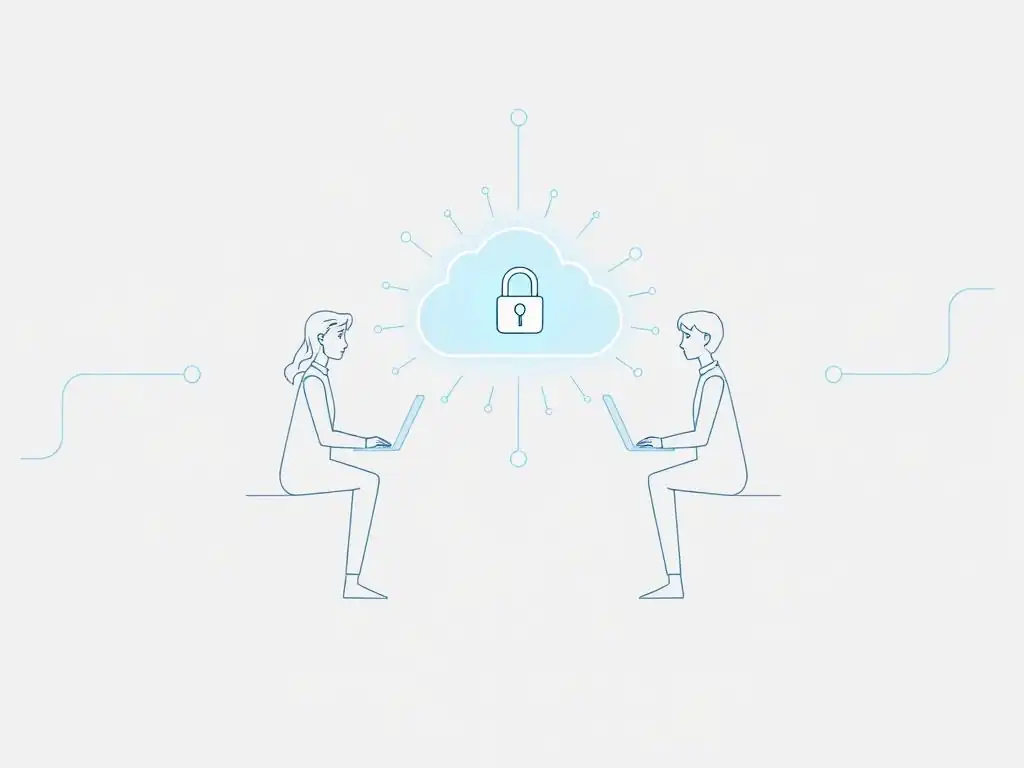
Choosing the right project management software for remote teams hinges significantly on its ability to facilitate secure and efficient file sharing and collaboration. In today's landscape of increasing cybersecurity threats, this aspect is paramount. The best project management software will offer robust encryption protocols, ensuring sensitive project data remains protected from unauthorized access. This goes beyond simple password protection; look for features like end-to-end encryption, which safeguards data even if the platform itself is compromised. Furthermore, granular permission controls are crucial. The software should allow administrators to define specific access levels for different team members, preventing accidental or malicious data leaks.
For instance, some team members might only need read access to certain files, while others require full editing privileges. This level of control is essential for maintaining data integrity and accountability within a distributed team. Beyond security, seamless collaboration features are equally important. Real-time co-editing capabilities, allowing multiple team members to work on the same document simultaneously without version control conflicts, are a game-changer for productivity. Integrated commenting and annotation tools enable efficient feedback and revisions, eliminating the need for separate email chains or external file sharing services.
Consider software that offers version history, so you can easily revert to previous versions if needed, minimizing the risk of data loss or accidental overwrites. The integration of a robust file versioning system is a critical aspect of successful remote team collaboration. Finally, effective search functionality within the file repository is essential for quickly locating necessary documents amidst a large project archive. The ability to easily search for specific files, keywords, or even metadata can significantly improve team efficiency and reduce wasted time searching for information. The best project management software seamlessly integrates all these features, creating a secure and collaborative environment that empowers remote teams to work effectively and efficiently.
Integrations with Other Essential Remote Work Tools
For remote teams, a project management software's value often extends beyond its core features. The ability to integrate seamlessly with other essential remote work tools is crucial for optimizing workflows and avoiding information silos. The best project management software will offer robust API integrations or pre-built connectors with popular communication platforms like Slack, Microsoft Teams, or Zoom. This integration allows for streamlined communication and notification management. For example, project updates or task assignments can be automatically relayed through these communication channels, ensuring all team members are informed in real-time, regardless of their location.
Furthermore, integration with file storage services like Google Drive, Dropbox, or OneDrive is essential for a centralized and accessible repository of project files. This avoids the confusion and potential security risks of using multiple, disparate file storage systems. The software should also consider integrations with time-tracking applications, enabling accurate project budgeting and cost management. This is especially crucial for remote teams where monitoring individual contributions and allocating resources effectively can be challenging.
Consider the software's compatibility with your team's existing toolset; a smooth integration minimizes the learning curve and maximizes the software's overall utility. For example, if your team heavily relies on a specific communication platform, ensure the project management software integrates seamlessly with it to avoid fragmented workflows. Efficient integration with other tools is not just a convenience; it's a key factor in improving productivity, reducing errors, and enhancing overall team collaboration. A well-integrated system streamlines processes, improves communication, and contributes to a more efficient and effective remote work environment.
Choosing the Best Project Management Software for YOUR Remote Team
This section focuses on selecting the best project management software tailored to the unique demands of remote teams. Finding the right fit isn't just about features; it's about aligning the software with your team's specific workflow, communication styles, and long-term goals. The ideal project management software will streamline collaboration, enhance productivity, and ultimately, contribute to the overall success of your remote operations. Let's explore the key factors to consider.
Assessing Your Team's Specific Needs and Requirements
Before diving into software comparisons, thoroughly analyze your team's workflow and identify its core needs. Consider the following questions:
- Team Size and Structure: Are you a small, agile team or a larger organization with multiple departments? Different software solutions are better suited to varying team sizes. Smaller teams might thrive on simpler, more intuitive interfaces, while larger teams may require more robust features for managing complex projects and hierarchies.
- Project Complexity: Do your projects involve simple tasks or intricate workflows with numerous dependencies? The complexity of your projects directly impacts the level of functionality you need in your project management software. Some software excels at managing simple to-do lists, while others offer advanced features like Gantt charts, Kanban boards, and resource allocation tools for complex projects.
- Communication Preferences: How does your team typically communicate? Do you rely heavily on email, instant messaging, or video conferencing? The best project management software will integrate seamlessly with your existing communication channels, eliminating fragmented workflows. Look for software with built-in communication features or strong integrations with tools like Slack or Microsoft Teams.
- Required Features: Make a list of essential features. This might include task assignment, progress tracking, file sharing, time tracking, reporting, and budgeting capabilities. Prioritize the features most critical to your team's efficiency. For example, a team focused on creative projects might prioritize visual collaboration tools, while a development team might prioritize code integration and version control.
- Data Security and Compliance: For remote teams handling sensitive information, data security is paramount. Ensure the software you choose meets your organization's security standards and complies with relevant regulations (e.g., GDPR, HIPAA).
Considering Budget and Scalability for Long-Term Growth
The cost of project management software can vary significantly, from free plans with limited features to enterprise-level solutions with hefty price tags. Consider your budget alongside your team's projected growth.
- Pricing Models: Many software providers offer tiered pricing plans based on features and the number of users. Carefully compare the pricing models of different solutions to find one that aligns with your current budget and anticipates future needs. Consider whether a per-user or per-project pricing model is more cost-effective for your team.
- Scalability: As your team grows, you'll need software that can scale to accommodate the increased workload and user base without sacrificing performance or functionality. Avoid software that quickly becomes too expensive or cumbersome as your team expands. Look for solutions with flexible pricing plans and robust infrastructure to support growth.
- Return on Investment (ROI): While cost is a factor, focus on the potential ROI. The right software can significantly improve team productivity, reduce project delays, and ultimately save your organization money in the long run. Consider the potential cost savings from increased efficiency when evaluating different solutions. Quantify the potential benefits wherever possible.
Evaluating Ease of Use and User Experience for Remote Teams
The best project management software is intuitive and user-friendly, especially for remote teams who might not be in the same physical location to receive in-person support.
- Intuitive Interface: The software should be easy to navigate and understand, even for users with limited technical experience. A cluttered or confusing interface can lead to frustration and decreased productivity. Look for software with a clean, well-organized layout and clear instructions.
- Mobile Accessibility: Many remote workers use mobile devices for project updates. Choose software with robust mobile apps that offer the same functionality as the desktop version. This allows team members to stay connected and productive regardless of their location or device.
- Collaboration Features: Remote teams rely heavily on collaboration features. The software should facilitate seamless communication and information sharing among team members. Look for features such as real-time chat, file sharing, and commenting capabilities. The easier it is to communicate within the software, the better.
- Training and Support: Consider the availability of training resources and customer support. A comprehensive knowledge base, tutorials, and responsive customer support can significantly reduce the learning curve and ensure smooth adoption within your remote team. Look for companies that provide excellent documentation and readily available support channels.
Remember, selecting the right project management software is a crucial step in optimizing your remote team's productivity and achieving project success. By carefully considering these factors, you can make an informed decision that will benefit your team for years to come.
Implementing and Training Your Team on Chosen Software
Successfully implementing new project management software isn't just about choosing the right tool; it's about ensuring your remote team effectively adopts and utilizes it. A poorly executed rollout can lead to frustration, resistance, and ultimately, a failure to reap the software's benefits. Therefore, a structured implementation and training plan is crucial for maximizing ROI.
This process should begin well before the software goes live. Start by clearly communicating the why behind the change. Explain how the new software will streamline workflows, improve collaboration, and ultimately boost team productivity. Addressing potential concerns proactively can alleviate anxieties and foster buy-in. For instance, if the team is worried about a steep learning curve, highlighting the software's intuitive interface and readily available support resources can ease their apprehension.
Next, develop a comprehensive training program. This should include a mix of methods to cater to different learning styles. Consider offering:
- Interactive online tutorials: Short, engaging videos demonstrating key features and functionalities.
- Live webinars or virtual training sessions: Allow for real-time Q&A and personalized guidance.
- Detailed documentation: A comprehensive user manual and FAQs to serve as a readily available reference.
- Hands-on workshops: Guided practice sessions where team members can apply their newly acquired skills in a safe environment.
- Mentorship program: Pair experienced team members with those who might need extra support.
The training should be phased, starting with the basics and progressively introducing more advanced features. Regular check-ins and feedback sessions are essential to monitor progress, address any challenges, and make necessary adjustments to the training plan. Don't underestimate the importance of ongoing support. Provide readily accessible channels for team members to seek assistance, such as dedicated support channels, FAQs, or a designated point person.
Remember, successful implementation is an iterative process. Continuously solicit feedback from your team, monitor usage patterns, and adapt your approach as needed. This ensures the software seamlessly integrates into your team's workflow and delivers the expected benefits.
Regularly assessing the effectiveness of the training and making adjustments based on feedback is key to long-term success. This approach ensures that the software becomes a valuable asset rather than a source of frustration for your remote team, maximizing the return on investment and improving overall project management efficiency. The key is to foster a culture of continuous learning and improvement, ensuring everyone feels comfortable and confident using the new project management software.
Maximizing Productivity with Your Chosen Project Management Software

Choosing the best project management software for remote teams is only half the battle. To truly maximize productivity, you need to integrate the software seamlessly into your workflow and leverage its features effectively. This involves more than just assigning tasks; it's about creating a system that fosters collaboration, accountability, and efficient communication. Failing to do so can lead to missed deadlines, duplicated efforts, and overall decreased team performance. Let's explore key strategies to unlock the full potential of your chosen platform. The right software, coupled with effective implementation, can significantly improve project outcomes and boost your team's morale.
Establishing Clear Communication Protocols for Remote Teams
Effective communication is the bedrock of any successful remote team. The best project management software provides tools to facilitate this, but you need to establish clear protocols to ensure everyone is on the same page. This goes beyond simply using the platform's messaging features. Consider these points:
- Designated Communication Channels: Clearly define which channels are used for different types of communication. For instance, use the software's built-in messaging for quick questions and updates, email for formal announcements, and video conferencing for more complex discussions or brainstorming sessions. Avoid communication silos!
- Regular Check-ins: Schedule recurring team meetings, daily stand-ups, or weekly progress reviews. Use these sessions to discuss roadblocks, celebrate successes, and align on priorities. Consistency is key.
- Document Everything: Ensure all important decisions, project updates, and agreements are documented within the project management software. This creates a single source of truth and prevents misunderstandings. This is crucial for knowledge sharing and onboarding new team members.
- Response Time Expectations: Establish clear expectations for response times to messages and requests. Prompt communication is vital for maintaining momentum and preventing delays. Consider implementing an escalation process for urgent issues.
- Non-Verbal Cues: Remember that communication is more than just words. Be mindful of tone and context in written communication to avoid misinterpretations. Utilize emojis sparingly but strategically to convey emotion.
Utilizing Best Practices for Remote Project Management
Beyond communication, several best practices significantly enhance remote team productivity when used in conjunction with the right project management software. These practices ensure tasks are managed effectively, deadlines are met, and overall project goals are achieved.
- Agile Methodologies: Consider adopting agile methodologies like Scrum or Kanban. These frameworks are highly adaptable to remote work and promote iterative development, allowing for flexibility and quick adjustments. The software should support these methodologies through features like Kanban boards or sprint management tools.
- Task Breakdown and Prioritization: Break down large projects into smaller, manageable tasks. This improves clarity and makes it easier to track progress. Prioritize tasks based on urgency and importance. Your chosen software should facilitate this through task assignment, dependencies, and priority levels.
- Time Tracking and Reporting: Utilize built-in time tracking features to monitor individual and team productivity. This data provides valuable insights into project timelines and resource allocation. Regular reporting helps identify areas for improvement and prevents scope creep.
- Regular Progress Monitoring: Establish a system for regularly monitoring project progress against the timeline. Use the software's reporting and visualization tools to identify potential delays or issues early on. Proactive monitoring is crucial for successful project completion.
- Risk Management: Identify and assess potential risks to the project. Develop mitigation strategies and document them within the project management software. Regularly review and update your risk assessment.
Regularly Reviewing and Optimizing Your Workflow for Remote Collaboration
The best project management software is a dynamic tool. What works well today might not be optimal tomorrow. Regularly review and optimize your workflow to ensure you're maximizing the software's capabilities and adapting to your team's evolving needs.
| Review Area | Frequency | Action Items |
|---|---|---|
| Communication Channels | Monthly | Evaluate channel effectiveness; address any communication bottlenecks. |
| Task Management | Bi-weekly | Analyze task completion rates; refine task assignments and prioritization. |
| Time Tracking | Weekly | Identify time sinks; optimize workflows to improve efficiency. |
| Reporting & Analytics | Monthly | Review project performance data; identify areas for improvement and adjustments. |
| Software Features | Quarterly | Explore new features; ensure the software continues to meet your team's needs. |
Remember, the key to success lies not just in choosing the right software, but in actively using it and constantly refining your processes. By implementing these strategies, your remote team can leverage the power of project management software to achieve unprecedented levels of productivity and successfully manage even the most complex projects.
Conclusion: Mastering Remote Project Management for Success
Choosing the best project management software for remote teams is a crucial step towards achieving peak productivity and seamless collaboration. This isn't just about selecting a tool; it's about strategically integrating a system that fosters transparency, accountability, and efficient workflow within your distributed team. The right software will act as the central nervous system of your remote operations, connecting disparate team members and enabling them to work cohesively, regardless of geographical location.
Remember, the ultimate goal isn't just project completion, but the cultivation of a thriving, high-performing remote team. Investing in the right tools and strategies is an investment in your team's long-term success and overall organizational growth.
The Benefits of Efficient Remote Project Management
Efficient remote project management delivers a multitude of benefits, significantly impacting both individual performance and overall team success. Consider these key advantages:
- Enhanced Collaboration: Effective project management software facilitates seamless communication and information sharing, breaking down geographical barriers and fostering a sense of unity amongst team members. Features like shared task lists, integrated messaging, and real-time updates ensure everyone is on the same page, minimizing misunderstandings and delays.
- Improved Productivity: Streamlined workflows, automated tasks, and clear task assignments lead to a dramatic increase in individual and team productivity. By eliminating bottlenecks and clarifying responsibilities, project management software empowers team members to focus their energy on high-impact tasks.
- Increased Accountability: With clear task assignments, deadlines, and progress tracking, accountability becomes inherent in the system. Team members are more likely to stay on track and meet their commitments when they know their progress is being monitored and reported. This reduces the risk of project slippage and ensures timely delivery.
- Better Resource Allocation: Project management software provides a holistic view of resource allocation, allowing managers to optimize the deployment of team members and resources. This ensures that tasks are assigned to the most appropriate individuals and prevents over-allocation or under-utilization of resources.
- Reduced Costs: While there's an initial investment in software and training, efficient project management leads to significant cost savings in the long run. Reduced project delays, minimized errors, and improved resource utilization translate to lower operational expenses. The improved team productivity alone can justify the investment many times over.
Long-Term Strategies for Optimizing Remote Team Productivity
Sustained success in remote project management requires a commitment to continuous improvement and the implementation of long-term strategies. Here are some key approaches:
- Regular Performance Reviews: Conducting regular, structured performance reviews is crucial for identifying areas for improvement and providing constructive feedback. These reviews should focus not only on individual performance but also on team dynamics and process optimization.
- Continuous Training and Development: Investing in ongoing training and development programs for your team ensures they possess the necessary skills and knowledge to effectively utilize the project management software and maintain high levels of productivity. This includes both technical training on the software and soft skills training on communication and collaboration.
- Process Optimization: Regularly review and refine your workflows and processes to identify and eliminate inefficiencies. Use data from the project management software to identify bottlenecks and areas for improvement. This continuous improvement cycle is essential for maintaining peak productivity.
- Building a Strong Team Culture: Cultivating a positive and supportive team culture is vital for remote team success. Encourage open communication, celebrate achievements, and foster a sense of camaraderie amongst team members, even when geographically dispersed. Regular virtual team-building activities can be highly beneficial.
- Adaptability and Flexibility: The remote work landscape is constantly evolving. Embrace change and be prepared to adapt your strategies and processes as needed. Regularly assess the effectiveness of your project management approach and be willing to make adjustments based on feedback and changing circumstances. This flexibility is crucial for maintaining a competitive edge and ensuring long-term success. Remember, the "best" project management software is the one that best fits your team's unique needs and allows for continuous adaptation.
Frequently Asked Questions
What makes project management software crucial for remote teams?
Effective project management software provides centralized communication, task assignment, and progress tracking, essential for coordinating geographically dispersed teams and maintaining project clarity. This eliminates confusion and ensures everyone stays on the same page.
What are some key features to look for in project management software for remote teams?
Essential features include real-time collaboration tools, integrated communication channels, robust task management capabilities, file sharing, and reporting/analytics to monitor project health. Consider ease of use and integration with existing tools.
How can I choose the best project management software for my remote team's needs?
Consider your team's size, project complexity, and budget. Explore free trials or demos of different platforms like Asana, Trello, Monday.com, and others, to see which best fits your workflow and preferences. Prioritize features that address your specific challenges.
Is there a "one-size-fits-all" solution for project management software?
No, the best software depends on your specific needs. A small team might thrive with a simple tool like Trello, while a larger team with complex projects might need a more robust solution like Asana or Monday.com. Consider your team's size and project complexity when choosing.
How can project management software improve my remote team's productivity?
By streamlining communication, improving task organization, and enhancing collaboration, project management software drastically reduces time wasted on administrative tasks. This frees up your team to focus on delivering high-quality work and meeting deadlines efficiently.
Final Reflection: Mastering Remote Work Through Collaborative Project Management
The seamless integration of technology and teamwork is no longer a luxury, but a necessity for thriving remote teams. The right project management software isn't just a tool; it's the backbone of efficient communication, streamlined workflows, and ultimately, successful project delivery in today's increasingly distributed work environment. Choosing the right software can be the difference between chaos and controlled, productive collaboration.
The shift to remote work has fundamentally altered how we collaborate, demanding a level of adaptability and technological proficiency that was previously unimaginable. This evolution has highlighted the crucial role of effective project management, not just for task completion, but for fostering a sense of community and shared purpose among geographically dispersed teams. The key is not to prioritize what's on your schedule, but to schedule your priorities.
– Stephen Covey. This quote underscores the importance of strategic planning and prioritization, functions greatly enhanced by the right project management tools.
Now, consider your own team dynamics. What aspects of your current workflow could be improved with the implementation of a more robust project management system? Take the time to explore the options discussed in this article, and identify the software that best aligns with your team's unique needs and goals. Don't just manage your projects; master them, and unlock the full potential of your remote team. The future of work is collaborative, and the right tools are your key to success.
Unlock Your Team's Project Potential: Take Action Today!
This guide has explored how the right project management software can significantly improve your remote team's efficiency and collaboration. Now it's time to put this knowledge into practice.
- Implement a project management system: Begin a free trial of a software solution that aligns with your team's specific requirements. Explore its features and assess its potential to address your unique challenges.
- Share this article: Spread the word! Help your colleagues and network discover valuable tools and strategies for successful project management.
- Join the discussion: What's your biggest challenge in project management, and how will you leverage these new strategies to overcome it? Share your thoughts in the comments below!
Ready to transform your project management?