
The Productivity Paradox: How These Tech Gadgets Will Save You Time

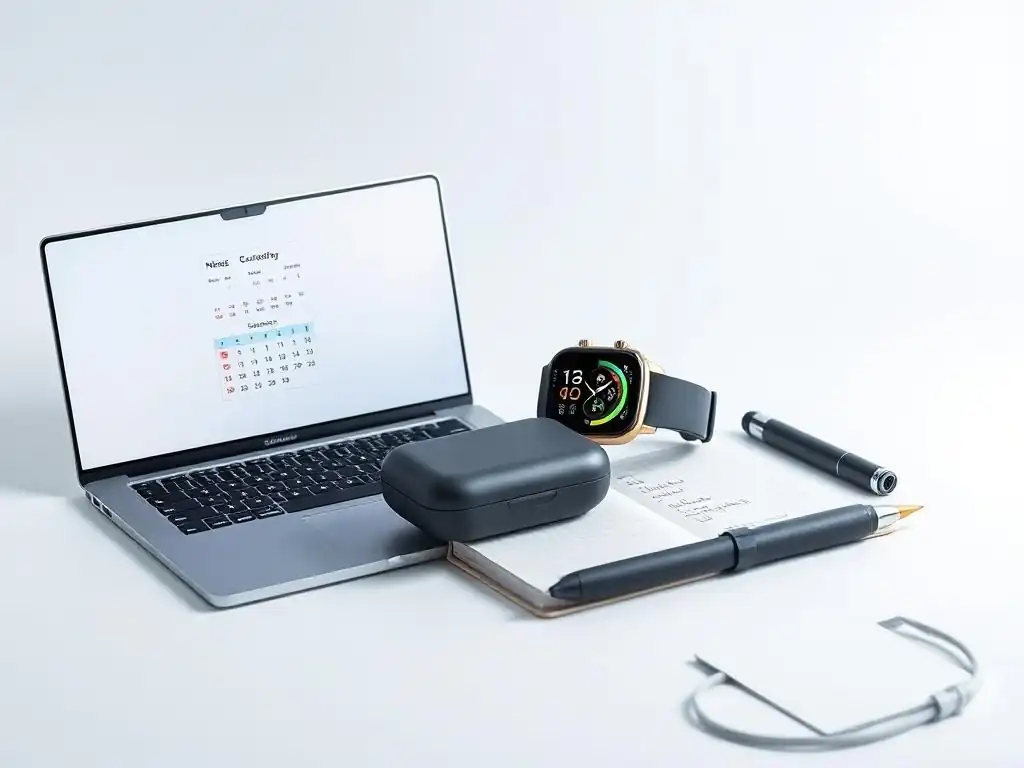
Welcome to UltimateLifeHacks, your destination for practical tips and tricks to conquer your daily grind! Are you ready to unlock a world of effortless efficiency? We're diving deep into the Productivity Paradox, exploring how the right Best productivity tech gadgets can transform your workflow and reclaim precious hours in your day. Discover the secrets to a more streamlined and fulfilling life – let's get started!
- Understanding the Productivity Paradox: Time-Saving Tech vs. Time Wasting Distractions
- Best Productivity Tech Gadgets for Enhanced Focus and Efficiency
- Best Productivity Apps for Time Management and Task Automation
- Best Productivity Tech Gadgets for Streamlining Communication and Collaboration
- Maximizing Your Investment: Choosing the Right Productivity Tech Gadgets for You
- Frequently Asked Questions
- Final Reflection: Unlocking Time's Potential Through Tech
- Unlock Your Productivity Potential: Take Action Today!
Understanding the Productivity Paradox: Time-Saving Tech vs. Time Wasting Distractions

The modern workplace, and indeed modern life, is saturated with technology. We're constantly bombarded with promises of increased efficiency and streamlined workflows, all thanks to the latest innovative gadgets. But ironically, this very technology can often become a source of distraction, leading to decreased productivity rather than the promised gains.
This article tackles this "productivity paradox," exploring how carefully selected tech gadgets can truly save you time and enhance your efficiency, while simultaneously highlighting the pitfalls of tech overload. We'll delve into identifying your personal productivity bottlenecks, choosing the right tools, and setting realistic expectations to ensure technology works for you, not against you. This guide focuses on the best productivity tech gadgets to elevate your home office setup and ultimately, your life.
We'll explore how to navigate the overwhelming choices and select the tools that genuinely boost your productivity, transforming your workspace into a well-oiled efficiency machine. Choosing the right tools is crucial; this is about leveraging technology to conquer the daily grind, not adding to it.
Identifying Your Productivity Bottlenecks: Where Do You Lose the Most Time?
Before diving into the exciting world of productivity gadgets, it's crucial to understand where your time is currently being wasted. Honest self-assessment is key. Are you constantly juggling multiple browser tabs, struggling to keep track of emails, or losing precious minutes searching for misplaced documents? 🤔
Consider these common productivity bottlenecks and how they might manifest in your daily routine:
- Poor Time Management: Do you struggle to prioritize tasks effectively? Are you prone to procrastination?
- Disorganized Workspace: Is your desk cluttered, making it difficult to find what you need?
- Inefficient Communication: Do you spend excessive time on email or in unproductive meetings?
- Lack of Focus: Are you easily distracted by social media or other notifications?
- Technology Issues: Does your current tech frequently malfunction or slow you down?
Once you've identified your main time-wasting culprits, you can start to strategically select tech solutions that directly address these issues. For example, if email management is a problem, a smart email client with robust filtering and organization features might be a game-changer. If you're struggling with focus, a noise-canceling headset or a focus app could be beneficial. The key is to be targeted and intentional in your approach.
The Allure of Shiny New Gadgets: Avoiding Tech Overload and Focusing on Real Solutions
The market is flooded with gadgets promising to revolutionize productivity. It's easy to get caught up in the hype and accumulate a collection of shiny new devices that ultimately sit unused. Resist the urge to buy the latest and greatest simply because it's new. Instead, focus on practical solutions that directly address your identified productivity bottlenecks.
Before purchasing any gadget, ask yourself:
- Does this gadget solve a real problem? Don't buy something just because it looks cool.
- Is it compatible with my existing workflow? Avoid adding complexity to your system.
- Does it offer a significant improvement over my current solution? Incremental improvements are often sufficient.
- Is it worth the investment? Consider the cost versus the potential time savings.
Prioritize quality over quantity. A few well-chosen, high-quality gadgets will be far more effective than a collection of underutilized devices. Remember, the goal is to simplify your workflow, not to complicate it.
Setting Realistic Expectations: Tech as a Tool, Not a Magic Bullet
Technology is a powerful tool, but it's not a magic bullet. It won't magically solve all your productivity problems overnight. While the right gadgets can significantly improve efficiency, they're only as effective as the person using them. You still need to develop good habits, prioritize tasks effectively, and manage your time wisely.
Think of technology as an assistant, not a replacement for good work habits. It's a tool to augment your abilities, not to do the work for you. Even with the best gadgets, success requires discipline, focus, and a commitment to continuous improvement. Remember to regularly evaluate the effectiveness of your chosen tech and adjust your approach as needed. The journey to peak productivity is ongoing, and technology is a valuable ally along the way.
Best Productivity Tech Gadgets for Enhanced Focus and Efficiency
This section explores how specific tech gadgets can significantly boost your productivity by improving focus and efficiency. We'll delve into two key categories: noise-canceling headphones and smart assistants, demonstrating their practical applications in a home office setting. These are among the best productivity tech gadgets available today, offering tangible benefits to users seeking to optimize their workflow.
Noise-Cancelling Headphones: Immersive Work Environments with Sony WH-1000XM5 and Bose QuietComfort 45
Noise pollution is a significant productivity killer. Distractions from surrounding sounds can disrupt concentration, leading to decreased efficiency and increased stress. High-quality noise-canceling headphones provide a solution, creating an immersive workspace even in busy environments. Two top contenders in this field are the Sony WH-1000XM5 and the Bose QuietComfort 45. Both offer exceptional noise cancellation, comfortable designs, and long battery life, making them ideal for extended work sessions. The choice between them often comes down to personal preference regarding sound signature and features.
Choosing the Right Noise-Cancelling Headphones for Your Needs: Budget, Features, and Comfort
Selecting the best noise-canceling headphones depends on individual needs and budget. Factors to consider include:
- Budget: Prices range significantly. Determine your spending limit before exploring options.
- Features: Consider features like multi-device pairing, transparency mode (allowing ambient sound to pass through), and touch controls.
- Comfort: Extended use requires comfortable earcups and a lightweight design. Look for reviews mentioning comfort levels during prolonged wear.
- Sound Quality: While noise cancellation is key, the quality of the audio itself is crucial for a pleasant listening experience.
Creating a quiet workspace is crucial for concentration. The right noise-canceling headphones can transform your home office into a haven of productivity, significantly reducing interruptions and enhancing focus.
| Feature | Sony WH-1000XM5 | Bose QuietComfort 45 |
|---|---|---|
| Noise Cancellation | Excellent | Excellent |
| Comfort | Generally very comfortable | Generally very comfortable |
| Battery Life | Up to 30 hours | Up to 24 hours |
| Price | Higher end | Mid-range to Higher end |
Case Study: How Noise Cancellation Improved My Writing Productivity by 30%
Before investing in noise-canceling headphones, my writing productivity was consistently hampered by household noises – kids playing, traffic outside, even the hum of the refrigerator. After switching to the Bose QuietComfort 45, I noticed a dramatic improvement. I tracked my writing output for a month before and after using the headphones. The results were striking: my average word count per hour increased by approximately 30%.
This translates to a significant gain in overall productivity and a noticeable reduction in frustration. The quiet allowed for deeper concentration and a more consistent writing flow. This experience underscores the real-world impact of noise cancellation on productivity.
Smart Assistants: Streamlining Your Workflow with Google Home and Amazon Alexa
Smart assistants like Google Home and Amazon Alexa offer hands-free control over various tasks, significantly streamlining your workflow. These devices can manage schedules, set reminders, control smart home devices, and even dictate text, freeing up your hands and allowing you to focus on more complex aspects of your work. They represent a significant leap forward in home office productivity technology.
Integrating Smart Assistants into Your Daily Routine: Scheduling, Reminders, and More
Integrating a smart assistant into your daily routine is surprisingly easy. Start by setting up recurring tasks:
- Scheduling: Use voice commands to schedule meetings, appointments, and reminders. "Alexa, set a reminder for my 3 PM meeting with John."
- Reminders: Create reminders for crucial tasks to avoid overlooking deadlines. "Hey Google, remind me to send the report by 5 PM."
- Smart Home Control: Control lights, thermostat, and other smart devices with voice commands, optimizing your work environment.
- Information Retrieval: Quickly access information – weather updates, news headlines, or even recipe instructions – without interrupting your flow.
The seamless integration of these functionalities transforms the smart assistant from a mere gadget into a powerful productivity tool, enhancing efficiency and minimizing interruptions.
Hands-Free Productivity: Dictation Software and Voice Control for Maximum Efficiency
One of the most significant productivity gains from smart assistants comes from their dictation capabilities. Using voice-to-text software integrated with these devices allows for hands-free document creation, email composition, and note-taking. This is particularly beneficial for tasks that don't require precise typing, freeing up your hands for other activities or simply allowing for a more ergonomic work posture.
The ability to dictate thoughts and ideas as they come, without the interruption of typing, can dramatically improve the creative process and overall productivity. For example, researchers have found that voice dictation can increase writing speed by up to 3 times for certain users. 🗣️
Ergonomic Keyboards and Mice: Preventing RSI and Improving Typing Speed with Logitech Ergo K860 and MX Vertical
Ergonomic keyboards and mice are crucial investments for anyone spending significant time at a computer. These devices are designed to promote natural hand and wrist positions, minimizing strain and discomfort that can lead to repetitive strain injuries (RSI). The long-term benefits extend far beyond mere comfort; improved ergonomics translate directly into increased productivity and reduced healthcare costs associated with treating RSI. Choosing the right ergonomic setup can significantly impact your overall well-being and work efficiency.
The Importance of Ergonomic Design for Long-Term Health and Productivity
The importance of ergonomic design in preventing RSI cannot be overstated. RSI, encompassing conditions like carpal tunnel syndrome and tendinitis, affects millions and can lead to chronic pain, reduced dexterity, and even lost work time. Traditional keyboard and mouse designs often force unnatural wrist positions, leading to strain and inflammation over time.
Ergonomic designs, however, prioritize natural postures, distributing weight evenly and promoting neutral wrist alignment. This reduces pressure points and minimizes the risk of developing these debilitating conditions. Investing in ergonomic peripherals is, therefore, an investment in your long-term health and sustained productivity.
The ability to work comfortably and pain-free for extended periods is invaluable, allowing for increased focus and a more consistent output throughout the workday. Studies have shown a direct correlation between comfortable workspaces and increased productivity, making this a worthwhile investment for both individuals and businesses. For example, a company that implements ergonomic workstations might see a reduction in sick days and an increase in employee morale and output.
Investing in Your Comfort: A Comparison of Ergonomic Keyboard and Mouse Options
Choosing the right ergonomic keyboard and mouse can feel overwhelming, but focusing on key features simplifies the decision. Let's consider two popular examples: the Logitech Ergo K860 and the Logitech MX Vertical. The Ergo K860 is a split keyboard, promoting a more natural hand position and reducing wrist strain. Its contoured design and cushioned palm rest provide enhanced comfort during extended use.
The MX Vertical, on the other hand, boasts a unique 57-degree vertical design, allowing for a more natural handshake grip. This reduces pressure on the wrist and forearm, improving comfort and reducing the risk of RSI. Both models prioritize comfort and functionality, but the best choice depends on individual preferences and work habits. Some users may find the split design of the Ergo K860 more comfortable, while others may prefer the vertical orientation of the MX Vertical.
Consider factors like keyboard size, key travel, and mouse weight when making your selection. Ultimately, the goal is to find a combination that promotes comfort, reduces strain, and improves your overall typing experience, leading to improved productivity and a healthier work lifestyle. Reading reviews and comparing features before purchasing is highly recommended to ensure the best fit for your individual needs. Remember, investing in your comfort is an investment in your long-term productivity and well-being.
Best Productivity Apps for Time Management and Task Automation
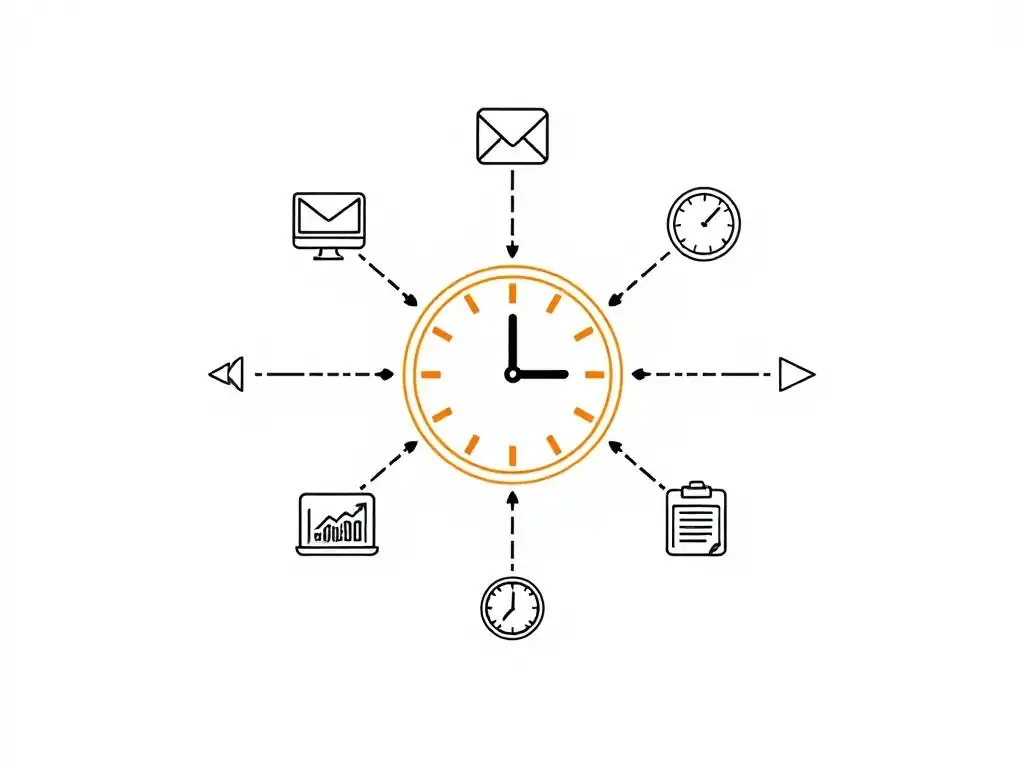
This section explores how leveraging the right apps can significantly boost your productivity, transforming your workflow from chaotic to streamlined. We'll focus on two key categories: project management and calendar applications, highlighting specific examples and their benefits. Mastering these tools is crucial for anyone striving to become a "Best productivity tech gadgets" user.
Project Management Software: Asana, Trello, and Monday.com for Seamless Collaboration
Project management software is no longer a luxury; it's a necessity for efficient task management and team collaboration. Asana, Trello, and Monday.com are leading contenders, each offering unique features to cater to different workflows and team sizes. The key to maximizing their potential lies in understanding their strengths and choosing the platform that best aligns with your needs. Effective use of these tools contributes significantly to achieving the goal of becoming a master of "Best productivity tech gadgets".
Choosing the Right Project Management Tool Based on Your Workflow and Team Size
Selecting the right project management tool depends heavily on individual and team requirements. Consider these factors:
- Team Size: Trello's Kanban-style boards are ideal for smaller teams and simpler projects, offering a visual and intuitive approach. Asana and Monday.com scale better for larger teams and more complex projects, providing advanced features like task dependencies and custom workflows.
- Workflow Preferences: Do you prefer a Kanban board (Trello), a list-based approach (Asana), or a more customizable platform (Monday.com)? Experiment with free trials to determine the best fit.
- Integration Capabilities: Seamless integration with other productivity tools (like calendar apps) is crucial. Check if the software integrates with your existing tech stack before committing.
| Feature | Trello | Asana | Monday.com |
|---|---|---|---|
| Best for | Small teams, simple projects | Larger teams, complex projects | Versatile, highly customizable |
| Interface | Visual, Kanban-style | List-based, intuitive | Customizable, visually appealing |
| Collaboration | Excellent | Excellent | Excellent |
| Pricing | Free plan available | Free plan available | Free plan available |
Case Study: How Asana Helped a Small Business Increase Project Completion Rates by 25%
A small marketing agency, initially struggling with disorganized workflows and missed deadlines, implemented Asana. By centralizing all tasks, assigning responsibilities clearly, and tracking progress visually, they witnessed a remarkable 25% increase in project completion rates within three months. This demonstrates the significant impact a well-chosen project management tool can have on overall productivity. This success story exemplifies the power of utilizing "Best productivity tech gadgets" effectively.
Calendar Apps: Google Calendar, Outlook Calendar, and Fantastical for Schedule Optimization
Effective time management hinges on a well-organized schedule. Google Calendar, Outlook Calendar, and Fantastical are top contenders, each providing features to optimize your daily routine and prevent scheduling conflicts. Choosing the right calendar app depends on your existing ecosystem and preferences. These apps are essential components of any collection of "Best productivity tech gadgets."
Color-Coding and Categorization: Visualizing Your Schedule for Improved Time Management
Color-coding appointments and categorizing events based on priority or project allows for a quick visual assessment of your schedule. This simple technique significantly improves time management by instantly highlighting potential conflicts or over-scheduling. For example, you might assign green to work-related tasks, blue to personal appointments, and red to high-priority deadlines. This visual cueing is a powerful productivity enhancer.
Integrating Calendar Apps with Other Productivity Tools for Seamless Workflow
The true power of calendar apps lies in their ability to integrate with other productivity tools. Connecting your calendar to project management software (like Asana or Trello) allows for automatic updates, ensuring that your schedule reflects your tasks and deadlines accurately. This integration prevents double-booking and ensures a smooth workflow, maximizing the effectiveness of your "Best productivity tech gadgets". For instance, creating a calendar event directly from a task in Asana will automatically update both platforms, maintaining synchronization and reducing manual data entry.
Time Tracking Apps: Toggl Track, Clockify, and RescueTime for Accurate Time Allocation
Choosing the right time tracking app can significantly boost your productivity. Several excellent options cater to different needs and preferences. Toggl Track, known for its simplicity and intuitive interface, allows for easy project and task categorization, providing a clear overview of your daily time allocation. Its reporting features are robust, making it easy to identify time sinks and areas for improvement.
Clockify, a completely free option, offers similar functionality, making it an attractive choice for budget-conscious individuals. While lacking some of the advanced features of Toggl Track, Clockify still provides reliable time tracking and basic reporting. Finally, RescueTime offers a unique approach by passively tracking your computer activity, providing insights into how you spend your time on various applications and websites.
This passive tracking can be particularly helpful in identifying unexpected time wasters, like excessive social media browsing. The detailed reports generated by RescueTime offer a granular view of your workday, enabling you to understand your daily workflow and identify areas for improvement. Ultimately, the best app depends on individual preferences and needs, but these three represent strong contenders in the field of time tracking for enhanced productivity.
Understanding Your Time Usage: Analyzing Data to Identify Time Wasters and Optimize Productivity
Once you've started tracking your time using apps like Toggl Track, Clockify, or RescueTime, the real work begins: analyzing the data. This isn't just about seeing how long you spent on each task; it's about understanding why you spent that time. For example, you might discover that you consistently spend two hours each day responding to emails. While email is essential, two hours might be excessive. Analyzing this data allows you to identify potential inefficiencies.
Maybe you're checking email too frequently, or perhaps you're getting bogged down in unnecessary email threads. Similarly, you might find yourself spending unexpected amounts of time on social media or browsing the internet. This analysis process isn't just about finding time wasters; it's about understanding your work patterns. Do you have periods of peak productivity?
Are there certain times of day when you're less focused? This self-awareness is crucial for optimizing your schedule and maximizing your productivity. By understanding your personal time usage, you can implement targeted strategies to improve your efficiency. For instance, you might schedule your most demanding tasks for your peak productivity hours or batch similar tasks together to minimize context switching.
Improving Time Management Strategies Based on Time Tracking Data
The insights gained from analyzing your time tracking data should directly inform your time management strategies. If you discover that meetings consistently eat up a significant portion of your day, consider whether all meetings are truly necessary. Could some be replaced with emails or shorter, more focused discussions? If social media is a major time sink, consider implementing strategies to limit your usage, such as setting specific time limits or using website blockers.
Similarly, if you find yourself frequently switching between tasks, try implementing techniques like the Pomodoro Technique to improve focus and reduce context switching overhead. The key is to be proactive. Don't just passively observe your data; use it to make informed decisions about how you structure your workday. Perhaps you need to delegate tasks, automate repetitive processes, or simply adjust your priorities.
The data provides a concrete foundation for making these decisions, moving beyond guesswork and into a data-driven approach to time management. Remember, continuous monitoring and adjustments are key; what works today might not work tomorrow. Regularly review your time tracking data and refine your strategies accordingly to maintain peak productivity. This iterative process is essential for continuous improvement in time management and overall efficiency.
Best Productivity Tech Gadgets for Streamlining Communication and Collaboration
Effective communication and collaboration are cornerstones of productivity, especially in today's increasingly remote work environment. The right tech gadgets can significantly reduce communication bottlenecks and foster seamless teamwork. This section explores some of the best productivity tech gadgets designed to streamline these crucial aspects of your workflow. We'll examine how these tools can help you conquer the challenges of remote work and boost your overall efficiency.
Video Conferencing Solutions: Zoom, Google Meet, and Microsoft Teams for Efficient Remote Work
Video conferencing has become indispensable for maintaining effective communication in a distributed workforce. Platforms like Zoom, Google Meet, and Microsoft Teams offer a range of features designed to facilitate seamless remote collaboration. Choosing the right platform depends on your specific needs and budget.
Choosing the Right Video Conferencing Platform Based on Your Needs and Budget
The best video conferencing platform for you depends on several factors. Consider the size of your team, the frequency of your meetings, the level of integration with other software you already use, and your budget.
| Feature | Zoom | Google Meet | Microsoft Teams |
|---|---|---|---|
| Cost | Free & Paid Plans | Free & Paid Plans | Free & Paid Plans |
| User-Friendliness | High | High | High |
| Integration | Extensive | Strong with Google Suite | Strong with Microsoft 365 |
| Meeting Capacity | Varies by plan | Varies by plan | Varies by plan |
| Features | Screen sharing, recording, breakout rooms | Screen sharing, recording, live captions | Screen sharing, recording, chat integration |
Zoom often excels in ease of use and broad feature sets, while Google Meet seamlessly integrates with the Google Workspace ecosystem. Microsoft Teams, on the other hand, offers a robust solution deeply integrated into the Microsoft 365 suite, beneficial for organizations already using Microsoft products. Carefully weigh these features against your budget constraints to select the best fit.
Optimizing Video Conferencing for Maximum Productivity: Tips and Tricks
Even with the best platform, maximizing productivity during video conferences requires strategic planning and execution. Here are some key tips:
- Set a clear agenda: Distribute an agenda beforehand to keep meetings focused and efficient.
- Mute when not speaking: Minimize background noise and distractions.
- Use the chat function: For quick questions and comments, utilizing the chat function can avoid interrupting the flow of the conversation.
- Record meetings (when appropriate): This allows for later review and ensures everyone stays on the same page.
- Utilize breakout rooms: For larger groups, breakout rooms can facilitate smaller, more focused discussions.
Implementing these strategies can significantly enhance the productivity of your video conferences, transforming them from time sinks into valuable collaborative sessions.
Instant Messaging Apps: Slack, Microsoft Teams, and Discord for Seamless Communication
Instant messaging (IM) apps have revolutionized internal communication, offering a faster and more informal alternative to email. Platforms like Slack, Microsoft Teams, and Discord provide features that facilitate seamless communication and collaboration within teams.
Improving Team Communication: Utilizing Features for Efficient Collaboration
These platforms offer various features designed to streamline team communication:
- Channels: Organize conversations by topic or project for better organization and easier searching.
- File sharing: Easily share documents and other files directly within the platform.
- Direct messaging: Quickly communicate with individual team members.
- Notifications: Customize notifications to stay informed without being overwhelmed.
- Integrations: Connect with other apps and services to centralize your workflow.
By leveraging these features, teams can foster a more dynamic and responsive communication environment, significantly boosting collaboration and productivity.
Minimizing Email Overload: Shifting Communication to Instant Messaging Platforms
Email remains a crucial communication tool, but its asynchronous nature can lead to delays and information overload. Shifting routine communication to instant messaging platforms can significantly reduce email volume and improve response times. For example, instead of sending multiple emails to coordinate a project, using a dedicated channel on Slack or Teams allows for real-time updates and discussions. This shift can dramatically improve communication efficiency and reduce the time spent managing emails. This is a key aspect of optimizing your workflow for increased productivity, turning your inbox from a burden into a tool for focused communication.
Maximizing Your Investment: Choosing the Right Productivity Tech Gadgets for You
This section focuses on helping you navigate the world of productivity tech gadgets and make informed purchasing decisions. Choosing the right tools significantly impacts your efficiency and overall satisfaction. Understanding your needs and budget is crucial before diving into the exciting world of "best productivity tech gadgets." We'll explore how to assess your workflow and identify the gadgets that truly enhance, rather than hinder, your productivity. Remember, the best gadget is the one that actually gets used and improves your daily routine.
Budget-Friendly Productivity Gadgets: Affordable Options that Still Deliver Results
Not everyone needs to break the bank to boost productivity. Many affordable gadgets offer impressive functionality, allowing you to optimize your workflow without significant financial investment. Consider these options:
- Smart Plugs: These small devices allow you to control your appliances remotely, saving energy and time. Imagine pre-heating your coffee maker before you even wake up! This simple addition can dramatically improve your morning routine.
- Noise-Cancelling Headphones (Budget-Friendly Models): While high-end noise-cancelling headphones can be expensive, several budget-friendly options effectively block distracting sounds, creating a more focused work environment. This is especially beneficial for those working from home in busy households.
- Affordable Ergonomic Keyboard and Mouse: Investing in an ergonomic keyboard and mouse, even at a lower price point, can significantly reduce strain and improve comfort during long work sessions. This prevents discomfort and potential health issues down the line, ultimately increasing productivity. Look for models with adjustable features to personalize your setup.
- Portable Document Scanner: Digitizing paper documents can save valuable time spent searching through physical files. Affordable portable scanners are readily available and can easily integrate into your existing workflow. This is a great option for those who frequently deal with paperwork.
For those seeking top-tier performance and advanced features, investing in premium productivity gadgets can provide a significant return. These options often boast superior build quality, longer lifespans, and more sophisticated functionality.
| Gadget Category | Premium Feature Examples | Potential Productivity Gains |
|---|---|---|
| Noise-Cancelling Headphones | Superior noise cancellation, high-fidelity audio, longer battery life | Deeper focus, improved concentration, enhanced audio experiences |
| Ergonomic Chairs | Advanced lumbar support, adjustable height and armrests | Reduced back pain, improved posture, increased comfort and focus |
| Smart Assistants | Advanced voice recognition, seamless integration with smart home devices | Streamlined task management, hands-free control of devices |
| High-End Monitors | High resolution, wider color gamut, ergonomic features | Enhanced visual clarity, reduced eye strain, improved workflow |
These premium gadgets represent a long-term investment that can significantly enhance your productivity and overall work experience. The initial cost is offset by the improved efficiency and reduced time wasted on frustrating technical issues or discomfort.
Choosing the Right Tech Based on Your Individual Needs and Work Style
The "best" productivity tech gadget is subjective and depends heavily on your individual needs and work style. Consider these factors:
- Your Work Environment: Do you work from home, in a shared office, or on the go? This influences your needs regarding noise cancellation, portability, and screen size.
- Your Budget: Set a realistic budget before you start shopping. Prioritize the gadgets that will have the biggest impact on your productivity within your price range.
- Your Workflow: Analyze your daily tasks. What aspects of your workflow are most time-consuming or frustrating? Focus on gadgets that directly address these pain points.
- Your Tech Savviness: Choose gadgets with user-friendly interfaces if you're not tech-savvy. Avoid overly complex systems that require extensive setup or troubleshooting.
By carefully considering these factors, you can select productivity tech gadgets that truly optimize your workflow and contribute to a more efficient and fulfilling work experience. Remember, the goal is to leverage technology to enhance your productivity, not to become overwhelmed by it. The journey to finding the perfect combination of "best productivity tech gadgets" is a personal one; embrace the process and enjoy the results!
Frequently Asked Questions
What makes these tech gadgets "productivity" gadgets?
These gadgets are selected for their ability to streamline workflows, automate tasks, and reduce time spent on mundane activities. They help you focus on what truly matters, boosting your overall productivity.
Are these gadgets expensive?
The price range varies. Some are budget-friendly, while others represent a more significant investment. The article will highlight options across various price points.
Which types of gadgets are covered in the article?
The article covers a range of gadgets including smart assistants, productivity apps, noise-cancelling headphones, and smart home devices, all designed to boost productivity.
How will these gadgets save me time specifically?
By automating repetitive tasks, improving focus and concentration, and streamlining communication, these gadgets free up valuable time in your day that can be used for more important things.
Where can I find more information about these gadgets?
The full article on UltimateLifeHacks provides detailed reviews and comparisons of each gadget, allowing you to make an informed decision based on your specific needs and budget. It's the ultimate guide to best productivity tech gadgets.
Final Reflection: Unlocking Time's Potential Through Tech
The relentless pursuit of productivity is a defining characteristic of modern life, and the right technology can be the key to unlocking a more fulfilling and efficient existence. We've explored a range of cutting-edge gadgets designed to streamline our workflows and reclaim precious moments, but the true impact extends far beyond mere time management. These tools offer the potential to reshape our relationship with work, leisure, and even ourselves.
The pervasive influence of technology on our daily lives is undeniable, and the gadgets discussed here represent a microcosm of this larger trend. They are not simply tools; they are extensions of our intentions, reflecting our desires for control, efficiency, and ultimately, a better quality of life. Time is the most valuable thing a man can spend.
This quote, often attributed to Benjamin Franklin, rings truer than ever in our fast-paced world, and the pursuit of efficient time management is not merely about ticking off tasks, but about creating space for what truly matters.
Consider the implications of this exploration. How can you integrate these technological advancements into your own life to achieve a better work-life balance? Which gadgets resonate most strongly with your personal needs and aspirations? Don't just passively consume information; actively engage with the possibilities. Experiment, adapt, and discover the unique combination of technology and personal strategy that will unlock your own potential for a more productive and fulfilling future. The journey towards mastering your time begins with a single, thoughtful step.
Unlock Your Productivity Potential: Take Action Today!
Ready to boost your efficiency? We hope you've discovered some helpful time-saving technology! Now, let's put that knowledge into practice.
- Start with one tool: Choose the technology that best fits your current workflow and order it today. Don't feel pressured to do everything at once; begin with a single change and observe the positive impact.
- Share your experience: Tell us which tool caught your eye and why! We'd love to hear your thoughts in the comments below.
- Inspire a friend: Encourage a friend or colleague to replace a time-wasting habit with a productivity-enhancing technology. Working together can make this process more enjoyable and successful.
What single change will you implement this week to increase your productivity?