
The DaVinci Resolve Revolution: Master Color Grading Online For Stunning Films

Ready to unlock your inner filmmaker? At UltimateLifeHacks, we're dedicated to boosting your productivity and efficiency. This isn't just about ticking things off your to-do list; it's about mastering skills that transform your life. Dive into our latest guide on Online color grading DaVinci Resolve and discover how this powerful tool can elevate your video projects from amateur to awe-inspiring. Learn the secrets to professional-grade color correction and prepare to be amazed by what you can achieve. Let's get started!
- Unlock the Power of DaVinci Resolve for Online Color Grading
- Mastering DaVinci Resolve Online: A Step-by-Step Guide
- Online Resources and Courses for DaVinci Resolve Mastery
- Advanced Color Grading Techniques in DaVinci Resolve
- Monetizing Your DaVinci Resolve Skills: Freelancing and Career Opportunities
- DaVinci Resolve and Future Trends in Online Film Production
-
Frequently Asked Questions
- What is DaVinci Resolve, and why is it revolutionary for online color grading?
- Can I learn DaVinci Resolve online, and where can I find resources?
- What kind of projects is DaVinci Resolve suitable for?
- How much does DaVinci Resolve cost? Is there a free version?
- What are the minimum system requirements for running DaVinci Resolve online (or via cloud computing)?
- Final Reflection: The Enduring Power of Accessible Color Grading
- Unleash Your Inner Filmmaker: Master Visual Storytelling
Unlock the Power of DaVinci Resolve for Online Color Grading
DaVinci Resolve has rapidly become the industry-standard for professional color grading, offering a powerful and versatile suite of tools accessible to both seasoned filmmakers and enthusiastic beginners. This comprehensive guide dives into the reasons why DaVinci Resolve is revolutionizing online color grading, transforming how aspiring and established filmmakers alike achieve stunning visuals for their films. We'll explore its advantages over competing software, compare its features and pricing, and assess its user-friendliness, ultimately showcasing why it's the ideal choice for mastering online film color grading. Learning DaVinci Resolve online opens doors to a world of creative possibilities, allowing you to elevate your filmmaking to a professional level without the constraints of expensive in-person courses or limited software capabilities. This article will equip you with the knowledge to confidently navigate the world of online color grading with DaVinci Resolve, regardless of your current skill level. Prepare to unlock your film's full potential!
Why Choose DaVinci Resolve for Online Film Color Grading?
DaVinci Resolve's dominance in the color grading arena stems from several key advantages that make it a compelling choice for online learning and professional work. Its robust feature set provides unparalleled control and precision over every aspect of the color grading process. From subtle adjustments to dramatic transformations, DaVinci Resolve empowers you to craft a unique visual identity for your films.
Furthermore, its open architecture allows for seamless integration with other popular video editing software, streamlining your workflow and maximizing efficiency. The availability of a free version, alongside a powerful paid Studio version, caters to diverse budgets and skill levels, making it an accessible tool for everyone, from hobbyists to Hollywood professionals.
The extensive online resources, tutorials, and community support further enhance the learning experience, providing a rich ecosystem for continuous growth and development. This combination of power, accessibility, and community support solidifies DaVinci Resolve's position as a leader in online film color grading.
DaVinci Resolve vs. Other Color Grading Software: A Detailed Comparison (e.g., Adobe Premiere Pro, Final Cut Pro)
Choosing the right color grading software is crucial for achieving optimal results. Let's compare DaVinci Resolve with popular alternatives like Adobe Premiere Pro and Final Cut Pro to highlight its strengths. While Premiere Pro and Final Cut Pro offer integrated color correction tools, they don't match DaVinci Resolve's dedicated and specialized color grading capabilities. DaVinci Resolve's focus on color science provides a level of precision and control unmatched by the general-purpose features found in other NLEs. This difference is especially noticeable when dealing with complex projects requiring high-dynamic range (HDR) or nuanced color adjustments.
Feature Comparison: Speed, Efficiency, and Workflow
| Feature | DaVinci Resolve | Adobe Premiere Pro | Final Cut Pro |
|---|---|---|---|
| Color Grading | Dedicated, professional-grade tools; extensive node-based workflow | Integrated, less specialized tools; simpler workflow | Integrated, less specialized tools; simpler workflow |
| Speed & Efficiency | Highly optimized; handles large projects effectively | Can be slower with complex color grading | Can be slower with complex color grading |
| Workflow | Highly customizable; supports various workflows | Linear, less customizable workflow | Linear, less customizable workflow |
| Collaboration | Excellent; supports collaborative workflows | Good; supports collaborative workflows | Good; supports collaborative workflows |
The table above clearly demonstrates DaVinci Resolve's superior capabilities in speed, efficiency, and workflow customization for complex color grading tasks. Its node-based system allows for non-destructive editing and intricate control, a significant advantage over the simpler, often destructive, methods of other software.
Cost Comparison: Free vs. Paid Versions and Value for Money
DaVinci Resolve offers both a free and a paid (Studio) version. The free version provides an impressive array of tools suitable for many users, while the Studio version unlocks advanced features like noise reduction, multi-user collaboration, and support for higher resolutions. The cost difference is justified by the significant professional-grade enhancements in the Studio version.
Considering the power and capabilities offered, even the paid version represents exceptional value compared to other professional color grading software packages. The free version serves as an excellent entry point, allowing users to explore the software's potential before investing in the Studio edition. This flexible pricing model caters to diverse needs and budgets.
User Interface and Learning Curve: Ease of Use for Beginners and Pros
While DaVinci Resolve's powerful feature set might seem daunting at first, its intuitive interface and extensive online resources make it surprisingly accessible to beginners. The software offers a simplified "Fusion" page for beginners, gradually introducing users to its advanced features. The vast online community provides a wealth of tutorials, support forums, and user-created content, easing the learning curve significantly.
Experienced professionals will appreciate the depth and flexibility of the software, allowing them to realize their creative vision with unmatched precision. The learning curve, while initially steep, is well worth the effort, considering the rewards of mastering this powerful tool. The investment in learning DaVinci Resolve pays off handsomely in terms of creative control and professional capabilities.
Mastering DaVinci Resolve Online: A Step-by-Step Guide
This section provides a practical, hands-on guide to mastering online color grading using DaVinci Resolve. We'll move from initial setup to advanced techniques, equipping you with the skills to elevate your filmmaking. This comprehensive approach focuses on practical application and efficient workflows, perfect for optimizing your online learning experience. Remember, consistent practice is key to mastering any software, and DaVinci Resolve is no exception. Let's begin your journey to becoming a proficient online color grader!
Getting Started with DaVinci Resolve: Free Download and Installation
DaVinci Resolve's strength lies in its accessibility. The free version offers a powerful suite of tools suitable for many projects. Downloading and installing is straightforward. First, navigate to the Blackmagic Design website. Locate the DaVinci Resolve download page and select the appropriate version for your operating system (Windows, macOS, or Linux). The installer is relatively small, but the application itself requires a significant amount of storage space – ensure you have at least 50GB of free hard drive space. 1 The installation process is intuitive, guided by on-screen prompts. After installation, launch the application and prepare for your color grading adventure! Remember to check for updates regularly to benefit from the latest features and performance improvements. This ensures you're always working with the most optimized version for online color grading.
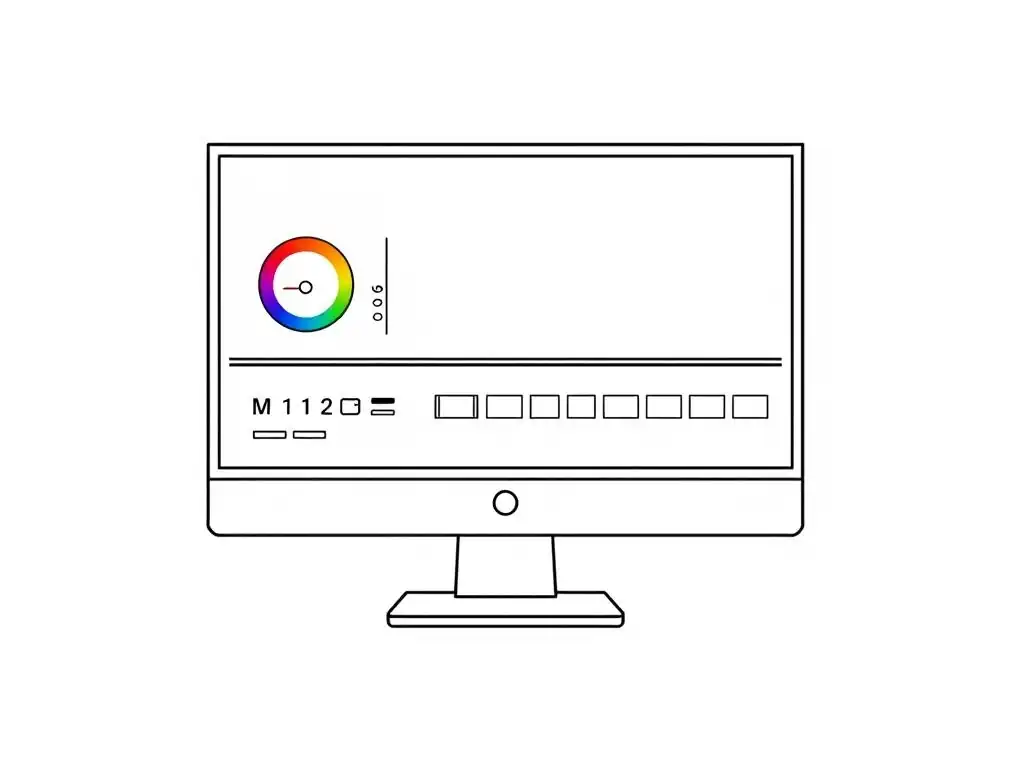
DaVinci Resolve's interface, while initially daunting, becomes intuitive with practice. The software is designed around a nodal workflow, with each adjustment represented as a node in a timeline. The main interface is divided into several key panels: the Media Pool, Edit page, Fusion page (for compositing), Fairlight page (for audio), Color page (our focus), and Deliver page (for exporting). For online color grading, the Color page is your primary workspace. Familiarize yourself with the key areas: the viewer window (where you see your footage), the inspector panel (where you adjust settings), and the timeline (where you arrange your clips).
Spend time exploring the different menus and toolbars, experimenting with different functions. Understanding the layout is crucial for efficient online workflow. Don't be afraid to experiment—this is the best way to learn. You can always undo any changes! The online resources and tutorials available are invaluable in this initial phase.
Essential Color Grading Tools in DaVinci Resolve: A Deep Dive
This section explores core color grading tools within DaVinci Resolve, essential for achieving professional results in your online projects. Mastering these tools will significantly improve your workflow and output quality. This section will focus on practical application and understanding the underlying principles.
Understanding Color Wheels and Color Space
DaVinci Resolve utilizes a robust color wheel system for intuitive color adjustments. Understanding color theory is fundamental. The color wheel allows you to adjust hue, saturation, and luminance (HSL) independently. Different color spaces (like Rec.709 for HDTV and DCI-P3 for cinema) affect how colors appear. Choosing the right color space is crucial for accurate color representation and consistent output across different platforms. Understanding the nuances of color spaces is key to achieving professional results in your online color grading projects. Experiment with different color spaces to see how they impact your final output.
Mastering Primary and Secondary Color Correction
Primary color correction addresses overall color balance, white balance, and exposure. This sets the foundation for your grade. Secondary color correction targets specific areas of the image using tools like Power Windows, allowing precise adjustments to individual elements within the frame. This level of control is vital for refining details and achieving a polished look. Practicing these techniques will help you to refine your online color grading skills and produce high-quality results.
Utilizing Curves and Power Windows for Precision Adjustments
Curves offer powerful, non-destructive control over color grading. They allow for precise adjustments to luminance, individual color channels (red, green, blue), and even hue. Combining curves with Power Windows allows you to target specific areas of the image, making localized adjustments with surgical precision. This is particularly useful for correcting skin tones, enhancing specific objects, or creating stylistic effects. This detailed control is what separates professional color grading from amateur work.
Advanced Color Grading Techniques: Look-Up Tables (LUTs) and Color Warping
LUTs (Look-Up Tables) are pre-designed color transformations that can be applied to your footage. They offer a quick way to achieve specific looks, from film emulations to stylized effects. Color warping allows for more creative manipulation, distorting colors in specific ways to create unique artistic effects. These advanced techniques, while optional, add significant creative potential to your online color grading workflow. Experiment with different LUTs and warping techniques to discover new creative possibilities.
1 Storage requirements may vary depending on the version of DaVinci Resolve and the operating system.
Online Resources and Courses for DaVinci Resolve Mastery
This section explores the vast landscape of online resources dedicated to mastering DaVinci Resolve, focusing on structured learning paths and readily available tutorials. Learning online color grading with DaVinci Resolve is now easier than ever before, thanks to the plethora of options available to aspiring colorists. We’ll delve into paid courses and free resources, enabling you to find the perfect learning path based on your budget and learning style. Efficient online learning is key to unlocking your creative potential in post-production.
Several reputable online learning platforms offer comprehensive DaVinci Resolve courses. These platforms often provide structured learning paths, from beginner to advanced levels, with projects and assignments to solidify your understanding. The quality and depth of these courses vary, but many provide certificates upon completion, boosting your credentials for potential employers.
For example, platforms like Udemy and Skillshare frequently feature DaVinci Resolve courses taught by industry professionals. These courses often cover a wide range of topics, including:
- Color Theory Fundamentals: Laying the groundwork for understanding color relationships and harmonies.
- DaVinci Resolve Interface Navigation: Mastering the software's complex interface for efficient workflow.
- Primary and Secondary Color Correction: Techniques for adjusting color balance and selectively targeting specific areas of your footage.
- Advanced Color Grading Techniques: Exploring creative stylistic choices and special effects.
- Workflow Optimization: Streamlining your post-production process for increased efficiency.
- Exporting and Delivering Your Graded Footage: Ensuring your final product meets industry standards.
Many courses also include downloadable project files, allowing you to follow along and practice the techniques taught. Remember to check reviews and course outlines before enrolling to ensure the course aligns with your skill level and learning goals. The cost varies depending on the platform and instructor, but often, sales and discounts are available. Investing in a high-quality online course can significantly accelerate your learning curve in online color grading with DaVinci Resolve.
Free DaVinci Resolve Tutorials on YouTube: Channels to Subscribe To
YouTube is a treasure trove of free DaVinci Resolve tutorials, offering a fantastic way to supplement paid courses or learn the basics at no cost. Numerous channels provide high-quality content, catering to different skill levels. However, remember that the quality and accuracy of information can vary, so it’s crucial to choose reputable channels with experienced instructors.
When searching for free tutorials, look for channels with:
- Clear and Concise Explanations: Tutorials that explain concepts clearly and avoid unnecessary jargon.
- Practical Examples: Tutorials that show real-world applications of techniques and workflows.
- Regular Updates: Channels that consistently upload new content, keeping up with the latest DaVinci Resolve updates and features.
- Engaging Presentation Style: Tutorials presented in an engaging and easy-to-follow manner.
Subscribing to several channels allows you to access a broader range of tutorials and perspectives. This diverse approach can enhance your understanding and help you develop a personalized learning strategy. Remember to actively engage with the content, practicing the techniques shown in the tutorials to solidify your skills. Free YouTube tutorials are an invaluable resource for anyone looking to learn online color grading with DaVinci Resolve.
Building Your DaVinci Resolve Portfolio: Tips and Tricks
A strong portfolio is essential for showcasing your DaVinci Resolve skills to potential clients or employers. Building a portfolio requires dedication and strategic planning. Here are some tips to create a portfolio that effectively highlights your abilities:
- Choose Diverse Projects: Include a variety of projects to demonstrate your versatility in color grading different genres (e.g., documentaries, short films, commercials).
- Focus on Quality over Quantity: Prioritize a smaller number of high-quality projects over a large number of mediocre ones.
- Showcase Your Unique Style: Let your personality and creative vision shine through your color grading choices.
- Include "Before & After" Comparisons: Visually demonstrate the impact of your color grading work.
- Use High-Resolution Footage: Ensure your projects are presented in the best possible quality.
- Create a Professional Online Presence: Use platforms like Vimeo or a personal website to showcase your portfolio.
Remember, your portfolio is a reflection of your skills and dedication. Constantly refine your techniques and update your portfolio with your best work. By strategically building a portfolio, you'll effectively demonstrate your proficiency in online color grading with DaVinci Resolve, increasing your chances of securing opportunities in the film and video industry. The key is consistent practice and a commitment to continuous improvement.
Advanced Color Grading Techniques in DaVinci Resolve
This section delves into sophisticated color grading techniques achievable within DaVinci Resolve, focusing on maximizing its power for online color grading projects. We'll move beyond basic adjustments and explore methods to achieve truly cinematic results. Mastering these techniques will elevate your online color grading skills significantly, allowing you to create visually stunning films. The key is understanding how to leverage DaVinci Resolve's tools to achieve specific artistic goals.
Mastering Color Grading for Different Film Genres
Different film genres demand distinct color palettes and grading styles to effectively convey their narrative and atmosphere. A one-size-fits-all approach simply won't cut it. Online color grading using DaVinci Resolve allows for precise control, enabling you to tailor your approach to each genre's unique requirements.
Color Grading for Action Films: High Contrast and Vibrant Colors
Action films thrive on high-energy visuals. To achieve this in DaVinci Resolve, consider these techniques:
- Increased Contrast: Boosting contrast creates a punchier, more dynamic image. Experiment with the contrast slider in the primary color wheels, but also consider using curves to selectively adjust contrast in specific tonal ranges.
- Vibrant Saturation: Saturate colors to enhance the intensity and vibrancy of the action sequences. Use the saturation controls carefully, avoiding an over-saturated look that can appear artificial. Consider using the power windows to target specific areas for saturation adjustments.
- Desaturation in Shadows: Subtly desaturating shadows can help focus attention on the brightly lit action elements, increasing visual clarity.
- Color Temperature Adjustments: A slightly cooler overall temperature can create a more intense, edgy feel, while warmer tones might be suitable for certain scenes.
For example, a nighttime car chase scene might benefit from cool blues and contrasting warm oranges from the car headlights and explosions, creating a high-impact visual experience. The lift, gamma, and gain curves are your friends for fine-tuning these effects.
Color Grading for Dramas: Subtlety and Emotional Depth
Drama relies on nuanced storytelling, and the color grading should reflect this subtlety. Avoid harsh adjustments; instead, focus on creating a mood and atmosphere that supports the narrative.
- Muted Colors: Subtle desaturation can create a more realistic and less flashy look, appropriate for the emotional intensity of a drama. Pay close attention to skin tones, ensuring they remain natural and believable.
- Warm and Cool Tones to Convey Emotion: Strategic use of warm and cool tones can subtly influence the viewer's emotional response. For instance, warm tones might be used in scenes depicting happiness or comfort, while cooler tones might suggest sadness or isolation.
- Selective Color Grading: Focus on specific areas of the frame to highlight key elements and draw attention to the subject matter. This might involve subtly enhancing the colors of a character's clothing or selectively darkening the background to isolate them.
- Using Color to Create a Sense of Time and Place: A faded or muted color palette might evoke a sense of nostalgia or a bygone era.
Consider a scene of quiet contemplation. A muted palette with slightly desaturated blues and greens can create a contemplative and peaceful atmosphere. The use of subtle color temperature shifts can further enhance the mood.
Color Grading for Documentaries: Realism and Authenticity
Documentaries prioritize realism and authenticity. The goal is to present the subject matter accurately, without overly stylized color grading.
- Naturalistic Color Palette: Aim for a natural-looking color palette that avoids artificial enhancements. Focus on accurate color representation.
- Minimal Adjustments: Keep your adjustments subtle and avoid overly aggressive manipulations.
- Consistency Across Scenes: Maintain visual consistency throughout the documentary to avoid jarring transitions between scenes.
- Careful White Balance: Correct white balance is crucial for maintaining realism.
For instance, a nature documentary should strive for accurate color reproduction of landscapes and wildlife. Any adjustments should be subtle and enhance, not distort, the natural colors.
Creating Consistent Color Grading Across Multiple Scenes
Maintaining color consistency across multiple scenes is crucial for a professional-looking final product. Inconsistent color grading can be jarring and detract from the overall viewing experience. DaVinci Resolve offers several tools to help achieve this:
- Using a Reference Frame: Selecting a key scene as a reference point and matching subsequent scenes to its color profile establishes a baseline for consistency.
- Color Space Management: Using a consistent color space throughout your workflow prevents color shifts between different stages of post-production.
- Using the "Match Grade" Tool: DaVinci Resolve's built-in "Match Grade" tool efficiently analyzes two clips and applies the color adjustments from one to the other, significantly reducing manual work and ensuring consistency.
- Creating and Applying Looks: Save frequently used color adjustments as "looks" and apply them to multiple clips with a single click. This streamlines the workflow and ensures consistency across scenes.
By employing these techniques, you can ensure seamless transitions and a cohesive visual experience, even when working with a large number of scenes. This is a key factor in online color grading, especially when working on longer projects. The ability to maintain consistent color grading across scenes showcases true mastery of DaVinci Resolve for online color grading.
Utilizing Color Grading to Enhance Storytelling
Color grading in DaVinci Resolve isn't just about making your footage look pretty; it's a powerful tool for enhancing your storytelling. By carefully manipulating color and tone, you can subtly guide the viewer's emotions and understanding of the narrative. Think about the classic use of cool, desaturated tones to represent sadness or loneliness, contrasted with warm, vibrant colors to evoke joy or excitement. This isn't arbitrary; it's based on established visual language that resonates deeply with audiences.
For example, consider a scene depicting a character experiencing a profound loss. Using a muted color palette, perhaps with desaturated blues and greys dominating the frame, can immediately communicate the character's emotional state without relying on dialogue or overly dramatic acting. The viewer intuitively connects the somber color scheme with the character's inner turmoil.
Conversely, a scene depicting a triumphant moment might be saturated with warm oranges and yellows, mirroring the character's feeling of elation and success. This intentional manipulation of color isn't about creating a literal representation, but rather about crafting a visual mood that supports and intensifies the emotional arc of the story.
Furthermore, color can be used to establish distinct moods and atmospheres within a single scene. A flashback sequence, for instance, might employ a faded, sepia-toned look to clearly distinguish it from the present-day narrative. Or, a shift in lighting and color could subtly signal a change in a character's perspective or a turning point in the plot.
The possibilities are virtually limitless, and mastering these techniques in DaVinci Resolve allows for a level of creative control that significantly elevates the impact of your films. Effective color grading, therefore, acts as a silent storyteller, subtly shaping the audience's emotional response and deepening their engagement with the narrative. It's about using color strategically to amplify the power of your visuals and create a more immersive and impactful cinematic experience.
This requires careful planning and a deep understanding of the psychology of color and its effect on viewers' emotional responses. Practicing with various color palettes and observing their effect on the overall mood is crucial for developing this skill.
Monetizing Your DaVinci Resolve Skills: Freelancing and Career Opportunities
Mastering online color grading with DaVinci Resolve opens doors to exciting freelance and career opportunities. The demand for skilled colorists is consistently high, particularly in the digital age where high-quality video content is paramount. This section explores how you can leverage your DaVinci Resolve expertise to generate income and build a successful career. Learning the intricacies of online color grading with DaVinci Resolve isn't just about improving your filmmaking; it's about building a valuable skillset with significant earning potential.
Finding Freelance Color Grading Gigs Online (e.g., Upwork, Fiverr)
The internet provides a vast landscape of freelance opportunities for colorists proficient in DaVinci Resolve. Platforms like Upwork and Fiverr are excellent starting points for finding clients seeking online color grading services. These platforms allow you to create a profile showcasing your DaVinci Resolve skills, portfolio, and pricing. Success on these platforms hinges on several key factors:
- Competitive Pricing: Research the market rate for online color grading services to ensure your pricing is competitive yet profitable. Consider factors like project scope, turnaround time, and your experience level.
- Compelling Profile: Your profile is your first impression. Craft a professional and engaging profile that clearly highlights your DaVinci Resolve expertise and showcases your best work. Use keywords like "online color grading DaVinci Resolve" strategically within your profile description.
- Effective Communication: Respond promptly and professionally to client inquiries. Clear and concise communication is crucial for building trust and securing projects.
- Positive Reviews: Positive client reviews are invaluable. Excellent work and exceptional customer service will lead to more projects and higher ratings. Aim for 5-star reviews to boost your visibility and credibility. This is essential for your reputation as a reliable provider of online color grading DaVinci Resolve services.
Remember to carefully review each project brief before submitting a proposal. Understanding the client's needs and expectations is crucial for delivering excellent results and building a strong reputation. Don't undervalue your skills; your expertise in online color grading with DaVinci Resolve is a valuable asset.
Building a Portfolio to Attract Clients
A strong portfolio is your most powerful marketing tool. Potential clients need to see tangible evidence of your DaVinci Resolve skills and the quality of your work. Your portfolio should showcase a diverse range of projects, demonstrating your versatility and expertise in various styles and genres. Consider including:
- Short Films: Showcase your ability to grade complete projects, highlighting your storytelling skills through color.
- Music Videos: Demonstrate your ability to create visually stunning and emotionally resonant work.
- Commercial Spots: Show your proficiency in creating polished and professional-looking advertisements.
- Before & After Comparisons: Visually highlight the transformative power of your color grading skills.
Remember to maintain high-quality video and image resolution in your portfolio. A well-organized and visually appealing portfolio significantly increases your chances of landing freelance projects offering online color grading DaVinci Resolve services.
Pricing Your Color Grading Services: Factors to Consider
Pricing your services requires careful consideration of several factors:
| Factor | Description | Example |
|---|---|---|
| Project Scope | Complexity, length, and number of revisions. | Short film vs. feature film; simple vs. complex grading |
| Turnaround Time | How quickly you can deliver the finished product. | 24 hours vs. 7 days |
| Experience Level | Your expertise and years of experience with DaVinci Resolve. | Junior colorist vs. senior colorist |
| Client Budget | The client's financial constraints. | Negotiate within reasonable limits |
| Market Rate | Research the average pricing for similar services in your region or globally. | Analyze competitor pricing on freelance platforms |
Pricing your services too low can undervalue your skills, while pricing too high might deter potential clients. Finding the right balance is essential for building a sustainable and profitable business providing online color grading DaVinci Resolve services. Start by researching the market rate and then adjust your pricing based on your experience level and the complexity of each project. Remember, you are offering a specialized skillset, and your pricing should reflect that value. Consider offering different pricing packages based on project scope and turnaround time to cater to a wider range of clients.
DaVinci Resolve and Future Trends in Online Film Production
This section explores how DaVinci Resolve is shaping the future of online film production, focusing specifically on its role in color grading workflows. The accessibility and power of DaVinci Resolve are fundamentally altering how independent filmmakers and even large studios approach post-production. Its online capabilities, particularly through cloud-based collaboration tools, are revolutionizing the industry.
The Future of Cloud-Based Color Grading
Cloud-based color grading using DaVinci Resolve is rapidly gaining traction. Imagine a scenario where a colorist in Los Angeles is simultaneously working on a project with a director in Tokyo, both accessing and modifying the same project files in real-time. This is becoming increasingly feasible thanks to advancements in cloud storage and processing power.
This collaborative approach not only saves time and money on travel and physical media transfer but also fosters a more dynamic and efficient creative process. The ability to share projects easily and provide feedback instantly significantly accelerates the workflow. Furthermore, the cloud offers scalability; projects requiring immense processing power can leverage the cloud's resources without requiring expensive on-premise hardware upgrades.
This democratizes access to high-end color grading technology, opening doors for smaller production houses and independent filmmakers. The future of online color grading with DaVinci Resolve undoubtedly lies in the continued development and refinement of cloud-based tools, enabling seamless remote collaboration and enhanced accessibility. We can expect to see more robust features and integrations with other cloud services in the years to come.
Integrating DaVinci Resolve with Other Filmmaking Software (e.g., After Effects, Fusion)
DaVinci Resolve's strength lies not only in its standalone capabilities but also in its seamless integration with other industry-standard software. Its integration with After Effects, for instance, allows for a smooth transition between color grading and visual effects work. Imagine a scenario where you've meticulously color-graded your footage in DaVinci Resolve, and then need to add some subtle visual effects in After Effects. The roundtrip workflow between these two applications is remarkably streamlined, minimizing the need for extensive format conversions or adjustments.
The common file formats and color spaces ensure a consistent look across both platforms. This interoperability extends to other Blackmagic Design products like Fusion, a powerful compositing and visual effects software. The ability to seamlessly move between DaVinci Resolve, After Effects, and Fusion allows for a highly efficient and integrated post-production pipeline.
This integration significantly speeds up the overall workflow and minimizes potential inconsistencies between different stages of the post-production process. This streamlined approach is particularly beneficial for online color grading projects, where speed and efficiency are paramount. The future of online color grading will likely see even tighter integration between DaVinci Resolve and other popular software, creating even more efficient workflows for filmmakers.
Artificial Intelligence and its Impact on Color Grading
Artificial intelligence (AI) is rapidly transforming numerous industries, and color grading is no exception. DaVinci Resolve is already incorporating AI-powered features, such as automated color matching and noise reduction. These features significantly speed up the color grading process and allow colorists to focus on the creative aspects of their work. Imagine using an AI tool to automatically match the color of your footage to a specific reference image, saving hours of manual adjustments.
This automation frees up time for more intricate color grading tasks, ultimately enhancing the overall quality and efficiency of the process. Furthermore, AI can assist in identifying and correcting imperfections in footage, such as grain and noise, with impressive accuracy. The future implications of AI in DaVinci Resolve are vast. We can anticipate more advanced AI-driven features, such as intelligent color suggestions based on scene content or automated color grading workflows tailored to specific stylistic preferences.
This will empower both experienced colorists and those new to the field to achieve professional-quality results more efficiently. The integration of AI will undoubtedly continue to revolutionize online color grading with DaVinci Resolve, making it even more accessible and powerful for filmmakers worldwide. The ongoing development of AI tools promises to further streamline the workflow and unlock new creative possibilities.
Frequently Asked Questions
What is DaVinci Resolve, and why is it revolutionary for online color grading?
DaVinci Resolve is a professional-grade color grading software known for its powerful tools and intuitive interface. Its revolution lies in making high-end color correction accessible to both beginners and professionals, online and offline. It offers a complete workflow for stunning results.
Can I learn DaVinci Resolve online, and where can I find resources?
Yes! Numerous online tutorials, courses, and communities dedicated to DaVinci Resolve exist. Websites like YouTube, Udemy, and Skillshare offer various learning paths, from beginner to advanced. The official Blackmagic Design website also provides helpful resources.
What kind of projects is DaVinci Resolve suitable for?
DaVinci Resolve is incredibly versatile. It's used for film and video projects of all scales, from short films and independent productions to high-budget feature films and commercials. Its capabilities extend to photo grading and even live broadcast color correction.
How much does DaVinci Resolve cost? Is there a free version?
DaVinci Resolve offers a free version with a robust feature set, perfect for learning and smaller projects. The Studio version, offering advanced features like collaboration tools and higher resolution support, is a paid version.
What are the minimum system requirements for running DaVinci Resolve online (or via cloud computing)?
System requirements vary depending on the version and desired performance. However, a powerful CPU, ample RAM, and a dedicated GPU are generally recommended for smooth operation. Cloud computing services can alleviate some hardware limitations, allowing access to high-performance virtual machines.
Final Reflection: The Enduring Power of Accessible Color Grading
The democratization of professional-grade color grading tools, spearheaded by DaVinci Resolve's online accessibility, is fundamentally reshaping the filmmaking landscape. No longer confined to expensive studios and specialized technicians, the power to craft visually stunning narratives is now within reach of aspiring filmmakers and independent creators worldwide. This shift represents a seismic change, empowering a new generation of visual storytellers.
The impact of readily available color grading tools extends far beyond technical proficiency; it's a cultural phenomenon. It fosters creativity, allowing individuals to express their unique artistic visions without the limitations of budget or access. This democratization of filmmaking is inspiring a wave of innovative storytelling, pushing boundaries and challenging conventions. The artist is nothing without the gift, but the gift is nothing without work.
– Emile Zola. This quote perfectly encapsulates the journey of mastering DaVinci Resolve – the software provides the gift, but dedication and practice unlock its true potential.
You, the reader, now hold the key to unlocking this potential. Consider how you can leverage the power of online color grading to elevate your own projects, whether it's a personal film, a corporate video, or even just enhancing your social media content. Embrace the learning curve, experiment with different techniques, and discover the artist within. The world awaits your unique visual story, waiting to be brought to life with the vibrant hues and expressive power of DaVinci Resolve.
Unleash Your Inner Filmmaker: Master Visual Storytelling
Congratulations on beginning your journey with DaVinci Resolve! You've now gained the skills to enhance your video projects with professional-quality color grading. Ready to apply your new knowledge?
- Experiment with a practice project: Select a short video clip—even a personal recording—and put the color correction and grading techniques you've learned into practice. See what you can achieve!
- Share your creation: Post your edited clip on social media and tag us—we'd love to see your creative work! Use #DaVinciResolve and #Filmmaking.
- Connect with our community: Join other aspiring filmmakers in the comments below. Let's share tips, challenges, and inspire one another as we develop our color grading skills.
What captivating visual story will you craft with your refined abilities?