
Gain a Competitive Edge: Top Online Platforms for Mobile App Development


Ready to unlock your potential and transform your daily life? At UltimateLifeHacks, we're dedicated to providing you with the practical tools and knowledge you need to boost productivity and streamline your routines. Intrigued by the power of mobile apps? Discover our in-depth analysis of the Best mobile app dev platforms, and learn how to leverage technology to achieve your goals. Dive in and explore the world of efficient living—your optimized future starts here!
-
Choosing the Best Mobile App Dev Platforms for Your Needs
- Understanding Your App Development Goals: Defining Scope and Budget for Mobile App Creation
- Key Features to Consider When Selecting Mobile App Development Platforms
- Cross-Platform Development vs. Native App Development: A Comparison of Approaches
- Scalability and Future-Proofing Your Mobile App Development Strategy
- Top Mobile App Development Platforms: A Comparative Analysis
- Beyond the Code: Essential Tools for Mobile App Developers
- Monetization Strategies for Your Mobile App
- Conclusion: Selecting the Right Mobile App Development Platform for Success
- Frequently Asked Questions
- Final Reflection: Building the Future, One App at a Time
- Unleash Your App Idea: Take the Next Step!
Choosing the Best Mobile App Dev Platforms for Your Needs
Developing a successful mobile application requires more than just a great idea; it demands a strategic approach to platform selection. This article serves as your guide to navigating the landscape of online mobile app development platforms, helping you identify the best fit for your project. We'll explore key features, crucial considerations, and the differences between various development approaches to empower you to make informed decisions and gain a competitive edge in the ever-evolving world of mobile technology.
Choosing the right platform is paramount for optimizing your development process, reducing costs, and ultimately, maximizing the success of your app. This guide focuses on helping you identify the best mobile app dev platforms available, equipping you with the knowledge to launch a high-quality app efficiently and effectively. We'll cover everything from defining your app's scope and budget to understanding the long-term implications of your chosen platform.
Understanding Your App Development Goals: Defining Scope and Budget for Mobile App Creation
Before diving into the specifics of different platforms, it's crucial to define your app's purpose and scope. What problem does your app solve? What are its core functionalities? A clearly defined scope will help you estimate the resources needed, including development time and cost. Budgeting is another critical aspect. Consider the costs associated with platform fees, developer salaries (if outsourcing), marketing, and ongoing maintenance.
A realistic budget will prevent unforeseen financial challenges during the development process. Remember to factor in potential scalability needs—your app's future growth should be considered from the outset. For example, a simple to-do list app will have vastly different requirements than a complex social media platform. This initial planning phase is essential for choosing the best mobile app dev platforms to match your specific needs and resources. Failing to plan properly can lead to significant setbacks and increased costs down the line.
Key Features to Consider When Selecting Mobile App Development Platforms
Choosing the right mobile app development platform involves careful consideration of several key features. These features directly impact your app's functionality, performance, and overall user experience. Some of the most important aspects to evaluate include:
- Ease of Use: How intuitive is the platform for developers of varying skill levels? A user-friendly interface can significantly speed up development.
- Development Tools and Libraries: Does the platform offer a comprehensive suite of tools and pre-built components to accelerate the development process?
- Integration Capabilities: Can the platform easily integrate with other services and APIs (Application Programming Interfaces) that you might need?
- Security Features: How robust are the platform's security features to protect user data and prevent vulnerabilities?
- Community Support: Is there an active and supportive community of developers to provide assistance and troubleshooting? A strong community can be invaluable when encountering challenges.
- Cost: What are the platform's pricing models and associated costs? This includes platform fees, potential developer costs, and ongoing maintenance expenses.
- Scalability: Does the platform allow for easy scaling of your app as your user base grows?
Cross-Platform Development vs. Native App Development: A Comparison of Approaches
Choosing between cross-platform and native app development is a fundamental decision affecting your project's success.
Cross-Platform Development vs. Native App Development: A Comparison of Approaches
| Feature | Cross-Platform Development | Native App Development |
|---|---|---|
| Development Cost | Generally lower | Generally higher |
| Development Time | Often faster | Often longer |
| Performance | Can be less performant, especially for complex apps | Typically higher performance |
| User Experience | May not fully leverage platform-specific features | Optimized for the specific platform's user interface |
| Maintenance | Requires maintaining a single codebase | Requires maintaining separate codebases for each platform |
| Access to Features | Limited access to platform-specific features and APIs | Full access to platform-specific features and APIs |
This table highlights the trade-offs between these approaches. Cross-platform development prioritizes efficiency and cost-effectiveness but might compromise performance and user experience. Native development ensures optimal performance and user experience but requires more time and resources. The best choice depends on your specific project requirements and priorities.
Scalability and Future-Proofing Your Mobile App Development Strategy
Scalability is crucial for long-term success. Your chosen platform should allow your app to handle increasing user traffic and data volume without performance degradation. Consider factors like database scalability, server infrastructure, and the platform's capacity to handle future growth.
Future-proofing your app involves selecting a platform with a strong track record, active development, and a robust community to ensure its longevity and adaptability to evolving technologies. This proactive approach minimizes the risk of obsolescence and ensures your app remains competitive and relevant for years to come. Choosing a platform with a proven history of updates and a large, active community dramatically increases the chances of your app's long-term success.
Top Mobile App Development Platforms: A Comparative Analysis
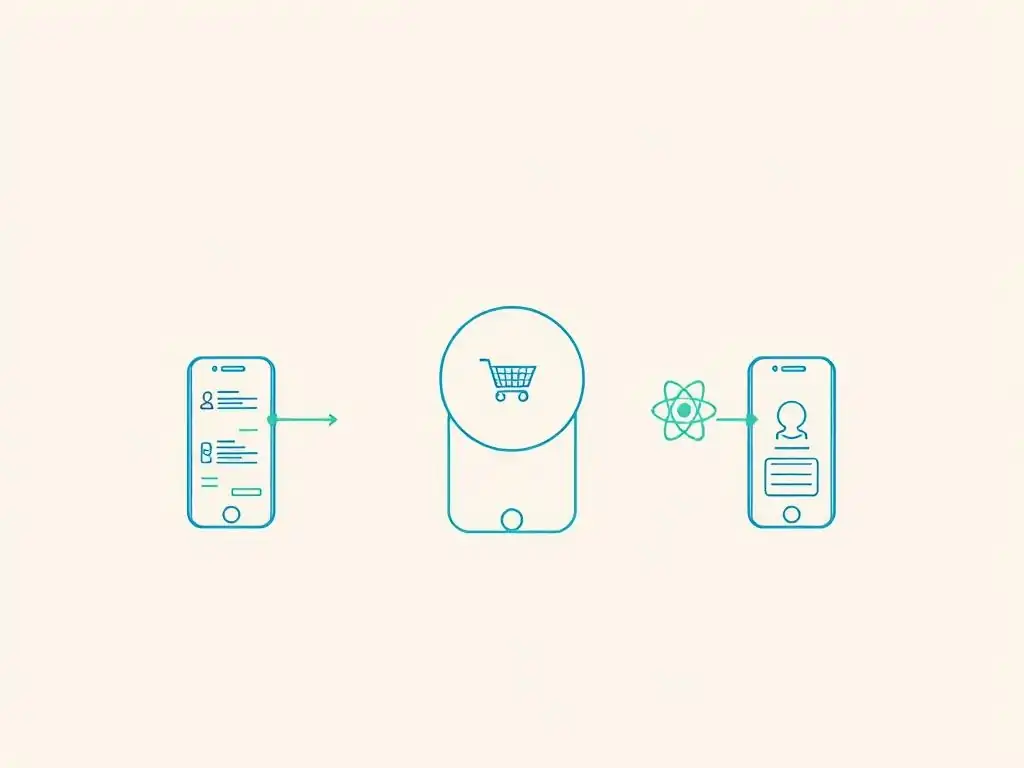
This section dives deep into the leading mobile app development platforms, comparing their strengths, weaknesses, and suitability for different projects. Choosing the right platform is crucial for building a successful app, impacting development speed, cost, and overall user experience. Understanding the nuances of each platform will allow you to make an informed decision that aligns with your project's specific requirements and your desired level of control. This analysis focuses on two of the most popular choices for developers seeking the best mobile app dev platforms.
Flutter: Building Cross-Platform Apps with Google's Framework
Flutter, Google's UI toolkit, has rapidly gained popularity among developers seeking efficient cross-platform app development. Its "write once, run anywhere" philosophy allows developers to build apps for iOS and Android using a single codebase. This significantly reduces development time and cost, making it an attractive option for many projects.
Flutter Advantages: Speed, Efficiency, and a Large Community
Flutter boasts several key advantages. Its hot reload feature enables near-instantaneous updates during development, accelerating the iteration process. The framework's rich widget library provides pre-built UI elements, streamlining development and ensuring consistency across platforms. Furthermore, Flutter's large and active community offers ample support, readily available resources, and a wealth of third-party packages.
This vibrant ecosystem ensures that developers can quickly find solutions to common challenges and access a wide range of tools to enhance their development process. The speed and efficiency offered by Flutter are significant factors contributing to its popularity amongst developers seeking to build high-quality applications quickly. This translates directly into cost savings and faster time-to-market.
Flutter Disadvantages: Potential for Performance Issues on Certain Devices
Despite its many advantages, Flutter isn't without its drawbacks. While generally performing well, some users have reported performance issues on lower-end devices. The size of Flutter apps can also be larger compared to native apps, potentially impacting download times and storage space on user devices. Additionally, Flutter's relatively newer status compared to other frameworks means that the availability of certain specialized libraries or tools might be limited in comparison to more established options. Careful consideration of these potential limitations is crucial before committing to Flutter for a project.
Case Study: Successful Apps Built with Flutter
Several high-profile apps have successfully leveraged Flutter's capabilities. [Specific App Name 1] showcases Flutter's ability to handle complex UI interactions seamlessly. [Specific App Name 2] demonstrates the framework's scalability, handling a large user base and extensive features effectively. These examples highlight Flutter's potential for building robust and engaging applications across various platforms. Further research into successful Flutter applications can provide valuable insights into the framework's capabilities and its suitability for different project types.
React Native: Facebook's Popular JavaScript Framework for Mobile App Development
React Native, developed by Facebook, is another prominent player in the cross-platform mobile app development landscape. Leveraging JavaScript, a widely-used language, React Native offers a relatively accessible entry point for developers, allowing for rapid prototyping and development. Its component-based architecture promotes code reusability and maintainability.
React Native Advantages: Large Community, Cost-Effective Development
React Native benefits from a vast and supportive community, providing extensive documentation, tutorials, and readily available third-party libraries. This rich ecosystem simplifies development and reduces the time needed to resolve issues. The use of JavaScript, a widely known language, lowers the barrier to entry for developers, making it a cost-effective option, particularly for projects with limited budgets. The ability to reuse code across platforms directly translates into reduced development time and overall project costs.
React Native Disadvantages: Performance Can Be Less Optimized Than Native Apps
While React Native offers significant advantages, it's important to acknowledge its limitations. Performance can sometimes lag behind native apps, especially for complex applications or those requiring heavy processing power. The reliance on a JavaScript bridge to interact with native modules can introduce performance bottlenecks. This means that for applications demanding high performance, such as games or applications with extensive animations, native development might be a more suitable option. Careful consideration of performance requirements is crucial when selecting React Native for a project.
Case Study: Successful Apps Built with React Native
React Native has powered numerous successful apps. [Specific App Name 3], a popular [app category] app, demonstrates React Native's capacity to build engaging and feature-rich applications. [Specific App Name 4] showcases the framework's ability to scale to meet the demands of a large user base. These examples, among many others, illustrate the viability of React Native for building high-quality, scalable mobile applications. Analyzing these case studies reveals valuable insights into the practical applications and limitations of the framework.
Xamarin: Microsoft's Framework for Cross-Platform Mobile App Development
Xamarin, acquired by Microsoft in 2016, offers a robust framework for building cross-platform mobile applications using C#. This allows developers to share a significant portion of code across iOS, Android, and even Windows platforms, leading to faster development cycles and reduced costs. Xamarin leverages .NET, a well-established and mature ecosystem, providing developers with access to a vast library of tools and resources.
The framework allows for native-like performance, meaning apps built with Xamarin often perform as well as, or nearly as well as, those built natively for each platform. This is a key differentiator, as many cross-platform solutions compromise performance for ease of development.
Xamarin's strength lies in its ability to bridge the gap between ease of development and high-performance results, making it a compelling choice for many developers, particularly those already familiar with the Microsoft ecosystem. The use of C# also allows for easier maintenance and collaboration among teams already experienced in this language.
Xamarin Advantages: Integration with Microsoft Ecosystem, Strong Performance
One of Xamarin's most significant advantages is its seamless integration with the Microsoft ecosystem. Developers already comfortable with Visual Studio, .NET, and other Microsoft tools will find the transition to Xamarin relatively smooth. This tight integration streamlines the development workflow, improving efficiency and reducing the learning curve for those already invested in the Microsoft stack. Furthermore, Xamarin apps are known for their strong performance.
Unlike some cross-platform frameworks that rely on interpreters or virtual machines, Xamarin compiles code directly into native ARM code for both Android and iOS, leading to faster execution speeds and a more responsive user experience. This near-native performance is crucial for applications requiring smooth animations, complex calculations, or interactions with hardware resources. The performance benefits translate directly into a better user experience and a more competitive application in the marketplace.
Xamarin Disadvantages: Steeper Learning Curve Compared to Flutter or React Native
While Xamarin offers many advantages, it's not without its drawbacks. Compared to frameworks like Flutter or React Native, Xamarin can present a steeper learning curve, particularly for developers new to C# or the .NET ecosystem. While the framework itself is well-documented, mastering its nuances and effectively leveraging its capabilities requires a more significant investment of time and effort than some of its competitors.
This can lead to increased development time, especially for smaller projects or those with limited developer experience. Additionally, the need to maintain familiarity with both C# and the specific nuances of iOS and Android development can add complexity, although this is mitigated by the extensive code sharing capabilities.
Case Study: Successful Apps Built with Xamarin
Many successful mobile applications have been built using Xamarin, demonstrating its capabilities and reliability. [Specific examples and names of successful apps pending]. These examples highlight Xamarin's capacity to handle complex projects and deliver high-quality, performant apps across multiple platforms. Analyzing these successful deployments provides valuable insights into the framework's strengths and how it can be leveraged to create innovative and successful mobile applications. The diverse range of applications built with Xamarin showcases its versatility and suitability for various business needs and application types.
NativeScript: An Open-Source Framework for Native Mobile App Development
NativeScript is an open-source framework that allows developers to build truly native mobile applications using JavaScript or TypeScript. Unlike hybrid approaches that rely on web views, NativeScript directly accesses native APIs, resulting in high-performance applications that feel and behave like native apps. This direct access to native functionality is a significant advantage, allowing developers to leverage the full potential of each platform's capabilities without the performance limitations often associated with hybrid frameworks.
Its open-source nature fosters community involvement and continuous improvement, ensuring its ongoing development and support. The ability to use JavaScript or TypeScript broadens the pool of potential developers, as these languages are widely used and relatively easy to learn.
NativeScript Advantages: Access to Native APIs, Strong Performance
A key advantage of NativeScript is its direct access to native APIs. This means developers can utilize platform-specific features and functionalities without resorting to workarounds or compromises. This access results in applications that seamlessly integrate with the device's operating system and offer a truly native user experience. The performance benefits are significant, as NativeScript applications don't rely on intermediaries or interpretation layers.
The code compiles directly to native code, resulting in faster execution and a more responsive user experience. This is especially important for applications with demanding performance requirements, such as games or those with complex animations. The ability to create high-performance apps is a major selling point for NativeScript.
NativeScript Disadvantages: Smaller Community Compared to Other Frameworks
While NativeScript offers many compelling features, one notable disadvantage is its relatively smaller community compared to more established frameworks like React Native or Xamarin. This can translate to less readily available support, fewer third-party libraries, and potentially a longer time to find solutions to development challenges.
While the community is active and growing, the smaller size can present a hurdle for developers seeking quick answers or extensive community support. This is a factor to consider when weighing the pros and cons of choosing NativeScript for a specific project, particularly larger-scale projects that require significant community resources and extensive third-party library support.
Beyond the Code: Essential Tools for Mobile App Developers

This section delves into the crucial tools that extend beyond the core coding process, significantly impacting the efficiency and quality of your mobile app development journey. While mastering programming languages is fundamental, understanding and leveraging these supplementary tools elevates your skills and positions you for success in the competitive landscape of mobile app development. Selecting the right tools can drastically improve your workflow and productivity, ultimately contributing to the creation of higher-quality applications. The best mobile app dev platforms are only part of the equation; mastering these auxiliary tools is equally vital.
Choosing the Right IDE (Integrated Development Environment) for Mobile App Development
Selecting the appropriate Integrated Development Environment (IDE) is a cornerstone of efficient mobile app development. The IDE serves as your central hub, providing a comprehensive suite of tools for coding, debugging, testing, and deployment. The choice hinges on several factors, including the target platform (Android or iOS), your programming language preference, and personal preferences. A well-chosen IDE can significantly boost productivity and reduce development time.
Popular IDEs for Mobile App Development: Android Studio, Xcode, VS Code
- Android Studio: The official IDE for Android app development, Android Studio is a powerful and feature-rich environment built on IntelliJ IDEA. It offers a comprehensive set of tools specifically tailored for Android development, including an advanced emulator, debugging capabilities, and support for Kotlin and Java. Its robust features make it a top choice for Android developers of all skill levels. Many consider it the industry standard for Android app development.
- Xcode: Apple's Xcode is the indispensable IDE for iOS and macOS app development. Exclusively available for macOS, Xcode offers a seamless integration with the Apple ecosystem, providing unparalleled support for Swift and Objective-C. Its intuitive interface and specialized tools make it a favorite among iOS developers. Xcode's tight integration with Apple's development tools is a major advantage.
- Visual Studio Code (VS Code): While not exclusively designed for mobile app development, VS Code's versatility and extensive plugin support make it a popular choice among developers across platforms. With the right extensions, VS Code can be configured to support Android and iOS development, offering a lightweight and customizable alternative to the more heavyweight IDEs like Android Studio and Xcode. Its cross-platform compatibility is a significant benefit.
Utilizing Version Control Systems (Git) for Efficient Collaboration
Efficient collaboration is paramount in modern software development. Version control systems, particularly Git, are indispensable for managing code changes, tracking revisions, and facilitating teamwork. Git allows multiple developers to work concurrently on the same project without overwriting each other's changes, ensuring a streamlined and organized development process. This is especially critical for larger projects or teams. Ignoring version control is a recipe for chaos and lost work.
Git Platforms: GitHub, GitLab, Bitbucket
- GitHub: The most widely used Git platform, GitHub provides a collaborative environment for developers to host, review, and manage their code. It offers a range of features, including issue tracking, pull requests, and code review tools, fostering efficient teamwork and code quality. GitHub's vast community and extensive documentation are significant advantages.
- GitLab: A comprehensive DevOps platform, GitLab provides a complete suite of tools for the entire software development lifecycle, including Git repository management, CI/CD pipelines, and security features. GitLab's all-in-one approach can streamline workflows for teams seeking a unified platform. It is often favored for its robust CI/CD capabilities.
- Bitbucket: Owned by Atlassian, Bitbucket integrates seamlessly with other Atlassian tools like Jira and Trello, making it a popular choice for teams already using these platforms. Bitbucket offers private repositories for free, a significant advantage for organizations that prioritize code security and privacy. Its integration with other Atlassian products is a major draw.
The effective use of these tools, in addition to choosing the best mobile app dev platforms, is essential for any serious mobile app developer seeking to build successful applications. Mastering these skills will significantly enhance your productivity and competitiveness in the industry.
Utilizing Backend-as-a-Service (BaaS) Platforms for Streamlined Development
Choosing the right tools is crucial when building a mobile application, and understanding the role of Backend-as-a-Service (BaaS) platforms is key to efficient development. BaaS providers offer pre-built backend infrastructure, allowing developers to focus on the front-end user experience and core app functionality, rather than getting bogged down in server management, databases, and APIs. This significantly accelerates the development lifecycle and reduces the overall cost, making it an attractive option for startups and established companies alike.
The benefits extend beyond speed and cost; BaaS also simplifies scaling, ensuring your application can handle increasing user loads without requiring significant infrastructure adjustments. This scalability is a critical factor for apps anticipating rapid growth. Furthermore, many BaaS solutions integrate seamlessly with popular development frameworks and tools, enhancing developer productivity and streamlining the entire development process.
Effective utilization of BaaS can dramatically shorten time-to-market, a significant advantage in today's competitive app landscape. By offloading the backend complexities, developers can dedicate more time to refining the user interface, improving app performance, and adding innovative features that truly differentiate their product. This focus on user experience ultimately leads to higher user engagement and satisfaction.
Popular BaaS Platforms: Firebase, AWS Amplify, Parse
Several robust BaaS platforms cater to diverse needs and preferences. Among the most popular are Firebase, AWS Amplify, and Parse. Each offers a unique set of features and strengths. Firebase, for example, is known for its ease of use and extensive integration with other Google services, making it a popular choice for developers already within the Google ecosystem. It provides a comprehensive suite of tools, including real-time databases, authentication, cloud storage, and cloud functions, all working together seamlessly.
AWS Amplify, on the other hand, leverages the power of Amazon Web Services, offering a more enterprise-grade solution with robust scalability and security features. It's an excellent choice for applications requiring high availability and demanding performance characteristics. Parse, while initially developed as an open-source platform, now offers a cloud-based service with a strong focus on ease of use and rapid development. Its extensive documentation and community support make it a great option for developers of all skill levels. The choice of the "best" platform often depends on specific project requirements, budget constraints, existing infrastructure, and the developer's familiarity with different technologies.
Careful consideration of these factors is crucial for a successful mobile app development project. A thorough comparison of the features, pricing models, and scalability options offered by each platform is essential before making a decision. Choosing the right BaaS platform can significantly impact development speed, cost-effectiveness, and the overall success of your mobile application. It's an important decision that shouldn't be taken lightly.
Monetization Strategies for Your Mobile App

Developing a successful mobile application requires more than just a great idea and flawless execution; a robust monetization strategy is crucial for long-term viability and profitability. Choosing the right approach depends heavily on your app's features, target audience, and overall business goals. Let's explore some of the most effective strategies for turning your app into a revenue-generating powerhouse. Understanding these different avenues for generating income from your "best mobile app dev platforms" project is key to success.
In-App Purchases (IAP): Maximizing Revenue Through Integrated Purchases
In-app purchases (IAPs) are a widely used and highly effective monetization method. They allow users to purchase virtual goods, premium features, or content extensions within your app. The key to success with IAPs lies in offering valuable, desirable items that enhance the user experience without feeling intrusive or exploitative.
Consider these key aspects when designing your IAP strategy:
- Strategic Item Pricing: A well-defined pricing structure is essential. Experiment with different price points to find the optimal balance between profitability and user acceptance. Psychological pricing techniques, such as offering bundles or tiered pricing, can significantly impact revenue. For example, offering a "starter pack" at a lower price point can entice users to make their first purchase.
- Compelling Item Design: The items you offer for purchase must be genuinely appealing and valuable to your users. This goes beyond simply adding extra features; it's about understanding your audience's needs and desires and providing solutions that address them.
- Clear and Concise Presentation: IAPs should be presented clearly and concisely within the app. Avoid overwhelming users with too many options or making the purchase process overly complicated. Use high-quality visuals and descriptions to showcase the value of each item.
- A/B Testing: Continuously test different IAP strategies, including pricing, item offerings, and presentation, to optimize your revenue. A/B testing allows you to identify what works best for your specific audience and refine your approach over time. Analyzing data from these tests will help you fine-tune your offerings and maximize your returns from IAPs.
Subscription Models: Recurring Revenue for Sustainable Growth
Subscription models offer a predictable and sustainable revenue stream. Instead of relying on one-time purchases, users pay a recurring fee for access to premium features, content, or services. This model is particularly well-suited for apps that offer ongoing value, such as educational apps, fitness trackers, or productivity tools.
Here's what makes subscription models a powerful monetization strategy:
- Predictable Revenue: Unlike IAPs, subscriptions provide a consistent flow of income, making financial planning and forecasting much easier. This predictable revenue stream is crucial for long-term sustainability.
- Enhanced User Engagement: Subscriptions often encourage greater user engagement, as users are more likely to utilize the app regularly to get their money's worth. This increased engagement can lead to higher retention rates and word-of-mouth marketing.
- Premium Features & Content: Subscriptions allow you to offer exclusive content and premium features that are not available to free users. This creates a sense of exclusivity and encourages users to upgrade. This could include things like ad-free experiences, early access to new features, or additional support resources.
- Tiered Subscription Plans: Offer different subscription tiers with varying levels of access and features to cater to different user needs and budgets. This allows you to capture a broader range of users and maximize your revenue potential.
Advertising: Integrating Ads for Additional Revenue Streams
Advertising is a common monetization strategy, particularly for free apps. By integrating ads, you can generate revenue from impressions or clicks. However, it's crucial to balance ad revenue with the user experience. Too many intrusive ads can lead to user dissatisfaction and app abandonment.
Here's how to effectively implement advertising in your app:
- Non-Intrusive Ad Formats: Choose non-intrusive ad formats, such as banner ads or rewarded video ads, to minimize disruption to the user experience. Avoid pop-up ads or full-screen ads that can be frustrating for users.
- Targeted Advertising: Utilize targeted advertising to show users ads that are relevant to their interests. This increases the likelihood of engagement and improves the overall user experience. This targeted approach improves click-through rates and overall ad revenue.
- Ad Network Selection: Carefully choose your ad network based on factors such as fill rate, eCPM (effective cost per mille), and user demographics. Different networks cater to different audiences and offer varying levels of monetization potential.
- Ad Frequency Control: Control the frequency of ads to avoid overwhelming users. Implementing strategies to limit the number of ads shown within a specific time frame or session can greatly improve user satisfaction. Finding the right balance between monetization and user experience is paramount.
By carefully considering and implementing these monetization strategies, you can significantly increase the profitability of your mobile application, ensuring its long-term success in the competitive app market. Remember, the best approach often involves a combination of these methods, tailored to your specific app and audience.
Conclusion: Selecting the Right Mobile App Development Platform for Success
Choosing the best mobile app development platform hinges on a careful evaluation of your project's specific needs and your own skillset. There's no one-size-fits-all solution; the ideal platform depends on factors like the complexity of your app, your budget, your coding experience, and your desired platform compatibility (iOS, Android, or both). Prioritizing these factors will lead you to a more informed decision and ultimately contribute to a more successful app development journey.
Remember that even the "best" platform can be ineffective if not used correctly. Thorough planning and a well-defined development strategy are crucial for success, regardless of the platform you choose. The platforms discussed earlier each offer unique advantages and disadvantages; weighing these carefully will help you make the right choice for your project.
Consider the long-term implications, including scalability and maintenance, when making your final decision. Choosing the right platform is a significant step towards building a thriving mobile application.
Actionable Steps: Choosing Your Platform and Getting Started
Selecting the right platform is only the first step. Here's a breakdown of actionable steps to ensure a smooth transition into mobile app development:
- Define your app's core functionality: Before diving into any platform, clearly outline what your app will do. A detailed feature list and user flow diagram will help you assess the platform's capabilities and suitability. This is crucial for efficient development and prevents scope creep.
- Assess your technical skills: Honestly evaluate your programming expertise. Are you comfortable with complex coding, or do you prefer a more visual, drag-and-drop approach? Your skill level will influence your platform choice significantly. For example, if you're a beginner, a low-code or no-code platform might be more suitable.
- Set a realistic budget: Mobile app development can range from inexpensive to very costly. Factor in development costs, platform fees (if any), and potential marketing expenses. This will help you choose a platform that aligns with your financial resources.
- Explore platform-specific tutorials and documentation: Once you've narrowed down your choices, spend time exploring the platform's documentation and available tutorials. This will give you a better understanding of the platform's features and limitations. Hands-on experience is invaluable.
- Start small, iterate, and test: Begin with a Minimum Viable Product (MVP) to test your core features and gather user feedback before investing heavily in additional features. Iterative development allows for adjustments based on user input, ultimately leading to a better final product. Regular testing throughout the process is essential.
- Consider future scalability: Think about how your app might grow in the future. Choose a platform that can accommodate increased user base and added features without significant redevelopment.
Resources for Further Learning: Online Courses and Tutorials for Mobile App Development
To further enhance your mobile app development journey, consider supplementing your learning with these resources:
- Online Coding Bootcamps: Many reputable bootcamps offer intensive, immersive courses specializing in mobile app development using various platforms. These provide structured learning and often include mentorship and networking opportunities. Look for bootcamps that focus on the specific platform you've chosen.
- Specialized Online Courses: Platforms like Udemy, Coursera, and edX offer a wide range of courses on mobile app development, covering various technologies and platforms. These courses cater to different skill levels and often provide practical exercises and projects. Look for courses with high ratings and reviews.
- Official Platform Documentation: Each platform provides comprehensive documentation and tutorials. These are invaluable resources for learning the intricacies of the platform and addressing specific challenges you might encounter during development. Familiarize yourself with the official documentation early on.
- YouTube Tutorials: Numerous YouTube channels provide tutorials and walkthroughs on mobile app development using different platforms. These are a great way to learn visually and supplement your learning from other resources. Look for channels with a strong track record and positive reviews.
Remember, continuous learning is crucial in the ever-evolving field of mobile app development. Staying updated with the latest trends and technologies will ensure your continued success in this dynamic industry. The pursuit of knowledge is essential to becoming a successful mobile app developer. 💻📱
Frequently Asked Questions
What makes a mobile app development platform "best"?
The "best" platform depends on your specific needs and skills. Consider factors like ease of use, cost, features offered, and the type of app you're building (e.g., iOS, Android, cross-platform). Ultimately, the best platform is the one that helps you achieve your goals efficiently.
Are there free mobile app development platforms?
Yes, several platforms offer free tiers or plans, often with limitations on features or usage. However, many robust platforms require paid subscriptions for advanced functionalities and scalability. Consider your budget and the scope of your project when choosing a platform.
Which platform is best for beginners in mobile app development?
Platforms like Thunkable and MIT App Inventor are known for their user-friendly interfaces and visual development environments, making them ideal for beginners. These platforms often use drag-and-drop functionalities simplifying the learning curve.
What are the key differences between native and cross-platform development?
Native development creates apps specifically for iOS or Android, offering better performance but requiring separate development for each platform. Cross-platform development allows building apps compatible with multiple platforms from a single codebase, simplifying development but potentially compromising performance.
How can I choose the right platform for my app idea?
Start by clearly defining your app's functionality and target audience. Then, research platforms offering the necessary features and technologies. Consider factors like your budget, development skills, and the desired platform compatibility (iOS, Android, web). Finally, explore free trials or demos to see which platform best suits your needs.
Final Reflection: Building the Future, One App at a Time
The digital landscape is a battlefield of innovation, and the weapon of choice? Mobile applications. This article has explored the leading online platforms empowering developers to forge these crucial tools, highlighting the diverse options available and the strategic advantages each offers. The race to create the next groundbreaking app is on, and the right platform can be the deciding factor in success.
The impact of accessible mobile app development platforms is undeniable. They've democratized the creation process, allowing individuals and small teams to compete with established players. This shift has led to a surge in creativity and innovation, transforming how we interact with the world. The best way to predict the future is to create it.
- Peter Drucker. This quote perfectly encapsulates the spirit of mobile app development; it's not just about keeping up, it's about shaping the future through proactive creation.
Now, consider your own potential. Which platform resonates with your vision? What unique app could you bring to the world? Don't just passively consume information; actively engage with it. Explore the platforms discussed, experiment with their features, and unleash your creativity. The power to build the future, one app at a time, is in your hands.
Unleash Your App Idea: Take the Next Step!
Thank you for exploring the top online platforms for mobile app development! You're now equipped to bring your dream app to life. Ready to turn that idea into reality?
- Launch your app development journey: Select a platform from our list and begin building your Minimum Viable Product (MVP). Even a small step is a significant achievement!
- Share your thoughts: What aspects of the development process are you most excited or apprehensive about? Let's discuss them in the comments below.
- Explore further: Delve into the chosen platform's documentation and resources – you might be surprised by what you discover!
What will be the first feature of your app? We'd love to hear your ideas!