
Transform Your Remote Work: Practical Hacks for Increased Efficiency and Output


Welcome to UltimateLifeHacks, your gateway to a more productive and fulfilling life! Are you struggling to maintain peak efficiency while working remotely? Discover game-changing remote work efficiency hacks that will transform your workday and unlock your true potential. We'll reveal the secrets to conquering distractions, optimizing your workflow, and achieving unprecedented levels of output. Ready to boost your productivity and reclaim your time? Let's dive in!
- Mastering Remote Work Efficiency: Essential Strategies
- Boosting Focus and Concentration While Working Remotely
- Time Management Strategies for Remote Workers: The Pomodoro Technique and Beyond
- Utilizing Productivity Apps for Remote Work Efficiency
- Effective Communication and Collaboration Hacks for Remote Teams
- Maintaining Work-Life Balance in Remote Work
- Leveraging Technology for Enhanced Remote Work Efficiency
- Remote Work Efficiency Hacks: Advanced Techniques
- Measuring and Tracking Your Remote Work Efficiency
-
Frequently Asked Questions
- How can I improve my focus while working remotely?
- What are some effective time management strategies for remote work?
- How can I maintain a healthy work-life balance while working remotely?
- What technology or tools can boost my remote work efficiency?
- How can I stay connected and engaged with my team while working remotely?
- Final Reflection: Unlocking Your Remote Work Potential
- Unlock Your Remote Work Potential!
Mastering Remote Work Efficiency: Essential Strategies
Remote work, once a niche concept, has become the new normal for millions. This shift presents both incredible opportunities and unique challenges. Maintaining productivity and achieving a healthy work-life balance while working remotely requires a strategic approach. This article delves into practical, actionable hacks designed to boost your remote work efficiency and output, transforming your home office into a productivity powerhouse.
We'll explore strategies to optimize your workspace, minimize distractions, and ultimately, achieve a significant increase in your overall productivity. By implementing these "Remote work efficiency hacks," you can reclaim your time, reduce stress, and significantly improve your professional output, even while working from home. Let's dive into the strategies that will revolutionize your remote work experience.
Optimize Your Remote Workspace for Productivity
Optimizing your remote workspace is the cornerstone of improved efficiency. A well-designed workspace directly impacts your focus, comfort, and overall productivity. Think of it as an investment in your professional success. Consider these key aspects:
- Lighting: Natural light is ideal, but ensure you have adequate artificial lighting to prevent eye strain and fatigue. A well-lit space promotes alertness and reduces headaches. Consider a desk lamp with adjustable brightness.
- Temperature: Maintain a comfortable temperature. Being too hot or too cold can significantly impact your concentration and energy levels. A thermostat is your best friend here!
- Ergonomics: Invest in an ergonomic chair and desk setup. Poor posture leads to back pain, neck strain, and reduced focus. Consider an adjustable standing desk to alternate between sitting and standing throughout the day. This can significantly improve your physical and mental well-being.
- Organization: A clutter-free workspace promotes a clear mind. Organize your documents, supplies, and equipment efficiently. Use drawers, shelves, and organizers to keep everything in its place.
Setting Up an Ergonomic and Inspiring Home Office
Creating an ergonomic and inspiring home office is crucial for long-term productivity and well-being. It's not just about having a functional workspace; it's about crafting an environment that fosters creativity and focus.
Consider the following:
- Ergonomic Chair: Invest in a high-quality ergonomic chair that provides proper lumbar support and adjustability. This is perhaps the single most important investment you can make for your physical health while working remotely. Don't skimp on this!
- Monitor Placement: Position your monitor at eye level to prevent neck strain. A proper monitor arm can greatly assist with this. Consider using a dual-monitor setup for improved multitasking efficiency.
- Keyboard and Mouse: Choose a keyboard and mouse that are comfortable to use for extended periods. Consider ergonomic options designed to reduce strain on your wrists and hands.
- Ambient Sounds: Consider incorporating calming background noise, such as nature sounds or ambient music, to minimize distracting noises and improve focus. Experiment to find what works best for you.
- Plants: Adding plants to your workspace has been shown to improve air quality and reduce stress levels. They also add a touch of nature and visual appeal to your environment.
Minimizing Distractions in Your Remote Work Environment
Distractions are the enemy of productivity. Working from home often means navigating a multitude of potential disruptions. Effectively managing these distractions is key to maximizing your output.
Here's how to tackle them:
- Dedicated Workspace: Establish a dedicated workspace, separate from your relaxation and leisure areas. This helps mentally separate work from personal time, improving focus and reducing stress.
- Noise Cancellation: Invest in noise-canceling headphones or earplugs to block out unwanted sounds. This is particularly helpful if you share your living space with others or live in a noisy environment.
- Time Blocking: Use time blocking techniques to schedule specific times for focused work. This helps minimize interruptions and promotes deep work sessions.
- Communication Boundaries: Set clear communication boundaries with family and housemates during your work hours. Let them know when you need uninterrupted time to focus on tasks. Consider using a "Do Not Disturb" sign or indicator.
- Social Media Management: Minimize social media distractions by turning off notifications or using website blockers during work hours. These tools can greatly improve your focus and productivity.
Boosting Focus and Concentration While Working Remotely
Remote work, while offering flexibility, often presents challenges to focus and concentration. Distractions abound – from household chores to family members – making it crucial to implement strategies for enhanced concentration. This section explores practical techniques to help you build a focused and productive remote work environment.
Techniques for Enhanced Concentration During Remote Work
Maintaining focus during remote work requires a multifaceted approach. One effective strategy is to create a dedicated workspace. This doesn't necessarily mean a separate room; it could be a clearly defined area in your home, free from clutter and distractions. This physical separation helps mentally signal the start and end of your workday. Think of it as your "office," even if it's just a corner of your living room.
Another powerful tool is the power of the to-do list. Prioritize tasks based on urgency and importance. Breaking down large tasks into smaller, manageable chunks makes them less daunting and easier to tackle. This method helps prevent feeling overwhelmed, a common productivity killer for remote workers.
For example, instead of "Write marketing report," your list might include: "Research market trends," "Outline report structure," "Write introduction," and so on. Use a system that works for you – digital tools, a whiteboard, or even a simple notepad. Checking off completed tasks provides a satisfying sense of accomplishment and motivates you to continue.
Furthermore, incorporating short breaks throughout the day is essential. The human brain isn't designed for continuous focus. The Pomodoro Technique (discussed in the next section) is a great example of structured breaks. Even short, 5-10 minute breaks can significantly improve concentration by allowing your mind to rest and recharge. During these breaks, step away from your workspace entirely – get some fresh air, stretch, or engage in a quick mindfulness exercise. This helps prevent burnout and maintain sustained productivity throughout the day. Remember, consistent, focused work is better than sporadic bursts of intense effort.
Finally, consider minimizing digital distractions. Turn off notifications on your phone and computer for non-essential apps and websites. Utilize website blockers if necessary to prevent yourself from getting sidetracked by social media or other time-wasting activities. A focused mind is a productive mind, especially in the remote work environment.
Time Management Strategies for Remote Workers: The Pomodoro Technique and Beyond

Effective time management is paramount for remote work efficiency. While various techniques exist, the Pomodoro Technique stands out as a popular and highly effective method. However, other strategies can complement or even replace it depending on individual preferences and work styles.
Time Management Strategies for Remote Workers: The Pomodoro Technique and Beyond
The Pomodoro Technique involves working in focused bursts of 25 minutes, followed by a 5-minute break. After four Pomodoros, take a longer break of 15-20 minutes. This structured approach helps maintain concentration and prevents burnout by incorporating regular rest periods. Many apps and timers are available to facilitate this technique. This structured approach helps prevent task-switching and promotes deep work, leading to higher quality output.
Beyond the Pomodoro Technique, consider time blocking. This involves scheduling specific blocks of time for particular tasks in your day. This helps prioritize tasks and allocate sufficient time for each, reducing the likelihood of rushing or neglecting important responsibilities. For example, you might block out two hours for writing a report, one hour for client calls, and so on. This pre-planning ensures you dedicate enough time to each task, preventing work from spilling over into other areas.
Another valuable strategy is the Eisenhower Matrix (Urgent/Important Matrix). This matrix helps prioritize tasks based on their urgency and importance. High-priority tasks are tackled first, while less important tasks are delegated or scheduled for later. This helps focus energy on what truly matters, increasing overall efficiency and reducing stress. This method is particularly useful for managing multiple projects and competing deadlines. Using this method consistently will ensure your time is focused on what is truly valuable, leading to increased productivity and a sense of accomplishment.
Utilizing Productivity Apps for Remote Work Efficiency
Numerous productivity apps are designed to streamline remote work and enhance efficiency. Choosing the right apps can significantly improve organization, communication, and task management. This section explores some categories of effective productivity apps for remote work.
Utilizing Productivity Apps for Remote Work Efficiency
Project Management Apps: Tools like Asana, Trello, and Monday.com facilitate collaborative project management, task assignment, and progress tracking. These apps are beneficial for teams working on shared projects, providing a central hub for communication and task organization. They often integrate with other productivity tools, further enhancing efficiency. Features like Kanban boards, Gantt charts, and progress tracking dashboards offer visual representations of project status, ensuring everyone stays informed and on track.
Communication and Collaboration Tools: Slack, Microsoft Teams, and Google Chat streamline communication within remote teams. These platforms offer instant messaging, video conferencing, and file sharing capabilities, enabling seamless collaboration regardless of location. The ability to quickly share updates, ask questions, and collaborate on documents minimizes delays and enhances team cohesion. Effective communication is critical for remote teams and these tools help bridge the geographical gap.
Calendar and Scheduling Apps: Google Calendar, Outlook Calendar, and Calendly facilitate efficient scheduling of meetings, appointments, and deadlines. These tools help avoid scheduling conflicts and ensure everyone is aware of upcoming events. Integration with other apps like email and project management tools further enhances their utility. Features like reminders and notifications ensure timely participation in meetings and adherence to deadlines.
Note-Taking and Organization Apps: Evernote, OneNote, and Notion provide digital spaces for note-taking, brainstorming, and knowledge management. These tools help organize information, track ideas, and maintain a centralized repository for important documents and information. Their searchability and organization features make it easy to retrieve information quickly, saving time and enhancing overall efficiency. Furthermore, they often integrate with other apps, allowing for seamless information flow across platforms. Choosing the right app depends on individual preferences and work style.
Remember, the most effective apps are those that integrate seamlessly into your existing workflow and address your specific needs. Experiment with different tools to find the perfect combination for maximizing your remote work efficiency. The key is to find the apps that enhance your productivity, not detract from it.
Effective Communication and Collaboration Hacks for Remote Teams
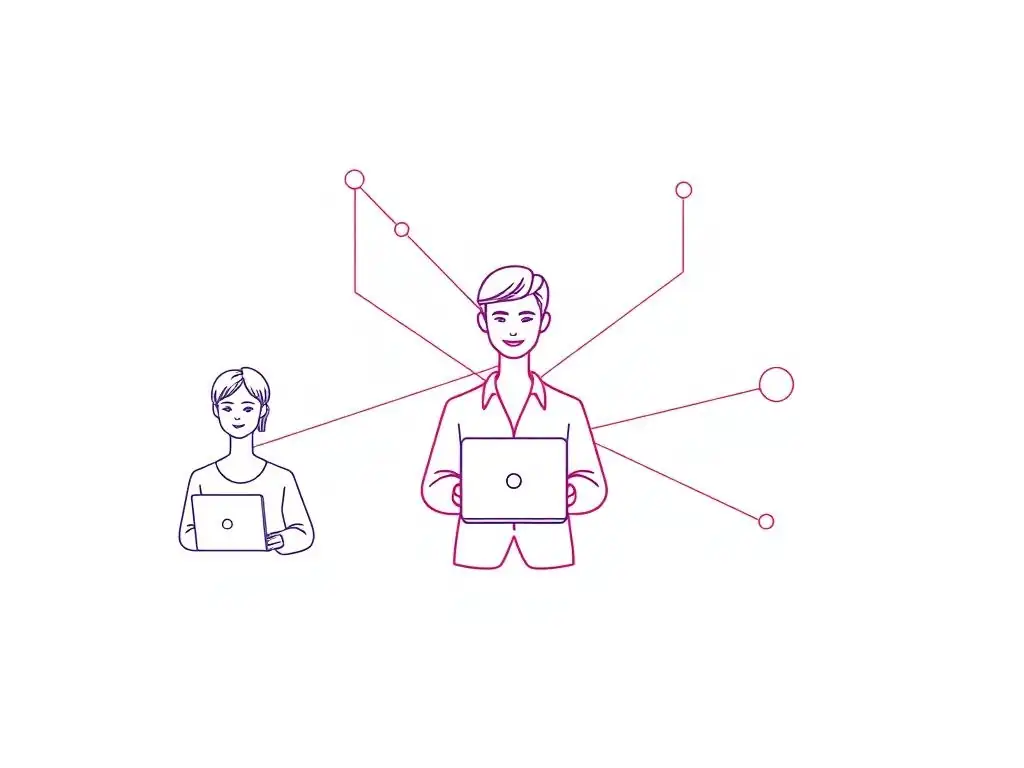
Effective communication is the bedrock of any successful remote team. Without clear, consistent, and efficient communication channels, projects stall, misunderstandings arise, and overall productivity plummets. This section delves into practical hacks to significantly improve communication and collaboration within your remote work environment, directly impacting your "remote work efficiency hacks".
Mastering Remote Communication Tools for Seamless Collaboration
Choosing the right tools is paramount. Different tools cater to different needs. For instance, instant messaging platforms like Slack or Microsoft Teams excel at quick queries and informal updates. However, for more complex discussions or detailed project planning, platforms like Asana, Trello, or Monday.com offer better project management features. The key is to select tools that integrate well and avoid tool overload. Over-reliance on one tool can lead to communication bottlenecks.
Consider your team's size and communication style. A smaller team might thrive with a simpler setup, while a larger team might need a more robust, integrated system. Regularly audit your tool usage. Are you leveraging all the features? Are certain tools underutilized? This assessment helps optimize your workflow and avoid unnecessary expenses associated with unused software subscriptions.
A well-structured communication strategy requires a clear understanding of each tool's strengths. For example:
| Tool Category | Example Tools | Strengths | Weaknesses |
|---|---|---|---|
| Instant Messaging | Slack, Microsoft Teams | Quick communication, file sharing, notifications | Can become cluttered, lacks formal structure |
| Project Management | Asana, Trello, Monday.com | Task assignment, progress tracking, collaboration | Can be complex for simpler tasks |
| Video Conferencing | Zoom, Google Meet | Face-to-face interaction, screen sharing | Can be time-consuming, requires reliable internet |
| Document Collaboration | Google Docs, Microsoft 365 | Real-time editing, version control | Requires internet connection, potential for conflicts |
Remember to establish clear guidelines on which tool to use for specific communication purposes. This prevents confusion and ensures messages reach the right people efficiently. For example, designate Slack for quick questions, email for formal announcements, and video conferencing for team meetings.
Improving Communication Clarity and Efficiency in Remote Settings
Even with the right tools, unclear communication can hinder productivity. Employing specific strategies can drastically improve clarity and efficiency. For example, using a structured approach to email communication, including a clear subject line, concise message, and a call to action, can minimize back-and-forth exchanges. Similarly, during video conferences, establish an agenda beforehand and stick to it to prevent meetings from dragging on unnecessarily.
Consider the asynchronous nature of remote work. Not everyone is available at the same time. Employing asynchronous communication strategies, such as pre-recorded video updates or detailed project reports, can keep everyone informed without requiring real-time interaction. This promotes flexibility and accommodates different time zones and work styles. Furthermore, actively encourage the use of visual aids like screenshots, flowcharts, and diagrams to clarify complex information. A picture is often worth a thousand words. This is especially important when discussing technical or design-related topics.
Implementing these strategies can significantly impact your "remote work efficiency hacks" by reducing misunderstandings and improving response times. Documenting decisions and procedures is also crucial. This ensures consistency and provides a reference point for future projects.
Building Strong Relationships Within Remote Teams
Strong relationships are essential for a cohesive and productive remote team. While physical proximity fosters natural bonding, remote teams require deliberate effort to build camaraderie. Regular virtual social events, such as virtual coffee breaks or team lunches, can help foster a sense of community. These informal interactions can boost morale and improve teamwork.
Encourage open and honest communication. Create a safe space where team members feel comfortable sharing their challenges and successes. Regular check-ins, both one-on-one and team-wide, can help monitor individual well-being and address potential issues early on. Active listening and empathy are crucial in building trust and rapport within a remote team.
Recognizing individual contributions and celebrating successes, even small ones, reinforces positive team dynamics. Consider implementing a system of peer recognition or virtual rewards to acknowledge outstanding work. The goal is to cultivate a supportive and inclusive environment where everyone feels valued and appreciated. This contributes significantly to overall productivity and team success, enhancing your "remote work efficiency hacks" by fostering a positive and collaborative work environment.
Maintaining Work-Life Balance in Remote Work
Maintaining a healthy work-life balance while working remotely is crucial for long-term productivity and well-being. The lines between professional and personal life can easily blur when your office is also your home. This section explores practical strategies to establish clear boundaries and prioritize self-care, ultimately leading to increased efficiency and reduced burnout. Successfully navigating the challenges of remote work requires a proactive approach to managing your time and energy. Ignoring this aspect can lead to decreased performance and potentially serious health issues. Let's dive into some actionable steps.
Setting Clear Boundaries Between Work and Personal Life
The most effective way to maintain a healthy work-life balance is to establish clear boundaries between your work and personal life. This isn't just about physically separating your workspace; it's about mentally disconnecting as well. Consider these strategies:
- Designated Workspace: Create a dedicated workspace, even if it's just a corner of a room. This helps signal to your brain that it's "work time" when you're in that space. Avoid working from your bed or couch, as this can make it difficult to relax and unwind after work hours.
- Scheduled Work Hours: Set specific start and end times for your workday and stick to them as much as possible. Communicate these hours clearly to your family and colleagues to minimize interruptions during your personal time. This is essential for establishing a predictable routine and avoiding the feeling of always being "on."
- "Out of Office" Automation: Utilize automatic "out of office" replies during non-working hours. This sets expectations for response times and prevents the constant pressure of immediate replies. This also helps manage client or colleague expectations regarding response times, improving your overall work-life balance.
- Weekend Disconnect: Make a conscious effort to disconnect from work completely on weekends. Avoid checking emails or responding to messages unless absolutely necessary. This allows for much-needed rest and rejuvenation, improving your focus and productivity when you return to work.
Prioritizing Self-Care for Optimal Remote Work Performance
Self-care isn't a luxury; it's a necessity, especially in the context of remote work. Neglecting your physical and mental health will inevitably lead to decreased productivity and increased stress. Prioritize these self-care practices:
- Regular Exercise: Incorporate regular physical activity into your daily routine. Even a short walk or a quick workout can significantly improve your mood, energy levels, and focus. Aim for at least 30 minutes of moderate-intensity exercise most days of the week.
- Mindfulness and Meditation: Practice mindfulness or meditation techniques to reduce stress and improve mental clarity. Even a few minutes a day can make a difference in managing stress and improving focus. Many free apps offer guided meditations for beginners.
- Healthy Diet: Nourish your body with a balanced diet rich in fruits, vegetables, and whole grains. Avoid excessive caffeine and sugar, which can lead to energy crashes and mood swings. Proper nutrition directly impacts energy levels and cognitive function.
- Adequate Sleep: Prioritize getting 7-8 hours of quality sleep each night. Sufficient sleep is essential for cognitive function, mood regulation, and overall well-being. Establish a regular sleep schedule to improve sleep quality.
Strategies for Avoiding Burnout While Working Remotely
Burnout is a significant risk for remote workers, often stemming from the blurred lines between work and personal life, and the lack of social interaction. Here are some strategies to mitigate this risk:
- Regular Breaks: Schedule regular breaks throughout your workday. Get up, stretch, walk around, or simply step away from your screen. Short breaks can significantly improve focus and prevent mental fatigue.
- Social Interaction: Make an effort to connect with colleagues and friends regularly. Schedule virtual coffee breaks, participate in online communities, or engage in social activities outside of work. Social connection is crucial for mental health and well-being.
- Time Management Techniques: Implement effective time management techniques, such as the Pomodoro Technique or time blocking, to improve productivity and reduce feelings of being overwhelmed. These techniques help to break down large tasks into smaller, more manageable chunks.
- Set Realistic Expectations: Avoid overcommitting yourself and set realistic expectations for your workload. Learn to say "no" to additional tasks when necessary to prevent burnout. Prioritizing tasks and focusing on the most impactful work is crucial. Remember, sustainable productivity is key!
This section provides a comprehensive overview of how to maintain a healthy work-life balance while working remotely. By implementing these strategies, you can significantly improve your productivity, reduce stress, and prevent burnout. Remember, a balanced approach is key to long-term success in remote work.
Leveraging Technology for Enhanced Remote Work Efficiency
This section delves into the crucial role technology plays in boosting remote work efficiency. The right tools can significantly reduce wasted time, streamline workflows, and ultimately, increase your output. We'll explore essential software, collaborative platforms, and automation techniques to help you optimize your remote work setup.
Mastering these technological aspects is key to unlocking your full potential in a remote work environment. Effective utilization of technology isn't just about using the latest gadgets; it's about strategically implementing tools that directly address your specific needs and workflow challenges. This requires careful consideration and a willingness to experiment to find the perfect tech stack for your remote work style.
Essential Software and Tools for Remote Work Productivity
Effective remote work hinges on having the right software and tools at your disposal. Consider these essential categories:
- Communication: A robust communication suite is paramount. This could include instant messaging apps (offering features beyond basic text, such as file sharing and screen sharing), video conferencing platforms for meetings and collaborations, and professional email clients with efficient organization features. Think beyond just email – explore options that integrate communication channels for a more streamlined approach.
- Project Management: Efficient project management software is crucial for keeping track of tasks, deadlines, and progress. Features like task assignment, progress tracking, and collaborative workspaces are vital for maintaining organization and ensuring accountability, both individually and within a team. Choosing a system that integrates with your communication tools can significantly improve workflow.
- Note-Taking and Organization: Digital note-taking apps are invaluable for capturing ideas, meeting notes, and project details. Look for features such as tagging, searching, and cross-platform syncing to ensure easy access and seamless organization across devices. A well-organized digital workspace mirrors a well-organized mind, crucial for maintaining remote work efficiency.
- Time Management: Time tracking and productivity apps can help you monitor your work habits, identify time-wasting activities, and improve your time management skills. These tools often provide insightful data and analytics to help you optimize your daily schedule. Understanding where your time goes is the first step towards improving your efficiency.
Consider factors like ease of use, integration capabilities, and cost when selecting your software. Experiment with free trials to determine the best fit for your needs and workflow. Don't be afraid to try different combinations to find the optimal setup for maximizing your productivity.
Cloud-Based Collaboration Tools for Streamlined Teamwork
Cloud-based collaboration tools are essential for seamless teamwork in a remote setting. These tools facilitate real-time collaboration on documents, spreadsheets, and presentations, eliminating the need for constant email exchanges or version control issues. Consider the following aspects:
- Real-time Co-editing: The ability to co-edit documents simultaneously with team members significantly accelerates project completion and reduces delays caused by version conflicts. This is a game-changer for collaborative projects.
- Centralized File Storage: Cloud storage provides a centralized repository for all project-related files, ensuring accessibility to everyone involved and eliminating the risk of lost or outdated files. This facilitates better organization and simplifies the sharing of resources.
- Integrated Communication: Many cloud-based collaboration platforms integrate communication tools, such as chat and video conferencing, directly within the workspace. This eliminates the need to switch between different applications, further streamlining the workflow.
- Version Control: Robust version control features are crucial for tracking changes, reverting to previous versions if necessary, and maintaining a clear history of the project's evolution. This minimizes confusion and ensures everyone is working with the most up-to-date information.
The choice of cloud-based collaboration platform depends heavily on team size, project complexity, and existing infrastructure. Carefully evaluate various options before committing to a specific solution. Remember to consider factors such as security, scalability, and integration capabilities.
Automating Tasks to Save Time and Increase Efficiency in Remote Work
Automating repetitive tasks is a cornerstone of remote work efficiency. By automating mundane activities, you free up valuable time and mental energy to focus on higher-level tasks that demand creativity and critical thinking. Here are some areas ripe for automation:
- Email Management: Utilize email filters, automated responses, and scheduling features to manage your inbox efficiently. This prevents your inbox from becoming a source of distraction and helps you prioritize important messages.
- Social Media Management: Scheduling tools can automate the posting of content to various social media platforms, freeing up your time to focus on content creation and engagement.
- Data Entry: If you deal with repetitive data entry, explore tools that can automate this process, significantly reducing the time spent on this tedious task. This is especially useful for tasks involving large datasets.
- Meeting Scheduling: Automated scheduling tools can greatly simplify the process of coordinating meetings with colleagues or clients across different time zones. This eliminates back-and-forth emails and ensures efficient use of everyone’s time.
The key to effective task automation is identifying repetitive tasks that consume significant time and then researching available tools to automate them. Start small, focusing on automating one or two tasks at a time, and gradually expand your automation strategy as you gain experience and confidence. Remember, the goal is to optimize your workflow, not to become overwhelmed by the automation process itself. A well-planned automation strategy can significantly boost your remote work efficiency and allow you to focus on what truly matters.
Remote Work Efficiency Hacks: Advanced Techniques
This section delves into sophisticated strategies to significantly boost your remote work efficiency, going beyond the basics. We'll explore advanced time management, mindfulness techniques for enhanced focus, and practical methods for conquering procrastination. Mastering these techniques will unlock a new level of productivity and allow you to achieve more in less time, ultimately improving your work-life balance. The key to unlocking true remote work efficiency lies in understanding and implementing these advanced strategies.
Advanced Time Management Strategies for Remote Professionals
Effective time management is crucial for remote work success. Simply using a to-do list isn't enough; you need a strategic approach. Let's explore some advanced techniques:
- Time Blocking with Purposeful Breaks: Instead of loosely scheduling tasks, dedicate specific blocks of time to focused work on particular projects. Crucially, schedule breaks. Short, 5-10 minute breaks every hour can significantly improve focus and prevent burnout. These breaks should be active – a short walk, stretching, or a quick mindfulness exercise, not just scrolling through social media.
- The Pomodoro Technique on Steroids: The classic Pomodoro Technique (25 minutes work, 5 minutes break) is a good starting point, but you can optimize it. Experiment with different work/break ratios to find what suits your rhythm best. Some find 52 minutes of work followed by a 17-minute break highly effective. Track your productivity during different intervals to determine your peak performance times.
- Eat the Frog (Prioritization Matrix): Prioritize your tasks using a system like the Eisenhower Matrix (Urgent/Important). Tackle the most challenging or important task ("the frog") first thing in the morning. This builds momentum and prevents it from looming over you all day. This technique is particularly beneficial for overcoming procrastination, as detailed in the next section.
- Batching Similar Tasks: Group similar tasks together. For example, respond to all emails at a designated time, instead of checking them sporadically throughout the day. This reduces context switching and improves efficiency. This applies to phone calls, meetings, and other administrative tasks.
| Task Type | Batching Strategy | Benefits |
|---|---|---|
| Email Responses | Dedicate 30 minutes twice a day to email. | Reduces interruptions, improves focus. |
| Client Calls | Schedule all client calls for one afternoon. | Minimizes context switching, improves client focus. |
| Administrative | Block out an hour each morning for admin tasks. | Keeps admin tasks contained, prevents disruptions. |
Improving Focus and Concentration through Mindfulness Techniques
Distractions are rampant in remote work. Mindfulness techniques can be powerful tools to improve your focus and concentration. Here are some practical applications:
Mindfulness isn't just about meditation; it's about cultivating present moment awareness. Regular practice enhances your ability to resist distractions and stay focused on the task at hand.
- Short Meditation Sessions: Even 5-10 minutes of daily meditation can significantly improve focus. Numerous studies show a correlation between mindfulness practice and improved cognitive function. Apps like Calm or Headspace provide guided meditations for beginners.
- Mindful Breathing Exercises: When distractions arise, take a few deep breaths. Focus on the sensation of your breath entering and leaving your body. This simple exercise helps ground you in the present moment and regain focus.
- Body Scan Meditation: This technique involves systematically bringing awareness to different parts of your body, noticing any sensations without judgment. This can help release tension and improve overall focus.
- The Power of "Mindful Breaks": Instead of passively scrolling during breaks, engage in mindful activities like short walks in nature, listening to calming music, or engaging in a hobby you enjoy. These breaks help you recharge and return to work with renewed focus.
Strategies for Overcoming Procrastination and Maintaining Momentum
Procrastination is a common challenge for remote workers. Here are some effective strategies to combat it and maintain momentum:
- Break Down Large Tasks: Large projects can feel overwhelming, leading to procrastination. Break them down into smaller, more manageable tasks. This makes them less daunting and easier to start. Check off completed sub-tasks to build a sense of accomplishment and maintain momentum.
- The Two-Minute Rule: If a task takes less than two minutes, do it immediately. This prevents small tasks from piling up and becoming overwhelming. This simple rule can significantly reduce procrastination.
- Accountability Partner: Share your goals with a friend, colleague, or family member who can provide support and encouragement. Knowing someone is checking in on your progress can be a powerful motivator.
- Reward System: Set up a reward system for yourself. After completing a certain number of tasks or reaching a milestone, reward yourself with something you enjoy. This positive reinforcement can help maintain momentum.
- Timeboxing with Penalties: Assign a strict time limit to a task and impose a small penalty if you don't complete it within that time. This creates a sense of urgency and can help you overcome procrastination. The penalty could be a small donation to a cause you dislike.
Remember, implementing these advanced techniques takes time and practice. Start by focusing on one or two strategies, and gradually incorporate others as you become more comfortable. Consistent effort is key to achieving sustainable remote work efficiency. By mastering these advanced hacks, you'll transform your remote work experience and achieve peak productivity.
Measuring and Tracking Your Remote Work Efficiency
Remote work efficiency hacks aren't just about implementing new strategies; it's about measuring their impact. Understanding your current productivity levels is the crucial first step towards significant improvement. Without data, you're essentially working in the dark, hoping for the best. This section focuses on how to effectively track your remote work performance, providing you with the insights necessary to optimize your workflow. The key is to choose metrics that are relevant to your specific role and goals, avoiding an overwhelming amount of data that ultimately becomes useless.
Key Metrics to Track Remote Work Productivity
Several key metrics can provide a clear picture of your remote work productivity. Don't try to track everything at once; start with a few and add more as you become comfortable with the process. Consider these essential metrics:
- Tasks Completed: This is a straightforward metric. Track the number of tasks you complete daily or weekly. Be specific; instead of "finish project," use "complete project proposal," "finalize presentation slides," or "finish data analysis for report X." This level of detail provides more meaningful insights.
- Time Spent on Tasks: Use a time-tracking app or even a simple spreadsheet to log the time spent on each task. This helps identify time sinks and areas where you might be less efficient. For example, if you consistently spend excessive time on email, you might need to implement strategies like dedicated email response times or batch processing.
- Project Completion Rate: Track the number of projects completed on time and within budget. This metric provides a broader overview of your overall productivity and helps identify potential bottlenecks in your workflow.
- Quality of Work: This is often overlooked but incredibly important. Track the number of errors or revisions needed for your work. A high-quality output, even if it takes slightly longer, is ultimately more efficient in the long run. Aim for fewer revisions and higher client or manager satisfaction.
- Meeting Efficiency: If meetings are a significant part of your workday, track the number of meetings attended, their duration, and their outcome. Identify meetings that are unproductive and explore ways to streamline them or reduce their frequency. Remember, time spent in unproductive meetings directly impacts your overall efficiency.
Analyzing Your Work Patterns to Identify Areas for Improvement
Once you have collected data on your key metrics for a reasonable period (at least two to four weeks), it's time to analyze your work patterns. Look for trends and patterns. Are there specific times of day when you're most productive? Are there certain tasks that consistently take longer than expected? Are there recurring interruptions that disrupt your workflow?
Consider using visual tools like charts and graphs to represent your data. This makes it easier to identify trends and outliers. For instance, a bar chart showing tasks completed per day can highlight periods of high and low productivity. A scatter plot comparing time spent on a task versus its quality can reveal if longer work times necessarily translate to better results. This detailed analysis is crucial for identifying areas ripe for improvement. This process will help you understand your personal rhythm and optimize your schedule accordingly.
Adjusting Your Strategies Based on Performance Data
The final, and arguably most important, step is adjusting your strategies based on the data you've collected and analyzed. This is where you translate insights into actionable steps. Let’s say your analysis reveals that you're consistently less productive in the afternoon. You might experiment with adjusting your schedule, taking a short break mid-afternoon, or tackling less demanding tasks during this time. If your data shows that email is a significant time sink, you might implement the "Pomodoro Technique" to dedicate specific blocks of time to email and then focus on other tasks.
Remember, this is an iterative process. Continuously monitor your progress, adjust your strategies as needed, and refine your approach over time. The goal isn't to achieve perfect efficiency overnight, but to continually improve and optimize your remote work process. By consistently tracking, analyzing, and adapting, you'll unlock significant improvements in your remote work efficiency, leading to a more productive and fulfilling work experience. This data-driven approach is the cornerstone of effective remote work efficiency hacks.
Frequently Asked Questions
How can I improve my focus while working remotely?
Minimize distractions by designating a dedicated workspace, using noise-canceling headphones, and employing the Pomodoro Technique to break your work into focused intervals. Regular breaks are also key.
What are some effective time management strategies for remote work?
Prioritize tasks using methods like the Eisenhower Matrix (urgent/important), utilize time-blocking to schedule specific tasks, and leverage productivity tools like to-do lists and project management software.
How can I maintain a healthy work-life balance while working remotely?
Establish clear boundaries between work and personal life, set specific work hours, and ensure you take regular breaks and schedule time for activities outside of work. Don't forget to disconnect after work hours.
What technology or tools can boost my remote work efficiency?
Utilize communication platforms like Slack or Microsoft Teams, project management software like Asana or Trello, and cloud storage services for easy file access and collaboration. Explore automation tools to streamline repetitive tasks.
How can I stay connected and engaged with my team while working remotely?
Schedule regular virtual meetings, utilize team communication tools for quick updates, and encourage informal virtual interactions to build camaraderie and maintain a strong team spirit. Active participation in virtual events is important.
Final Reflection: Unlocking Your Remote Work Potential
The future of work is remote, and mastering its intricacies is no longer a luxury, but a necessity. The strategies outlined in this article—from optimizing your workspace to mastering time management techniques—are not just tips; they are the building blocks of a productive and fulfilling remote work experience. Ignoring these principles means leaving significant potential on the table, both personally and professionally.
The shift to remote work has fundamentally altered the cultural landscape, blurring the lines between professional and personal life in ways we are only beginning to understand. This change demands a conscious effort to establish healthy boundaries and cultivate a sustainable work-life integration. As the renowned organizational psychologist, Abraham Maslow, once said, What a man can be, he must be.
This applies equally to our professional lives: we must strive to be the most efficient and productive versions of ourselves, regardless of location. The strategies discussed here provide a roadmap for achieving this potential.
Now, it's your turn. Take a moment to reflect on your own remote work habits. Identify one area where you can implement a new strategy from this article—be it refining your communication style, optimizing your technology, or simply prioritizing self-care. Commit to making a small, sustainable change, and watch as your productivity and overall well-being flourish. The journey to mastering remote work is ongoing, but with intention and the right tools, you can unlock your full potential and thrive in this evolving landscape.
Unlock Your Remote Work Potential!
Thank you for exploring practical strategies to boost your remote work efficiency. We hope you found valuable insights to enhance your productivity and well-being. Now, let's put those insights into action!
- Prioritize and implement one key strategy from this week's article. Which tip best addresses your current challenges?
- Share your key takeaway from the article on social media—tag UltimateLifeHacks.org so we can celebrate your success!
- Explore related resources on our website to discover even more productivity secrets. Our extensive archives offer additional tips and tricks.
What small change will you make today to improve your remote work experience?