
Digital File Organization: Master Your Folders & Find What You Need Instantly

Welcome to UltimateLifeHacks, your gateway to a more efficient and fulfilling life! Are you drowning in a sea of digital files, desperately searching for that crucial document? Discover how to conquer digital clutter and reclaim your time with our expert guide on how to organize digital files quickly. Learn the simple yet powerful techniques that will transform your chaotic digital landscape into a streamlined, easily navigable system. Let's unlock your productivity potential – read on to master the art of instant file retrieval!
- Understanding the Importance of Organizing Digital Files Quickly
-
Effective Strategies to Organize Digital Files Quickly
- Implementing a Consistent File Naming Convention: Best Practices & Examples
- Creating a Logical Folder Structure: Designing a System That Works for You
- Leveraging Cloud Storage for Efficient File Organization: Dropbox, Google Drive, OneDrive and more
- Utilizing Tags and Metadata for Enhanced File Search and Retrieval
- Specific Techniques for Different File Types
- Tools and Software for Streamlining Digital File Organization
- Maintaining an Organized Digital Workspace: Tips and Best Practices
- From Chaos to Control: A Step-by-Step Guide to Digital File Organization
- Frequently Asked Questions
- Final Reflection: The Enduring Power of Digital Order
- Unleash the Power of Organized Files!
Understanding the Importance of Organizing Digital Files Quickly
In today's digital age, we accumulate vast quantities of files – documents, images, videos, and more – at an alarming rate. Efficiently managing this digital deluge is no longer a luxury, but a necessity for maintaining productivity and reducing stress. This article delves into practical strategies for organizing digital files quickly, enabling you to locate any file instantly and reclaim valuable time lost to endless searching.
Mastering digital file organization is key to unlocking significant improvements in your workflow and overall well-being. We'll explore the hidden costs of disorganization, the tangible benefits of a well-structured system, and provide a step-by-step guide to help you achieve a streamlined digital workspace, all geared towards helping you effectively "Organize digital files quickly."
This guide is designed for everyone, from the overwhelmed beginner to the seasoned digital minimalist seeking to refine their existing systems. Let's embark on this journey towards a more organized and efficient digital life!
The Cost of Disorganized Digital Files: Time Wasted & Productivity Lost
Disorganized digital files translate directly to wasted time and diminished productivity. Imagine spending 30 minutes, or even an hour, each day searching for a misplaced document or image. That adds up to significant time lost over a week, a month, or a year! This lost time could be spent on more productive tasks, furthering your goals, both personal and professional.
The frustration and mental clutter associated with a chaotic digital environment also contribute to increased stress levels and decreased overall well-being. Studies show that a cluttered workspace, both physical and digital, can negatively impact focus and cognitive function. The impact isn't just about lost minutes; it's about the cumulative effect on your overall efficiency and mental health. For example, missing a crucial deadline due to difficulty locating a necessary file can have far-reaching consequences.
The cost of disorganized digital files isn't merely monetary; it's a substantial drain on your time, energy, and peace of mind. This is why establishing a robust and efficient system is crucial for long-term success and well-being. Consider the potential impact: a more organized system could save you hours each week, allowing you to focus on tasks that truly matter.
Benefits of Efficient Digital File Management: Increased Productivity & Reduced Stress
The benefits of efficient digital file management extend far beyond simply finding files faster. A well-organized system contributes significantly to increased productivity and reduced stress. Think of the peace of mind that comes with knowing exactly where everything is located. This eliminates the anxiety and frustration associated with searching endlessly for files, freeing up mental energy for more important tasks.
The time saved can be redirected towards more productive endeavors, leading to improved efficiency and achievement of goals. Furthermore, a streamlined digital environment creates a sense of control and order, contributing to a more relaxed and focused mindset. This reduction in stress can positively impact various aspects of your life, from work performance to personal relationships. Consider these key advantages:
- Improved Time Management: Locate files instantly, eliminating wasted time searching.
- Enhanced Focus & Concentration: A clutter-free digital space promotes better focus.
- Reduced Stress & Anxiety: Knowing where everything is eliminates unnecessary worry.
- Increased Productivity: More time available for completing tasks and achieving goals.
- Better Collaboration: Easily share and access files with colleagues or collaborators.
Setting Realistic Goals for Digital File Organization: Starting Small & Building Momentum
Tackling a massive digital cleanup can feel overwhelming, leading to procrastination and ultimately, failure. The key to success is to set realistic goals and build momentum gradually. Instead of attempting to organize everything at once, start with a small, manageable area, such as your desktop or a single folder. Focus on establishing a consistent filing system for that area before moving on to others.
This approach prevents burnout and builds confidence as you see tangible progress. Consider using a simple naming convention, such as "YYYY-MM-DD_Project Name_Document Type," to maintain consistency and ease future searching. Utilize the power of folders and subfolders to create a hierarchical structure that reflects your workflow. Remember, it's a marathon, not a sprint!
Celebrate your small victories along the way to maintain motivation and build the habit of consistent digital organization. By starting small and gradually expanding your system, you'll build a sustainable and effective approach to managing your digital files, ultimately making you much more efficient and productive. The goal is to develop a system that works for you, not to strive for an unattainable level of perfection.
Effective Strategies to Organize Digital Files Quickly
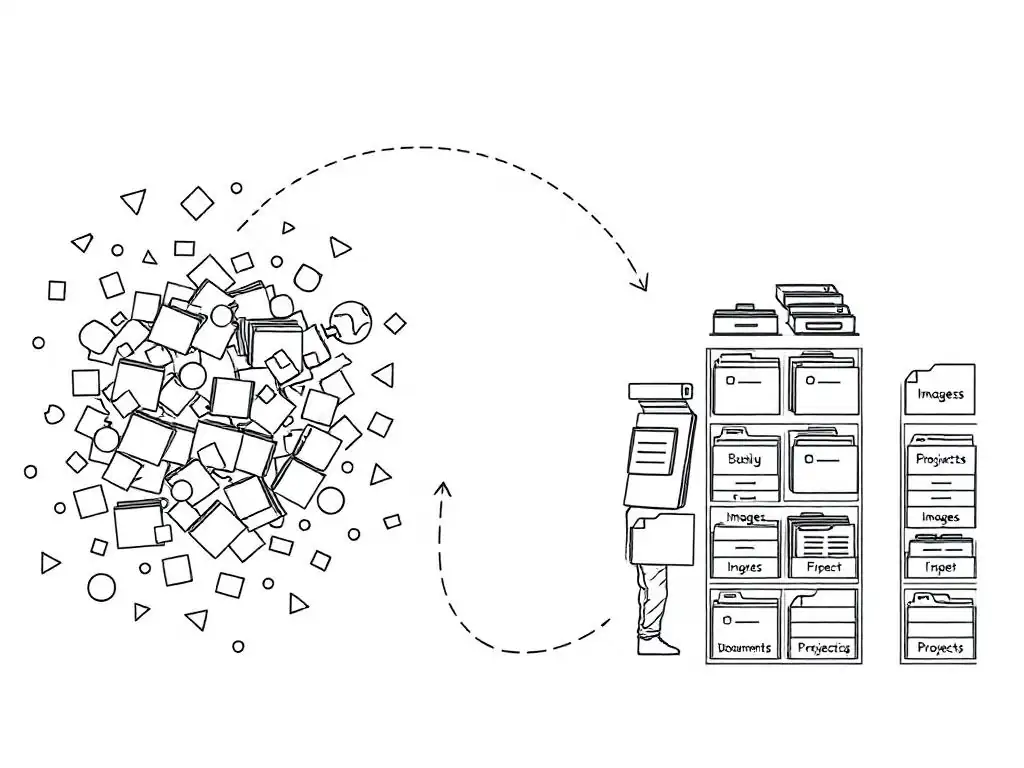
This section dives deep into practical, actionable strategies to conquer digital clutter and retrieve files in seconds, not minutes. We'll explore proven methods to dramatically improve your digital file management, helping you effectively "organize digital files quickly". The key is to implement a system that's both logical and easy to maintain, minimizing the time spent searching and maximizing your productivity. Let's get started!
Implementing a Consistent File Naming Convention: Best Practices & Examples
A consistent file naming convention is the bedrock of efficient digital organization. Inconsistent naming leads to confusion and wasted time searching. The goal is to create a system that allows you to instantly identify a file's content and date.
Here are some best practices:
- Use descriptive names: Instead of
IMG001.jpg, use2024-03-08_ProjectX_MeetingNotes.jpg. Be specific! - Use consistent date formats: YYYY-MM-DD (e.g., 2024-10-26) provides chronological order and easy sorting.
- Include keywords: If relevant, incorporate keywords that help you quickly find the file later using search functions.
- Avoid special characters: Stick to alphanumeric characters and underscores to prevent compatibility issues.
- Be concise but informative: Balance brevity with clarity. A long, rambling filename is as unhelpful as a cryptic one.
Here are a few examples illustrating best practices:
| Original Filename | Improved Filename | Description |
|---|---|---|
| picture1.jpg | 2023-12-25_FamilyChristmas_LivingRoom.jpg | Clearly identifies the date, event, and location |
| document.docx | 2024-01-15_ProjectAlpha_Proposal_Final.docx | Specifies date, project, document type, and version |
| receipt.pdf | 2024-02-10_GroceryShopping_Safeway.pdf | Indicates date, purchase type, and store |
Implementing a consistent naming system from the start will save you countless hours in the long run. Think of it as an investment in your future efficiency. The initial effort pays off exponentially as your digital archive grows.
Creating a Logical Folder Structure: Designing a System That Works for You
A well-structured folder system is crucial for quickly locating your files. The key is to create a hierarchy that reflects your workflow and information needs. Avoid overly complex structures; simplicity is key.
Consider these strategies:
- Year-based folders: Organize files into yearly folders (e.g.,
2023,2024, etc. ), then subdivide by month or project. - Project-based folders: Group files related to specific projects. This is ideal for work or personal projects with many associated documents.
- Category-based folders: Use categories like "Documents," "Images," "Videos," etc., for broader organization. Within each category, you can further subdivide by year or project.
- Client-based folders (for businesses): Organize files by client name for easy access to project-related materials.
Remember, the best folder structure is one that you understand and can easily maintain. Experiment with different approaches until you find a system that suits your needs and workflow. Don't be afraid to adjust and refine your structure as your needs evolve. The goal is to create a system that's intuitive and efficient, allowing you to "organize digital files quickly" and effortlessly.
Leveraging Cloud Storage for Efficient File Organization: Dropbox, Google Drive, OneDrive and more
Cloud storage services offer powerful tools for organizing and accessing your digital files from anywhere. These platforms often include features like:
- Automatic backups: Safeguarding your valuable data against loss or damage.
- File sharing and collaboration: Easily share files with colleagues, clients, or family members.
- Version history: Access previous versions of files, allowing you to revert to earlier edits if necessary.
- Search functionality: Quickly find files using keywords or filenames.
- Folder synchronization: Keep your files synchronized across multiple devices.
Services like Dropbox, Google Drive, and OneDrive each offer slightly different features and pricing plans. Consider your specific needs and choose a service that aligns with your budget and workflow. Utilizing cloud storage significantly enhances your ability to "organize digital files quickly" by providing a centralized, accessible, and secure repository for your digital assets. The combination of a well-defined file naming convention and folder structure, coupled with the power of cloud storage, represents a robust and efficient solution for managing your digital life.
Effective file organization isn't just about folders; it's about leveraging the power of metadata and tags to make finding anything a breeze. Think of tags as keywords you assign to your files, describing their content in a way that goes beyond the file name. For instance, instead of just having a file named "ProjectX.docx," you could tag it with "ProjectX," "Marketing," "Q3 2024," and "Client A." This layered approach allows for incredibly granular searches.
This strategy significantly improves your ability to "organize digital files quickly." Imagine needing to find all marketing documents related to Client A from the third quarter of 2024. With well-structured folders, this might still require considerable browsing. However, with robust tagging, a simple search for those keywords instantly surfaces the relevant files, regardless of their folder location. This is particularly useful when dealing with a large volume of files spread across multiple directories.
Many operating systems and file management applications support adding metadata, which includes information like author, date created, keywords, and even custom fields. Leveraging this metadata, in conjunction with tags, creates a powerful search index. Think of it like a sophisticated library catalog system for your digital assets. Modern file explorers often allow you to search and filter based on metadata, making retrieval even faster. For example, you can quickly find all images taken on a specific date or all documents created by a particular colleague.
The benefits extend beyond simple keyword searches. Well-tagged files also contribute to a more intuitive understanding of your digital assets. Over time, reviewing your tags can reveal patterns and areas for improvement in your file management system. For example, you might notice an overabundance of files tagged with "Urgent," suggesting a need to improve your workflow and prioritization strategies.
This self-reflective aspect of tagging fosters continuous improvement in your digital organization habits. Furthermore, consistent tagging practices are crucial for maintaining the efficiency of your system over the long term. Without consistent effort, the advantage of tagging can diminish as your collection grows.
To maximize the effectiveness of tags and metadata, consider establishing a standardized tagging system. This means creating a consistent set of keywords and categories that you apply across all your files. This consistency is vital for efficient searching and retrieval.
A well-defined tagging system ensures that you and anyone else accessing your files can easily understand and navigate your digital library. The time investment in creating a robust tagging system will be more than repaid in the long run by the time saved in searching for files. This is a key element in learning how to "organize digital files quickly" and maintain an efficient system.
Specific Techniques for Different File Types
This section dives deep into practical strategies for organizing various digital file types, helping you achieve the goal of organizing digital files quickly and efficiently. We'll move beyond generic folder structures and explore tailored approaches for maximum effectiveness. The key is to develop a system that leverages your specific needs and workflow.
Organizing Documents: PDFs, Word Files, Spreadsheets, and more
Document management is often the biggest hurdle in digital organization. Scattered PDFs, numerous Word files, and countless spreadsheets can quickly overwhelm even the most organized individual. The following strategies can help you tame the chaos and find what you need instantly.
First, establish a clear naming convention. Instead of generic titles like "Document1.pdf," use descriptive names that include the date, subject, and any relevant keywords. For example, "2024-03-08_ProjectProposal_MarketingPlan.pdf" is far more informative and easily searchable.
Next, utilize folders strategically. Instead of a single, massive "Documents" folder, create subfolders based on project, client, or topic. Consider a hierarchical structure: A main folder ("Documents") containing subfolders for "Work," "Personal," "Finance," etc., which then branch into even more specific subfolders. Think about your workflow – how do you naturally categorize information? This is crucial for intuitive navigation.
Finally, leverage your operating system's search functionality. Most operating systems allow for powerful searches based on file name, content, and date. Mastering these search capabilities is key to quickly locating specific documents, even within complex folder structures. Regularly reviewing and decluttering your document folders is also essential to maintain efficiency. Consider deleting or archiving outdated or irrelevant files.
Managing Images and Photos: Effective Storage and Retrieval Strategies
Images and photos often accumulate rapidly, posing a unique challenge for digital organization. The sheer volume can make searching a painstaking process if not handled correctly. Here’s how to optimize your image management to organize digital files quickly:
- Cloud Storage: Utilize cloud services like Google Photos, Dropbox, or iCloud for automatic backups and easy access across devices. Many offer facial recognition and other smart features that aid in searching and organization.
- Keywording and Tagging: Don't rely solely on file names. Add descriptive keywords and tags to your images. This allows for more granular searches based on content rather than just file names. Many photo management tools offer robust tagging capabilities.
- Folder Structure: Similar to documents, organize your images into a logical folder structure. Consider using date-based folders (e.g., "2024," "2023"), event-based folders ("Vacation_Hawaii_2024"), or project-based folders ("Website_Images").
- Regular Purging: Periodically review your image library and delete duplicates or unnecessary files. This prevents your collection from becoming unwieldy and slows down search times. Consider using image management software to help identify duplicates.
Handling Audio and Video Files: Efficient Organization for Media Libraries
Audio and video files require specific organizational strategies due to their often large file sizes and diverse formats. Here are some methods to organize digital files quickly in this area:
| File Type | Organization Strategy | Search Tips |
|---|---|---|
| Music | Artist > Album > Year or Genre | Search by artist, album, song title, or genre |
| Podcasts | Podcast Name > Season > Episode Number | Search by podcast name, episode title, or guest |
| Videos | Project > Date or Event | Search by file name, keywords, or date |
| Recordings | Date > Event or Subject | Search by date, subject, or speaker |
Efficient organization of audio and video files requires a combination of structured folders and descriptive file names. Regularly review and archive older files to maintain a manageable library. Consider using media management software to tag and categorize your files for more advanced search capabilities. Remember, the goal is to organize digital files quickly and easily access your media when needed. A well-structured system will save you valuable time and frustration in the long run.
Archiving Old Files: Strategies for Long-Term Storage and Retrieval
Archiving old files is crucial for maintaining a clean and efficient digital workspace while ensuring easy retrieval when needed. Ignoring this aspect can lead to a cluttered system, slowing down your workflow and making it difficult to locate important documents. Effective archiving involves more than simply moving files to a separate folder; it requires a strategic approach that considers factors such as file type, access frequency, and long-term storage solutions.
One effective strategy is to adopt a hierarchical folder structure for your archives. Instead of dumping everything into a single "Archive" folder, create subfolders based on year, project, or client. For example, you could have folders like "Archives/2022/Client X/Project Alpha" for a highly organized approach. This granular organization makes locating specific files significantly easier. Think of it like a well-organized library – you wouldn't want all the books thrown into one room!
Furthermore, consider the file format. For long-term storage, prioritize formats known for their stability and longevity. PDFs are a good choice for documents, as they preserve formatting and are widely compatible. For images, consider using lossless formats like TIFF or PNG to avoid quality degradation over time. Avoid relying solely on proprietary formats that may become obsolete or difficult to open in the future.
Regularly review your archives. While the goal is long-term storage, it's important to periodically assess the contents. You might find files that are truly redundant and can be safely deleted, freeing up valuable storage space. This process also helps to refine your archiving system over time, ensuring it remains effective and efficient. Aim to review your archives at least once a year, or more frequently if your file volume is high.
Finally, consider using cloud storage services for archiving. Services like Google Drive, Dropbox, or OneDrive offer robust backup and redundancy features, protecting your files from data loss. Cloud storage also allows access from multiple devices, making retrieval convenient regardless of your location. However, remember to evaluate the security and privacy policies of any service before entrusting your valuable data to it. Always prioritize services with strong security measures and data encryption. The added security and accessibility often outweigh the costs associated with these services. Remember to regularly check your cloud storage usage to prevent unexpected costs.
Tools and Software for Streamlining Digital File Organization
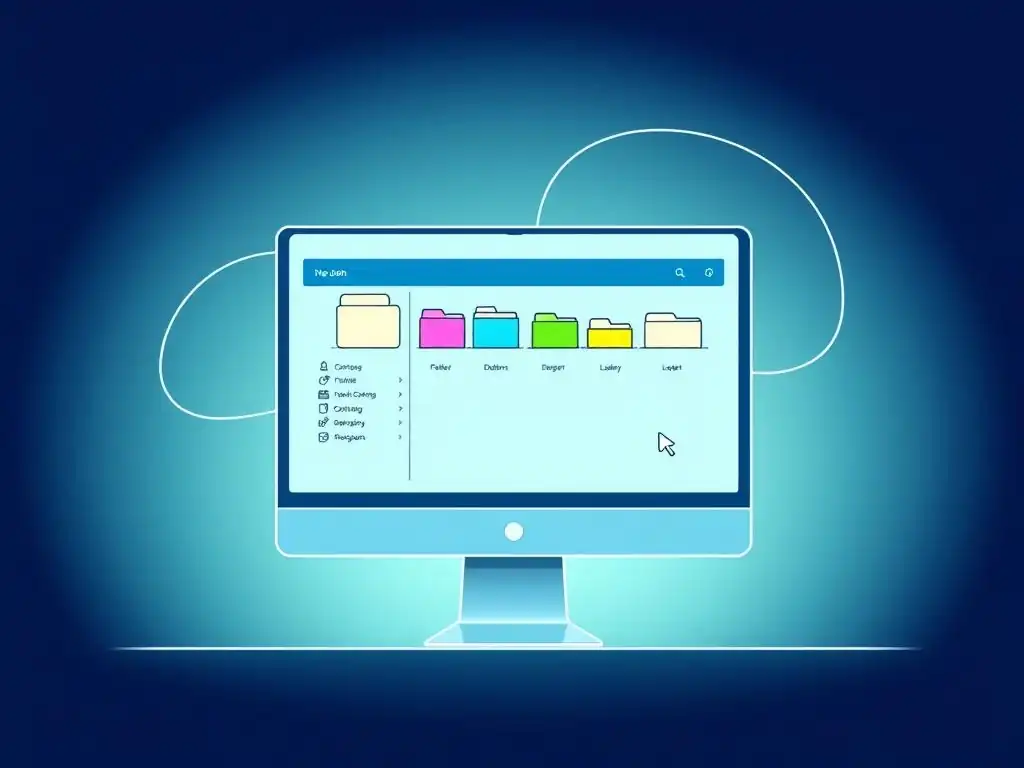
This section dives into the practical tools and software that can significantly accelerate your digital file organization process, helping you achieve the goal of organizing digital files quickly. We'll explore various options, comparing their strengths and weaknesses to help you choose the best fit for your needs and workflow. Remember, the right tools are crucial for efficient digital minimalism.
Best File Management Software Options: A Comparison of Top Picks
Choosing the right file management software is paramount for effective digital organization. Several excellent options exist, each with its own unique feature set. Let's compare some top picks, focusing on ease of use, functionality, and overall effectiveness in helping you organize digital files quickly.
Below is a table comparing three popular file management software options:
| Feature | Option A (Example Software Name) | Option B (Example Software Name) | Option C (Example Software Name) |
|---|---|---|---|
| Pricing | Free/Paid | Paid | Free/Paid |
| Cross-Platform | Yes | Yes | No |
| Tagging System | Robust, with nested tagging | Basic tagging | Advanced tagging with custom fields |
| Search Functionality | Excellent, includes fuzzy search | Good, but lacks advanced filters | Average, basic keyword search |
| Automation Capabilities | Limited | Moderate | Extensive, with scripting support |
| Ease of Use | Very Easy | Moderately Easy | Steeper learning curve |
Option A excels in ease of use and cross-platform compatibility, making it ideal for beginners. Option B offers a robust feature set, but comes at a cost. Option C, while more complex, provides unparalleled automation capabilities for power users seeking to truly organize digital files quickly. The best choice depends entirely on your individual needs and technical proficiency. Consider your workflow and prioritize the features most important to you.
Exploring Cloud-Based File Management Solutions: Features and Benefits
Cloud-based solutions offer several advantages for managing digital files, especially regarding accessibility and collaboration. Services like Dropbox, Google Drive, and OneDrive provide centralized storage, allowing you to access your files from any device. This accessibility is a significant boon to productivity and allows for quick retrieval of information, directly addressing the need to organize digital files quickly.
Beyond simple storage, these platforms offer features designed to enhance organization:
- Folder Structures: Create hierarchical folder structures mirroring your physical filing system, maintaining a logical and easily navigable arrangement.
- Shared Folders: Collaborate on projects seamlessly by sharing folders with colleagues or family members. Control access levels to maintain privacy and security.
- Version History: Never lose a file again! Cloud services typically maintain version history, allowing you to revert to previous versions if needed.
- Search Capabilities: Quickly locate specific files using powerful search functionalities, often incorporating advanced filtering options.
While cloud storage offers numerous benefits, it's crucial to consider security and privacy implications. Always choose reputable providers with robust security measures. Regularly review your privacy settings and ensure you understand how your data is handled. The convenience of cloud-based solutions can greatly assist in organizing digital files quickly, but responsible usage is paramount.
Utilizing Automation Tools for Efficient File Organization:
Automation tools can dramatically reduce the time spent on manual file organization. These tools can automate repetitive tasks, freeing up your time for more productive activities. This is a key aspect of organizing digital files quickly and efficiently.
Consider these automation strategies:
- Automated File Naming Conventions: Implement a consistent file-naming convention (e.g., YYYY-MM-DD_Project-Name_Document-Type) and use software to automatically enforce this convention upon file creation or import. This alone can drastically improve your ability to locate files.
- Rule-Based File Sorting: Configure rules to automatically sort files into predefined folders based on criteria such as file type, date created, or keywords within file names. Many file management applications offer this functionality.
- Scheduled Backups: Automate regular backups of your digital files to prevent data loss. Cloud services often include this functionality, but dedicated backup software offers more granular control.
- Third-Party Automation Tools: Explore third-party applications designed to automate various aspects of file management. These tools can integrate with your existing software, creating a powerful and efficient workflow for organizing digital files quickly.
Implementing these automation strategies not only saves time but also minimizes the risk of human error, leading to a more organized and reliable digital environment. Remember, the goal is to create a system that works for you, not against you. Experiment with different tools and techniques to find the optimal approach for your specific needs.
Maintaining an Organized Digital Workspace: Tips and Best Practices
Maintaining a well-organized digital workspace is crucial for boosting productivity and minimizing stress. It's about more than just neatly arranged folders; it's about establishing a system that allows you to locate any file instantly, regardless of its size or age. This section details effective strategies to achieve this, focusing on practical techniques for organizing digital files quickly. The key is consistent effort and the adoption of smart habits. We'll explore how to streamline your digital life, freeing you from the frustration of endless searches and ensuring your valuable data remains safe and accessible.
Regularly Reviewing and Purging Files: A Simple Decluttering Routine
Regularly reviewing and purging files is paramount for efficient digital organization. Think of it as a digital spring cleaning. Instead of a massive, overwhelming decluttering session once a year, aim for smaller, more manageable cleanups. A good starting point is a weekly or bi-weekly review of your downloads folder. This is often the epicenter of digital clutter.
Here's a simple routine you can implement:
- Empty the Downloads Folder: Start by moving everything out of your Downloads folder. Don't delete yet!
- Categorize and Organize: Create subfolders based on file type (e.g., "Documents," "Images," "Videos," "Software"). Alternatively, organize by project or client.
- Delete Unnecessary Files: Once categorized, ruthlessly delete anything you no longer need. Old receipts, duplicate files, temporary downloads – all should be considered for removal.
- Archive Important Files: For documents you need to keep but don't access regularly, consider archiving them to an external hard drive or cloud storage. This frees up space on your primary drive.
Remember, the goal is to organize digital files quickly and efficiently. This routine, repeated consistently, will prevent your digital workspace from becoming overwhelmingly cluttered. The time invested in regular purging far outweighs the time wasted searching for lost files later.
Implementing a Backup Strategy: Protecting Your Valuable Data
Losing important digital files can be devastating. A robust backup strategy is essential not only for organizing digital files quickly but also for safeguarding your valuable data. This prevents data loss due to hardware failure, accidental deletion, or malware attacks.
Consider these backup options:
- Cloud Storage: Services like Google Drive, Dropbox, and OneDrive offer automatic backups and easy access from multiple devices. This is a convenient option for regular backups of smaller files and frequent collaboration.
- External Hard Drives: These provide a physical backup solution, ideal for larger files and a more robust offline backup. Consider using multiple external drives and storing one off-site for added security.
- Hybrid Approach: The most secure approach often involves a combination of cloud storage and external hard drives. This provides redundancy and protection against various types of data loss scenarios.
Remember to test your backups regularly to ensure they're working correctly. This is often overlooked, but it's crucial to verify that your backup strategy is effective and your data is recoverable. Don't wait until a disaster strikes to discover your backups are corrupted or incomplete.
Adopting Good Digital Hygiene Habits: Preventing Future Disorganization
Good digital hygiene habits are fundamental to maintaining a clean and organized digital workspace. These habits go beyond simply organizing digital files quickly; they prevent clutter from accumulating in the first place.
Here are some key habits to adopt:
- Name Files Consistently: Use a clear and consistent naming convention for all your files. This makes searching and finding files much easier. For example, use "Project X - Report - 2024-03-08.pdf" instead of "report.pdf".
- Use Folders Effectively: Create a logical folder structure that reflects your workflow and needs. Avoid nesting folders too deeply, as this can make navigation cumbersome.
- Regularly Delete Unused Apps: Uninstall applications you no longer use. They consume disk space and can slow down your computer.
- Unsubscribe from Unnecessary Emails: A cluttered inbox is a reflection of a cluttered mind. Unsubscribe from newsletters and emails you no longer find valuable. This reduces email overload and improves focus.
By cultivating these good habits, you'll establish a proactive approach to digital organization. This preventative approach is more efficient than constantly reacting to a chaotic digital environment. It ensures that you can organize digital files quickly and effortlessly in the long run, freeing up your mental energy for more important tasks.
From Chaos to Control: A Step-by-Step Guide to Digital File Organization
This section provides a practical, step-by-step approach to conquering digital clutter and achieving effortless file retrieval. We'll move from assessing your current state to implementing a robust system for organizing digital files quickly and efficiently. This structured approach will help you effectively manage your digital assets, saving you valuable time and reducing stress.
Step 1: Assessing Your Current Digital File Situation
Before you can organize digital files quickly, you need to understand the current landscape. This initial assessment is crucial for effective planning. Don't rush this step; a thorough evaluation will pay dividends later.
First, identify the primary locations where you store digital files. This might include your computer's hard drive (documents, downloads, pictures, etc. ), cloud storage services (Google Drive, Dropbox, OneDrive), and external hard drives. Make a list!
Next, take inventory of your file types. Are you dealing primarily with documents (.doc, .pdf, .xlsx), images (.jpg, .png), videos (.mp4, .mov), or a mix? Understanding your file types helps you tailor your organization system.
Finally, estimate the total number of files you have. This doesn't need to be exact, but a rough estimate (e.g., "hundreds," "thousands," "tens of thousands") will help you gauge the scale of the task and choose appropriate tools. For example, manually sorting through tens of thousands of files will be significantly more time-consuming than sorting through a few hundred.
Consider using a simple spreadsheet to track this information. A clear picture of your current situation will allow you to plan your digital decluttering and organization strategy more effectively. This is the foundation for organizing digital files quickly and effectively.
Step 2: Choosing a File Organization System
Selecting the right system is key to long-term success. Several approaches exist, each with its own advantages and disadvantages. The best system is one that's easy for you to understand and maintain consistently. Don't overcomplicate it!
Here are a few popular options:
- Hierarchical System: This classic approach uses nested folders to categorize files. For example:
Year/Month/Project/File Name. This is great for chronological organization. - Tagging System: This method uses keywords or tags to label files, allowing for flexible searching and retrieval. It's particularly useful for larger collections.
- Hybrid System: This combines elements of both hierarchical and tagging systems, leveraging the strengths of each. You might use a hierarchical structure for broad categories and then tags for finer distinctions.
To help you choose, consider these factors:
| Factor | Considerations |
|---|---|
| File Types | Mostly documents? Images? Videos? The system should accommodate this. |
| Frequency of Access | How often do you need to retrieve specific files? |
| Personal Preference | Choose a system you find intuitive and easy to maintain. |
| Software Compatibility | Ensure your chosen system works well with your operating system and software. |
Choosing the right system is vital for organizing digital files quickly and efficiently. Experiment with different approaches until you find one that feels right.
Step 3: Implementing Your Chosen System
Now comes the actual implementation. Remember, consistency is key. Once you've decided on your system, stick with it!
Start by creating your top-level folders. These should be broad categories that encompass all your files. For example: Documents, Images, Videos, Projects.
Then, create subfolders within these categories, following your chosen system. Be consistent with your naming conventions – this will make searching easier.
Begin sorting your files. Move files into their appropriate folders. Don't be afraid to delete unnecessary files to declutter your digital space. This is a crucial step in organizing digital files quickly and effectively.
Once you've sorted your files, consider using search functions to test your system's efficiency. Can you easily locate files using your chosen naming conventions and folder structure? If not, refine your system.
Regular maintenance is crucial. Set aside time each week or month to review and update your file organization. This will prevent future clutter and ensure you can continue to organize digital files quickly. Think of it as a small investment of time that yields huge returns in efficiency and peace of mind.
Step 4: Maintaining Your Organized System
Maintaining a well-organized digital filing system isn't a one-time task; it's an ongoing process. Think of it like tidying your physical home – you wouldn't clean once and expect it to stay spotless forever! Consistent effort is key to preventing digital clutter from creeping back in and hindering your productivity. The good news is, with a solid foundation in place, maintenance becomes significantly easier.
One crucial aspect is regular file reviews. Aim to dedicate at least 30 minutes every week or bi-weekly to review your recently added files. This prevents small piles of disorganized documents from accumulating into large, overwhelming messes. During these reviews, ensure files are correctly categorized and named using your established naming conventions. This consistent application is vital for long-term maintainability. Are there any outdated files you can archive or delete? This regular purging will keep your system lean and efficient, making it faster to find what you need. Remember, the goal isn't perfection, but consistent progress.
Another effective strategy is to leverage your operating system's built-in search functionality. Modern operating systems offer powerful search capabilities that allow you to quickly locate files even if you don't remember the exact location. However, the effectiveness of this search depends heavily on your file naming conventions. Clear and consistent naming will significantly improve search results and reduce the time spent hunting for specific documents. Consider using keywords in your filenames to improve searchability further. For example, instead of "Document1.docx," use "Client_Smith_Contract_2024.docx". This small change can drastically improve your ability to "organize digital files quickly."
Finally, don't be afraid to adjust your system as your needs evolve. What worked perfectly six months ago might not be as efficient today. Regularly evaluate your filing system's effectiveness. Are you finding files easily? Is the structure still intuitive?
If not, don't hesitate to make adjustments. This could involve creating new folders, merging existing ones, or refining your naming conventions. The key is to adapt your system to your current workflow, ensuring it remains a tool that boosts, rather than hinders, your productivity. Regular evaluation and adaptation will help you maintain a dynamic and effective system for years to come. Remember, flexibility is key to long-term success in digital file organization.
Frequently Asked Questions
How can I quickly organize my digital files?
Start by creating a clear folder structure based on project, date, or type. Then, use consistent naming conventions for your files. Finally, regularly delete unnecessary files.
What are some good naming conventions for digital files?
Use a simple, descriptive format like "Project Name_Date_Version." For example: "MarketingPlan_20240308_v2." Avoid special characters and keep it concise.
What's the best way to search for files quickly?
Use your operating system's built-in search function or a dedicated file management tool. Employ specific keywords in your searches to narrow down results.
How often should I organize my digital files?
Aim for regular clean-ups, perhaps weekly or monthly, depending on your file volume. A little organization consistently is better than infrequent large-scale efforts.
What tools can help me organize my digital files quickly?
Consider using cloud storage services like Google Drive or Dropbox, or dedicated file management software. Many offer search and tagging features to improve efficiency.
Final Reflection: The Enduring Power of Digital Order
The ability to quickly organize digital files isn't just a matter of convenience; it's a cornerstone of productivity and peace of mind in our increasingly digital world. In a landscape saturated with information, the ability to instantly locate crucial documents, photos, or projects is no longer a luxury, but a necessity for navigating the complexities of modern life. This is especially true as the sheer volume of digital data continues to explode exponentially.
The impact of effective digital file organization extends far beyond individual efficiency. It influences our professional lives, impacting project timelines and collaboration, and our personal lives, preserving precious memories and streamlining daily tasks. A place for everything, and everything in its place,
a proverb often associated with tidiness, holds true in the digital realm as well. The sense of control and clarity gained from a well-organized digital space contributes to a more focused and less stressful existence. This is something I've personally experienced, moving from a state of digital chaos to a system that allows me to work more efficiently and creatively.
Now, consider your own digital landscape. What systems are currently in place? Are they serving you well, or are you constantly battling a digital clutter that drains your energy and time? Take a moment to assess your current methods and identify areas for improvement. Implement even a few of the strategies outlined in this article – perhaps a new folder structure, a consistent naming convention, or the utilization of a cloud-based storage system – and experience the transformative power of digital order. Embrace the journey towards a more organized digital life; the rewards are well worth the effort.
Unleash the Power of Organized Files!
Thank you for exploring the world of digital file organization! We hope you've gained valuable insights and are ready to tackle your digital clutter. Now, let's put that knowledge into practice.
- Start organizing your files today: Begin by reorganizing a single folder using the methods discussed above. This small step will build momentum and make the larger task feel less daunting.
- Share your best tip: What's your most effective strategy for managing your digital files? We'd love to hear your advice in the comments!
- Consider setting a regular reminder—even just 10 minutes a week—to review and tidy your files. This small investment of time will save you considerable frustration in the long run.
Ready to experience the satisfaction of instantly finding what you need? What's the first file you'll tackle?