
Don't Be a Victim: Protect Your Accounts with Advanced Password Strategies

Ready to reclaim your time and boost your productivity? Welcome to UltimateLifeHacks, your go-to resource for practical tips and tricks designed to streamline your daily life. But first, consider this: are your passwords truly secure? In our latest Tech & Digital Hacks article, "Don't Be a Victim: Protect Your Accounts with Advanced Password Strategies," we delve into the crucial topic of secure passwords: best practices. Discover the secrets to impenetrable password protection and leave vulnerability behind – read on to learn more!
-
Secure Passwords: Best Practices for Enhanced Online Security
- Understanding Password Vulnerabilities: Common Threats and Attacks
- Choosing Strong and Unique Passwords: Length, Complexity, and Character Variety
- Password Managers: Streamlining Security Without Compromising Strength
- Beyond Passwords: Two-Factor Authentication (2FA) and Multi-Factor Authentication (MFA)
- Password Hygiene: Regular Updates and Best Practices for Password Rotation
- Recognizing and Avoiding Phishing Attempts: Protecting Against Social Engineering
- Securing Your Devices: Protecting Your Passwords from Malware and Keyloggers
- Creating a Password Policy for All Your Accounts: Consistency and Best Practices
- Password Security for Shared Accounts: Best Strategies for Family and Work Environments
- Protecting Your Passwords on Public Wi-Fi: Essential Tips for Safe Browsing
-
Advanced Password Strategies: Going Beyond the Basics
- Password Recovery Strategies: Planning Ahead and Utilizing Security Questions
- Utilizing Password Hints and Managers Effectively: Maximizing Security and Accessibility
- Understanding the Importance of Regular Password Audits: Identifying and Mitigating Risks
- Password Security Best Practices for Mobile Devices: Protecting Your Accounts on the Go
- Implementing a robust password policy for work and personal accounts: Protecting your digital life
-
Secure Passwords: Best Practices for Different Platforms
- Secure Passwords for Social Media Accounts: Protecting Your Personal Information Online
- Secure Passwords for Email Accounts: Preventing Unauthorized Access to Your Inbox
- Secure Passwords for Banking and Financial Accounts: Safeguarding Your Financial Information
- Secure Passwords for Cloud Storage Accounts: Protecting Your Sensitive Data in the Cloud
- Staying Ahead of the Curve: Future-Proofing Your Password Security
- Frequently Asked Questions
- Final Reflection: Forging an Impregnable Digital Fortress
- Level Up Your Online Security: Take Control Now!
Secure Passwords: Best Practices for Enhanced Online Security
In today's hyper-connected world, our digital lives are richer than ever before, but this convenience comes at a cost. The increasing reliance on online services exposes us to a constant barrage of cyber threats, with weak passwords often serving as the easiest point of entry for malicious actors. This article delves into the critical importance of secure passwords, exploring the vulnerabilities we face and providing actionable strategies to bolster your online defenses.
We'll cover best practices for creating strong, unique passwords, and introduce you to the powerful tools that can simplify the process without sacrificing security. Mastering these techniques will significantly reduce your risk of falling victim to data breaches, identity theft, and other devastating cyberattacks.
By the end, you'll be equipped with the knowledge and tools to implement robust password strategies, ultimately safeguarding your digital assets and peace of mind. Let's transform your approach to password security and embrace a proactive defense against the ever-evolving landscape of online threats.
Understanding Password Vulnerabilities: Common Threats and Attacks
Weak passwords are the low-hanging fruit for cybercriminals. Understanding the common attack vectors is the first step towards effective protection. These attacks range from simple brute-force attempts—trying countless password combinations until one works—to sophisticated phishing scams that trick users into revealing their credentials.
Here's a breakdown of common threats:
- Brute-force attacks: These attacks leverage software to try numerous password combinations automatically. Simple passwords are easily cracked using this method.
- Dictionary attacks: Attackers use lists of common words and phrases to guess passwords.
- Phishing: Deceptive emails or websites mimic legitimate services to trick users into entering their login details.
- Credential stuffing: Attackers use stolen username and password combinations from one website to try accessing accounts on other platforms.
- Man-in-the-middle attacks: These attacks intercept communication between a user and a website, allowing attackers to steal login credentials.
The consequences of a successful attack can be severe, ranging from account hijacking and financial loss to identity theft and reputational damage. Protecting yourself requires a multi-layered approach, starting with strong, unique passwords.
Choosing Strong and Unique Passwords: Length, Complexity, and Character Variety
Creating truly secure passwords requires more than just a random string of characters. It's about understanding the principles of length, complexity, and uniqueness. A strong password is long, incorporates a mix of character types, and is unique to each account.
Here's a guide to crafting impenetrable passwords:
- Length: Aim for at least 12 characters. Longer passwords exponentially increase the time and resources required for attackers to crack them.
- Complexity: Include a mix of uppercase and lowercase letters, numbers, and symbols (!@#$%^&*). Avoid easily guessable patterns like sequential numbers or keyboard patterns.
- Uniqueness: Never reuse the same password across multiple accounts. If one account is compromised, attackers can potentially access others.
- Avoid Personal Information: Refrain from using personal data like birthdays, names, or pet names. These are easily discoverable and make your passwords vulnerable.
Consider using a passphrase—a memorable phrase that incorporates several words and symbols—as a more secure alternative to simple passwords. For example, "MySecretPhrase!2024" is significantly stronger than "password123".
Password Managers: Streamlining Security Without Compromising Strength
Managing numerous unique passwords can be challenging. This is where password managers come into play. These tools generate, store, and manage your passwords securely, eliminating the need to remember them all. They offer a significant boost to your overall security posture.
Key benefits of using a password manager:
- Automated Password Generation: Password managers create strong, random passwords for you, ensuring optimal security.
- Secure Storage: Your passwords are encrypted and stored securely, protecting them from unauthorized access.
- Cross-Platform Compatibility: Most password managers work across various devices (computers, smartphones, tablets).
- Autofill Functionality: They automatically fill in your login details, saving you time and effort.
Choosing a reputable password manager is crucial. Look for features like two-factor authentication (2FA) and strong encryption protocols to ensure your passwords remain safe. Implementing a password manager is a significant step towards simplifying your password management while significantly enhancing your online security.
Beyond Passwords: Two-Factor Authentication (2FA) and Multi-Factor Authentication (MFA)
Two-factor authentication (2FA) and multi-factor authentication (MFA) represent a significant leap forward in securing online accounts. While strong passwords form the first line of defense, they are not foolproof. 2FA and MFA add extra layers of security, making it exponentially harder for unauthorized individuals to access your accounts, even if they somehow obtain your password.
2FA typically involves using two distinct methods to verify your identity. A common example is combining a password with a one-time code sent to your phone via SMS. This means even if someone gets your password, they still need access to your phone to gain entry. MFA expands on this concept by using three or more verification methods. This could include a password, a security token, biometric authentication (fingerprint or facial recognition), or a security question. The more factors required, the more secure your account becomes.
Implementing 2FA and MFA is crucial for protecting sensitive accounts like banking, email, and social media. Many services offer these features; enabling them should be a top priority for anyone concerned about online security. The small inconvenience of an extra authentication step is vastly outweighed by the enhanced protection it provides against unauthorized access and data breaches. Consider the potential consequences of a compromised account—identity theft, financial loss, or reputational damage—and the value of this extra security becomes undeniable. Don't leave your accounts vulnerable; embrace the power of 2FA and MFA to bolster your digital defenses.
Password Hygiene: Regular Updates and Best Practices for Password Rotation
Maintaining good "password hygiene" is essential for robust online security. This involves more than just creating strong, unique passwords; it requires a proactive approach to regularly updating and rotating them. Think of your passwords like a toothbrush – you wouldn't use the same toothbrush for months, would you? The same principle applies to your passwords. Over time, passwords can become compromised through data breaches or other security vulnerabilities.
A good rule of thumb is to change your passwords every 90 days, or even more frequently for highly sensitive accounts. This reduces the window of vulnerability and minimizes the potential damage if a breach occurs. However, simply changing your password isn't enough. You must also follow best practices for password creation. Avoid easily guessable passwords like birthdays or pet names. Instead, use a password manager to generate strong, complex passwords that are unique to each account. A strong password should be at least 12 characters long and include a mix of uppercase and lowercase letters, numbers, and symbols.
Regular password rotation, combined with strong password creation practices, significantly strengthens your overall online security posture. It's a small but impactful step in mitigating the risk of account compromise and protecting your personal information. Remember, proactive password management is an investment in your digital safety and peace of mind. Ignoring password hygiene is like leaving your front door unlocked—it's an invitation for trouble.
Phishing is a prevalent form of social engineering attack where malicious actors attempt to trick you into revealing sensitive information like your passwords, credit card details, or social security number. These attacks often come disguised as legitimate emails, text messages, or websites. They may appear to be from your bank, a trusted online retailer, or even a social media platform. The goal is to manipulate you into clicking a link, downloading a malicious attachment, or entering your credentials on a fake login page.
Recognizing and avoiding phishing attempts requires vigilance and a healthy dose of skepticism. Be wary of unsolicited emails or messages asking for personal information. Legitimate organizations rarely request such details via email. Always verify the sender's identity by checking the email address and looking for inconsistencies in the message's formatting or language. If something seems off, don't click on any links or open any attachments. Instead, contact the organization directly through official channels to confirm the legitimacy of the communication.
Another crucial step is to regularly check your accounts for suspicious activity. Monitor your bank statements, credit reports, and social media accounts for any unauthorized access or unusual transactions. If you suspect you've been a victim of a phishing attack, change your passwords immediately, report the incident to the relevant authorities, and consider monitoring your credit report for any fraudulent activity. Staying informed about common phishing tactics and practicing safe online habits are vital in protecting yourself from these increasingly sophisticated attacks. Remember, your vigilance is your best defense against phishing scams.
Securing Your Devices: Protecting Your Passwords from Malware and Keyloggers
Protecting your devices is paramount to securing your passwords. Malware and keyloggers are significant threats, silently recording your keystrokes, including passwords. A robust security strategy involves multiple layers of defense. Firstly, always keep your operating system and software updated. These updates often include crucial security patches that address vulnerabilities exploited by malware.
Regular updates are the first line of defense against many threats. Secondly, install and regularly update a reputable antivirus and anti-malware program. These programs actively scan your system for malicious software, helping to prevent infections before they can steal your passwords. Thirdly, be cautious about downloading files from untrusted sources. Malicious software often disguises itself as legitimate files, so only download from reputable websites and developers.
Finally, consider using a virtual private network (VPN) for added security, especially when using public Wi-Fi. VPNs encrypt your internet traffic, making it significantly harder for hackers to intercept your data, including passwords. Regularly backing up your data is also crucial; in the event of a successful attack, you can restore your system to a clean state before the infection. 🔑 Remember, a strong password is only as good as the device protecting it.
Creating a Password Policy for All Your Accounts: Consistency and Best Practices
Developing a consistent password policy is crucial for maintaining strong online security. A robust policy ensures that all your passwords meet a minimum standard of complexity and uniqueness. Aim for passwords that are at least 12 characters long, incorporating a mix of uppercase and lowercase letters, numbers, and symbols. Avoid using easily guessable information like birthdays, pet names, or sequential numbers.
Consider using a password manager to generate and securely store complex passwords for each account. A password manager not only creates strong, unique passwords but also auto-fills them, saving you time and effort while significantly enhancing security. Regularly review and update your passwords, especially for high-value accounts like banking or email. Consider changing passwords every 90 days or after any suspected security breach.
Implementing a strong password policy across all your accounts significantly reduces your vulnerability to password-based attacks. This proactive approach is key to maintaining your digital security and protecting your sensitive information. Remember, consistency and best practices are essential for a secure online experience. 🛡️
Managing passwords in shared environments, such as family or work accounts, requires a different approach. Transparency and clear communication are key. For family accounts, consider using a family password manager with individual profiles and shared family accounts. This allows for controlled access to shared accounts while maintaining individual privacy. Each family member should have their own unique password for personal accounts, while shared accounts (like streaming services) can be managed centrally and securely.
For work environments, a company-wide password policy should be implemented and enforced. This policy should outline minimum password length, complexity requirements, and password change frequency. The company might also use a centralized password management system that allows administrators to manage and reset passwords securely. In both family and work settings, it's essential to establish clear guidelines on password sharing and responsible usage. Regularly review access permissions and update passwords as needed.
Never share passwords via email or unsecured messaging platforms. Prioritize secure communication channels and consider using multi-factor authentication (MFA) wherever possible to add an extra layer of security to shared accounts. Remember, strong communication and a clear policy are essential for a secure shared online experience. 👨👩👧👦 🏢
Protecting Your Passwords on Public Wi-Fi: Essential Tips for Safe Browsing
Public Wi-Fi networks, while convenient, pose a significant risk to your online security. Connecting to an unsecured network exposes your data, including your passwords, to potential interception by malicious actors. This vulnerability can lead to identity theft, financial loss, and other serious consequences. Therefore, exercising extreme caution when using public Wi-Fi is paramount for maintaining the security of your online accounts.
One of the most crucial steps you can take is to avoid accessing sensitive accounts like banking or email on public Wi-Fi. These networks often lack encryption, meaning your data is transmitted in plain text, easily readable by anyone monitoring the network. If you absolutely must access such accounts, consider using a VPN (Virtual Private Network). A VPN creates an encrypted tunnel between your device and the internet, shielding your data from prying eyes. This adds a crucial layer of protection, even on unsecured networks. Remember to choose a reputable VPN provider with strong encryption protocols.
Beyond VPN usage, employing strong and unique passwords remains crucial, even on public Wi-Fi. While a VPN protects your connection, a weak password is still a significant vulnerability. Avoid using easily guessable passwords like "password123" or personal information such as birthdays. Instead, opt for long, complex passwords combining uppercase and lowercase letters, numbers, and symbols. Password managers can assist in generating and securely storing these complex passwords, eliminating the need to remember them all.
Furthermore, be mindful of the websites you visit on public Wi-Fi. Stick to well-known and reputable sites, as these are less likely to be compromised. Avoid clicking on suspicious links or downloading files from unknown sources, as these can contain malware that can steal your passwords and other sensitive information.
Regularly updating your device's operating system and security software is also vital, as these updates often include patches for known vulnerabilities that malicious actors could exploit. A proactive approach to security, including careful consideration of your online behavior and regular software updates, is crucial for mitigating the risks associated with public Wi-Fi. Remember, a little vigilance can go a long way in protecting your accounts and personal information.
Advanced Password Strategies: Going Beyond the Basics
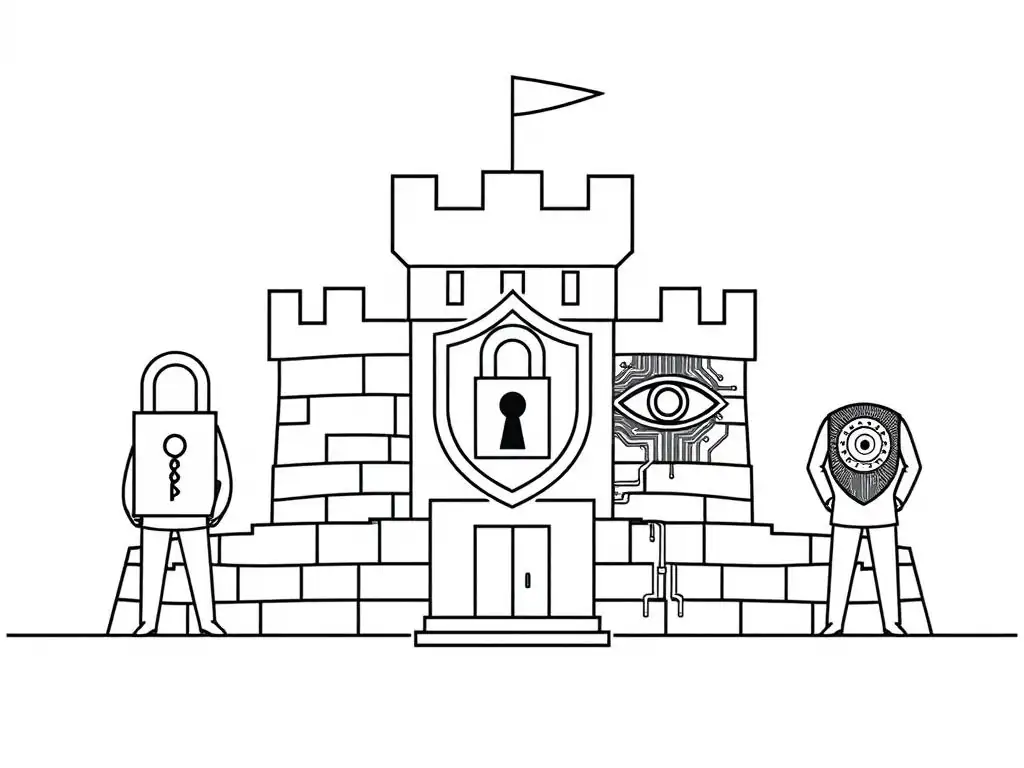
This section delves into sophisticated password management techniques that go beyond simply choosing a strong password. We'll explore strategies that proactively protect your accounts and minimize the risk of unauthorized access, ultimately enhancing your digital security. Mastering these techniques is crucial for safeguarding your sensitive personal and financial information in today's increasingly interconnected world. The goal is to implement secure passwords: best practices that are both robust and manageable.
Password Recovery Strategies: Planning Ahead and Utilizing Security Questions
Robust password recovery is not just about remembering your password; it's about having a reliable backup plan in case you forget. Relying solely on password reset emails can be risky, as these emails can be intercepted. Therefore, a multi-layered approach is vital.
One critical element is the effective utilization of security questions. Avoid easily guessable answers. Instead of using obvious answers like your mother's maiden name or your pet's name, opt for less common information. For example, consider a combination of facts only you would know, such as:
- The street name of your first childhood home and the year you moved.
- A significant date combined with a specific detail from that day (e.g., "July 4th, 1995: the color of my shirt").
- A childhood nickname coupled with the first initial of a close friend.
Remember, the key is to create unique and memorable combinations that are difficult for others to guess, yet easy for you to recall. Consider writing these answers down in a secure, offline location, such as a password-protected document stored on an encrypted external hard drive.
Furthermore, explore the option of enabling two-factor authentication (2FA) wherever possible. 2FA adds an extra layer of security, requiring a second form of verification beyond your password, typically a code sent to your phone or email. This significantly reduces the risk of unauthorized access even if your password is compromised.
Utilizing Password Hints and Managers Effectively: Maximizing Security and Accessibility
Password hints can be helpful, but they should be carefully crafted to avoid revealing too much information. Instead of stating obvious hints like "My dog's name is Max," use a more cryptic hint like "My childhood pet's name, spelled backward." This adds a layer of obfuscation, making it harder for attackers to guess your password even with the hint.
Password managers are invaluable tools for managing multiple complex passwords securely. These managers generate strong, unique passwords for each account and store them in an encrypted vault, accessible only through a master password. However, choosing a strong master password is crucial. Think of it as the key to your entire digital kingdom! Consider using a passphrase – a longer, more complex string of words – rather than a simple password.
Choosing a reputable password manager is also essential. Research different options and ensure they offer robust security features, such as end-to-end encryption and multi-factor authentication for accessing the manager itself. Regularly update the software to benefit from the latest security patches.
Understanding the Importance of Regular Password Audits: Identifying and Mitigating Risks
Regular password audits are crucial for maintaining strong digital security. This involves periodically reviewing your passwords and making necessary changes. Aim for at least a quarterly audit, or more frequently if you suspect a security breach or have experienced a data leak.
During an audit, identify passwords that are:
- Too short or simple.
- Reused across multiple accounts.
- Associated with accounts you no longer use.
Replace any weak or compromised passwords immediately. Consider using a password manager to simplify this process; it can automatically generate and update passwords for you. Remember that even strong passwords can become vulnerable over time. Proactive password management is a continuous process, not a one-time task. By diligently following these practices, you significantly reduce your risk of becoming a victim of password-related security breaches. This proactive approach to secure passwords: best practices is key to maintaining your digital security.
Password Security Best Practices for Mobile Devices: Protecting Your Accounts on the Go
Mobile devices have become indispensable extensions of our lives, carrying sensitive personal and professional information. This makes securing your accounts on these devices paramount. Neglecting mobile security opens the door to identity theft, financial fraud, and data breaches. Therefore, robust password security practices are crucial for safeguarding your digital life on the go.
One of the most important steps is utilizing a strong, unique password for each app and service. Avoid using easily guessable passwords like birthdays or pet names. Instead, leverage a password manager to generate complex, random passwords that are practically impossible to crack. These managers not only generate secure passwords but also store them securely, eliminating the need to remember dozens of intricate combinations. This significantly reduces your risk of falling victim to credential stuffing attacks, where hackers use leaked usernames and passwords from one site to try and gain access to others.
Furthermore, enable two-factor authentication (2FA) whenever possible. This adds an extra layer of security, requiring a second form of verification beyond your password, such as a code sent to your phone or email. Even if your password is compromised, the attacker will still need access to your secondary verification method to gain entry. Consider using different 2FA methods across various accounts to further enhance security. For instance, use an authenticator app for your banking apps and email verification for social media platforms.
Regularly update your mobile operating system and apps. Software updates often include security patches that address known vulnerabilities, making your device less susceptible to attacks. Be vigilant about downloading apps only from trusted sources like official app stores. Avoid downloading apps from untrusted sources or clicking on suspicious links, as these could contain malware that compromises your security.
Finally, be mindful of your surroundings when accessing sensitive information on your mobile device. Avoid using public Wi-Fi networks for accessing sensitive accounts, as these networks are often unsecured and susceptible to eavesdropping. Always log out of your accounts when you're finished using them, especially on shared devices. Implementing these practices ensures that your mobile accounts are as secure as possible, whether you're at home, at work, or on the go. Remember, proactive security measures are the best defense against cyber threats.
Implementing a robust password policy for work and personal accounts: Protecting your digital life
A robust password policy is the cornerstone of a secure digital life, encompassing both personal and professional accounts. A haphazard approach to passwords leaves you vulnerable to various cyber threats, ranging from simple account takeovers to more sophisticated attacks. Therefore, creating and implementing a strong password policy is vital for safeguarding your digital assets.
For starters, your policy should mandate the use of strong, unique passwords for each account. This means avoiding easily guessable passwords like "password123" or variations of your name and birthdate. Instead, opt for passwords that are at least 12 characters long, incorporating a mix of uppercase and lowercase letters, numbers, and symbols. Using a password manager is highly recommended to generate and securely store these complex passwords. The use of the same password across multiple accounts is a major security risk; a breach on one platform can compromise all others.
Furthermore, your password policy should incorporate regular password changes. While the exact frequency depends on the sensitivity of the account, changing passwords every 90 days is a good starting point for most personal accounts. For work accounts, the frequency might be higher, depending on company policy and industry regulations. Implementing a password rotation schedule ensures that even if a password is compromised, the damage is limited to a shorter time frame.
Consider incorporating password complexity rules. These rules can dictate minimum length, character types, and other requirements, making it more challenging for attackers to crack passwords. For instance, you could mandate at least one uppercase letter, one lowercase letter, one number, and one symbol. These rules can be enforced through password management software or built-in features of operating systems.
Regular security audits are also crucial. These audits should assess the strength of existing passwords and identify any potential vulnerabilities. They also help to ensure that the password policy is being followed consistently. For work environments, these audits are often a mandated part of compliance requirements. For personal accounts, regular self-audits are essential. Protecting your digital life requires a proactive and vigilant approach to password management. By establishing and adhering to a robust password policy, you significantly reduce the risk of unauthorized access and protect your sensitive information.
Secure Passwords: Best Practices for Different Platforms
Protecting your digital life hinges on strong, unique passwords. This section delves into best practices for crafting and managing passwords across various platforms, focusing on the crucial aspect of secure passwords. Failing to prioritize password security leaves you vulnerable to identity theft, financial loss, and significant inconvenience. Let's explore platform-specific strategies to bolster your digital defenses.
Social media accounts, while often perceived as casual, often hold a wealth of personal information. A compromised account can lead to identity theft, reputation damage, and even harassment. Therefore, employing robust password strategies for these platforms is paramount.
Consider these points when creating social media passwords:
- Length and Complexity: Aim for passwords exceeding 12 characters, incorporating uppercase and lowercase letters, numbers, and symbols. Avoid easily guessable information like birthdays or pet names. A strong password for your Facebook account, for example, might look like
$p3ci@lCh@ract3rs123. - Uniqueness: Never reuse passwords across different social media platforms. If one account is compromised, the attacker gains access to others. Employ a password manager (discussed later) to streamline this process.
- Two-Factor Authentication (2FA): Enable 2FA whenever possible. This adds an extra layer of security, requiring a code from your phone or email in addition to your password. This significantly reduces the risk of unauthorized access, even if your password is somehow obtained.
- Regular Updates: Periodically change your passwords, especially if you suspect a security breach or have reason to believe your account might be compromised. Aim to update passwords every 3-6 months for high-value accounts.
Your email account serves as a central hub for communication and often contains sensitive information. Compromising your email can have devastating consequences, as it often provides access to password recovery options for other accounts. This is why securing your email account with secure passwords is crucial.
Here's how to strengthen your email security:
- Password Strength: Use a long, complex password with a mix of characters, as described above. A weak password for your Gmail account could easily be cracked, potentially giving access to all your other connected accounts.
- Recovery Options: Carefully select your recovery options, choosing a trusted phone number or a secondary email address. Avoid using easily guessable recovery questions.
- Suspicious Emails: Be wary of phishing emails attempting to steal your credentials. Never click on suspicious links or download attachments from unknown sources.
- Enable 2FA: This is non-negotiable for email accounts. It's an essential step in preventing unauthorized access even if your password is compromised. Consider using an authenticator app for enhanced security.
Secure Passwords for Banking and Financial Accounts: Safeguarding Your Financial Information
Your financial accounts contain highly sensitive information, making them prime targets for cybercriminals. Protecting these accounts with strong, unique passwords is absolutely critical. A compromised banking account can lead to significant financial losses and identity theft. The concept of secure passwords takes on even greater importance here.
Here are some vital considerations:
- Password Complexity and Uniqueness: These are paramount. Use exceptionally strong, unique passwords, distinct from those used on other platforms. Consider using a passphrase, a longer phrase that is easier to remember but harder to crack than a short, complex password.
- Regular Monitoring: Regularly check your bank and credit card statements for any unauthorized transactions. Set up transaction alerts to receive immediate notifications of any activity.
- Secure Browsing: Use secure websites (HTTPS) when accessing your financial accounts. Avoid using public Wi-Fi networks for sensitive transactions.
- Software Updates: Keep your software and operating systems up-to-date with the latest security patches to mitigate vulnerabilities. This includes your banking app and your browser.
Remember, the security of your digital life depends on your commitment to strong password practices. Prioritize secure passwords across all platforms to protect yourself from the risks of cybercrime. Investing time in robust password management is an investment in your overall security.
Secure Passwords for Cloud Storage Accounts: Protecting Your Sensitive Data in the Cloud
Cloud storage services, while incredibly convenient, represent a significant vulnerability if not properly secured. Think about it: you're entrusting potentially sensitive personal data – photos, financial documents, important emails – to a third-party provider. A weak password is an open invitation for hackers to access this information. Therefore, choosing strong and unique passwords for each cloud storage account is paramount. This isn't just about protecting your vacation photos; it's about safeguarding your digital identity and financial security.
The consequences of a compromised cloud storage account can be severe. Imagine a hacker gaining access to your tax returns, medical records, or even your banking details. The potential for identity theft, financial loss, and reputational damage is substantial. This is why robust password practices are not merely a suggestion, but a necessity.
Beyond strong passwords, consider enabling two-factor authentication (2FA) wherever possible. This adds an extra layer of security, requiring a second verification method (like a code sent to your phone) in addition to your password. Even if your password is somehow compromised, the attacker will still be blocked without access to your secondary verification method. Many cloud storage providers offer this feature, and activating it should be a top priority.
Furthermore, regularly review your cloud storage account activity for any suspicious login attempts or unauthorized file access. Most services provide detailed logs of account activity, allowing you to quickly identify and address any potential security breaches. Promptly change your password if you detect any unusual behavior. Proactive monitoring is a crucial element of maintaining secure passwords and overall account safety.
Remember, vigilance is key in the ever-evolving landscape of cyber threats. Treat your cloud storage accounts with the same level of care and attention you would give to a physical safe containing valuable possessions. The data stored within deserves the utmost protection.
Staying Ahead of the Curve: Future-Proofing Your Password Security
This section explores proactive measures to ensure your password security remains robust against evolving threats. We'll move beyond the basics of strong passwords and delve into strategies that anticipate future vulnerabilities. Effective password management isn't a one-time task; it's an ongoing process of adaptation and improvement. Understanding emerging trends and adopting advanced techniques is crucial for maintaining optimal security in the digital age. The goal is to secure passwords: best practices that are not only effective today, but also resilient to tomorrow's cyber threats.
Emerging Password Technologies: Staying Informed About the Latest Advancements
The landscape of password security is constantly evolving. New technologies are continually being developed to improve authentication methods and enhance overall security. Staying informed about these advancements is paramount to maintaining robust protection. For example, advancements in password hashing algorithms are constantly being made to improve resistance against brute-force attacks.
These algorithms, such as Argon2 and bcrypt, are designed to be computationally expensive, making it significantly harder for attackers to crack passwords. Furthermore, the development of more sophisticated multi-factor authentication (MFA) methods provides an additional layer of security beyond traditional passwords. These methods often involve using a combination of something you know (password), something you have (physical token), and something you are (biometrics).
Keeping abreast of these developments, understanding their strengths and weaknesses, and adapting your practices accordingly is key to future-proofing your password security. Regularly reviewing your password management practices and updating your tools and techniques as new technologies emerge is a crucial part of secure passwords: best practices. This proactive approach significantly reduces your vulnerability to evolving threats.
The Future of Password Security: Exploring Biometric Authentication and Beyond
Biometric authentication, using unique biological characteristics like fingerprints or facial recognition, represents a significant leap forward in password security. While not without its own vulnerabilities (spoofing, data breaches), biometric authentication offers a potentially more secure and convenient alternative to traditional passwords. Imagine a world where your fingerprint unlocks all your accounts, eliminating the need to remember complex and numerous passwords. However, it is important to understand the limitations.
Biometric data, once compromised, can be extremely difficult to recover. Therefore, a balanced approach that incorporates multiple layers of security, including robust password management strategies alongside biometric authentication, is likely the most effective approach. Beyond biometrics, research is ongoing into even more advanced authentication methods such as behavioral biometrics (analyzing typing patterns, mouse movements, etc.)
and passwordless authentication systems that rely on cryptographic keys and other innovative techniques. The future of secure passwords: best practices lies in the adoption of these emerging technologies and a continuous commitment to adapting to new threats and advancements. Staying informed and proactively updating your security measures will be crucial in navigating this evolving digital landscape.
Frequently Asked Questions
How can I create a strong and secure password?
Use a passphrase instead of a simple word. Combine random words with numbers and symbols, aiming for at least 12 characters. Avoid using personal information.
What is the best way to manage multiple passwords?
Use a password manager to securely store and generate strong, unique passwords for each account. This simplifies logins and eliminates the risk of reusing passwords.
Why should I avoid reusing passwords across different accounts?
Reusing passwords means that if one account is compromised, all your accounts are at risk. Unique passwords for each account significantly reduces this risk.
What are some common password mistakes to avoid?
Avoid using easily guessable information like birthdays, names, or pet names. Don't use simple words or common phrases. Enable two-factor authentication whenever possible.
How often should I change my passwords?
While there's no magic number, it's good practice to change passwords regularly for sensitive accounts, or immediately if you suspect a breach. Focus on strong passwords and a secure password management system.
Final Reflection: Forging an Impregnable Digital Fortress
The relentless rise of cybercrime underscores the critical need for robust password security; a single weak link can unravel your entire digital life. In today's interconnected world, where our personal data is constantly under siege, proactive measures are no longer optional—they're essential for safeguarding our privacy and financial security. The consequences of neglecting password hygiene are simply too severe to ignore.
The pervasiveness of data breaches and identity theft has profoundly impacted our collective sense of security online. This shift has forced us to confront the fragility of our digital existence and the urgent need for better practices. The best way to keep a secret is to not tell anyone.
- This adage, while simple, highlights the importance of safeguarding our passwords, the keys to our digital kingdoms. We must move beyond simple passwords and embrace the advanced strategies discussed, recognizing that our digital security is a continuous process of vigilance and adaptation.
You now possess the knowledge to build a robust digital defense. Don't let the fear of complexity paralyze you. Take the time to implement these advanced password strategies. Start today by reviewing your current passwords, adopting a password manager, and embracing the power of strong, unique credentials. Your peace of mind, and your digital future, depend on it. Take control, and build your own impenetrable digital fortress.
Level Up Your Online Security: Take Control Now!
Protecting your digital life is crucial, and you've taken the first step by learning about enhancing your online security. Now, let's put this knowledge into practice.
- Immediately update your passwords for all important accounts, including banking, email, and social media. Use a unique, strong password for each account. A password manager can significantly simplify this process.
- Enable multi-factor authentication wherever possible. This adds an extra layer of security that significantly reduces the risk of unauthorized access.
- Share this information with your friends and family. Collective awareness is key to staying safe online. Let's work together to build a safer digital environment.
What's the first account you'll secure today?