
The iPhone Hacks That Will Change How You Use Your Phone

Welcome to UltimateLifeHacks, your gateway to a more efficient and fulfilling life! Are you ready to unlock the hidden potential of your iPhone? We've compiled the best iPhone productivity hacks to streamline your daily workflow and reclaim precious time. Discover ingenious techniques that will transform how you use your phone – from managing notifications to maximizing apps. Dive in and experience the difference!
- Best iPhone Productivity Hacks: Mastering Your iOS Device
- Hidden iPhone Features for Enhanced Productivity
- iPhone Hacks for Enhanced Accessibility and Ease of Use
- Advanced iPhone Hacks for Power Users
-
Frequently Asked Questions
- What are some of the best iPhone productivity hacks mentioned in the article?
- How can I use my iPhone more efficiently for work?
- Does the article cover any tips for improving my iPhone's battery life?
- Are these hacks suitable for beginners?
- Where can I find more information on these iPhone productivity hacks?
- Final Reflection: Unlocking Your iPhone's Untapped Potential
- Unlock Your iPhone's Hidden Potential!
Best iPhone Productivity Hacks: Mastering Your iOS Device
Are you ready to unlock the hidden potential of your iPhone and transform it from a simple communication device into a powerful productivity powerhouse? This article dives deep into the best iPhone productivity hacks designed to save you time, boost efficiency, and dramatically improve your daily workflow. We'll explore practical techniques and strategies, focusing on built-in iOS features and lesser-known functionalities that can significantly enhance your overall productivity.
Forget struggling with a disorganized digital life; let's master your iOS device and achieve peak efficiency. This guide provides a comprehensive overview of time management, communication streamlining, and overall iPhone optimization, targeting those seeking the "Best iPhone productivity hacks" to conquer their daily tasks. Get ready to experience a significant upgrade in your digital organization and efficiency!
Unlock iPhone Productivity: Time Management Techniques
Effective time management is crucial for boosting productivity, and your iPhone is a surprisingly powerful tool in this regard. Let's explore some key strategies that leverage iOS's built-in features to help you conquer your to-do list and achieve your goals.
Mastering the iPhone's Built-in Timer for Enhanced Focus
The iPhone's built-in Timer app is more than just a kitchen gadget; it's a powerful tool for focused work. Instead of letting your tasks drag on indefinitely, use the Timer to set specific work intervals (e.g., the Pomodoro Technique's 25-minute work sessions followed by 5-minute breaks). This structured approach significantly improves focus and prevents burnout. Experiment with different interval lengths to find what best suits your work style and concentration levels. Remember to utilize the repeating function for consistent, scheduled work sessions throughout the day. This simple hack can dramatically improve your concentration and overall task completion rate.
Utilizing the Reminders App for Task Management & Goal Setting
The Reminders app is your digital assistant for managing tasks and achieving goals. Go beyond simple reminders; leverage its features for detailed task organization. Create lists for different projects, set due dates and times, and add location-based reminders. Use subtasks to break down large projects into manageable steps. The ability to tag and prioritize tasks makes this a truly powerful tool for managing complex projects and daily routines. Experiment with the app’s features to discover how you can best utilize it for your specific needs.
Scheduling Emails and Notifications for Optimized Workflow
Avoid the constant barrage of notifications by strategically scheduling emails and notifications. Utilize the "Do Not Disturb" feature for focused periods, and schedule emails to be sent at specific times when you're more likely to be available to respond. This approach minimizes distractions and allows for more focused work sessions. Consider using third-party apps that integrate with your email to allow for even more precise scheduling of outgoing messages. This proactive approach to managing your digital communication flow can make a huge difference in your daily productivity.
Best iPhone Productivity Hacks: Streamlining Communication
Effective communication is vital for productivity. Let's explore how to utilize your iPhone's features to streamline your communication and minimize wasted time.
Quick Reply Features: Mastering Efficiency in Messaging
Mastering quick reply features significantly speeds up your messaging. Learn keyboard shortcuts, utilize pre-written responses for frequently used phrases, and leverage features like dictation for hands-free messaging. These small changes accumulate to save you a considerable amount of time over the course of a week or month. This efficiency gain frees up mental energy and allows you to focus on more complex tasks.
Utilizing Siri for Hands-Free Communication and Task Automation
Siri is more than just a voice assistant; it's a productivity tool. Use Siri to make calls, send messages, set reminders, and even create calendar events—all hands-free. This functionality is particularly useful when multitasking or when your hands are occupied. Explore Siri's capabilities and discover the many ways it can automate tasks and free up your time. Integrating Siri into your workflow can significantly streamline your daily routine.
Customizing Notification Settings for Focused Workflows
Notification overload is a productivity killer. Customize your notification settings to only receive alerts for essential apps and communications. Turn off unnecessary notifications to minimize distractions and maintain focus. Consider using the "Focus" feature in iOS to create different notification profiles for various activities (e.g., "Work," "Relax," "Sleep"). This refined control over your notifications will lead to a more productive and less stressful workflow.
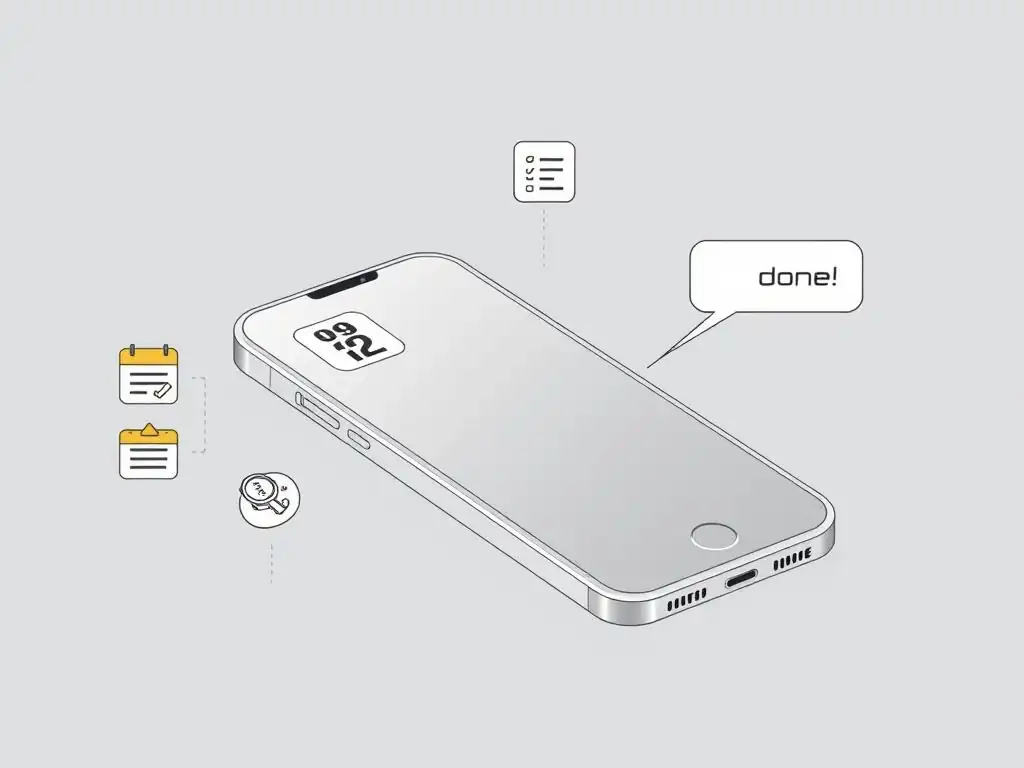
This section unveils some lesser-known iPhone features designed to significantly boost your productivity. These aren't flashy updates, but rather subtle adjustments that, when implemented, can dramatically alter your daily workflow and how you interact with your device. Mastering these will transform your iPhone from a simple communication tool into a highly efficient productivity powerhouse. We'll explore practical applications of these features, focusing on how they directly impact your ability to accomplish more in less time. The goal is to show you how the best iPhone productivity hacks are often the ones hiding in plain sight.
Boosting iPhone Performance: Memory Management & App Optimization
A sluggish iPhone can significantly hamper productivity. Understanding how to manage your phone's memory and optimize app performance is crucial for maintaining a smooth, responsive user experience. This involves identifying resource-intensive apps and freeing up storage space to allow your device to operate at peak efficiency. This section details strategies for addressing these issues.
Identifying and Removing Resource-Intensive Apps
Some apps consume significantly more resources (memory and processing power) than others. Identifying these "memory hogs" is the first step to optimization. While there isn't a built-in tool to directly pinpoint the most resource-intensive apps, observing your phone's behavior can provide valuable clues. If you notice significant lag or slowdowns after using a specific app, that's a strong indicator. Consider uninstalling apps you rarely use or those known for high resource consumption. Regularly reviewing your installed apps and uninstalling unused ones is a crucial aspect of best iPhone productivity hacks.
A good rule of thumb is to uninstall any app you haven't used in the last month. This proactive approach prevents the accumulation of unused apps that needlessly consume storage space and potentially impact performance. Think of it as digital decluttering – a key component of efficient mobile management.
Optimizing iPhone Storage Space for Smooth Operation
Insufficient storage space directly impacts iPhone performance. As storage fills, the system slows down, leading to frustrating lags and delays. Regularly checking and managing your storage is therefore vital. The iPhone offers built-in tools to help you identify what's consuming your space – photos, videos, and large apps are common culprits. Deleting unnecessary files, offloading unused apps (preserving their data for later re-installation), and using cloud storage services like iCloud are effective strategies for freeing up valuable space. This is one of the most easily overlooked, yet impactful, best iPhone productivity hacks.
Consider these steps for optimal storage management:
- Regularly delete unwanted photos and videos.
- Utilize iCloud or other cloud storage services.
- Offload apps you rarely use but want to keep.
- Delete temporary files and cache data (though this is often handled automatically).
Improving iPhone Battery Life: Power Saving Hacks
Extended battery life is paramount for maintaining productivity throughout the day. A dead battery can disrupt workflows and limit your ability to stay connected. This section explores several techniques for maximizing your iPhone's battery life, ensuring you stay powered up and productive.
Activating Low Power Mode for Extended Usage
Low Power Mode is a built-in iPhone feature that significantly extends battery life. When activated, it reduces background activity, limits certain visual effects, and optimizes performance to conserve power. It's a simple yet highly effective tool for extending battery life when you're away from a power source or anticipate prolonged use. Activating Low Power Mode should be a part of your daily routine, especially on days with heavy usage. This is a simple yet powerful productivity hack often overlooked.
Managing App Background Activity for Optimal Battery Performance
Many apps continue to run in the background, consuming battery life even when you're not actively using them. Managing background activity can dramatically improve battery life. Review your app settings and disable background app refresh for apps that don't require it. This is a more advanced technique but can result in significant battery life improvements. Prioritize this for apps known to be power-hungry. This fine-grained control over background processes is among the best iPhone productivity hacks for long-lasting battery performance.
iPhone Hacks for Enhanced Accessibility and Ease of Use
This section explores practical iPhone hacks designed to boost accessibility and simplify your daily interactions with your device. We'll delve into customizing settings for personalized use, examining accessibility features for improved usability and ultimately enhancing your overall iPhone experience. Mastering these techniques will transform your phone from a tool into a seamless extension of your capabilities. These are some of the best iPhone productivity hacks for improving usability.
Customizing iPhone Settings for Personalized Use
Optimizing your iPhone's settings is crucial for maximizing productivity and comfort. Small tweaks can yield significant improvements in your daily workflow. Let's explore two key areas: text size and display settings, and Control Center customization.
Adjusting Text Size and Display Settings for Optimal Readability
Eye strain is a common complaint among smartphone users. Fortunately, iOS offers robust tools to combat this. You can adjust the text size across the entire system, making it easier to read emails, messages, and web pages. Additionally, the "Display & Brightness" settings allow you to adjust the brightness, enabling comfortable viewing in various lighting conditions.
Experiment with the "Bold Text" option to enhance readability further. Consider the "Reduce White Point" feature to lessen eye strain in low-light environments. Finding the right balance will significantly improve your reading experience and reduce eye fatigue. Remember, prioritizing comfort translates directly to improved productivity.
Personalizing Control Center for Quick Access to Essential Features
The Control Center is your gateway to frequently used features. By customizing it, you can streamline your workflow and access vital functions with minimal effort. You can add or remove toggles for Wi-Fi, Bluetooth, Do Not Disturb, and many other essential features. Consider adding shortcuts for low power mode, screen recording, or even accessibility features like Magnifier.
A well-organized Control Center is a cornerstone of efficient iPhone usage. Think about which functions you use most often and prioritize them in your customized Control Center. This simple tweak can save you countless seconds throughout the day, accumulating to significant time savings over time.
Exploring Accessibility Features for Improved Usability
Beyond simple customization, the iPhone boasts a comprehensive suite of accessibility features. These tools are not just for users with disabilities; they can enhance usability for everyone. Let's examine two powerful features: Voice Control and AssistiveTouch.
Utilizing Voice Control and Dictation for Hands-Free Operation
Voice Control lets you navigate your iPhone and dictate text entirely hands-free. This is incredibly useful when multitasking, driving, or simply needing a break from typing. You can open apps, send messages, make calls, and much more using only your voice. The accuracy of voice dictation has improved significantly in recent iOS versions. Experiment with different commands and phrasing to optimize your experience. This is one of the best iPhone productivity hacks for multitasking. Consider using voice control for longer emails or documents—it can significantly speed up your workflow.
Leveraging AssistiveTouch for Enhanced Control
AssistiveTouch provides an on-screen button that gives you access to various iPhone functions. This is especially helpful if you have difficulty pressing the physical buttons on your device. You can customize the actions associated with the AssistiveTouch button, making it a personalized control center. For example, you could assign gestures for volume control, screen rotation, or even launching specific apps.
The flexibility of AssistiveTouch makes it a powerful tool for anyone seeking enhanced control and ease of use. This feature is often overlooked, but it can become an indispensable tool for improving your iPhone interaction. Experiment with different customizations to find the perfect setup for your needs.
Advanced iPhone Hacks for Power Users
This section dives into more advanced iPhone features designed to boost your productivity and streamline your workflow. We'll explore powerful tools often overlooked by casual users, transforming your iPhone from a simple communication device into a personalized productivity powerhouse. These Best iPhone productivity hacks will help you reclaim your time and conquer your daily tasks with ease.
Mastering Shortcuts App for Automation and Efficiency
The Shortcuts app is a game-changer for automating repetitive tasks and creating personalized workflows. Instead of manually performing the same actions repeatedly, you can create a single shortcut that executes a series of commands with a single tap. This is a key element in achieving "Best iPhone productivity hacks". This significantly reduces the time spent on mundane activities, freeing up your mental energy for more important tasks. Think of it as your own personal digital assistant, readily available at your fingertips.
Creating Custom Shortcuts for Daily Tasks and Workflows
Let's illustrate with concrete examples. Imagine you have a daily routine involving sending a specific email to your team, setting a timer for a particular task, and then opening a specific project file. Instead of performing each step individually, you can create a shortcut that bundles them together. The process involves selecting actions (sending email, setting a timer, opening a file), configuring the parameters (email address, timer duration, file path), and giving the shortcut a descriptive name.
Once created, you can add this shortcut to your home screen for instant access. You can even add personalized voice commands for hands-free operation. This dramatically reduces the steps involved in your routine, resulting in significant time savings. Another example would be creating a shortcut to quickly share a photo to multiple social media platforms simultaneously.
Utilizing Shortcuts with Other Apps for Enhanced Functionality
The true power of Shortcuts lies in its ability to integrate with other apps. For instance, you can create a shortcut that automatically adds your daily expenses from a finance app to a spreadsheet. Or, you can design a shortcut that triggers a specific smart home function (like turning on the lights) when you arrive home, as determined by your location services.
The possibilities are limitless, constrained only by your imagination and the apps you use. This level of automation is a hallmark of the Best iPhone productivity hacks, allowing you to seamlessly integrate your digital life and maximize your efficiency.
Exploring the Power of Focus Mode for Improved Concentration
Focus Mode, introduced in iOS 15, is a powerful tool for minimizing distractions and promoting concentration. It allows you to curate which apps and notifications are allowed during a focused work session, effectively creating a digital sanctuary for enhanced productivity. This is one of the Best iPhone productivity hacks for managing distractions.
Customizing Focus Modes for Different Work Environments and Tasks
You can create multiple Focus Modes, each tailored to different contexts. For example, you might have a "Work" Focus Mode that silences all notifications except for essential work-related apps, and a "Relax" Focus Mode that allows access to entertainment apps but limits notifications from social media. You can customize the appearance of each mode (e.g., dark mode, specific wallpaper) to further enhance the feeling of separation between work and relaxation. This personalized approach is crucial for effective implementation, maximizing the impact of this productivity-boosting feature.
Integrating Focus Modes with other productivity apps
Focus Mode's effectiveness is amplified when integrated with other productivity apps. For instance, you can schedule Focus Modes to automatically activate at specific times, leveraging calendar integration for seamless transitions between work and leisure. You can also set up automations within the Shortcuts app to trigger Focus Modes based on specific actions or location changes. This holistic approach, combining the power of Focus Mode with other productivity tools, is a testament to the Best iPhone productivity hacks available to users. By strategically combining these features, you can create a highly personalized and effective productivity system.
Frequently Asked Questions
What are some of the best iPhone productivity hacks mentioned in the article?
The article highlights several time-saving hacks, including using the Focus mode to minimize distractions, employing shortcuts for repetitive tasks, and mastering notification management for improved concentration. These features significantly boost efficiency.
How can I use my iPhone more efficiently for work?
Utilize features like calendar reminders, email prioritization, and file organization apps to streamline your workflow. The article emphasizes leveraging the iPhone's capabilities to manage your professional tasks effectively.
Does the article cover any tips for improving my iPhone's battery life?
Yes, the article suggests optimizing background app refresh, reducing screen brightness, and limiting location services to extend battery life. These simple adjustments can make a big difference.
Are these hacks suitable for beginners?
Absolutely! The article focuses on easy-to-implement hacks that require minimal technical knowledge. Even inexperienced iPhone users will find them beneficial.
Where can I find more information on these iPhone productivity hacks?
Check out the full article on UltimateLifeHacks for a comprehensive guide! It provides detailed instructions and further tips to enhance your iPhone usage.
Final Reflection: Unlocking Your iPhone's Untapped Potential
The iPhone, a ubiquitous device in our pockets, often remains a largely untapped resource for productivity. Mastering its hidden functionalities isn't just about efficiency; it's about reclaiming control over your time and attention in an increasingly demanding digital world. We've explored some of the most powerful iPhone hacks, transforming a simple device into a personalized productivity powerhouse.
The impact of these simple tweaks extends far beyond individual efficiency; they represent a shift in our relationship with technology. We've moved from passive consumption to active engagement, shaping our digital experience rather than being shaped by it. This resonates deeply with the sentiment expressed by Cal Newport in his work on deep work: The ability to perform deep work is becoming increasingly valuable in our economy. As more and more jobs become automated, the jobs that remain will require more and more high-level cognitive skills.
By mastering these hacks, we equip ourselves to better navigate the complexities of modern life and focus on tasks that truly matter.
Now, it's your turn. Consider which of these hacks resonates most strongly with your needs and integrate it into your daily routine. Experiment, explore, and discover the unique ways you can personalize your iPhone to enhance your productivity and well-being. Don't just use your phone; command it. The power to transform your digital experience lies within your grasp.
Thank you for exploring these incredible iPhone tips and tricks! We hope you discovered some new ways to boost your productivity and simplify your daily life. Ready to elevate your iPhone experience?
- Master a new technique: Choose your favorite tip from this article and dedicate 15 minutes to mastering it. You'll be amazed at the difference!
- Share your discoveries: Which tip do you think would most benefit your friends or family? Share this article with them and spread the word!
- Get creative: Can you think of a way to combine two of these tips for an even more efficient workflow? Let us know in the comments!
Ready to transform your daily routine with these simple yet powerful techniques?