
The Productivity App for File Sharing: Collaborate Easily


Ready to reclaim your time and conquer digital chaos? At UltimateLifeHacks, we're dedicated to simplifying your life with practical solutions. This week, we dive into the world of seamless collaboration with our deep dive on the Best file sharing app productivity. Discover how the right app can transform your workflow and unlock unprecedented efficiency. Let's explore the apps that will revolutionize your productivity – read on to find your perfect match!
- Finding the Best File Sharing App for Productivity
- Top File Sharing Apps for Enhanced Productivity
- Optimizing Your Workflow with the Best File Sharing App
- Choosing the Right File Sharing App for Long-Term Productivity
- Beyond File Sharing: Boosting Productivity with Integrated Tools
-
Frequently Asked Questions
- What is the best file sharing app for boosting productivity?
- How can file sharing apps improve team collaboration?
- Are there any security concerns when using file sharing apps for work?
- What features should I look for in a productivity-focused file sharing app?
- How can I choose the right file sharing app for my specific needs at UltimateLifeHacks?
- Final Reflection: Unlocking Collaboration's Potential Through Seamless File Sharing
- Unlock Your Team's Potential: Start Collaborating Today!
Finding the Best File Sharing App for Productivity
Navigating the digital landscape of today requires seamless collaboration and efficient file sharing. The right productivity app can dramatically streamline workflows, boost team communication, and ultimately save you valuable time. This article explores the crucial factors to consider when selecting a file sharing application to optimize your productivity, focusing on how to identify your specific needs and evaluate the features that truly matter.
We'll delve into team size considerations, essential features like real-time collaboration and version control, and the intricacies of various pricing models, ultimately guiding you toward selecting the best file sharing app for productivity. We'll explore what makes an app truly "best" in terms of enhancing your workflow and boosting overall efficiency, helping you choose the perfect tool to manage your files and projects effectively.
This guide aims to help you choose the best file sharing app for productivity, regardless of your team size or project complexity. Let's get started!
Identifying Your File Sharing Needs: Team Size and Project Scope
Choosing the right file-sharing app is significantly impacted by the size of your team and the scope of your projects. A small team working on a single project might find a simple, free app sufficient. However, larger teams collaborating on multiple, complex projects will require a more robust solution with advanced features.
Consider these points:
- Team Size: A small team (1-5 people) might benefit from a simpler, less feature-rich app, possibly even a free tier. Larger teams (5+ people) will likely need features such as granular permission controls, advanced search capabilities, and robust administration tools. The number of users directly impacts the scalability and functionality required.
- Project Scope: Simple projects with limited file sizes and infrequent updates might not demand advanced features. However, complex projects involving large files, frequent revisions, and multiple contributors necessitate features such as version control, real-time collaboration, and robust security measures. The complexity of your project directly correlates with the sophistication of the app you'll need.
- File Types: Do you primarily share documents, images, videos, or a combination? Ensure the app supports all necessary file types without limitations or conversion issues.
- Security Needs: Consider the sensitivity of your data. Does the app offer encryption, access controls, and audit trails? For sensitive projects, robust security features are paramount.
Evaluating Key Features: Real-time Collaboration and Version Control
Beyond team size and project scope, several key features distinguish a merely adequate file-sharing app from a truly best file sharing app for productivity. Here are two essential aspects to consider:
- Real-time Collaboration: The ability to collaborate on files simultaneously is a significant productivity booster. Look for apps that allow multiple users to edit documents, spreadsheets, or presentations concurrently, with changes visible to all in real-time. This minimizes confusion and speeds up the review and editing process. Features like simultaneous editing and integrated chat significantly improve efficiency.
- Version Control: This feature is crucial for managing changes to files over time. Version control allows you to track edits, revert to previous versions, and see the history of modifications. This is especially important for collaborative projects to prevent data loss and ensure everyone works from the most up-to-date version. Without version control, managing edits can become a logistical nightmare.
Comparing Pricing Models: Free vs. Paid File Sharing Apps for Productivity
The cost of file-sharing apps varies widely, from entirely free options to sophisticated enterprise solutions with substantial monthly fees. Understanding the pricing models is vital for selecting an app that aligns with your budget and needs.
- Free Plans: Often offer limited storage, features, and user capacity. They can be suitable for small teams or individual users with modest needs. However, limitations can hinder productivity as your team or project grows.
- Paid Plans: Typically offer increased storage, advanced features (like real-time collaboration and version control), enhanced security, and greater user capacity. The cost will vary based on the number of users and the level of features required. These are often more cost-effective in the long run for larger teams or complex projects.
- Per-User Pricing: Some apps charge based on the number of users accessing the platform. This model can become expensive for large teams.
- Tiered Pricing: Many apps offer tiered pricing plans with varying features and storage capacities, allowing you to select a plan that fits your specific requirements.
Choosing the right file sharing app can significantly impact team productivity. By carefully considering your team size, project scope, essential features, and pricing models, you can identify the best file sharing app for productivity to optimize your workflow and achieve your goals. 🎉
Top File Sharing Apps for Enhanced Productivity
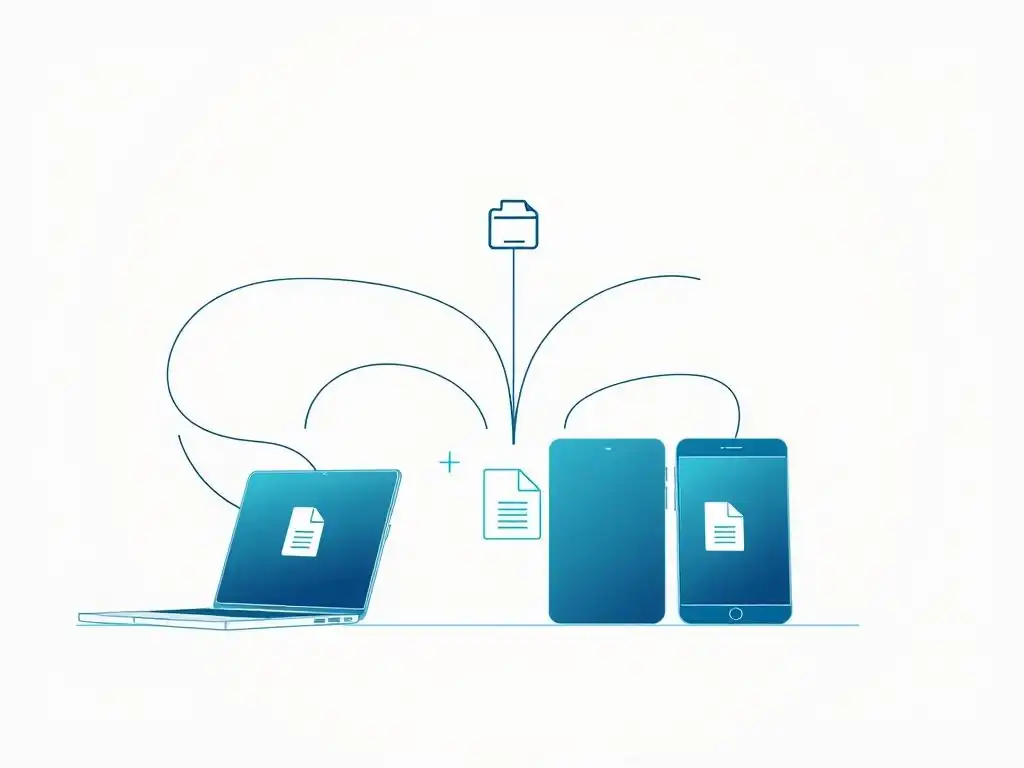
This section explores some of the best file-sharing applications available, focusing on their features that specifically boost productivity and streamline collaboration. Choosing the right app can significantly impact team efficiency and individual workflow. We'll delve into the strengths of several popular choices, highlighting their unique benefits for enhanced productivity. The optimal "best file sharing app productivity" solution will depend on your specific needs and team dynamics.
Google Drive: Features and Benefits for Seamless Collaboration
Google Drive is a ubiquitous cloud storage and file sharing service, deeply integrated with other Google Workspace applications. Its strength lies in its seamless collaboration features. Real-time co-editing allows multiple users to work on the same document simultaneously, eliminating version control issues and fostering faster project completion. This real-time collaboration is a significant productivity boost, particularly for teams working on shared projects.
Beyond real-time editing, Google Drive offers robust version history, allowing you to revert to previous versions of files with ease. This is crucial for preventing accidental data loss and ensuring project integrity. Furthermore, the integration with Google Docs, Sheets, and Slides enables a streamlined workflow, keeping all project-related files neatly organized in a single location. This centralized storage significantly reduces time wasted searching for files. The comprehensive search functionality within Google Drive further enhances efficiency, allowing for quick retrieval of specific documents or files based on keywords or metadata.
The intuitive interface of Google Drive is another factor contributing to its productivity benefits. Its ease of use minimizes the learning curve, allowing users to quickly master the platform and focus on their tasks rather than wrestling with complex software. Google Drive also offers excellent mobile accessibility, enabling collaboration and file access from anywhere, anytime.
This flexibility is especially valuable for remote teams or individuals who frequently work on the go. Finally, Google Drive's robust security features ensure the protection of sensitive data, a crucial aspect for maintaining productivity and preventing disruptions. The granular permission settings allow for precise control over who can access and edit specific files, enhancing security and collaboration efficiency.
Dropbox: Streamlining Workflow with Advanced File Sharing Capabilities
Dropbox, another prominent player in the cloud storage arena, excels in streamlining workflows through its advanced file-sharing capabilities. Its user-friendly interface and straightforward file-sharing options make it a popular choice for both individuals and teams. Dropbox’s focus on simplicity makes it a highly accessible tool, boosting productivity by minimizing the time spent navigating complex interfaces.
Dropbox offers features designed to improve collaboration, such as shared folders and selective syncing. Shared folders allow multiple users to access and collaborate on the same files, promoting teamwork and efficient project management. Selective syncing allows users to choose which folders to sync to their local devices, optimizing storage space and improving performance, especially beneficial on devices with limited storage capacity. This feature is a significant productivity enhancer, preventing unnecessary storage consumption and improving device responsiveness.
Dropbox also boasts robust version history, allowing users to retrieve previous versions of files. This feature is essential for preventing data loss and ensuring project integrity, contributing to overall productivity by minimizing the impact of accidental deletions or overwrites. Dropbox’s integration with other productivity tools further enhances its usefulness.
It seamlessly integrates with many popular applications, creating a streamlined workflow and eliminating the need to switch between multiple platforms. This integration is a key factor in its effectiveness as a productivity-enhancing tool. Furthermore, Dropbox's reliable syncing capabilities ensure that files are always up-to-date across all devices, facilitating seamless collaboration and access to the most current versions of documents.
Microsoft SharePoint is a powerful platform designed for enterprise-level collaboration and file sharing. Its strengths lie in its robust security features, extensive customization options, and integration with the Microsoft 365 ecosystem. While perhaps less intuitive than Google Drive or Dropbox for individual users, SharePoint's strengths become apparent in larger organizations and complex projects requiring high levels of security and control.
SharePoint's robust security features are critical for organizations handling sensitive data. Its granular permission controls allow administrators to precisely manage access to files and folders, ensuring data security and compliance. This robust security infrastructure boosts productivity by minimizing the risk of data breaches and ensuring that only authorized personnel can access sensitive information. This minimizes the time and resources spent dealing with security incidents and allows teams to focus on their core tasks.
SharePoint also offers extensive customization options, allowing organizations to tailor the platform to their specific needs. This flexibility is a major productivity advantage, allowing teams to create workflows and organizational structures that optimize their processes. The platform's robust versioning system also ensures that all changes are tracked and easily retrievable, preventing data loss and facilitating project management. This contributes significantly to increased productivity by reducing errors and streamlining the revision process.
Furthermore, SharePoint's seamless integration with other Microsoft 365 applications, such as Microsoft Teams and Outlook, creates a unified and efficient work environment, enhancing collaboration and communication. The centralized platform streamlines access to information and reduces the time spent navigating multiple applications. This deep integration within the Microsoft ecosystem is a crucial factor in its appeal to organizations already heavily invested in Microsoft products.
Optimizing Your Workflow with the Best File Sharing App

This section focuses on how selecting the best file sharing app can dramatically boost your productivity. We'll explore how the right app integrates seamlessly into your existing workflow, minimizing friction and maximizing efficiency. Choosing a platform that suits your specific needs—whether it's for personal use, small team collaboration, or enterprise-level projects—is crucial for reaping the benefits of streamlined file sharing. The impact on productivity isn't just about speed; it's about reducing the cognitive load associated with managing files and collaborating on projects.
A well-chosen app can free up significant mental bandwidth, allowing you to focus on higher-level tasks and strategic thinking. This translates directly into increased output and a more satisfying work experience. The key is to find the right balance between features, ease of use, and security.
Integrating File Sharing into Your Existing Productivity System
Successfully integrating a file-sharing app into your existing productivity ecosystem requires careful planning and execution. It's not just about adding another tool; it's about creating a cohesive system. Think of it like adding a new piece to a well-oiled machine – it needs to fit perfectly. For example, if you heavily rely on project management software like Asana or Trello, choose a file-sharing app that integrates directly with these platforms.
This eliminates the need for constant switching between applications, saving you valuable time and minimizing the risk of misplacing files. Similarly, consider apps that integrate with your calendar or email client for seamless scheduling and notification management. Efficient integration minimizes context switching, a major productivity killer.
Consider these points when integrating your chosen app:
- Automate wherever possible: Explore automation features that allow for automatic file backups, version control, and notifications.
- Centralize your files: Avoid having files scattered across multiple platforms. A centralized system simplifies access and reduces the risk of losing important documents.
- Establish clear naming conventions: Consistent file naming helps maintain order and makes it easier to find files quickly. Consider using a date-based system or a project-specific naming structure.
- Regularly review and purge: Periodically clean up your files to eliminate unnecessary documents and maintain an organized system. This prevents clutter and improves overall efficiency.
Tips and Tricks for Efficient File Management and Collaboration
Efficient file management and collaboration are paramount when using a file-sharing app for productivity enhancement. Simple strategies can drastically improve your workflow and team dynamics. For instance, utilizing folders and subfolders to organize projects is crucial for maintaining order. Clear labeling and consistent naming conventions are essential for quick retrieval. Consider using descriptive file names that include project names, dates, and relevant keywords. This makes searching significantly easier. Furthermore, leverage the version control features offered by many file-sharing applications. This allows team members to track changes, revert to previous versions if necessary, and maintain a clear audit trail.
Beyond organization, effective communication is key to seamless collaboration. Utilize the commenting and annotation features offered by your chosen application to provide feedback directly on files. This reduces the need for lengthy email chains and keeps all communication centralized. Regular check-ins and updates with team members are also crucial to ensure everyone is on the same page and to address any potential roadblocks promptly. Remember, the goal is to optimize communication and reduce unnecessary back-and-forth. This will significantly boost the productivity of your team.
Troubleshooting Common File Sharing Issues and Solutions
Even with the best file-sharing app, you might encounter occasional issues. Proactive troubleshooting can prevent major disruptions and maintain a smooth workflow. Here are some common problems and their solutions:
| Problem | Solution |
|---|---|
| Slow upload/download speeds | Check your internet connection. Consider optimizing your network settings. |
| File corruption | Verify file integrity. Try re-uploading the file. Contact support if needed. |
| Access issues | Double-check user permissions and sharing settings. Contact your administrator. |
| Synchronization problems | Restart the application. Check for updates. Clear the application's cache. |
| App crashes | Check for updates. Restart your device. Reinstall the application if necessary. |
Remember, choosing the right file-sharing app is only half the battle. Effective implementation, proper file management, and proactive troubleshooting are essential for maximizing productivity and ensuring seamless collaboration. By following these tips, you can transform your file-sharing process from a source of frustration into a powerful tool for achieving your goals. This will ultimately contribute to your overall success in achieving your productivity goals, making you a more efficient and effective worker. 🥇
Choosing the Right File Sharing App for Long-Term Productivity
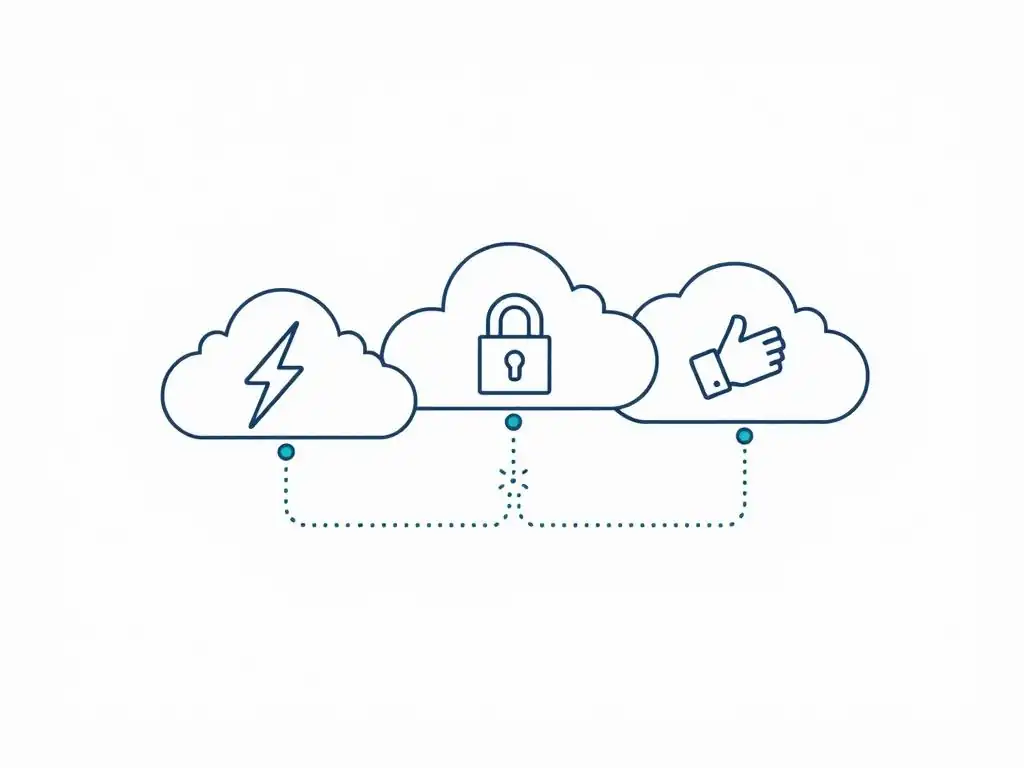
This section focuses on selecting a file-sharing application that aligns with your long-term productivity goals. Picking the right tool isn't just about immediate convenience; it's about building a system that scales with your needs and enhances your workflow for years to come. A poorly chosen app can become a productivity bottleneck, leading to wasted time and frustration. Therefore, careful consideration is crucial before committing to any specific platform. The best file sharing app for productivity isn't a one-size-fits-all solution; it depends on your individual requirements and future projections.
Factors to Consider for Scalability and Future Growth
Choosing a file-sharing app requires anticipating future needs. Will your team grow? Will your storage requirements increase? Will your collaboration needs become more complex? These are vital questions to answer before making a decision. Consider these factors:
- Storage Capacity: Start by estimating your current and projected storage needs. Opt for a platform that offers flexible storage plans, allowing you to easily upgrade as your data volume increases. Consider the cost per gigabyte and the ease of scaling up or down as your needs fluctuate. Don't be trapped by limited storage options down the line.
- User Management: If you anticipate team growth, choose an app with robust user management features. This includes easy addition and removal of users, granular permission controls (allowing different access levels for various team members), and the ability to organize users into groups for streamlined collaboration. Look for features like user roles and permissions that can be easily managed and adapted as your team expands.
- Integration Capabilities: The best file sharing app for productivity often seamlessly integrates with other tools you already use. Consider compatibility with your existing project management software, communication platforms (like Slack or Microsoft Teams), and other productivity apps. Seamless integration minimizes context switching and streamlines workflows.
- API Access: For advanced users or organizations with custom integrations, API access is a crucial factor. An open API allows for greater customization and automation, potentially unlocking significant productivity gains in the long run. This is especially important for larger organizations needing to integrate the file sharing system with their existing infrastructure.
Security Considerations for Sensitive Data Sharing
Security is paramount when choosing a file-sharing app, particularly if you handle sensitive data. Data breaches can have severe consequences, impacting productivity, reputation, and even legal compliance. Prioritize these security aspects:
- Encryption: Ensure the app utilizes robust encryption both in transit (data traveling between devices) and at rest (data stored on the platform's servers). Look for apps that offer end-to-end encryption for the highest level of security. This is especially critical if you are sharing confidential client information or intellectual property.
- Access Controls: Fine-grained access controls are essential to limit who can view, edit, or download specific files. The app should allow you to set permissions based on individual users or groups, preventing unauthorized access to sensitive data. Regular audits of user permissions should be part of your security protocol.
- Two-Factor Authentication (2FA): Implement 2FA wherever possible to add an extra layer of security. This requires users to provide a second form of authentication (like a code sent to their phone) in addition to their password, significantly reducing the risk of unauthorized access. Enabling 2FA for all users is a best practice.
- Compliance and Certifications: If your industry has specific compliance requirements (e.g., HIPAA for healthcare, GDPR for European data), ensure the app meets those standards. Look for certifications and compliance reports that demonstrate the app's commitment to data security and privacy.
Long-Term Cost Analysis and ROI of File Sharing Apps
The initial cost of a file-sharing app is only one aspect of the overall expense. Consider the total cost of ownership (TCO) over time, including potential upgrades, support costs, and any hidden fees. Analyze the return on investment (ROI) to determine if the app's benefits outweigh its costs.
| Feature | Free Plan | Paid Plan (per user/month) | Long-Term Considerations |
|---|---|---|---|
| Storage | 5GB | 100GB+ | Growth potential and cost per GB are key factors. |
| User Management | Limited | Unlimited | Scalability for team growth is essential. |
| Security Features | Basic | Advanced Encryption, 2FA | Prioritize security features for sensitive data. |
| Support | Community | Dedicated Support | Consider the level of support offered for long-term use. |
| Integrations | Limited | Extensive | Seamless integration with existing tools is valuable. |
Careful consideration of these factors – scalability, security, and cost – will help you choose the best file sharing app for productivity, ensuring a smooth, efficient, and secure workflow for years to come. Remember, investing in the right tool now can save you significant time, money, and frustration in the long run.
Beyond File Sharing: Boosting Productivity with Integrated Tools
This section explores how the best file sharing apps for productivity go beyond simple file transfer, integrating tools that enhance collaboration and streamline workflows. Effective file sharing is crucial, but it's only one piece of the productivity puzzle. The most efficient apps offer integrated features that directly address common productivity bottlenecks. Choosing an app with these built-in features can significantly reduce the need for multiple applications and the associated context switching, ultimately saving you valuable time and boosting overall efficiency. Let's delve into some examples of integrated tools that elevate file sharing apps to true productivity powerhouses.
Google Meet: Enhancing Collaboration and Communication
Effective file sharing often necessitates real-time collaboration. Google Meet, frequently integrated into file sharing platforms, provides a seamless solution for this. Instead of relying on separate video conferencing software, you can initiate a Google Meet session directly within your file sharing interface, streamlining communication and reducing the friction associated with switching between apps. This eliminates the need to share meeting links separately and keeps all project-related communication centralized.
Imagine a scenario where a team is collaboratively editing a document. With Google Meet integrated, team members can discuss edits, clarify points, and make decisions in real-time, directly within the context of the shared document. This significantly accelerates the review and approval process, reducing the number of email exchanges and eliminating potential misunderstandings caused by asynchronous communication.
The ability to share screens during the meeting also allows for a more efficient walkthrough of complex documents or presentations. This feature is particularly beneficial for remote teams, fostering a more collaborative and engaging work environment. The time saved by this integration alone can be substantial, directly contributing to increased productivity and improved team dynamics.
Asana: Streamlining Project Management and Task Assignment
Beyond communication, successful projects require robust task management. Many advanced file sharing apps integrate with project management tools like Asana. This integration allows users to directly assign tasks, track progress, and manage deadlines all within the same platform. This eliminates the need for separate project management software, reducing the cognitive load and improving the overall efficiency of team workflows.
Consider a project requiring multiple file versions and revisions. By integrating Asana, each file version can be linked to specific tasks and milestones within the project. Team members can easily access the relevant files, understand their responsibilities, and track the progress of the project. This eliminates confusion regarding file versions and ensures everyone is working with the most up-to-date information. Furthermore, Asana's features, such as task dependencies and progress tracking, provide a clear overview of the project's status, allowing for proactive identification and resolution of potential bottlenecks.
This integrated approach promotes accountability, transparency, and ultimately, improved project delivery. The seamless integration of Asana or similar tools with file sharing dramatically improves project organization and boosts team productivity. 💻 The result? A noticeable reduction in project completion time and improved overall efficiency.
Frequently Asked Questions
What is the best file sharing app for boosting productivity?
There's no single "best" app, as the ideal choice depends on your needs. However, apps offering secure cloud storage, easy collaboration features, and integration with other productivity tools are generally top contenders for boosting productivity. Consider your team's size and specific requirements.
How can file sharing apps improve team collaboration?
File sharing apps dramatically improve collaboration by providing a centralized location for all project files. This eliminates email clutter, allows for real-time co-editing, and facilitates seamless communication amongst team members, leading to increased efficiency.
Are there any security concerns when using file sharing apps for work?
Yes, security is paramount. Choose apps with robust encryption and strong access controls. Always review the app's privacy policy and ensure it meets your organization's security standards before sharing sensitive data.
What features should I look for in a productivity-focused file sharing app?
Prioritize apps with features like version history, real-time co-editing, commenting capabilities, and integration with other work tools (e.g., project management software). Ease of use and a clean interface are also important factors.
How can I choose the right file sharing app for my specific needs at UltimateLifeHacks?
Consider factors like team size, the type of files you'll share, required security levels, and budget. Read reviews, try free trials, and compare features to find the app that best aligns with your workflow and productivity goals at UltimateLifeHacks.
Final Reflection: Unlocking Collaboration's Potential Through Seamless File Sharing
The relentless pace of modern work demands efficient collaboration, and the right tools are paramount to achieving this. The ability to share files seamlessly, without the friction of outdated methods, is no longer a luxury but a necessity for success in today's interconnected world. This directly impacts productivity, fostering smoother workflows and ultimately, achieving more in less time.
The evolution of file-sharing technology has profoundly impacted how we work, learn, and connect. It's moved beyond simple file transfers to become a cornerstone of modern communication and project management. The ease of access and real-time collaboration offered by the best apps have fostered a more dynamic and inclusive work environment. The key is not to prioritize what's on your schedule, but to schedule your priorities.
– Stephen Covey. This quote highlights the importance of efficient tools in effectively managing our time and tasks, which is precisely what the right file-sharing app provides.
Now, consider your own workflow. Are you maximizing the potential of collaborative file sharing? Take a moment to evaluate your current methods. Is there room for improvement? Experiment with different apps, find the one that best suits your needs, and embrace the power of seamless collaboration. The benefits – increased productivity, strengthened teamwork, and a more fulfilling work experience – are well worth the effort. Let's unlock the true potential of collaborative work, together.
Unlock Your Team's Potential: Start Collaborating Today!
Thanks for exploring seamless file sharing! We hope you've discovered how easy it is to boost your team's productivity. Ready to put this knowledge into practice?
- Start using a file-sharing app today: Download it, explore its features, and begin streamlining your workflows immediately. This is key to enhanced teamwork!
- Share this article with your colleagues: Help them discover the benefits of effortless collaboration and boost your collective productivity.
- Share your thoughts below: What's your biggest challenge with file sharing, and how will you address it using these new strategies?
Ready to experience a more collaborative and efficient workday?