
The Productivity Game Changer: Why You Need These Workflow Apps


Tired of feeling overwhelmed by your to-do list? At UltimateLifeHacks, we're dedicated to helping you reclaim your time and boost your productivity. Discover how to streamline your daily routine with our expert advice and practical tips. This article dives deep into the Best workflow apps productivity – game-changing tools that will transform how you work and live. Ready to unlock your ultimate potential? Let's get started!
- Understanding Your Workflow Needs for Optimal Productivity
- Best Workflow Apps for Productivity: A Detailed Comparison
- Choosing the Right Workflow App for Your Needs
- Maximizing Productivity with Workflow Apps: Best Practices
- Beyond the Apps: Cultivating a Productive Mindset
-
Frequently Asked Questions
- What are workflow apps, and why are they important for productivity?
- How do workflow apps help improve my daily routines?
- What are some examples of the best workflow apps for productivity? (related to the keyword)
- Are workflow apps suitable for both individuals and teams?
- How can I choose the right workflow app for my specific needs?
- Final Reflection: Mastering Your Workflow, Mastering Your Life
- Unlock Your Peak Productivity: Take Charge of Your Workflow Now!
Understanding Your Workflow Needs for Optimal Productivity
The quest for peak productivity often feels like a marathon, not a sprint. We're constantly bombarded with advice on time management, task prioritization, and the latest productivity hacks. But what if the key to unlocking your potential lies not in individual techniques, but in streamlining your entire workflow?
This article dives deep into the world of workflow apps, exploring why they're essential tools for boosting efficiency and transforming your daily routine. We'll examine how to identify areas for improvement in your current workflow, assess your specific needs, and ultimately, choose the best workflow apps to help you achieve your productivity goals. This guide is specifically designed to help you discover the best workflow apps for productivity, empowering you to conquer your to-do list and reclaim your time.
We'll be focusing on how to leverage technology to create a seamless and efficient system, helping you navigate the plethora of options available and find the perfect fit for your unique needs. Let's get started on your journey to becoming a productivity powerhouse!
Identifying Bottlenecks in Your Current Workflow
Before diving into the world of workflow apps, it's crucial to understand where your current system falls short. What are the recurring challenges that slow you down? Are you constantly juggling multiple tasks, struggling to prioritize effectively, or finding yourself overwhelmed by information? Identifying these bottlenecks is the first step towards building a more efficient workflow.
Consider these questions to pinpoint areas for improvement:
- Communication: Do you spend excessive time on email, instant messaging, or attending unproductive meetings?
- Task Management: Are you relying on inefficient methods like to-do lists on scraps of paper or scattered digital notes?
- Collaboration: Do you struggle to collaborate effectively with colleagues or team members on projects?
- Information Management: Are you overwhelmed by an abundance of documents, files, or digital information?
- Automation: Are there repetitive tasks that could be automated to save time and effort?
To effectively identify these bottlenecks, try tracking your activities for a week. Note the time spent on each task and reflect on any frustrations or inefficiencies encountered. This self-assessment will provide valuable insights into your current workflow and highlight areas ripe for optimization. This detailed analysis will help you choose the right workflow app that directly addresses your specific challenges. Remember, a well-defined problem is halfway to a solution! 📈
Assessing Your Daily Task Management Challenges
Once you've identified your workflow bottlenecks, it's time to analyze your daily task management. How do you currently manage your tasks? Do you use a physical planner, a digital calendar, or a combination of both? What are the limitations of your current system? Are you struggling to prioritize tasks, track progress, or delegate effectively? Understanding these challenges is vital in selecting the right workflow app.
For example, if you consistently miss deadlines, a workflow app with robust reminder features might be beneficial. If you struggle with prioritizing tasks, an app with features like Kanban boards or prioritization matrices could be a game changer. If you work collaboratively, an app with seamless team collaboration features is essential. The key is to be honest about your weaknesses and choose an app that directly addresses them.
This self-assessment is crucial for choosing a workflow app that fits your specific needs. Remember, the best app is one that seamlessly integrates into your daily routine and enhances, rather than complicates, your workflow. Think of it as a personalized productivity assistant! 🤖
Defining Your Ideal Workflow for Enhanced Efficiency
With a clear understanding of your current workflow and its challenges, you can now envision your ideal workflow. What would a perfectly efficient day look like? How would your tasks be organized? What tools and technologies would you use? Defining this ideal state will guide your selection of workflow apps.
Consider the following aspects of your ideal workflow:
- Centralized Platform: Do you want a single platform to manage all your tasks, projects, and communications?
- Collaboration Tools: Do you need features for seamless team collaboration, such as shared task lists, real-time updates, or file sharing?
- Automation Capabilities: Are there repetitive tasks that you want to automate, such as sending emails or scheduling appointments?
- Integration with Other Apps: Do you need the app to integrate with other tools you already use, such as email, calendar, or project management software?
- User-Friendliness: How important is ease of use and a user-friendly interface?
By clearly defining your ideal workflow, you can narrow down the options and choose the workflow app that best aligns with your needs and preferences. Remember, your workflow app should be a tool that empowers you, not hinders you. Choosing the right app will significantly contribute to a more productive and fulfilling day. Let's find that perfect fit for you! ✨
Best Workflow Apps for Productivity: A Detailed Comparison
This section dives deep into comparing some of the best workflow apps available, focusing on their features, user experience, and pricing to help you choose the perfect tool to boost your productivity. We'll analyze how these applications contribute to overall workflow optimization and efficiency, directly impacting your "Best workflow apps productivity" search. Remember, the ideal app depends heavily on your individual needs and preferences.
Top-Tier Workflow Automation Apps: Monday.com vs. Asana
Choosing between Monday.com and Asana can feel overwhelming. Both are powerful workflow management platforms, but they cater to slightly different needs and preferences. This comparison highlights key differences to aid your decision-making process, ultimately improving your workflow efficiency.
Feature Comparison: Task Management, Collaboration, and Automation Capabilities
| Feature | Monday.com | Asana |
|---|---|---|
| Task Management | Highly visual, customizable Kanban boards; excellent for tracking progress visually. | List-based, more traditional approach; robust for complex projects. |
| Collaboration | Real-time collaboration features; strong communication tools integrated within the platform. | Robust collaboration features; allows for comments, assigning tasks, and progress tracking. |
| Automation | Extensive automation capabilities; allows for custom automations using their built-in tools. | Offers automation, but with fewer customization options compared to Monday.com |
| Reporting & Analytics | Provides detailed reports and dashboards for project performance and team productivity. | Offers reporting features, although less visually appealing than Monday.com's. |
Monday.com excels in its visual appeal and ease of setting up automations, making it ideal for teams who value a highly visual and intuitive approach to task management. Asana, on the other hand, provides a more robust and structured approach, better suited for complex projects requiring detailed task breakdowns and extensive reporting.
User Interface and Experience: Ease of Use and Intuitive Design
Monday.com boasts a highly intuitive and visually appealing interface. Its drag-and-drop functionality and customizable dashboards make it easy to learn and use, even for less tech-savvy individuals. The visual nature of the platform contributes greatly to its ease of use and overall positive user experience. This is particularly beneficial for teams who prioritize a clear and easily understandable workflow.
Asana, while powerful, has a slightly steeper learning curve. Its more traditional list-based approach might feel less intuitive to users accustomed to visual task management tools. However, once mastered, Asana's organizational capabilities become incredibly effective for managing complex projects. The initial investment in learning the platform pays off in the long run with its robust features.
Pricing and Subscription Models: Value for Money Analysis
Both platforms offer a range of pricing plans, from free options to enterprise-level subscriptions. Monday.com's pricing is generally considered more competitive for smaller teams, offering a good balance of features at a lower cost. Asana's pricing can be more expensive, especially for larger teams needing extensive features. Careful evaluation of your team size and specific feature needs is crucial for selecting the most cost-effective option. Consider the long-term cost versus the features you'll actually utilize.
Streamlining Workflows with Specialized Productivity Apps: Trello & Notion
While Monday.com and Asana are robust all-in-one solutions, specialized apps like Trello and Notion offer unique strengths for specific workflow needs. They represent excellent choices for different productivity styles and project complexities, contributing to enhanced workflow optimization.
Niche Applications: Focusing on Specific Workflow Needs
Trello, with its Kanban-style boards, excels at visual project management and task tracking. It's particularly useful for teams working on multiple projects simultaneously, allowing for a clear overview of progress across different initiatives. Its simplicity and visual nature make it ideal for individuals and small teams needing a straightforward yet effective project management system.
Notion, on the other hand, is a more versatile tool, functioning as a note-taking app, wiki, project management tool, and database all in one. This all-in-one approach makes it ideal for individuals and teams who need a centralized workspace for all their tasks, notes, and documentation.
Integration Capabilities: Seamless Connectivity with Other Tools
Both Trello and Notion offer robust integration capabilities, connecting with a wide range of other productivity and collaboration tools. This seamless integration enhances their functionality, allowing for a more streamlined and efficient workflow. The ability to connect with other apps you already use is crucial for avoiding data silos and maximizing productivity.
For example, both apps integrate with Google Drive, Slack, and other popular collaboration platforms. This allows for easy file sharing, communication, and task updates, maintaining a cohesive and efficient workflow.
Cost-Effectiveness and Long-Term Value
Trello offers a generous free plan, making it an attractive option for individuals and small teams with limited budgets. While its paid plans unlock additional features, the free version provides sufficient functionality for many users. This cost-effectiveness contributes to its long-term value, especially for users who are just starting out with workflow management tools.
Notion also offers a free plan, although its functionality is somewhat limited compared to its paid versions. However, the free plan can still be quite useful for individuals and small teams, providing a good starting point to explore the platform's capabilities before committing to a paid subscription. The potential for long-term value is significant, given Notion's versatility and ability to adapt to evolving workflow needs.
Choosing the Right Workflow App for Your Needs
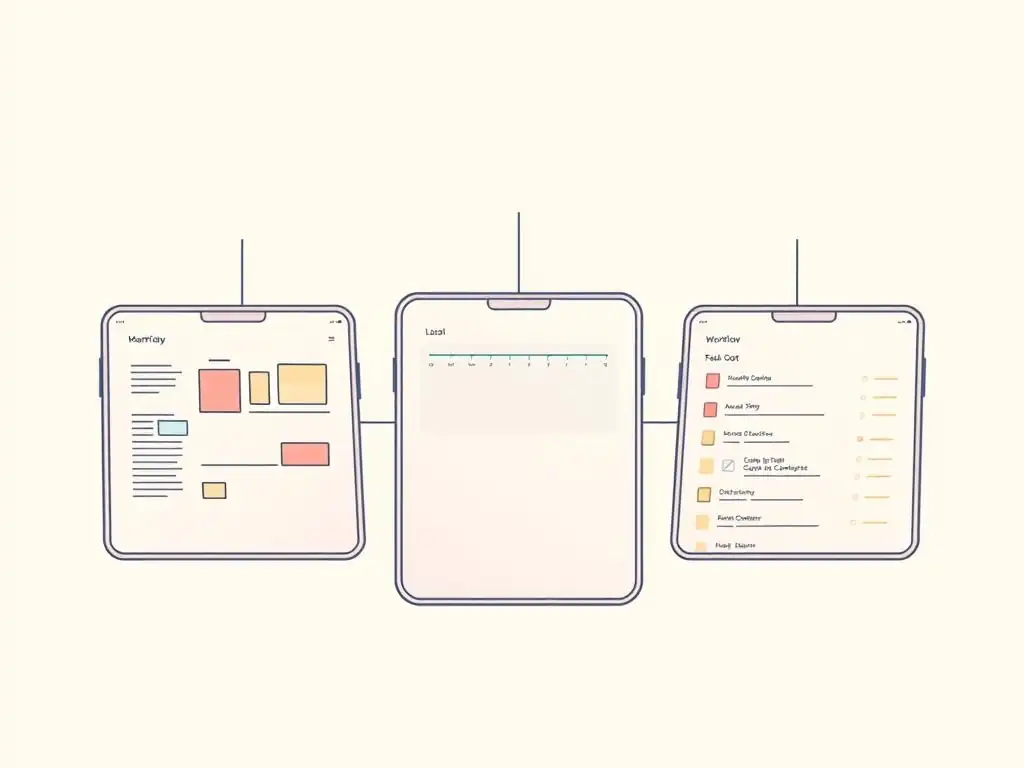
This section dives deep into the crucial considerations when selecting a workflow app, ensuring it aligns seamlessly with your unique productivity style and objectives. Choosing the best workflow app isn't about finding the most feature-rich option; it's about finding the one that best fits your workflow. Ignoring this crucial step can lead to app abandonment and a frustrating experience, undermining your productivity goals rather than enhancing them.
Factors to Consider When Selecting a Workflow App
Selecting the right workflow app requires careful consideration of several key factors. Ignoring these can lead to an inefficient and ultimately unproductive experience. Let's break down the most important aspects:
- Integration with Existing Tools: Does the app integrate smoothly with your existing calendar, email client, communication platforms (like Slack or Microsoft Teams), and other productivity tools? Seamless integration minimizes context switching and maximizes efficiency. A fragmented workflow across multiple, non-integrated apps is a productivity killer.
- Platform Compatibility: Ensure the app is available on the devices you regularly use – desktop, laptop, tablet, and smartphone. Cross-platform compatibility is essential for maintaining a consistent workflow regardless of your location or device. Consider apps offering both web and mobile versions for maximum flexibility.
- User Interface and Experience (UI/UX): A clunky, unintuitive interface can significantly hamper productivity. Look for apps with a clean, user-friendly design that's easy to navigate and learn. A positive user experience is crucial for long-term adoption and consistent use.
- Pricing and Subscription Models: Workflow apps range from free (often with limitations) to subscription-based models with varying features and levels of support. Carefully evaluate the pricing structure to ensure it aligns with your budget and the value it offers. Consider the long-term cost and whether the premium features justify the expense for your specific needs.
- Security and Data Privacy: If the app handles sensitive information, prioritize those with robust security measures and a clear privacy policy. Understand how your data is handled, stored, and protected. This is particularly important for apps that manage project details, client information, or other confidential data.
Aligning App Features with Your Specific Productivity Goals
The "best" workflow app is subjective and depends entirely on your individual needs and productivity style. Consider these questions to help align app features with your goals:
- Are you a project manager needing task delegation and collaboration features? Then look for apps with robust project management capabilities, including task assignment, progress tracking, and team communication tools.
- Do you prioritize personal task management and organization? Focus on apps offering features like customizable task lists, reminders, prioritization systems (like Eisenhower Matrix), and habit tracking.
- Are you a creative professional needing a streamlined workflow for content creation? Explore apps with features like content calendars, scheduling tools, and collaboration features for seamless teamwork.
- Do you need advanced automation capabilities? Look for apps with robust automation features, such as integrating with other apps to automate repetitive tasks and streamline your workflow. This can significantly reduce manual effort and free up time for higher-value activities.
Consider creating a list of your top three productivity goals and then evaluate how well each app addresses these specific needs. This targeted approach ensures you select a tool that directly contributes to your desired outcomes.
Evaluating User Reviews and Testimonials for Real-World Insights
Before committing to a workflow app, delve into user reviews and testimonials on app stores and independent review sites. These provide invaluable real-world insights into the app's strengths and weaknesses. Look for patterns in user feedback; consistent positive or negative comments often reveal significant aspects of the user experience. Pay close attention to:
- Ease of use and learning curve: How easy is it for users to learn and use the app effectively? A steep learning curve can be a significant deterrent.
- Reliability and performance: Are users reporting frequent glitches, crashes, or other performance issues? Reliability is critical for maintaining productivity.
- Customer support responsiveness: How responsive and helpful is the customer support team in addressing user concerns? Effective support is crucial when encountering problems.
- Feature functionality and limitations: Do users find the advertised features to be truly useful and effective? Are there any significant limitations or missing functionalities?
By carefully considering user feedback, you can gain a more balanced perspective of the app's true capabilities and potential drawbacks before making a purchase or commitment. Remember, the best workflow apps are those that seamlessly integrate into your existing systems and help you achieve your productivity goals efficiently and effectively.
Maximizing Productivity with Workflow Apps: Best Practices
This section delves into the practical application of workflow apps, focusing on strategies to maximize their effectiveness and ensure a smooth integration into your daily routine. We'll explore how to leverage these tools not just for task management, but for genuine productivity enhancement. The key to success lies in strategic implementation and ongoing optimization. Remember, the best workflow app is the one that best fits your individual needs and workflow.
Effective Strategies for Implementing Workflow Automation
Successfully implementing workflow automation requires a structured approach. Don't simply download an app and expect miracles; a thoughtful strategy is crucial. Begin by identifying your most time-consuming or repetitive tasks. These are prime candidates for automation.
For instance, let's say you spend hours each week responding to similar customer inquiries via email. A workflow app can automate this process. You could set up a system where incoming emails matching specific keywords automatically trigger pre-written responses or direct the email to the appropriate department. This frees up significant time for more strategic tasks.
Another example: imagine managing multiple project deadlines. Instead of constantly checking spreadsheets and calendars, you can configure your workflow app to send automated reminders, escalate tasks nearing deadlines, and even automatically re-allocate resources based on priority. This proactive approach minimizes the risk of missed deadlines and reduces stress.
Consider these steps for effective automation:
- Identify Bottlenecks: Pinpoint the tasks draining your productivity.
- Prioritize Automation: Focus on high-impact, repetitive tasks first.
- Choose the Right Tools: Select apps compatible with your existing systems.
- Test and Refine: Continuously monitor and adjust your automated workflows.
- Document Processes: Create clear instructions for your automated workflows.
Remember, successful workflow automation isn't a one-time event; it's an ongoing process of refinement and improvement. Regularly evaluate your automated workflows to identify areas for optimization and ensure continued efficiency.
Tips for Optimizing Your Chosen Workflow App
Once you've selected a workflow app, optimization is key to unlocking its full potential. This involves more than just using the basic features. Explore advanced features, customize settings, and integrate with other apps to streamline your workflow further.
Consider these optimization strategies:
- Customization: Tailor the app's interface and settings to match your preferences. Many apps allow for extensive customization, allowing you to create a personalized workflow that feels intuitive and efficient.
- Keyboard Shortcuts: Learn and utilize keyboard shortcuts to navigate the app faster and reduce mouse clicks. This seemingly small change can significantly improve your speed and efficiency over time.
- Integrations: Connect your workflow app with other tools you regularly use (e.g., email clients, calendar apps, project management software). This creates a seamless flow of information and reduces the need to switch between different applications.
- Regular Maintenance: Periodically review and clean up your workflow app. Delete completed tasks, organize projects, and update settings to prevent clutter and maintain optimal performance. Think of it as decluttering your digital workspace.
- Utilize Templates: Create templates for recurring tasks to save time and ensure consistency. This is particularly useful for tasks with predictable steps or requirements.
By actively optimizing your chosen app, you'll transform it from a simple tool into a powerful engine for productivity. The time invested in learning advanced features and customizing your workflow will pay dividends in increased efficiency and reduced stress.
Integrating Workflow Apps into Your Existing Productivity System
Integrating a new workflow app into your existing productivity system requires a strategic approach. Avoid simply adding another tool to your arsenal without considering how it interacts with your current methods. A successful integration enhances existing workflows, rather than creating new complexities.
Consider these integration strategies:
| Existing System | Integration Strategy | Example |
|---|---|---|
| Paper-based To-Do Lists | Gradually migrate tasks to the app, starting with smaller, less critical items. | Start by adding daily tasks to the app, then add projects. |
| Spreadsheet-based Tasks | Import existing data into the app, or utilize the app's import functionality. | Import project details from an Excel spreadsheet. |
| Multiple Apps | Prioritize integration between the new app and the most frequently used tools. | Connect the app to your email and calendar. |
The goal is seamless transition. Avoid abrupt shifts that disrupt your established routines. A gradual, phased approach allows you to adapt to the new app without feeling overwhelmed. Remember, the ultimate aim is to improve your productivity, not to add another layer of complexity. Choose an app that complements your existing system, not one that clashes with it. This careful integration is key to unlocking the true potential of workflow apps for boosting your overall productivity.
Beyond the Apps: Cultivating a Productive Mindset
Even the best workflow apps are only as effective as the user's mindset and approach to productivity. Choosing the right tools is crucial, but understanding how to use those tools effectively is paramount for achieving peak performance. This section focuses on the crucial mental and strategic aspects of productivity, complementing the technological solutions discussed elsewhere. Think of this as the human element in the "Best workflow apps productivity" equation.
The Importance of Time Management Techniques
Effective time management isn't just about cramming more tasks into your day; it's about working smarter, not harder. Implementing proven time management techniques significantly enhances the effectiveness of workflow apps. Consider these strategies:
- Time Blocking: Allocate specific time slots for particular tasks. This structured approach prevents task-switching, a major productivity killer. For example, dedicate 90 minutes to focused work on a project, then take a short break before moving to your next block. This approach ensures consistent progress and minimizes distractions.
- Pomodoro Technique: This popular method involves working in focused bursts (typically 25 minutes) followed by short breaks (5 minutes). After four "pomodoros," take a longer break (15-20 minutes). This cyclical approach combats burnout and maintains concentration throughout the day. Many workflow apps offer built-in Pomodoro timers, seamlessly integrating this technique into your workflow.
- Eat the Frog: Tackle your most challenging or unpleasant task first thing in the morning. Getting this done early provides a sense of accomplishment and momentum, making the rest of the day feel less daunting. This strategy is particularly effective when combined with a well-structured task list within your chosen workflow app.
Strategies for Prioritizing Tasks and Avoiding Overwhelm
Feeling overwhelmed is a common productivity roadblock. Effective prioritization is essential for managing your workload and maintaining a sense of control. These strategies can help:
- Eisenhower Matrix (Urgent/Important): Categorize tasks based on urgency and importance. Focus on important tasks first, even if they aren't urgent. Delegate or eliminate less important tasks. This method, easily implemented with task management apps, helps you focus your energy where it matters most.
- Pareto Principle (80/20 Rule): Identify the 20% of your efforts that yield 80% of your results. Prioritize these high-impact tasks. This principle helps you focus your time and energy on activities that truly move the needle. Regular review and adjustment of your prioritized tasks based on this principle will keep your workflow optimized.
- MoSCoW Method: Categorize tasks as Must have, Should have, Could have, and Won't have. This clear prioritization system ensures you focus on essential tasks while acknowledging those that are less crucial. Many project management apps incorporate this method into their task management features.
Maintaining Focus and Avoiding Distractions for Peak Performance
Distractions significantly impact productivity. Minimizing interruptions is key to harnessing the full potential of your chosen workflow apps. Here are some effective strategies:
- Dedicated Workspace: Create a distraction-free environment. This could be a physical space or a virtual one (e.g., using website blockers). A dedicated workspace helps signal your brain it's time to focus.
- Batch Similar Tasks: Group similar tasks together to minimize context switching. This reduces mental overhead and allows for deeper concentration. Workflow apps often facilitate batching through features like task grouping and filters.
- Mindfulness and Breaks: Incorporate short breaks throughout your workday to recharge and prevent burnout. Mindfulness exercises can help improve focus and reduce stress. Regular breaks, even short ones, are crucial for maintaining sustained productivity. Schedule these breaks into your workflow app's calendar for consistent implementation. 🧘♀️
The synergy between effective workflow apps and a productive mindset is undeniable. By implementing these strategies, you'll unlock the true power of technology and achieve a level of productivity you never thought possible. Remember, the "Best workflow apps productivity" isn't just about the apps themselves; it's about how you strategically integrate them into a well-structured and mindful approach to your daily tasks.
Frequently Asked Questions
What are workflow apps, and why are they important for productivity?
Workflow apps are software applications designed to streamline and automate tasks, improving efficiency and productivity. They help manage projects, track progress, and collaborate effectively, saving you valuable time and reducing stress.
How do workflow apps help improve my daily routines?
These apps help you organize your tasks, set priorities, and schedule activities efficiently. By centralizing your workflow, you gain better control over your time and reduce the likelihood of missed deadlines or forgotten tasks.
There are many great options depending on your needs! Popular choices include Asana, Trello, Notion, and Monday.com. Each offers unique features, so research to find the best fit for your workflow.
Are workflow apps suitable for both individuals and teams?
Yes! Workflow apps are incredibly versatile. They can be used by individuals to manage personal tasks or by teams to collaborate on projects and share responsibilities effectively.
How can I choose the right workflow app for my specific needs?
Consider factors like your budget, the size of your team, the complexity of your projects, and the specific features you require. Many apps offer free trials, allowing you to test them before committing.
Final Reflection: Mastering Your Workflow, Mastering Your Life
The relentless pursuit of productivity is no longer a luxury; it's a necessity in our fast-paced world. The right tools can be the difference between feeling overwhelmed and achieving a sense of calm control over your daily tasks and long-term goals. This article explored several workflow apps designed to streamline your processes and unlock your full potential, proving that effective organization isn't about rigid schedules, but about finding the systems that truly work for you.
The impact of these apps extends far beyond simple task management; they are reshaping how we approach work and life itself. They're fostering a culture of mindful productivity, encouraging us to prioritize, delegate, and ultimately, live more intentionally. As the saying goes, Efficiency is doing things right; effectiveness is doing the right things.
These apps help us achieve both, allowing us to focus on what truly matters and eliminate the distractions that steal our time and energy.
Now, it's your turn. Consider which aspects of your workflow need the most attention. Experiment with the apps discussed, or explore others that resonate with your personal style. Remember, the best workflow app isn't a magic bullet; it's a tool that empowers you to take control of your time and achieve your goals. Embrace the journey of optimization, and discover the transformative power of a truly effective workflow.
Unlock Your Peak Productivity: Take Charge of Your Workflow Now!
This guide is designed to help you optimize your workflow. We hope you've discovered some valuable tools to boost your productivity. Ready to put your new knowledge into action?
- Start using a new tool this week: Choose one tool from this guide that best suits your needs and begin using it immediately. Even small changes can significantly improve your efficiency!
- Share your experience: Tell us in the comments which tool you chose and how it's impacting your workflow. Let's build a supportive community of productivity enthusiasts!
- Explore additional options: This guide highlights several key productivity tools, but many more exist. Take some time to explore other options and find the perfect fit for your needs.
What's the first thing you will change in your workflow based on what you've learned today?