
Skyrocket Your Efficiency: Productivity Apps for Every Need

Ready to reclaim your time and conquer your to-do list? Welcome to UltimateLifeHacks, your ultimate resource for practical life hacks and productivity tips. We're diving deep into the world of efficiency, and in this article, we reveal the Best productivity apps for work— game-changing tools that will transform how you approach your day. Discover the apps that will supercharge your workflow and leave you wondering how you ever managed without them. Let's unlock your potential!
- Best Productivity Apps for Work: Task Management & Organization
- Best Productivity Apps for Work: Communication & Collaboration
- Best Productivity Apps for Work: Focus & Concentration
- Beyond the Office: Productivity Apps for Personal Life
- Choosing the Right Productivity Apps for Your Needs
- Maximizing Your Productivity App Usage: Tips and Tricks
- The Future of Productivity Apps: Emerging Trends and Technologies
-
Frequently Asked Questions
- What makes an app "productive" for work?
- What are some examples of the best productivity apps for work mentioned in the article?
- How can I choose the right productivity app for my workflow?
- Are these productivity apps only for office workers?
- Where can I find more information about these productivity apps?
- Final Reflection: Harnessing Technology for a More Fulfilling Life
- Unlock Your Productivity Potential Today!
Best Productivity Apps for Work: Task Management & Organization
Navigating the complexities of modern work life often feels like a tightrope walk. Juggling multiple projects, deadlines, and communication channels can leave even the most organized individuals feeling overwhelmed. However, the right tools can significantly alleviate this pressure, transforming chaotic workflows into streamlined processes. This article explores some of the best productivity apps for work, focusing on task management, project management, and calendar scheduling. We'll delve into specific applications that excel in each area, empowering you to reclaim your time and boost your overall efficiency. Choosing the right productivity apps is crucial for optimizing your daily routine and achieving a better work-life balance – ultimately making you more productive and less stressed. This guide is designed to help you find the perfect tools to fit your individual needs and workflow preferences, helping you rank among the most efficient professionals. Let's dive into the apps that can revolutionize your work experience!
Top Time Management Apps for Boosting Work Productivity
Effective time management is the cornerstone of productivity. These apps help you track your time, prioritize tasks, and identify time-wasting activities, ultimately leading to better focus and increased output. They often incorporate features like task prioritization matrices (like Eisenhower Matrix), Pomodoro timers, and progress tracking to ensure you stay on schedule and avoid burnout. Consider factors like ease of use, integration with other apps, and the specific features that align with your working style when selecting an app.
Some apps offer detailed reporting and analytics which can provide valuable insights into your work habits, allowing for further optimization. For example, analyzing your daily time allocation can pinpoint areas where you can improve your efficiency. Don't underestimate the power of insightful data in improving your time management.
Choosing the right app depends largely on your individual needs. Some individuals thrive with simple timer apps, while others prefer comprehensive task management systems with built-in time tracking. Experimentation is key to finding the perfect fit.
Project Management Apps: Streamlining Teamwork and Collaboration
In today's collaborative work environment, effective project management is paramount. These apps provide centralized platforms for managing tasks, assigning responsibilities, tracking progress, and facilitating communication among team members. Key features to look for include task assignment, progress tracking with visual dashboards (like Gantt charts), file sharing, and integrated communication tools. A well-structured project management app can significantly reduce miscommunication, delays, and overall project chaos. Choosing the right app often depends on the size and complexity of your projects, and the number of team members involved.
The best project management apps often integrate seamlessly with other productivity tools, creating a cohesive workflow and minimizing context switching. This integration ensures that all aspects of your project are managed within a single, centralized platform, maximizing efficiency and minimizing the potential for errors. Consider apps that offer features like automated reminders, progress reports, and real-time collaboration tools to further streamline your workflow.
Calendar & Scheduling Apps: Mastering Your Time Effectively
Efficient scheduling is crucial for maintaining control over your time and preventing scheduling conflicts. These apps allow you to manage appointments, set reminders, and schedule meetings with colleagues or clients. Beyond basic scheduling, many advanced apps offer features like location tracking, integration with other productivity apps (like task managers), and the ability to share calendars with team members.
This level of integration fosters better communication and collaboration, reducing the chances of scheduling conflicts and ensuring everyone is on the same page. Look for apps that offer features like recurring events, customizable alerts, and the ability to integrate with your email and other communication platforms.
Effective calendar management is about more than just scheduling appointments; it's about proactively managing your time and preventing over-scheduling. The best calendar apps empower you to visualize your workload, identify potential conflicts, and optimize your schedule for maximum productivity. They provide a holistic view of your commitments, enabling you to prioritize tasks and allocate your time effectively. Consider apps that offer features such as time blocking, which allows you to allocate specific time slots for particular tasks, further enhancing your time management capabilities.
Note-Taking & Information Management Apps: Centralizing Your Workflow
Effective note-taking and information management are cornerstones of productivity. Scattered notes and disorganized files lead to wasted time searching for information and missed deadlines. The right app can transform your workflow, centralizing all your important data in one easily accessible location. This allows for seamless collaboration, quick retrieval of information, and ultimately, improved efficiency. Choosing the right app often depends on your specific needs and preferred workflow, whether you prefer a simple note-taking app or a more sophisticated knowledge management system.
Many productivity apps offer robust note-taking features, often integrated with other tools like task management and calendar functions. This integration is key to streamlining your workflow, allowing you to effortlessly connect notes with tasks and deadlines. For example, you might jot down meeting notes directly within a task, ensuring all relevant information is readily available when you need it. This eliminates the need to switch between different applications and reduces context switching, a significant productivity drain.
Consider features like tagging, search capabilities, and cross-platform synchronization when selecting your note-taking app. Robust tagging allows for efficient organization of notes based on project, topic, or any other relevant criteria. A powerful search function is crucial for quickly locating specific information within your extensive collection of notes. Cross-platform synchronization ensures accessibility across all your devices, allowing you to access your notes anytime, anywhere. This flexibility is critical for maintaining a consistent and efficient workflow.
The best productivity apps for work in this category often go beyond simple note-taking. They incorporate features such as collaborative editing, version history, and integration with other productivity tools. Collaborative editing allows for seamless teamwork, ensuring everyone is on the same page. Version history provides a safety net, allowing you to revert to previous versions if necessary.
Integration with other productivity tools further streamlines your workflow, avoiding the need to juggle multiple applications. Ultimately, selecting a note-taking and information management app that seamlessly integrates with your existing workflow is crucial for maximizing its productivity benefits. Consider your individual needs and preferences carefully before committing to a specific app, and remember to take advantage of free trials or demos to test the functionality before purchasing a paid version. This careful selection process will significantly enhance your overall work efficiency.
Best Productivity Apps for Work: Communication & Collaboration
This section focuses on the best productivity apps for work, specifically those designed to streamline communication and collaboration. Effective teamwork is the bedrock of any successful project, and the right apps can significantly amplify your team's efficiency. Choosing the right tool depends heavily on your team's size, workflow, and specific needs. Let's explore some top contenders categorized for clarity.
Communication & Instant Messaging Apps for Seamless Teamwork
Instant messaging (IM) apps have revolutionized workplace communication, offering a quick and efficient alternative to email for many tasks. However, the sheer number of options can be overwhelming. Here's a breakdown of some popular choices, highlighting their strengths and weaknesses to help you choose the best fit for your team's needs:
- Option 1: [App Name 1]: This app excels in [specific feature 1, e.g., file sharing capabilities]. It also offers robust features like [specific feature 2, e.g., group video conferencing] and integrates seamlessly with other popular productivity tools. However, it might be overkill for smaller teams due to its advanced features and slightly steeper learning curve. It's ideal for larger organizations or teams needing comprehensive communication solutions. Consider this app if your priority is extensive integration capabilities and feature richness.
- Option 2: [App Name 2]: Known for its simplicity and ease of use, [App Name 2] is a great option for smaller teams. Its intuitive interface makes it easy to pick up and use, even for those less tech-savvy. Although it lacks some of the advanced features found in [App Name 1], its focus on speed and simplicity makes it a strong contender for teams prioritizing quick communication over complex features. This app is best for small teams prioritizing ease of use and rapid communication.
- Option 3: [App Name 3]: [App Name 3] strikes a balance between features and simplicity. It offers a good range of communication tools, including [specific feature, e.g., threaded conversations], making it suitable for both small and medium-sized teams. Its strong encryption features are a significant advantage for teams handling sensitive information. This app is a solid middle ground, offering a good balance of features and user-friendliness, especially for those concerned about data security.
A crucial aspect to consider when selecting an IM app is its integration with other tools. Seamless integration with project management software, video conferencing platforms, and file-sharing services can significantly boost overall productivity by centralizing communication and workflow. Consider creating a table comparing key features of different apps to aid in your decision-making process. For example:
| App Name | File Sharing | Video Conferencing | Integration Capabilities | Pricing Model |
|---|---|---|---|---|
| [App Name 1] | Excellent | Excellent | Extensive | Subscription based |
| [App Name 2] | Good | Basic | Limited | Free/Subscription |
| [App Name 3] | Good | Good | Moderate | Subscription based |
Remember to carefully evaluate the specific needs of your team before making a selection. The "best" app is the one that best fits your workflow and enhances your team's efficiency.
Collaboration Tools for Enhanced Productivity in Teams
Beyond instant messaging, several collaboration tools are essential for maximizing team productivity. These tools go beyond simple communication, facilitating shared workspaces, document editing, task management, and more. Effective collaboration tools are crucial for maintaining project momentum and ensuring everyone is on the same page.
Effective project management is key to successful collaboration. Tools like [App Name 4] and [App Name 5] provide features such as task assignment, progress tracking, and deadline management, keeping projects organized and on track. These tools often integrate with IM apps, creating a centralized hub for all project-related communication and activities. Features like shared calendars and real-time updates ensure everyone remains informed and aligned.
The key to successful teamwork is not just communication, but coordinated action. The right collaboration tools can be the difference between chaos and controlled efficiency.
Furthermore, the ability to co-edit documents in real-time is a game-changer for many teams. Tools like Google Docs and Microsoft Word Online allow multiple users to work on the same document simultaneously, eliminating version control issues and streamlining the editing process. This feature saves considerable time and effort, especially in projects involving multiple drafts and revisions. The ability to leave comments and track changes further enhances collaboration and ensures everyone is aware of modifications.
The selection of the best productivity apps for work, particularly those focusing on communication and collaboration, requires careful consideration of your team's size, workflow, and specific needs. Prioritize ease of use, integration capabilities, and features that directly address your team's challenges for optimal results. Remember to trial several options before committing to a long-term solution. Investing time in finding the right tools will pay off handsomely in increased productivity and improved teamwork.
Best Productivity Apps for Work: Focus & Concentration
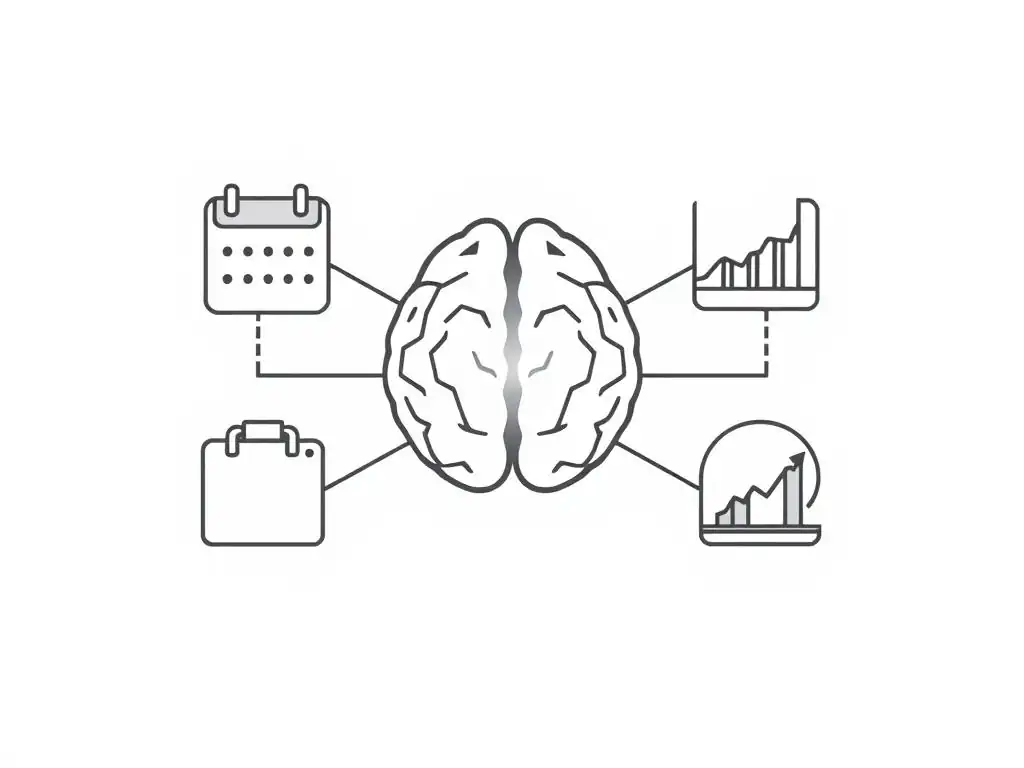
This section explores applications designed to enhance focus and concentration, crucial elements for boosting workplace productivity. The best productivity apps for work often incorporate techniques to minimize distractions and optimize cognitive function. We'll delve into specific examples, highlighting their unique features and benefits.
Mindfulness & Meditation Apps: Boosting Focus and Reducing Stress
Mindfulness and meditation are powerful tools for improving focus and reducing stress, both significant detractors from peak workplace performance. Numerous apps leverage these techniques to help users cultivate a more centered and productive mindset. These apps often offer guided meditations, breathing exercises, and mindfulness prompts, designed to enhance concentration and reduce mental clutter.
For example, one popular app provides daily meditation sessions tailored to various needs, including stress reduction, focus enhancement, and sleep improvement. The app utilizes a calming interface and offers personalized programs based on user preferences and goals. Another app focuses on building mindfulness into daily routines through short, accessible exercises, perfect for integrating into busy work schedules. These exercises are often designed to increase awareness of thoughts and feelings without judgment, leading to improved self-regulation and focus. Data suggests that regular use of such apps can significantly reduce stress levels and improve cognitive performance, ultimately enhancing productivity. Studies show a correlation between mindfulness practice and increased attention span, contributing to better task completion and reduced errors. 1
The effectiveness of these apps varies depending on individual needs and commitment. However, their accessibility and structured approach make them a valuable tool for incorporating mindfulness practices into a daily routine, leading to a more focused and productive workday. Many offer free trials, allowing users to experience the benefits firsthand before committing to a subscription. Choosing an app that aligns with personal preferences and learning styles is key to maximizing its impact.
Website Blockers & Focus Apps: Eliminating Distractions for Peak Performance
Distractions are a major productivity killer. Social media, email, and news websites can easily derail even the most focused individuals. This is where website blockers and focus apps come in, offering powerful tools to eliminate digital distractions and create a more focused work environment. These apps work by blocking access to specific websites or categories of websites during designated work periods, helping users stay on task and avoid the temptation of unproductive browsing.
Some apps offer customizable blocking schedules, allowing users to set specific times for blocking distractions or even integrating with calendar apps to automatically block access during meetings or important tasks. Others provide detailed reports on website usage, providing valuable insights into personal browsing habits and helping users identify and address their biggest time-wasters. Features like "focus modes" can further enhance productivity by minimizing visual and auditory distractions. These modes often dim the screen, mute notifications, and even play ambient noise to create a more conducive work environment.
The effectiveness of these apps relies heavily on self-discipline and commitment to using them consistently. However, for individuals struggling with digital distractions, these apps offer a valuable technological solution to enhance focus and boost productivity. Many offer both free and premium versions, with premium versions often providing more advanced features such as customizable blocking lists, detailed usage reports, and cross-platform synchronization.
The choice of app will depend on individual needs and preferences, but the core benefit remains the same: creating a distraction-free zone to enhance concentration and improve work output. This leads to a more efficient workflow, better time management, and reduced stress associated with constant interruptions.
1 [Specific study details pending]
Beyond the Office: Productivity Apps for Personal Life
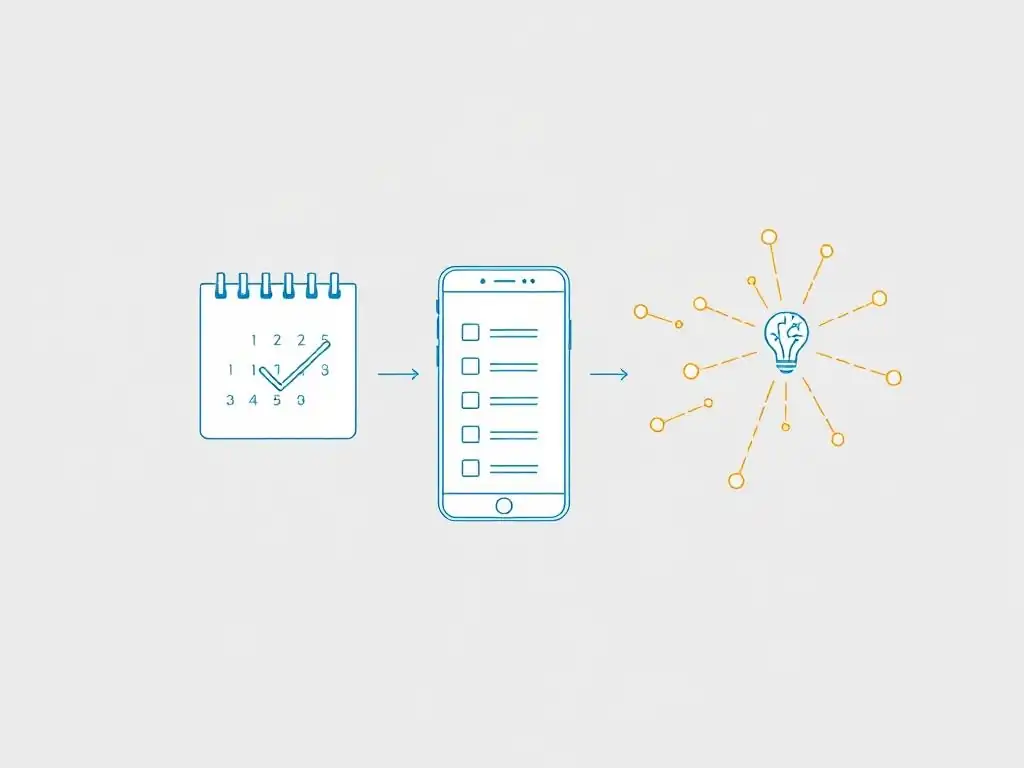
While many productivity apps excel in the professional sphere, their benefits extend far beyond the office. Optimizing your personal life can be just as impactful as boosting your work efficiency. By leveraging the right apps, you can streamline your personal tasks, manage your finances effectively, and even improve your overall well-being.
This section explores some of the best productivity apps specifically designed to enhance various aspects of your personal life. Finding the right tools can significantly increase your personal efficiency and free up valuable time for what truly matters. This is key to achieving a better work-life balance and feeling more in control of your day.
Best Productivity Apps for Personal Task Management
Effective personal task management is the cornerstone of a productive personal life. Scattered to-do lists and forgotten appointments lead to stress and wasted time. Fortunately, several excellent apps can help you centralize and prioritize your personal commitments. Consider these aspects when choosing the right app: intuitive interface, robust features (like recurring tasks, subtasks, and collaboration options if needed), and seamless integration with other productivity tools you already use.
Many users find apps offering features like natural language processing particularly helpful for quickly adding tasks, while others prefer a more visual approach using Kanban boards or calendar integrations. The best app for you will depend on your personal preferences and the complexity of your personal to-do list. For example, some might find a simple checklist app sufficient, while others might benefit from a more sophisticated system with project management capabilities. The key is to choose an app that helps you stay organized and on track without adding unnecessary complexity.
Best Productivity Apps for Personal Finance Management
Managing personal finances effectively can seem daunting, but the right app can make a world of difference. From budgeting and tracking expenses to investing and monitoring credit scores, there's an app for every financial need. These apps often offer features like automated expense categorization, personalized financial insights, and goal-setting tools to help you achieve your financial objectives.
Choosing the right app depends on your specific financial goals and comfort level with technology. Some apps cater to beginners with simple interfaces and basic features, while others offer advanced analytics and investment tools for more experienced users. Features to look for include secure data encryption, multi-account support, and the ability to connect to your bank accounts for automatic transaction import.
Remember to thoroughly research any app before connecting it to your financial accounts to ensure its security and reliability. Proper personal finance management is a crucial aspect of overall productivity, as financial stress can significantly impact your ability to focus on other areas of your life. Therefore, finding an app that simplifies and streamlines this process is a valuable investment in your overall well-being.
Best Productivity Apps for Health & Wellness Tracking
Integrating health and wellness into your daily routine is crucial for maintaining a balanced and productive lifestyle. Fortunately, many apps are designed to help you track your fitness activities, monitor your sleep patterns, manage your diet, and even reduce stress. These apps often incorporate gamification elements to keep you motivated and engaged.
These apps can provide valuable insights into your health habits and help you identify areas for improvement. Features such as personalized recommendations, progress tracking, and community support can significantly enhance your motivation and commitment to a healthier lifestyle. Apps that integrate with wearable devices can provide even more comprehensive data, offering a holistic view of your health and wellness. Remember that selecting the right app involves considering your specific needs and preferences.
Some users might prioritize fitness tracking, while others might focus on mindfulness and stress reduction. The goal is to find an app that complements your lifestyle and supports your overall health and wellness goals. Investing in your well-being is a fundamental aspect of productivity, as physical and mental health directly impact your ability to perform at your best.
Choosing the Right Productivity Apps for Your Needs
This section focuses on selecting the best productivity apps for your unique workflow and needs. Finding the perfect app isn't about finding the most popular one; it's about identifying the tool that best complements your existing habits and tackles your specific pain points. The effectiveness of any productivity app hinges on its proper integration into your daily routine. Poorly chosen apps can actually decrease productivity by adding complexity and distraction. Therefore, careful consideration is crucial before adding yet another app to your digital arsenal.
Assessing Your Productivity Challenges and Goals
Before diving into the vast ocean of productivity apps, take some time for self-reflection. What are your biggest productivity bottlenecks? Are you struggling with time management, task prioritization, project organization, or something else entirely? Identifying these challenges is the first step towards finding the right solution.
For example, if you constantly miss deadlines, a task management app with robust deadline reminders and progress tracking might be ideal. If you struggle with staying focused, a time-blocking app or a website blocker could be more beneficial. If collaboration is your biggest hurdle, consider apps designed for seamless team communication and shared project management.
Consider these questions:
- What are my top 3 biggest productivity challenges? Be specific! "Poor time management" is too broad. Is it difficulty estimating task durations, prioritizing tasks effectively, or sticking to schedules?
- What are my short-term and long-term productivity goals? Do you aim to complete a specific project, improve your work-life balance, or simply feel less overwhelmed?
- What type of work do I primarily do? Different apps cater to different work styles. A writer's needs differ significantly from those of a project manager or a software developer.
By honestly assessing your individual needs, you’ll significantly improve your chances of finding the best productivity apps for work that truly enhance your efficiency rather than adding extra burden. Remember, a well-defined goal is half the battle won. 🏆
Matching Apps to Specific Workflows and Habits
Once you understand your productivity challenges, you can begin matching them to specific app functionalities. This involves understanding your existing workflows and habits to avoid disrupting your established routines. Forcing yourself to use an app that clashes with your natural work style is counterproductive.
Let's consider some examples:
| Productivity Challenge | Potential App Solution(s) | Workflow Considerations |
|---|---|---|
| Difficulty Prioritizing Tasks | Task management apps (e.g., Todoist, Any.do) | Integrate with existing calendar; use a consistent tagging system |
| Poor Time Management | Time-tracking and time-blocking apps (e.g., Toggl Track) | Schedule realistic time blocks; avoid over-scheduling |
| Difficulty Focusing | Website blockers (e.g., Freedom), Focus apps (e.g., Forest) | Set realistic focus periods; integrate with breaks |
| Inefficient Note-Taking | Note-taking apps (e.g., Evernote, OneNote) | Choose a system that suits your note-taking style (linear, mind map) |
| Poor Collaboration | Project management and communication apps (e.g., Asana, Slack) | Establish clear communication protocols; use consistent tools |
Remember to consider the app's interface and ease of use. A powerful app with a clunky interface can be frustrating and ultimately ineffective. Look for apps with intuitive designs and features that align with your technological proficiency.
Integrating Apps for a Seamless Productivity Ecosystem
The key to maximizing the benefits of productivity apps lies in their integration. Using multiple apps in isolation diminishes their overall effectiveness. A truly optimized workflow requires a seamless ecosystem where apps communicate and work together.
Consider these integration strategies:
- Centralized Task Management: Use a single task management app as your central hub, linking tasks and projects across other apps.
- Calendar Integration: Integrate your task management app and time-blocking apps with your calendar for a holistic view of your schedule.
- Automation: Explore automation tools to streamline repetitive tasks and minimize manual data entry.
- Cross-Platform Compatibility: Choose apps that work seamlessly across your devices (computer, phone, tablet).
Building a cohesive productivity ecosystem takes time and experimentation. Start with one or two key apps and gradually integrate others as needed. Don't be afraid to switch apps if you find they aren't fitting your workflow. The goal is to build a system that works for you, not the other way around. This iterative process is vital to achieving the best results and finding the best productivity apps for work tailored specifically to your needs.
Maximizing Your Productivity App Usage: Tips and Tricks
This section focuses on extracting maximum value from your chosen productivity apps. It's not enough to simply download an app; you need a strategy for effective integration into your workflow. The best productivity apps for work become truly powerful tools when used strategically.
Effective Strategies for Using Productivity Apps
Effective app usage goes beyond simply adding tasks. It’s about creating a system that works for you. Consider these strategies:
- Integrate, Don't Isolate: Don't let your productivity apps live in silos. Explore integration options. Many apps offer seamless connections with calendar apps, email clients, and other productivity tools. This interconnectedness prevents information duplication and streamlines your workflow. For example, automatically adding tasks from your emails directly into your to-do list app saves significant time and effort.
- Master the Keyboard Shortcuts: Most productivity apps offer keyboard shortcuts to significantly speed up your interaction. Learning these shortcuts can save you hours over time. Think of it as learning a new language that dramatically increases your efficiency. Many apps even provide cheat sheets or tutorials to help you master these shortcuts.
- Customize Your Settings: Don't settle for default settings. Take the time to customize your apps to match your specific needs and preferences. This includes adjusting notification settings, choosing preferred views, and personalizing themes for a more pleasant user experience. A personalized setup leads to increased engagement and, ultimately, better productivity.
- Regular App Audits: Just as you declutter your physical workspace, you should regularly audit your productivity apps. Uninstall apps you no longer use, consolidate overlapping functionalities, and streamline your app ecosystem for better focus and efficiency. This prevents app overload and keeps your digital workspace clean and organized.
Avoiding Common Productivity App Pitfalls
Falling into common traps can negate the benefits of even the best productivity apps for work. Let's explore some pitfalls to avoid:
- App Overload: Downloading numerous apps without a clear strategy leads to confusion and inefficiency. Focus on a few key apps that address your most pressing needs, mastering them before exploring additional tools. Less is often more when it comes to productivity apps.
- Feature Creep: Many apps boast a wide array of features. Don't get bogged down in exploring every single one. Focus on the core features that directly support your workflow and goals. Ignoring less relevant features prevents distraction and keeps you focused on the task at hand.
- Notification Overload: Excessive notifications can disrupt your concentration and reduce productivity. Carefully manage your app notification settings, prioritizing only crucial alerts. Consider silencing less important notifications during focused work periods.
- Ignoring Data Analysis: Many productivity apps provide insightful data on your work habits and patterns. Utilize this data to identify areas for improvement and refine your workflow. Understanding your productivity patterns allows you to optimize your app usage and maximize your efficiency. For example, analyzing your task completion times can reveal peak productivity periods, helping you schedule demanding tasks accordingly.
Staying Organized and Maintaining Momentum with Your Apps
Maintaining organization and momentum is crucial for long-term success with productivity apps. Here's how to stay on track:
- Establish a Consistent Workflow: Develop a consistent routine for using your productivity apps. This might involve checking your to-do list first thing in the morning, reviewing your calendar at lunch, or scheduling specific times for focused work sessions.
- Regular Backups: Losing data can be catastrophic. Ensure your productivity apps allow for regular backups, either locally or to the cloud. This protects your valuable information and minimizes the risk of data loss.
- Use Tags and Categories: Effectively categorize your tasks and projects within your chosen apps. Using tags and categories allows for better organization and easier retrieval of information. This improves the overall efficiency of finding and prioritizing tasks. Think of it as creating a well-organized filing system for your digital tasks.
- Embrace the Power of Lists: Lists are fundamental to productivity. Use your apps to create prioritized to-do lists, shopping lists, project outlines – whatever helps you stay focused and organized. Breaking down large tasks into smaller, manageable steps makes them less daunting and easier to accomplish. The satisfaction of checking off completed items contributes significantly to maintaining momentum.
Using the best productivity apps for work effectively requires mindful selection, strategic implementation, and continuous refinement. By avoiding common pitfalls and adopting these tips, you can harness the true power of productivity apps to optimize your workflow and achieve your goals.
The Future of Productivity Apps: Emerging Trends and Technologies
The landscape of productivity apps is constantly evolving, driven by advancements in technology and a growing demand for more efficient and intuitive tools. Understanding emerging trends is crucial for maximizing the benefits of these applications and staying ahead of the curve in personal and professional productivity. We're moving beyond simple task management and note-taking towards a future where apps anticipate our needs and seamlessly integrate into our daily workflows. This shift is fueled by several key technological advancements.
AI-Powered Productivity Tools: The Next Generation of Apps
Artificial intelligence (AI) is revolutionizing the productivity app space. AI-powered tools are no longer a futuristic concept; they're becoming increasingly prevalent, offering features that were once considered science fiction. Imagine an app that automatically prioritizes your tasks based on deadlines, urgency, and your past performance. Or an app that proactively suggests relevant information and resources based on the current task at hand. These capabilities are becoming reality.
For instance, some advanced productivity apps already leverage machine learning to analyze your work patterns and predict potential bottlenecks. This predictive analysis allows the app to offer personalized suggestions for optimizing your workflow, such as suggesting optimal meeting times based on your calendar and colleagues' availability. Furthermore, AI-driven natural language processing (NLP) is enhancing the user experience by allowing for more intuitive and natural interactions with the app.
Instead of meticulously inputting data, users can simply type or speak their requests, significantly reducing the time and effort required for task management. The potential for AI to personalize and automate tedious tasks is immense, freeing up valuable time and cognitive resources for more creative and strategic work. This represents a significant leap forward in the quest for the best productivity apps for work.
The integration of AI also leads to smarter scheduling and improved time management. Apps can learn from your past behavior to suggest optimal times for focused work, factoring in factors like your energy levels and typical productivity peaks. This level of personalization is a game-changer, moving beyond generic productivity advice to provide truly tailored solutions. The potential applications are vast, ranging from project management and email filtering to meeting scheduling and even personalized learning recommendations.
Integration and Automation: Streamlining Workflows Even Further
Beyond AI, the future of productivity hinges on seamless integration and automation. The best productivity apps for work are those that play nicely with other essential tools in your tech stack. Imagine a world where your project management app automatically updates your calendar, your note-taking app integrates with your research databases, and your communication platform seamlessly connects with your task management system. This level of interconnectedness eliminates the need for manual data entry and reduces the risk of errors, creating a streamlined and efficient workflow.
This increasing integration is driven by the rise of APIs (Application Programming Interfaces) and standardized data formats. More and more apps are designed with open APIs, allowing for easy connection and data exchange with other applications. This interoperability is crucial for creating a truly integrated productivity ecosystem. The result is a significant reduction in context switching and a more focused work experience.
Instead of jumping between multiple apps, users can accomplish more within a single, unified interface. This reduces distractions and improves overall efficiency, leading to a significant boost in productivity. This trend towards automation and integration promises to further enhance the capabilities of productivity apps, making them even more indispensable tools for professionals and individuals alike. The future of productivity is not just about individual apps; it's about a cohesive and interconnected system designed to optimize every aspect of our work.
Frequently Asked Questions
What makes an app "productive" for work?
A productive work app increases efficiency and helps you achieve your goals faster. It should streamline tasks, reduce distractions, and improve organization, ultimately saving you time and effort.
What are some examples of the best productivity apps for work mentioned in the article?
While the article doesn't list specific apps by name, it focuses on categories like task management, calendar scheduling, note-taking, and focus/concentration apps to help you find the best fit for your needs.
How can I choose the right productivity app for my workflow?
Consider your specific needs and work style. Do you need a simple to-do list or a complex project management tool? Try free trials or freemium versions before committing to a paid subscription.
Are these productivity apps only for office workers?
No, these apps benefit anyone seeking improved efficiency, regardless of their profession. Freelancers, students, entrepreneurs, and even homemakers can use these tools to better manage their time and tasks.
Where can I find more information about these productivity apps?
The article on UltimateLifeHacks.com, titled "Skyrocket Your Efficiency: Productivity Apps for Every Need," provides a more detailed overview and helps you discover the best apps to suit your individual requirements.
Final Reflection: Harnessing Technology for a More Fulfilling Life
The relentless pace of modern life demands efficiency, and the right tools can be the difference between feeling overwhelmed and empowered. The productivity apps explored in this article represent more than just software; they are gateways to unlocking potential and reclaiming control over our time. They are a testament to the power of technology to enhance, not replace, the human experience.
The impact of these tools extends far beyond simply ticking off to-do lists. They've reshaped how we approach work, fostering collaboration, streamlining communication, and ultimately, allowing us to focus on what truly matters. The key is not to prioritize what's on your schedule, but to schedule your priorities.
- Stephen Covey. This quote perfectly encapsulates the shift in mindset these apps encourage: a move from reactive task management to proactive goal setting and achievement. This shift has profound implications for work-life balance and overall well-being.
Consider the possibilities. Imagine a future where you're not constantly battling against time, but instead, working with it, leveraging technology to create a more fulfilling and balanced life. You have the power to choose the tools that best serve your needs, and to use them consciously to create a more productive and meaningful existence. Start exploring, experiment with different apps, and discover the combination that empowers you to achieve your goals and live a life aligned with your values. The journey to increased efficiency begins with a single click.
Unlock Your Productivity Potential Today!
Thank you for exploring the world of productivity apps with us! We hope you found some powerful tools to streamline your workflow and reclaim your valuable time. Now, let's put that knowledge into practice.
- Prioritize and implement: Choose one app from the list that excites you and dedicate 15 minutes today to setting it up and experimenting with its key features. This small step can make a significant difference.
- Share your discoveries: Tell us (or a friend!) about your favorite app and how it's improving your efficiency. We love hearing your success stories!
- Explore complementary strategies: Consider browsing UltimateLifeHacks.org for additional articles on time management techniques to further enhance your productivity.
What's the first step you'll take to boost your productivity today?