
Stop Guessing! Master Password Management with These Ultimate Hacks


Tired of juggling countless passwords and fearing a security breach? At UltimateLifeHacks, we understand the struggle. Discover how to conquer password chaos and unlock a new level of digital security with our master password management hacks. Learn the ultimate strategies for creating strong, unique passwords and implementing systems that simplify your online life without compromising security. Dive in and reclaim your time and peace of mind!
- Understanding the Risks of Weak Password Management
- Implementing Robust Password Management Strategies
- Advanced Password Management Hacks for Ultimate Security
- Mastering Password Management for Maximum Productivity
- The Ultimate Guide to Password Security Audits
-
Frequently Asked Questions
- What is a master password, and why should I use one?
- How can I create a truly strong master password?
- Are password managers safe? Shouldn't I just manage my passwords myself?
- What should I do if I forget my master password?
- What are some other essential password management hacks beyond a master password?
- Final Reflection: Unlocking a Safer Digital Future Through Master Password Management
- Unlock Your Digital Fortress: Secure Your Online Life Today!
Understanding the Risks of Weak Password Management
In today's hyper-connected world, robust password management isn't just a good idea—it's a necessity. The consequences of weak or poorly managed passwords extend far beyond a simple account lockout. This article delves into the critical aspects of master password management, providing practical hacks and strategies to bolster your digital security and safeguard your personal information.
We'll explore the very real dangers of inadequate password practices, the financial and reputational costs associated with breaches, and help you identify your own vulnerabilities to build a stronger, more secure digital life. Mastering password management is no longer optional; it's a fundamental skill for navigating the modern digital landscape safely and efficiently. Let's dive into the essential hacks to protect yourself from the ever-present threat of cybercriminals.
The Dangers of Reusing Passwords
Reusing passwords across multiple accounts is arguably the single biggest mistake most people make when it comes to online security. Think of it like this: if a burglar gains access to one key to your house, they now have access to all your belongings. Similarly, if a hacker compromises one account where you've reused a password, they suddenly have a potential pathway into all your other accounts – banking, email, social media, and more.
This opens the door to identity theft, financial fraud, and a host of other serious problems. The ease with which hackers can use stolen credentials from one compromised account to access others underlines the critical importance of using unique, strong passwords for every online service. This seemingly small change can dramatically increase your overall security posture.
The consequences can be devastating. Consider the impact on your personal finances if your banking information is compromised, or the reputational damage from a social media account takeover spreading misinformation or malicious content. The time and effort required to recover from such incidents can be immense.
The Cost of Password Breaches: Financial and Reputational Damage
Password breaches represent a significant financial and reputational risk. The financial costs can be substantial, ranging from the direct losses due to fraud and identity theft to the indirect costs associated with credit monitoring, legal fees, and the time spent rectifying the damage. These costs can easily reach thousands of dollars, significantly impacting an individual's financial stability. Beyond the monetary losses, a password breach can severely damage an individual's reputation.
The public disclosure of sensitive personal information can lead to embarrassment, social stigma, and difficulty in obtaining employment or securing loans. The long-term effects of a security breach can be far-reaching and difficult to overcome. Protecting your passwords isn't just about safeguarding your data; it's about protecting your financial well-being and your reputation.
Identifying Your Weakest Password Practices
Many people use easily guessable passwords, like birthdays, pet names, or simple sequences of numbers. Others rely on password managers but fail to secure the master password itself, rendering the entire system vulnerable. Some might change passwords infrequently, leaving themselves exposed for extended periods. To identify your weakest practices, consider these questions:
- Password Reuse: Do you use the same password across multiple accounts?
- Password Strength: Are your passwords long, complex, and unique? Do they incorporate a mix of uppercase and lowercase letters, numbers, and symbols?
- Password Management: Do you use a password manager? If so, is your master password strong and secure?
- Password Updates: How often do you update your passwords?
- Phishing Awareness: Are you vigilant against phishing attempts designed to steal your credentials?
Honest self-assessment is the first step towards improving your password management. By identifying your vulnerabilities, you can begin to implement the necessary changes to strengthen your overall security. The next section will provide practical strategies for improving your password management habits.
Implementing Robust Password Management Strategies
This section delves into the practical application of robust password management strategies, moving beyond the theoretical and into actionable steps for enhanced online security. Mastering password management isn't just about choosing strong passwords; it's about building a comprehensive system that protects your digital life. We'll explore strategies to minimize vulnerabilities and maximize your security posture. The goal is to create a system that's both secure and manageable, eliminating the guesswork and frustration often associated with password management. This involves understanding the nuances of password strength, leveraging the power of password managers, and employing secure password generation techniques.
Choosing Strong and Unique Passwords: Best Practices
Creating strong and unique passwords is the cornerstone of effective password management. Simply put, a strong password is difficult to guess or crack. A unique password means each of your accounts uses a different password. This prevents a breach in one account from compromising others. Here's a breakdown of best practices:
- Length: Aim for at least 12 characters. Longer passwords are exponentially harder to crack.
- Complexity: Incorporate a mix of uppercase and lowercase letters, numbers, and symbols. Avoid easily guessable sequences like "12345" or "password."
- Uniqueness: Never reuse passwords across different accounts. A breach in one service could grant access to all your accounts if you use the same password.
- Avoid Personal Information: Don't use easily obtainable personal information like birthdays, pet names, or addresses. These are readily available to hackers.
- Regular Updates: Change your passwords periodically, especially for sensitive accounts like banking or email. Consider a schedule of updating passwords every 90 days.
Consider this example: P@$$wOrd123! is weak because it's short and predictable. A stronger password might look like this: !L@v3nd3r_C4k3_2024#. Notice the combination of uppercase and lowercase letters, numbers, and symbols, making it significantly more resistant to brute-force attacks. Remember, the stronger your passwords, the better protected your accounts are. This is a crucial element of master password management hacks.
Leveraging Password Managers: A Comprehensive Guide
Password managers are invaluable tools for simplifying and securing password management. They generate strong, unique passwords for each account and store them securely, eliminating the need to remember countless complex credentials. Choosing and effectively using a password manager is a key element in implementing effective master password management hacks.
- Selection Criteria: Look for reputable password managers with strong encryption, multi-factor authentication (MFA), and features like password audits and security alerts. Consider features like auto-fill and secure note storage.
- Master Password Security: Your master password is the key to your entire password vault. Choose a strong and unique master password that you can remember securely. Avoid writing it down.
- Synchronization: Choose a password manager that synchronizes your passwords across your devices for seamless access.
- Regular Audits: Periodically review your password manager's security settings and update your master password if necessary.
Using a password manager significantly reduces the risk of password reuse and makes it easier to maintain strong, unique passwords across all your online accounts. This is a critical component of any successful master password management strategy.
Secure Password Generation Techniques: Randomness and Complexity
Generating truly random and complex passwords is crucial for robust security. While some password managers have built-in generators, understanding the principles behind secure password generation helps you make informed decisions and avoid common pitfalls.
- Randomness: The key to a strong password is unpredictability. Avoid patterns or easily guessable sequences. True randomness is difficult to achieve manually, hence the importance of password manager tools.
- Complexity: The ideal password incorporates a diverse character set, including uppercase and lowercase letters, numbers, and symbols. The more diverse the characters, the more computationally expensive it is to crack the password.
- Diceware Method: This method uses dice rolls to generate random words, which are then combined to form a passphrase. This can be a very secure method, but it requires more memorization.
- Software Tools: Leverage the password generation capabilities of reputable password managers or dedicated password generation tools. These tools are designed to produce highly random and complex passwords.
By understanding and implementing these secure password generation techniques, you significantly enhance the security of your online accounts and minimize your vulnerability to password-based attacks. This is an essential part of your master password management hacks arsenal.
Two-Factor Authentication (2FA): An Extra Layer of Security
Two-Factor Authentication (2FA), also known as multi-factor authentication (MFA), is a crucial element in any robust password management strategy. It adds a significant layer of security beyond just a password, making it exponentially harder for unauthorized individuals to access your accounts, even if they somehow obtain your password. Think of it as a double lock on your digital front door.
Instead of relying solely on something you know (your password), 2FA incorporates something you have (like a security token or authentication app) or something you are (biometric data such as a fingerprint or facial recognition). This means even if someone manages to crack your password, they'll still need access to your phone, a physical security key, or your unique biometric information to gain entry.
Many services offer various 2FA methods. Popular options include time-based one-time passwords (TOTP) generated by authenticator apps like Google Authenticator or Authy, SMS-based codes sent to your phone, and security keys that plug into your computer or phone. Choosing the method that best suits your needs and technical capabilities is key. For instance, while SMS-based 2FA is convenient, it's susceptible to SIM swapping attacks, making authenticator apps generally a more secure option.
Security keys offer the highest level of security but require a small investment. Remember to enable 2FA wherever possible – it's a simple yet incredibly effective way to bolster your online security and prevent unauthorized access. The peace of mind it provides is invaluable in today's digital landscape. Actively managing and updating your 2FA methods is also crucial; if you lose your phone, you'll need to update your 2FA settings accordingly.
Password Security Best Practices for Different Platforms
Implementing a single, strong master password is a great first step, but managing passwords for numerous platforms requires a nuanced approach. A blanket "one size fits all" strategy won't suffice. Different platforms present different levels of risk and require varying degrees of password complexity and security measures.
For example, your email account password deserves the utmost protection. Consider using a significantly longer and more complex password for your email than for a less sensitive account like a gaming platform. Compromising your email could lead to a cascade of account breaches, as it's often used for password resets on other services. Think of your email as the central hub of your digital life – safeguarding it is paramount.
Social media accounts, while not necessarily containing highly sensitive financial information, still hold personal data that could be misused. Strong passwords and 2FA are essential here to prevent identity theft or social engineering attacks. Furthermore, regularly review the privacy settings of your social media accounts to limit the exposure of your personal information.
Financial accounts, including banking and investment platforms, require the strongest passwords and security measures possible. Consider using a password manager with robust security features and enabling all available security options, such as 2FA and transaction alerts. Regularly monitoring your account activity for any suspicious transactions is also crucial. The potential financial consequences of a compromised financial account are far-reaching, demanding a higher level of vigilance.
In short, a tailored approach to password management, considering the sensitivity of each platform and employing a layered security strategy, is crucial for effective master password management. This means employing different password lengths, complexities, and security measures based on the risk associated with each specific account. This layered approach, combined with a robust password manager, forms the bedrock of comprehensive digital security.
Advanced Password Management Hacks for Ultimate Security
This section delves into sophisticated techniques to bolster your password management, moving beyond basic best practices. We'll explore strategies to maximize security and minimize the risk of breaches, focusing on proactive measures and rapid response to potential threats. Mastering these advanced hacks will significantly enhance your overall digital security posture. Remember, strong password management is the cornerstone of a robust cybersecurity strategy.
Utilizing Password Vaults and Encryption
Password managers aren't just for storing passwords; they're sophisticated tools offering layers of security. The best password vaults employ robust encryption algorithms, like AES-256, to safeguard your credentials. This means even if the vault itself is compromised, accessing your individual passwords remains computationally infeasible. Think of it as a high-security bank vault protecting your most valuable assets – your online identities.
Furthermore, look for password managers with features like two-factor authentication (2FA) for an extra layer of protection. This adds another hurdle for attackers, even if they manage to obtain your master password. Many reputable password managers also offer features like password strength auditing, helping you identify and improve weak passwords across your accounts. Regularly review the security features offered by your chosen password manager; software updates often introduce improved encryption and security protocols.
Choosing a manager with a strong reputation and a proven track record of security is critical. Consider factors like the company's security practices, transparency, and history of data breaches when making your selection. A truly secure password management system is a multi-faceted approach, not just a single feature.
Don't underestimate the power of a strong master password. Avoid easily guessable information and opt for a long, complex passphrase that combines uppercase and lowercase letters, numbers, and symbols. The longer and more random the password, the more difficult it is to crack.
Regularly Updating and Rotating Passwords
While password managers automate much of the password creation and storage process, actively updating and rotating passwords remains a crucial security practice. The frequency of updates depends on the sensitivity of the account. For example, banking and email accounts require more frequent updates (consider every 3-6 months) than less critical accounts.
Consider implementing a password rotation schedule. This could involve a simple calendar reminder or an automated feature within your password manager. When rotating passwords, avoid simple incremental changes (e.g., changing "password123" to "password124"). This makes it easy for attackers to predict subsequent passwords. Instead, generate entirely new, random passwords using your password manager's built-in tools. This ensures that even if one password is compromised, the attacker won't gain access to your other accounts.
Regularly updating passwords minimizes the window of vulnerability, reducing the risk of prolonged unauthorized access. This proactive approach is a significant component of effective master password management. Remember to test your rotation schedule to ensure it aligns with your needs and that it doesn't become overly burdensome. Finding a balance between security and usability is key.
Detecting and Responding to Password Compromises
Even with the most robust password management practices, compromises can still occur. Staying vigilant and having a plan in place is essential. Monitor your accounts for suspicious activity, such as unauthorized login attempts or unexpected email notifications. Many services provide alerts for such events. Enable these alerts to receive immediate notifications of potential breaches.
If you suspect a compromise, act swiftly. Immediately change your password, and if possible, enable 2FA for added security. Review your account activity for any unusual transactions or modifications. Consider running a malware scan on your devices to rule out any malicious software that might have compromised your system. Report the incident to the affected service provider and follow their instructions for securing your account.
Having a clear protocol for responding to password compromises is crucial. This should include steps for changing passwords, reporting the incident, and reviewing your security practices. Regularly review your password manager's security logs to identify any potential issues early on. Proactive monitoring and a well-defined response plan will help minimize the damage caused by a password breach. Remember, swift action is key in mitigating the impact of a compromised password.
Monitoring Your Online Accounts for Suspicious Activity

Regularly monitoring your online accounts is crucial for proactive password management and overall cybersecurity. This goes beyond simply changing passwords; it's about actively looking for signs of unauthorized access. Many services offer robust notification systems. Enable these alerts immediately! Look for options that notify you of logins from unfamiliar devices, IP addresses, or locations. For example, many email providers will send you an alert if someone tries to access your account from a new device or location. This immediate notification allows you to quickly react and secure your account before any significant damage occurs.
Beyond account-specific alerts, consider setting up a security monitoring service that scans the dark web and other online marketplaces for your personal information, including email addresses and passwords. These services can alert you if your credentials are found being sold or used illicitly. This proactive approach allows you to change passwords immediately and mitigate potential risks before they escalate. Remember that even if you have strong, unique passwords, vigilance is key. A breach at one site can compromise your information, making it essential to monitor for any irregularities across all your accounts. Regularly reviewing your account activity logs—if available—is also highly recommended. This allows you to manually spot any unusual behavior, such as unexpected logins or modifications to your account settings. Don't underestimate the power of consistent monitoring; it's a vital part of a robust master password management strategy. By staying informed, you significantly reduce your vulnerability to cyber threats.
Implementing Biometric Authentication Where Possible
Biometric authentication offers a significant layer of security beyond traditional password-based systems. Instead of relying on something you know (your password), it utilizes something you are (your fingerprint, face, or voice). This makes it considerably more difficult for unauthorized individuals to access your accounts, even if they possess your password. Many modern devices and online services now support biometric logins.
Explore the options available on your smartphones, laptops, and frequently used online platforms. Enabling fingerprint or facial recognition for your phone and laptop, for instance, provides an immediate security boost. Similarly, if your banking app or online payment system offers biometric authentication, immediately enable it. This adds an extra hurdle for potential attackers, significantly improving your overall security posture.
Remember, however, that biometric authentication isn't foolproof. While generally more secure than passwords alone, vulnerabilities exist. Advanced techniques can potentially circumvent biometric security measures. Therefore, it's crucial to combine biometric authentication with other strong security practices, such as multi-factor authentication (MFA) and strong, unique passwords for all accounts where biometric options aren't available.
This layered approach creates a robust defense system against unauthorized access. Consider the risks and benefits carefully; not all biometric systems are created equal, and the level of security offered varies based on the technology and implementation. Prioritize implementing biometric authentication on accounts containing highly sensitive information, such as your banking and financial accounts. This strategic approach ensures that you leverage the strongest security measures where they are needed most, enhancing your overall master password management strategy.
Mastering Password Management for Maximum Productivity
This section dives deep into practical strategies for mastering password management, directly impacting your productivity and cybersecurity. We'll move beyond the basics, exploring advanced techniques to streamline your workflow and integrate secure password practices seamlessly into your daily life. Efficient password management isn't just about security; it's a crucial component of maximizing your time and minimizing frustrating delays. Think of it as a productivity booster disguised as a security measure!
Streamlining Password Management Workflow
Effective password management hinges on establishing a streamlined workflow. This means minimizing the time and mental effort required to manage your numerous online accounts. Instead of relying on memory or insecure methods like writing passwords down, a robust system is essential. This involves several key components:
- Strong Password Generation: Avoid easily guessable passwords. Utilize a password manager's built-in strong password generator. These tools create complex, random passwords that are virtually impossible to crack, eliminating the need for weak, easily remembered passwords. Aim for passwords that are at least 16 characters long and include a mix of uppercase and lowercase letters, numbers, and symbols.
- Centralized Password Storage: A password manager acts as a central vault, securely storing all your login credentials. This eliminates the need to remember each individual password, saving you valuable time and reducing the risk of forgetting or misplacing important access information.
- Regular Password Audits: Schedule regular audits (at least quarterly) to review and update passwords for accounts that are less frequently used or exhibit signs of potential compromise. Identify and eliminate any duplicate passwords, a common vulnerability that can compromise multiple accounts if one is breached.
- Two-Factor Authentication (2FA): Always enable 2FA wherever possible. This adds an extra layer of security, requiring a second verification method (like a code from your phone) in addition to your password. This significantly reduces the risk of unauthorized access, even if your password is somehow compromised.
Integrating Password Management into Daily Routines
Integrating password management into your daily routine is critical for consistent, effective security. It's not enough to simply set up a password manager; you need to make its use habitual. Here are some tips for seamless integration:
- Browser Extensions: Utilize browser extensions provided by your password manager. These extensions automatically fill in login credentials, saving you time and effort each time you access an online account. This integration makes using your password manager virtually effortless.
- Mobile App Synchronization: Ensure your password manager syncs across all your devices (computer, smartphone, tablet). This allows you to access your passwords from anywhere, maintaining consistency and convenience regardless of the device you're using.
- Regular Backups: Regularly back up your password database. This protects your data against loss or damage, providing peace of mind and preventing catastrophic data loss. Consider using cloud-based backups with robust encryption for optimal security.
- Emergency Contact Information: Keep a copy of your emergency contact information securely stored and accessible. This is crucial if you lose access to your password manager or experience a security incident. This ensures you can regain access to your important accounts.
Utilizing Password Management Tools in Different Operating Systems
Password management tools are available across various operating systems (Windows, macOS, Linux, iOS, Android). Understanding the nuances of each platform's integration can optimize your experience.
| Operating System | Key Considerations | Example Tools |
|---|---|---|
| Windows | Seamless integration with Windows Hello for biometric authentication. | Bitwarden, LastPass, Dashlane |
| macOS | Strong integration with Keychain Access for enhanced security and convenience. | 1Password, LastPass, Bitwarden |
| Linux | Often requires manual configuration but offers flexibility and open-source options. | KeePassXC, Bitwarden |
| iOS | Native support for Touch ID and Face ID for quick and secure password access. | 1Password, LastPass, Bitwarden |
| Android | Fingerprint and pattern unlock integration for convenient and secure logins. | Bitwarden, LastPass, Google Password Manager |
Remember that choosing the right password management tool depends on your individual needs and preferences. Consider factors like platform compatibility, security features, and ease of use when making your selection. The key is consistency – select a tool and stick with it, building a solid routine for managing your passwords effectively. This will significantly improve your overall productivity and enhance your digital security posture.
Automating Password Changes
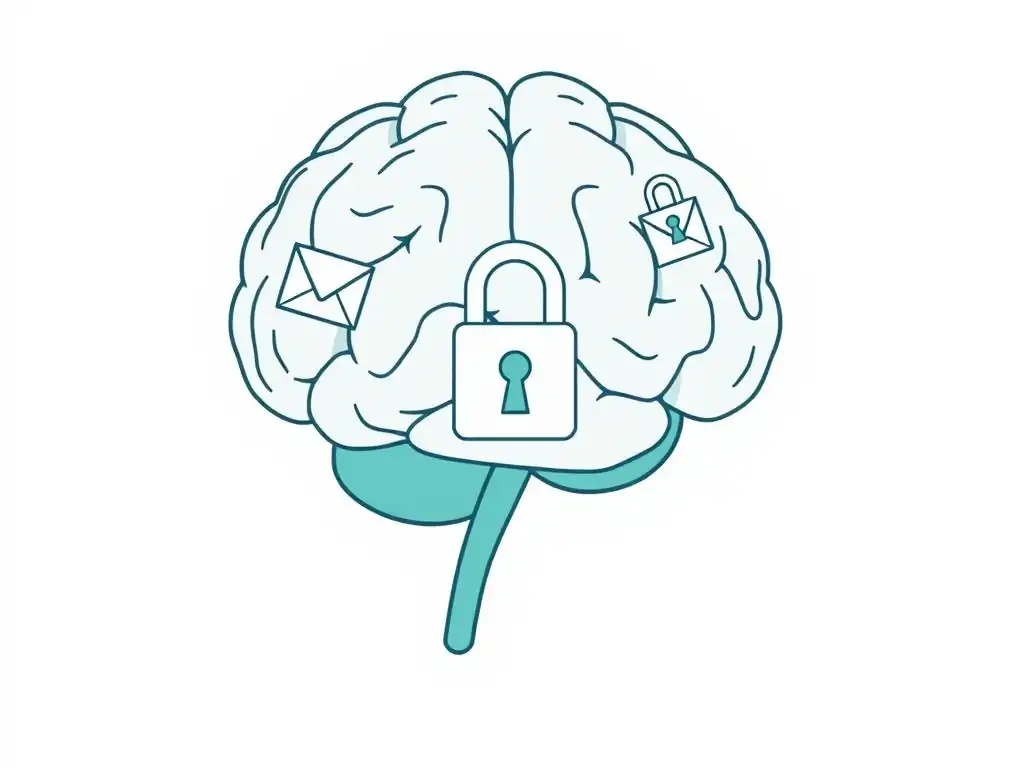
Automating password changes is a crucial element of robust password management, significantly reducing the risk of breaches. Manually changing hundreds of passwords across numerous accounts is not only time-consuming but also prone to human error. Forgetting to change a password, or using a predictable pattern, significantly weakens your overall security posture. This is where automation shines. Many password managers offer features to automatically change passwords at predetermined intervals. This functionality ensures that even if one of your accounts is compromised, the attacker's access will be short-lived.
Consider a scenario where a data breach exposes a user's password for an email account. Without automated password changes, the attacker could potentially use this compromised password to access other accounts linked to that email address. However, with automated changes, the compromised password would be rendered useless after a short period, limiting the damage. This proactive approach dramatically increases your cybersecurity resilience.
Furthermore, some services allow for the scheduling of password changes, enabling you to choose the frequency that best suits your risk tolerance and the sensitivity of the account. Choosing a shorter interval, perhaps every 30 days for high-value accounts, offers stronger protection. Regularly reviewing and adjusting these automated schedules is a key aspect of maintaining optimal password security. This ensures your automated system remains effective and adapts to evolving threat landscapes.
Best Practices for Mobile Device Password Management
Mobile devices are increasingly central to our digital lives, storing sensitive information ranging from financial data to personal communications. Therefore, securing mobile devices with strong password management practices is non-negotiable. Beyond a robust device passcode, strong password management for individual apps and accounts is critical. Using a different, complex password for each app prevents an attacker from gaining access to multiple accounts if one app is compromised. Reusing passwords across various mobile apps is a major security vulnerability.
Employing a reputable password manager on your mobile device is highly recommended. These apps not only generate strong, unique passwords, but also often incorporate multi-factor authentication (MFA) features for enhanced security. Remember to enable biometric authentication (fingerprint or facial recognition) whenever possible, adding an extra layer of protection. However, solely relying on biometrics isn't foolproof; a strong alphanumeric passcode should always be a backup. Regularly updating your device's operating system is also crucial, as updates often include security patches that address vulnerabilities that could be exploited by malicious actors.
Consider the potential consequences of a compromised mobile device. Access to banking apps, email, and social media could lead to identity theft, financial loss, and reputational damage. Proactive password management, combined with strong device security measures, significantly mitigates these risks. Regularly reviewing the permissions granted to apps on your device is also a best practice. Removing permissions for apps you no longer use or trust limits potential attack vectors. A holistic approach encompassing strong passwords, MFA, biometric authentication, and regular OS updates ensures optimal mobile device security and enhances your overall password management strategy.
The Ultimate Guide to Password Security Audits
Mastering password management isn't a one-time task; it's an ongoing process. Regular security audits are crucial for maintaining robust protection against cyber threats. This section delves into the essential components of a comprehensive password security audit, equipping you with the knowledge and strategies to safeguard your digital life. Think of it as a yearly health check-up, but for your online accounts. Proactive password management is key to preventing disastrous data breaches and identity theft. This guide will help you achieve that.
Regularly Reviewing and Strengthening Passwords
Password strength isn't just about length; it's about complexity and uniqueness. A strong password incorporates a mix of uppercase and lowercase letters, numbers, and symbols. However, simply having strong passwords isn't enough. Regular review is essential. We recommend a minimum review schedule of every three months. During this review, consider these points:
- Password Age: How old are your passwords? Older passwords are more vulnerable to breaches as they've had more time to be potentially compromised. Aim to change passwords every 6-12 months for high-security accounts.
- Password Reuse: Are you using the same password (or slight variations) across multiple accounts? This is a critical vulnerability. If one account is compromised, all others using that password are at risk. Use a password manager to generate and store unique passwords for each account.
- Weak Passwords: Are you using easily guessable passwords like "password123" or your birthday? These are easily cracked by brute-force attacks. Utilize a password strength checker to assess your current passwords.
- Account Activity: Review your account activity logs for any suspicious login attempts. Immediate action is crucial if you detect unusual activity.
Consider implementing a system to categorize your passwords by risk level. High-risk accounts (banking, email, social media) require more frequent password changes and stronger passwords than lower-risk accounts (online shopping, forums).
Identifying and Addressing Potential Vulabilities
A thorough password security audit involves identifying potential vulnerabilities in your password management practices. This includes analyzing your current methods, identifying weaknesses, and implementing corrective actions. This proactive approach significantly reduces your risk of a security breach. Let's explore some common vulnerabilities:
- Lack of Two-Factor Authentication (2FA): Enabling 2FA adds an extra layer of security, requiring a second form of verification (like a code sent to your phone) in addition to your password. This significantly hinders unauthorized access, even if your password is compromised.
- Weak Password Manager Security: If you use a password manager, ensure it employs strong encryption and security protocols. Choose reputable and well-established password managers.
- Public Wi-Fi Usage: Avoid accessing sensitive accounts on public Wi-Fi networks without a VPN. These networks are often unsecured, making your data vulnerable to interception.
- Phishing Susceptibility: Are you easily tricked by phishing emails or scams? Regular training and awareness are crucial to recognizing and avoiding phishing attempts. Be wary of emails asking for your password or personal information.
Regularly updating your software and operating systems also patches security vulnerabilities that hackers could exploit.
Implementing Security Measures to Protect Against Phishing Attacks
Phishing attacks are a major threat to password security. These attacks attempt to trick you into revealing your passwords or other sensitive information. Here's how to bolster your defenses:
- Email Verification: Always verify the sender's email address before clicking any links or opening attachments. Legitimate organizations typically use professional-looking email addresses.
- Suspicious Links: Hover your mouse over links to see the actual URL before clicking. Phishing links often mask their true destination.
- URL Verification: Carefully examine the website URL for any misspellings or inconsistencies.
- Unusual Requests: Be cautious of unexpected emails or messages asking for your password or personal information. Legitimate organizations rarely request this information via email.
- Security Awareness Training: Regularly refresh your knowledge of phishing tactics and best practices. Staying informed is your best defense.
Implementing these measures will significantly strengthen your password security posture and reduce your vulnerability to phishing attacks. Remember, vigilance and proactive security measures are your best allies in the fight against cyber threats. Regular password audits are not just a best practice; they're a necessity in today's digital landscape. 🤝
Staying Up-to-Date on Password Security Best Practices
Staying informed about evolving threats and best practices is crucial for robust password management. The landscape of cybersecurity is constantly shifting, with new vulnerabilities and attack vectors emerging regularly. Therefore, a proactive approach to learning is essential. This isn't a one-time task; it's an ongoing process.
One effective strategy is to subscribe to reputable cybersecurity newsletters and blogs. Many organizations dedicated to digital security offer free subscriptions providing insights into the latest threats, vulnerabilities, and recommended security measures. These newsletters often highlight newly discovered flaws in password systems and offer practical advice on mitigating associated risks. Regularly reading these resources will keep you ahead of the curve and help you identify potential weaknesses in your own password management strategies.
Furthermore, actively participating in online security communities can provide invaluable insights. Forums and discussion groups dedicated to cybersecurity often feature discussions on the latest threats and vulnerabilities, offering diverse perspectives and practical solutions. Engaging in these communities allows you to learn from the experiences of other users and experts, expanding your knowledge base beyond what’s available in mainstream media.
Remember to discern credible sources from unreliable ones, always prioritizing information from established security professionals and organizations. Staying informed is an active process that involves critical thinking and the evaluation of multiple sources. This continuous learning ensures your password security strategies remain effective against the ever-evolving threat landscape.
Resources for Further Learning and Improvement
There are numerous resources available for those seeking to deepen their understanding of password security and master password management hacks. These resources cater to various levels of expertise, from beginners to seasoned professionals.
For beginners, consider starting with online courses offered by reputable institutions or organizations. Many platforms offer introductory courses covering fundamental concepts of cybersecurity, including password management. These courses often provide a structured learning path, making it easier to grasp complex topics. Look for courses that emphasize hands-on practice, allowing you to apply what you learn directly.
For more advanced learning, explore specialized books and publications on cybersecurity and password management. These resources often delve deeper into technical aspects, providing in-depth analysis of security protocols and vulnerabilities. They can offer valuable insights into advanced techniques and strategies for protecting your passwords. Seek out books authored by leading experts in the field, ensuring the information is credible and up-to-date.
Finally, professional certifications in cybersecurity can demonstrate a commitment to advanced password management knowledge. These certifications often involve rigorous training and assessments, validating your expertise in the field. While obtaining a certification requires significant time and effort, the recognition and credibility it brings are invaluable, especially for those working in cybersecurity-related roles. Remember, continuous learning is key to staying ahead in the ever-evolving field of cybersecurity. By utilizing these resources, you can significantly strengthen your password security practices and mitigate potential risks.
Frequently Asked Questions
What is a master password, and why should I use one?
A master password is a single, strong password that you use to generate and access all your other passwords. Using one simplifies your life and significantly increases your security by reducing the risk of reusing passwords.
How can I create a truly strong master password?
Create a long and complex password (at least 16 characters) using a mix of uppercase and lowercase letters, numbers, and symbols. Avoid using personal information and consider using a password manager to generate one for you.
Are password managers safe? Shouldn't I just manage my passwords myself?
Reputable password managers employ robust encryption to protect your data. Managing passwords manually is incredibly risky and prone to human error; a password manager is safer and more efficient.
What should I do if I forget my master password?
Most password managers offer recovery options, often involving security questions or a recovery key. Ensure you have a backup plan before setting up your master password.
What are some other essential password management hacks beyond a master password?
Use unique passwords for every account, enable two-factor authentication (2FA) whenever possible, and regularly update your passwords. Also, be wary of phishing scams.
Final Reflection: Unlocking a Safer Digital Future Through Master Password Management
The vulnerability of our digital lives is a stark reality in today's hyper-connected world. Failing to secure our online accounts effectively leaves us exposed to identity theft, financial loss, and a cascade of other devastating consequences. Master password management, once a niche practice, is now a critical skill for navigating the modern digital landscape safely.
The impact of strong password management extends far beyond individual security; it shapes the very fabric of our online trust. We are increasingly reliant on digital platforms for everything from banking to healthcare, and the security of these systems depends, in part, on the strength of our individual passwords. As we become more aware of the risks, the demand for robust security practices grows. Security is a journey, not a destination.
This quote perfectly encapsulates the ongoing need for vigilance and adaptation in the face of ever-evolving cyber threats.
So, what will you do with this newfound knowledge? Don't let this information gather digital dust. Take control of your online security today. Implement the master password management hacks discussed in this article, and encourage your friends and family to do the same. By embracing proactive security measures, we can collectively build a more secure and trustworthy digital future for ourselves and generations to come. Your digital well-being is worth the effort.
Unlock Your Digital Fortress: Secure Your Online Life Today!
Thank you for exploring the world of password management! You've learned powerful techniques to safeguard your digital life. Ready to put your knowledge into practice?
- Immediately implement a robust password manager. A strong password manager is the cornerstone of online security, and it's easier to set up than you might think. Choose a reputable manager and begin the setup process.
- Review and update your existing passwords. Identify and strengthen any weak passwords, replacing them with strong, unique credentials.
- Share this article. Help friends and family members improve their digital security by sharing this information with them. Encourage them to build their own secure online presence.
What's the first password you'll strengthen today?