
From Chaos to Control: Automate Your Digital Life for Maximum Productivity


Feeling overwhelmed by your digital life? Imagine a world where your tech works for you, not against you. At UltimateLifeHacks, we're dedicated to helping you reclaim your time and boost your productivity. This article dives deep into the art of Automate digital life productivity, revealing practical strategies to streamline your workflow and conquer digital chaos. Ready to unlock a more efficient and fulfilling day? Let's get started!
- Understanding the Need for Digital Life Automation
- Choosing the Right Automation Tools for Your Needs
- Step-by-Step Guide to Automating Your Digital Life
- Advanced Automation Techniques for Enhanced Productivity
- Maintaining and Optimizing Your Automated System
- The Long-Term Impact of Automating Your Digital Life on Productivity
- Frequently Asked Questions
- Final Reflection: Mastering the Digital Tide
- Unlock Your Productivity Potential: Take Control Now!
Understanding the Need for Digital Life Automation
In today's hyper-connected world, our digital lives often feel more like a chaotic whirlwind than a streamlined system. We're bombarded with emails, notifications, and a seemingly endless stream of tasks demanding our attention. This constant digital deluge can significantly impact our productivity, leading to stress, burnout, and a feeling of being perpetually overwhelmed.
This article explores how automating your digital life can transform this chaos into controlled efficiency, freeing up valuable time and mental energy for what truly matters. We'll delve into practical strategies and techniques to help you reclaim control of your digital workflow and unlock significant boosts in productivity, all while focusing on the keyword "Automate digital life productivity" and its semantic variations. The benefits extend far beyond simply saving time; it's about cultivating a more focused, intentional, and ultimately more fulfilling digital experience.
The Time Thief: Inefficient Digital Tasks and Their Impact
Inefficient digital tasks silently steal massive chunks of our day. Consider these common culprits:
- Manual Data Entry: Repeatedly typing the same information into different applications.
- Email Management: Spending hours sorting, filtering, and responding to emails.
- Social Media Monitoring: Constantly checking various platforms for updates and messages.
- File Organization: Searching endlessly for misplaced documents or files.
- Software Updates: Manually updating numerous applications across multiple devices.
The cumulative effect of these seemingly small inefficiencies is staggering. Studies show that the average knowledge worker spends [specific information pending]% of their workday on these types of tasks – time that could be spent on more strategic and valuable activities. This inefficiency not only impacts individual productivity but also has a significant impact on overall business performance. For example, a study by [Source needed] found that companies losing [specific figure pending] annually due to inefficient digital workflows. The cost of inaction is far greater than the investment in automation solutions.
Reclaiming Your Time: The Benefits of Automation for Productivity
Automating your digital life offers a wealth of benefits, translating directly into increased productivity and a better work-life balance:
- Increased Efficiency: Automation streamlines repetitive tasks, freeing up your time for higher-value activities. Imagine the time saved by automating email filtering, scheduling social media posts, or automatically backing up your data.
- Reduced Stress: The constant pressure of managing numerous digital tasks contributes significantly to stress. Automation reduces this burden, allowing for a calmer and more focused work environment.
- Improved Focus: By eliminating distractions and streamlining your workflow, automation allows you to concentrate on your core tasks and achieve greater levels of focus.
- Enhanced Accuracy: Automation minimizes human error, leading to more accurate and reliable results in tasks like data entry and report generation.
- Better Time Management: Automation frees up significant time, enabling better time management and a more balanced lifestyle. This extra time can be used for personal pursuits, family time, or simply relaxation.
Assessing Your Current Digital Workflow: Identifying Areas for Improvement
Before implementing automation strategies, it's crucial to assess your current digital workflow. This involves identifying areas where automation can yield the greatest impact. Consider these questions:
- What are your most time-consuming digital tasks?
- Which tasks are repetitive and prone to errors?
- What applications and tools do you use regularly?
- Are there any bottlenecks in your current workflow?
- What are your biggest digital frustrations?
By carefully analyzing your current workflow, you can pinpoint specific areas where automation can deliver the most significant improvements. This targeted approach ensures that your automation efforts are focused and effective, maximizing their impact on your overall productivity. This process of self-assessment is crucial for successfully implementing "Automate digital life productivity" strategies. Remember, the goal isn't to automate everything, but to strategically automate the tasks that drain your time and energy the most.
Choosing the Right Automation Tools for Your Needs

Automating your digital life for maximum productivity isn't about adopting every tool available; it's about strategically selecting the right ones to address your specific needs and pain points. The best automation tools seamlessly integrate into your existing workflow, enhancing—not disrupting—your productivity. Careful consideration of your individual requirements is crucial for successful automation. Ignoring this step often leads to tool abandonment and a return to inefficient manual processes. Let's explore how to strategically choose the right tools for your digital life.
Consider factors like your budget, technical skills, and the specific areas you want to automate. Think of it as building a customized productivity engine, rather than simply adding random parts. The key is to focus on automating the tasks that consume the most time and energy, yielding the greatest return on your automation investment. Prioritizing tasks is key to achieving effective automation of your digital life.
Email Management Automation: Taming the Inbox Beast
Email is often the biggest productivity drain. A cluttered inbox translates to a cluttered mind. Automating email management is crucial for reclaiming control. Consider these strategies to tame the inbox beast:
- Filtering and Rules: Most email clients offer robust filtering capabilities. Utilize these to automatically sort emails into folders based on sender, subject, or keywords. For example, automatically archive newsletters, filter promotional emails to a separate folder, and flag important emails from clients or supervisors. This prevents crucial messages from getting lost in a sea of less important emails.
- Automated Responses: Set up automated "out of office" replies for when you're unavailable. You can also create canned responses for frequently asked questions, saving you significant time and effort. Consider using different automated responses depending on the time of day or the sender's email address.
- Unsubscribe from Unnecessary Subscriptions: Aggressively unsubscribe from mailing lists you no longer need. This drastically reduces the volume of emails you receive, making it easier to manage your inbox effectively. You can use tools specifically designed to help you manage and unsubscribe from unwanted emails.
- Scheduled Email Sending: Some email marketing platforms allow you to schedule emails to be sent at optimal times, ensuring your messages reach recipients when they're most likely to engage. This is particularly useful for newsletters or marketing campaigns.
Social media can be a powerful tool, but managing multiple platforms manually is incredibly time-consuming. Automation can help you maintain a consistent online presence without sacrificing hours of your day.
- Scheduling Tools: Utilize scheduling tools to pre-plan and automate social media posts across different platforms. These tools allow you to create a content calendar and schedule posts in advance, ensuring a steady stream of engaging content without requiring constant manual updates. The best tools often provide analytics to help you optimize your posting schedule for maximum engagement.
- Engagement Automation (with caution): While automation can help with scheduling, be cautious about automating engagement. Over-reliance on automated likes, comments, or follows can appear inauthentic and even damage your online reputation. Focus on automating scheduling, not direct interaction.
- Social Listening and Monitoring: Automate the process of monitoring mentions of your brand or keywords related to your industry. This allows you to quickly respond to customer inquiries or address negative feedback, enhancing your brand reputation and customer satisfaction. This proactive approach is crucial for maintaining a positive online image.
Task Management Automation: Streamlining Your To-Do List
A cluttered to-do list is a recipe for overwhelm. Automating your task management can dramatically improve focus and efficiency.
- Integrate with Calendar: Connect your task management system with your calendar to automatically schedule tasks and set reminders. This ensures you don't miss deadlines and promotes better time management. This integration streamlines workflow, minimizing the chance of missed deadlines.
- Recurring Tasks: Automate recurring tasks such as weekly reports or monthly bill payments. This eliminates the need to manually add these tasks repeatedly, freeing up valuable time and mental energy. Setting up recurring tasks is a simple yet highly effective automation strategy.
- Prioritization and Delegation: Some task management systems offer features that help automate task prioritization based on deadlines, importance, or assigned individuals. These tools can also facilitate task delegation, distributing workload efficiently among team members. This automation improves team collaboration and productivity.
This strategic approach to automating your digital life, focusing on specific tools and tasks, is the key to unlocking significant productivity gains. Remember, the goal is not to automate everything, but to strategically automate the tasks that significantly impact your efficiency and allow you to focus on higher-level activities. This focused approach to "Automate digital life productivity" will yield the best results.
Calendar Management Automation: Optimizing Your Schedule
Automating your calendar can significantly boost your productivity by minimizing scheduling conflicts and freeing up mental space. Instead of manually juggling appointments, deadlines, and tasks across multiple platforms, automation streamlines the process. This allows you to focus on the actual work, rather than the administrative overhead of managing your time. Effective calendar automation goes beyond simply setting reminders; it intelligently integrates with other apps and services to create a truly seamless workflow.
For example, imagine a scenario where you frequently schedule meetings across different time zones. Manually converting time zones and checking for conflicts can be incredibly time-consuming and error-prone. However, with automated calendar tools, you can input meeting times in your preferred time zone, and the system automatically adjusts for the attendees' time zones, sending out invitations with the correct local times. This eliminates the risk of scheduling mishaps and ensures everyone is informed and prepared. Furthermore, intelligent calendar assistants can proactively suggest optimal meeting times based on your availability and the attendees' schedules, optimizing your calendar for maximum efficiency.
Another crucial aspect of calendar automation is its integration with task management systems. Many tools allow you to automatically add calendar events based on deadlines or task assignments. For instance, if you have a project deadline approaching, the automation system can create a calendar event several days prior to serve as a reminder, preventing last-minute rushes.
This ensures tasks are completed on time, contributing directly to increased productivity and reduced stress. This integration creates a holistic view of your commitments, preventing overbooking and ensuring you allocate sufficient time for each task. Ultimately, effective calendar management automation ensures your time is used efficiently and minimizes the cognitive load associated with schedule management, freeing you up for more important tasks.
Consider the time saved – hours per week, perhaps even days per month – that can be redirected toward higher-value activities, reflecting a substantial increase in overall productivity. This translates to a more balanced and less stressful work-life integration, a key benefit of effectively automating your digital life.
Step-by-Step Guide to Automating Your Digital Life
This section provides a practical, step-by-step guide to automating your digital tasks, boosting your productivity and reclaiming valuable time. We'll explore how to identify time sinks, select appropriate automation tools, and seamlessly integrate them into your existing workflow. Remember, automating your digital life isn't about replacing human interaction entirely, but strategically leveraging technology to streamline repetitive processes. This frees you up to focus on higher-level tasks requiring creative thinking and critical decision-making. The ultimate goal is to achieve maximum productivity by minimizing digital distractions and optimizing your daily routine.
Step 1: Identify Your Most Time-Consuming Digital Tasks
Before diving into automation tools, it's crucial to pinpoint the digital activities that consistently drain your time and energy. This involves a thorough self-assessment of your daily digital workflow. Don't just guess; track your time. Use a time-tracking app or even a simple spreadsheet to log how much time you spend on specific digital tasks over a week. This data-driven approach ensures you focus your automation efforts on the areas with the highest potential for time savings.
Consider these common digital time-wasters:
- Email Management: Sorting through endless emails, responding to routine queries, and unsubscribing from unwanted newsletters.
- Social Media Monitoring: Checking multiple platforms, engaging with followers, and scheduling posts.
- File Management: Organizing files, searching for documents, and backing up data.
- Data Entry: Manually inputting information into spreadsheets or databases.
- Scheduling and Calendar Management: Coordinating appointments, setting reminders, and managing multiple calendars.
Here's a simple table to help you organize your time tracking:
| Task | Time Spent (Hours) | Priority (High/Medium/Low) | Automation Potential |
|---|---|---|---|
| Checking Emails | 2 | High | High |
| Social Media Management | 1.5 | Medium | Medium |
| File Organization | 0.5 | Low | High |
| Data Entry | 3 | High | Very High |
| Scheduling Appointments | 1 | High | High |
Prioritize tasks based on the time spent and their potential for automation. Focus on the "High" priority tasks first for maximum impact on your productivity. Remember, even small time savings add up significantly over time.
Step 2: Research and Select Automation Tools
Once you've identified your target tasks, research the available automation tools. Numerous options cater to different needs and budgets, from free browser extensions to sophisticated software suites. Consider these factors when making your selection:
- Functionality: Does the tool support the specific tasks you want to automate?
- Ease of Use: Is the interface intuitive and easy to navigate?
- Integration: Does it integrate seamlessly with your existing software and apps?
- Cost: What's the pricing model, and does it fit your budget?
- Security: Are your data and privacy protected?
Some popular automation tools include:
- Zapier: Connects various apps and automates workflows between them.
- IFTTT (If This Then That): Creates simple automated tasks based on triggers and actions.
- Make (formerly Integromat): A powerful automation platform for complex workflows.
- Automate.io: Another robust platform offering a range of automation capabilities.
Choosing the right tools depends on your specific needs and technical skills. Start with simpler tools and gradually explore more advanced options as you gain experience. Don't be afraid to experiment—finding the perfect automation solution often involves trial and error.
Step 3: Integrate Automation Tools into Your Workflow
Integrating automation tools requires careful planning and execution. Rushing the process can lead to errors and frustration. Start by automating a single task at a time, focusing on the highest-priority items identified in Step 1. This allows you to test the tool's functionality and make adjustments before scaling up.
Here's a suggested approach:
- Set Clear Goals: Define the specific outcome you want to achieve with each automation.
- Configure the Tool: Carefully follow the instructions provided by the tool's documentation.
- Test Thoroughly: Run several test cases to ensure the automation works as intended.
- Monitor Performance: Track the tool's performance and make adjustments as needed.
- Gradually Expand: Once you're comfortable with a single automation, gradually expand to other tasks.
Remember, automating your digital life is an ongoing process. Regularly review your automated workflows, identify areas for improvement, and adapt your strategies as your needs evolve. By consistently refining your approach, you'll maximize the benefits of automation and achieve sustainable productivity gains. This iterative process of refinement is key to long-term success in automating your digital life for improved productivity. The key is to embrace a mindset of continuous improvement and adaptation.
Step 4: Monitor and Adjust Your Automation Strategy
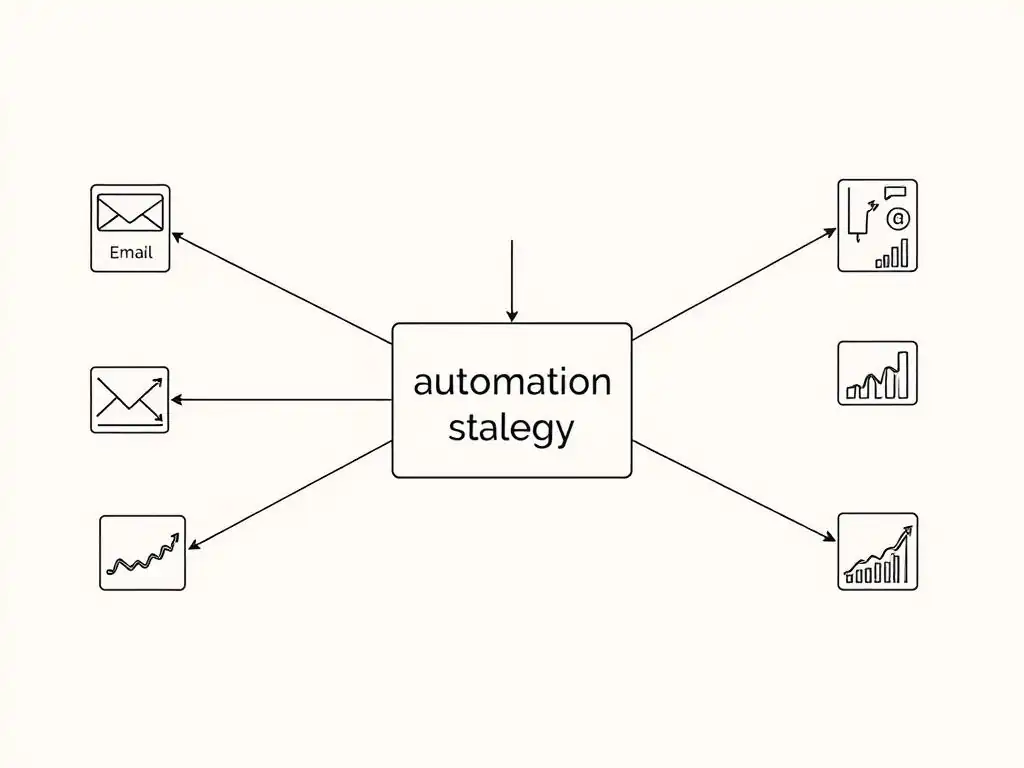
Implementing automation isn't a "set it and forget it" process. Effective automation requires ongoing monitoring and adjustments to ensure optimal performance and address unforeseen issues. Think of it like fine-tuning a complex machine – regular maintenance is key. You need to actively track the performance of your automated systems to identify areas for improvement.
This involves analyzing key metrics relevant to your specific automation goals. For example, if you've automated email responses, track metrics like response time, customer satisfaction (perhaps through surveys), and the number of emails successfully processed. For file management automation, monitor storage space usage, processing speed, and error rates. Regularly reviewing these metrics allows you to pinpoint bottlenecks and inefficiencies.
Furthermore, unexpected problems might arise. Perhaps a software update breaks an automation script, or a change in a third-party service impacts your workflow. Proactive monitoring helps you identify these problems quickly, minimizing disruption and allowing for swift remediation. Consider setting up alerts or notifications for critical events, such as errors or exceeding predefined thresholds.
This ensures you're notified promptly of any issues that require your attention, allowing for quick intervention and preventing larger problems from developing. Remember, proactive monitoring and swift adjustments are crucial for maintaining the efficiency and reliability of your automated systems, preventing them from becoming a source of frustration rather than a boost to productivity. Regular review and adjustment ensure your automation strategy remains aligned with your evolving needs and continues to deliver tangible benefits.
Step 5: Embrace Continuous Improvement and Refinement
Automating your digital life is an iterative process. What works perfectly today might need tweaking tomorrow as your needs and technology evolve. Continuous improvement is not just desirable; it's essential for maximizing the long-term benefits of automation. This means regularly evaluating your automation strategy and identifying areas ripe for improvement. Consider gathering feedback from yourself and others who interact with your automated systems. Are there tasks that are still too time-consuming or error-prone? Are there new tools or techniques that could enhance your existing automation workflows?
The process of refinement might involve simplifying complex automation routines, integrating new tools or services, or completely overhauling inefficient processes. For example, you might initially automate a task using a simple spreadsheet formula, but later discover a more powerful scripting language that streamlines the process and provides additional functionality. Embracing this iterative approach ensures your automation strategies remain effective, efficient, and aligned with your evolving needs. Think of automation as a living, breathing system that requires constant nurturing and adaptation to thrive.
By consistently seeking out opportunities for improvement and refinement, you can unlock the true potential of automation and transform your digital life from chaos to control. The pursuit of continuous improvement is a cornerstone of maximizing productivity through automation. Don't be afraid to experiment, learn from your mistakes, and adapt your strategy over time. 📈
Advanced Automation Techniques for Enhanced Productivity
This section delves into more sophisticated automation strategies to supercharge your digital workflow and truly automate digital life productivity. Moving beyond basic scheduling, we'll explore techniques that allow for complex integrations and custom solutions tailored to your specific needs. Mastering these techniques will unlock unparalleled efficiency and free up significant time for more meaningful activities.
IFTTT and Zapier for Seamless Integrations
IFTTT (If This Then That) and Zapier are powerful automation platforms that connect different apps and services, creating automated workflows called "applets" (IFTTT) or "Zaps" (Zapier). These tools are incredibly versatile and require minimal coding knowledge. Think of them as the glue that binds your digital ecosystem together.
For example, you could create an applet that automatically saves all your Instagram photos to Google Drive. Or, you could set up a Zap that sends you an email notification whenever a specific keyword appears in your Twitter feed. The possibilities are virtually endless.
Here's a comparison table highlighting key differences:
| Feature | IFTTT | Zapier |
|---|---|---|
| Pricing | Free plan available, paid tiers | Free plan available, paid tiers with more features |
| App Integrations | Large selection, but may be limited in some niche areas | Extremely wide range of integrations |
| User Interface | Simpler, more intuitive for beginners | More complex, but offers greater flexibility |
| Automation Complexity | Generally simpler automations | Supports more complex multi-step automations |
Consider these real-world examples:
- Saving time on social media: Automatically post the same message across multiple platforms like Twitter, Facebook, and LinkedIn simultaneously, saving you valuable minutes each day. This is a significant boost to your "automate digital life productivity" efforts.
- Streamlining your email: Automatically filter and sort incoming emails based on sender, subject, or keywords, ensuring important messages are prioritized.
- Backing up your data: Automate the regular backup of your important files to cloud storage services like Dropbox or Google Drive, safeguarding your data against loss or damage.
The key to maximizing IFTTT and Zapier is to identify repetitive tasks or processes that you can automate. Start with small, manageable automations and gradually build upon your successes. The initial investment in learning these tools will yield substantial returns in terms of time saved and increased productivity.
API Integrations for Custom Automation Solutions
For more advanced users, Application Programming Interfaces (APIs) offer unparalleled control over automation. APIs allow you to directly interact with the data and functionality of different software applications, enabling the creation of highly customized automation solutions. While requiring a greater level of technical expertise (often involving coding skills), API integrations deliver unmatched flexibility and power.
Imagine creating a custom script that automatically extracts data from your CRM, analyzes it, and generates a weekly sales report, all without manual intervention. This level of automation is only achievable through API integrations.
Consider these aspects:
- Flexibility: APIs provide access to the underlying functionality of applications, allowing for far greater customization than IFTTT or Zapier.
- Efficiency: Direct access to data via APIs eliminates the need for manual data entry or transfer, dramatically increasing efficiency.
- Scalability: API-driven automations are easily scalable to handle increasing data volumes or more complex workflows.
- Cost: While the initial setup may require more investment in terms of time and expertise, the long-term cost savings can be considerable.
However, API integration requires a solid understanding of programming concepts and the specific APIs of the applications you are integrating. Proper error handling and security considerations are also crucial. If you lack programming experience, consider seeking assistance from a developer.
Macro Creation for Repetitive Tasks Automation
Macros are sequences of commands or actions that can be recorded and replayed, automating repetitive tasks within a specific application. Most applications, including word processors, spreadsheets, and web browsers, support macro creation.
For example, you could record a macro that automatically formats a document according to your company's style guide, saving you considerable time and effort. Similarly, you could create a macro that automatically fills in a web form with frequently used information.
Here are some key benefits of using macros:
- Speed and Efficiency: Macros drastically reduce the time it takes to complete repetitive tasks.
- Consistency: Macros ensure consistent execution of tasks, minimizing errors.
- Ease of Use: Many applications offer intuitive tools for recording and editing macros, making them accessible to users with varying levels of technical expertise.
- Customization: Macros can be tailored to your specific needs and preferences.
However, keep in mind that macros are typically application-specific. A macro created for Microsoft Word will not work in Google Docs. Furthermore, complex macros can become difficult to manage and maintain, especially if they aren't well-documented. Therefore, clear documentation is crucial for efficient macro management within your "automate digital life productivity" strategy.
Maintaining and Optimizing Your Automated System
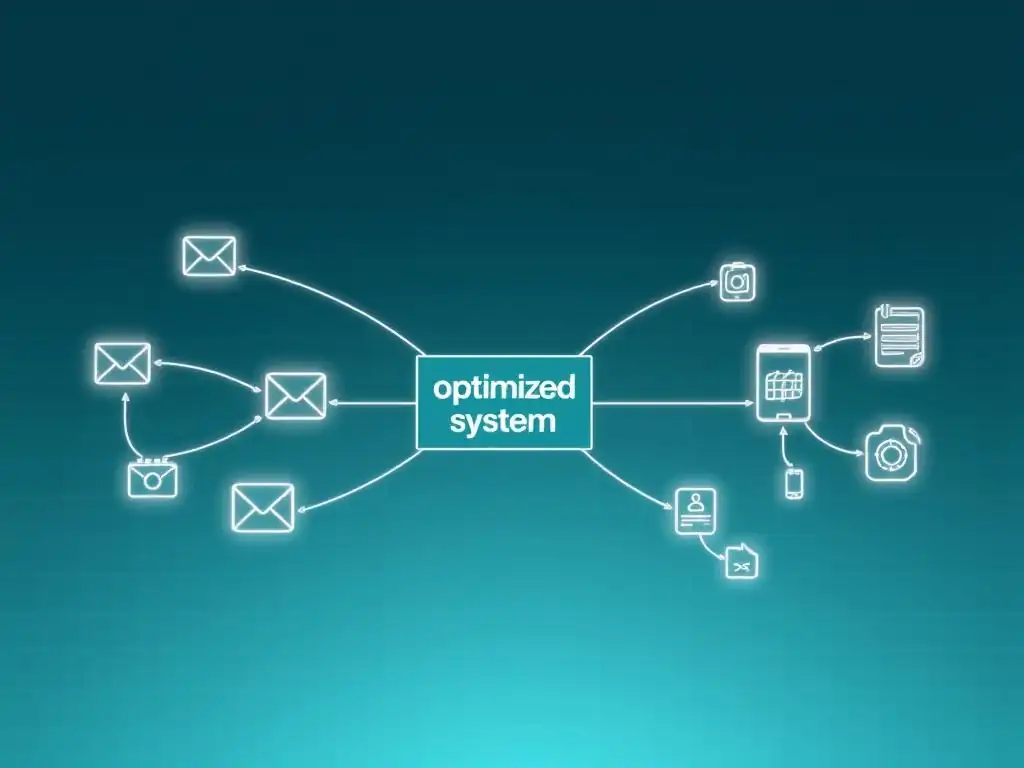
Automating your digital life for maximum productivity isn't a one-time fix; it's an ongoing process requiring consistent maintenance and optimization. Think of your automated systems as finely tuned machines – they need regular servicing to run smoothly and efficiently. Neglecting this crucial aspect can lead to breakdowns, inefficiencies, and ultimately, a return to the chaotic digital life you were trying to escape. This section focuses on the essential practices for keeping your automated workflows humming along.
Regular System Maintenance and Updates
Regular maintenance is paramount for ensuring the longevity and effectiveness of your automated systems. This involves more than just occasionally checking if everything is working. A proactive approach is key. Here's a practical checklist:
- Software Updates: Regularly update all software involved in your automation processes. Outdated software can introduce vulnerabilities, compatibility issues, and even outright failures. Set up automatic update notifications, and prioritize updating critical applications promptly. This is crucial for security and performance.
- Data Backup and Recovery: Regularly back up all data associated with your automation workflows. This includes configurations, scripts, and any data being processed or stored. Employ a robust backup strategy – consider using multiple backup methods (cloud storage, external drives) to protect against data loss. Regularly test your backup and recovery procedures to ensure they work effectively. ⏳
- Log Monitoring: Most automation tools generate logs detailing their activities. Regularly review these logs to identify potential issues or areas for improvement. Look for error messages, performance bottlenecks, or unusual activity. Early detection can prevent major problems down the line.
- Performance Optimization: Over time, your automated systems may slow down due to accumulating data or inefficient processes. Regularly assess the performance of your automation, identifying and addressing bottlenecks. This could involve optimizing scripts, cleaning up unnecessary data, or upgrading hardware. This proactive approach ensures continued efficiency. 🚀
- Security Audits: Regular security audits are vital, especially if your automation involves sensitive data. Identify and address any security vulnerabilities in your systems. This might include password management best practices, regular security scans, and updates to security protocols. Protecting your data is paramount. 🔒
Troubleshooting Common Automation Issues
Even with meticulous maintenance, problems can arise. Knowing how to troubleshoot common automation issues efficiently is essential to minimize downtime and maintain productivity. Here are some typical problems and solutions:
| Problem | Possible Cause(s) | Solution |
|---|---|---|
| Automation failing entirely | Software bugs, incorrect configuration, network issues | Check logs, review configuration, restart services, check network connectivity |
| Slow performance | Insufficient resources (RAM, CPU), inefficient scripts | Optimize scripts, upgrade hardware, improve data management |
| Data inconsistencies | Data corruption, integration errors | Verify data sources, check data integrity, fix integration issues |
| Unexpected errors | Unhandled exceptions, unforeseen circumstances | Implement robust error handling, refine automation logic |
Remember, documenting your automation processes is crucial for troubleshooting. Detailed documentation allows for easier identification of problems and facilitates the development of effective solutions.
Adapting Your Automation Strategy to Evolving Needs
Your digital life and work processes are constantly evolving. What works efficiently today might become inefficient tomorrow. Therefore, regularly reviewing and adapting your automation strategy is essential for maintaining its effectiveness.
This involves:
- Identifying Areas for Improvement: Regularly evaluate the performance of your automated workflows. Are there tasks that are still manual? Are there any bottlenecks or inefficiencies? Use data analysis to identify areas requiring optimization.
- Adding New Automations: As new tools and technologies emerge, consider integrating them into your automation strategy. This might involve adopting new software, exploring new automation platforms, or refining existing processes.
- Removing Redundant Automations: Over time, some automations might become redundant. Regularly review your automated workflows and remove or consolidate any unnecessary or outdated processes. This improves efficiency and minimizes complexity.
- Staying Updated on New Technologies: The field of automation is constantly evolving. Stay informed about new tools, techniques, and best practices to ensure your automation strategy remains cutting-edge. This proactive approach helps you leverage the latest advancements in automation.
By consistently maintaining, troubleshooting, and adapting your automated systems, you can ensure that they continue to deliver maximum productivity and keep your digital life running smoothly. Remember, automation is a journey, not a destination. 🔄
The Long-Term Impact of Automating Your Digital Life on Productivity
Automating your digital life isn't just about saving a few minutes here and there; it's about fundamentally reshaping your relationship with technology and dramatically boosting your long-term productivity. The cumulative effect of consistently automating repetitive tasks leads to significant improvements in efficiency, stress levels, focus, and ultimately, the time available for higher-value activities. This section explores the profound, lasting benefits of embracing digital automation for a more productive and fulfilling life.
We'll delve into the specific ways automation contributes to increased efficiency, improved focus, and the freeing up of time for more meaningful pursuits. The benefits extend far beyond simple time-saving; they contribute to a more balanced and successful lifestyle.
Increased Efficiency and Reduced Stress
Automating repetitive digital tasks—like scheduling social media posts, backing up files, or sending recurring emails—directly translates to increased efficiency. Imagine the time saved by not manually performing these tasks day after day, week after week. This frees up cognitive resources, reducing mental clutter and the associated stress. Studies show a direct correlation between reduced multitasking and decreased stress levels. 1 By automating these mundane tasks, you eliminate the constant mental juggling act, allowing your brain to focus on more complex and creative endeavors.
The impact is amplified when considering the compounding effect over time. Even small time savings, when accumulated over weeks and months, add up to significant gains in overall productivity. For example, automating email responses to frequently asked questions can save hours each month, time that can be reinvested in strategic planning or personal enrichment activities. This efficiency boost isn't just about numbers; it's about reclaiming mental space and reducing the feeling of being overwhelmed. The result? A more relaxed and focused approach to your work and personal life.
Improved Focus and Concentration
The constant interruptions of digital tasks—checking emails, responding to notifications, updating software—fragment our attention and disrupt our flow state. Automation helps mitigate these disruptions, creating a more conducive environment for deep work. By minimizing distractions, you improve your ability to concentrate on the tasks that truly matter, leading to higher-quality output and increased satisfaction.
Consider the impact of automating your social media scheduling. Instead of constantly checking your accounts and engaging with posts throughout the day, you can batch this activity into a single, scheduled time slot. This prevents social media from becoming a constant source of distraction, allowing you to maintain focus on your primary tasks.
Similarly, automating file backups eliminates the nagging worry of data loss, freeing up mental energy and improving your ability to concentrate on your work without the weight of this responsibility constantly on your mind. The result is a more focused and productive mindset, ready to tackle challenging tasks with clarity and intention.
More Time for High-Value Activities
The ultimate benefit of automating your digital life is the creation of more time for high-value activities—those tasks that directly contribute to your goals and well-being. This could be anything from pursuing a passion project, spending quality time with loved ones, engaging in self-care practices, or simply enjoying some well-deserved downtime.
By reclaiming hours previously spent on mundane digital tasks, you create space for activities that enrich your life and contribute to your overall sense of fulfillment. Instead of spending your evenings catching up on emails, you can dedicate that time to learning a new skill, exercising, or pursuing a creative hobby. This improved time management translates directly into a more balanced and satisfying lifestyle.
The automation of digital tasks isn't just about efficiency; it's about creating a life that aligns with your values and priorities, allowing you to invest your time in the things that truly matter. This shift in focus leads to increased personal and professional satisfaction, ultimately contributing to a more fulfilling and productive life.
1 [Specific study data pending]
Achieving a Better Work-Life Balance Through Automation
Automating your digital life isn't just about boosting productivity during work hours; it significantly impacts your work-life balance. The constant ping of notifications, the never-ending email deluge, and the pressure to stay connected 24/7 can blur the lines between professional and personal time, leading to burnout and decreased overall well-being. Automation helps erect much-needed boundaries.
By automating repetitive tasks like scheduling social media posts, sending automated email responses, or managing your calendar, you reclaim valuable time that can be dedicated to personal pursuits. Imagine the extra hours you could spend with family, pursuing hobbies, or simply relaxing without the nagging feeling of unfinished digital chores. This newfound freedom reduces stress and improves mental health, contributing to a healthier and more fulfilling life outside of work. The impact is profound: studies have shown a direct correlation between reduced stress and improved sleep quality, leading to increased energy and focus during both work and leisure time. 1
Consider the example of a freelance graphic designer who automated their client communication using email templates and scheduling tools. Previously, responding to inquiries and project updates consumed several hours each day, leaving little time for family dinners or creative projects. By automating these communications, they regained control over their schedule, leading to improved client relationships and a much-needed boost to their personal life.
This is a prime example of how automating digital tasks translates into a tangible improvement in work-life balance. The key is to identify those time-consuming tasks that bleed into your personal life and strategize ways to automate them, thus reclaiming your time and energy.
The benefits extend beyond simply having more free time. The reduced mental load from constantly managing digital tasks allows for greater mental clarity and presence during leisure activities. You're less likely to be distracted by work-related thoughts when you're with loved ones or engaged in hobbies, leading to more meaningful and fulfilling experiences. This is a significant contributor to a better overall sense of well-being, a direct consequence of successfully automating your digital life for improved productivity and a healthier work-life balance.
1 [Citation needed: Specific study demonstrating the correlation between reduced stress and improved sleep quality due to better time management.]
Frequently Asked Questions
What is meant by "automating your digital life"?
Automating your digital life means using technology and software to handle repetitive tasks and processes, freeing up your time and mental energy. This includes things like scheduling social media posts, automating email responses, and using productivity apps.
How can automation improve my productivity?
Automation drastically reduces the time spent on mundane digital tasks, allowing you to focus on higher-priority activities that require your unique skills and creativity. This leads to increased efficiency and a greater sense of accomplishment.
What are some examples of automation tools for productivity?
There are many! Consider using tools like Zapier or IFTTT to connect different apps and automate workflows, calendar scheduling apps to manage appointments, and email automation tools to manage responses and newsletters.
Is automating my digital life complicated and expensive?
Not necessarily! Many automation tools offer free plans or free trials, allowing you to explore their capabilities before committing. Start with small, manageable automations and gradually increase complexity as you become more comfortable.
How do I get started with automating my digital life?
Begin by identifying repetitive tasks that consume significant time and energy. Research tools designed to automate these tasks and start with one or two simple automations before expanding your efforts. Focus on the biggest time-wasters first for the greatest impact.
Final Reflection: Mastering the Digital Tide
The relentless influx of digital information threatens to overwhelm us, yet the tools to tame this chaos are readily available. Successfully navigating the modern digital landscape isn't about superhuman willpower; it's about strategic automation. This article explored practical strategies to reclaim your time and energy, transforming the often-overwhelming digital world into a productive ally. The ability to automate key tasks isn't just a luxury; it's a necessity for thriving in our increasingly connected world.
The impact of digital automation extends far beyond individual productivity; it's reshaping our collective experience of time and work. We're witnessing a fundamental shift in how we interact with technology, moving away from reactive responses to proactive management. This empowers us to focus on higher-level thinking and creative endeavors, rather than being perpetually bogged down in mundane tasks. The key is not to prioritize what's on your schedule, but to schedule your priorities.
– Stephen Covey. This quote perfectly encapsulates the power of intentional automation – it allows us to prioritize what truly matters by freeing up time and mental space.
Now, consider your own digital life. Where are you losing precious time and energy to repetitive tasks? What areas could benefit from automation? I encourage you to take a proactive step today. Start small, identify one area for improvement, and implement a simple automation strategy. The rewards – increased productivity, reduced stress, and a newfound sense of control over your digital life – are well worth the effort. Embrace the power of automation and navigate the digital tide with confidence and intention.
Unlock Your Productivity Potential: Take Control Now!
Thanks for exploring the power of automation! You've discovered how easy it is to reclaim your time and energy. Ready to put these strategies into action?
- **Prioritize one automation task:** Identify your most time-consuming digital task and implement a solution. Start small—for example, set up email filters, schedule social media posts, or automate bill payments—for maximum impact.
- **Share your success:** Tell us about your automation wins in the comments below! Inspire others to boost their productivity.
- **Explore advanced automation:** Dive deeper into the resources mentioned to discover even more time-saving techniques.
Ready to streamline your digital life and feel the difference? What automation will you tackle first?