
IFTTT & Zapier: The Secret Weapons to a More Efficient You


Ready to reclaim your time and conquer your to-do list? At UltimateLifeHacks, we're dedicated to helping you streamline your life and boost your productivity. Discover how simple automation can transform your daily routine with our deep dive into IFTTT & Zapier, the secret weapons for mastering workflow automation. Learn how to automate tasks and unlock a more efficient, fulfilling you – the possibilities are endless. Let's dive in!
- Understanding IFTTT and Zapier: Automating Your Digital Life
-
Automating Repetitive Tasks with IFTTT and Zapier
- Automating Social Media Sharing: Cross-posting Instagram photos to Twitter
- Automating Email Management: Forwarding important emails to a specific folder
- Automating File Organization: Automatically backing up photos from your phone to Google Drive
- Automating Data Backup and Synchronization: Syncing contacts between Google and Outlook
- Advanced Automation Techniques with IFTTT and Zapier Recipes
- Boosting Productivity with IFTTT and Zapier: Real-World Examples
- Unlocking the Full Potential of IFTTT and Zapier for Task Automation
- Frequently Asked Questions
- Final Reflection: Unlocking Your Potential Through Automation
- Unlock Your Productivity: Automate Your Life Today!
Understanding IFTTT and Zapier: Automating Your Digital Life
In today's fast-paced world, efficiency is key. We're constantly juggling multiple tasks, applications, and platforms, leading to wasted time and potential for errors. This article delves into two powerful tools – IFTTT (If This Then That) and Zapier – that can significantly streamline your digital workflow and free up valuable time for what truly matters. Learn how these "secret weapons" can automate repetitive tasks, connect disparate applications, and ultimately, help you achieve a more productive and efficient digital life.
We'll explore their core functionalities, highlight key differences, and guide you toward choosing the right tool to automate your specific needs. Mastering IFTTT and Zapier is about more than just saving time; it's about reclaiming control of your digital existence and optimizing your daily routines for peak performance. This guide will equip you with the knowledge to effectively leverage these platforms for automating tasks, ultimately leading to a more efficient and fulfilling you. Let's dive into the world of automated task management with IFTTT and Zapier, and unlock the potential for a more productive you.
Ready to automate your life? Let's begin! 🚀
What is IFTTT and how it helps automate tasks?
IFTTT, or "If This Then That," is a popular automation platform known for its user-friendly interface and vast array of applets (pre-built automations). Think of it as a simple, visual programming language for connecting your favorite apps and services. IFTTT excels at creating straightforward automations based on triggers and actions. For example, you could create an applet that automatically saves all your Instagram photos to Google Drive ("If" a new photo is posted to Instagram, "then" save it to Google Drive). This eliminates the manual step of downloading and saving each photo individually.
IFTTT's strength lies in its ease of use. Even users with limited technical skills can quickly build and manage applets. The platform boasts a massive library of pre-built applets, covering a wide range of applications and use cases. This allows for quick and easy automation without needing to code anything. However, IFTTT's capabilities are somewhat limited compared to Zapier, especially when dealing with complex multi-step automations. It shines in its simplicity and ease of use for everyday tasks. The platform focuses on quick, simple automations, making it perfect for users looking for a hassle-free way to automate basic tasks.
What is Zapier and its capabilities for task automation?
Zapier is a more robust and versatile automation platform compared to IFTTT. While IFTTT focuses on simple, single-step automations, Zapier excels at handling complex multi-step workflows. Zaps, Zapier's equivalent to IFTTT's applets, can incorporate multiple triggers and actions, creating sophisticated automations that would be difficult or impossible to achieve with IFTTT. For example, you could create a Zap that automatically adds new leads from a Google Sheet to your CRM system, then sends a personalized welcome email, and finally updates a project management tool.
Zapier's strength lies in its flexibility and power. It supports a vast number of applications, offering a wide array of integration possibilities. Its visual interface makes it relatively easy to create even complex Zaps, although it does have a steeper learning curve than IFTTT. The platform also provides features for managing and monitoring your Zaps, offering detailed logs and error reporting.
This level of control and visibility is crucial for managing complex automations. Furthermore, Zapier offers features like filters and conditional logic, enabling you to create highly customized and targeted automations. This level of sophistication makes it the preferred choice for users who require more complex automation solutions.
IFTTT vs. Zapier: Key Differences and Choosing the Right Tool
Choosing between IFTTT and Zapier depends largely on your automation needs. IFTTT is ideal for simple, single-step automations, offering a quick and easy way to connect apps and automate basic tasks. Its user-friendly interface and vast library of pre-built applets make it perfect for beginners. However, its limitations become apparent when attempting more complex multi-step workflows.
Zapier, on the other hand, is a more powerful and versatile platform, suitable for complex multi-step automations. Its flexibility and extensive integration capabilities make it a preferred choice for users who need more control and customization. However, its steeper learning curve might make it less appealing to beginners.
| Feature | IFTTT | Zapier |
|---|---|---|
| Complexity | Simple, single-step automations | Complex, multi-step workflows |
| Ease of Use | Very easy | Relatively easy, steeper learning curve |
| Number of Steps | Typically limited to one or two | Can handle many steps |
| Pricing | Free plan available, paid plans for advanced features | Free plan available, paid plans for advanced features |
| App Integrations | Wide range, but less extensive than Zapier | Very extensive |
Ultimately, the best tool for you depends on your specific needs and technical skills. If you need simple automations, IFTTT is a great starting point. If you require more complex, multi-step workflows, Zapier offers the power and flexibility you need. Consider your current workflow and the complexity of the automations you wish to implement before making your decision. Both platforms offer free plans, allowing you to experiment and determine which best suits your needs.
Automating Repetitive Tasks with IFTTT and Zapier
This section delves into the practical applications of IFTTT (If This Then That) and Zapier for automating mundane, repetitive tasks, ultimately freeing up valuable time and mental energy. Both platforms excel at connecting different apps and services, creating automated workflows – or "applets" in IFTTT and "Zaps" in Zapier – that execute actions based on pre-defined triggers. The key to maximizing their potential lies in identifying repetitive tasks ripe for automation. Think about the tasks that drain your time and energy without adding significant value.
These are prime candidates for automation with IFTTT and Zapier. By strategically leveraging these tools, you can significantly streamline your daily routines and boost your overall productivity. The possibilities are vast, extending far beyond the examples detailed below.
Maintaining a consistent social media presence can be incredibly time-consuming. Cross-posting content across different platforms is a common task that can easily be automated. Let's consider automating the sharing of Instagram photos to Twitter. With IFTTT or Zapier, you can create an applet/Zap that automatically posts your Instagram photos to your Twitter feed.
This ensures your content reaches a wider audience without requiring duplicate effort. You'll save time and maintain a cohesive brand image across platforms. The process is remarkably straightforward: simply connect your Instagram and Twitter accounts to the chosen platform (IFTTT or Zapier), define the trigger (new Instagram photo), and set the action (post to Twitter). You can even customize the tweet to include a pre-defined caption or hashtags, further enhancing efficiency.
This simple automation can save you several minutes per post, adding up to significant time savings over the course of a week or month. Consider the impact on your workflow: less time spent on manual social media posting means more time focused on creating engaging content or other important tasks. The increased efficiency allows for a more strategic approach to social media management.
Automating Email Management: Forwarding important emails to a specific folder
Email management is a notorious time sink. Sifting through countless emails daily can be overwhelming. Automating the sorting of important emails can significantly improve email management. For example, you could use IFTTT or Zapier to forward all emails from your boss or a specific client to a dedicated folder in your email client.
This ensures important messages are easily accessible and don't get lost in the deluge of other emails. The automation can be set up by defining the trigger (email received from a specific sender) and the action (forwarding the email to a designated folder). This simple automation drastically reduces the time spent searching for crucial emails.
Imagine the time saved by instantly locating important messages without having to manually search through your inbox. This method significantly improves email organization and retrieval time, leading to improved response times and a more efficient workflow. Furthermore, you can utilize filters and labels within your email client in conjunction with these automated forwarding rules for even more granular control over your email organization.
Automating File Organization: Automatically backing up photos from your phone to Google Drive
Losing precious photos due to phone malfunction or theft is a common fear. Automating photo backups provides peace of mind and saves you the hassle of manual uploads. Using IFTTT or Zapier, you can effortlessly back up photos from your phone to Google Drive or other cloud storage services. The trigger is set to "new photo added to phone," and the action is "upload photo to Google Drive."
This creates a reliable and automated backup system, ensuring your photos are safe and accessible even if your phone is lost or damaged. This automated backup system offers significant advantages, including automatic redundancy and protection against data loss. Consider the potential for disaster recovery: a sudden phone failure would no longer mean the loss of irreplaceable memories.
Moreover, this automation frees up your time and mental energy, eliminating the need to remember to manually back up your photos. The peace of mind alone is worth the investment in setting up this simple yet powerful automation. This is a crucial step in optimizing your digital workflow and safeguarding valuable memories.
Automating Data Backup and Synchronization: Syncing contacts between Google and Outlook
Automating the synchronization of your contacts between Google and Outlook is a fantastic way to ensure you never lose important contact information and always have access to your complete address book, regardless of the device or platform you're using. This seemingly simple task can be a significant time-saver, freeing you from manually updating contacts across multiple platforms. Imagine the frustration of missing an important call because a contact wasn't updated—automating this process eliminates that risk entirely.
Using either IFTTT or Zapier, you can set up a "recipe" or "zap" that automatically mirrors your contacts. Whenever you add, update, or delete a contact in one platform (let's say Google Contacts), the corresponding action automatically happens in the other (Outlook). This bidirectional synchronization ensures data consistency across both platforms. The specific steps vary slightly depending on the chosen platform, but generally involve connecting your Google Contacts and Outlook accounts to the automation service, then selecting the desired triggers and actions. The process is remarkably intuitive and requires minimal technical expertise.
This automation extends beyond simple contact management. Consider the scenario of needing to share updated contact information with a colleague or team. With automated syncing, everyone always works with the latest information, fostering better collaboration and communication. This eliminates the need for manual email chains or file transfers, streamlining workflows and minimizing the risk of errors. The time saved adds up considerably over time, allowing you to focus on more strategic and value-added tasks.
Moreover, this automated backup adds an extra layer of security to your data. If one system experiences a problem, your contacts are safely mirrored in the other, providing a reliable fail-safe. This is particularly crucial for business contacts, ensuring that essential business relationships remain unaffected by technical issues. The peace of mind afforded by this robust backup system is invaluable. The reliability and security offered by automated contact synchronization significantly outweigh the minimal effort required to set it up. It’s a small investment of time that yields substantial long-term benefits in efficiency, security, and peace of mind.
Advanced Automation Techniques with IFTTT and Zapier Recipes
This section delves into more sophisticated applications of IFTTT and Zapier, moving beyond simple single-action automations to create powerful, multi-step workflows that significantly boost your productivity. We'll explore techniques to personalize your automation and manage complex workflows efficiently. Remember, mastering these techniques is key to truly leveraging the power of "Automate tasks IFTTT Zapier" for optimal efficiency.
Creating Custom IFTTT Applets for Personalized Automation
IFTTT's strength lies in its simplicity, but its customizability is often underestimated. Creating personalized Applets allows you to automate tasks unique to your needs, far exceeding the pre-built options. Let's consider a scenario: you want to automatically back up photos from your phone to a cloud storage service only when you're connected to your home Wi-Fi, conserving mobile data. A standard Applet might not offer this level of granularity.
A custom Applet requires a deeper understanding of IFTTT's building blocks: Triggers and Actions. The Trigger would be "Connected to [Your Home Wi-Fi Network Name]" (requiring a location-based service integration). The Action would be "Upload Photo to [Cloud Storage Service]". This seemingly small addition significantly improves efficiency and reduces unnecessary data consumption. This exemplifies how crafting custom Applets allows you to finely tune automation to your specific requirements, optimizing resource usage and personalizing your workflow. You can even incorporate time-based triggers, such as only automating tasks during specific hours of the day.
Building Complex Zaps in Zapier for Advanced Workflow Management
Zapier, unlike IFTTT, excels in handling complex multi-step automations, often referred to as "Zaps." While IFTTT excels at simple, single-action connections, Zapier allows you to chain multiple actions together, creating sophisticated workflows. Consider managing your social media presence: you could create a Zap that automatically posts a tweet when a new blog post is published, then sends a corresponding update to your LinkedIn profile, all triggered by a single action – publishing the blog post.
This level of automation is impossible with a standard IFTTT Applet. The complexity arises from the multiple "steps" or "tasks" within the Zap. Each step involves selecting an app, defining a trigger, choosing an action, and mapping data between different applications. Mastering this requires understanding Zapier's interface and the capabilities of the integrated apps.
Effective use of filters and conditional logic within Zaps is essential to prevent unwanted actions and maintain control over the automation process. For example, you could add a filter to only tweet if the blog post title contains a specific keyword. This precision significantly enhances the effectiveness of your automation strategy.
Connecting IFTTT and Zapier to Other Apps and Services: Expanding Your Automation Potential
The true power of IFTTT and Zapier lies in their vast library of integrated apps and services. The more apps you connect, the more opportunities for automation emerge. This allows you to build incredibly complex workflows that span various aspects of your digital life. Imagine a scenario where you receive an email notification whenever a specific keyword appears in a Google Sheet, which is then used to trigger a Slack message to your team.
This requires connecting three distinct services: Gmail (for email monitoring), Google Sheets (for data tracking), and Slack (for team communication). Successfully connecting these requires understanding the authentication methods of each service and correctly mapping the data between them. The possibilities are virtually limitless: from integrating project management tools with communication platforms to automating data entry and reporting tasks.
The key is to identify areas in your workflow where repetitive manual tasks can be automated, then strategically connect the relevant apps and services using IFTTT and Zapier to streamline your processes. This unlocks unparalleled efficiency and frees up your time for more valuable tasks. Careful planning and a systematic approach to connecting these services are crucial for maximizing the benefits of "Automate tasks IFTTT Zapier".
Troubleshooting Common IFTTT and Zapier Issues and Errors
Troubleshooting IFTTT and Zapier can sometimes feel like navigating a maze, but with a systematic approach, you can often resolve issues quickly. Many problems stem from simple misconfigurations or connectivity problems. Let's explore some common issues and their solutions.
One frequent problem is authorization errors. This usually means that IFTTT or Zapier doesn't have the necessary permissions to access the accounts you've connected. Double-check that you've granted the appropriate access levels within each app's settings. Sometimes, simply disconnecting and reconnecting the accounts can resolve this. Remember to carefully review the permissions requested – only grant access to the functions your automation actually needs. Overly broad permissions can pose security risks.
Another common issue involves trigger failures. Your automation might not trigger as expected due to problems with the specified trigger event. For instance, a Zap designed to send an email when a new Google Sheet row is added might fail if the sheet isn't properly formatted or if the app's API is temporarily unavailable. Carefully review your trigger settings, ensure the data format is correct, and check the status of the connected apps for any outages. Testing your Zap with a small, controlled dataset can help isolate the problem.
Sometimes, action failures occur even when the trigger works correctly. This could indicate a problem with the app you're using for the action. Perhaps the target app is experiencing problems, or the data being passed to it is improperly formatted. Check the action's configuration carefully, paying close attention to data mapping and formatting. Many platforms have detailed logging that can help pinpoint the exact point of failure. Examine these logs for error messages to gain deeper insights.
Dealing with rate limits is crucial, especially for high-volume automations. Both IFTTT and Zapier have limits on the number of requests you can make within a specific timeframe. If you exceed these limits, your automations may temporarily stop working. Review the API documentation for the services you are using to understand their rate limits and adjust your automation accordingly. Consider using batch processing or adding delays to your recipes if necessary.
Finally, remember that network connectivity is paramount. If your device or network isn't connected properly, your automations won't function. Ensure your internet connection is stable and that any firewalls or security software aren't blocking IFTTT or Zapier's access. A simple restart of your router or device often resolves temporary network glitches.
Also, check for any scheduled maintenance periods for the services you are using, as these can interrupt functionality. Consider using a VPN for more reliable connectivity, especially if you're working across different networks. Proactive monitoring of your automations, including regular testing and checking logs, can help you identify and address problems before they significantly impact your workflow. 🕵️♂️
Boosting Productivity with IFTTT and Zapier: Real-World Examples
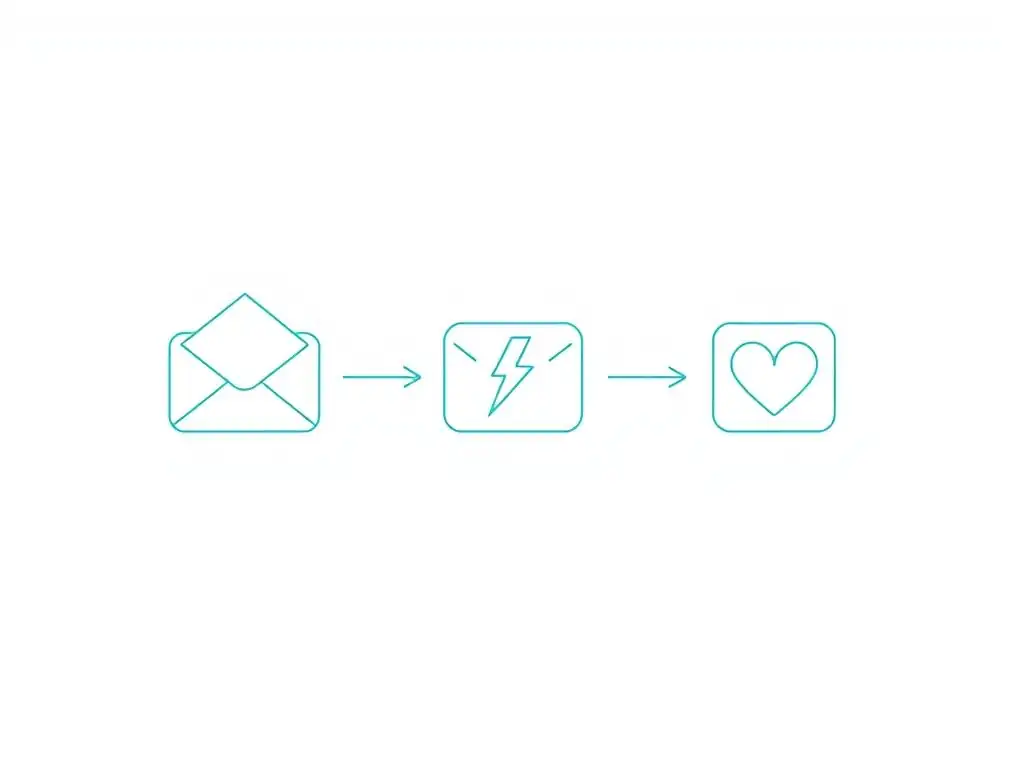
This section dives into practical applications of IFTTT and Zapier, showcasing how these automation tools can drastically improve your workflow. We'll explore real-world scenarios demonstrating how to automate tasks, saving you valuable time and effort. The examples highlight the versatility of these platforms in tackling diverse productivity challenges, emphasizing the "Automate tasks IFTTT Zapier" keyword and its semantic variations.
Managing multiple social media accounts can be incredibly time-consuming. However, IFTTT offers a powerful solution for automating various aspects of your social media strategy. Let's consider a scenario where you want to automatically share your new blog posts across different platforms.
With IFTTT, you can create an "Applet" (IFTTT's term for an automation) that triggers when you publish a new blog post (the "IF" part). This trigger could be linked to your blog's RSS feed or a specific platform like WordPress. The "THEN" part of the Applet would then automatically post a summary or link to the new blog post on platforms like Twitter, Facebook, or LinkedIn.
This automation saves significant time, ensuring consistent social media engagement without requiring manual posting for each update. You can even customize the message for each platform, tailoring your content for optimal impact. Imagine the time saved – hours per week, potentially – that can be reinvested in creating higher-quality content or engaging with your audience directly. This directly addresses the core need of automating tasks using IFTTT and Zapier for improved efficiency.
Case Study 2: Improving Email Workflow Efficiency with Zapier
Email management can quickly become overwhelming. Zapier excels at automating repetitive email tasks, significantly improving efficiency. Let's consider a scenario where you receive numerous emails containing important data that needs to be entered into a spreadsheet.
Manually entering this data is tedious and error-prone. Zapier allows you to create a "Zap" (Zapier's term for an automation) that automatically pulls data from incoming emails and adds it to your spreadsheet. For example, you could configure a Zap to extract specific information (like order numbers, customer names, and addresses) from emails sent to a designated address and populate a Google Sheet accordingly.
This automation eliminates manual data entry, drastically reducing the time spent on this task and minimizing the risk of human error. Furthermore, you can configure Zaps to trigger actions based on email content, such as sending automated replies to specific types of emails or tagging emails for later review. This demonstrates a practical application of "Automate tasks IFTTT Zapier" focusing on email management.
Case Study 3: Automating Data Entry Tasks using IFTTT and Zapier
Many tasks involve repetitive data entry across different platforms. Both IFTTT and Zapier can help automate these processes. Consider a scenario where you regularly need to add new contacts from your email inbox to your CRM system.
Using either platform, you can automate this process. With IFTTT, you might connect your email account to your CRM, setting up an Applet to add new email contacts directly to your CRM database. Zapier offers similar functionality, allowing you to create a Zap that automatically syncs new email contacts with your CRM, keeping your data up-to-date without manual intervention.
This automation streamlines your workflow, freeing up valuable time for more strategic tasks. The consistent synchronization ensures data accuracy and avoids the duplication of effort, leading to improved efficiency and better data management. This example further reinforces the concept of "Automate tasks IFTTT Zapier" in the context of data management and CRM integration. The time savings from such automation can be substantial, allowing for a more focused and productive workday.
Unlocking the Full Potential of IFTTT and Zapier for Task Automation
This section delves into the practical applications of IFTTT and Zapier, moving beyond the basics to explore advanced techniques for automating complex tasks. We'll examine how to leverage these platforms to streamline your workflow and significantly reduce manual effort. Mastering these tools is key to achieving true digital efficiency and reclaiming valuable time in your daily routine. The ability to automate tasks IFTTT Zapier provides is truly transformative.
Tips and Tricks for Optimizing Your IFTTT Applets and Zapier Zaps
Optimizing your applets and zaps is crucial for maximizing efficiency and preventing errors. Here are some key strategies:
- Use Filters and Conditions: Don't let your automations run wild! Utilize filters and conditions to target specific events and data. For instance, in Zapier, you might only want to trigger a Google Sheets update if a new email contains a specific keyword, avoiding unnecessary actions. This precise targeting is key to efficient task automation.
- Regularly Review and Update: Your needs and apps change over time. Regularly review your applets and zaps to ensure they're still relevant and functioning correctly. Deactivate or modify those that are outdated or no longer serving their purpose. Think of it as spring cleaning for your digital workflow.
- Error Handling: Implement error handling mechanisms. Zapier, for example, offers features to manage failed zaps. Understanding these features and setting up appropriate responses (like email alerts) can save you from frustrating delays and unnoticed automation failures.
- Batch Processing: Where possible, leverage batch processing capabilities to handle multiple items simultaneously. This significantly speeds up automation, especially for tasks involving numerous files or data points. For example, you could use Zapier to automatically upload a batch of photos from your camera roll to cloud storage. This dramatically reduces the time spent managing individual files.
- Test Thoroughly: Before fully deploying an applet or zap, thoroughly test it with various inputs to ensure it works as expected under different conditions. A little testing upfront can save hours of troubleshooting later.
Best Practices for Secure and Reliable Automation with IFTTT and Zapier
Security and reliability are paramount when automating tasks. Neglecting these aspects can lead to data breaches or system disruptions. Here's how to mitigate these risks:
| Best Practice | IFTTT | Zapier |
|---|---|---|
| Strong Passwords | Use a strong, unique password. | Use a strong, unique password. |
| Two-Factor Authentication (2FA) | Enable 2FA whenever possible. | Enable 2FA whenever possible. |
| App Permissions | Carefully review permissions granted. | Carefully review permissions granted. |
| Regular Security Audits | Monitor for any unusual activity. | Monitor for any unusual activity. |
| Data Encryption (where available) | Utilize encryption features where offered. | Utilize encryption features where offered. |
Consider these points carefully to ensure the robustness and security of your automated workflows. Remember, the goal is to automate tasks IFTTT Zapier in a way that enhances, not compromises, your productivity and security. Ignoring security best practices can lead to significant problems and negate the benefits of automation. The importance of security cannot be overstated.
Resources and Further Learning: Mastering IFTTT and Zapier for Ultimate Efficiency
To further enhance your skills in automating tasks using IFTTT and Zapier, consider exploring the following avenues:
- Official Documentation: Both IFTTT and Zapier offer comprehensive documentation and tutorials on their websites. These resources are invaluable for understanding the nuances of each platform.
- Community Forums: Engage with online communities dedicated to IFTTT and Zapier. These forums are excellent places to ask questions, share tips, and learn from the experiences of other users.
- Advanced Tutorials: Search for advanced tutorials and workshops focusing on specific use cases or complex automation scenarios. These resources can help you unlock the full potential of these tools.
- Experimentation: The best way to master any tool is through hands-on experimentation. Don't be afraid to try new things and explore different automation possibilities. Remember, the journey to mastering automate tasks IFTTT Zapier is an ongoing process of learning and refinement. Embrace the challenges and enjoy the rewards of increased efficiency.
Frequently Asked Questions
What are IFTTT and Zapier?
IFTTT and Zapier are automation tools that connect different apps and services. They let you create "applets" or "zaps" that automatically perform tasks based on triggers and actions, saving you time and effort. This allows you to automate repetitive tasks.
How do IFTTT and Zapier differ?
While both automate tasks, Zapier offers a wider range of integrations and more advanced features. IFTTT is generally considered easier to use for beginners, focusing on simpler automations. The best choice depends on your needs and technical skills.
Can I automate all my tasks with IFTTT or Zapier?
No, not every task is automatable. These tools work best for repetitive, simple tasks that involve connecting different online services. Complex or highly nuanced tasks may require more sophisticated solutions. Focus on identifying tasks suitable for automation.
Are IFTTT and Zapier free to use?
Both offer free plans with limitations, allowing you to create a certain number of applets or zaps. More advanced features and higher usage limits usually require a paid subscription. Consider starting with the free plan to explore their capabilities.
What are some examples of tasks I can automate with IFTTT and Zapier?
You can automate tasks like saving emails to Google Drive, posting social media updates, backing up photos, and receiving notifications from various apps. The possibilities are vast, depending on the apps you use and your creativity in designing automations.
Final Reflection: Unlocking Your Potential Through Automation
The ability to automate repetitive tasks isn't just a technological advancement; it's a fundamental shift in how we approach productivity and reclaim our time. In a world increasingly demanding our attention, mastering tools like IFTTT and Zapier isn't a luxury—it's a necessity for maintaining sanity and achieving our goals. The power to seamlessly connect disparate apps and streamline workflows is no longer a niche skill; it's a crucial component of modern efficiency.
The impact of automation extends far beyond simply saving time; it fundamentally alters our relationship with technology. It allows us to focus on the tasks requiring genuine human creativity and critical thinking, freeing us from the drudgery of repetitive actions. This shift resonates deeply with the sentiment expressed by The key is not to prioritize what's on your schedule, but to schedule your priorities.
By automating the mundane, we create space to prioritize what truly matters, fostering a more balanced and fulfilling life.
Consider the possibilities: Imagine the projects you could complete, the connections you could forge, the passions you could pursue, all because you've reclaimed hours previously lost to tedious tasks. You have the power to design your digital life, to sculpt your workflow around your aspirations, not the other way around. Take the time to explore IFTTT and Zapier, experiment with different app integrations, and discover the unique automation solutions that will unlock your full potential. Start small, build momentum, and watch as your efficiency and overall well-being transform.
Unlock Your Productivity: Automate Your Life Today!
Thanks for exploring the world of IFTTT and Zapier! You've discovered the power to streamline your daily tasks and reclaim valuable time. Now let's put that knowledge to work.
- Build Your First Automation: Start by choosing a specific area of your life, such as managing emails, streamlining your social media presence, or even controlling your smart home devices. Create a simple automation using either IFTTT or Zapier. This is the first step toward greater efficiency!
- Share Your Success: Tell us about your first successful automation! Share your experience in the comments below to inspire others.
- Explore Advanced Capabilities: Delve deeper into the features of these tools – you might be amazed by their possibilities. Consider integrations you may not have thought of before, moving beyond the basics.
Ready to revolutionize your workflow and regain control of your time? What's the first task you'll automate?