
The Productivity App for Side Hustlers: Maximize Your Time

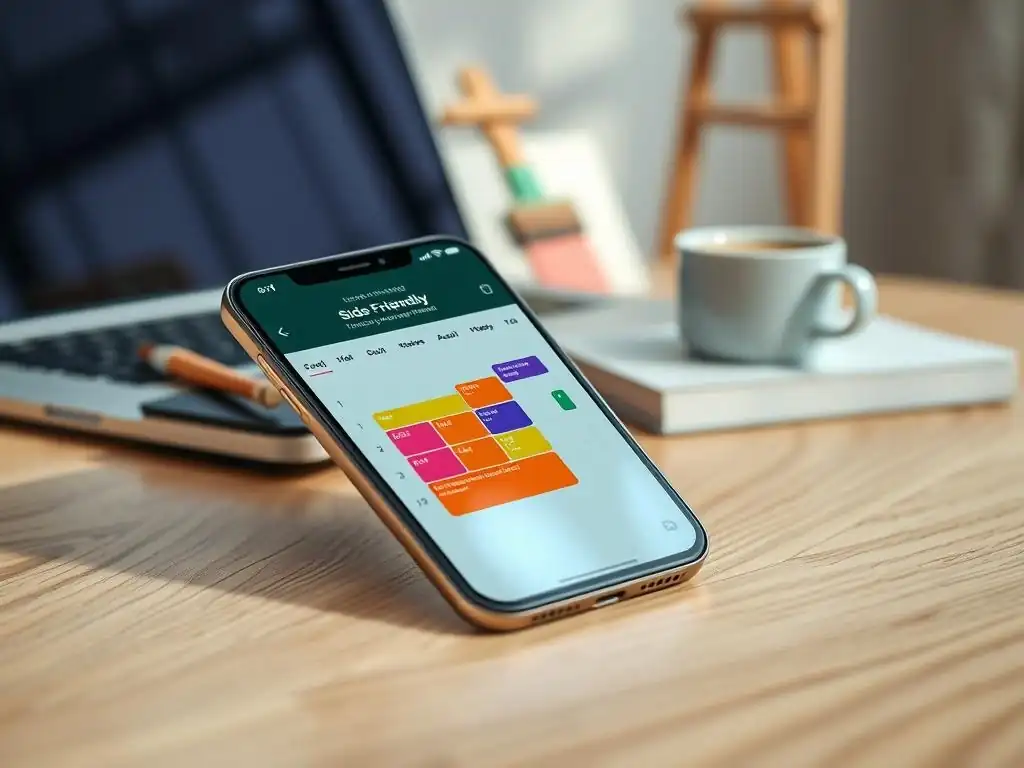
Welcome to UltimateLifeHacks, your destination for practical strategies to conquer daily life and unlock peak productivity. Are you a side hustler struggling to manage your time effectively? Discover the secrets to maximizing your output with our in-depth exploration of the Best productivity apps for side hustlers. Prepare to transform your workflow and reclaim precious hours – let's dive in!
- Finding the Best Productivity App for Your Side Hustle
- Top Productivity Apps for Side Hustlers: A Comparative Analysis
- Optimizing Your Side Hustle with Chosen Productivity App
- Boosting Productivity with Time Management Techniques
- Measuring Success: Tracking Progress and Results
- Frequently Asked Questions
- Final Reflection: Unlocking Your Side Hustle Potential
- Unlock Your Side Hustle Potential: Start Thriving Today!
Finding the Best Productivity App for Your Side Hustle
Juggling a full-time job and a side hustle can feel like a constant race against the clock. Finding the right tools to manage your time and boost your productivity is crucial for success. This article focuses on helping side hustlers, specifically, identify and utilize the best productivity apps to maximize their time and minimize stress.
We'll explore how to assess your current workflow, identify key areas for improvement, and pinpoint the essential features to look for in a productivity app tailored to the unique demands of a side hustle. Choosing the right app isn't just about adding another tool to your arsenal; it's about strategically integrating a solution that streamlines your processes, boosts efficiency, and ultimately, helps you achieve your financial and professional goals.
This guide will empower you to find the best productivity app for side hustlers, transforming your side hustle from a stressful endeavor into a manageable and rewarding experience. Let's dive in!
Identifying Your Freelance Writing Business's Specific Needs
Before you start searching for the perfect productivity app, it's vital to understand the unique needs of your side hustle. What are your biggest challenges? Are you struggling with project management, client communication, time tracking, or something else entirely? For example, a freelance writer might face different challenges than a graphic designer or virtual assistant. A freelance writer might prioritize apps that facilitate seamless client communication, efficient project organization, and accurate time tracking for invoicing. Consider these questions:
- What types of projects do you typically work on?
- How many clients do you manage simultaneously?
- What are your biggest time-wasting activities?
- What aspects of your workflow are most inefficient?
- What are your primary goals for using a productivity app (e.g., improved time management, better organization, increased client satisfaction)?
Answering these questions will help you narrow down your options and choose an app that truly addresses your specific needs. Remember, the "best" app is subjective and depends entirely on your individual circumstances and workflow. Don't be afraid to experiment with different apps to find the perfect fit. The process of identifying your needs is the first crucial step towards maximizing your productivity.
Assessing Your Current Workflow and Bottlenecks
Understanding your current workflow is essential for identifying areas ripe for improvement. Take some time to analyze your daily routines. Where are you spending most of your time? Are there any recurring tasks that feel unnecessarily time-consuming? Are you effectively prioritizing tasks? Identifying these bottlenecks is crucial for selecting a productivity app that will directly address these issues.
Consider using a simple time-tracking method for a week to gain a clear picture of your current workflow. Note down the time spent on each task and identify any recurring patterns. You might discover that a significant portion of your time is spent on administrative tasks, client communication, or researching. This information can inform your app selection.
For instance, if client communication consumes a lot of your time, you might prioritize an app with robust communication features. If project management is a weak point, an app with strong project management capabilities would be beneficial. This detailed self-assessment is key to choosing the best productivity app for side hustlers to tackle your individual challenges.
Key Features to Look for in a Freelance Writing Productivity App
Once you understand your needs and workflow, you can start looking for a productivity app with the right features. For freelance writers, some essential features include:
| Feature | Description | Importance for Freelance Writers |
|---|---|---|
| Project Management | Tools for organizing projects, setting deadlines, and tracking progress. | High |
| Client Communication | Integrated messaging or collaboration tools for easy communication with clients. | High |
| Time Tracking | Accurate time tracking for invoicing and project budgeting. | High |
| Invoicing | Built-in invoicing features to streamline billing processes. | Medium |
| Task Management | Tools for creating, assigning, and managing tasks. | Medium |
| Calendar Integration | Seamless integration with your existing calendar to manage appointments and deadlines. | Medium |
| Note-Taking | A space to jot down ideas, notes, and research materials. | Low |
| Reporting & Analytics | Tools for generating reports on your productivity and identifying areas for improvement. | Medium |
Remember, the ideal app will seamlessly integrate into your existing workflow and enhance, not complicate, your productivity. Don't overload yourself with features you won't use. Focus on finding an app that addresses your most pressing needs and helps you achieve your goals efficiently. Finding the right app is a journey, not a race! 🥂
Top Productivity Apps for Side Hustlers: A Comparative Analysis
This section dives deep into two popular productivity apps frequently cited as the best productivity app for side hustlers: Asana and Trello. We'll compare their features, advantages, and disadvantages specifically within the context of managing a side hustle. The analysis will focus on practical applications relevant to maximizing your time and boosting your efficiency. Remember, the "best" app depends heavily on your individual needs and workflow.
Asana: Features, Pros, and Cons for Side Hustlers
Asana, known for its robust project management capabilities, offers a comprehensive suite of tools ideal for organizing and streamlining various aspects of a side hustle. Its strength lies in its ability to manage complex projects, making it particularly suitable for side hustlers with multiple ongoing tasks and projects.
Time Management Capabilities for Freelance Writing Projects
Asana excels at time management through features like due dates, timelines, and progress tracking. For freelance writing projects, you can create tasks for each stage of a project (research, outlining, writing, editing, submitting). Setting realistic deadlines for each task allows for better time allocation and prevents project delays.
The progress tracking feature provides a clear overview of your workflow, enabling you to identify bottlenecks and adjust your schedule accordingly. For example, you might discover that research consistently takes longer than anticipated, allowing you to allocate more time for it in future projects. This granular level of time management is crucial for maintaining a healthy work-life balance while running a successful side hustle.
Collaboration Tools for Teamwork on Client Projects
If your side hustle involves collaborating with others (e.g., designers, editors), Asana's collaboration features are invaluable. Shared projects, task assignments, and comment threads facilitate seamless teamwork. Real-time updates keep everyone informed of progress, minimizing miscommunication and ensuring everyone is on the same page. Furthermore, Asana's approval workflows can streamline the client feedback process, accelerating project completion and improving client satisfaction. This collaborative aspect is vital for maintaining efficiency and delivering high-quality work, especially when juggling multiple client projects simultaneously.
Integration with Other Essential Freelance Writing Tools
Asana integrates with several other popular apps, enhancing its overall functionality. This integration streamlines workflows by centralizing various aspects of your side hustle within a single platform. While specific integrations vary, many popular options exist, allowing you to connect Asana with tools for invoicing, communication, and other essential freelance writing tools. This interconnectedness is a key factor in maximizing productivity and minimizing the time spent switching between different applications. This seamless integration significantly reduces the cognitive load associated with managing multiple applications, allowing you to focus more on the core tasks of your side hustle.
Trello: Features, Pros, and Cons for Side Hustlers
Trello, with its Kanban-style board system, offers a visually appealing and intuitive approach to project management, particularly beneficial for side hustlers who prefer a more flexible and adaptable system. Its simplicity makes it easy to learn and use, even for those new to project management software.
Task Management and Organization for Multiple Freelance Writing Clients
Trello's visual Kanban boards are exceptionally effective for managing multiple freelance writing clients. Each client can have its own board, with lists representing different project stages (e.g., "To Do," "In Progress," "Completed"). This clear visual representation of your workflow helps you prioritize tasks and easily track progress across all your projects. The ability to quickly move cards between lists provides a dynamic and adaptable system, allowing for efficient task management even when faced with unexpected changes or urgent requests. This visual organization minimizes mental clutter, allowing for increased focus and improved efficiency.
Budgeting and Expense Tracking for Freelance Writing Finances
While Trello doesn't have built-in budgeting tools, you can leverage its flexibility to create custom boards for managing your finances. You could create lists for "Income," "Expenses," and "Invoices," using cards to track individual transactions. This manual approach, while not as automated as dedicated budgeting apps, provides a visual overview of your financial situation. Combining this with a spreadsheet or dedicated finance app can provide a comprehensive financial management system tailored to your needs. The visual nature of Trello aids in quick assessment of financial health and identification of potential areas for improvement.
Reporting and Analytics for Freelance Writing Performance
Trello lacks sophisticated reporting and analytics features compared to Asana. However, you can still gain valuable insights into your performance by manually analyzing your boards. Tracking the number of completed tasks within specific timeframes can help you assess your productivity levels.
Analyzing the time spent on various tasks can also reveal potential areas for improvement and optimization. While not automated, this manual analysis provides valuable data for evaluating your progress and making informed decisions regarding your workflow and time management strategies. This data-driven approach, even if manually collected, enhances your understanding of your performance and allows for informed decisions to improve your efficiency and productivity as a side hustler.
ClickUp: Features, Pros, and Cons for Side Hustlers
ClickUp is a powerful and versatile productivity app that offers a wide range of features designed to streamline workflows and boost productivity, making it a strong contender for the title of "best productivity app side hustlers". Its flexibility allows it to adapt to diverse needs, proving particularly useful for managing the multifaceted nature of side hustles. Many side hustlers find its extensive capabilities extremely beneficial for organizing various projects simultaneously.
The platform's intuitive interface, while initially seeming complex, becomes surprisingly easy to navigate with regular use, minimizing the learning curve often associated with robust project management tools. However, its vast feature set can also be overwhelming for some users, particularly those new to project management software.
Scheduling and Appointment Management for Freelance Writing Client Calls
One of ClickUp's standout features for freelance writers is its robust scheduling and appointment management capabilities. The calendar integration allows for seamless scheduling of client calls, ensuring you never miss an important meeting. You can easily set reminders, block out time for focused work, and even integrate with video conferencing platforms for a streamlined communication process.
This is crucial for maintaining professionalism and ensuring timely communication with clients, which is vital for building strong working relationships and earning positive reviews. The ability to see all upcoming appointments in one central location helps prevent scheduling conflicts and ensures efficient time management – a critical aspect of successful side hustling. The detailed view of scheduled tasks allows for better preparation and reduces the stress of juggling multiple projects and client deadlines.
Communication and Client Management Features
ClickUp's communication and client management features are also noteworthy for side hustlers. The platform facilitates direct messaging with clients within the app, eliminating the need to switch between different communication platforms. This centralized communication streamlines the process and reduces the risk of miscommunication or missed messages. Furthermore, ClickUp allows for the creation of customized client profiles, which can include important details such as contact information, project specifics, payment terms, and past interactions.
This feature dramatically improves client management and ensures a more organized approach to client relationships. The ability to track communication history within each client's profile provides a valuable record for future reference, especially helpful when addressing past issues or revisiting project details. This comprehensive approach to communication and client management is a real time-saver for busy side hustlers.
Project Management for Complex Freelance Writing Tasks
Managing multiple freelance writing projects simultaneously can be challenging. ClickUp excels in this area by offering sophisticated project management tools. Its customizable task lists, subtasks, and dependencies allow for the effective breakdown of complex projects into manageable components.
The ability to assign due dates, priorities, and assign tasks to collaborators (if applicable) ensures efficient workflow management. For instance, a large-scale content creation project can be divided into smaller, more manageable tasks like research, outlining, writing, editing, and proofreading. Each task can be assigned a specific due date and priority level, ensuring that the project progresses smoothly and meets deadlines.
ClickUp's Gantt chart visualization further aids in project planning and monitoring, providing a clear overview of the project timeline and progress. This granular level of project management helps minimize stress and maximize productivity, allowing side hustlers to deliver high-quality work efficiently. The ability to track time spent on each task also allows for accurate invoicing and efficient budget management, crucial for the financial success of any side hustle.
Optimizing Your Side Hustle with Chosen Productivity App

This section focuses on maximizing the effectiveness of your chosen productivity app to supercharge your side hustle. We'll assume you've already selected an app that suits your needs (e.g., Todoist, Asana, Notion). The key now lies in configuring it for optimal performance within the context of your freelance work. Remember, the best productivity app is the one you consistently use effectively. This isn't about finding the most feature-rich option; it's about finding the right fit and mastering its use.
Setting Up Your App for Maximum Efficiency
Effective app setup is crucial for boosting productivity. Don't just jump in; take time to personalize your workspace. Start by creating a clear project structure. For a side hustle involving several income streams, consider separate projects for each: "Blog Writing," "Social Media Management," "E-commerce Sales," etc. Within each project, break down tasks into smaller, manageable steps. Instead of "Write blog post," you might have "Research topic," "Outline post," "Write draft," "Edit and proofread," and "Schedule post."
This granular approach prevents overwhelm and allows for better tracking of progress. Utilize tags or labels to categorize tasks further (e.g., "client A," "high priority," "urgent"). Color-coding can also improve visual organization and quick identification of task types. Experiment with different views (list, calendar, Kanban board) to find what best suits your workflow. Remember, the goal is to minimize cognitive load and maximize your focus on the task at hand. A well-organized app is a key component in achieving this.
Consider setting up recurring tasks for routine activities. This could include things like "Social media posting," "Invoice clients," or "Back up files." Automating these repetitive tasks frees up mental space and prevents you from forgetting crucial steps in your workflow. This is particularly beneficial for side hustlers juggling multiple responsibilities.
Integrating Your Freelance Writing Tools and Platforms
Seamless integration with your other tools is paramount. Many productivity apps offer integrations with popular freelance platforms and writing tools. For example, you might integrate your app with Google Docs for writing, Grammarly for proofreading, and your chosen client communication platform (e.g., Slack, email) for updates. This minimizes context switching and keeps everything in one centralized location.
Think about automating certain workflows. Can you automatically add tasks to your productivity app when a new client project arrives on a platform like Upwork? Can you set up automated reminders for deadlines? Exploring and utilizing these integrations can significantly reduce manual input and save you valuable time. Investigate your app's API or available integrations to see what’s possible. The more you can automate, the more efficiently you can manage your side hustle.
Creating a Personalized Workflow Within the App
Ultimately, the best productivity app becomes truly effective only when adapted to your unique workflow. Don't be afraid to experiment! Try different methods of task prioritization, such as the Eisenhower Matrix (urgent/important), the Pareto Principle (80/20 rule), or simply prioritizing by deadline.
Track your time spent on each task to identify bottlenecks and areas for improvement. Many productivity apps have built-in time-tracking features, or you can integrate with a separate time tracking tool. Analyzing this data provides valuable insights into your productivity patterns, allowing you to optimize your workflow and identify areas where you can improve efficiency. This data-driven approach is essential for continuous improvement and maximizing your output as a side hustler. Remember, consistent review and adjustment are key to long-term success. The process of refining your workflow is iterative; it's a continuous journey of improvement and adaptation.
Boosting Productivity with Time Management Techniques
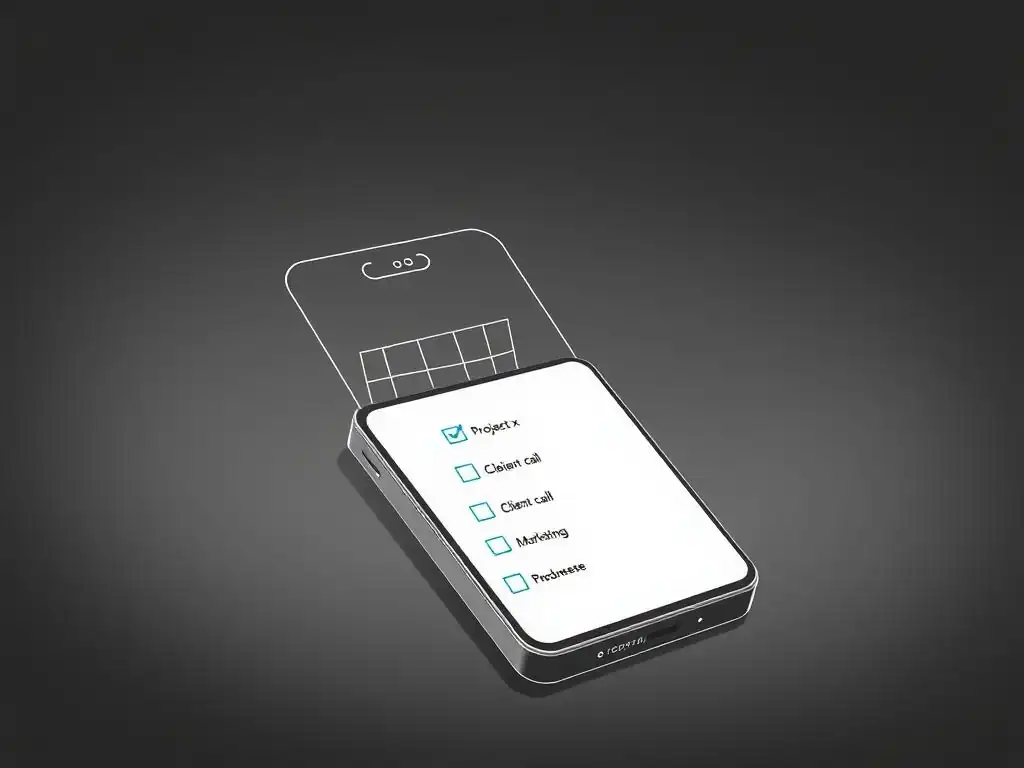
Effective time management is paramount for side hustlers juggling multiple projects and responsibilities. Ignoring this crucial aspect can lead to burnout, missed deadlines, and ultimately, reduced income. This section explores proven time management techniques specifically tailored to enhance productivity for those pursuing freelance writing and other side hustles. The best productivity app side hustlers use often integrates well with these techniques, acting as a powerful tool to help put them into practice.
Time Blocking for Focused Freelance Writing Work
Time blocking involves scheduling specific blocks of time for dedicated tasks. Instead of vaguely planning to "work on the marketing proposal," you'd schedule, for example, "9:00 AM - 11:00 AM: Write Marketing Proposal Section 1." This approach fosters deep work, minimizing distractions and maximizing output. For freelance writers, this means dedicating specific time slots for writing, editing, client communication, and marketing efforts.
Consider this example schedule for a freelance writer:
| Time Block | Task | Notes |
|---|---|---|
| 9:00 AM - 11:00 AM | Write Blog Post for Client A | Focus on strong opening and clear structure |
| 11:00 AM - 12:00 PM | Client Communication (Emails, Calls) | Prioritize urgent requests and schedule calls |
| 12:00 PM - 1:00 PM | Lunch Break | Recharge and disconnect from work |
| 1:00 PM - 3:00 PM | Edit and Proofread Blog Post for Client B | Use grammar and style checkers; pay close attention to detail |
| 3:00 PM - 4:00 PM | Marketing & Self-Promotion | Update LinkedIn profile, engage on relevant forums |
| 4:00 PM - 5:00 PM | Planning & Organization for Tomorrow | Review tasks, set priorities for the next day |
By implementing a time blocking strategy, you create a visual representation of your day, making it easier to allocate time effectively and track your progress. This method is incredibly useful for managing multiple projects simultaneously, a common challenge for many side hustlers. Remember to be realistic with your time estimates and allow for buffer time to account for unexpected delays.
The Pomodoro Technique for Enhanced Concentration
The Pomodoro Technique is a time management method that breaks down work into intervals, typically 25 minutes of focused work followed by a 5-minute break. After four "pomodoros," a longer break of 15-20 minutes is recommended. This structured approach combats mental fatigue and promotes sustained concentration. For freelance writers, this can mean writing intensely for 25 minutes, then taking a short break to stretch, grab a drink, or simply clear your head before returning to the task.
The Pomodoro Technique is particularly effective for tasks requiring deep concentration, such as writing complex articles or editing intricate documents. It encourages mindful work habits and helps avoid procrastination by making work feel less daunting when broken into manageable chunks. Using a timer, either on your phone or through a dedicated productivity app, is crucial for effective implementation. Many of the best productivity app side hustlers rely on utilize this technique seamlessly.
Prioritization Strategies for Managing Multiple Freelance Writing Clients
Juggling multiple freelance writing clients requires a robust prioritization system. Without one, you risk feeling overwhelmed and neglecting important tasks. Effective prioritization involves identifying the most crucial tasks and tackling them first. Several methods exist, including the Eisenhower Matrix (urgent/important), MoSCoW method (must have/should have/could have/won't have), and simply listing tasks by deadline.
Let's illustrate using the Eisenhower Matrix:
Eisenhower Matrix Example:
| Quadrant | Task | Importance | Urgency | Action |
|---|---|---|---|---|
| I | Finish Client X's urgent report | High | High | Do it immediately |
| II | Plan content calendar for Client Y | High | Low | Schedule for later |
| III | Respond to non-urgent client emails | Low | High | Delegate or postpone |
| IV | Check social media | Low | Low | Eliminate |
The key is to focus on Quadrant I tasks first, then strategically schedule Quadrant II tasks. Quadrant III tasks can often be delegated or postponed, while Quadrant IV tasks should be eliminated to maximize your time and energy. Consistent use of a prioritization method, combined with the right tools (including the best productivity app side hustlers can find), will significantly improve your ability to manage multiple clients effectively and avoid feeling stressed.
Measuring Success: Tracking Progress and Results
Successfully leveraging a productivity app for your side hustle isn't just about using the features; it's about measuring your success. Without quantifiable data, you're essentially working in the dark. This section focuses on establishing key metrics and analyzing your app data to optimize your workflow for maximum efficiency. Remember, the "best productivity app for side hustlers" is the one that helps you achieve your specific goals, and that requires careful monitoring.
Key Metrics to Monitor for Freelance Writing Business Growth
For freelance writers using productivity apps, several key metrics directly correlate with business growth. These metrics aren't just vanity metrics; they provide actionable insights to improve your workflow and ultimately, your income. Let's dive into some crucial data points:
- Words Written per Day/Week: This is a fundamental metric. Tracking your daily or weekly word count offers a clear picture of your writing output. A consistent increase suggests improved efficiency, while a decline might indicate burnout or workflow bottlenecks. Consider using your productivity app to set daily or weekly word count goals and track your progress against them. For example, aiming for 1000 words daily and consistently hitting that target shows significant progress.
- Projects Completed: Beyond word count, the number of completed projects is equally important. A productivity app can help you break down larger projects into smaller, manageable tasks, allowing you to track individual task completion and overall project progress. This provides a clearer picture of your overall productivity than just word count alone. For instance, completing three short articles in a week might be more valuable than writing 3000 words on a single, unfinished piece.
- Client Acquisition Rate: While not directly tracked within your productivity app, the app can indirectly influence this metric. By effectively managing your time and delivering high-quality work on time, you build a strong reputation leading to more client acquisitions. Tracking the number of new clients acquired per month, correlated with your app usage data, can reveal patterns and areas for improvement.
- Client Retention Rate: Similar to client acquisition, client retention is crucial for long-term success. Using a productivity app to stay organized and meet deadlines directly impacts client satisfaction, fostering long-term relationships. Tracking the number of returning clients can provide valuable insights into the effectiveness of your workflow.
Analyzing Your Productivity App Data
Analyzing the data your productivity app collects is crucial. Most apps offer reporting features, allowing you to visualize your progress over time. Look for trends and patterns. Are there specific times of day when you're most productive? Do certain types of tasks consistently take longer than expected? Understanding these patterns is key to refining your workflow.
Here's a structured approach to analyzing your data:
| Data Point | Analysis Method | Actionable Insight |
|---|---|---|
| Daily/Weekly Word Count | Chart your progress over time; identify peaks/valleys | Adjust your daily/weekly goals; identify time-wasting activities |
| Projects Completed | Track completion rates; compare against planned schedule | Prioritize tasks; refine project management strategies |
| Time Spent per Task | Analyze time spent on individual tasks | Identify bottlenecks; delegate or optimize processes |
| Time Blocking Success | Compare planned vs. actual time for each task | Improve time estimations; refine time blocking strategy |
Remember to look beyond the raw numbers. Consider external factors that might influence your productivity, such as sleep, stress levels, or distractions. Correlating these factors with your app data can provide a more holistic understanding of your performance.
Refining Your Workflow Based on Results
Once you've analyzed your productivity app data, it's time to refine your workflow. This is an iterative process; you'll likely need to adjust your strategies based on ongoing data analysis. Here are some actionable steps:
- Optimize Time Blocking: If your analysis reveals that certain time blocks are consistently unproductive, adjust your schedule. Experiment with different time blocks and task prioritization until you find a rhythm that suits you.
- Delegate or Outsource: If certain tasks consistently take up a disproportionate amount of time, consider delegating or outsourcing them. This frees up your time to focus on higher-value activities.
- Eliminate Distractions: If data shows you're frequently interrupted, actively work to minimize distractions. This might involve turning off notifications, using website blockers, or finding a quieter workspace.
- Embrace Automation: Many productivity apps offer automation features. Utilize these features to streamline repetitive tasks, freeing up your time and mental energy.
By consistently monitoring, analyzing, and adapting your workflow based on the data provided by your productivity app, you'll transform from simply using the app to mastering it for peak productivity and significant growth in your freelance writing business. This iterative process is key to finding the "best productivity app for side hustlers" – the one that perfectly aligns with your individual needs and maximizes your success.
Frequently Asked Questions
What makes this productivity app ideal for side hustlers?
This app is designed to help juggle multiple projects, offering features like task management, time tracking, and progress visualization. It helps you balance your side hustle with your main job, improving efficiency and minimizing wasted time.
How does the app help me track my time effectively?
The app uses intuitive time tracking features, allowing you to easily log time spent on different tasks. It generates detailed reports to help you understand where your time goes and identify areas for improvement in your productivity.
Can I use the app for different types of side hustles?
Yes! The app is versatile and can be used for various side hustles, from freelancing and e-commerce to blogging and online tutoring. Its flexible structure adapts to your specific needs.
How does the app help me stay organized and avoid burnout?
The app's prioritization tools and visual progress tracking keep you focused and motivated. By breaking down tasks and setting realistic goals, it helps you avoid feeling overwhelmed and prevents burnout.
Is the app expensive? What are the pricing options?
We offer various pricing plans to suit different budgets, including a free plan with limited features and premium plans with advanced functionalities. Visit our website for a detailed breakdown of our pricing options.
Final Reflection: Unlocking Your Side Hustle Potential
The relentless pursuit of productivity is no longer a luxury, but a necessity for the modern side hustler. In a world saturated with opportunities and demands on our time, mastering productivity isn't just about getting more done; it's about strategically allocating your energy to achieve meaningful results and build a sustainable side hustle. This article explored various productivity apps designed to help you navigate this complex landscape, ultimately aiming to empower you to achieve your entrepreneurial dreams.
The impact of readily available technology on the side hustle landscape is undeniable. It's reshaped how we work, connect, and ultimately, how we earn. The ability to leverage these tools effectively is no longer a differentiator, but a fundamental requirement for success. As we've seen, the right productivity app can be the key to unlocking hidden potential, streamlining workflows, and ultimately, achieving a better work-life balance. The key is not to prioritize what's on your schedule, but to schedule your priorities.
– Stephen Covey. This quote perfectly encapsulates the core message of this article: intentional time management is the cornerstone of a thriving side hustle.
Now, consider your own journey. What tools are you currently using to manage your side hustle? Are they serving you effectively? This article is not just a list of apps; it's an invitation to critically examine your current workflow and identify areas for improvement. Take the time to experiment with different apps, find the perfect fit for your needs, and most importantly, commit to utilizing them effectively. The power to build a successful and fulfilling side hustle rests within your grasp – it's time to seize it.
Unlock Your Side Hustle Potential: Start Thriving Today!
Thank you for exploring the world of side hustle productivity! We hope you discovered practical strategies to boost your efficiency and achieve your goals. Ready to take the next step?
- Implement your top three time-saving techniques: Select the most relevant strategies from the article and schedule time this week to put them into practice. Focus on small, consistent wins to avoid feeling overwhelmed.
- Share your key learning: Let's build a supportive community of side hustlers! Share your favorite tip or a challenge you overcame in the comments below.
- Explore additional resources: Visit UltimateLifeHacks.org for more articles on maximizing your time and increasing your income.
What's your biggest challenge to side hustle success, and how do you plan to overcome it?