
The Invisible Shield: Cybersecurity Hacks to Protect Your Devices from Malware


Welcome to UltimateLifeHacks, your gateway to a more efficient and productive life! Are you tired of feeling overwhelmed by technology? We're diving deep into the critical world of Cybersecurity hacks for device protection – because a streamlined life is only as good as the security protecting it. Learn how to build an invisible shield around your devices and reclaim your peace of mind. Discover the surprising and simple strategies that will transform your digital security, starting with our in-depth article, "The Invisible Shield: Cybersecurity Hacks to Protect Your Devices from Malware." Let's get started!
- Understanding the Malware Threat Landscape: A Cybersecurity Overview
-
Proactive Cybersecurity Hacks for Device Protection: Building Your Digital Fortress
- Strengthening Your Passwords: Best Practices and Password Managers
- Enabling Two-Factor Authentication (2FA): An Essential Security Layer
- Regularly Updating Software and Operating Systems: Patching Vulnerabilities
- Smart Device Security: Protecting IoT Devices from Malware Attacks
- Securing Your Wi-Fi Network: Preventing Unauthorized Access
- Reactive Cybersecurity Hacks: Responding to a Malware Infection
- Advanced Cybersecurity Hacks for Enhanced Protection
- Cybersecurity Hacks for Mobile Device Protection
- Cybersecurity Hacks for PC and Laptop Protection
- The Future of Cybersecurity: Staying Ahead of the Curve
- Frequently Asked Questions
- Final Reflection: Building an Unbreakable Digital Fortress
- Unleash Your Inner Cybersecurity Expert!
Understanding the Malware Threat Landscape: A Cybersecurity Overview
The digital age has brought unprecedented convenience, but with it comes a growing threat: malware. This insidious software can silently infiltrate your devices – computers, smartphones, tablets – wreaking havoc on your data, privacy, and even your finances. This article delves into practical cybersecurity hacks to protect your devices from malware, equipping you with the knowledge and strategies to build an "invisible shield" against these digital threats.
We'll explore common malware types, the telltale signs of infection, and the ever-evolving landscape of cyber threats, providing you with actionable steps to bolster your online security and safeguard your digital life. Understanding the threat landscape is the first crucial step towards effective protection; ignorance is no longer an excuse in the face of sophisticated cyberattacks.
This guide provides a clear and concise overview of the challenges and solutions, empowering you to take control of your digital security. Let's dive in and equip ourselves with the knowledge to navigate the digital world safely and confidently.
Identifying Common Malware Types: Viruses, Trojans, Ransomware, and Spyware
Malware encompasses a broad range of malicious software, each with its own unique characteristics and destructive capabilities. Let's examine some of the most prevalent types:
- Viruses: These are self-replicating programs that spread from one device to another, often attaching themselves to other files or programs. They can corrupt data, slow down performance, and even crash your system. Think of them as the common cold of the digital world – annoying and potentially damaging.
- Trojans: Unlike viruses, Trojans don't replicate themselves. They disguise themselves as legitimate software to trick users into downloading and installing them. Once installed, they can perform various malicious actions, such as stealing data, installing other malware, or creating backdoors for hackers. They're the wolves in sheep's clothing of the digital world.
- Ransomware: This particularly nasty type of malware encrypts your files, rendering them inaccessible unless you pay a ransom. The attackers often threaten to delete your data if the ransom isn't paid promptly. This is a serious threat, potentially leading to significant financial and data loss. Think of it as digital extortion.
- Spyware: This malware secretly monitors your online activity, collecting data such as your browsing history, keystrokes, and login credentials. This information can be used for identity theft, financial fraud, or other malicious purposes. It's the ever-watchful eye in the digital shadows.
The table below summarizes the key differences between these malware types:
| Malware Type | Replication | Method of Infection | Primary Effect |
|---|---|---|---|
| Virus | Self-replicating | File attachment, infected websites | Data corruption, system crashes |
| Trojan | Non-replicating | Disguised as legitimate software | Data theft, backdoor access |
| Ransomware | Non-replicating | Phishing emails, malicious websites | File encryption, data loss |
| Spyware | Non-replicating | Malicious downloads, drive-by downloads | Data theft, privacy violation |
Understanding these distinctions is crucial for recognizing and responding to potential threats effectively. Knowing what to look for is half the battle.
Recognizing the Signs of a Malware Infection on Your Devices
Detecting a malware infection early can significantly minimize the damage. Be vigilant and watch out for these warning signs:
- Slow performance: A sudden and unexplained drop in your device's speed can indicate a malware infection. The malware is consuming system resources.
- Unusual pop-ups: Frequent pop-up ads or messages that you didn't request are a strong indicator of malware.
- Unexpected programs: If you find programs on your device that you didn't install, it's a cause for concern.
- Data loss or corruption: Missing files, corrupted documents, or inaccessible data are clear signs of a serious infection.
- Strange network activity: Unusual spikes in data usage or strange network connections can signal a malware infection.
- Changes in browser settings: If your browser's homepage or search engine has changed without your consent, it's a warning sign.
If you notice any of these signs, take immediate action. Don't ignore them! The sooner you address the problem, the better your chances of mitigating the damage.
The Evolving Threat: Emerging Malware Trends and Techniques
The world of malware is constantly evolving. Cybercriminals are constantly developing new and more sophisticated techniques to bypass security measures. Staying informed about these emerging trends is essential for maintaining strong cybersecurity defenses. Some current trends include:
- Increased use of polymorphic malware: This type of malware changes its code frequently to evade detection by antivirus software.
- Rise of ransomware-as-a-service: Cybercriminals are now offering ransomware services to other individuals, making it easier for less technically skilled individuals to launch attacks.
- Sophisticated phishing techniques: Phishing attacks are becoming increasingly sophisticated, making it harder to distinguish legitimate emails from fraudulent ones.
- Exploitation of zero-day vulnerabilities: Attackers are actively exploiting newly discovered vulnerabilities before software developers can release patches.
Staying informed about these trends through reputable cybersecurity news sources and keeping your software updated are crucial steps in staying ahead of the curve. Proactive defense is key to preventing future attacks. Remember, the battle against malware is an ongoing one.
Proactive Cybersecurity Hacks for Device Protection: Building Your Digital Fortress
This section delves into proactive cybersecurity measures you can implement to significantly bolster your device's defenses against malware and other digital threats. Think of these as building blocks for your personal digital fortress, each layer adding strength and resilience. Consistent application of these hacks is key to effective protection – a one-time fix won't suffice in the ever-evolving landscape of cyber threats. Remember, proactive cybersecurity is about preventing attacks, not just reacting to them. This saves you time, frustration, and potential financial losses.
Strengthening Your Passwords: Best Practices and Password Managers
Weak passwords are the low-hanging fruit for cybercriminals. Strengthening this crucial first line of defense is paramount for robust cybersecurity. Forget easily guessable passwords like "password123" or your birthday. Instead, adopt these best practices:
- Length: Aim for at least 12 characters. Longer passwords are exponentially harder to crack.
- Complexity: Include a mix of uppercase and lowercase letters, numbers, and symbols (! @#$%^&*).
- Uniqueness: Never reuse the same password across multiple accounts. A breach on one platform could compromise many others.
- Regular Changes: While not always necessary, periodically changing passwords for sensitive accounts (banking, email) is a good habit.
Managing numerous complex passwords can be challenging. This is where password managers come in. These tools generate strong, unique passwords and securely store them, eliminating the need to remember everything. Choose a reputable password manager with strong encryption and security features. Consider the trade-off between convenience and security when selecting one. Remember to safeguard your master password – this is the key to your entire password vault!
Enabling Two-Factor Authentication (2FA): An Essential Security Layer
Two-factor authentication (2FA) adds an extra layer of security beyond just a password. It requires a second form of verification, such as a code sent to your phone or email, in addition to your password. This significantly reduces the risk of unauthorized access, even if your password is compromised.
Think of it like this: your password is the key to your front door, and 2FA is a security guard checking your ID before you enter. Many services now offer 2FA, including email providers, social media platforms, and banking websites. Enabling it should be a top priority for all your important accounts. The small inconvenience of entering a code is far outweighed by the enhanced protection it provides. Different services offer various 2FA methods (SMS, authenticator apps, security keys), so explore your options and choose the method most convenient and secure for you.
Regularly Updating Software and Operating Systems: Patching Vulnerabilities
Software and operating system updates aren't just about new features; they often include crucial security patches that address known vulnerabilities. These vulnerabilities are essentially weaknesses in the software that cybercriminals can exploit to gain access to your system. By regularly updating your software, you're essentially patching these holes before attackers can find them.
Think of it as regularly maintaining your car – you wouldn't ignore necessary repairs, right? Similarly, neglecting software updates leaves your digital defenses vulnerable. Enable automatic updates whenever possible to ensure you're always running the latest, most secure versions. This applies to your operating system, web browser, antivirus software, and all other applications on your devices.
Staying up-to-date is a simple yet incredibly effective cybersecurity hack for device protection. Regularly checking for updates, especially for critical security patches, is crucial for maintaining a strong defense against malware and other threats. Ignoring updates leaves your system susceptible to attacks, potentially leading to data breaches or system compromise.
Smart Device Security: Protecting IoT Devices from Malware Attacks
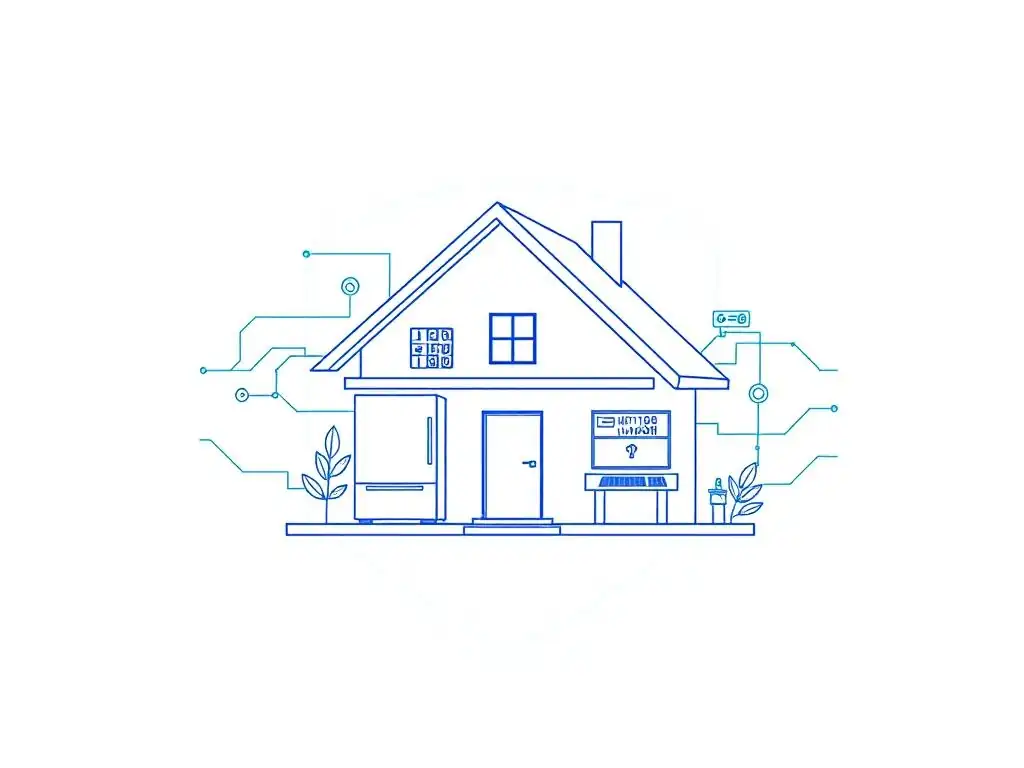
The proliferation of Internet of Things (IoT) devices—smart speakers, smart TVs, smart refrigerators, and countless others—has dramatically increased our digital footprint and, unfortunately, our vulnerability to malware. These devices, often overlooked in traditional cybersecurity strategies, represent significant entry points for malicious actors. A compromised smart device can serve as a springboard for attacks on other, more sensitive devices on your network. Therefore, securing your smart devices is paramount for comprehensive cybersecurity.
One crucial step is to change default passwords. Manufacturers often use generic, easily guessable passwords, making your devices sitting ducks for hackers. Choosing strong, unique passwords for each device is essential. Consider using a password manager to generate and securely store these passwords. Regularly updating firmware is another critical aspect. Outdated firmware often contains known vulnerabilities that hackers can exploit. Enabling automatic updates whenever possible simplifies this process and ensures your devices run the latest security patches.
Furthermore, carefully consider the permissions you grant to your smart devices. Many apps require access to more data than strictly necessary. Limiting these permissions minimizes the potential damage if a device is compromised. Finally, be mindful of the data your smart devices collect. Understand what information they're transmitting and to whom. Review your device's privacy settings regularly and adjust them as needed. A proactive approach to smart device security significantly reduces your risk of malware infections and data breaches. Remember, a compromised smart home appliance could be the key to unlocking your entire network.
Your Wi-Fi network serves as the central hub connecting all your devices. A weak or unsecured Wi-Fi network is an open invitation for cybercriminals to access your data. Strengthening your Wi-Fi security is a fundamental cybersecurity hack to protect all your devices. This involves several crucial steps, all contributing to a robust digital fortress.
Firstly, choose a strong and unique password. Avoid simple passwords or those easily guessable from personal information. A strong password should be at least 12 characters long and incorporate a mix of uppercase and lowercase letters, numbers, and symbols. Consider using a passphrase—a longer, more memorable phrase—instead of a traditional password. Secondly, enable WPA3 encryption. WPA3 is the latest Wi-Fi security protocol, offering significantly enhanced security compared to older protocols like WPA2. It’s more resistant to brute-force attacks and provides better protection against unauthorized access.
Regularly check your connected devices. Scrutinize the list of devices connected to your network. If you see unknown devices, immediately disconnect them and change your Wi-Fi password. Consider using a guest network for visitors, isolating their devices from your main network and preventing potential access to your sensitive data. Finally, keep your router's firmware updated.
Just like with smart devices, outdated router firmware can contain vulnerabilities that hackers can exploit. Enable automatic updates whenever possible to ensure your router runs the latest security software. By implementing these measures, you significantly reduce the risk of unauthorized access to your network and protect all your connected devices from potential threats. A secure Wi-Fi network is the foundation of a secure digital life.
Reactive Cybersecurity Hacks: Responding to a Malware Infection
This section focuses on the crucial steps to take after you suspect a malware infection on your device. Proactive measures are vital, but knowing how to react swiftly and effectively is equally important for minimizing damage and ensuring data recovery. Effective response is a key component of comprehensive cybersecurity hacks for device protection.
Immediate Actions Upon Suspecting a Malware Infection
The first few minutes after suspecting malware are critical. Your immediate actions can significantly impact the extent of the damage. Here's a breakdown of the necessary steps:
- Disconnect from the Network: Immediately disconnect your device from the internet (Wi-Fi and Ethernet). This prevents the malware from communicating with its command-and-control server, potentially limiting further damage and data exfiltration. Think of it as cutting off the malware's lifeline.
- Shut Down Your Device: Don't just restart; completely shut down your device. A full shutdown prevents the malware from running in the background and potentially interfering with subsequent remediation efforts. This is particularly important if you observe unusual behavior like sluggish performance or unexpected pop-ups.
- Isolate Infected Devices: If you suspect multiple devices are infected (perhaps through a shared network drive or external hard drive), isolate them immediately. Prevent any further spread of the malware by disconnecting them from the network and from each other.
- Observe and Document: Before taking any drastic actions, take note of any unusual activity you observed. This could include strange pop-up messages, unexpected browser redirects, unusual system behavior (e.g., high CPU usage), or newly installed applications you don't recognize. This information will be valuable in identifying the type of malware and choosing the right course of action. Detailed documentation is a powerful cybersecurity hack for effective device protection.
The speed and decisiveness of these actions are paramount. Remember, the longer the malware remains active, the greater the potential for data loss and system compromise.
Running a Malware Scan: Choosing the Right Antivirus Software
Once your device is disconnected and shut down, the next step is to run a thorough malware scan. Choosing the right antivirus software is crucial for effective detection and removal. There's no single "best" antivirus, as effectiveness can vary depending on the specific malware and your operating system.
However, consider these factors when selecting your antivirus software:
| Feature | Importance | Example Considerations |
|---|---|---|
| Real-time Protection | Crucial for preventing future infections | Look for software with always-on scanning capabilities. |
| Heuristic Analysis | Detects unknown malware based on behavior | This is a key feature for catching zero-day threats. |
| Regular Updates | Essential for staying ahead of new threats | Ensure the software updates its virus definitions frequently. |
| Customer Support | Helpful for troubleshooting and resolving issues | Check for readily available support channels (phone, email, chat). |
| System Performance Impact | Minimize impact on your device's speed | Choose software known for its lightweight design. |
After selecting your software, perform a full system scan. This may take several hours, depending on the size of your hard drive and the sophistication of the antivirus software. Be patient and allow the scan to complete fully. This diligent approach is a critical cybersecurity hack for effective device protection.
Data Backup and Recovery: Protecting Your Valuable Information
Data loss is a significant concern during a malware infection. Therefore, having a robust backup and recovery strategy is an essential cybersecurity hack for effective device protection. Ideally, this should be in place before an infection occurs, but it's equally important after an infection.
- Cloud Backup: Cloud-based backup services offer offsite storage, protecting your data from physical damage or theft. Regularly scheduled backups ensure you have recent copies of your important files.
- External Hard Drive Backup: An external hard drive provides another layer of protection. Ensure it is disconnected from your network when not actively backing up data.
- System Image Backup: A system image backup creates a complete snapshot of your operating system and data. This allows for a full system restoration in case of severe malware damage.
- Recovery Media: Create recovery media (bootable USB drive or disc) to restore your system from a backup if your operating system becomes unusable.
Remember, a comprehensive backup strategy is not just about data recovery; it's about peace of mind. Knowing you can restore your data minimizes the stress and disruption caused by a malware infection. Regular backups are a fundamental cybersecurity hack that should be part of everyone's digital hygiene.
Reporting Malware Infections: Helping Combat Cyber Threats
Reporting malware infections is crucial not only for protecting your own devices but also for contributing to a safer digital environment for everyone. By reporting incidents, you help security researchers identify emerging threats, understand attack vectors, and develop effective countermeasures. This collective effort is essential in the ongoing battle against cybercriminals.
Ignoring an infection allows the malware to spread, potentially infecting countless other devices and causing widespread damage. Your report, even if seemingly insignificant, can provide valuable data points that contribute to a larger picture. Think of it as a digital neighborhood watch – your contribution strengthens the overall security of the community.
Several avenues exist for reporting malware infections. Many antivirus software providers have built-in reporting mechanisms that automatically or manually send data about detected threats to their security labs. This often includes information on the malware's behavior, origin, and any associated malicious websites. These reports are anonymized, protecting your personal information while still providing valuable data for analysis.
Additionally, government agencies and cybersecurity organizations often have dedicated reporting channels for malware infections. These channels are usually designed to handle a wide range of threats, from simple viruses to sophisticated ransomware attacks. They may require more detailed information than your antivirus software, such as the type of malware, the method of infection, and the affected system's specifications. This detailed information helps analysts better understand the threat landscape and develop targeted responses.
Remember, reporting doesn't necessarily mean you'll receive immediate individual assistance. The primary purpose is to contribute to the larger effort of combating malware. However, reporting can sometimes lead to further support, such as guidance on removing the malware or recommendations for improving your overall cybersecurity posture. The process may involve providing logs, screenshots, or other relevant data.
While it might seem daunting, the benefits far outweigh the effort involved. By actively participating in this process, you become part of the solution, helping to protect yourself and others from the ever-evolving threat of malware. Don't underestimate the power of your contribution; every report matters in the fight against cybercrime. 💻🛡️
Advanced Cybersecurity Hacks for Enhanced Protection
This section delves into advanced techniques to bolster your device's cybersecurity posture beyond the basics. We'll explore strategies that offer an extra layer of protection against increasingly sophisticated malware and online threats. Remember, even the most robust antivirus software can't catch everything, so proactive measures are crucial. This section focuses on practical cybersecurity hacks for device protection, empowering you to take control of your digital safety.
Using a Virtual Private Network (VPN): Protecting Your Online Privacy
A Virtual Private Network (VPN) is a powerful tool for enhancing your online privacy and security. It creates an encrypted tunnel between your device and the internet, masking your IP address and encrypting your data. This makes it significantly harder for hackers to intercept your information or track your online activity. Think of it as an invisible shield, protecting your digital footprint.
Several key benefits make VPNs essential for robust cybersecurity:
- Enhanced Privacy: Your browsing activity is hidden from your internet service provider (ISP) and other third parties. This is crucial in preventing targeted advertising and protecting your sensitive data.
- Secure Public Wi-Fi: Using public Wi-Fi networks exposes your device to significant risks. A VPN encrypts your connection, safeguarding your data even on unsecured networks.
- Bypass Geo-Restrictions: Some websites and services are restricted based on geographical location. A VPN can mask your location, allowing you to access content unavailable in your region.
- Protection Against Data Breaches: In the event of a data breach on a website you're using, a VPN adds an extra layer of protection, making it more difficult for hackers to access your personal information.
Choosing a reputable VPN provider is crucial. Look for providers with a strong track record of security and privacy, a no-logs policy, and robust encryption protocols. Consider factors such as server locations, speed, and the provider's overall reputation before making a decision. Remember, a free VPN often compromises on security and privacy, so investing in a paid service is generally recommended for optimal protection.
Email Security Best Practices: Avoiding Phishing and Malware Emails
Email remains a primary vector for malware distribution and phishing attacks. Implementing robust email security practices is crucial to protecting your devices and personal information. Cybersecurity hacks focusing on email security are essential in today's digital landscape.
Here are some key strategies for improving your email security:
- Identify Phishing Emails: Be wary of emails requesting personal information, containing suspicious links, or displaying grammatical errors. Legitimate organizations rarely ask for sensitive information via email. Hover over links before clicking to see their actual destination.
- Enable Two-Factor Authentication (2FA): 2FA adds an extra layer of security by requiring a second form of authentication, such as a code sent to your phone, in addition to your password. This significantly reduces the risk of unauthorized access to your email account.
- Use Strong Passwords: Employ strong, unique passwords for all your email accounts. Avoid using easily guessable passwords or reusing passwords across multiple accounts. Consider using a password manager to generate and store strong passwords securely.
- Regularly Update Your Email Software: Keep your email client and operating system up-to-date with the latest security patches. These updates often include important security fixes that protect against known vulnerabilities.
- Be Cautious of Attachments: Avoid opening attachments from unknown senders or those containing unexpected file types. Malware often hides within seemingly harmless attachments.
By diligently implementing these practices, you can significantly reduce your risk of falling victim to phishing scams and malware infections via email. Remember, vigilance is key.
Safe Browsing Habits: Avoiding Malicious Websites and Downloads
Navigating the internet safely requires adopting proactive browsing habits to avoid malicious websites and downloads. These habits form a crucial part of comprehensive cybersecurity hacks for device protection, complementing software-based security measures.
Here’s how to cultivate safer browsing practices:
- Use Reputable Websites: Stick to well-known and trusted websites. Be cautious of websites with unusual URLs or those that look unprofessional.
- Check Website Security: Look for the padlock symbol in your browser's address bar, indicating a secure HTTPS connection. This ensures your data is encrypted during transmission.
- Avoid Suspicious Downloads: Only download software from official websites or trusted app stores. Avoid clicking on suspicious links or downloading files from unknown sources.
- Keep Software Updated: Regularly update your operating system, browser, and other software applications. Updates often include security patches that address known vulnerabilities.
- Use a Malware Scanner: Regularly scan your device for malware using a reputable antivirus or anti-malware program.
Developing these safe browsing habits is a continuous process. Staying informed about emerging online threats and adapting your practices accordingly is vital for maintaining strong cybersecurity. Remember, your awareness and caution are your strongest defenses against malicious websites and downloads. Consistent application of these practices will significantly reduce your risk of infection and data compromise.
Regular Security Audits: Assessing Your Vulnerability Profile
Regular security audits are crucial for maintaining a strong cybersecurity posture. Think of it as a yearly health checkup for your digital life. These audits aren't just about finding existing problems; they're about proactively identifying weaknesses before they can be exploited by malware. A comprehensive audit goes beyond simply running antivirus software. It involves a deep dive into your system's configuration, software updates, and user practices.
One key aspect of a security audit is vulnerability scanning. This process uses specialized software to identify potential security flaws in your operating system, applications, and network configurations. These scanners look for known vulnerabilities – weaknesses that malicious actors could exploit to gain unauthorized access or install malware. The results of these scans provide a detailed report outlining the severity and potential impact of each vulnerability. For example, an outdated version of a web browser might be flagged as a high-risk vulnerability, as it could contain known security flaws that attackers could use to inject malware.
Beyond vulnerability scanning, a thorough security audit also involves penetration testing. This is a more aggressive approach where security experts simulate real-world attacks to identify weaknesses in your defenses. This process often involves attempting to bypass security measures, such as firewalls and intrusion detection systems, to see how easily an attacker could gain access. Penetration testing provides valuable insights into the effectiveness of your security controls and highlights areas needing immediate attention. For instance, a successful penetration test might reveal that your password policy is too weak, making your system vulnerable to brute-force attacks.
Finally, regular security audits should also include a review of user practices. Human error is often a significant factor in security breaches. A security audit should assess employee training on safe internet practices, password management, and phishing awareness.
It should also evaluate the effectiveness of security awareness training programs. For example, the audit might reveal that employees are regularly clicking on suspicious links in phishing emails, highlighting the need for more robust training. By addressing these human factors, organizations can significantly reduce their vulnerability to malware and other cyber threats.
Implementing multi-factor authentication (MFA) across all accounts is also a critical component of a comprehensive security audit and should be strongly encouraged. This adds an extra layer of security, making it significantly harder for attackers to gain access even if they obtain your password. Regular security audits, therefore, are not just a technical exercise; they're a holistic approach to cybersecurity, encompassing technology and human behavior.
Cybersecurity Hacks for Mobile Device Protection
Mobile devices have become indispensable tools in our daily lives, storing sensitive personal information, financial data, and crucial communications. This makes securing them against malware a paramount concern. Effective cybersecurity for mobile devices requires a multi-faceted approach, encompassing both proactive measures and reactive strategies. This section delves into practical cybersecurity hacks specifically designed for mobile device protection, focusing on Android and iOS operating systems, and the crucial aspect of app security. Mastering these techniques will significantly bolster your overall digital security posture and mitigate the risk of cyber threats.
Android Security Best Practices: Protecting Your Smartphone
Android's open-source nature offers flexibility but also presents increased security vulnerabilities. Robust protection requires a proactive approach. Firstly, always keep your Android OS updated. These updates frequently include critical security patches that address known vulnerabilities. Enabling automatic updates is highly recommended.
Secondly, use a strong, unique password or, better yet, biometric authentication. Avoid easily guessable passwords and consider using a password manager to generate and store complex passwords for different accounts. Thirdly, be cautious about downloading apps. Only download apps from the official Google Play Store, and carefully review app permissions before installation. Many malicious apps disguise themselves as legitimate ones, so vigilance is key.
Finally, install and regularly update a reputable antivirus app. A good antivirus app provides real-time protection against malware and can identify and remove threats. Regularly scanning your device is also a good practice. Consider enabling Google Play Protect, which is built into the Android operating system and offers a degree of protection against harmful apps. Remember, consistent vigilance is your best defense against mobile threats.
iOS Security Best Practices: Securing Your iPhone or iPad
While iOS is generally considered more secure than Android due to its closed ecosystem, it's not impervious to threats. Implementing strong security practices is still crucial. Similar to Android, keeping your iOS software updated is paramount. Apple regularly releases updates that address security vulnerabilities and improve overall system stability. Enable automatic updates to ensure your device is always running the latest version.
Utilize Apple's built-in security features, such as Face ID or Touch ID for authentication. These biometric methods provide a strong layer of protection against unauthorized access. Be mindful of phishing attempts. Phishing scams often try to trick users into revealing sensitive information, such as passwords or credit card details. Never click on suspicious links or provide personal information unless you're absolutely certain of the sender's legitimacy.
Review your app permissions regularly. While iOS is more restrictive than Android, it's still important to check which apps have access to your data and limit permissions where possible. Finally, exercise caution when using public Wi-Fi. Public Wi-Fi networks are often unsecured, making your device vulnerable to attacks. Consider using a VPN for added protection when connecting to public networks.
Mobile App Security: Vetting Apps Before Downloading
Before installing any app, regardless of the operating system, it's crucial to vet it thoroughly. This helps prevent the installation of malicious software that could compromise your device's security and steal your data. Check app reviews and ratings. Pay close attention to negative reviews that mention suspicious activity or security concerns. Examine app permissions carefully. A legitimate app should only request permissions necessary for its functionality.
If an app asks for excessive permissions, it could be malicious. Look for developer information. Reputable developers will provide clear contact information and a website. Avoid apps with vague or missing developer details. Verify the app's digital signature. Digital signatures help verify that the app comes from a trusted source and hasn't been tampered with.
This step requires a bit more technical knowledge, but it's a powerful way to enhance app security. Consider using a mobile security scanner. Several apps are designed to scan apps before installation, identifying potential malware or other security risks. By carefully vetting apps before downloading, you significantly reduce the risk of installing malicious software and protecting your mobile device from cyber threats. Remember that proactive app vetting is a crucial component of comprehensive mobile device cybersecurity.
Cybersecurity Hacks for PC and Laptop Protection
This section delves into practical cybersecurity hacks specifically designed to protect your personal computer and laptop from malware attacks. We'll explore best practices for both Windows and macOS operating systems, emphasizing proactive measures to bolster your digital defenses. Remember, consistent vigilance is key to maintaining a strong cybersecurity posture. Ignoring even minor security updates can leave significant vulnerabilities that malicious actors can exploit.
Windows Security Best Practices: Protecting Your PC
Windows, despite its widespread use, remains a prime target for malware. Robust security measures are crucial for safeguarding your data and system integrity. Let's examine some vital practices:
First and foremost, enable Windows Defender, Microsoft's built-in antivirus and anti-malware solution. It provides real-time protection against a wide range of threats. While third-party antivirus software offers additional features, Defender provides a solid baseline of protection for most users. Regularly scan your system – a weekly scan is a good starting point – to identify and remove any potential threats.
Secondly, keep your Windows operating system updated. Microsoft regularly releases updates that patch security vulnerabilities. Enabling automatic updates ensures your system is always running the latest, most secure version. This is arguably the single most effective way to prevent many common malware infections.
Thirdly, be cautious about what you download and install. Only download software from trusted sources, such as the official websites of developers. Avoid downloading software from untrusted websites or through suspicious email attachments. Always verify the digital signature of software before installation to ensure its authenticity.
Finally, use strong passwords and enable two-factor authentication (2FA) wherever possible. This adds an extra layer of security, making it significantly harder for unauthorized individuals to access your accounts, even if they obtain your password. Consider using a password manager to generate and store strong, unique passwords for all your online accounts.
MacOS Security Best Practices: Securing Your Mac
While macOS is generally considered more secure than Windows, it's not immune to malware. Proactive security measures are equally important for Mac users.
Similar to Windows, keeping your macOS operating system updated is crucial. Apple regularly releases updates that address security vulnerabilities. Enable automatic updates to ensure you're always running the latest version.
Next, exercise caution when downloading and installing software. Stick to downloading apps from the Mac App Store or directly from trusted developers' websites. Avoid downloading software from untrusted sources, as these could contain malware.
Another critical step is configuring your firewall. macOS includes a built-in firewall that can block unauthorized network access. Ensure your firewall is enabled and configured to block unwanted connections.
Lastly, be mindful of phishing attempts. Phishing emails often appear legitimate, but they aim to trick you into revealing sensitive information, such as passwords or credit card details. Be wary of unsolicited emails and never click on links or attachments from unknown senders.
Software Updates and Patches for Desktops and Laptops
Regular software updates are the cornerstone of robust cybersecurity. This applies not only to your operating system but also to all the applications you use. Outdated software often contains known vulnerabilities that can be exploited by malware.
Here's a breakdown of best practices:
- Automatic Updates: Enable automatic updates for your operating system and all major applications. This ensures that security patches are applied promptly, minimizing your exposure to threats.
- Update Scheduling: If automatic updates aren't feasible, schedule regular update checks. Aim for at least a weekly check for updates across all your software.
- Prioritize Security Updates: Pay close attention to updates specifically labeled as security patches. These often address critical vulnerabilities that could compromise your system's security.
- Third-Party Software: Remember to update all third-party applications, such as web browsers, media players, and office suites. These applications often interact with your system in ways that can expose vulnerabilities if not updated regularly.
Ignoring software updates is a significant cybersecurity risk. By staying up-to-date, you significantly reduce the likelihood of successful malware attacks. Think of updates as your first line of defense in the ongoing battle against cyber threats. A proactive approach to updates is a fundamental "cybersecurity hack" for effective device protection.
The Future of Cybersecurity: Staying Ahead of the Curve
The digital landscape is constantly evolving, presenting new challenges and opportunities in the realm of cybersecurity. Staying ahead of the curve requires a proactive approach, embracing emerging technologies and adapting to the ever-shifting threat landscape. This section explores the future of cybersecurity and the crucial steps individuals and organizations can take to maintain robust protection against evolving threats.
Effective cybersecurity isn't just about reactive measures; it's about anticipating and mitigating risks before they materialize. This proactive stance is vital for securing personal devices and organizational networks in the face of increasingly sophisticated cyberattacks. The future of cybersecurity hinges on innovation and continuous learning.
Emerging Technologies in Cybersecurity: AI and Machine Learning
Artificial intelligence (AI) and machine learning (ML) are transforming the cybersecurity landscape. These powerful technologies offer unprecedented capabilities in threat detection, prevention, and response. AI algorithms can analyze vast amounts of data in real-time, identifying patterns and anomalies indicative of malicious activity far more efficiently than human analysts alone.
This allows for faster identification of zero-day exploits and other novel threats. For instance, AI-powered systems can detect subtle variations in network traffic or user behavior that might signal a phishing attempt or malware infection. Furthermore, ML algorithms can learn and adapt to new threats, constantly improving their accuracy and effectiveness.
This continuous learning capability is crucial in combating the ever-evolving tactics of cybercriminals. The integration of AI and ML into cybersecurity solutions is no longer a futuristic concept; it's a current reality that's significantly enhancing our ability to protect against cyber threats. This technological advancement is a key component in strengthening the overall security posture of both individual devices and large-scale networks.
The Importance of Cybersecurity Awareness Training
Even the most sophisticated technological safeguards are ineffective without a foundation of user awareness. Cybersecurity awareness training is paramount in protecting devices from malware and other cyber threats. Human error remains a significant vulnerability in any cybersecurity system. Phishing scams, social engineering attacks, and accidental downloads of malicious software continue to be major vectors for cyberattacks. Comprehensive training programs equip users with the knowledge and skills necessary to identify and avoid these threats. Such programs should cover topics such as:
- Recognizing phishing emails and malicious websites.
- Creating strong and unique passwords.
- Understanding the risks of public Wi-Fi networks.
- Identifying and reporting suspicious activity.
- Practicing safe browsing habits.
Effective training goes beyond simple lectures; it incorporates interactive exercises, simulations, and real-world examples to reinforce learning and improve retention. Regular refresher courses are also crucial to keep users updated on the latest threats and best practices. Investing in robust cybersecurity awareness training is not just a cost; it's a strategic investment that significantly reduces the risk of successful cyberattacks, ultimately saving time and resources by preventing costly breaches and data loss.
The human element is often the weakest link in the chain, and empowering users with the right knowledge is a vital element of comprehensive device protection. This proactive approach, combined with robust technological solutions, forms the cornerstone of effective cybersecurity strategies for both individuals and organizations. A well-informed user is the best defense against many common cybersecurity threats.
Frequently Asked Questions
What are the biggest threats to my devices' security?
The biggest threats include malware, phishing scams, and weak passwords. Staying vigilant and employing strong security measures is crucial.
How can I protect my devices from malware?
Use reputable antivirus software, keep your operating system and apps updated, and avoid clicking on suspicious links or downloading files from untrusted sources. Regular backups are also essential.
What is phishing, and how can I avoid it?
Phishing is a deceptive attempt to acquire sensitive information like usernames, passwords, and credit card details. Be wary of suspicious emails and links, and verify the sender's identity before clicking.
What constitutes a strong password?
A strong password is long, complex, and unique to each account. Use a combination of uppercase and lowercase letters, numbers, and symbols. Consider using a password manager to help.
How often should I update my software and apps?
You should update your operating system and applications as soon as updates are released. These updates often include critical security patches that protect against known vulnerabilities.
Final Reflection: Building an Unbreakable Digital Fortress
The threat of malware is not a distant, theoretical danger; it's a constant, evolving reality impacting every connected device. A single click can unleash chaos, stealing your data, crippling your systems, and leaving you vulnerable to financial and personal ruin. This reality underscores the urgent need for proactive cybersecurity measures, not just as a technical necessity, but as a fundamental aspect of digital citizenship.
The pervasiveness of cyber threats has profoundly shaped our digital landscape, forcing us to constantly adapt and refine our online habits. We've moved from a naive trust in the internet to a more cautious, informed approach, constantly evaluating risks and implementing protective measures. This shift is crucial, and its importance cannot be overstated. The only constant in the world of cybersecurity is change.
This quote perfectly encapsulates the ongoing arms race between hackers and those seeking to protect themselves. The strategies outlined in this article are not a one-time fix, but rather a starting point for a continuous journey of learning and adaptation.
You now possess the knowledge to build your own invisible shield against the ever-present threat of malware. Take the time to implement the strategies discussed – from updating your software to practicing safe browsing habits – and actively engage in the ongoing conversation surrounding cybersecurity. Don't just passively consume information; actively protect yourself. Your digital well-being depends on it. Embrace the challenge, build your defenses, and navigate the digital world with confidence and security.
Unleash Your Inner Cybersecurity Expert!
Thank you for taking the time to learn about protecting your devices from malware! You now possess the knowledge to build a robust digital defense. Ready to take action?
- Prioritize your security: Immediately update your operating system and all software applications. This single step significantly strengthens your defenses against cyber threats.
- Share the knowledge: Discuss this crucial information with family and friends; helping them protect themselves is a powerful act of digital citizenship.
- Explore further: Deepen your understanding of cybersecurity protocols and explore advanced protection measures to enhance your online safety.
What is your top priority for securing your devices against future threats? Let's discuss in the comments!