
From Chaos to Control: The Ultimate Guide to Digital Organization


Dive into a world of streamlined living with UltimateLifeHacks, where practical solutions meet peak productivity. Feeling overwhelmed by a sea of digital files? Our expert guide on organizing digital files efficiently will transform your chaotic digital landscape into a well-oiled machine, freeing up valuable time and energy. Discover the secrets to conquering digital clutter and unlocking unparalleled efficiency – read on to learn how to reclaim control of your digital life!
- Understanding the Problem: Why Digital Clutter Matters
- Implementing a Digital Organization System: Strategies for Success
- Mastering Digital Organization Tools and Techniques
- Maintaining a Tidy Digital Workspace: Ongoing Strategies
- Advanced Strategies for Digital Organization Experts
- Conclusion: Reclaim Your Digital Life Through Efficient Organization
-
Frequently Asked Questions
- How can I quickly organize my overflowing digital files?
- What are the best tools for organizing digital files efficiently?
- How do I prevent my digital files from becoming disorganized again?
- What's the best way to organize photos and videos?
- How can I efficiently find specific files when I need them?
- Final Reflection: Mastering the Digital Chaos Within
- Unleash Your Digital Zen: Take Control Now!
Understanding the Problem: Why Digital Clutter Matters
Digital clutter. It's the invisible weight dragging down our productivity, a silent thief stealing precious time and mental energy. In today's hyper-connected world, we generate a staggering amount of digital data – documents, images, videos, emails – and without a robust system for organizing digital files efficiently, this digital deluge can quickly spiral into chaos.
This guide delves into practical strategies to tame the digital beast and reclaim control over your digital life, ultimately boosting your efficiency and reducing stress. We’ll explore proven techniques to conquer digital clutter, allowing you to focus on what truly matters: achieving your goals and enjoying a more organized, productive life. This comprehensive guide provides actionable steps to help you Organize digital files efficiently, transforming your digital workspace from a source of frustration into a powerful tool for success.
The impact of disorganized digital files extends far beyond simple inconvenience. The seemingly small act of searching for a misplaced document can accumulate significant time losses over time. Consider these hidden costs:
- Wasted Time: Hours spent frantically searching for that crucial email, presentation, or image. This time adds up, impacting deadlines and overall productivity. Imagine the projects you could complete, the tasks you could accomplish, with those reclaimed hours.
- Missed Opportunities: A crucial file lost in the digital abyss can lead to missed deadlines, lost business opportunities, or even legal repercussions. The consequences can be substantial.
- Increased Stress: The constant frustration of a disorganized digital environment contributes to stress and anxiety. The feeling of being overwhelmed by digital clutter can negatively impact mental well-being.
- Security Risks: Disorganized files can make it harder to manage access permissions and increase the risk of data breaches or loss. A well-organized system is a more secure system.
- Reduced Efficiency: A cluttered digital workspace directly translates to reduced efficiency. The time spent navigating a chaotic digital landscape significantly hampers productivity.
Let's put this into perspective: research suggests that the average employee spends approximately [specific information pending] hours per week searching for lost or misplaced digital files. That's a significant chunk of time that could be dedicated to more productive endeavors.
Impact of Digital Clutter on Productivity and Workflow
Digital clutter significantly impacts productivity and workflow in several ways. A disorganized digital environment creates bottlenecks and friction points, hindering seamless workflow and creating unnecessary delays.
- Broken Workflows: Inability to locate necessary files instantly disrupts the flow of work, leading to delays and frustration. This constant interruption hampers focus and reduces overall output.
- Project Delays: Missing files or difficulty accessing crucial information can directly lead to project delays and missed deadlines. This can have serious consequences, particularly in time-sensitive projects.
- Decreased Focus: The constant mental load of managing a disorganized digital environment reduces the ability to focus on tasks, leading to decreased concentration and efficiency. A cluttered digital space mirrors a cluttered mind.
- Collaboration Challenges: Sharing and collaborating on projects becomes significantly more difficult when files are disorganized and difficult to locate. This can lead to communication breakdowns and project inefficiencies.
- Missed Deadlines: As previously mentioned, the inability to locate necessary information quickly and efficiently directly contributes to missed deadlines. This can impact reputation and overall success.
Identifying Your Digital Clutter Hotspots
Before implementing any organizational strategy, it's crucial to identify your digital clutter hotspots. Where do your disorganized files accumulate? Understanding your personal patterns is the first step towards effective organization. Common hotspots include:
- Desktop: Many people treat their desktop as a dumping ground for files, leading to a chaotic and unproductive workspace.
- Downloads Folder: This often becomes a black hole for files, with downloads accumulating unchecked.
- Email Inbox: An overflowing inbox is a major source of digital clutter, impacting both productivity and mental clarity.
- Cloud Storage: Even cloud storage can become cluttered if not organized effectively. Untagged and uncategorized files quickly become difficult to manage.
- External Hard Drives: These often become repositories for forgotten files, exacerbating the problem of digital clutter.
By identifying these hotspots, you can begin to develop a targeted strategy for tackling your digital clutter and establishing an efficient system for organizing digital files efficiently. The next section will delve into practical strategies to conquer these challenges.
Implementing a Digital Organization System: Strategies for Success
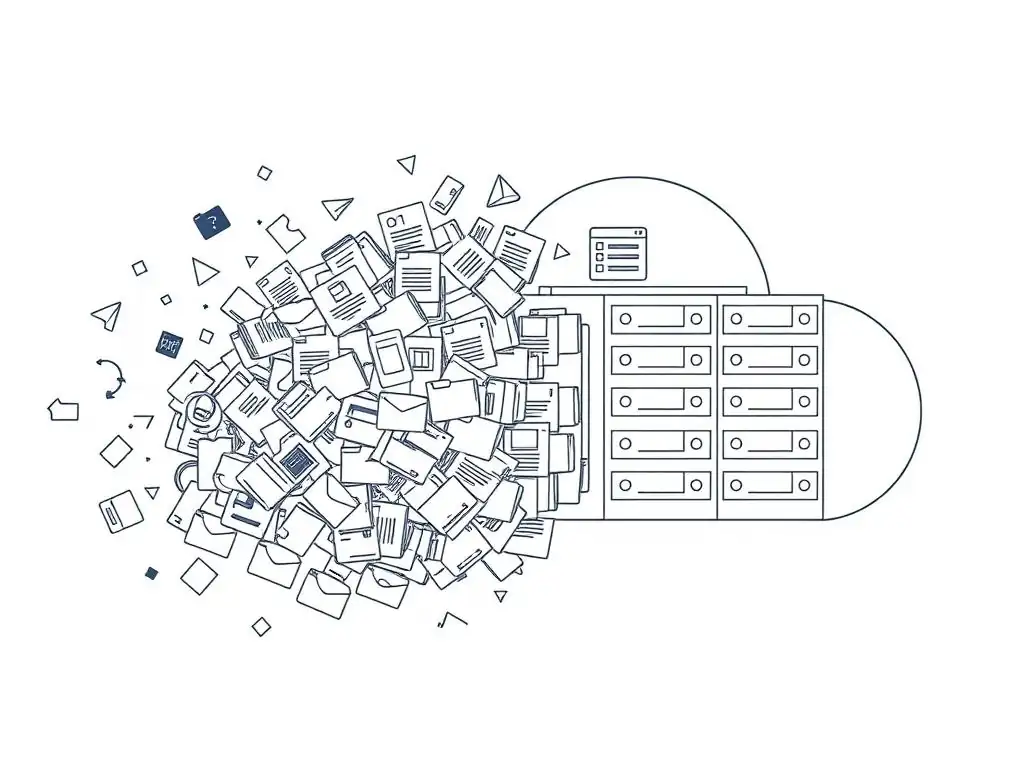
This section delves into practical strategies for successfully implementing a digital organization system, focusing on maximizing efficiency and minimizing wasted time searching for files. Successfully organizing digital files efficiently requires a multifaceted approach, encompassing not only the technical aspects of file storage but also the development of consistent habits and workflows. The key is to create a system that's both effective and sustainable in the long run. This means choosing tools and methods that align with your individual preferences and work style, rather than forcing yourself to adopt a system that ultimately proves cumbersome or impractical.
Choosing the Right File Management System: Cloud vs. Local Storage
The first crucial decision in organizing digital files efficiently involves selecting the right storage solution. The debate often centers around cloud storage versus local storage, each offering distinct advantages and disadvantages.
Cloud storage services, such as Google Drive, Dropbox, and OneDrive, offer accessibility from anywhere with an internet connection. This portability is incredibly convenient, allowing you to access your files from various devices (computers, tablets, smartphones). They also often provide automatic backups, protecting against data loss. However, reliance on an internet connection is a key drawback; offline access is limited or nonexistent without prior downloads. Security concerns, while often mitigated by robust encryption, remain a factor for sensitive data.
Local storage, on the other hand, offers complete control and offline accessibility. This is particularly beneficial for individuals working with large files or in environments with unreliable internet connectivity. However, local storage requires regular backups to prevent data loss due to hardware failure. Accessibility is limited to the specific device where the files are stored.
The optimal choice depends on your individual needs and priorities. A hybrid approach, combining both cloud and local storage, is often the most effective solution. For instance, you might store frequently accessed files locally for quick access, while archiving less frequently used files in the cloud for backup and remote access.
Developing a Consistent File Naming Convention
A consistent file naming convention is paramount for organizing digital files efficiently. Inconsistent naming leads to confusion and wasted time searching for specific files. A well-defined system streamlines the process, making it significantly easier to locate what you need.
Consider implementing a system that incorporates keywords, dates, and project names. For example: ProjectX_2024-10-27_Report.pdf clearly indicates the project, date, and file type. Avoid using special characters, spaces (use underscores instead), and overly long names. Consistency is key; apply the same system across all your files.
Here's a table illustrating effective and ineffective file naming:
| Effective Naming | Ineffective Naming |
|---|---|
MarketingPlan_Q4_2024_Final.docx |
marketing plan final.docx |
ClientSmith_Invoice_20241028.pdf |
invoice smith.pdf |
Presentation_Conference_Slides.pptx |
slides.pptx |
Budget_2025_ProjectedExpenses_Detailed.xlsx |
budget stuff.xlsx |
Using a consistent system reduces search time and improves overall workflow efficiency. Remember, a well-structured naming convention is a cornerstone of efficient digital organization.
Creating a Logical Folder Structure: Organizing Digital Files Efficiently for Easy Retrieval
A well-designed folder structure is crucial for organizing digital files efficiently. Think of it as the skeleton upon which your entire digital organization system is built. A poorly structured system will inevitably lead to frustration and wasted time.
The structure should be intuitive and reflect your workflow. Consider using a hierarchical structure, with broad categories at the top level and increasingly specific subfolders nested below. For example:
- Year: (e.g.,
2024)- Month: (e.g.,
October)- Project: (e.g.,
Project Alpha)- Document Type: (e.g.,
Reports,Presentations,Spreadsheets)
- Document Type: (e.g.,
- Project: (e.g.,
- Month: (e.g.,
Alternatively, you could organize by project, client, or any other logical grouping that best suits your needs. The key is to create a system that makes sense to you and that you can maintain consistently. Regularly review and refine your folder structure as your needs evolve. Don't be afraid to reorganize if your current system isn't working effectively.
The goal is to achieve a system that facilitates quick and easy retrieval of your files, ultimately saving you valuable time and reducing stress. Consider using color-coding for folders within your file explorer to further enhance visual organization and quick identification. 🗄️
Efficiently organizing digital files requires more than just folder structures; it necessitates leveraging the power of tags and metadata. Think of tags as keywords you assign to your files, allowing for flexible and multifaceted searching. Instead of relying solely on a rigid hierarchical system, tags enable you to categorize files based on multiple attributes simultaneously. For instance, a photograph could be tagged with "family," "vacation," "2023," and "Hawaii," enabling quick retrieval regardless of its location within your file system. This flexibility is crucial for managing large volumes of diverse digital assets.
Metadata, on the other hand, provides richer contextual information about your files. This includes details like creation date, file size, author, and even custom fields you can add. Many operating systems and file management tools allow for embedding metadata directly into files. For images, this might include geographical location data (GPS coordinates), camera settings, or even descriptive captions.
For documents, metadata can include keywords, subject matter, and revision history. This detailed information significantly enhances your ability to locate specific files quickly and accurately. Imagine searching for all documents related to a particular project – metadata allows you to filter by project name, author, or even a specific date range, dramatically reducing search time.
The combination of tags and metadata offers a powerful approach to organize digital files efficiently. While a well-structured folder system provides a basic framework, tags and metadata provide the granular control needed to manage complex and diverse collections. This method is especially beneficial for creatives, researchers, and anyone dealing with a large volume of digital assets. Consider using a consistent tagging system, adhering to a specific naming convention to maximize searchability and minimize ambiguity.
Several file management tools and software applications offer advanced features for managing tags and metadata, further streamlining the organization process. The effort invested in meticulously tagging and enriching your files with metadata pays off handsomely in the long run, improving productivity and reducing the frustration of searching for lost or misplaced files. It's a crucial aspect of establishing a truly effective digital organization system.
Mastering Digital Organization Tools and Techniques
This section dives deep into the practical tools and techniques you can employ to effectively organize digital files efficiently. We'll explore various methods to bring order to your digital chaos, saving you valuable time and frustration in the long run. The key is to find a system that works best for your workflow and stick with it. Consistency is crucial for long-term success in digital organization.
Leveraging Cloud Storage Services for Efficient File Management
Cloud storage services are no longer a luxury; they're a necessity for anyone looking to organize digital files efficiently. Services like Google Drive, Dropbox, OneDrive, and iCloud offer far more than just extra storage space. They provide powerful tools for collaboration, version control, and importantly, organization.
Consider these key aspects of using cloud storage for efficient file management:
- Folder Structure: Don't just dump everything into one folder! Create a clear and logical folder structure mirroring your work or personal projects. For example, you might have folders for "Work," "Personal," "Projects," each with subfolders for specific tasks or clients. Consistent naming conventions are key – use a system that makes sense to you and stick to it.
- Tagging and Metadata: Many cloud services allow tagging files with keywords. This is incredibly useful for quickly locating specific files later. Think about relevant tags like "client name," "project phase," "document type," etc. Using metadata, such as adding descriptions or assigning due dates, further enhances searchability.
- Shared Folders and Collaboration: Seamlessly collaborate on projects with colleagues or family members by sharing specific folders. Control access levels to ensure only authorized individuals can view or modify files. This feature greatly streamlines teamwork and reduces the risk of version control issues.
- Version History: This is a lifesaver! Cloud services often maintain a history of file revisions, allowing you to revert to previous versions if necessary. This is crucial for preventing accidental data loss and ensuring you always have access to the right version of a document.
Exploring File Management Software:
While cloud storage provides a foundation for digital organization, dedicated file management software can take your organizational skills to the next level. These applications often offer advanced features beyond simple folder creation, significantly improving your ability to organize digital files efficiently.
Here are some examples of features offered by such software:
| Software Feature | Description | Benefits |
|---|---|---|
| Automated Tagging | Automatically assigns tags based on file content or metadata. | Saves time and ensures consistent tagging. |
| Customizable Metadata | Allows you to define and add your own metadata fields to files. | Enables highly specific searches and filtering. |
| Advanced Search | Offers more powerful search options than basic file explorers, including fuzzy search. | Quickly locates files even with typos or partial keywords. |
| Duplicate File Finder | Identifies and removes duplicate files, freeing up storage space. | Eliminates unnecessary files and improves overall system performance. |
| File Versioning | Tracks all versions of a file, allowing for easy rollback to previous versions. | Prevents data loss and ensures access to previous iterations of documents. |
Some popular file management software options include [specific software names pending]. The best choice will depend on your specific needs and operating system.
Mastering Search Techniques: Finding Files Quickly and Efficiently
Even with the most meticulously organized system, you'll still need to find specific files quickly. Mastering efficient search techniques is crucial for maximizing productivity and minimizing wasted time. Knowing how to use advanced search operators can significantly improve your ability to organize digital files efficiently and retrieve information rapidly.
Here are some tips for mastering search techniques:
- Use Specific Keywords: Instead of vague terms, use precise keywords that describe the file you're looking for. For example, instead of searching for "report," try "Q3 sales report 2024."
- Utilize Boolean Operators: Learn to use Boolean operators like "AND," "OR," and "NOT" to refine your searches. For example, "report AND sales AND 2024" will only return files containing all three keywords.
- Leverage Wildcards: Wildcards like " " can help find files with similar names. For example, "sales report" will find "sales report 2024," "sales report Q4," and similar files.
- Filter by Date and File Type: Most search functions allow you to filter results by date modified, created, or last accessed, and by file type (e.g., .pdf, .docx). Combine these filters with keywords for even more precise results.
- Use File Naming Conventions: Consistent and descriptive file names are essential. This makes it much easier to find files using search. Avoid vague names like "document1.docx." Instead, use descriptive names like "Project X Final Report.docx." 💻
By implementing these strategies, you can significantly reduce the time spent searching for files and focus on more productive tasks. Remember, the ultimate goal is to create a system that allows you to organize digital files efficiently and effortlessly retrieve the information you need when you need it.
Utilizing Automation Tools for Optimized Digital Organization
Automating repetitive tasks is key to efficiently organizing your digital files. Think of the time you spend manually sorting emails, downloading files, or renaming documents – these are prime candidates for automation. By leveraging automation tools, you can reclaim significant portions of your workday and focus on higher-level tasks that require your unique skills and judgment. The benefits extend beyond simple time-saving; automation minimizes human error, ensuring consistency and accuracy in your digital filing system.
One powerful approach is to utilize IFTTT (If This Then That) or Zapier, platforms that connect various apps and services. Imagine setting up an "applet" or "zap" that automatically saves all attachments from your work emails to a designated cloud storage folder, neatly categorized by sender or subject. This eliminates the need for manual downloading and organization, ensuring all important documents are readily accessible. Furthermore, you can automate the process of backing up crucial files to multiple locations, safeguarding your data against loss or corruption. This proactive approach is a cornerstone of robust digital organization.
Consider also the automation capabilities within your operating system and various applications. Many email clients offer rules that can automatically filter and sort incoming messages, while cloud storage services like Dropbox and Google Drive provide options for automated file syncing and version control. Mastering these built-in features can significantly streamline your workflow and reduce the mental load associated with managing a large volume of digital information.
For instance, setting up automatic tagging or labeling within your email or cloud storage can drastically enhance searchability and retrieval times, making your digital assets more manageable and accessible. Remember, effective digital organization isn't just about storage; it's also about efficient retrieval. Automation is the key to achieving both.
Beyond individual applications, consider exploring more comprehensive automation solutions. These might include Robotic Process Automation (RPA) tools, which can automate complex workflows involving multiple applications and systems. While these tools may have a steeper learning curve, the potential for increased efficiency and reduced manual effort is substantial, particularly for individuals or businesses dealing with large volumes of digital data. The key is to identify the repetitive tasks that consume the most time and explore available automation solutions to streamline those processes.
Investing time in learning these tools will yield significant long-term benefits in terms of both efficiency and reduced stress. The return on investment, in terms of time saved and reduced errors, often far outweighs the initial learning curve. Careful consideration of your specific needs and workflow is paramount to selecting the most suitable automation tools for your digital organization strategy.
Maintaining a Tidy Digital Workspace: Ongoing Strategies
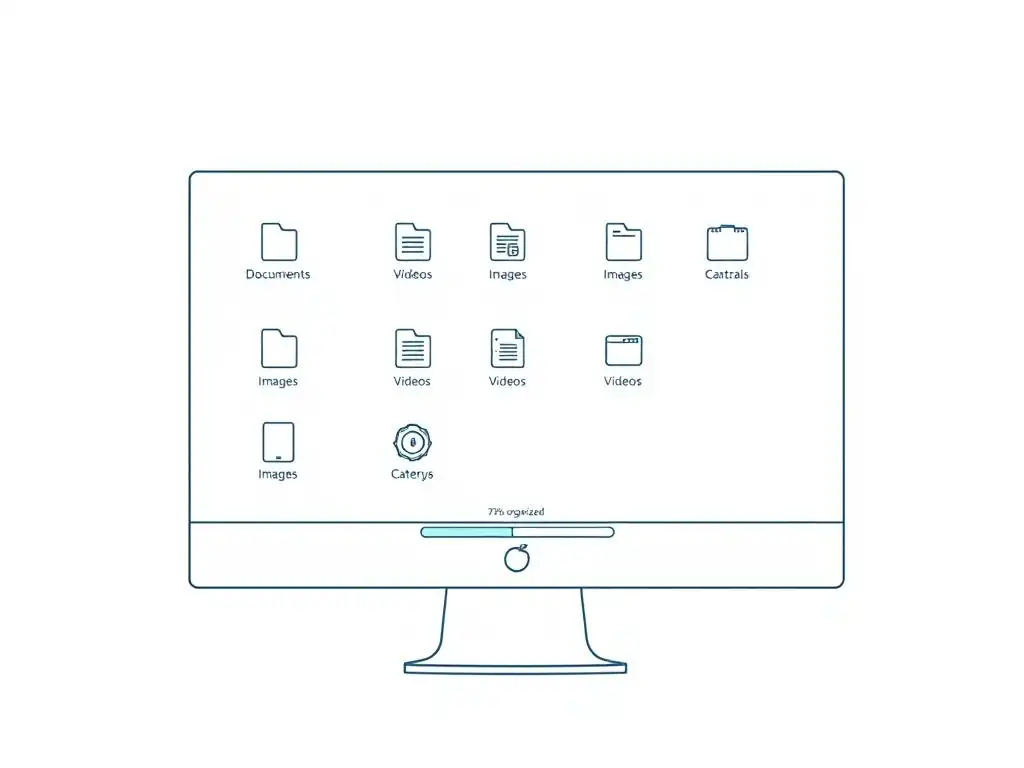
Maintaining a well-organized digital workspace isn't a one-time task; it's an ongoing process requiring consistent effort and adaptation. Think of it like gardening – you wouldn't plant flowers once and expect a beautiful garden forever. Regular maintenance is key to keeping your digital files efficiently organized and easily accessible. This section focuses on practical strategies for sustaining that organization over the long term, ensuring your digital life remains productive and stress-free. We'll explore regular file purges, robust backup systems, and the importance of system adaptability.
Regular File Purges and Archiving: Best Practices for Digital Decluttering
Digital clutter accumulates faster than you might think. Emails, downloads, temporary files – they all add up, slowing down your computer and hindering your productivity. Regular purging is crucial for efficient digital file management. But simply deleting everything isn't the answer. Strategic archiving is vital.
Here's a practical approach:
- Schedule regular purges: Aim for at least a weekly review of your downloads folder and a monthly review of your main file directories. Consider setting calendar reminders to make this a habit. 📅
- Establish clear archiving criteria: Decide what needs to be kept long-term and what can be safely deleted. For example, you might archive tax documents for seven years, but delete temporary project files once a project is completed.
- Use descriptive folder names: Employ a consistent naming convention for your folders and files. This makes it much easier to locate specific information later. Instead of "Documents," consider "2024 Tax Documents" or "Client X Project Files."
- Utilize cloud storage for archiving: Services like Google Drive, Dropbox, or OneDrive offer efficient archiving solutions. They provide offsite backups and easy access to archived files when needed.
- Employ a tiered archiving system: Consider a three-tier system: Active (currently used files), Inactive (files used infrequently but still needed), and Archived (files kept for legal or historical reasons).
Implementing a Regular Backup Strategy: Protecting Your Digital Assets
Losing important digital files can be catastrophic. A robust backup strategy is not just about organizing digital files efficiently; it's about protecting your valuable data. Multiple backup methods are recommended for redundancy.
Consider these options:
| Backup Method | Description | Pros | Cons |
|---|---|---|---|
| External Hard Drive | Physical storage device connected to your computer. | Relatively inexpensive, readily available, reliable for local backups. | Susceptible to physical damage, only protects against local computer issues. |
| Cloud Storage | Online storage services like Google Drive, Dropbox, or OneDrive. | Accessible from anywhere, protects against local disasters, often affordable. | Requires internet access, potential security concerns, storage limitations. |
| Network Attached Storage (NAS) | Dedicated storage device connected to your home network. | Centralized storage, accessible to multiple devices, good for large files. | Higher initial cost, requires technical setup. |
Think of your backup strategy as insurance for your digital life. The cost of data recovery far outweighs the cost of prevention. Regular backups, employing multiple methods, are essential for peace of mind.
Continuously Refining Your System: Adapting to Changing Needs
Your digital organization system shouldn't be static. As your needs and technology evolve, your system needs to adapt. Regularly review and refine your processes to ensure they remain efficient and effective.
- Regularly assess your workflow: Are your current filing methods still working for you? Are there bottlenecks or areas for improvement?
- Experiment with new tools: Explore new software or apps that might streamline your workflow. Consider specialized file management tools or note-taking apps.
- Seek feedback and learn from others: Don't be afraid to seek advice from others or look for inspiration from different organizational strategies.
- Don't be afraid to simplify: Sometimes, less is more. A complex system can become cumbersome. Strive for simplicity and efficiency. Simplicity is key to organizing digital files efficiently over time.
Remember, the goal is to create a sustainable system that supports your productivity and minimizes stress. Regular maintenance, adaptation, and a proactive approach are crucial for long-term success in managing your digital life effectively.
The Importance of Regular Digital Spring Cleaning: Maintain Organized Digital Files
Regular digital spring cleaning isn't just about deleting old files; it's a crucial step in maintaining long-term digital organization and efficiency. Think of it as preventative maintenance for your digital workspace. Just as a cluttered physical space hinders productivity, a disorganized digital environment can lead to wasted time searching for files, missed deadlines, and even data loss.
By consistently purging unnecessary files and reorganizing your digital assets, you prevent information overload and ensure you can quickly locate what you need when you need it. This proactive approach significantly contributes to efficient file management and boosts overall productivity. Failing to perform regular cleanups results in a snowball effect—the more you procrastinate, the more overwhelming the task becomes.
The frequency of your digital spring cleaning depends on your individual needs and the volume of digital data you generate. For some, a monthly review might suffice, while others might require a more frequent, perhaps weekly, purge. Regardless of your chosen schedule, consistency is key. Consider setting reminders in your calendar or integrating this task into your existing workflow. For example, you could dedicate the last 30 minutes of your Friday afternoon to reviewing and organizing your digital files. This consistent approach prevents the accumulation of digital clutter and makes the process significantly less daunting.
Think about the tangible benefits: Improved search capabilities, quicker access to important documents, and reduced stress from a perpetually organized digital environment. These seemingly small improvements accumulate to significant time savings over the course of a year, translating directly into increased productivity and a more streamlined workflow. Prioritizing regular digital spring cleaning is an investment in your time and mental well-being, allowing you to focus on more important tasks instead of hunting down misplaced files.
It's a small effort with significant, long-term rewards for anyone looking to truly organize digital files efficiently. Remember, a well-organized digital space fosters a more focused and productive you.
Advanced Strategies for Digital Organization Experts

This section delves into sophisticated techniques for those seeking to elevate their digital organization beyond the basics. We'll explore strategies that leverage powerful tools and automate processes, allowing you to truly organize digital files efficiently and reclaim valuable time. These methods are designed for users who already possess a foundational understanding of digital organization principles and are ready to take their efficiency to the next level.
Implementing a Workflow System for Digital Tasks
Efficiently organizing digital files requires more than just folder structures; it demands a well-defined workflow. A robust workflow system ensures that every digital task, from receiving an email to completing a project, follows a clear, consistent path. This minimizes wasted time searching for information and prevents tasks from falling through the cracks.
Consider this example: Let's say you're managing client projects. Instead of letting emails and documents pile up in your inbox, implement a system like this:
- Inbox Zero: Process all incoming emails and documents immediately. Either delete, archive, respond, or delegate them.
- Project Folders: Create dedicated folders for each client project, further subdivided into subfolders for documents, communication, and deliverables.
- Task Management: Use a task management system (more on this in the next section) to assign specific tasks within each project, setting deadlines and assigning priorities.
- Regular Review: Schedule regular reviews (e.g., weekly) to ensure your system remains organized and identify any bottlenecks in your workflow.
By consistently applying this workflow, you'll dramatically improve your ability to organize digital files efficiently, reducing stress and maximizing productivity. Remember, the key is consistency; a half-implemented system is worse than none at all. The effectiveness of any workflow hinges on its regular and disciplined application. Think of it as a finely tuned machine; regular maintenance is crucial for optimal performance.
Utilizing Project Management Software for Enhanced Organization
Project management software goes beyond simple file organization; it offers powerful tools to manage tasks, collaborate, and track progress. These platforms are invaluable for complex projects or when working with teams. Choosing the right software depends on your specific needs and complexity, but many offer features such as:
- Task Management: Break down large projects into smaller, manageable tasks, assign them to team members, and set deadlines.
- Collaboration Tools: Share files, communicate with team members, and track progress in real-time.
- Calendar Integration: Schedule meetings, set reminders, and visualize project timelines.
- Reporting & Analytics: Track progress, identify bottlenecks, and measure overall project success.
Examples of popular project management software include Asana, Trello, Monday.com, and Jira. Each offers unique features and caters to different workflows. Thoroughly research options to find the best fit for your needs and the specific ways you need to organize digital files efficiently. A well-chosen platform can significantly streamline your workflow and boost team productivity. Consider factors like ease of use, integration with other tools, and scalability before making a decision.
Leveraging Automation for Recurring Digital Tasks
Automation is a game-changer for digital organization. By automating repetitive tasks, you free up significant time and mental energy. Many tools and services can automate common digital tasks, such as:
- Email Filtering: Automatically sort emails into folders based on sender, subject, or keywords.
- File Backups: Schedule automatic backups of important files to the cloud or an external drive.
- Social Media Scheduling: Schedule posts in advance to maintain a consistent online presence without constant manual input.
- Document Conversion: Automate the conversion of files between different formats (e.g., PDF to Word).
Implementing automation requires some initial setup, but the long-term benefits are substantial. It's not just about saving time; it's about reducing the risk of human error and ensuring consistency. Consider the time saved by automating just one task—imagine multiplying that by the dozens of repetitive tasks you perform daily. The cumulative effect on your ability to organize digital files efficiently is transformative. Exploring automation tools is a worthwhile investment in your time and productivity. Start small, automating one or two tasks, and gradually expand as you become more comfortable.
Optimizing Your Digital Workspace for Maximum Efficiency: Strategies to Organize Digital Files Efficiently
Optimizing your digital workspace is paramount for efficiently organizing digital files. This isn't just about creating folders; it's about implementing a system that anticipates your needs and minimizes time spent searching. A well-organized digital workspace translates directly to increased productivity and reduced stress. Think of it as decluttering your mental space as well as your hard drive.
One crucial strategy is to adopt a consistent and logical file naming convention. Instead of using vague titles like "Document1" or "Image," employ descriptive names that immediately convey the file's content and date. For example, instead of ProjectX_image.jpg, use 2024-10-27_ProjectX_Marketing_Image.jpg. This seemingly small change drastically improves searchability and reduces the time spent sifting through files. Consider using a standardized date format (YYYY-MM-DD) for easy chronological sorting.
Another key element is leveraging the power of folders and subfolders. Avoid a flat folder structure; instead, create a hierarchical system that reflects your workflow and project organization. For example, a project-based structure might have a main folder for each project, with subfolders for documents, images, presentations, and so on. A more content-based approach might group files by type (e.g., "Documents," "Images," "Videos"), with further subfolders for specific categories. Regularly review and refine your folder structure to ensure it remains relevant and efficient. The goal is to intuitively locate any file within seconds.
Beyond folders, utilize robust search functions. Most operating systems and applications offer powerful search capabilities. Learn the advanced search operators (like using wildcards or Boolean logic) to quickly find specific files based on keywords, dates, or file types. This allows you to bypass the need to navigate through multiple layers of folders, significantly speeding up your workflow. Regularly cleaning up unnecessary files will also improve search performance, as the search engine will have less data to sift through.
Finally, consider using cloud storage services effectively. Cloud storage not only provides backups and accessibility from multiple devices but also offers advanced search and organization features. Tagging files with relevant keywords and utilizing cloud-based organizational tools can further streamline your workflow.
Regularly backing up your important files to the cloud is an essential part of maintaining a well-organized and secure digital workspace. This prevents data loss and allows you to access your files from anywhere, anytime. The combination of a well-structured local file system and a well-utilized cloud storage system provides a robust, highly efficient approach to managing your digital assets.
Conclusion: Reclaim Your Digital Life Through Efficient Organization
Organizing your digital files efficiently isn't just about tidiness; it's about reclaiming control of your digital life and significantly boosting your productivity. By implementing the strategies outlined in this guide, you'll experience a dramatic shift from feeling overwhelmed by digital chaos to enjoying a sense of calm and control. This newfound order translates to less time wasted searching for files, reduced stress levels, and increased efficiency across all your digital tasks. Think of it as an investment in your time and mental well-being – a return that compounds over time.
The Long-Term Benefits of a Well-Organized Digital Life
The benefits of a well-structured digital environment extend far beyond the immediate satisfaction of a clean desktop. Consider these long-term advantages:
- Enhanced Productivity: A streamlined digital workspace directly translates into increased efficiency. Finding files instantly, accessing information quickly, and effortlessly managing projects saves valuable time and mental energy, allowing you to focus on higher-priority tasks. This translates to increased output and achieving goals faster.
- Reduced Stress and Anxiety: The constant struggle to locate misplaced documents, lost emails, or forgotten files is a significant source of stress. A well-organized system eliminates this frustration, promoting a calmer, more focused state of mind. The feeling of control over your digital environment positively impacts your overall well-being.
- Improved Collaboration: If you work collaboratively, a structured digital system simplifies shared workflows. Team members can easily access necessary files, reducing delays and misunderstandings. This streamlined collaboration leads to improved project outcomes and stronger teamwork.
- Data Security and Backup: Organizing your digital files also facilitates efficient backups and safeguards against data loss. A clear system makes it easier to identify critical files and implement robust backup strategies, protecting your valuable information from accidental deletion or system failures. This is crucial for both personal and professional contexts.
- Better Decision-Making: With easy access to all relevant information, decision-making becomes more efficient and informed. You can quickly retrieve data to support your choices, leading to better outcomes in both your personal and professional life. This improved access to information allows for more strategic planning and foresight.
Maintaining Momentum and Avoiding Future Digital Clutter
Sustaining an organized digital environment requires ongoing effort, but it's far easier than the initial organization process. Here are some key strategies to maintain momentum:
- Regular Purging: Schedule regular time slots (weekly or monthly) to review and delete unnecessary files. This proactive approach prevents the accumulation of digital clutter. Think of it as a digital spring cleaning, a small investment of time that yields significant rewards.
- Consistent Naming Conventions: Adhering to consistent file-naming conventions ensures easy searchability and identification. Use clear and descriptive names, avoiding ambiguous or cryptic labels. This simple practice significantly improves long-term organization.
- Automated Tools: Leverage automated tools and software for tasks like automatic file backups and cloud synchronization. These tools significantly reduce the manual effort required to maintain a tidy digital environment. Explore the various options available to find the best fit for your needs.
- Review and Refine: Regularly review your organizational system and make adjustments as needed. Your needs and workflow may evolve over time, so adapting your system ensures its continued effectiveness. This ongoing refinement ensures your system remains relevant and efficient.
Resources for Continued Learning and Improvement in Organizing Digital Files Efficiently
While this guide provides a solid foundation, continuous learning is essential for optimizing your digital organization. Explore additional resources to deepen your understanding and refine your techniques. There are many online courses, tutorials, and articles dedicated to digital organization and productivity. Consider exploring different methodologies and tools to find what best suits your individual workflow and preferences.
Remember, the journey towards efficient digital organization is ongoing, and continuous improvement is key to long-term success. Embrace the process, experiment with different approaches, and adapt your strategies as your needs evolve. The rewards of a well-organized digital life are substantial and well worth the effort.
Frequently Asked Questions
How can I quickly organize my overflowing digital files?
Start by creating a clear folder structure that makes sense to you. Then, use batch renaming and file tagging to quickly categorize everything. Finally, regularly delete unnecessary files.
What are the best tools for organizing digital files efficiently?
Many options exist! Consider cloud storage like Google Drive or Dropbox, file management software like Adobe Bridge, and even simple folder naming conventions. Choose what best suits your workflow.
How do I prevent my digital files from becoming disorganized again?
Implement a consistent filing system and stick to it. Regularly review and purge files. Automate tasks where possible using cloud syncing and backup solutions.
What's the best way to organize photos and videos?
Use cloud storage with robust search capabilities. Tag your photos and videos with descriptive keywords. Consider using photo management software to automate organization and backup.
How can I efficiently find specific files when I need them?
Employ a consistent naming convention and folder structure. Utilize the search function within your file explorer or cloud storage. Consider using metadata tagging to make searching easier.
Final Reflection: Mastering the Digital Chaos Within
The relentless influx of digital information in our lives demands a new level of organization, a proactive approach to managing the digital chaos that threatens to overwhelm us. Failing to address this challenge means losing precious time, increasing stress, and potentially jeopardizing important projects or memories. The ability to efficiently organize digital files is no longer a luxury; it's a necessity for navigating the modern world.
The journey from digital disarray to streamlined efficiency is a deeply personal one, reflecting our individual approaches to work, creativity, and self-management. It's about more than just finding files faster; it's about reclaiming control over our digital lives and fostering a sense of calm amidst the constant barrage of notifications and data. As the renowned organizational expert Marie Kondo wisely stated, Tidying is just a tool, not the ultimate goal. The goal is to live a more fulfilling life.
This applies equally to our digital spaces as it does to our physical ones. The act of organizing our digital files is an act of self-care, a commitment to prioritizing clarity and intentionality.
Now, consider your own digital landscape. What systems, strategies, or tools resonate most with you from this guide? Take the time to implement even one new technique, and observe the positive impact it has on your productivity and peace of mind. Embrace the power of organization, not as a chore, but as an investment in your well-being and success. The journey to a more organized digital life is ongoing, but the rewards – increased efficiency, reduced stress, and a greater sense of control – are well worth the effort.
Unleash Your Digital Zen: Take Control Now!
Thank you for exploring the world of digital organization! We hope this guide has provided you with the tools to conquer digital clutter and regain your focus. Ready to put your new knowledge into practice?
- Start with one new organizational strategy today. Choose the tip that resonated most with you and dedicate 15 minutes to integrating it into your workflow. Even small changes can make a significant difference!
- Share this article with a friend who's struggling to manage their digital life – it feels great to share organizational tips!
- This week, challenge yourself to a digital declutter session. Delete unnecessary files, unsubscribe from unwanted emails, and organize your digital spaces. Let us know how it goes in the comments below!
What's the first step you'll take to create your own digital sanctuary?