
How to Automate Tedious Tasks: A StepbyStep Guide for Digital Efficiency

Welcome to UltimateLifeHacks, your destination for practical strategies to conquer daily chaos and unlock peak productivity. Are you drowning in tedious tasks that steal your precious time? Discover how to reclaim your day and automate tedious tasks easily with our insightful guide. Learn the secrets to digital efficiency and transform your routine—we'll show you how!
- Identifying Tedious Tasks ripe for Automation
- Choosing the Right Automation Tools
- Step-by-Step Guide to Automating Common Tasks
- Advanced Automation Techniques
- Measuring Your Success and Refining Your System
- Troubleshooting Common Automation Issues
- Frequently Asked Questions
- Final Reflection: Unlocking Your Potential Through Automation
- Unleash Your Productivity: Automate Your Way to Freedom!
Identifying Tedious Tasks ripe for Automation
Automating tedious tasks is no longer a futuristic fantasy; it's a practical reality for boosting productivity and reclaiming valuable time. This step-by-step guide will equip you with the strategies and insights needed to streamline your digital workflow and significantly reduce the time spent on repetitive, mundane activities. We'll explore how to identify prime candidates for automation, analyze your daily routines to pinpoint time-wasting processes, and prioritize automation efforts based on the potential time savings.
By the end, you'll be well-equipped to conquer those digital drudgeries and unlock a more efficient, fulfilling workday. This guide focuses on automating tedious tasks easily, providing practical, actionable advice to help you achieve significant improvements in your digital efficiency, ultimately allowing you to Automate tedious tasks easily.
Recognizing Time-Wasting Digital Processes
Many digital processes silently consume vast amounts of your time. These often go unnoticed because they're performed individually, seemingly insignificant. However, the cumulative effect is considerable. Let's explore some common culprits:
- Email Management: Sorting, filtering, archiving, and responding to emails can be a major time sink.
- Social Media Management: Scheduling posts, engaging with followers, and monitoring mentions across multiple platforms.
- Data Entry: Manually inputting data into spreadsheets, databases, or CRM systems.
- File Organization: Continuously searching for files, renaming them, and moving them into the correct folders.
- Report Generation: Manually compiling data from various sources to create regular reports.
Identifying these processes is the first crucial step. Consider keeping a log for a week, noting every instance where you spend more than, say, 5 minutes on a repetitive digital task. This will provide a concrete picture of where your time is truly being spent. This detailed analysis will reveal which areas are most ripe for automation, allowing you to focus your efforts effectively and Automate tedious tasks easily.
Analyzing Your Daily Workflow for Repetitive Actions
Once you've identified time-wasting digital processes, the next step is to analyze your daily workflow for repetitive actions. This involves a more granular examination of your activities, looking beyond the broad categories identified earlier. Ask yourself:
- What tasks do I perform multiple times a day, week, or month?
- Are there any steps within a larger task that could be automated?
- Can I break down complex tasks into smaller, more manageable units, some of which can be automated?
For example, instead of manually entering customer data into your CRM after each phone call, you could explore using call recording software integrated with your CRM for automatic data extraction. This level of detail is critical for uncovering opportunities for automation that might otherwise be overlooked. The goal is to identify those repetitive actions that are easily automated, helping you to Automate tedious tasks easily. Consider using a flow chart or mind map to visualize your workflow and identify potential automation points.
Prioritizing Tasks for Automation Based on Time Saved
Not all tedious tasks are created equal. Prioritizing which tasks to automate first is crucial for maximizing your return on investment (ROI) in terms of time saved. Focus on tasks that:
- Consume the most time: Prioritize the tasks that eat up the largest chunks of your workday.
- Have a high frequency of repetition: Tasks performed daily or multiple times a day are ideal candidates for automation.
- Are easily automatable: Choose tasks that can be automated with readily available tools and technologies. Don't tackle overly complex automation projects first.
To help with prioritization, create a simple table:
| Task | Estimated Time Spent Per Week | Frequency | Ease of Automation | Priority |
|---|---|---|---|---|
| Email filtering | 10 hours | Daily | High | 1 |
| Data entry | 5 hours | Daily | Medium | 2 |
| Report generation | 3 hours | Weekly | Medium | 3 |
| Social media scheduling | 2 hours | Weekly | High | 4 |
Prioritizing this way ensures you focus your automation efforts on the tasks that will yield the greatest time savings, making it easier to Automate tedious tasks easily. Remember, even small automation wins add up over time.
Choosing the Right Automation Tools

Automating tedious tasks easily hinges on selecting the appropriate tools. The market offers a plethora of automation solutions, each with its strengths and weaknesses. Choosing wisely depends heavily on understanding your specific needs and the complexity of the tasks you wish to automate. Ignoring this crucial step often leads to frustration and ultimately, a failure to realize the benefits of automation. Let's delve into the key considerations.
Selecting Automation Software Based on Your Needs (e.g., Zapier, IFTTT, Make)
The landscape of automation software is diverse. Popular choices include Zapier, IFTTT (If This Then That), and Make (formerly Integromat). Each platform offers a unique approach to automating workflows, catering to different skill levels and automation complexities.
Zapier, known for its user-friendly interface, excels in connecting various apps with relative ease. It's ideal for beginners looking to automate simple tasks, such as automatically saving email attachments to cloud storage or adding new contacts to a CRM. However, for highly complex workflows requiring intricate logic, Zapier might prove somewhat limiting.
IFTTT, on the other hand, thrives on simplicity. Its "applets" are pre-built automation recipes, making it incredibly accessible even for non-technical users. While great for quick and straightforward automations, IFTTT lacks the flexibility and customization options of more advanced platforms. It's best suited for users seeking readily available, simple solutions.
Make (formerly Integromat) positions itself as a powerful, highly customizable automation platform. It offers a broader range of functionalities and integrates with a vast array of applications. While it boasts a steeper learning curve than Zapier or IFTTT, its capabilities are far more extensive, allowing for the creation of highly sophisticated and complex automation workflows. This platform is perfect for advanced users who need robust control over their automation processes.
To illustrate, consider automating the process of adding new leads from a Google Sheet to a CRM. Zapier could easily handle this with a simple "Zap," while Make would allow for more complex logic, such as data cleansing or conditional actions based on lead attributes. IFTTT might offer a limited solution, depending on the specific CRM and its integration with IFTTT.
Exploring Browser Extensions for Task Automation
Beyond dedicated automation platforms, browser extensions offer a powerful avenue for automating repetitive tasks directly within your web browser. These extensions often target specific websites or functionalities, streamlining interactions and boosting efficiency.
For instance, extensions exist to automatically fill out web forms, summarize lengthy articles, or even translate web pages instantly. These small but mighty tools can significantly reduce the time spent on mundane online activities. The key is to identify extensions that align with your specific needs and browsing habits. Before installing any extension, carefully review its permissions and user reviews to ensure its security and reliability. Always prioritize extensions from reputable sources.
Utilizing Spreadsheet Automation with Formulas and Macros
Spreadsheets, often overlooked as automation tools, offer immense potential for automating repetitive data manipulation tasks. Leveraging formulas and macros, users can create powerful automated workflows to process, analyze, and present data with unparalleled efficiency.
Formulas allow for automated calculations and data transformations within the spreadsheet itself. Simple formulas can automate calculations, while complex formulas can perform intricate data manipulations. For example, a formula can automatically calculate the total sales revenue based on individual sales figures.
Macros, on the other hand, automate sequences of actions within the spreadsheet. These can include data entry, formatting, data analysis, and report generation. A macro could, for example, automatically format a spreadsheet, generate charts, and email the report to a designated recipient. Mastering spreadsheet automation through formulas and macros significantly enhances productivity and reduces manual effort in data-centric tasks. This is particularly valuable for those working with large datasets or performing routine data analysis.
Step-by-Step Guide to Automating Common Tasks
This section provides a practical, step-by-step approach to automating tedious tasks, focusing on email management and social media posting. We'll explore specific strategies to reclaim your time and boost your digital efficiency, helping you to truly automate tedious tasks easily.
Automating Email Management: Filtering, Prioritization, and Scheduling
Email is often a major time sink. Automating email management can significantly improve productivity and reduce stress. This involves strategically using features built into most email clients to filter, prioritize, and schedule emails. Let's delve into the specifics.
Setting up Automated Email Responses
Automated email responses, also known as auto-replies, are invaluable for managing expectations and ensuring timely communication when you're unavailable. For example, setting an "out of office" reply during vacations or a general response for non-urgent inquiries frees up time you'd otherwise spend responding to routine emails. Most email providers offer this feature; simply navigate to your settings and configure your auto-reply message and timeframe. You can customize the message to reflect your availability and direct users to alternative resources if needed. Consider including an estimated response time to manage expectations effectively.
Utilizing Email Filters and Rules for efficient inbox management
Email filters and rules are powerful tools for streamlining your inbox. These allow you to automatically sort incoming emails based on various criteria, such as sender, subject line, or keywords. This ensures that important emails are prioritized while less urgent ones are moved to separate folders or even deleted. For instance, you could filter emails from specific clients into a dedicated folder, or automatically archive newsletters to a separate archive folder.
Many email platforms allow you to create complex rules using Boolean logic (AND, OR, NOT) for sophisticated filtering. Experiment with different rules to find the optimal configuration for your workflow. Consider creating rules to automatically flag emails from your boss or specific clients as high priority. This way, important emails get immediate attention while less critical emails are managed efficiently.
Scheduling Emails for optimal delivery times.
Scheduling emails allows you to send emails at times when your recipients are most likely to see them. This improves the chances of your emails being read and acted upon promptly. Many email clients and third-party tools offer this functionality. By analyzing your recipients' time zones and typical email engagement patterns, you can optimize delivery times to maximize open and response rates.
This feature is particularly useful for marketing campaigns and newsletters where timing is crucial for engagement. Experiment with different send times to see what works best for your specific audience and communication style. Remember to consider factors like recipient location and industry norms when scheduling emails for optimal delivery.
Social media management can be incredibly time-consuming. Automating this process frees up valuable time for other tasks, allowing you to focus on more strategic activities.
Scheduling Posts Across Multiple Platforms
Scheduling tools enable you to create and schedule posts across multiple social media platforms (e.g., Twitter, Facebook, Instagram, LinkedIn) from a single dashboard. These tools often provide analytics and insights into post performance. This saves you the trouble of logging into each platform individually to post. You can prepare content in advance and schedule it for optimal times, ensuring a consistent online presence without needing to be constantly active on each platform.
Choose a tool that integrates with your preferred platforms and provides the features you need. Consider tools offering features like bulk scheduling, content calendars, and performance tracking. This will allow you to efficiently manage your social media presence.
Automating Social Media Engagement (likes, comments, replies)
While fully automating all social media engagement might feel unnatural and potentially harm your brand authenticity, some aspects can be automated strategically. For instance, you can use tools to schedule automated responses to frequently asked questions or comments. You could also use social listening tools to monitor mentions of your brand and automatically thank users for positive feedback. However, be cautious about over-automating engagement.
Authentic and personalized interactions are still crucial for building relationships with your audience. Focus on using automation to handle repetitive tasks, freeing up time for more meaningful engagements. Think of automation as a tool to enhance, not replace, human interaction. A balanced approach will yield the best results.
Automating Data Entry and Reporting
Automating data entry and reporting is crucial for boosting productivity and minimizing human error. Repetitive data entry tasks, such as manually inputting customer information or transaction details, are prime candidates for automation. The time saved can be redirected towards more strategic activities.
Moreover, automated data entry significantly reduces the risk of human error, leading to more accurate and reliable data for analysis and reporting. This improved data quality directly impacts decision-making processes, allowing for more informed strategies and better business outcomes. The benefits extend beyond simple efficiency; automated systems can often process far larger volumes of data than a human could manage in the same timeframe, opening up possibilities for more comprehensive analysis and insights.
Consider the impact on a small business owner who spends hours each week manually entering sales data. Automating this process could free up that time for client interaction, marketing, or product development – activities directly contributing to business growth. This is a clear example of how automating tedious tasks can translate into tangible improvements in overall productivity and profitability.
Automating Data Entry Using APIs and Webhooks
APIs (Application Programming Interfaces) and webhooks are powerful tools for automating data entry. APIs allow different software applications to communicate and exchange data. For instance, you could use an API to automatically import customer data from a CRM (Customer Relationship Management) system into your accounting software, eliminating the need for manual input. Webhooks, on the other hand, act as real-time triggers.
Whenever a specific event occurs in one application (e.g., a new order is placed on an e-commerce platform), a webhook sends a notification to another application, which can then automatically process the data. This is particularly useful for integrating different systems seamlessly and ensuring data synchronization. For example, a new customer signup on your website could trigger a webhook that automatically adds the customer's details to your email marketing platform and CRM, streamlining your onboarding process.
Effectively utilizing APIs and webhooks allows for a smooth, efficient, and largely automated data flow between disparate systems, significantly reducing manual intervention and errors. The setup might require some technical expertise initially, but the long-term benefits in terms of time saved and accuracy gained are substantial. Think of the potential for error reduction alone – eliminating the human element from repetitive data entry tasks leads to considerably cleaner and more reliable datasets.
Generating Automated Reports from Spreadsheets or Databases
Generating automated reports from spreadsheets or databases is another vital aspect of digital efficiency. Instead of manually compiling data and creating reports each week or month, you can set up automated systems to generate these reports automatically at scheduled intervals. This is particularly beneficial for tasks such as sales reports, inventory management reports, or financial statements.
Spreadsheets like Microsoft Excel or Google Sheets offer built-in features and scripting capabilities (like VBA or Google Apps Script) to automate report generation. Similarly, database management systems (DBMS) such as MySQL or PostgreSQL provide tools and functionalities for creating automated reports based on queries and stored procedures. These automated reports can be formatted for easy readability and delivered via email or integrated directly into dashboards for real-time monitoring.
The ability to quickly access up-to-date, accurate reports empowers informed decision-making and allows businesses to react swiftly to changing market conditions or internal trends. Imagine the time saved by automating the monthly sales report generation – the time previously spent on this task can now be used to analyze the data and develop effective strategies to boost sales further. This demonstrates the direct link between automating tedious tasks and improving overall business performance.
Automating File Management and Organization
Efficient file management is essential for maintaining productivity and minimizing wasted time searching for documents. Automated file management systems can significantly improve your workflow by streamlining tasks such as backup, sorting, and archiving. Investing time in setting up these systems will pay dividends in terms of time saved and reduced frustration in the long run. A well-organized digital filing system is not just about neatness; it's a crucial element of efficient workflows. The ability to quickly locate necessary files is paramount for productivity.
Automating File Backup and Storage
Regular backups are critical for data protection and disaster recovery. Automating this process ensures that your important files are regularly backed up to a secure location, minimizing the risk of data loss due to hardware failure, accidental deletion, or malware. Cloud storage services offer automated backup features, allowing you to schedule automatic backups of your files to the cloud. Alternatively, you can use backup software that allows you to configure automated backups to an external hard drive or network location.
Automated backups provide peace of mind, knowing that your valuable data is safe and accessible even in unforeseen circumstances. The peace of mind alone is invaluable, eliminating the worry of data loss and the potential for significant disruptions to work. This is a crucial aspect of digital efficiency often overlooked, but its importance cannot be overstated.
Setting up Automated File Sorting and Archiving
Automated file sorting and archiving systems can significantly improve file organization. This involves setting up rules and scripts to automatically sort files into designated folders based on criteria such as file type, date, or keywords. This can be achieved using file management software or scripting languages like Python. Automated archiving systems can move older files to an archive location, freeing up space on your primary storage device.
This ensures that your active files are easily accessible while older files are safely stored for future reference. The benefits are two-fold: improved accessibility of current files and efficient management of storage space. By automating these processes, you avoid the tedious and time-consuming task of manually sorting and archiving files, allowing you to focus on more productive activities. Consider the cumulative time saved over months or years – this automation significantly improves both efficiency and workflow.
Advanced Automation Techniques

This section delves into more sophisticated automation strategies, moving beyond simple single-tool automations to encompass complex workflows and custom solutions. Mastering these techniques unlocks significant productivity gains and allows you to tackle previously insurmountable challenges. The key is to think strategically about how different tools can work together seamlessly to streamline your processes. Successfully automating tedious tasks easily often requires this layered approach.
Integrating Multiple Automation Tools for Complex Workflows
Many tasks require a multi-step process involving different applications. For example, imagine a workflow where you need to extract data from an email, process it in a spreadsheet, and then automatically generate a report. Relying on a single automation tool for this might be impossible or incredibly cumbersome. Instead, consider a strategy that leverages the strengths of multiple tools.
This might involve using a tool like Zapier or IFTTT to act as an orchestrator. Zapier, for instance, allows you to connect various apps and create "Zaps" – automated workflows that trigger actions in one app based on events in another. You could configure a Zap to:
- Trigger: Detect a new email in your inbox containing a specific keyword.
- Action 1: Extract data from the email body using Zapier's parsing capabilities.
- Action 2: Send that extracted data to a Google Sheet.
- Action 3: Trigger a Google Script (or a similar script in your chosen spreadsheet software) to process the data and generate a report.
- Action 4: Email the generated report to a designated recipient.
This multi-tool approach allows you to leverage the best features of each application, resulting in a robust and efficient automated workflow. Careful planning and testing are crucial to ensure data integrity and smooth operation. Remember that the more complex the workflow, the more important meticulous planning and error handling become. Think about potential points of failure and build in safeguards where necessary.
Building Custom Automation Solutions with Programming (optional)
For truly bespoke automation, programming offers unparalleled flexibility. While it requires technical skills, the ability to create custom solutions tailored precisely to your needs is a powerful advantage. Languages like Python, with libraries like pyautogui and requests, provide the tools to automate virtually any desktop or web-based task.
Consider a scenario where you need to automate a repetitive data entry task that doesn't have a readily available API or integration with popular automation tools. Using Python, you could write a script that:
- Opens a specific application.
- Locates specific fields on the screen using image recognition techniques.
- Inputs data extracted from another source.
- Submits the form.
This level of customization allows for highly specific and efficient automation, far exceeding the capabilities of pre-built solutions. However, it demands a significant time investment upfront and requires ongoing maintenance. Weigh the effort required against the potential time savings before embarking on this path. The decision of whether to automate tedious tasks easily with programming should be based on a cost-benefit analysis.
Monitoring and Optimizing Automated Workflows for Continuous Improvement
Automation isn't a "set it and forget it" proposition. Automated workflows require ongoing monitoring and optimization to ensure they continue operating efficiently and accurately. Regularly review your automated processes to identify potential bottlenecks, errors, or areas for improvement.
Implementing monitoring mechanisms is key. This might involve:
- Logging: Record key events and data points within your automated workflows to track performance and identify errors.
- Error handling: Build robust error handling into your scripts or workflows to prevent failures from cascading and disrupting the entire process.
- Performance metrics: Track key metrics such as execution time, error rates, and data processing speed to identify areas for optimization.
- Regular review: Schedule regular reviews of your automated workflows to assess their effectiveness and make adjustments as needed. Consider using a project management tool to track tasks and monitor performance.
By proactively monitoring and optimizing your automated workflows, you can ensure they remain effective and continue delivering significant time savings. Remember that the initial setup is only the first step; ongoing maintenance is crucial for long-term success in automating tedious tasks easily and efficiently.
Measuring Your Success and Refining Your System
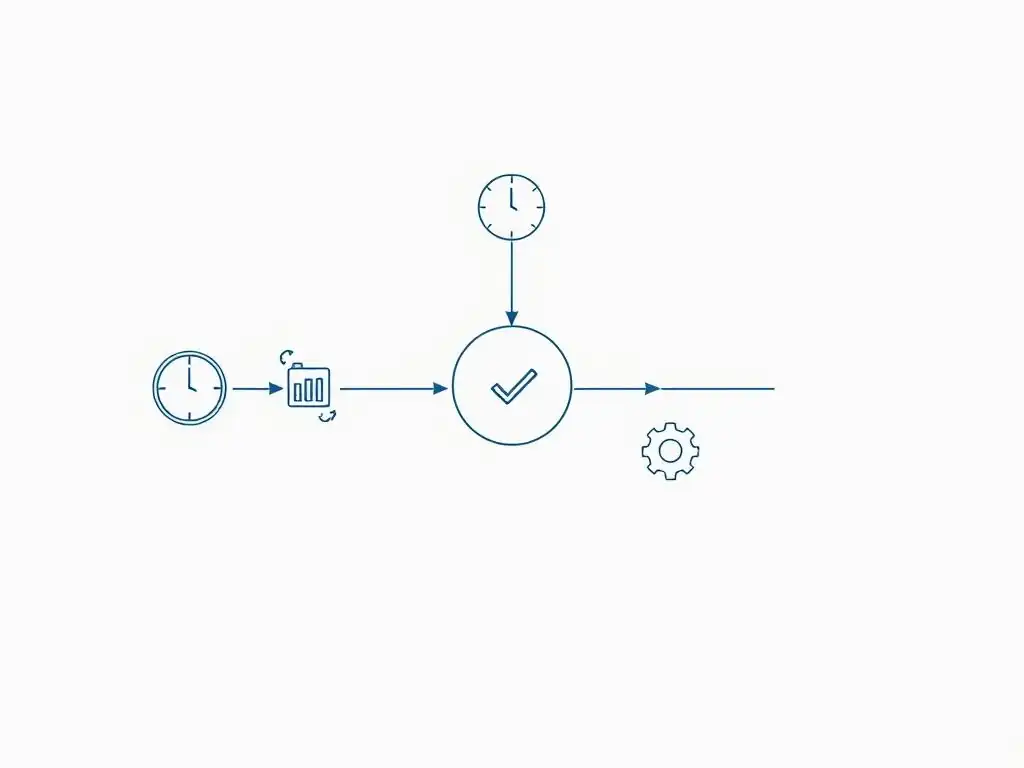
Automating tedious tasks isn't just about setting up the systems; it's about consistently evaluating their effectiveness and adapting them to your changing needs. This iterative process ensures you maximize time savings and maintain a streamlined workflow. The key is to establish clear metrics for success and regularly review your progress.
Only then can you truly understand the impact of your automation efforts and identify areas ripe for improvement. This section will guide you through the process of measuring your success and refining your automation system for optimal efficiency. Remember, the goal is to "automate tedious tasks easily" and continuously refine that ease.
Tracking Time Saved After Implementing Automation
Quantifying your time savings is crucial for demonstrating the ROI of your automation efforts. Don't just rely on feelings; use concrete data. Before implementing any automation, meticulously track the time spent on the task you intend to automate. Use a time-tracking app or a simple spreadsheet to record your start and end times, along with a brief description of the activity. This baseline data provides a crucial benchmark for comparison.
After implementing the automation, continue tracking the time spent on the remaining aspects of the task. This might involve monitoring, error correction, or manual intervention. Compare this post-automation time to your pre-automation baseline. The difference represents your time savings.
For example, let's say you used to spend 30 minutes daily on manually updating client spreadsheets. After automating this task, you now spend only 5 minutes daily on reviewing the automated updates. This represents a 25-minute daily time saving (30 minutes - 5 minutes = 25 minutes). Extrapolate this over a week, month, or year to see the significant impact of your automation. This data is invaluable for justifying further automation investments and showcasing the benefits to stakeholders. 🎉
Identifying Areas for Further Automation Improvement
Once you've measured the success of your initial automation efforts, it's time to identify areas for improvement. Analyze your time tracking data to pinpoint tasks that are still consuming significant time. These are prime candidates for further automation. Don't be afraid to revisit your initial automation strategies. Perhaps a more sophisticated tool or a different approach could yield even greater time savings.
Consider these questions:
- Are there any recurring manual steps within your automated workflow?
- Are there any error rates associated with your automation? Can these be reduced through adjustments to the system?
- Are there related tasks that could be automated to complement your existing systems?
- Could using a different software or tool significantly reduce manual intervention?
Using a systematic approach to identify these areas will help you to continuously improve the efficiency of your automated workflows. The iterative nature of this process is key to long-term success in automating tedious tasks easily.
Adapting Your Automation Strategies as Your Needs Evolve
Your needs and workflows will inevitably change over time. What worked perfectly six months ago might become inefficient or obsolete. Regularly review your automation systems to ensure they continue to meet your needs. This might involve:
- Updating software: New versions of your automation tools may offer improved features or increased efficiency.
- Modifying workflows: Changes in your work processes may require adjustments to your automation scripts or configurations.
- Adding new automations: As new tedious tasks emerge, incorporate them into your automation strategy.
- Removing outdated automations: If a task is no longer relevant or has become significantly less time-consuming, consider removing the associated automation to avoid unnecessary complexity.
Regularly reassessing and adapting your automation strategy is vital for maintaining digital efficiency and ensuring that you continue to "automate tedious tasks easily." This proactive approach prevents your automation from becoming a burden rather than a benefit. Remember, the goal is to create a flexible and sustainable system that adapts to your evolving needs, maximizing your time and productivity.
Troubleshooting Common Automation Issues
Automating tedious tasks, while incredibly beneficial for boosting productivity, isn't always smooth sailing. Unexpected errors and glitches can arise, hindering your carefully crafted workflows. This section delves into common problems and provides practical solutions to get your automations back on track. Successfully automating tedious tasks easily requires proactive troubleshooting.
Dealing with Automation Errors and Glitches
Automation tools, like any software, are prone to errors. These can range from simple typos in your scripting to more complex issues related to API limitations or software updates. A methodical approach to troubleshooting is crucial. Let's explore some common scenarios and how to address them:
- Error Messages: Pay close attention to error messages. They often provide valuable clues about the source of the problem. For example, a message indicating a "file not found" error means the automation script can't locate a necessary file. Check file paths and permissions. A "permission denied" error might indicate the automation lacks the necessary access rights.
- Unexpected Halts: If your automation inexplicably stops mid-process, examine the log files generated by the tool. These logs often contain detailed information about the execution, pinpointing the exact point of failure. This detailed logging is essential for identifying the root cause of the problem.
- Incorrect Data Processing: Automations frequently involve data manipulation. If the processed data is incorrect, review the data transformation steps within your script. Are the formulas or functions applied correctly? Are there any data type mismatches? Double-check each step meticulously.
- API Issues: Many automations rely on APIs (Application Programming Interfaces) to interact with different applications. API errors are common, often stemming from rate limits, temporary server outages, or API changes. Check the API documentation for error codes and troubleshooting guidance.
Debugging and Optimizing Automated Workflows
Debugging is an iterative process. Once you've identified a problem, you need to systematically test your solutions. Here's a breakdown of effective debugging techniques:
- Modular Design: Breaking down your automation into smaller, independent modules makes debugging significantly easier. If one module fails, the others should continue to function. This modular approach simplifies the identification of the faulty component.
- Logging and Monitoring: Implement robust logging throughout your automation. Record key events, data transformations, and intermediate results. This detailed logging allows for precise tracking of the automation's execution flow and helps identify the source of errors.
- Testing and Iteration: Thoroughly test each module individually and then the entire workflow together. Use test data to simulate various scenarios and edge cases. Iteratively refine your code based on the test results.
- Version Control: Use a version control system (like Git) to track changes to your automation scripts. This allows you to easily revert to previous versions if a change introduces errors. This practice is critical for managing complex automations and preventing accidental data loss.
Consider these optimization strategies to enhance efficiency:
- Code Efficiency: Review your code for unnecessary steps or inefficiencies. Optimize algorithms and data structures to minimize processing time.
- Resource Utilization: Monitor the resource consumption (CPU, memory, network) of your automation to identify potential bottlenecks. Optimize your code to reduce resource usage.
- Error Handling: Implement comprehensive error handling to gracefully manage exceptions and prevent the automation from crashing. This robust error handling ensures that the automation continues functioning even in the face of unexpected issues.
Seeking Support and Resources for Automation Tools
Even with meticulous planning and debugging, you might encounter challenges that require external assistance. Fortunately, many resources are available:
- Online Documentation: Most automation tools provide comprehensive documentation that includes troubleshooting guides, FAQs, and tutorials. Consult this documentation for solutions to common problems.
- Community Forums: Engage with online communities dedicated to your specific automation tool. Many experienced users are willing to share their expertise and troubleshooting tips.
- Customer Support: If you're using a commercial automation tool, contact their customer support team for assistance. They can provide direct support and guidance to resolve complex issues.
- Online Tutorials and Courses: Numerous online resources, including tutorials and courses, offer in-depth instruction on automation techniques and troubleshooting strategies. These can greatly enhance your skills and knowledge.
Remember, mastering the art of automating tedious tasks easily involves not only creating efficient workflows but also developing strong troubleshooting skills. By combining proactive debugging with the utilization of available resources, you can significantly improve the reliability and effectiveness of your automations, ultimately saving you valuable time and boosting your productivity.
Frequently Asked Questions
What are some examples of tedious tasks I can automate?
Many tasks are automatable! Consider repetitive data entry, scheduling social media posts, email management, file organization, and bill payments. Automating these frees up your time for more important things.
What tools can I use to automate tasks easily?
There are many options! Zapier, IFTTT, and Make (formerly Integromat) are popular choices for connecting different apps. For specific tasks, consider dedicated software like email marketing platforms or project management tools.
Is automating tasks expensive?
Not necessarily! Many automation tools offer free plans or affordable subscriptions. The cost depends on the complexity of your automation and the number of tools you integrate. The time saved often outweighs the cost.
How much time will automating tasks save me?
The time saved varies depending on the task and its frequency. However, even automating small tasks can accumulate into significant time savings over time. Focus on the most time-consuming and repetitive tasks first.
Where can I learn more about automating tasks?
UltimateLifeHacks offers a step-by-step guide on how to automate tedious tasks and improve digital efficiency. You can also find many online tutorials and resources dedicated to specific automation tools and techniques.
Final Reflection: Unlocking Your Potential Through Automation
The relentless march of technology offers us the power to reclaim our time, and automating tedious tasks is no longer a luxury, but a necessity. In a world demanding ever-increasing productivity, mastering the art of automation isn't just about efficiency; it's about unlocking our potential to focus on what truly matters – creativity, innovation, and meaningful connections.
The impact of automation extends far beyond individual productivity; it's reshaping entire industries and the way we interact with technology. The ability to streamline repetitive processes frees up mental space for higher-level thinking and problem-solving. This shift, I believe, is crucial for fostering a more balanced and fulfilling life. The key is not to prioritize what's on your schedule, but to schedule your priorities.
– Stephen Covey. This quote perfectly encapsulates the transformative power of strategically automating tasks, allowing us to prioritize what truly aligns with our values and goals.
Consider the possibilities. What tedious tasks are currently draining your energy and hindering your progress? I urge you to identify these bottlenecks and explore the simple, yet powerful, automation techniques outlined in this guide. Take the first step towards reclaiming your time, boosting your productivity, and ultimately, living a more intentional and fulfilling life. The future of work, and indeed, of personal well-being, hinges on our ability to embrace and master the tools at our disposal. Let's build a more efficient and fulfilling future, one automated task at a time.
Unleash Your Productivity: Automate Your Way to Freedom!
Thank you for exploring the world of automation! We hope this guide provided valuable insights into streamlining your digital life. Ready to take control of your schedule and reclaim your precious time?
Here's how you can put your new knowledge into practice:
- Tackle your most time-consuming task: Identify the most tedious task in your daily routine and automate it. Even small improvements can significantly impact your productivity.
- Explore more automation tools: Research additional apps and software that can automate repetitive actions. You might be surprised by the available options!
- Share your successes!: Tell us (and others!) about your automation achievements – what did you automate, and how did it improve your workflow? Let's inspire each other!
What task are you most excited to automate today? Share your thoughts in the comments!