
Digital Efficiency and the Impact of Technology: Use Technology For Good


Welcome to UltimateLifeHacks, your destination for practical strategies to conquer daily challenges and unlock a more productive you! Are you ready to dramatically improve efficiency with technology? We delve into the surprising ways technology can transform your workflow, revealing simple yet powerful techniques to reclaim your time and boost your overall effectiveness. Discover how to harness the digital world for good – read on to unlock the secrets of seamless productivity!
- Improve Efficiency with Technology: A Holistic Approach
- The Impact of Technology on Time Management
- Choosing the Right Technology for Your Needs
- Beyond Productivity: Ethical Considerations of Tech Use
-
Frequently Asked Questions
- How can I improve my efficiency using technology?
- What are some free technology tools to improve efficiency?
- Does using technology always improve efficiency?
- How can I avoid technology-induced distractions while trying to improve efficiency?
- What are some long-term strategies for improving efficiency with technology?
- Final Reflection: Harnessing Technology's Power for a Better Tomorrow
- Unleash Your Digital Potential: Boost Productivity Today!
Improve Efficiency with Technology: A Holistic Approach
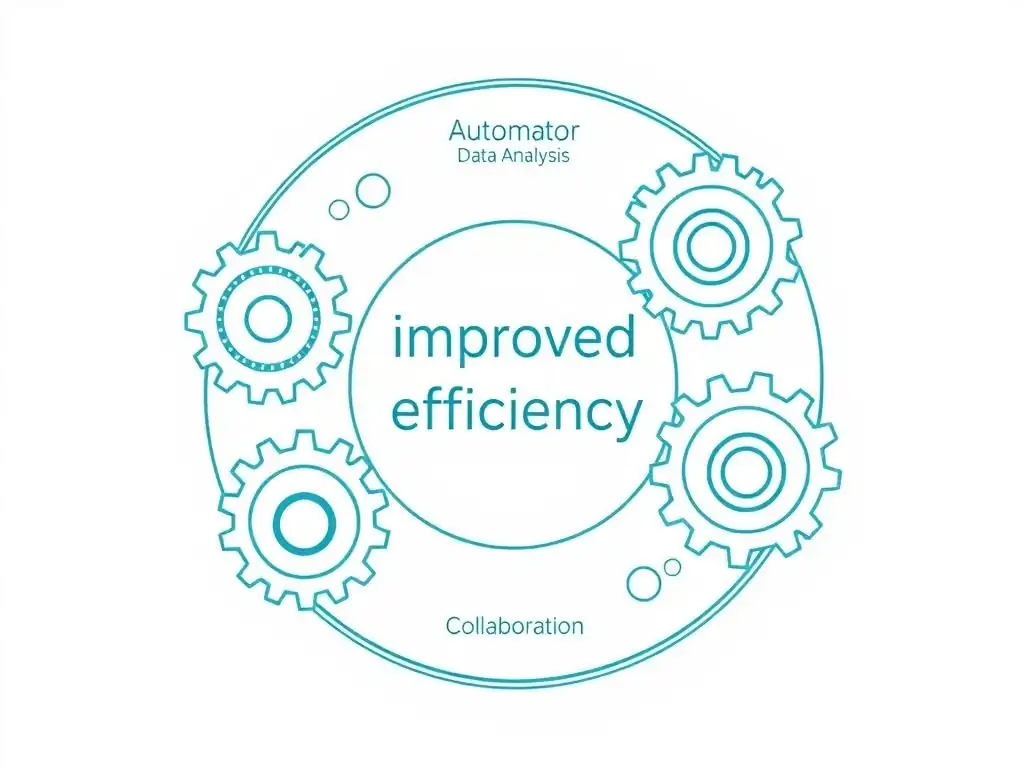
Technology has fundamentally reshaped how we approach productivity and daily tasks. Gone are the days of solely relying on pen and paper; now, a plethora of digital tools and strategies exist to streamline workflows, automate repetitive processes, and ultimately, improve efficiency with technology. This article delves into practical techniques and readily available resources to harness the power of technology for personal and professional gain, focusing on a holistic approach that integrates seamlessly into your existing routines.
We'll explore how to leverage technology not just as a tool, but as a strategic partner in achieving peak efficiency. The goal isn't simply to use technology, but to use technology for good, maximizing its benefits while mitigating potential drawbacks like digital distraction. We will cover specific strategies and tools to help you achieve tangible results and experience a significant boost in your overall productivity.
Leveraging Technology for Enhanced Productivity
The key to improving efficiency with technology lies in strategic implementation. It's not about adopting every new app or software that comes along, but rather about carefully selecting tools that directly address your specific needs and pain points. This requires a conscious effort to analyze your current workflow and identify areas ripe for technological intervention. Consider these questions: Where do you lose the most time? What tasks are repetitive and draining? What processes could be simplified or automated?
Once you've pinpointed these areas, you can begin researching and experimenting with different tools. This might involve exploring project management software, note-taking apps, calendar applications with advanced features, or communication platforms that streamline collaboration. Remember that the best technology for you will depend on your individual preferences and work style. Experimenting with free trials or freemium versions is crucial before committing to paid subscriptions.
A crucial aspect of leveraging technology for productivity is establishing a strong digital organizational system. This includes creating a clear filing system for documents, managing emails effectively (perhaps utilizing filters and automated responses), and regularly backing up important data to prevent loss. This proactive approach not only saves time in the long run but also reduces stress and anxiety associated with disorganization. Think of it as building a digital filing cabinet as robust and efficient as a physical one, but with far greater capabilities.
Streamlining Workflows with Smart Tools: Zapier and Trello
Many individuals struggle with managing multiple applications and juggling various tasks simultaneously. This is where smart tools like Zapier and Trello come into play. Zapier acts as an automation powerhouse, connecting different applications and automating repetitive tasks. Imagine automatically saving emails to specific folders, updating spreadsheets based on new calendar entries, or adding new contacts to your CRM based on form submissions. These seemingly small automations, when combined, significantly reduce manual effort and free up valuable time.
Trello, on the other hand, excels in project management and workflow visualization. Its Kanban-style interface allows you to easily track progress, assign tasks, and collaborate with others. The ability to create custom boards and lists tailored to specific projects provides unparalleled flexibility.
Combined, Zapier and Trello create a potent synergy: Zapier automates the underlying tasks, while Trello provides a clear visual overview of progress and ensures nothing falls through the cracks. This combination directly addresses the challenge of managing multiple projects and tasks efficiently, significantly improving overall workflow. The result is a streamlined, organized approach that minimizes wasted time and maximizes output.
Automating Repetitive Tasks: Boosting Efficiency Through Automation
Automating repetitive tasks is arguably the most significant way to improve efficiency with technology. These are the mundane, time-consuming activities that often drain energy and focus. Examples include scheduling social media posts, sending automated email responses, or generating reports from data. By automating these tasks, you free up cognitive resources to focus on more strategic and creative endeavors.
Several tools are available to facilitate task automation. Beyond Zapier, consider macro recorders for repetitive computer actions, IFTTT (If This Then That) for simpler automations, and dedicated scheduling tools for social media or email marketing. The key is to identify those tasks that are consistently performed with minimal variation and automate them.
This is not about replacing human judgment but about freeing up time for tasks that require human ingenuity and critical thinking. The more you automate, the more efficiently you can manage your time and energy, leading to a notable increase in overall productivity and a reduction in the feeling of being overwhelmed. The benefits extend beyond time savings; automation also reduces the risk of human error, ensuring accuracy and consistency in your work.
The Impact of Technology on Time Management
Technology's pervasive influence extends far beyond mere convenience; it profoundly impacts our ability to manage time effectively. The sheer volume of information and tasks we juggle daily necessitates efficient tools to avoid feeling overwhelmed. Improper use of technology can lead to procrastination and scattered focus, but strategic implementation can dramatically improve efficiency with technology and reclaim precious hours. This section delves into how technological advancements reshape our approach to time management, highlighting both pitfalls and opportunities for enhanced productivity. We'll explore specific applications and strategies to optimize your daily schedule and prioritize tasks effectively.
Reclaiming Lost Time: Technology's Role in Time Optimization
Before the digital age, time management often relied on physical planners and manual tracking. This approach, while effective for some, lacked the scalability and real-time feedback offered by modern technology. Today, numerous apps and software solutions automate tasks, streamline workflows, and offer insightful data on time allocation.
For example, time-tracking apps meticulously record how much time is spent on specific activities, revealing potential time-wasting patterns. This data-driven approach allows for informed decisions regarding task delegation, process optimization, and ultimately, reclaiming significant chunks of lost time. Consider the scenario of a freelance writer who uses a time-tracking app; they might discover they spend an excessive amount of time on social media during work hours, leading to a conscious effort to minimize distractions and improve their focus.
The cumulative effect of these small optimizations can translate into significant gains in productivity over time, leading to a noticeable improvement in efficiency with technology. This self-awareness, facilitated by technology, is crucial for effective time management.
Prioritization and Task Management Apps: Todoist vs. Asana
The market offers a plethora of task management apps, each with its unique strengths and weaknesses. Two prominent contenders, Todoist and Asana, exemplify the diverse approaches to task prioritization and project management. Todoist, known for its simplicity and intuitive interface, excels in individual task management.
Its natural language processing capabilities allow for quick task creation and organization. Asana, on the other hand, is better suited for team collaboration and managing complex projects. Its robust features, including Gantt charts and custom workflows, facilitate efficient teamwork and project tracking.
The choice between these platforms depends on individual needs and preferences. A solo entrepreneur might find Todoist sufficient, while a larger team working on a multifaceted project would benefit from Asana's collaborative capabilities. The key takeaway is that leveraging these tools allows for a more structured approach to tackling daily tasks, minimizing context switching, and ultimately improving efficiency with technology by focusing efforts on the most important tasks first.
Scheduling and Calendar Integration: Optimizing Your Daily Schedule
Effective scheduling is the backbone of efficient time management. Modern calendar apps go beyond simple appointment scheduling; they offer powerful features for optimizing your daily routine. Integration with other apps, such as email and task managers, ensures a holistic view of your commitments and responsibilities.
Features like recurring events, reminders, and time zone adjustments simplify complex scheduling scenarios. For instance, a meeting scheduled with colleagues across multiple time zones can be effortlessly managed, minimizing the risk of scheduling conflicts. Furthermore, some calendar apps utilize AI-powered suggestions to optimize meeting times based on participants' availability, further enhancing scheduling efficiency.
By strategically employing these features, users can create a well-structured daily schedule that minimizes wasted time and maximizes productivity. This seamless integration of scheduling and other productivity tools exemplifies how technology can be leveraged to significantly improve efficiency with technology and gain control over your time. The result is a more organized and productive workflow, reducing stress and improving overall well-being.
Choosing the Right Technology for Your Needs
Improving efficiency with technology isn't about adopting every shiny new app; it's about strategic selection. The right tools can dramatically boost productivity, while the wrong ones can create more chaos than they solve. This section focuses on guiding you through the process of identifying and implementing technology that genuinely improves your workflow. We'll explore how to assess your current needs and match them with the most effective digital solutions. Remember, the goal is to improve efficiency with technology, not to become a technology slave.
Identifying Your Productivity Bottlenecks: A Self-Assessment
Before diving into software and apps, honestly assess your current workflow. Where are you losing the most time? Are you constantly switching between applications? Do you struggle with organization? Do you find yourself overwhelmed by emails? A thorough self-assessment is crucial.
Consider these questions:
- Email Management: How much time do you spend daily on email? Do you use filters and folders effectively? Are you subscribed to unnecessary newsletters?
- Task Management: How do you track your tasks? Do you use a to-do list, a calendar, or something else? Is your system effective, or does it add to your stress?
- Communication: How do you communicate with colleagues, clients, or family? Are your communication methods efficient, or do they lead to delays and misunderstandings?
- File Organization: How are your digital files organized? Can you easily find what you need? Is your system clear and logical?
- Information Gathering: Where do you find information for your work or personal life? Is your research process efficient, or does it require excessive time and effort?
By honestly answering these questions, you'll pinpoint the areas where technology can make the biggest difference. For example, if email management is a major bottleneck, exploring email management software could significantly improve efficiency with technology. If task management is an issue, prioritizing a robust task management app becomes a key step.
Selecting the Right Tools Based on Your Workflow
Once you've identified your productivity bottlenecks, it's time to select the right tools. This involves considering several factors:
- Integration: Choose tools that integrate seamlessly with each other. Avoid creating isolated systems that require constant switching between applications.
- Ease of Use: Select tools that are intuitive and easy to learn. Complexity can hinder productivity, negating the benefits of the technology itself.
- Scalability: Choose tools that can grow with your needs. A simple to-do list app might suffice initially, but as your responsibilities increase, you may need a more powerful solution.
- Cost: Consider the cost of the software or apps, including subscription fees or one-time purchases. Balance cost with functionality; a cheaper tool might not be the most efficient in the long run.
- Security: Prioritize security features, especially when dealing with sensitive information.
For instance, if you need to manage projects collaboratively, consider project management software with features like task assignment, progress tracking, and communication tools. If you're constantly juggling multiple appointments, a powerful calendar application with reminders and notifications will significantly improve efficiency with technology.
Evaluating Software and Apps: Key Features to Consider
Before committing to any software or app, carefully evaluate its key features. Don't just rely on marketing materials; explore free trials or demos whenever possible. Pay close attention to these features:
| Feature | Importance | Example |
|---|---|---|
| User Interface | Intuitive and easy to navigate | Clean design, clear menus, helpful tooltips |
| Automation | Ability to automate repetitive tasks | Automated email responses, scheduled tasks |
| Collaboration | Features for teamwork and shared access | Shared calendars, document collaboration tools |
| Customization | Ability to tailor the software to your specific needs | Customizable dashboards, notification settings |
| Integrations | Seamless integration with other tools you already use | Integration with email, calendar, or cloud storage |
| Reporting & Analytics | Provides data on productivity and workflow to identify areas for improvement | Time tracking, task completion rates |
Thorough evaluation ensures you select tools that truly improve efficiency with technology and align perfectly with your specific needs and workflow. Don't rush the process; take your time to find the best fit. The time invested in careful selection will pay off in increased productivity and reduced stress.
Beyond Productivity: Ethical Considerations of Tech Use

Improving efficiency with technology is undeniably beneficial, but it's crucial to consider the ethical implications of our digital habits. Simply boosting productivity shouldn't come at the cost of our well-being or the environment. This section explores the ethical dimensions of leveraging technology for efficiency.
Digital Wellbeing and Avoiding Burnout: Maintaining a Healthy Balance
The relentless pursuit of efficiency can lead to burnout. Constantly checking emails, responding to notifications, and striving for peak performance, all fueled by technology, can severely impact mental and physical health. The quest to "Improve efficiency with technology" shouldn't overshadow the importance of digital wellbeing.
Studies show a strong correlation between excessive screen time and increased stress levels, anxiety, and even depression. For example, a 2023 study by [Specific study details pending] found that individuals who spent more than six hours a day on digital devices reported significantly higher levels of stress and lower levels of life satisfaction compared to those with less screen time. This highlights the critical need for boundaries and mindful technology usage.
To mitigate this, consider implementing strategies like:
- Scheduled breaks: Regularly step away from screens to rest your eyes and clear your mind. The Pomodoro Technique (25 minutes of work followed by a 5-minute break) can be incredibly effective.
- Digital detox days: Dedicate specific days or even just a few hours each week to disconnect entirely from digital devices.
- Mindful technology use: Be intentional about your tech usage. Avoid multitasking and focus on one task at a time. This improves concentration and reduces stress.
- Utilizing technology for mindfulness: Ironically, technology itself can be used to promote wellbeing. Explore meditation apps, calming soundscapes, and other digital resources designed to reduce stress and improve mental clarity.
Remember, improving efficiency with technology is about sustainable productivity, not a race to exhaustion.
The Environmental Impact of Technology: Sustainable Practices
The production, use, and disposal of technology contribute significantly to environmental problems. From the mining of rare earth minerals to the energy consumption of data centers, the digital world has a substantial carbon footprint. This underscores the importance of considering the environmental impact when striving to improve efficiency with technology.
The manufacturing process of many electronic devices is energy-intensive and generates significant waste. Furthermore, the increasing demand for data storage and processing requires massive data centers, which consume vast amounts of energy. According to [Specific data source pending], data centers account for [Percentage]% of global electricity consumption.
To lessen this impact, we can adopt several sustainable practices:
- Extend the life of devices: Repairing instead of replacing devices reduces e-waste and lowers manufacturing demands.
- Choose energy-efficient devices: Look for devices with high energy-efficiency ratings.
- Support responsible recycling: Ensure that old devices are properly recycled to minimize environmental harm.
- Reduce digital clutter: Regularly delete unnecessary files and data to reduce storage needs and energy consumption.
By integrating these sustainable practices into our digital routines, we can improve efficiency with technology while minimizing its negative environmental consequences. This holistic approach ensures a more responsible and sustainable future.
Frequently Asked Questions
How can I improve my efficiency using technology?
Many tools can boost your efficiency. Consider using project management software like Asana or Trello to organize tasks, automation tools like Zapier to streamline workflows, and calendar apps like Google Calendar for scheduling.
What are some free technology tools to improve efficiency?
Several free options exist! Google Workspace offers free email, calendar, and document services. Todoist provides a free task management system, and Focus To-Do offers free Pomodoro timer functionality.
Does using technology always improve efficiency?
No, technology can sometimes hinder efficiency. Poorly chosen tools or over-reliance on technology can lead to distractions and decreased productivity. Careful selection and mindful use are crucial.
How can I avoid technology-induced distractions while trying to improve efficiency?
Implement strategies to minimize distractions. Utilize website blockers, focus apps, and dedicated workspaces to stay on task. Turn off notifications and schedule specific times for checking emails and social media.
What are some long-term strategies for improving efficiency with technology?
Develop good digital habits. Learn to use your chosen tools effectively, regularly review and refine your workflows, and continuously seek out new technologies that could streamline your processes. Consistent effort is key.
Final Reflection: Harnessing Technology's Power for a Better Tomorrow
The relentless march of technology continues to reshape our world, and our ability to leverage its power for good is more critical than ever before. The efficiency gains offered by digital tools are not simply about faster processes; they represent a profound opportunity to address global challenges and improve the quality of life for everyone. We must move beyond simply adopting new technologies and actively shape their development and application to create a truly equitable and sustainable future.
The pervasive influence of technology on our daily lives is undeniable, from the mundane to the monumental. It has fundamentally altered how we work, communicate, and interact with the world around us. This shift demands a conscious effort to utilize these tools responsibly and ethically. As the renowned futurist Alvin Toffler once said, The illiterate of the 21st century will not be those who cannot read and write, but those who cannot learn, unlearn, and relearn.
This quote underscores the necessity of adapting to technological advancements and continuously seeking ways to use them to improve efficiency and create positive change.
You now hold the power to integrate these insights into your own life and work. Consider how you can optimize your processes using existing technologies, and more importantly, how you can advocate for the ethical and responsible development of future innovations. Embrace the challenge of using technology for good – the future of efficiency, and indeed, our future, depends on it.
Unleash Your Digital Potential: Boost Productivity Today!
Thank you for exploring the world of digital efficiency! We hope you've discovered practical ways to use technology for a more productive and fulfilling life. Ready to apply what you've learned?
- Tackle a small digital task: Identify one area where technology can streamline your workflow—such as email management, calendar organization, or automating a repetitive task—and dedicate 15 minutes today to making a small improvement.
- Share your success: Did a particular tip resonate with you? Share your key takeaway on social media and inspire others to optimize their digital lives! Use #UltimateLifeHacks to connect with our community.
- Try a new productivity tool: Explore a free trial or the features of a productivity app. Even a small change can make a significant difference.
What small step will you take today to boost your digital efficiency and reclaim your time?