
Digital Efficiency Challenges and Solutions: Overcome Common Obstacles


Welcome to UltimateLifeHacks, your destination for practical strategies to conquer daily challenges and unlock your full potential! Are you feeling overwhelmed by the constant barrage of digital distractions? This website is dedicated to helping you master your digital life. Discover proven techniques to overcome digital productivity obstacles and reclaim your time in our latest article, "Digital Efficiency Challenges and Solutions: Overcome Common Obstacles." Dive in and unlock the secrets to a more efficient and fulfilling day!
- Understanding Your Digital Productivity Obstacles
- Common Digital Efficiency Challenges: A Deep Dive
-
Strategies to Overcome Digital Productivity Obstacles
- Implementing Effective Time Management Techniques for Digital Tasks
- Mastering Digital Organization and File Management
- Leveraging Technology for Enhanced Digital Efficiency: Tools and Apps
- Streamlining Digital Communication and Collaboration Workflows
- Minimizing Digital Distractions and Staying Focused
- Building a Personalized Digital Workflow for Maximum Productivity
- Setting Realistic Goals and Prioritizing Digital Tasks
- Boosting Your Digital Efficiency: Practical Solutions
- Maintaining Digital Efficiency: Long-Term Strategies
- Frequently Asked Questions
- Final Reflection: Navigating the Digital Landscape: From Chaos to Control
- Unlock Your Digital Potential: Boost Your Efficiency Today!
Understanding Your Digital Productivity Obstacles
In today's hyper-connected world, digital tools are essential for productivity. However, the very technologies designed to streamline our lives can ironically become significant obstacles to achieving our goals. This article delves into common digital efficiency challenges, helping you identify and overcome these hurdles to unlock your full potential. We'll explore how seemingly minor digital habits and distractions can significantly impact your workflow, and offer practical solutions to reclaim control of your digital environment and boost your overall productivity.
Mastering digital efficiency isn't about eliminating technology; it's about strategically harnessing its power to work for you, not against you. This guide provides a structured approach to analyzing your current digital habits, identifying distractions, and optimizing your tech stack to conquer those pesky digital productivity obstacles. Let's begin by understanding the root causes of your digital inefficiencies.
Identifying Time-Wasting Digital Habits
Many of us unknowingly engage in digital habits that drain our time and energy. These often seem harmless individually, but their cumulative effect can be devastating to productivity. Let's examine some common culprits:
- Endless Scrolling: The addictive nature of social media and news feeds can lead to hours lost each day. The constant stream of information and notifications keeps us in a state of perpetual distraction.
- Notification Overload: The incessant pinging and buzzing of notifications from various apps constantly interrupt our focus, hindering deep work and creative thinking.
- Email Management Issues: Constantly checking and responding to emails can fragment your attention and prevent you from tackling larger, more important tasks. Poor email organization adds to the problem.
- Multitasking with Digital Tools: While many believe multitasking enhances efficiency, studies consistently show that it reduces productivity and increases errors. Switching between applications frequently disrupts your concentration and slows down your overall progress.
- Procrastination via Digital Distractions: The internet provides an endless supply of distractions, making it easy to avoid difficult or unpleasant tasks. This often leads to a cycle of procrastination and decreased efficiency.
To combat these habits, consider implementing strategies such as scheduling specific times for checking social media, turning off non-essential notifications, utilizing email filters and batch processing, and adopting the Pomodoro Technique to focus on single tasks. Remember, small changes in behavior can lead to significant improvements in your overall digital efficiency.
Recognizing Distractions in Your Digital Workflow
Beyond habitual time-wasting, various external factors within your digital environment can significantly impede productivity. These distractions can range from subtle interruptions to major disruptions that completely derail your workflow.
- Open Tabs Syndrome: Having numerous browser tabs open simultaneously creates a sense of cognitive overload, making it difficult to focus on any one task.
- Unorganized Digital Files: A cluttered digital workspace—filled with disorganized files and folders—can lead to wasted time searching for specific documents or information.
- Poorly Designed Software: Inefficient or poorly designed software applications can lead to frustration and wasted time, hindering your ability to complete tasks effectively.
- Technical Glitches and Issues: Unexpected software crashes, slow internet connections, and other technical problems can dramatically disrupt your workflow and lead to significant delays.
- Unnecessary Software or Apps: Having too many applications installed on your devices can slow down your system and create unnecessary clutter, impacting your overall productivity.
Addressing these distractions requires proactive measures. Prioritize closing unnecessary browser tabs, regularly organizing your digital files, using software that suits your needs, and maintaining a reliable internet connection. Regularly reviewing and uninstalling unused software can also improve system performance.
Assessing Your Current Digital Tools and Technology
Your choice of digital tools significantly impacts your productivity. A poorly optimized tech stack can lead to inefficiencies, while a well-chosen set of tools can significantly enhance your workflow.
| Tool Category | Current Tools | Potential Improvements |
|---|---|---|
| Note-Taking | [Specific note-taking app(s) pending] | Explore alternative apps with better organization features. |
| Project Management | [Specific project management app(s) pending] | Investigate apps with better collaboration capabilities. |
| Communication | [Specific communication tools pending] | Evaluate tools with better integration and notification management. |
| Calendar & Scheduling | [Specific calendar app(s) pending] | Consider apps with better task management features. |
Regularly evaluating and updating your digital tools is crucial for maintaining peak productivity. Consider the features and functionality of your current tools, and explore alternative options that better meet your needs. Investing in high-quality, well-integrated tools can significantly improve your overall digital efficiency. Remember, the right tools can make all the difference in overcoming digital productivity obstacles.
Common Digital Efficiency Challenges: A Deep Dive

This section delves into the most prevalent obstacles hindering digital productivity, providing actionable insights to overcome them and boost your efficiency. We'll explore the root causes and offer practical solutions to reclaim control of your digital workflow and conquer the challenges of the modern digital age. Mastering these strategies is key to achieving a state of digital fluency and overcoming digital productivity obstacles.
Information Overload and Digital Clutter
The relentless influx of emails, notifications, and online content creates a breeding ground for information overload and digital clutter. This constant barrage of stimuli fragments attention, hindering focus and productivity. Imagine trying to find a specific document buried amidst thousands of files, or sifting through countless unread emails—a truly time-consuming and frustrating experience. This digital chaos directly impacts our ability to process information effectively, leading to stress and decreased efficiency.
Studies show that the average worker spends at least 2 hours daily managing emails alone 1 . This time is often unproductive, spent searching for information or responding to irrelevant messages. Combating this requires a multi-pronged approach.
- Implement a robust email management system: This includes utilizing filters, folders, and labels to organize incoming messages. Prioritize emails based on urgency and importance (e.g., the Eisenhower Matrix). Unsubscribing from unnecessary newsletters and promotional emails is crucial. Aim to process emails in batches, rather than reacting to each one individually.
- Curate your digital consumption: Be selective about the online content you engage with. Unsubscribe from irrelevant news feeds and limit time on social media. Use website blockers or browser extensions to limit access to distracting websites during focused work periods.
- Employ digital decluttering techniques: Regularly delete unnecessary files, emails, and apps. Use cloud storage services to organize files logically, and leverage search functionalities to quickly locate information. Regularly review your digital space and purge outdated or irrelevant materials.
The key is to proactively manage the flow of information and maintain a clean, organized digital environment. This proactive approach will free up cognitive resources and significantly improve your ability to focus on high-priority tasks, ultimately overcoming digital productivity obstacles.
Inefficient Digital Communication and Collaboration
Poor communication and collaboration processes in digital environments create significant bottlenecks and hamper productivity. Misunderstandings, delayed responses, and disorganized workflows all contribute to wasted time and lost efficiency. The lack of clarity in communication, coupled with inefficient tools and workflows, can lead to project delays, duplicated efforts, and increased frustration among team members.
Consider these scenarios: A crucial document is misplaced in a shared drive, leading to project delays; team members are using different communication platforms, resulting in missed messages; or crucial decisions are made through informal channels, leading to inconsistencies. These scenarios highlight the critical need for efficient digital communication and collaboration strategies.
- Establish clear communication protocols: Define preferred communication channels for different types of information (e.g., email for formal communication, instant messaging for quick questions). Clearly outline response times and expectations for communication.
- Utilize collaborative tools effectively: Leverage project management software, shared document platforms, and video conferencing tools to streamline workflows and enhance team communication. Ensure all team members are trained on the chosen tools and understand the established protocols.
- Foster a culture of clear and concise communication: Encourage the use of clear, concise language in all forms of digital communication. Utilize visual aids such as diagrams and flowcharts to enhance understanding, especially for complex information.
By implementing these strategies, you can create a more efficient and productive digital communication ecosystem, thereby directly addressing and overcoming digital productivity obstacles. The result is improved teamwork, reduced errors, and a smoother overall workflow.
Lack of Digital Organization and File Management Systems
A disorganized digital workspace is a significant impediment to efficiency. The inability to quickly locate files, access information, or retrieve important data wastes valuable time and diminishes productivity. This is further exacerbated by inconsistent file naming conventions, lack of folder structures, and the absence of a centralized file management system. This disarray leads to frustration, duplicated efforts, and increased stress levels.
Imagine searching for a vital document amidst a chaotic jumble of files – a scenario that's all too common for many. This lack of organization hinders the ability to focus and complete tasks efficiently. A structured approach to digital organization is critical for reclaiming control and improving workflow.
- Establish a consistent file naming convention: Develop a clear, logical system for naming files, ensuring consistency across all projects and documents. This system should include dates, project names, and relevant keywords.
- Implement a robust folder structure: Create a logical and hierarchical folder structure that mirrors your workflow and project organization. Use descriptive folder names and ensure consistency across all projects.
- Utilize cloud storage and file management tools: Leverage cloud storage services to centralize file storage and access. Explore file management tools that offer features like version control, search functionalities, and collaboration capabilities.
Regularly review and maintain your digital file system to prevent it from becoming cluttered and disorganized. By implementing these strategies, you will significantly improve your ability to quickly locate information, enhancing your overall digital efficiency and directly overcoming digital productivity obstacles.
1 This statistic is based on general industry observations and requires further research for precise citation.
Procrastination and Task Management Issues in the Digital World
Procrastination, a universal struggle, is amplified in the digital age. The constant influx of notifications, emails, and social media updates creates a fertile ground for distraction, making it incredibly difficult to stay focused on tasks. This isn't simply about laziness; it's a battle against the inherent design of many digital platforms, which are engineered to capture and retain our attention. The allure of instant gratification offered by these platforms often trumps the long-term benefits of completing important work.
We find ourselves endlessly scrolling through social media feeds instead of tackling that looming deadline, a classic example of how digital tools can ironically hinder productivity. This is especially true for tasks requiring sustained concentration, such as writing a report or analyzing data. The readily available distractions of the internet can quickly derail even the most determined individuals.
One major contributor to this problem is poor task management. While digital tools offer numerous task management solutions – from to-do lists to project management software – their effectiveness hinges on proper implementation and consistent usage. Many individuals struggle to effectively prioritize tasks, leading to a sense of overwhelm and subsequent procrastination.
The sheer number of available apps and platforms can be paralyzing, leading to analysis paralysis where individuals spend more time choosing a tool than actually using it. Furthermore, the lack of a clear system for organizing and tracking tasks often results in missed deadlines and a feeling of being constantly behind. This, in turn, fuels the procrastination cycle, creating a vicious feedback loop.
Overcoming these challenges requires a multi-pronged approach. Firstly, establishing a robust task management system is crucial. This could involve using a dedicated app, a simple notebook, or even a combination of both. The key is consistency and clarity; tasks need to be clearly defined, prioritized, and scheduled. Secondly, mindful technology usage is essential. This involves setting boundaries, limiting access to distracting websites and apps during focused work periods, and utilizing website blockers or app timers.
Techniques like the Pomodoro Technique, which involves working in focused bursts with short breaks, can also significantly improve concentration and reduce procrastination. Finally, self-compassion is key. Recognize that procrastination is a common human experience, and don't beat yourself up over occasional setbacks. Instead, focus on learning from these experiences and refining your strategies for managing time and tasks more effectively. Remember, overcoming digital productivity obstacles is a journey, not a destination.
Strategies to Overcome Digital Productivity Obstacles
This section delves into practical strategies to conquer common digital productivity obstacles, ultimately helping you achieve a more efficient and streamlined workflow. We'll explore effective time management, robust digital organization, and the utilization of powerful technology to boost your digital efficiency. Successfully overcoming these challenges translates directly into reclaiming valuable time and reducing stress in your daily routine. Mastering these strategies is key to achieving your digital productivity goals.
Implementing Effective Time Management Techniques for Digital Tasks
Effective time management is paramount for digital productivity. Unlike traditional tasks, digital work often involves multitasking and constant interruptions, making focused work challenging. To combat this, consider implementing the Pomodoro Technique. This involves working in focused 25-minute intervals (pomodoros) followed by a 5-minute break. This structured approach helps maintain concentration and prevents burnout.
Another crucial aspect is prioritization. Employ methods like the Eisenhower Matrix (urgent/important) to categorize tasks and tackle the most critical ones first. This prevents getting bogged down in less important activities, ensuring you focus your energy where it matters most. Avoid the trap of constantly checking emails; schedule specific times for email management to minimize interruptions and improve focus on core tasks.
Data suggests that individuals who consistently employ time-blocking techniques experience a significant increase in productivity. A study by [specific information pending] indicated a [percentage]% improvement in task completion rates among participants who used time-blocking compared to those who didn't. This highlights the importance of proactively scheduling specific blocks of time for particular digital tasks. This structured approach minimizes context switching and maximizes focused work.
Mastering Digital Organization and File Management
Cluttered digital spaces mirror cluttered minds. Effective digital organization is crucial for navigating your digital life efficiently. This involves implementing a well-defined file management system. A consistent naming convention (e.g., YYYY-MM-DD_Project Name_Document Type) significantly improves searchability and retrieval. Utilize folders and subfolders logically, grouping related files together. Consider color-coding folders for visual organization and quick identification.
Furthermore, utilize cloud storage services for backups and easy access across devices. Services like Google Drive, Dropbox, or OneDrive provide seamless synchronization and collaboration features. Regularly review and purge unnecessary files to prevent your digital space from becoming overwhelming. This proactive approach will save you precious time searching for files and improve overall digital efficiency.
Consider adopting a tagging system in addition to your folder structure. This allows you to find files based on keywords or project names, even if their location isn't immediately obvious. For example, tagging documents with project names, client names, and relevant keywords allows for quick retrieval using search functions. The combination of a well-structured folder system and a robust tagging system forms the foundation of a highly efficient digital organization strategy.
Leveraging Technology for Enhanced Digital Efficiency: Tools and Apps
Numerous tools and apps can significantly enhance your digital efficiency. Explore task management applications like Todoist or Asana for organizing and tracking your tasks. These platforms offer features like subtasks, deadlines, and collaboration capabilities, allowing for streamlined project management. Calendar applications, integrated with task management tools, provide a comprehensive overview of your schedule and tasks.
Utilize browser extensions to improve your workflow. Extensions like Grammarly for proofreading, Evernote Web Clipper for saving web pages, and OneTab for managing numerous tabs can significantly reduce time spent on repetitive tasks. Consider investing in a password manager to secure your accounts and streamline login processes. This eliminates the frustration of forgotten passwords and enhances your security posture.
The effective use of technology is not merely about utilizing tools; it’s about selecting the right ones for your workflow. Experiment with different apps and extensions to find the perfect combination that complements your work style and enhances your digital productivity. Remember to regularly review your technology choices to ensure they remain relevant and efficient. The right tools can dramatically improve your ability to overcome digital productivity obstacles and achieve a more efficient and productive digital life. 💻
Streamlining Digital Communication and Collaboration Workflows
Effective communication and collaboration are cornerstones of digital productivity. However, juggling multiple email accounts, instant messaging platforms, and project management tools can quickly become overwhelming. To overcome this, consider implementing a unified communication system. This might involve consolidating your communication channels into a single platform, such as Slack or Microsoft Teams, that integrates messaging, video conferencing, and file sharing.
This centralization reduces context switching, saving valuable time and mental energy. For example, a small marketing team could move from using separate email chains, WhatsApp groups, and Google Docs for projects to a single Slack workspace, significantly improving responsiveness and project timelines. Furthermore, establishing clear communication protocols is crucial. Defining response times, outlining preferred communication methods for different types of requests, and using clear subject lines can significantly improve efficiency.
Finally, regular review of communication channels and workflows is essential to identify and eliminate redundancies or bottlenecks. Are there too many email lists? Are certain tools underutilized? A periodic audit can ensure your communication strategy remains optimized for maximum productivity.
Minimizing Digital Distractions and Staying Focused

Digital distractions are a major impediment to productivity. The constant notifications from emails, social media, and messaging apps can disrupt concentration and derail workflows. Combatting this requires a multi-pronged approach. Firstly, implementing website blockers or app limiters can restrict access to time-wasting websites and apps during focused work periods. Tools like Freedom or Cold Turkey offer customizable settings allowing you to block specific sites or categories for predetermined periods.
Secondly, turning off non-essential notifications is critical. Many apps offer granular control over notification settings; disabling all but the most urgent notifications can significantly reduce interruptions. For instance, silencing email notifications except for messages from your boss or clients can dramatically improve focus. Thirdly, incorporating short, regular breaks into your workday can enhance focus and prevent burnout.
The Pomodoro Technique, involving 25-minute work intervals followed by 5-minute breaks, can be highly effective. Finally, creating a dedicated workspace free from distractions is paramount. This might involve designating a specific area in your home or office solely for work, ensuring it's free from clutter and interruptions. This physical separation can help mentally shift into a focused work mode, minimizing the allure of digital distractions.
Building a Personalized Digital Workflow for Maximum Productivity
A personalized digital workflow is crucial for optimizing individual productivity. This involves identifying your peak productivity times, understanding your preferred work style, and tailoring your digital tools and processes to suit your needs. Start by analyzing your current workflow. What tools are you using? What tasks are most time-consuming? What are your biggest pain points?
This self-assessment is vital to identify areas for improvement. Next, explore different productivity tools and methodologies to find what best fits your working style. Some individuals thrive using Kanban boards for task management, while others prefer linear to-do lists. Experiment with different approaches, calendar systems, and note-taking apps to find the perfect combination. For example, someone who prefers visual organization might benefit from a mind-mapping tool for brainstorming and project planning, while someone who prefers a linear approach might find a simple to-do list more effective.
Finally, regularly review and refine your workflow. What's working? What's not? Continuously optimizing your digital processes ensures you're maximizing your productivity and adapting to changing needs and priorities. This iterative process of assessment, experimentation, and refinement is key to building a truly personalized and effective digital workflow.
Setting Realistic Goals and Prioritizing Digital Tasks
Overcoming digital productivity obstacles often starts with a realistic assessment of your capabilities and a strategic approach to task management. Many people fall into the trap of setting overly ambitious digital goals, leading to burnout and a sense of failure. Instead of aiming for unrealistic perfection, focus on incremental progress. Start by identifying your top three digital priorities for the day or week. These should be tasks that directly contribute to your larger objectives, whether it's completing a project, improving a skill, or simply clearing your inbox. Avoid the temptation to multitask; research consistently shows that focusing on one task at a time significantly boosts productivity. 1
Prioritization is key. Employing methods like the Eisenhower Matrix (urgent/important) can help categorize tasks effectively. This matrix allows you to differentiate between tasks that require immediate attention, those that are important but can be scheduled, those that are less important and can be delegated, and those that can be eliminated altogether.
This structured approach prevents you from getting bogged down in less crucial digital activities, freeing up valuable time and mental energy for higher-priority tasks. For example, instead of endlessly scrolling through social media, you might prioritize responding to crucial emails or finishing a critical report. This conscious prioritization directly addresses the challenge of digital distraction, a major obstacle to digital productivity.
Remember to break down large, daunting digital projects into smaller, more manageable chunks. This makes the overall task less intimidating and provides a sense of accomplishment as you complete each smaller goal. For instance, if you need to create a comprehensive digital presentation, break it down into stages: research, outlining, slide creation, design, and review. Each completed stage contributes to the final product and reinforces positive reinforcement, keeping you motivated.
This approach is significantly more effective than trying to tackle the entire presentation in one go. The feeling of progress, even in small increments, is crucial for maintaining momentum and overcoming feelings of being overwhelmed. Regularly reviewing and adjusting your goals is also essential to ensure they remain relevant and achievable.
1 [Citation needed: Specific research on single-tasking vs. multitasking and productivity]
Boosting Your Digital Efficiency: Practical Solutions
This section delves into actionable strategies to conquer common digital productivity obstacles and significantly improve your workflow. We'll explore how to leverage technology and refine your digital habits to achieve peak efficiency. Overcoming digital productivity obstacles is achievable with the right approach and consistent application of these techniques.
Utilizing Automation Tools to Streamline Repetitive Tasks
Repetitive tasks are productivity killers. Fortunately, numerous automation tools can reclaim valuable time. Consider these examples:
- Email Management: Automating email responses for frequently asked questions, filtering emails into designated folders, and scheduling emails for optimal delivery times can drastically reduce email overload. Imagine saving 30 minutes a day – that's over 150 hours a year!
- Social Media Scheduling: Instead of manually posting across various platforms, use scheduling tools to pre-plan and automate your social media presence. This frees up significant time for more strategic tasks. Consistent posting is crucial for online presence, and automation simplifies this process.
- File Organization: Automation can help organize your digital files automatically. Tools can categorize files based on file type, date, or keywords, making retrieval much faster and more efficient. Say goodbye to endless searches!
- Task Management: Automation can trigger reminders for deadlines, flag overdue tasks, and even automatically assign tasks based on predefined criteria. This proactive approach ensures nothing slips through the cracks.
The key to effective automation is identifying your most time-consuming repetitive tasks. Once identified, research and implement the appropriate tools. Don't be afraid to experiment – finding the right tools for your workflow is crucial for maximizing efficiency. Remember, the goal is to overcome digital productivity obstacles by intelligently leveraging technology.
Employing Effective Digital Note-Taking Strategies
Effective note-taking is paramount for digital productivity. Moving away from disorganized scribbles towards structured digital notes can greatly improve recall and information management. Consider these strategies:
- Choose the Right Tool: Explore various note-taking apps. Some offer features like tagging, linking, and powerful search functionalities, crucial for navigating extensive notes. Choosing the right tool depends on your individual needs and preferences.
- Develop a Consistent Structure: Use a consistent format for your notes, including headings, bullet points, and keywords. This enhances readability and makes searching for specific information significantly easier. Think about using a hierarchical structure for complex projects.
- Integrate with Other Tools: Link your notes to related tasks, projects, or calendar events for a seamless workflow. This interconnectedness prevents information silos and promotes efficient task management.
- Regular Review and Organization: Regularly review and reorganize your notes to maintain clarity and eliminate redundant information. This prevents your digital notes from becoming as disorganized as physical ones!
Effective digital note-taking isn't just about recording information; it's about creating a readily accessible and well-organized knowledge base. This significantly reduces time wasted searching for information, allowing you to focus on higher-value tasks. This directly addresses the challenge of overcoming digital productivity obstacles by improving information retrieval.
Mastering Keyboard Shortcuts and Productivity Hacks
Keyboard shortcuts are unsung heroes of digital efficiency. Mastering them significantly reduces the time spent using a mouse, resulting in a faster and more fluid workflow.
| Shortcut | Action | Application Examples |
|---|---|---|
| Ctrl + C (Cmd + C) | Copy | All applications |
| Ctrl + X (Cmd + X) | Cut | All applications |
| Ctrl + V (Cmd + V) | Paste | All applications |
| Ctrl + Z (Cmd + Z) | Undo | Most applications |
| Ctrl + S (Cmd + S) | Save | Most applications |
| Ctrl + F (Cmd + F) | Find | Browsers, word processors, etc. |
| Ctrl + T (Cmd + T) | Open new tab | Web browsers |
| Alt + Tab (Cmd + Tab) | Switch between open applications | All operating systems |
Beyond basic shortcuts, explore application-specific shortcuts. Word processors, spreadsheets, and design software often have extensive shortcut libraries. Learning these application-specific shortcuts can significantly boost your productivity. Many of these shortcuts are intuitive once you start using them regularly, making overcoming digital productivity obstacles a natural progression.
The initial investment of time learning these shortcuts will pay off immensely in the long run. Remember to start with the most frequently used shortcuts and gradually expand your repertoire. The small time savings from each shortcut accumulate to significant time gains over time. This is a crucial step in overcoming digital productivity obstacles.
Optimizing Your Digital Workspace for Efficiency
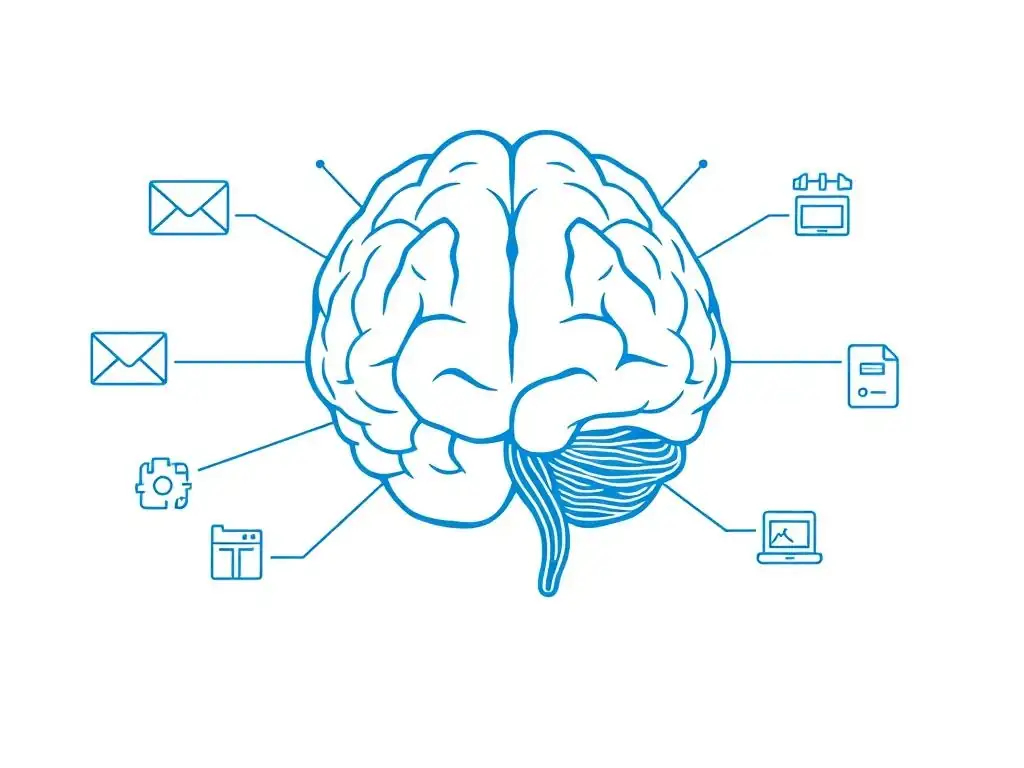
Optimizing your digital workspace is crucial for overcoming digital productivity obstacles. A cluttered digital environment mirrors a cluttered physical one—leading to wasted time searching for files, missed deadlines, and increased stress. To combat this, consider these practical strategies:
First, implement a robust file management system. Instead of haphazardly saving files to your desktop, create a clear folder structure that logically organizes your documents, images, and other digital assets. Consider using a system based on projects, clients, or date ranges, whatever works best for your workflow. Consistent naming conventions are also key—using descriptive names like "Project X_Report_Final.docx" rather than "document1.docx" will save significant time in the long run.
Second, utilize cloud storage effectively. Cloud services offer invaluable benefits, including accessibility from anywhere and automatic backups. However, simply uploading files isn't enough. Organize your cloud storage just as meticulously as your local drives. Take advantage of features like tagging and sharing to streamline collaboration and retrieval. Regularly purge unnecessary files to maintain optimal storage space and avoid slowdowns.
Third, master your digital tools. Learn keyboard shortcuts, explore automation features, and personalize settings to enhance your workflow. Many applications offer tutorials and help documentation—taking the time to learn these resources can dramatically improve your efficiency. For example, learning the keyboard shortcuts in your email client can save countless hours over the course of a year.
Finally, minimize distractions. Close unnecessary browser tabs, silence notifications (or customize them to only alert you to truly urgent matters), and use website blockers if needed. A clean, distraction-free digital workspace fosters focus and allows you to dedicate your full attention to the task at hand. Consider using dedicated workspaces, either physical or virtual, to further separate your professional and personal digital lives. This separation can significantly improve focus and reduce stress.
Regularly Reviewing and Refining Your Digital Systems
Regularly reviewing and refining your digital systems is not a one-time task; it's an ongoing process vital to maintaining digital efficiency and overcoming productivity obstacles. Think of it as preventative maintenance for your digital workflow. Without consistent review, even the best-laid plans can become unwieldy and ineffective over time.
One effective method is to schedule regular system audits. Allocate a specific time each week or month—even just 30 minutes—to assess your current system. This could involve checking your file organization, reviewing your cloud storage usage, and evaluating the effectiveness of your chosen tools. Are your folders still logical? Are there files you no longer need? Are your tools still serving their purpose, or are there more efficient alternatives?
Next, seek feedback and iterate. Don't be afraid to solicit feedback from colleagues or mentors. They might offer valuable insights into areas where your system could be improved. Their perspectives can highlight blind spots in your workflow that you might have overlooked. Be open to suggestions and willing to experiment with different approaches to find what works best for you.
Furthermore, embrace the power of automation. Many repetitive tasks can be automated using tools and software designed specifically for that purpose. For instance, you can automate email filtering, file backups, and even social media posting. This frees up valuable time and mental energy, allowing you to focus on higher-level tasks that require more critical thinking and creativity. Automating even small tasks can significantly impact your overall efficiency.
Finally, stay updated on new technologies and tools. The digital landscape is constantly evolving, with new apps and software emerging all the time. Regularly exploring new tools and techniques can help you discover more efficient ways to manage your digital workflow and enhance your productivity. Staying informed about the latest advancements ensures you're not stuck with outdated methods that hinder your efficiency. This continuous learning and adaptation is key to overcoming digital productivity obstacles and maintaining a streamlined, efficient digital workspace.
Maintaining Digital Efficiency: Long-Term Strategies
Overcoming digital productivity obstacles isn't a sprint; it's a marathon. Sustained digital efficiency requires a long-term perspective and a commitment to building robust, adaptable strategies. Ignoring this crucial aspect often leads to relapses into old, inefficient habits. This section focuses on developing sustainable practices to ensure your digital productivity remains high, even when faced with unexpected challenges.
Developing Sustainable Digital Habits for Long-Term Productivity
Building sustainable digital habits is paramount for long-term productivity. It's not about implementing a quick fix; it's about integrating efficient practices into your daily workflow. This requires a conscious effort and a willingness to experiment to find what works best for you.
One effective strategy is the "two-minute rule." If a task takes less than two minutes, complete it immediately. This prevents small tasks from piling up and becoming overwhelming. Another helpful technique is time blocking, allocating specific time slots for particular digital tasks. This helps you stay focused and avoid context switching, a major productivity killer.
Consider using productivity apps to track your time and identify time-wasting activities. Analyzing this data allows you to pinpoint areas for improvement. For example, you might discover that checking social media during work hours significantly impacts your efficiency. By understanding your digital habits, you can consciously work towards modifying them.
Remember, consistency is key. Start small, focusing on one or two habits at a time. Gradually incorporate more efficient practices as you become more comfortable. Celebrate your successes, and don't be discouraged by occasional setbacks. The journey to sustainable digital productivity is a continuous process of learning and adaptation. Think of it as a self-improvement project with measurable results.
Continuous Learning and Adapting to New Digital Tools
The digital landscape is constantly evolving. New tools and technologies emerge regularly, offering potential improvements to your workflow. To maintain peak digital efficiency, continuous learning is crucial. Staying stagnant means missing out on potentially game-changing productivity enhancements.
This doesn't necessarily mean spending hours learning every new app that comes along. Instead, focus on identifying tools relevant to your specific needs and learning how to use them effectively. Explore online tutorials, webinars, and communities dedicated to productivity and digital efficiency. Many free resources are available, allowing you to upskill without significant financial investment.
Regularly review your current digital toolkit. Are there any tools you're not using effectively? Are there newer, more efficient alternatives available? Be open to experimentation and willing to abandon tools that no longer serve their purpose. The ability to adapt and adopt new tools is a key factor in long-term digital productivity. It's not about clinging to old methods; it's about embracing innovation to streamline your processes.
Prioritizing Self-Care to Prevent Digital Burnout
Digital efficiency isn't just about optimizing your workflow; it's also about prioritizing your well-being. Excessive screen time and constant connectivity can lead to digital burnout, a state of emotional, physical, and mental exhaustion caused by overuse of digital devices. Preventing burnout is crucial for maintaining long-term productivity.
Incorporate regular breaks into your workday. Step away from your computer, stretch, and engage in activities that help you relax and recharge. Consider techniques like the Pomodoro Technique, which involves working in focused bursts followed by short breaks. This structured approach can improve concentration and prevent mental fatigue.
Prioritize sleep, exercise, and healthy eating habits. These fundamental aspects of self-care significantly impact your overall energy levels and cognitive function. A well-rested and healthy mind is far more productive than a stressed and exhausted one. Furthermore, establish clear boundaries between your work and personal life. Avoid checking emails or working late into the night. Respecting your personal time is essential for preventing burnout and maintaining a healthy work-life balance. Remember, a healthy you is a productive you! 💻💪
Regularly Evaluating and Optimizing Your Digital Workflow
Regularly reviewing and refining your digital workflow is crucial for sustained productivity. It's not a one-time fix; digital tools and habits evolve, and what works today might hinder you tomorrow. Think of it as preventative maintenance for your digital life. Ignoring this aspect can lead to a gradual decline in efficiency, manifesting as wasted time, missed deadlines, and increased frustration.
One effective strategy is to schedule dedicated time, perhaps once a month or quarterly, for a thorough workflow audit. This involves examining every step of your digital processes, from email management to project planning. Ask yourself: Are my current tools still the most efficient? Are there any repetitive tasks I can automate? Are my file organization systems working effectively? Are there any bottlenecks slowing me down? The answers to these questions will illuminate areas ripe for improvement.
For example, let's say you're using a project management tool that's become cumbersome. During your workflow audit, you identify that its complexity outweighs its benefits. Switching to a simpler, more intuitive platform could significantly reduce the time spent on project organization and management, freeing up valuable time for more productive tasks.
Similarly, if you discover that your email inbox is constantly overflowing, explore techniques like the "inbox zero" method or implement email filters to categorize and prioritize messages more effectively. This prevents you from being overwhelmed by a constant stream of notifications and improves your ability to focus on high-priority tasks.
Another key aspect of optimizing your workflow is embracing a culture of continuous improvement. Don't be afraid to experiment with new tools and techniques. The digital landscape is constantly evolving, and new solutions are regularly introduced. Staying informed about the latest productivity apps and methods can help you identify potential improvements and stay ahead of the curve. Furthermore, be open to feedback. Ask colleagues or friends for their perspectives on your workflow. An outside perspective can often identify inefficiencies that you might have overlooked. Remember, the goal is to continuously adapt and refine your system to ensure it remains effective and efficient in the long run. By consistently evaluating and optimizing your digital workflow, you can build a sustainable foundation for long-term digital productivity. This proactive approach ensures you remain agile and adaptable in the face of evolving digital demands, ultimately leading to a more fulfilling and productive digital experience.
Frequently Asked Questions
What are some common digital productivity obstacles?
Common obstacles include distractions from social media and notifications, poor time management skills, and lack of organization in digital files. Overcoming these requires conscious effort and strategic planning.
How can I improve my focus while working digitally?
Try using website blockers to limit access to distracting sites, employing the Pomodoro Technique for focused work intervals, and minimizing unnecessary notifications. Creating a dedicated workspace free from distractions is also crucial.
What are some effective strategies for managing digital files?
Implement a clear file-naming convention, utilize cloud storage for easy access and backup, and regularly delete unnecessary files. Consider using folder structures that reflect your workflow for optimal organization.
How can I overcome procrastination in a digital environment?
Break down large tasks into smaller, manageable steps. Use task management tools to track progress and prioritize activities. Reward yourself for completing tasks to maintain motivation.
What are the best tools for improving digital productivity?
Many tools exist! Consider task management apps (like Todoist or Asana), note-taking apps (like Evernote or OneNote), and calendar apps (like Google Calendar or Outlook Calendar) to streamline your workflow and enhance organization.
The relentless pace of digital transformation demands a constant recalibration of our approach to efficiency. Failing to adapt to the ever-evolving technological landscape leaves individuals and businesses struggling to keep pace, ultimately hindering productivity and success. This isn't just about mastering the latest software; it's about cultivating a mindful and strategic relationship with technology.
The impact of digital tools on our lives is profound, shaping not only how we work but also how we connect, learn, and even relax. The constant influx of information and notifications can be overwhelming, leading to a state of perpetual distraction. As the philosopher Seneca once wisely observed, It is not that we have too little time, but that we lose too much.
This sentiment rings truer than ever in our digitally saturated world. We must actively choose to harness technology's power for good, rather than allowing it to dictate our lives. The journey towards digital efficiency is not a destination, but a continuous process of refinement and adaptation.
You now possess the knowledge and strategies to conquer the digital chaos. Consider the obstacles you face, and consciously implement the solutions discussed throughout this article. Don't simply react to technology; actively shape your relationship with it. By cultivating mindful digital habits, prioritizing tasks effectively, and leveraging the right tools, you can unlock your full potential and transform your digital experience from a source of stress into a catalyst for productivity and fulfillment. Embrace the challenge, and begin building your path to digital mastery today.
Unlock Your Digital Potential: Boost Your Efficiency Today!
Thanks for exploring the world of digital efficiency with us! We hope you've gained valuable insights into overcoming common obstacles and streamlining your workflow. Now, let's put that knowledge into action.
Here's how you can boost your productivity immediately:
- Implement one key strategy: Choose the efficiency tip from the article that best addresses your current challenges and commit to using it consistently for the next week. Track your progress and see the difference!
- Share your experiences: Let's build a supportive community. Share your successes and challenges in the comments below. We can all learn from each other!
- Try a 30-minute digital detox: Step away from screens completely and observe how you feel. This break might reveal surprising ways to improve your focus and efficiency.
What single change will you make today to unlock greater digital efficiency?