
The Complete Guide to Email Automation: From Basic Setup to Advanced Strategies

Welcome to UltimateLifeHacks, your destination for practical strategies to conquer daily chaos and unlock peak productivity. Are you drowning in emails? Discover how automating your inbox can transform your workflow and reclaim valuable time. Our complete guide on "Automate emails for productivity" unveils the secrets to effortless email management, from simple setup to advanced automation techniques. Ready to reclaim your day? Let's dive in!
- Understanding the Power of Automated Emails for Productivity
- Setting Up Your Email Automation System: A Step-by-Step Guide
-
Crafting Compelling Automated Emails: Best Practices and Examples
- Writing Effective Subject Lines for Automated Emails: High Open Rate Strategies
- Designing Engaging Email Content
- Personalizing Your Automated Emails: Using Dynamic Content for Better Engagement
- A/B Testing Your Automated Emails: Optimizing for Maximum Impact
- Avoiding Common Email Automation Mistakes
-
Advanced Email Automation Strategies for Productivity
- Segmenting Your Email List for Targeted Campaigns
- Utilizing Email Automation for Lead Nurturing: Moving Prospects Through the Sales Funnel
- Automating Customer Onboarding Emails: Improving User Experience
- Using Automated Emails for Customer Support and Retention: Building Loyalty
- Tracking and Analyzing Your Email Automation Results: Measuring ROI
- Maintaining and Scaling Your Email Automation System
-
Frequently Asked Questions
- What is email automation, and how does it improve productivity?
- How can I automate emails for basic tasks like welcome messages or order confirmations?
- What are some advanced email automation strategies for boosting engagement?
- What are the essential tools or software needed for email automation?
- Are there any risks or downsides to using email automation?
- Final Reflection: Unlocking Productivity Through Automated Emails
- Unlock Your Productivity: Automate Your Emails Today!
Understanding the Power of Automated Emails for Productivity
In today's fast-paced digital world, managing emails can feel like a never-ending battle. The constant influx of messages, subscriptions, and notifications can quickly overwhelm even the most organized individual, significantly impacting productivity and overall well-being. This comprehensive guide explores the transformative power of email automation, providing a step-by-step approach to streamlining your email workflow, reclaiming valuable time, and ultimately boosting your efficiency.
We'll cover everything from setting up basic automated responses to implementing sophisticated strategies that leverage the full potential of email automation for increased productivity. Learning to effectively automate emails for productivity is no longer a luxury; it's a necessity for anyone aiming to thrive in the modern digital landscape. This guide will equip you with the knowledge and practical strategies to master this essential skill and unlock significant improvements in your personal and professional life.
We'll cover various scenarios and strategies, focusing on practical applications and real-world examples to ensure you can immediately implement these techniques and start seeing positive results. Let's dive in and unlock the power of automated emails!
Why Automate Emails? Saving Time and Boosting Efficiency
Email automation offers a powerful solution to the challenges of managing a high volume of emails. By automating repetitive tasks, you free up significant time and mental energy that can be redirected to more strategic and high-value activities. Consider the time spent on manually sending out welcome emails, follow-up messages, or even simple automated responses. These tasks, when automated, can save you hours each week, allowing you to focus on more important aspects of your work or personal life.
This translates to increased efficiency, reduced stress, and a greater ability to achieve your goals. Furthermore, automated email sequences can improve response rates and engagement, leading to a higher return on investment in your email marketing efforts. The benefits extend beyond simply saving time; they contribute to a more sustainable and productive workflow. Think of it as a strategic investment in your time and overall well-being.
Defining Your Email Marketing Goals: What Do You Want to Achieve?
Before diving into the technical aspects of email automation, it's crucial to clearly define your goals. What do you hope to achieve with your automated email campaigns? Are you aiming to increase sales, nurture leads, improve customer engagement, or simply streamline internal communication? Your goals will dictate the type of automation strategies you implement.
For example, if your goal is lead nurturing, you might create a series of automated emails that provide valuable content and gradually guide prospects towards a purchase. If your goal is to improve customer service, you might automate responses to frequently asked questions or create automated follow-up messages after a purchase. Clearly defining your objectives is the foundation of a successful email automation strategy.
Without clear goals, your efforts may be scattered and ultimately unproductive. Take the time to thoroughly analyze your needs and establish measurable objectives to track your progress and ensure the effectiveness of your automation efforts. This planning phase is essential for maximizing the return on your investment in email automation.
Identifying Your Target Audience for Automated Email Campaigns
Understanding your target audience is paramount to creating effective automated email campaigns. Who are you trying to reach with your emails? What are their interests, needs, and pain points? The more you know about your audience, the more effectively you can tailor your automated messages to resonate with them. Consider segmenting your audience based on demographics, behavior, or purchase history to create more personalized and targeted campaigns.
For instance, you might create separate automated sequences for new customers, returning customers, or customers who have abandoned their shopping carts. This level of personalization significantly increases the effectiveness of your email automation efforts. Detailed audience analysis ensures that your automated emails are not just efficient but also highly relevant and engaging, leading to improved results and a stronger connection with your audience. This targeted approach maximizes the impact of your automated email campaigns and contributes to a more successful overall strategy.
Setting Up Your Email Automation System: A Step-by-Step Guide
This section details the practical steps involved in establishing your email automation system. Successfully automating emails for productivity hinges on a well-structured approach, from platform selection to seamless integration with other tools. We'll cover the crucial elements to ensure a smooth and efficient process. Remember, the goal is to reclaim your time and boost your productivity by automating repetitive email tasks.
Choosing the Right Email Marketing Platform
Selecting the appropriate email marketing platform is paramount for successful email automation. The ideal platform will depend on your specific needs and budget. Consider factors such as the number of subscribers, the complexity of your automated workflows, and the level of integration with other tools you require. Some platforms offer robust features for advanced automation, while others cater to simpler needs.
Several key features to look for include:
- Intuitive Interface: A user-friendly interface is crucial, especially if you're not tech-savvy. A complex interface can hinder your progress and negate the time-saving benefits of automation.
- Robust Automation Features: Look for features like automated email sequences, triggered emails based on user actions (e.g., abandoned cart emails), and A/B testing capabilities. These features are essential for creating sophisticated automation workflows.
- Segmentation Capabilities: The ability to segment your audience based on various criteria (e.g., demographics, purchase history, engagement levels) allows for highly targeted and personalized email campaigns, leading to improved open and click-through rates. This directly impacts your productivity by maximizing the effectiveness of your email marketing efforts.
- Integration Options: Seamless integration with other tools you use (CRM, e-commerce platform, etc.) is crucial for a streamlined workflow. This minimizes manual data entry and reduces the risk of errors.
- Reporting and Analytics: Comprehensive reporting and analytics are vital for tracking the performance of your automated email campaigns and making data-driven adjustments to optimize their effectiveness.
Consider these popular platforms, each offering varying levels of sophistication and pricing: [Specific platform names and brief descriptions pending]. Remember to thoroughly research and compare different options before making a decision. The right platform will significantly impact your ability to automate emails for productivity.
Creating Your First Automated Email Workflow
Once you've chosen your email marketing platform, it's time to design your first automated email workflow. This is where the magic of automation truly begins. Start with a simple workflow to understand the process, then gradually increase complexity as you gain experience.
Here's a step-by-step guide to creating your first automated email sequence:
- Define Your Goal: What do you want to achieve with this automated workflow? Are you nurturing leads, promoting a new product, or sending follow-up emails after a purchase? Clearly defining your goal will guide your workflow design.
- Identify Your Trigger: What event will initiate the automated email sequence? This could be a user signing up for your newsletter, making a purchase, or abandoning their shopping cart.
- Design Your Email Sequence: Plan the content and timing of your emails. Consider the user journey and create a series of emails that provide value and move the user towards your desired outcome. Remember to maintain a consistent brand voice and tone.
- Set Up Your Workflow: Use your chosen email marketing platform's automation builder to create your sequence. This typically involves setting up triggers, defining email content, and scheduling email delivery.
- Test Your Workflow: Before launching your automated workflow to your entire list, test it thoroughly with a small segment of your audience. This helps identify and fix any errors before they impact a larger audience.
Remember, the key to effective email automation is to provide value to your subscribers. Don't just send generic promotional emails; focus on providing helpful content, personalized recommendations, and valuable information that resonates with your audience. This approach will lead to higher engagement rates and ultimately improve your productivity by increasing conversion rates.
Integrating Your Email Automation with Other Tools
Integrating your email automation system with other tools you use significantly boosts productivity. This seamless connection streamlines your workflow, eliminates manual data entry, and reduces errors.
Consider these integration possibilities:
| Tool Category | Example Tools | Benefits |
|---|---|---|
| CRM (Customer Relationship Management) | Salesforce, HubSpot, Zoho CRM | Centralized customer data, personalized email campaigns, improved segmentation |
| E-commerce Platforms | Shopify, WooCommerce, Magento | Automated order confirmations, abandoned cart emails, personalized product recommendations |
| Marketing Automation Platforms | HubSpot, Marketo, ActiveCampaign | Enhanced automation capabilities, advanced segmentation, sophisticated reporting |
| Website Builders | WordPress, Wix, Squarespace | Trigger emails based on website activity (e.g., form submissions) |
By strategically integrating your email automation system with these and other relevant tools, you can create a robust and efficient system that significantly boosts your productivity and allows you to focus on higher-level tasks. The time saved translates directly into increased efficiency and allows you to concentrate on strategic initiatives, rather than repetitive email management. This holistic approach to automating emails for productivity ensures a significant return on your investment of time and effort.
Setting Up Email Triggers: Time-Based vs. Behavioral Triggers
Choosing the right email triggers is crucial for effective automation and maximizing your productivity. There are two main categories: time-based and behavioral triggers. Understanding their differences is key to crafting targeted and effective email sequences.
Time-based triggers are straightforward. They send emails at predetermined intervals after a specific event. For example, you might send a welcome email immediately after someone signs up for your newsletter, a follow-up email three days later, and another seven days after that. This approach is excellent for nurturing leads and keeping your brand top-of-mind.
The simplicity of time-based triggers makes them easy to implement, even for beginners looking to automate emails for productivity. However, they lack the personalization of behavioral triggers. They cast a wide net, sending the same message to everyone regardless of their individual engagement.
This can lead to lower open and click-through rates if not carefully considered. Successfully implementing time-based triggers requires careful planning of the email sequence and a deep understanding of your audience's typical journey. For instance, a welcome series for a SaaS product might include a product tour email after 24 hours, a tutorial video link after 48 hours, and a case study showcasing successful implementations after 72 hours.
Behavioral triggers, on the other hand, are far more sophisticated. They send emails based on specific actions or inactions of your subscribers. This allows for highly personalized and relevant communication. Examples include sending an abandoned cart email when a customer leaves items in their online shopping cart, a product recommendation email based on past purchases, or a "we miss you" email when a subscriber hasn't opened your emails in a while.
This approach significantly improves engagement rates because the emails are directly relevant to the recipient's actions and interests. Setting up behavioral triggers requires more technical expertise and often involves integrating your email marketing platform with other tools, such as website analytics platforms. For example, you could trigger an email when a user visits a specific page on your website, indicating interest in a particular product or service.
This level of personalization greatly enhances the effectiveness of your email marketing campaigns and helps automate emails for productivity by focusing your efforts on engaged users. However, the complexity of setting up behavioral triggers can be challenging for those new to email automation. Careful consideration of the data collected and the logic used to trigger emails is crucial to avoid sending irrelevant or intrusive messages.
Crafting Compelling Automated Emails: Best Practices and Examples
This section delves into the art of creating automated emails that not only get opened but also drive conversions and foster engagement. Remember, the goal of automating emails for productivity isn't just to send more emails; it's to send better emails that achieve specific objectives. We'll explore key strategies to ensure your automated email sequences are effective and contribute to your overall productivity. The key is to make each email feel personalized and valuable, even though it's part of an automated process.
Writing Effective Subject Lines for Automated Emails: High Open Rate Strategies
Your subject line is the gatekeeper to your automated email's success. A compelling subject line significantly impacts your open rate, directly influencing how many recipients engage with your automated email sequence. Avoid generic subject lines; instead, aim for personalization and intrigue. Consider A/B testing different subject lines to determine which performs best for your audience. Here are some strategies:
- Personalization: Use the recipient's name or other relevant data to make the subject line feel more personal. For example, instead of "New Product Alert," try "Hi [Name], Check out our new [Product Name]!"
- Intrigue and Curiosity: Use words that pique curiosity, such as "exclusive," "secret," or "unmissable." A subject line like "A Little Secret About [Product/Service]" can be far more effective than a straightforward announcement.
- Urgency and Scarcity: Creating a sense of urgency can boost open rates. Phrases like "Don't miss out!" or "Limited-time offer" can be effective, but use them sparingly to avoid appearing spammy.
- Brevity: Keep it concise. Shorter subject lines are generally more effective on mobile devices.
- Emoji Usage (Use Sparingly): A well-placed emoji can add personality and visual appeal, but avoid overuse. A simple 👍 or 🎉 can be effective in the right context.
Here's a table illustrating effective vs. ineffective subject lines:
| Ineffective Subject Line | Effective Subject Line |
|---|---|
| New Product Announcement | [Name], Your Personalized [Product] Recommendation |
| Important Update | You've Got Mail: An Update You Don't Want to Miss! |
| Check Out Our Sale! | Flash Sale: [Discount]% Off - Ends Soon! |
| Newsletter | Your Weekly Dose of [Topic] Insights: [Catchy Headline] |
Remember to analyze your open rates regularly and adjust your approach based on what resonates best with your audience.
Designing Engaging Email Content
Once you've secured an open, your email content needs to maintain engagement. This means crafting content that is concise, valuable, and visually appealing. Consider the following points:
- Mobile Optimization: Ensure your emails are responsive and look great on all devices. Many recipients check email on their smartphones.
- Clear Call to Action (CTA): Make it easy for recipients to take the desired action. Use clear and concise CTAs with strong verbs. For example, "Shop Now," "Learn More," or "Download Now."
- Visual Hierarchy: Use headings, subheadings, bullet points, and whitespace to improve readability.
- Personalization: Use dynamic content to tailor the email's content to the individual recipient. This increases engagement dramatically.
- Storytelling: Engage your audience by weaving a narrative around your product or service. People connect with stories on a deeper level.
Example of engaging content: Instead of simply listing features, tell a story about how your product solved a problem for a previous customer. This makes your automated emails for productivity far more effective than a simple list of features.
Personalizing Your Automated Emails: Using Dynamic Content for Better Engagement
Personalization is key to maximizing the effectiveness of your automated email sequences. Dynamic content allows you to tailor each email's content based on the individual recipient's data. This can include:
- Name: The most basic, yet crucial, form of personalization.
- Location: Tailor your messaging to local events or promotions.
- Purchase History: Recommend products based on previous purchases.
- Website Activity: Suggest content based on pages visited.
- Engagement Level: Adjust the frequency or content based on how they interact with your emails.
Using dynamic content significantly improves open and click-through rates, leading to higher conversions and improved engagement. This is a powerful strategy in automating emails for productivity – it ensures that each recipient receives relevant and valuable information, maximizing the impact of your automation efforts. By tailoring content, you increase the chances of achieving your desired outcome from each automated email. The more relevant the email, the more likely the recipient is to interact with it, thus boosting your overall productivity.
A/B Testing Your Automated Emails: Optimizing for Maximum Impact
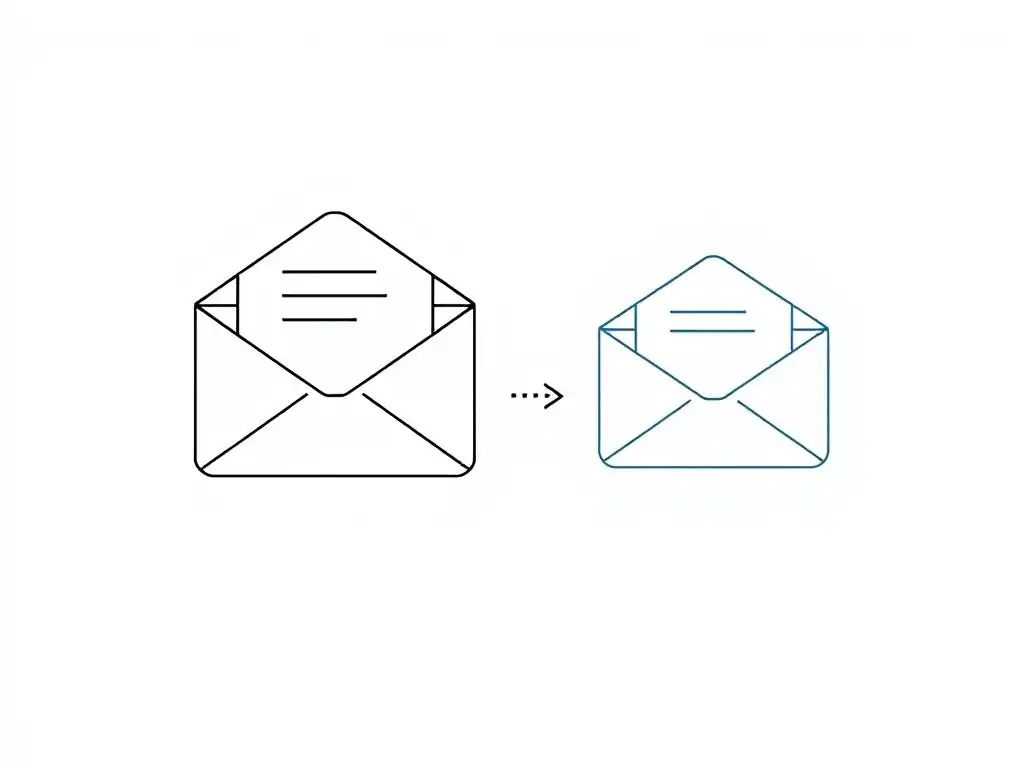
A/B testing is crucial for refining your automated email campaigns and maximizing their effectiveness. It allows you to systematically test different variations of your emails to identify which elements resonate most with your audience. This iterative process leads to higher open rates, click-through rates, and ultimately, a better return on investment (ROI).
Instead of relying on assumptions about what works best, A/B testing provides data-driven insights. You can test various aspects of your emails, including subject lines, email body copy, call-to-action (CTA) buttons, and even the sender name. For example, you might test two different subject lines: one using a more direct approach and the other employing a more intriguing question. By analyzing the results, you can determine which subject line generates a higher open rate.
Consider segmenting your audience to personalize your A/B tests. Different segments may respond differently to various email elements. For instance, a segment of loyal customers might respond better to a personalized message, while a segment of new subscribers might engage more with a promotional offer. Running A/B tests on each segment allows you to tailor your automated emails for optimal performance within each group.
Beyond subject lines and copy, A/B testing can also reveal insights into the best time to send automated emails. Experimenting with different send times can significantly impact deliverability and engagement. Analyze your results to pinpoint the optimal send window for your target audience, maximizing the chances of your emails being opened and read.
Remember, consistent A/B testing is an ongoing process; continuous optimization is key to achieving sustainable improvements in your email automation strategy. The more you test, the better you understand your audience and the more effective your campaigns become. This iterative approach to email automation ensures you're always refining your strategy to achieve peak performance.
Avoiding Common Email Automation Mistakes
Implementing email automation can significantly boost productivity, but neglecting best practices can lead to decreased effectiveness and even damage your sender reputation. Here are some common pitfalls to avoid:
- Ignoring List Segmentation: Sending the same automated email to your entire list is a recipe for disaster. Different segments of your audience have different needs and preferences. Failure to segment your list results in irrelevant emails, leading to lower engagement and potentially higher unsubscribe rates. Proper segmentation ensures that each email is tailored to the specific interests and needs of the recipient.
- Neglecting Personalization: Automated emails shouldn't feel robotic. Personalization is crucial for building relationships and improving engagement. Using the recipient's name, referencing their past interactions, or tailoring the content to their specific interests makes your emails feel more human and relevant. This personalization significantly increases the chances of your emails being read and acted upon.
- Poorly Designed Emails: An unattractive or poorly designed email can quickly lead to it being deleted unread. Ensure your automated emails are visually appealing, easy to read, and mobile-friendly. Use clear and concise language, compelling visuals, and a strong call to action. A well-designed email conveys professionalism and enhances your brand image.
- Overlooking Deliverability: Email deliverability is critical for the success of any email campaign, especially automated ones. Ensure your email list is clean and up-to-date, and avoid using spammy words or phrases in your subject lines or email body. Regularly monitor your sender reputation and take steps to improve it if needed. Poor deliverability can result in your emails landing in spam folders, rendering your automation efforts ineffective.
- Lack of Monitoring and Analysis: Setting up email automation isn't a one-time task. Regular monitoring and analysis are essential for identifying areas for improvement. Track key metrics such as open rates, click-through rates, and conversion rates. Use this data to refine your strategy and optimize your campaigns for better results. Ignoring these metrics means missing valuable opportunities to improve your email automation strategy and its overall effectiveness. Continuous monitoring allows for proactive adjustments and maximizes the long-term success of your automated email campaigns.
Advanced Email Automation Strategies for Productivity
This section delves into sophisticated email automation techniques to significantly boost your productivity and achieve superior results. We'll move beyond the basics, exploring strategies that leverage segmentation, lead nurturing, and automated onboarding to streamline your workflow and enhance customer engagement. Mastering these advanced strategies is key to truly automating emails for productivity.
Segmenting Your Email List for Targeted Campaigns
Effective email marketing hinges on personalization. Sending generic blasts is inefficient and yields poor results. Segmenting your email list allows you to tailor messages to specific audience groups based on shared characteristics, leading to higher open rates, click-through rates, and conversions. This is crucial for automating emails for productivity, as it reduces wasted effort and maximizes impact.
Consider these segmentation strategies:
- Demographic Segmentation: Categorize your subscribers by age, location, gender, occupation, and income level. This allows you to tailor messaging to resonate with specific demographics. For example, a younger audience might respond better to visually appealing content, while a more mature audience may prefer concise, informative emails.
- Behavioral Segmentation: Analyze subscriber actions, such as website activity, purchase history, and email engagement (opens, clicks, unsubscribes). This allows you to segment based on interests and buying patterns. For example, subscribers who frequently view products in a specific category can receive targeted promotions for those items.
- Engagement Segmentation: Identify highly engaged subscribers (frequent openers and clickers) and less engaged subscribers (low open and click rates). You can reward high engagement with exclusive content or offers, while re-engaging less active subscribers with personalized messages to prevent churn.
Implementing these strategies requires a robust email marketing platform with robust segmentation capabilities. The ability to create and manage multiple segments is paramount for efficient email automation and maximizing productivity. Proper segmentation directly translates to improved deliverability and reduced spam complaints, further enhancing the effectiveness of your automated email campaigns.
Utilizing Email Automation for Lead Nurturing: Moving Prospects Through the Sales Funnel
Lead nurturing is the process of cultivating relationships with potential customers by providing them with valuable content and information throughout their buyer's journey. Automating this process is crucial for productivity, freeing up time to focus on other tasks while consistently engaging prospects.
A well-structured automated lead nurturing campaign typically involves a series of emails triggered by specific actions, such as downloading a resource, attending a webinar, or visiting specific pages on your website. These emails can include:
- Welcome emails: Acknowledge new subscribers and provide valuable resources.
- Educational content: Share blog posts, case studies, and other valuable information relevant to the prospect's needs.
- Product/service demos: Offer a more in-depth look at your offerings.
- Promotional offers: Present limited-time discounts or special deals to encourage conversion.
- Follow-up emails: Address any unanswered questions or concerns.
Effective lead nurturing requires careful planning and a well-defined sales funnel. Each email should move the prospect closer to a conversion, ultimately automating emails for productivity while simultaneously improving sales performance. Tracking metrics like open rates, click-through rates, and conversions is crucial for optimizing your automated lead nurturing sequences.
Automating Customer Onboarding Emails: Improving User Experience
A smooth onboarding experience is essential for customer retention. Automating this process through a series of welcome emails can significantly improve user experience and reduce support requests, freeing your team to focus on other critical tasks. This is a significant way to automate emails for productivity and enhance customer satisfaction.
Your automated onboarding email sequence should:
- Welcome new customers: Acknowledge their purchase and express gratitude.
- Provide essential information: Explain how to use the product or service.
- Offer support resources: Provide links to FAQs, tutorials, and contact information.
- Request feedback: Encourage customers to share their thoughts and experiences.
- Promote additional products/services: Suggest relevant upgrades or add-ons.
The key to effective automated onboarding is to provide clear, concise, and helpful information in a timely manner. This reduces the learning curve for new customers, leading to increased satisfaction and reduced churn. By automating these emails, you free up valuable time and resources, allowing your team to focus on other aspects of the business. This represents a significant boost in productivity through the strategic automation of emails.
Using Automated Emails for Customer Support and Retention: Building Loyalty
Automating emails for customer support significantly boosts efficiency and enhances customer relationships. Instead of manually responding to common queries, pre-written, automated emails can instantly address issues like password resets, order confirmations, and shipping updates. This immediate response improves customer satisfaction and reduces the workload on your support team. Think of the time saved by not having to type the same "Your order has shipped!" email dozens of times a day!
Furthermore, automated emails are invaluable for customer retention. Triggered emails, based on user behavior, can nurture leads and strengthen loyalty. For example, a welcome series can introduce new subscribers to your brand and its offerings.
Similarly, an automated email thanking customers for a purchase and offering related products can increase average order value. Personalized abandoned cart emails, reminding customers of items left in their online shopping cart, are another highly effective strategy for boosting sales and reducing cart abandonment rates. These strategies are crucial for building long-term customer loyalty and improving overall business performance.
The key is personalization; generic emails are less effective than those tailored to individual customer preferences and purchase history. Implementing robust segmentation within your email marketing platform is essential for achieving this level of personalization and maximizing the impact of your automated emails. Analyzing customer interactions with these automated emails can further refine your strategies and improve results over time.
Tracking and Analyzing Your Email Automation Results: Measuring ROI
Measuring the return on investment (ROI) of your email automation efforts is crucial for optimizing your strategies and ensuring they align with your business goals. This involves tracking several key metrics to assess the effectiveness of your automated campaigns. Open rates, click-through rates, and conversion rates are essential indicators of engagement. Low open rates might suggest problems with subject lines or sender reputation, while low click-through rates might point to irrelevant content or poor call-to-action placement. Analyzing conversion rates helps determine how well your automated emails are driving desired actions, such as purchases or newsletter sign-ups.
Beyond basic metrics, advanced analytics can provide deeper insights. For example, tracking the number of support tickets resolved through automated emails directly demonstrates the efficiency gains. Similarly, monitoring customer lifetime value (CLTV) following automated engagement campaigns reveals the long-term impact on customer loyalty and revenue generation. You can also segment your email list based on user behavior and measure the effectiveness of different automation workflows for each segment.
This granular analysis helps refine your targeting and personalize automated emails for maximum impact. By consistently monitoring and analyzing these metrics, you can identify areas for improvement, optimize your email automation strategies, and ultimately maximize your return on investment, ensuring that your efforts to automate emails for productivity are indeed paying off. Regular review and adaptation are key to maintaining a high ROI.
Maintaining and Scaling Your Email Automation System
Maintaining a robust and effective email automation system isn't a "set it and forget it" proposition. Continuous monitoring, adaptation, and scaling are crucial to maximizing its productivity and ensuring its long-term success in automating emails for productivity. Neglecting these aspects can lead to decreased engagement, poor deliverability, and ultimately, a wasted investment of time and resources.
Regularly Reviewing and Updating Your Automated Emails: Staying Relevant
Automated emails, while efficient, can become stale over time. Consumer preferences change, marketing campaigns evolve, and your brand messaging may need refinement. Regular review and updates are paramount to maintaining relevance and maximizing engagement. This means more than just checking for typos; it involves a thorough analysis of performance metrics.
Consider these key aspects for your review process:
- Open rates: Are your open rates declining? This might indicate a problem with your subject lines, sender reputation, or the overall timing of your emails. A/B testing different subject lines can help identify improvements. For example, try switching from a purely promotional subject line to a more question-based one.
- Click-through rates (CTR): Low CTRs suggest your email content isn't compelling enough or isn't aligned with your audience's needs. Update your content with fresh, engaging material that directly addresses the recipient's pain points and offers valuable solutions.
- Conversion rates: Are your automated emails driving the desired actions (purchases, sign-ups, etc.)? If not, analyze the call-to-action (CTA) and landing page experience. Are they clear, concise, and easy to navigate?
- Unsubscribe rates: High unsubscribe rates signal a disconnect between your email content and your audience's expectations. Review your segmentation strategy to ensure you're targeting the right people with the right messages. Consider offering more granular subscription options to allow users to customize their email preferences. Think about implementing a preference center.
- Content freshness: Is your content still accurate and relevant? Outdated information can harm your credibility. Regularly update links, statistics, and product information to keep your automated emails current and trustworthy.
Regular updates, perhaps quarterly or even monthly depending on your industry and campaign frequency, are essential to keeping your automated emails effective for automating emails for productivity. Treat this as an ongoing process, not a one-time task.
Monitoring Email Deliverability and Avoiding the Spam Folder
Maintaining a high email deliverability rate is vital for the success of any email automation strategy. Emails landing in the spam folder are essentially useless, rendering your automation efforts ineffective. Several factors influence email deliverability, and proactive monitoring is key to identifying and addressing potential issues.
Here are some critical aspects to monitor:
- Sender reputation: Your sender reputation is a crucial factor in email deliverability. Poor sender reputation, often due to high complaint rates or sending to invalid email addresses, can lead to your emails being flagged as spam. Regularly check your sender score using specialized tools.
- Email authentication: Implementing SPF, DKIM, and DMARC records helps verify your email's authenticity and prevents spoofing. This is a technical but essential step to improving deliverability.
- Content analysis: Spam filters analyze email content for suspicious elements, such as excessive use of capital letters, excessive links, or misleading subject lines. Regularly review your email content for potential issues.
- List hygiene: Maintaining a clean email list is crucial. Remove inactive subscribers and bounce-back addresses to improve your sender reputation. Regularly clean your list to minimize spam complaints and improve deliverability.
- Complaint rates: Monitor your email complaint rates closely. A high complaint rate is a clear indicator that your emails are unwanted, leading to a negative impact on your sender reputation. Analyze why recipients are marking your emails as spam.
By actively monitoring these metrics and taking corrective action when necessary, you can significantly improve your email deliverability and ensure your automated emails reach their intended recipients. Remember, a healthy sender reputation is the cornerstone of effective email automation.
Scaling Your Email Automation System for Growth: Handling Increased Volume
As your business grows, so will the volume of emails your automation system needs to handle. Scaling your system effectively is crucial to maintain efficiency and prevent performance bottlenecks. This involves more than just increasing server capacity; it requires a strategic approach to your entire email infrastructure.
Key considerations for scaling your email automation system include:
- Email service provider (ESP): Choose an ESP that can handle increasing email volumes without compromising performance. Many ESPs offer scalable plans to accommodate growth. Consider their infrastructure, their support, and their ability to handle your expected future volume.
- Segmentation: As your subscriber base grows, effective segmentation becomes even more crucial. Proper segmentation ensures that the right messages reach the right audience, improving engagement and minimizing unsubscribes. Implement robust segmentation strategies based on demographics, behavior, and purchase history.
- Automation workflows: Review and optimize your automation workflows to handle increased volumes efficiently. This might involve streamlining processes, improving data management, and using more efficient automation tools.
- Monitoring and reporting: As your email volume increases, so does the importance of comprehensive monitoring and reporting. Utilize your ESP's analytics tools to track key metrics and identify areas for improvement. This allows for proactive identification of potential problems.
- Testing and optimization: Regular testing and optimization are essential for maintaining performance as your system scales. Conduct A/B tests to identify the most effective strategies and ensure your automation system continues to deliver optimal results.
Scaling your email automation system requires a proactive and strategic approach. By anticipating growth and planning accordingly, you can ensure your system remains efficient and effective, maximizing your return on investment and continuing to automate emails for productivity.
Staying Updated on Email Marketing Best Practices and New Technologies
Staying ahead in the ever-evolving landscape of email marketing is crucial for maintaining effective automation. Email deliverability standards, user preferences, and available technologies are constantly changing. Failing to adapt can lead to decreased engagement, lower open rates, and ultimately, a less productive automation system. Therefore, continuous learning is not merely beneficial—it's essential for long-term success in automating emails for productivity.
One effective strategy is to subscribe to reputable email marketing newsletters and blogs. Many industry leaders regularly publish articles and insights on best practices, new features from email service providers (ESPs), and emerging trends. These resources provide a consistent stream of information, keeping you informed about algorithm updates, changes in CAN-SPAM compliance, and the latest personalization techniques. For example, a recent newsletter highlighted the increased importance of interactive email content, such as quizzes and polls, to boost engagement rates—a valuable insight easily implemented within an automated workflow.
Beyond newsletters, actively participate in relevant online communities. Forums and groups dedicated to email marketing offer opportunities to learn from experienced practitioners, share challenges, and receive immediate feedback on your strategies. Engaging in these discussions exposes you to diverse perspectives and solutions, fostering continuous improvement and innovation within your automation processes. Participating in these communities can also lead to discovering new tools and technologies before they become mainstream, giving you a competitive edge.
Regularly audit your email automation performance metrics. Track key indicators like open rates, click-through rates, and unsubscribe rates. Analyze trends and identify areas for improvement. This data-driven approach allows you to fine-tune your strategies based on real-world results, ensuring that your automation system remains highly effective.
For instance, if you notice a significant drop in open rates, you might need to revisit your subject line strategy or segmentation approach. This iterative process of monitoring and adjustment is fundamental to maximizing the productivity gains from email automation. Remember, consistent monitoring and adaptation are key to the long-term success of your email automation strategy. Ignoring these aspects can lead to outdated practices and a significant drop in effectiveness.
Frequently Asked Questions
What is email automation, and how does it improve productivity?
Email automation involves using software to send emails automatically based on pre-defined rules or triggers. This frees up your time, allowing you to focus on other tasks, and ensures consistent communication with your audience. It significantly boosts overall productivity.
How can I automate emails for basic tasks like welcome messages or order confirmations?
Many email marketing platforms like Mailchimp or ConvertKit allow you to set up automated email sequences triggered by specific actions, such as a new subscriber signup or a purchase. You simply create the email templates and define the triggers within the platform's interface.
What are some advanced email automation strategies for boosting engagement?
Advanced strategies include using segmented email lists to send targeted messages, implementing behavioral-based automation (e.g., cart abandonment emails), and employing A/B testing to optimize email performance. These techniques enhance engagement and conversions.
What are the essential tools or software needed for email automation?
While many email marketing platforms offer automation features, some popular choices include Mailchimp, ConvertKit, ActiveCampaign, and HubSpot. The best choice depends on your specific needs and budget.
Are there any risks or downsides to using email automation?
Over-automation can lead to spam complaints and damage your sender reputation. It's crucial to maintain a balance, personalize your emails as much as possible, and ensure compliance with email marketing regulations like CAN-SPAM. Properly set up, however, there are minimal risks.
Final Reflection: Unlocking Productivity Through Automated Emails
The ability to automate emails isn't just a technological advancement; it's a fundamental shift in how we approach productivity and personal well-being. In a world saturated with communication, mastering email automation isn't a luxury—it's a necessity for reclaiming time and focusing on what truly matters. This guide has explored the spectrum of email automation, from simple auto-replies to sophisticated workflows, demonstrating its transformative potential across various professional and personal contexts.
The impact of email automation extends far beyond individual efficiency. It's reshaping how businesses interact with customers, fostering stronger relationships through personalized, timely communication. The key is not to prioritize what's on your schedule, but to schedule your priorities.
– Stephen Covey. This quote perfectly encapsulates the core principle of email automation: by automating routine tasks, we free ourselves to concentrate on the strategic initiatives that truly drive progress, be it in our careers or personal lives. The shift towards automation reflects a broader societal movement towards efficiency and the optimization of our time, a precious resource we often undervalue.
Now, consider how you can integrate these strategies into your own workflow. What repetitive tasks are draining your energy and hindering your progress? Which aspects of your communication could benefit from a more automated approach? Take the time to identify these areas and experiment with the techniques outlined in this guide. By embracing email automation, you're not just improving your productivity; you're investing in your well-being, creating space for creativity, connection, and a more fulfilling life. The power to control your inbox, and ultimately your time, is now in your hands.
Unlock Your Productivity: Automate Your Emails Today!
Ready to transform your email management? We hope you found our guide on email automation insightful and inspiring. Now it's time to put your newfound knowledge into practice and reclaim your valuable time.
Here's how to get started:
- Begin with a single automation strategy. Start small—perhaps automate your welcome emails or create a follow-up sequence for new subscribers. Even one automated task can significantly improve your efficiency.
- Share this guide with a colleague or friend who could benefit from streamlined email management. Let's work together to simplify our inboxes and boost productivity!
- Explore more productivity resources on UltimateLifeHacks.org for additional tips and techniques. You might discover a hidden gem to help conquer your to-do list!
What's one small email automation task you'll tackle today? Share your plans in the comments below!