
Conquer Chaos: Proven Strategies to Minimize Distractions in Your Home Office

Ready to reclaim your focus and transform your home office from a chaotic mess into a productivity powerhouse? At UltimateLifeHacks, we're dedicated to helping you optimize your daily life. Discover proven strategies to minimize home office distractions and unlock your true potential. This isn't just about tidying up; it's about mastering your environment and achieving peak efficiency. Dive in and learn how to conquer chaos!
- Understanding the Enemy: Identifying Common Home Office Distractions
- Creating a Fortress of Focus: Designing Your Distraction-Free Zone
- Technological Tools to Minimize Home Office Distractions
- Behavioral Strategies for Improved Focus and Reduced Distractions
- Building a Sustainable Distraction-Free Home Office
- Maximize Your Home Office Productivity with the Right Tools
- Case Study: Transforming a Chaotic Home Office into a Productivity Powerhouse
-
Frequently Asked Questions
- How can I minimize visual distractions in my home office?
- What are some effective strategies to reduce auditory distractions?
- How can I manage digital distractions while working from home?
- What are some simple techniques to improve focus and concentration?
- How can I create a more productive and distraction-free home office environment?
- Final Reflection: Reclaiming Focus in the Age of Distraction
- Rediscover Your Focus: Transform Your Home Office Now!
Understanding the Enemy: Identifying Common Home Office Distractions
Creating a productive home office environment is crucial for maximizing efficiency and minimizing stress. But achieving this sanctuary of productivity often requires a battle against a host of common distractions. This article will equip you with proven strategies to conquer chaos and reclaim your focus, helping you effectively minimize home office distractions and unlock your full potential. We'll delve into the most prevalent culprits hindering productivity, exploring practical solutions to transform your workspace into a haven of concentration.
From the visual clutter that assaults your senses to the insidious hum of digital notifications, we’ll examine each distraction and provide actionable steps to regain control of your workday. By understanding the nature of these distractions, you can develop a personalized strategy to create a focused and productive home office environment. Let's begin by identifying the key distractions that often sabotage our work-from-home efforts.
Visual Clutter and its Impact on Focus: Decluttering Your Workspace
Visual clutter significantly impacts our ability to concentrate. A messy workspace often translates to a messy mind. Studies have shown a direct correlation between a cluttered environment and decreased cognitive function. The constant visual stimuli from piles of papers, scattered supplies, and overflowing shelves compete for our attention, pulling our focus away from the task at hand. This mental overload leads to increased stress and reduced productivity.
To combat this, a systematic decluttering process is essential. This involves:
- Purging unnecessary items: Be ruthless! Get rid of anything you don't need or use regularly. Donate, recycle, or throw away items that are simply taking up space.
- Organizing remaining items: Categorize and store items logically. Use storage solutions like drawers, shelves, and containers to keep everything neatly organized and easily accessible.
- Creating designated zones: Designate specific areas for different tasks. For example, a dedicated writing space, a filing system for documents, and a separate area for personal items.
- Regular maintenance: Establish a regular decluttering schedule (e.g., once a week or once a month) to prevent clutter from accumulating again. This proactive approach will help maintain a clean and organized workspace.
Remember, a clean and organized workspace promotes a clear and focused mind, significantly improving your ability to minimize home office distractions.
Noise Pollution: Strategies to Reduce Unwanted Sounds in Your Home Office
Noise pollution is another significant obstacle to productivity in a home office. Whether it’s the constant chatter of family members, the incessant barking of a neighbor's dog, or the distracting sounds of traffic outside, unwanted noise can disrupt concentration and significantly reduce your ability to focus.
Effective noise reduction strategies include:
- Soundproofing: While complete soundproofing might be impractical, implementing simple measures like adding thick curtains, rugs, or acoustic panels can significantly absorb sound and dampen noise levels.
- Noise-canceling headphones: Investing in a good pair of noise-canceling headphones can effectively block out distracting sounds, allowing you to immerse yourself in your work.
- White noise machine: A white noise machine can mask unwanted sounds by producing a consistent, calming background hum that helps to drown out disruptive noises.
- Time management: Schedule your most demanding tasks for quieter times of the day, when distractions are less likely to occur. Communicate your need for quiet time to household members.
Implementing these strategies can create a more peaceful and focused work environment, contributing significantly to your ability to minimize home office distractions.
Digital Distractions: Taming the Notifications Beast (Example: Freedom App)
The constant barrage of notifications from emails, social media, and messaging apps is a major source of digital distraction. These interruptions fragment your attention, hindering deep work and reducing overall productivity. The allure of checking your phone or responding to messages can derail even the most disciplined worker.
Strategies to minimize digital distractions include:
- Turning off notifications: Silence non-essential notifications on your computer and phone. Schedule specific times to check emails and social media, rather than constantly reacting to incoming notifications.
- Website blockers: Utilize website blockers or apps that temporarily restrict access to distracting websites and social media platforms during your work sessions.
- Dedicated work devices: Consider using a separate device for work, free from personal apps and notifications that might pull your attention away.
- App-based solutions: Apps like Freedom (mentioned in the title) can help block distracting websites and apps across all your devices, allowing you to focus on your work without interruption. [Specific details on Freedom app features pending]
By strategically managing your digital interactions, you can significantly reduce interruptions and create a more focused and productive home office environment, effectively helping you minimize home office distractions.
Family and Household Interruptions: Setting Boundaries for Productivity
Minimizing home office distractions often means tackling the biggest source of interruption: family and household demands. Successfully navigating this requires establishing clear boundaries and expectations, a process that benefits both your productivity and your family relationships. Ignoring these interruptions often leads to resentment and decreased efficiency. Instead, proactive communication and structured routines are key to minimizing disruptions.
One effective strategy is to create a visual cue, such as a "Do Not Disturb" sign, that clearly communicates when you're unavailable. This simple act can significantly reduce unnecessary interruptions. Place the sign on your door or use a digital equivalent on your computer screen. The visual reminder serves as a respectful signal to family members, helping them understand your need for focused work time.
Beyond visual cues, schedule dedicated work blocks and communicate them to your family. For instance, you might establish a "focus time" from 9 AM to 12 PM, during which interruptions are kept to a minimum unless absolutely essential. This predictability allows family members to plan their activities accordingly, minimizing spontaneous requests during your crucial work hours. This scheduled approach is far more effective than simply hoping for uninterrupted periods.
Consider creating a visual family schedule, displayed prominently in your home. This allows everyone to see who is busy and when, fostering greater awareness and respect for each other’s work and personal time. This shared calendar can incorporate appointments, chores, and dedicated work blocks for each family member, promoting a sense of shared responsibility and understanding.
Remember that setting boundaries isn't about isolation; it's about respecting the needs of everyone in the household. Regular family meetings can help discuss and adjust these boundaries as needed, ensuring that the system works for everyone involved. These meetings provide an opportunity to address any concerns and refine the approach, resulting in a more harmonious and productive home environment. Open communication is paramount in this process, fostering mutual understanding and cooperation. Regularly evaluating and adjusting your strategy is crucial to ensuring long-term success in minimizing family-related distractions.
Creating a Fortress of Focus: Designing Your Distraction-Free Zone
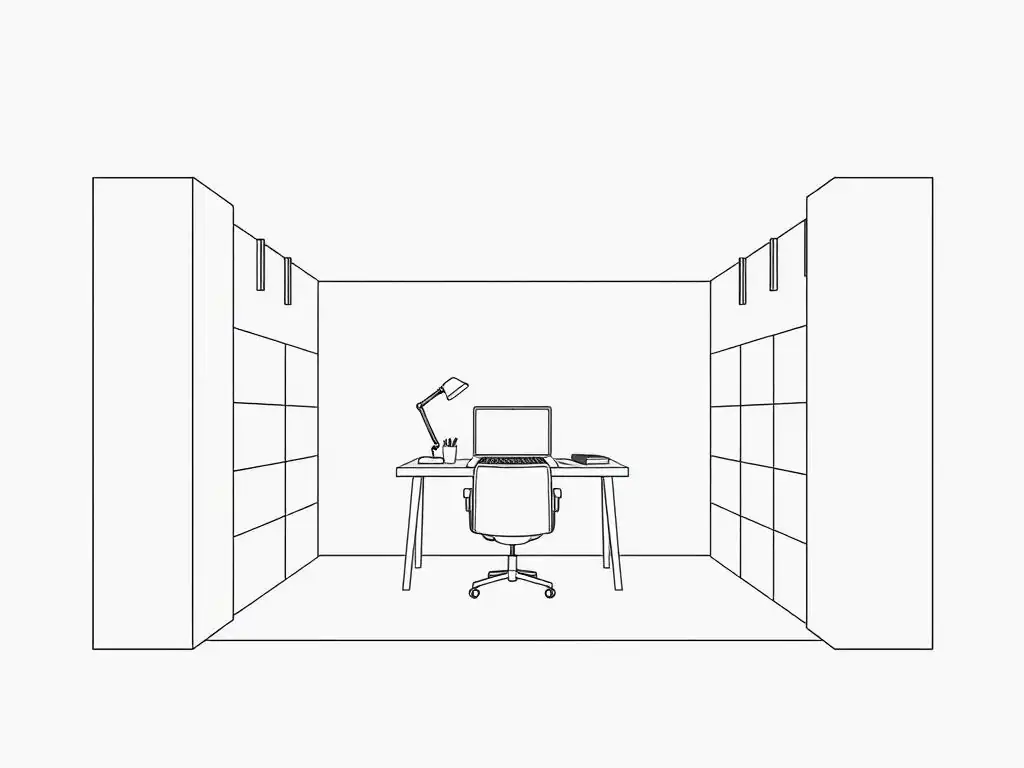
This section dives deep into the architectural and design elements crucial for minimizing home office distractions. Creating a dedicated workspace, separate from living areas, is the cornerstone of effective distraction management. This isn't just about physical separation; it's about creating a psychological boundary that signals your brain it's time to work.
Ergonomic Workspace Setup for Enhanced Concentration: (Example: Herman Miller chairs)
An ergonomic setup isn't just about comfort; it's directly tied to focus and productivity. Discomfort leads to fidgeting, shifting, and ultimately, distraction. Investing in ergonomic furniture, like a high-quality chair (think Herman Miller Aeron or similar models known for their superior lumbar support and adjustability), is an investment in your concentration. A properly adjusted chair minimizes physical strain, allowing you to maintain a consistent posture and remain focused on the task at hand. Beyond the chair, consider:
- Adjustable Desk: The ability to stand or sit throughout the day combats the lethargy that can lead to distraction.
- Proper Monitor Placement: Eye strain is a significant distraction. Position your monitor at arm's length, slightly below eye level, to avoid neck and eye fatigue.
- Keyboard and Mouse Placement: Ensure your keyboard and mouse are positioned to avoid awkward postures and repetitive strain injuries.
Studies show that physical discomfort significantly impacts cognitive function. A comfortable and ergonomically sound workspace minimizes physical distractions, allowing for a clearer, more focused mental state. Remember, a small investment in ergonomics can yield significant returns in terms of increased productivity and reduced distractions.
Strategic Lighting for Optimal Productivity: The Impact of Ambient Light
Lighting plays a surprisingly significant role in minimizing distractions. Harsh, flickering, or overly bright lights can strain your eyes and lead to headaches, disrupting your concentration. Conversely, dim or poorly lit spaces can induce drowsiness and decrease alertness.
The ideal lighting for a home office balances brightness and warmth. Natural light is optimal, but supplementing with strategically placed lamps is crucial, especially during evening hours. Consider:
- Natural Light Maximization: Position your desk near a window to utilize natural light, but avoid direct glare. Sheer curtains can help diffuse strong sunlight.
- Layered Lighting: Combine ambient lighting (overhead lights), task lighting (desk lamps), and accent lighting (decorative lamps) to create a balanced and comfortable atmosphere.
- Color Temperature: Opt for warmer light temperatures (around 2700K) for a relaxing and less stimulating environment, especially during the later part of the workday. Cooler temperatures (5000K-6500K) are better suited for tasks requiring higher levels of alertness.
Poor lighting can lead to eye strain, headaches, and fatigue—all major contributors to distraction. A thoughtfully designed lighting scheme minimizes these issues, creating an environment conducive to focused work.
The Power of Ambient Soundscapes: Using White Noise Machines and Apps (Example: Noisli)
Unexpected noises – a neighbor's lawnmower, a dog barking, traffic – are significant home office distractions. Combatting these interruptions requires creating a controlled auditory environment. While complete silence isn't always ideal, consistent background noise can mask distracting sounds and improve concentration.
White noise, pink noise, or even nature sounds can significantly improve focus. Tools like Noisli (a popular app offering a variety of ambient sounds) or dedicated white noise machines provide a consistent soundscape that masks disruptive noises. Experiment with different sounds to find what works best for you. The key is consistency; a predictable soundscape helps your brain filter out unexpected noises and maintain focus.
| Sound Type | Benefits | Potential Drawbacks |
|---|---|---|
| White Noise | Masks sudden, sharp sounds; promotes relaxation | Can be monotonous over extended periods |
| Pink Noise | More balanced frequency response; less harsh | Might not mask all sounds equally effectively |
| Nature Sounds | Calming; can improve mood | Can be distracting if too detailed or dynamic |
By strategically incorporating ambient soundscapes into your workspace, you can significantly reduce the impact of external auditory distractions and foster a more productive and focused work environment, thus effectively minimizing home office distractions.
Technological Tools to Minimize Home Office Distractions
This section explores how technology, often the source of distractions, can be harnessed to minimize home office distractions and enhance productivity. We'll examine specific tools and strategies to regain control of your workday and create a more focused environment. The key is to strategically utilize technology to limit its negative impact, rather than simply relying on willpower alone. Effective implementation of these tools requires a conscious effort and a willingness to adapt your workflow.
Website Blockers: Boosting Productivity with Freedom and Cold Turkey
Website blockers are powerful tools for combating procrastination. These applications allow you to temporarily restrict access to distracting websites and social media platforms, ensuring you stay on task. Popular options include Freedom and Cold Turkey. Both offer customizable blocking periods and allow you to schedule distraction-free work sessions.
Freedom, known for its comprehensive blocking capabilities, extends beyond just websites, blocking distracting apps on your phone and computer. Its cross-platform compatibility makes it a versatile choice for those who work across multiple devices. The ability to create custom block lists allows for granular control, enabling you to tailor the level of restriction to your specific needs.
Cold Turkey, on the other hand, emphasizes a more forceful approach, making it difficult to override the block even with administrative privileges. This is ideal for individuals who struggle with self-control and require a more robust solution to prevent impulsive distractions. While its interface might seem less user-friendly initially, its powerful blocking features compensate for this.
The choice between Freedom and Cold Turkey often depends on personal preference and the level of control required. Experimenting with both might be beneficial to determine which application best suits your individual working style and susceptibility to online distractions. Remember, effective use of these tools involves planning your work sessions and strategically scheduling your breaks, ensuring a healthy balance between focus and relaxation.
Focus Apps: Time Management and Task Prioritization (Example: Toggl Track, Asana)
Time management and task prioritization applications play a crucial role in minimizing distractions by providing structure and accountability. By carefully organizing your tasks and tracking your time, you can identify time-wasting activities and improve your overall efficiency. Popular examples include Toggl Track and Asana.
Toggl Track excels at tracking time spent on specific tasks, providing valuable insights into your daily workflow. Its simple interface and intuitive design make it easy to use, even for those unfamiliar with time-tracking software. Analyzing the data provided by Toggl Track can help you pinpoint areas where you lose focus and adjust your work habits accordingly. This data-driven approach is key to minimizing home office distractions effectively.
Asana, on the other hand, is a project management tool that facilitates task organization and collaboration. It allows you to create detailed project plans, assign tasks, and set deadlines, fostering a sense of accountability and minimizing the likelihood of getting sidetracked. Asana's comprehensive features make it a valuable asset for managing multiple projects simultaneously, reducing the cognitive load associated with juggling various tasks and preventing distractions caused by task-switching.
Noise-Cancelling Headphones: Investing in Audio Peace (Example: Bose QuietComfort)
Investing in a quality pair of noise-canceling headphones can significantly contribute to minimizing distractions in a busy home environment. These headphones effectively block out ambient noise, creating a more serene and focused work environment. Bose QuietComfort headphones are a popular example, renowned for their superior noise-cancellation technology.
The benefits of noise-canceling headphones extend beyond simply reducing background noise. They can also help block out distracting sounds from family members, pets, or even traffic, allowing you to maintain concentration on your work. This improved focus translates to increased productivity and a more satisfying work experience.
The investment in a good pair of noise-canceling headphones is a worthwhile one for anyone seeking to create a distraction-free home office. Consider the level of noise cancellation, comfort, and overall sound quality when selecting a pair that best fits your individual needs and budget. Remember, a peaceful auditory environment is a crucial element in minimizing home office distractions.
Behavioral Strategies for Improved Focus and Reduced Distractions
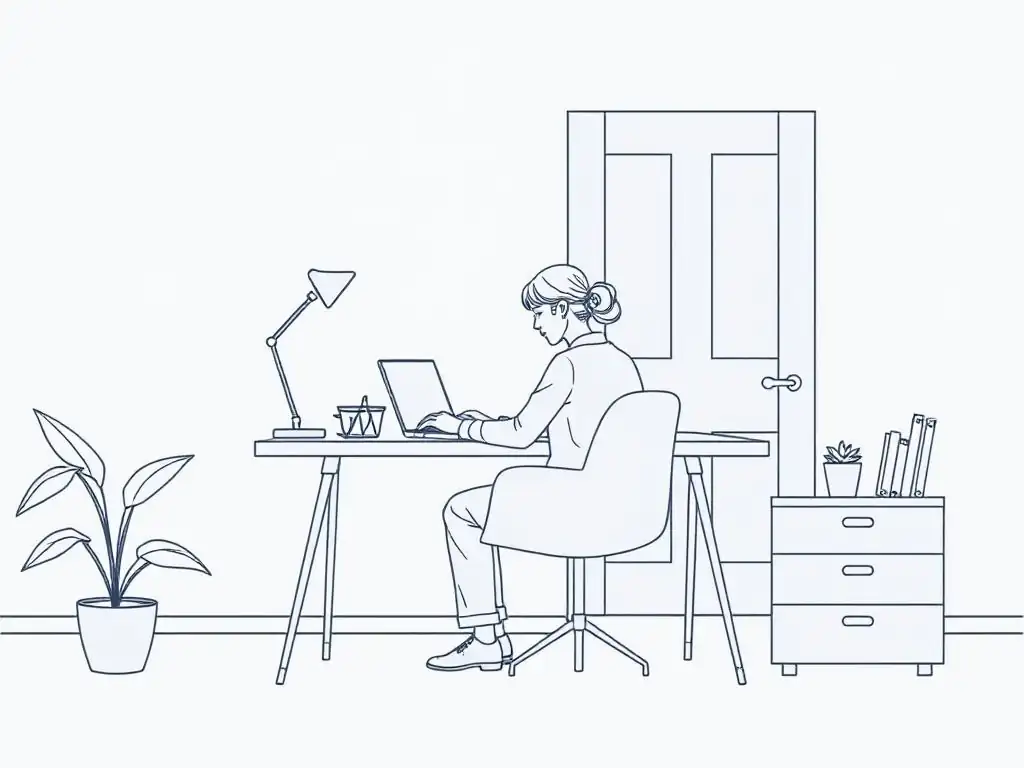
This section delves into actionable behavioral strategies you can implement immediately to minimize home office distractions and boost productivity. We'll explore techniques proven to enhance focus and cultivate a more productive work environment, directly addressing the challenge of "minimize home office distractions". These strategies aren't about rearranging furniture; they're about retraining your brain and optimizing your workflow. Consistent application of these methods will significantly improve your concentration and reduce interruptions.
The Pomodoro Technique: Mastering Time Management for Peak Productivity
The Pomodoro Technique is a simple yet powerful time management method that combats distractions by breaking down work into focused intervals. The core principle involves working in 25-minute focused bursts (Pomodoros), followed by a 5-minute break. After four Pomodoros, take a longer break of 15-20 minutes. This structured approach prevents burnout and allows for short, refreshing pauses that help maintain concentration.
Using a timer is crucial. Many free apps and online timers are specifically designed for the Pomodoro Technique, offering visual cues and reminders. The key is to eliminate all distractions during those 25-minute work periods. This means silencing notifications, closing unnecessary tabs, and communicating your need for uninterrupted focus to family members.
Implementing the Pomodoro Technique requires discipline. Initially, you might find it challenging to stay completely focused for 25 minutes. However, with consistent practice, you'll train your brain to concentrate more effectively, minimizing the impact of distractions. Tracking your Pomodoros can also provide valuable insights into your work patterns and productivity levels. You might discover that certain times of day are more conducive to focused work, allowing you to schedule your most demanding tasks accordingly.
Mindfulness and Meditation: Cultivating Focus and Reducing Stress
Mindfulness and meditation practices are increasingly recognized for their ability to enhance focus and reduce stress, both major contributors to distractions in the home office. By training your mind to stay present, you become less susceptible to the allure of external interruptions and internal anxieties that pull your attention away from work.
Even short meditation sessions (5-10 minutes) can make a significant difference. Numerous studies have shown that regular meditation improves attention span and reduces mental clutter. Apps like Calm and Headspace offer guided meditations specifically designed for focus and stress reduction. These guided sessions can be particularly beneficial for beginners.
Beyond formal meditation, incorporating mindfulness into your daily routine can also be helpful. This could involve simply taking a few moments to consciously focus on your breath before starting a task or pausing to appreciate your surroundings during a break. These micro-moments of mindfulness can help to center you and improve your ability to resist distractions throughout the workday. The goal is to cultivate a state of mental clarity and calmness that makes it easier to concentrate and stay on task.
Regular Breaks and Movement: Preventing Burnout and Maintaining Concentration
Taking regular breaks is not a sign of laziness; it's a crucial strategy for maintaining focus and preventing burnout. Prolonged periods of intense concentration lead to mental fatigue, making you more vulnerable to distractions and less productive.
Short, frequent breaks are more effective than one long break. Aim for a 5-10 minute break every hour. During these breaks, get up and move around. A simple walk, some stretching, or even a quick set of jumping jacks can significantly improve your energy levels and mental clarity. Avoid spending your breaks staring at screens; instead, engage in activities that promote relaxation and rejuvenation.
The benefits extend beyond simply preventing fatigue. Breaks allow your mind to process information and consolidate learning. They also provide an opportunity to reset your focus and approach your work with renewed energy. By incorporating regular movement into your breaks, you also improve physical health, contributing to a more holistic approach to productivity and well-being. Consider creating a schedule that incorporates these breaks into your workday to ensure you consistently prioritize your mental and physical health. This proactive approach will ultimately contribute to a more productive and less distracting home office environment.
Building a Sustainable Distraction-Free Home Office
Creating a truly distraction-free home office isn't a one-time fix; it's an ongoing process requiring consistent effort and adaptation. The key is to build a sustainable system that works for your unique needs and lifestyle. This involves a multifaceted approach encompassing physical space optimization, technological solutions, and mindful behavioral adjustments. Minimizing home office distractions is a journey, not a destination.
Establishing a Consistent Daily Routine for Optimal Workflow
A predictable daily routine is crucial for minimizing distractions and maximizing productivity. This routine should encompass not only your work schedule but also dedicated breaks, exercise, and personal time. The predictability reduces decision fatigue, a significant contributor to procrastination and distraction. For example, a structured routine might look like this:
- 7:00 AM: Wake up, exercise, and prepare breakfast.
- 8:00 AM: Begin work, focusing on high-priority tasks. Use the Pomodoro Technique (25 minutes of focused work followed by a 5-minute break) to maintain concentration.
- 10:00 AM: Short break – stretch, grab coffee, check personal emails briefly.
- 10:15 AM: Resume work, tackling less demanding tasks.
- 12:00 PM: Lunch break.
- 1:00 PM: Afternoon work session, similar structure to the morning.
- 3:00 PM: Another short break – walk around, listen to music.
- 3:15 PM: Wrap up tasks, prepare for the next day.
- 4:00 PM: End of workday.
Remember, this is just a sample routine. Adjust it based on your personal preferences and energy levels. The goal is consistency, not rigidity. Experiment to find what works best for you. Tracking your daily activities using a planner or productivity app can help identify time-wasting patterns and refine your routine. Consistent execution is key to minimizing home office distractions and achieving a sustainable workflow. This helps you develop a rhythm that significantly reduces the likelihood of unplanned interruptions.
Communicating Expectations to Family Members: Setting Boundaries for Productivity
Open and honest communication with family members is paramount. Clearly explaining your work schedule and the need for uninterrupted periods is essential to minimize interruptions. This isn't about being unfriendly; it's about setting healthy boundaries to protect your productivity. Consider:
- Designated Work Hours: Establish clear start and end times for your workday, communicating these times to your family.
- Visual Cues: Use a "Do Not Disturb" sign or a closed door to signal when you need focused work time.
- Scheduled Family Time: Set aside specific times for interacting with family members, ensuring these don't conflict with your work schedule.
- Regular Check-ins: Schedule short breaks throughout the day to connect with family, preventing feelings of isolation and resentment.
- Weekend Boundaries: Clearly define when you are unavailable for family matters to prevent work spilling over into your personal time.
Implementing these strategies requires patience and understanding. It might take time for family members to adjust to your new routine, but consistent communication and reinforcement will eventually lead to a more respectful and productive home environment. This proactive approach is crucial for minimizing home office distractions and fostering a supportive atmosphere.
Regular Review and Adjustment: Optimizing Your Distraction-Minimization Strategy
Minimizing home office distractions is an iterative process. Regularly reviewing and adjusting your strategies is crucial for long-term success. This involves honest self-assessment and a willingness to adapt as your needs and circumstances change.
- Track Your Progress: Regularly monitor your productivity and identify recurring distractions. Are there specific times of day when you're more easily distracted? Are certain tasks more prone to interruptions? Use a journal, spreadsheet, or productivity app to track this data.
- Identify Patterns: Analyze your tracking data to identify patterns and trends. What triggers your distractions? Are there specific people, activities, or technologies that consistently disrupt your workflow?
- Adjust Your Approach: Based on your analysis, make adjustments to your routine, communication strategies, and workspace setup. If you're consistently distracted by social media, consider using website blockers or time-management apps. If family interruptions are a recurring problem, revisit your communication strategies and boundaries.
- Seek Feedback: Don't hesitate to ask for feedback from family members or colleagues. They might offer valuable insights into your behavior and suggest improvements.
Continuous improvement is key to maintaining a distraction-free home office environment. Regular review and adjustment ensure your strategies remain effective and adapt to your evolving needs, ultimately leading to improved productivity and reduced stress. Regularly reviewing your progress ensures you're constantly refining your approach to minimize home office distractions and optimize your workspace for peak performance.
Maximize Your Home Office Productivity with the Right Tools
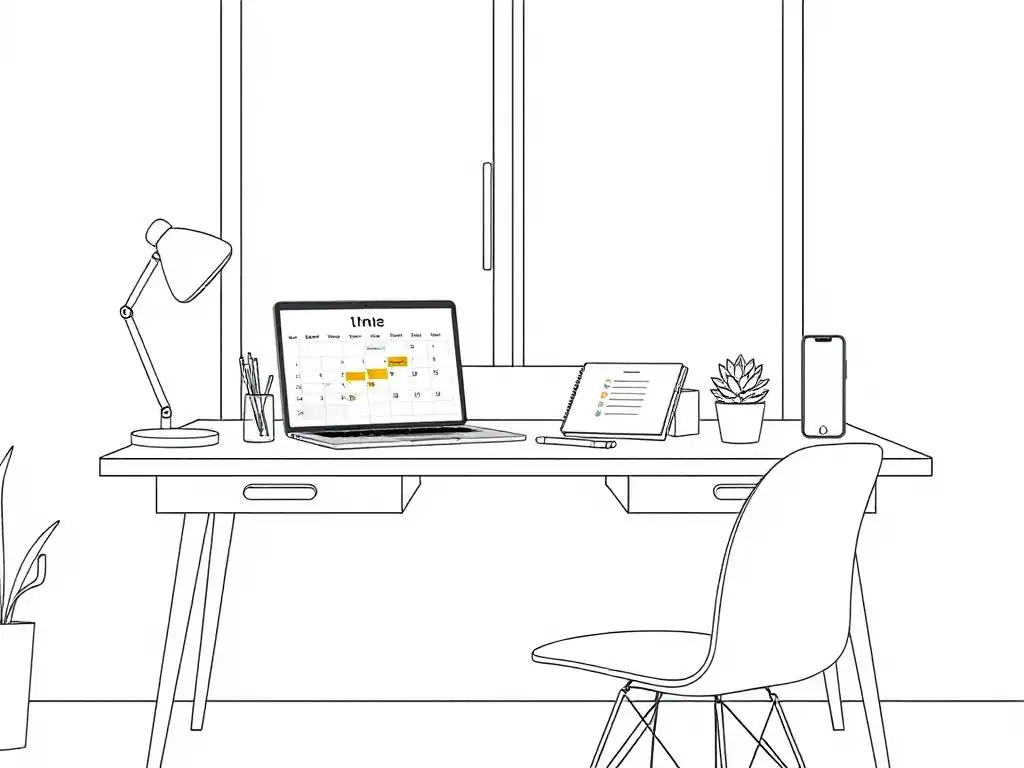
Creating a truly productive home office environment hinges not just on minimizing distractions, but also on maximizing your efficiency with the right tools. The right equipment can significantly improve focus and reduce the mental load associated with juggling tasks. Investing in high-quality tools is an investment in your productivity and ultimately, your well-being. Let's explore some key areas where the right tools can make a world of difference in your quest to minimize home office distractions.
Recommended Noise-Cancelling Headphones for Deep Work
Effective noise cancellation is crucial for minimizing distractions in a home office setting. Whether it's noisy neighbors, household chores, or the incessant chatter of family members, the right headphones can create a sanctuary of silence, allowing you to concentrate on the task at hand. Consider these factors when choosing your headphones:
- Noise cancellation quality: Look for headphones with active noise cancellation (ANC) technology that effectively blocks out a wide range of frequencies. Reviews often highlight the effectiveness of ANC in different environments.
- Comfort and fit: You'll be wearing these for extended periods, so comfort is paramount. Consider the earcup size, headband pressure, and overall weight. Over-ear headphones generally offer better noise isolation than earbuds.
- Sound quality: While noise cancellation is key, good sound quality enhances the overall listening experience, especially if you listen to music or podcasts during breaks.
- Microphone quality: If you frequently participate in video calls, a clear and crisp microphone is essential.
Choosing the right headphones is a personal decision, influenced by budget and individual needs. However, prioritizing noise cancellation quality and comfort will significantly contribute to a distraction-free work environment. Consider reading detailed reviews and comparing specifications before making a purchase. Remember, a small investment in high-quality headphones can yield significant returns in terms of increased productivity and reduced stress.
Top-Rated Apps for Time Management and Task Prioritization
Effective time management and task prioritization are vital for maintaining focus and minimizing distractions. Fortunately, numerous apps are designed to help you stay organized and on track. Here are some top-rated apps that can assist you in managing your workflow and minimizing interruptions:
- Todoist: Known for its intuitive interface and powerful features, Todoist allows you to create projects, assign tasks, set deadlines, and collaborate with others. Its flexible system helps you prioritize tasks based on urgency and importance, preventing distractions caused by task-switching and indecisiveness.
- Asana: A more comprehensive project management tool, Asana is ideal for managing multiple projects and teams. Its features include task assignment, progress tracking, and communication tools, all aimed at streamlining workflows and reducing the likelihood of distractions caused by disorganized projects.
- Trello: Using a Kanban-style board, Trello allows you to visualize your workflow and track progress. Its simplicity and visual nature make it a great choice for those who prefer a more visual approach to task management, helping to maintain focus by presenting a clear overview of ongoing projects.
- Forest: A unique app that gamifies focus by planting a virtual tree whenever you start a work session. If you leave the app before the timer ends, your tree dies. This playful approach to time management can help you stay focused and avoid distractions by making it more enjoyable to resist temptations.
These apps offer a variety of features, so selecting the one that best suits your work style and preferences is crucial. Experiment with a few to find the best fit for your needs. Remember, effective time management is a key element in minimizing home office distractions and maximizing productivity.
Best Ergonomic Chairs for Long Hours of Productive Work
Spending long hours seated in front of a computer can lead to discomfort, fatigue, and even injuries. An ergonomic chair is an investment in your physical and mental well-being and directly impacts your ability to focus and minimize distractions. A comfortable and supportive chair reduces physical discomfort, minimizing distractions caused by aches, pains, and general discomfort. Consider these factors when choosing an ergonomic chair:
- Lumbar support: Adequate lumbar support is crucial for maintaining proper posture and preventing back pain. Look for chairs with adjustable lumbar support to customize the fit to your body.
- Adjustability: A chair with adjustable height, armrests, and backrest allows you to personalize the seating position for optimal comfort and support, reducing the chances of discomfort and distracting physical sensations.
- Material and breathability: The chair's material should be breathable and comfortable, especially during extended use. Mesh or breathable fabric is often preferred to avoid overheating and discomfort.
- Durability and build quality: Invest in a durable chair that can withstand daily use for years to come. A sturdy and well-built chair will provide consistent support and minimize the need for replacements.
Choosing the right ergonomic chair is a significant step towards minimizing distractions caused by physical discomfort. By prioritizing comfort and support, you can create a more productive and enjoyable work environment. Remember to take regular breaks and stretch to further improve your well-being and focus. Investing in your comfort is an investment in your productivity.
Case Study: Transforming a Chaotic Home Office into a Productivity Powerhouse
This section details a real-world example of how a cluttered and distracting home office was transformed into a productive workspace. We'll analyze the challenges faced, the strategies implemented, and the resulting improvements in focus and efficiency. This case study highlights the practical application of techniques to minimize home office distractions and achieve a more productive work environment. Understanding this transformation can provide valuable insights for readers seeking to optimize their own home offices.
Before and After: A Real-World Example of a Successful Home Office Transformation
Before the transformation, Sarah, a freelance graphic designer, described her home office as a "disaster zone." Papers piled high on her desk, creating a visual clutter that mirrored the mental clutter in her mind. Her computer was constantly bombarded with notifications from social media and email, leading to frequent interruptions. The constant buzz of household activity – children playing, the television, and the phone ringing – further exacerbated the problem.
Her productivity suffered significantly, resulting in missed deadlines and increased stress. She frequently found herself overwhelmed and struggling to focus on her work. Her average daily productivity was approximately 4 hours of focused work, interspersed with numerous distractions.
After implementing several strategies to minimize home office distractions, Sarah's workspace underwent a complete metamorphosis. She decluttered her physical space, organizing her files digitally and physically. She implemented a strict notification management system, silencing non-essential alerts and scheduling specific times for checking emails and social media. She also created a dedicated workspace, separate from the main living areas, to reduce household noise interruptions. Crucially, she established clear boundaries with family members, communicating her need for uninterrupted work time.
| Feature | Before Transformation | After Transformation |
|---|---|---|
| Workspace | Cluttered desk, papers everywhere, no dedicated space | Organized desk, clear workspace, dedicated home office |
| Technology | Constant notifications, multiple open tabs | Focused notification settings, minimal open applications |
| Environment | Noisy household environment, interruptions frequent | Quiet workspace, minimized household distractions |
| Productivity | ~4 hours focused work | ~6-7 hours focused work |
The results were dramatic. Sarah reported a significant increase in her daily productivity, achieving 6-7 hours of focused work. Her stress levels decreased, and she felt a sense of calm and control over her work environment. This transformation showcases the power of intentional design and strategic implementation of distraction-minimizing techniques in creating a productive home office.
The key takeaway is that minimizing home office distractions isn't just about physical tidiness; it's a holistic approach encompassing technology management, environmental control, and effective communication. The improved focus directly translated into a higher quality of work and a greater sense of professional satisfaction. This case study underscores the importance of proactive measures to cultivate a focused and productive work environment at home.
Frequently Asked Questions
How can I minimize visual distractions in my home office?
Declutter your workspace regularly. Organize your desk and surrounding area, removing unnecessary items. Prioritize only essential tools and materials within easy reach.
What are some effective strategies to reduce auditory distractions?
Use noise-canceling headphones or white noise to block out external sounds. Communicate your work hours to family members to minimize interruptions. Consider using a dedicated workspace away from high-traffic areas.
How can I manage digital distractions while working from home?
Turn off non-essential notifications on your computer and phone. Use website blockers to restrict access to distracting sites. Schedule specific times for checking emails and social media.
What are some simple techniques to improve focus and concentration?
Practice mindfulness techniques like deep breathing to stay present. Take regular breaks to avoid burnout and mental fatigue. Implement the Pomodoro Technique to manage your work sessions effectively.
How can I create a more productive and distraction-free home office environment?
Designate a specific area solely for work. Ensure adequate lighting and comfortable seating. Keep your workspace clean and organized to promote a sense of calm and focus.
Final Reflection: Reclaiming Focus in the Age of Distraction
The relentless pursuit of productivity in our increasingly digital world demands a conscious effort to manage distractions, and nowhere is this more crucial than in the home office. The blurring lines between work and personal life, coupled with the constant barrage of notifications and competing demands, makes creating a truly productive workspace a significant challenge. But by implementing the strategies outlined in this article, you can begin to reclaim your focus and unlock your true potential.
The impact of constant distractions extends far beyond mere inefficiency; it chips away at our mental well-being, fostering stress and hindering creativity. The ability to concentrate intensely is a form of intelligence.
– This quote highlights the importance of focus not just for productivity, but as a crucial cognitive skill. The strategies discussed—from optimizing your workspace to mastering time management techniques—are not simply about ticking off tasks; they are about cultivating a mindful approach to work that prioritizes both output and mental health. This shift in perspective is crucial for long-term success and overall well-being.
You now possess the tools to transform your home office from a chaotic battleground into a sanctuary of productivity. Consider which strategies resonate most with you, and begin implementing them, one step at a time. Experiment, adapt, and refine your approach until you find the perfect balance that allows you to thrive in your workspace.
Remember, conquering chaos is an ongoing journey, not a destination. Embrace the process, celebrate your successes, and continue to refine your strategies as you navigate the ever-evolving landscape of the modern home office. The power to create a focused and fulfilling work environment rests entirely within your hands.
Rediscover Your Focus: Transform Your Home Office Now!
Thank you for exploring proven strategies to organize your home office! We hope you found valuable insights for creating a more productive workspace. Now, let's put those strategies into action.
- Start with one key change: Identify the most impactful tip from the article and implement it immediately. Even a small adjustment can significantly improve your productivity.
- Share your success: Tell us (or a friend!) about your progress. Which strategy proved most effective?
- Try something new: Experiment with a different organizational method or time-management technique and share your results with us!
Ready to experience a more focused and productive work environment? What small change will you make today to see a significant improvement in your home office?