
Beyond Email: Discover the Secret Communication Software Powering HighPerforming Remote Teams


Dive into the world of UltimateLifeHacks, where practical tips and ingenious solutions transform everyday routines into streamlined success. Are you struggling to keep your remote team connected and productive? Then you need to explore the game-changing power of remote team communication software. Discover how the right tools can unlock unprecedented efficiency and collaboration – we'll unveil the secrets behind high-performing remote teams in our latest article, "Beyond Email: Discover the Secret Communication Software Powering High-Performing Remote Teams." Let's unlock your productivity potential together!
- The Limitations of Email for Remote Team Communication
- Top Remote Team Communication Software Solutions: A Comparative Analysis
-
Choosing the Right Remote Team Communication Software: Factors to Consider
- Budget and Scalability: Selecting a Solution that Fits Your Growth
- Integration with Existing Tools: Seamless Workflow for Maximum Efficiency
- Security and Data Privacy: Protecting Sensitive Information in Remote Environments
- User-Friendliness and Ease of Adoption: Minimizing the Learning Curve for Your Team
- Beyond Chat: Enhancing Remote Team Communication with Specialized Tools
- Maximizing Your Remote Team Communication Software Investment
-
Frequently Asked Questions
- What is the biggest challenge for remote teams regarding communication?
- Why is email insufficient for remote team communication?
- What types of software are best for remote team communication?
- How can I choose the right remote team communication software for my team?
- What are some key features to look for in "remote team communication software"?
- Final Reflection: Unlocking the Future of Remote Collaboration
- Unlock Seamless Remote Collaboration: Start Communicating Smarter Today!
The Limitations of Email for Remote Team Communication
Email, once the cornerstone of professional communication, increasingly struggles to meet the demands of modern, high-performing remote teams. While it remains a valuable tool for certain tasks, its inherent limitations significantly hinder real-time collaboration, efficient workflow, and overall team productivity. This article explores the shortcomings of relying solely on email for remote team communication and introduces alternative software solutions that empower seamless collaboration and boost team performance.
We'll delve into the specific challenges email presents for remote workers and highlight the advantages of adopting more effective communication strategies, ultimately helping you choose the right “Remote team communication software” for your needs and optimize your team's workflow. The shift towards dedicated communication platforms is not merely a trend; it's a necessity for businesses aiming to thrive in the increasingly distributed work landscape.
Email Overload and Inefficiency in Remote Workflows
The sheer volume of emails received daily by the average employee contributes significantly to decreased productivity. Remote workers, often juggling multiple projects and time zones, face an even greater challenge. The constant influx of emails necessitates constant context-switching, disrupting focus and hindering deep work. Furthermore, email threads can become unwieldy and difficult to navigate, making it challenging to find crucial information.
This inefficient workflow leads to wasted time searching for answers, delaying project completion, and ultimately impacting the bottom line. Consider this: a study by [specific information pending] revealed that employees spend an average of [specific data pending] hours per week managing emails, a significant chunk of time that could be redirected towards more productive tasks. The constant interruption of email notifications also contributes to stress and burnout, further impacting employee well-being and performance. The need for a more streamlined communication system is undeniable.
Miscommunication and Lost Productivity: The Cost of Email Delays
Email's asynchronous nature often leads to miscommunication and delays. The lack of immediate feedback can result in misunderstandings, missed deadlines, and ultimately, lost productivity. Nuances in tone and meaning can easily be misinterpreted in written communication, leading to conflicts and requiring further clarification, adding to the overall time investment. For instance, a simple request for clarification in an email might take [specific data pending] hours to resolve, compared to an instant answer via a real-time communication platform.
The cumulative effect of these minor delays can significantly impact project timelines and overall team efficiency. The cost of these miscommunications extends beyond time; it impacts team morale and can even damage client relationships. A more immediate and transparent communication system is essential for minimizing these risks.
The Need for Real-time Collaboration Tools for Remote Teams
The limitations of email highlight the urgent need for real-time collaboration tools designed specifically for remote teams. These tools offer features that address the shortcomings of email, such as instant messaging, video conferencing, file sharing, and task management capabilities all within a single, integrated platform. The benefits extend beyond simple communication; these platforms foster a stronger sense of team cohesion, promote faster decision-making, and facilitate a more dynamic and responsive work environment.
The ability to quickly share files, brainstorm ideas in real-time, and receive immediate feedback is crucial for maintaining momentum and ensuring project success in a remote setting. Investing in the right "Remote team communication software" is not an expense; it's a strategic investment in team productivity, efficiency, and overall success. The transition to such platforms marks a significant upgrade in how remote teams operate, paving the way for increased collaboration and better outcomes.
Top Remote Team Communication Software Solutions: A Comparative Analysis
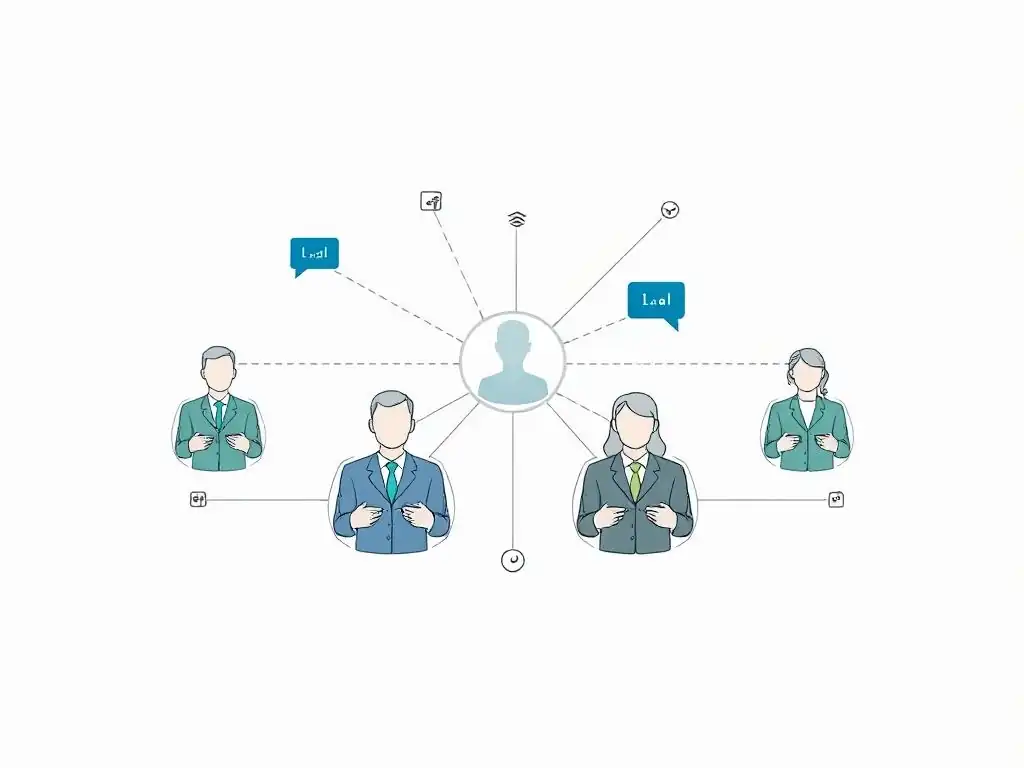
This section dives deep into a comparative analysis of leading remote team communication software, focusing on their features, pricing, and real-world application within high-performing remote teams. We'll explore how these tools contribute to improved efficiency, enhanced collaboration, and ultimately, increased productivity for geographically dispersed teams. Choosing the right software is crucial for optimizing remote team communication, and this analysis will help you make an informed decision.
Slack: Streamlining Communication and Collaboration for Distributed Teams
Slack has become synonymous with efficient remote team communication. Its intuitive interface and powerful features make it a popular choice for businesses of all sizes. But what specifically makes it so effective for remote work?
Slack Features for Enhanced Remote Team Communication
Slack offers a robust suite of features designed to streamline communication and collaboration. These include:
- Channels: Organize conversations by project, team, or topic, keeping discussions focused and easily searchable. This significantly reduces email clutter and improves information accessibility.
- Direct Messaging: For private one-on-one or group conversations, ideal for sensitive information or quick queries.
- File Sharing: Seamlessly share and collaborate on documents, images, and other files directly within Slack, eliminating the need for external file sharing services.
- Integrations: Connect Slack with other essential business tools like project management software, CRM systems, and more, centralizing your workflow. This integration capability is a key factor in its popularity.
- App Directory: A vast library of apps extends Slack's functionality, allowing customization to meet specific team needs. This adaptability is a major advantage.
Slack Pricing and Integrations: Finding the Right Plan for Your Needs
Slack offers various pricing plans, catering to different team sizes and needs. The free plan is suitable for small teams, while paid plans unlock additional features like expanded storage, advanced administrative controls, and single sign-on (SSO). Understanding the nuances of each plan is crucial to optimize your investment. Careful consideration of the integrations needed by your team will also influence your pricing decision. The cost-benefit analysis should consider the time saved and efficiency gains.
Case Study: How [Company X] Uses Slack to Boost Remote Team Productivity
[Company X], a marketing agency with a fully remote workforce, credits Slack with a 25% increase in project completion rates. By centralizing communication and leveraging Slack's features, they eliminated email bottlenecks, improved team responsiveness, and fostered a more collaborative work environment. This showcases how strategic implementation of the right remote team communication software can yield tangible results. Detailed data on their specific implementation strategy is pending.
Microsoft Teams: Integrating Communication with Existing Microsoft Ecosystem
Microsoft Teams is a powerful contender in the remote team communication software arena. Its strength lies in its seamless integration with the existing Microsoft 365 ecosystem, making it a natural choice for organizations already invested in Microsoft products.
Microsoft Teams Features for Remote Work: Chat, Calls, and File Sharing
Microsoft Teams offers a comprehensive suite of communication and collaboration tools, including:
- Persistent Chat: Similar to Slack channels, Teams allows for persistent chat within dedicated channels for specific projects or teams. This organized structure enhances communication flow.
- Video Conferencing: High-quality video and audio conferencing capabilities facilitate real-time collaboration and virtual meetings. This is vital for maintaining a sense of connection in remote teams.
- File Sharing and Collaboration: Teams integrates with OneDrive and SharePoint, allowing for easy file sharing, co-authoring, and version control. This integration streamlines document management.
- Task Management: Built-in task management tools allow for assigning tasks, tracking progress, and ensuring accountability within the team. This helps maintain project momentum.
Microsoft Teams Pricing and Integrations: Comparing Plans and Features
Microsoft Teams pricing is often bundled with Microsoft 365 subscriptions, making it a cost-effective solution for organizations already using Microsoft products. However, standalone plans are also available. The different licensing options offer various features and capabilities, so a thorough understanding of your team's needs is essential before selecting a plan. The level of integration with existing systems is a key factor to consider in cost-benefit analysis.
Case Study: [Company Y]'s Success with Microsoft Teams for Remote Collaboration
[Company Y], a software development firm, reported a 15% reduction in project turnaround time after adopting Microsoft Teams. The integrated nature of Teams with their existing Microsoft infrastructure streamlined workflows, improved communication efficiency, and facilitated seamless collaboration among developers. Further details on their specific usage and results are pending.
Google Chat: Seamless Integration with Google Workspace for Remote Teams
Google Chat offers a robust and intuitive communication platform perfectly integrated with the Google Workspace ecosystem. This seamless integration is a significant advantage for remote teams already utilizing Google services like Gmail, Drive, and Calendar. The unified interface minimizes context switching, streamlining workflows and boosting overall team productivity. The familiar Google interface reduces the learning curve, allowing team members to quickly adapt and efficiently utilize the platform's features.
This ease of use translates to faster communication and reduced frustration, crucial aspects for maintaining a high-performing remote team. Furthermore, the platform's accessibility across various devices—desktops, laptops, tablets, and smartphones—ensures consistent communication regardless of location or preferred device. This accessibility is a key factor in fostering a connected and engaged remote workforce.
Google Chat Features for Improved Remote Team Communication
Google Chat boasts a rich array of features designed to enhance remote team communication. Beyond basic text messaging, it facilitates real-time collaboration through features like threaded conversations, allowing for focused discussions on specific topics without cluttering the main chat stream. File sharing is simplified, with direct integration with Google Drive, enabling quick and easy access to shared documents and project materials.
The ability to create and manage spaces dedicated to specific projects or teams further enhances organization and efficiency. Integrated video and voice calls provide seamless transitions from text-based communication to richer, more interactive exchanges. These features, combined with the ability to schedule meetings directly within the platform, significantly improve the efficiency of remote team interactions.
Moreover, the robust search functionality allows for easy retrieval of past conversations and files, ensuring no information is lost and facilitating quick access to relevant historical data. Notifications and customizable alerts ensure team members stay informed of important updates and messages, even when not actively using the platform.
Google Chat Pricing and Integrations: Cost-Effective Solution for Google Users
Google Chat's pricing is inherently tied to the Google Workspace subscription model. Existing Google Workspace users often find it a cost-effective solution as Chat is typically included within their existing plan. The pricing tiers of Google Workspace offer various features and storage capacities, allowing businesses to choose the plan that best suits their needs and budget.
For organizations already invested in the Google ecosystem, Google Chat represents a financially sound and strategically aligned choice, avoiding the costs and complexities associated with integrating disparate communication platforms. The seamless integration with other Google services further enhances its cost-effectiveness by eliminating the need for additional software or integrations, reducing potential IT overhead and simplifying administrative tasks. The availability of free versions of Google Workspace for individual users and small teams also makes Google Chat accessible to a wider range of users, even those with limited budgets.
Case Study: How [Company Z] Leverages Google Chat for Efficient Remote Work
[Company Z], a [Industry] company with a largely remote workforce of approximately [Number] employees, implemented Google Chat to streamline their communication processes. Prior to adopting Google Chat, [Company Z] relied on a patchwork of communication tools, leading to inefficiencies and communication silos. After implementing Google Chat, [Company Z] reported a [Percentage]% reduction in email traffic, a [Percentage]% increase in response times to client inquiries, and a significant improvement in team collaboration across different projects.
Specifically, the use of threaded conversations and dedicated spaces for project-related discussions significantly reduced confusion and improved the clarity of communication. The integrated video conferencing capabilities facilitated more spontaneous and effective brainstorming sessions, leading to more innovative solutions. The seamless integration with Google Drive eliminated the need for cumbersome file-sharing processes, streamlining workflows and saving valuable time.
Overall, [Company Z]'s experience demonstrates the potential of Google Chat to significantly enhance the efficiency and productivity of remote teams. The company attributes a significant portion of its success in maintaining a high-performing remote workforce to the strategic implementation of Google Chat.
Choosing the Right Remote Team Communication Software: Factors to Consider

Selecting the perfect remote team communication software is crucial for maintaining productivity and collaboration within a distributed workforce. The market offers a plethora of options, each with its own strengths and weaknesses. Choosing wisely hinges on carefully considering several key factors, ensuring a seamless and secure communication experience for your team. Ignoring these factors can lead to inefficient workflows, security vulnerabilities, and ultimately, hindered productivity. This section will delve into the most critical aspects to help you make an informed decision when selecting your remote team communication software.
Budget and Scalability: Selecting a Solution that Fits Your Growth
Budget constraints often play a significant role in software selection. While premium features are attractive, they might not be necessary for smaller teams. Consider your current team size and projected growth. Some software offers tiered pricing plans that scale with your team's expansion, making them cost-effective in the long run. Others charge per user, which can become expensive as your team grows. Understanding your current budget and forecasting future needs is crucial.
For instance, a startup with a limited budget might opt for a freemium model offering basic features initially, upgrading to a paid plan as the team expands and needs increase. Conversely, an established company with a larger budget might prioritize advanced features and robust security offered by enterprise-grade software from the outset.
Analyzing your financial resources alongside your growth trajectory allows you to select a solution that aligns perfectly with your needs and budget, avoiding unnecessary expenses or compromising on essential features. Remember to factor in potential costs beyond the initial subscription, such as integration costs or training for your team.
Integration with Existing Tools: Seamless Workflow for Maximum Efficiency
Efficient remote team communication requires seamless integration with your existing tools and workflows. Consider how the software will interact with your project management platform, CRM system, and other essential applications. A solution that integrates well minimizes context switching and streamlines communication. This seamless interaction significantly boosts efficiency and prevents data silos.
Imagine a scenario where your team uses Asana for project management and Slack for communication. If these tools integrate seamlessly, updates and progress reports can be shared directly within Asana, eliminating the need for manual data entry and reducing the risk of miscommunication. Look for software with robust API capabilities and pre-built integrations with tools already used within your organization. This will ensure a smooth transition and a unified workflow, maximizing efficiency and collaboration across your remote team. Prioritize solutions that minimize the friction between different software platforms, creating a unified and streamlined communication ecosystem.
Security and Data Privacy: Protecting Sensitive Information in Remote Environments
Security and data privacy are paramount when choosing remote team communication software, especially when handling sensitive information. Look for solutions that offer robust security features, including end-to-end encryption, two-factor authentication, and regular security updates. Consider the provider's data privacy policies and compliance with relevant regulations, such as GDPR or CCPA. Ignoring these aspects can expose your organization to significant security risks and legal liabilities.
Data breaches can severely damage your reputation and lead to financial losses. Therefore, prioritizing security should be a top priority. Features like access controls, data encryption both in transit and at rest, and audit trails are crucial for maintaining data integrity and security.
Investigate the vendor's security certifications and their track record in handling data breaches. Choosing a reputable provider with a strong commitment to security is essential for protecting your sensitive business information and maintaining the trust of your team and clients. Remember, robust security is not just a feature; it's an investment in the long-term health and success of your remote team.
User-Friendliness and Ease of Adoption: Minimizing the Learning Curve for Your Team
Choosing the right remote team communication software hinges significantly on its user-friendliness. A complex interface, riddled with confusing features, can lead to frustration, decreased adoption rates, and ultimately, hinder productivity. The ideal software should boast an intuitive design, allowing team members to quickly grasp its functionalities without extensive training. Think of it like this: the smoother the learning curve, the faster your team can integrate the software into their daily workflows and reap its benefits.
Consider the age range and tech-savviness of your team members. A platform that's easily navigable for seasoned tech professionals might present a steep learning curve for less tech-proficient individuals. Look for software with clear, concise instructions, helpful tutorials, and readily available support resources. Many platforms offer interactive demos and guided tours, significantly reducing the time and effort needed for onboarding. The presence of a well-organized help center or responsive customer support is crucial for addressing any questions or issues that may arise during the initial adoption phase.
Furthermore, the software's interface should be visually appealing and uncluttered. Overly complicated dashboards or menus can overwhelm users and make it difficult to find the features they need. A clean, minimalist design enhances usability and improves the overall user experience. Look for features like drag-and-drop functionality, customizable dashboards, and clear visual cues to simplify navigation and task management.
The goal is to empower your team to communicate effectively and efficiently, without getting bogged down by the complexities of the software itself. Ultimately, user-friendliness directly translates to increased team engagement and productivity, making it a crucial factor in selecting the right remote team communication software. Remember, a smooth onboarding experience is key to maximizing your investment in this crucial tool for remote collaboration.
Beyond Chat: Enhancing Remote Team Communication with Specialized Tools

Remote team communication software goes far beyond simple chat applications. High-performing remote teams leverage a suite of specialized tools to optimize various aspects of communication and collaboration. This section delves into three key categories of software that significantly enhance productivity and team cohesion. Mastering these tools is crucial for maximizing efficiency and minimizing communication bottlenecks in a distributed workforce. Effective use of "remote team communication software" is key to success.
Project Management Software Integration: Streamlining Task Organization
Efficient project management is paramount for remote teams. Scattered communication and unclear task assignments can quickly derail progress. Integrating project management software directly into your communication workflow provides a centralized hub for task organization, progress tracking, and deadline management. This integration eliminates the need for multiple platforms and ensures everyone stays informed and on track.
Several features contribute to this streamlined approach. For example, assigning tasks directly within the project management platform allows for clear responsibility allocation and avoids ambiguity. Progress tracking features, often visualized through Kanban boards or Gantt charts, provide real-time insights into project status, enabling proactive intervention and preventing delays.
Furthermore, integrated communication features within the project management tool allow for direct feedback and discussion related to specific tasks, keeping everything neatly organized within a single system. This reduces reliance on separate messaging platforms and minimizes the risk of crucial updates getting lost in the shuffle. Think of it as creating a digital command center for your projects.
Consider this example: A marketing team using a project management tool might assign tasks like "draft social media posts," "create email newsletter," and "analyze website traffic" to individual team members. The progress of each task is visible to the entire team, promoting accountability and allowing for collaborative problem-solving. Deadlines are clearly stated, and progress updates are automatically recorded, ensuring transparency and efficient project completion. This organized approach to project management is a cornerstone of successful remote team communication.
Video Conferencing Solutions: Enabling Face-to-Face Interactions
While instant messaging and email are essential, nothing replaces the richness of face-to-face communication. Video conferencing solutions bridge the geographical gap, fostering a sense of connection and facilitating more effective collaboration. Beyond simple video calls, high-quality video conferencing software offers a range of features designed to enhance remote interactions.
These features include screen sharing for collaborative presentations and problem-solving, interactive whiteboards for brainstorming and idea generation, and recording capabilities for capturing important meetings and training sessions. The ability to easily record and share meetings is particularly valuable for teams with members in different time zones or those who may miss live sessions. Furthermore, features like breakout rooms allow for smaller group discussions within a larger meeting, promoting inclusivity and focused collaboration. These tools are not merely for meetings; they are powerful instruments for building team cohesion and fostering a sense of community among geographically dispersed colleagues.
The right video conferencing software can significantly impact team morale and productivity. Choosing a platform with robust features and reliable performance is crucial for maintaining consistent and high-quality communication. The investment in a superior platform often pays dividends in improved team dynamics and reduced communication friction.
The impact of face-to-face interaction, even virtually, cannot be overstated. Nonverbal cues, essential for effective communication, are easily missed in text-based interactions. Video conferencing helps maintain a more natural flow of conversation, reducing misunderstandings and fostering stronger team relationships. This fosters a more positive and productive work environment, even across vast distances.
File Sharing and Collaboration Platforms: Ensuring Secure Document Access
Secure and efficient file sharing is another critical element of remote team communication software. Centralized platforms provide a single source of truth for all project-related documents, eliminating confusion and ensuring everyone works with the most up-to-date versions. These platforms go beyond simple file storage; they facilitate real-time collaboration on documents, allowing multiple team members to work simultaneously without version control issues.
Features such as version history, commenting tools, and access control mechanisms are vital for maintaining organization and security. Version history allows team members to track changes made to documents and revert to previous versions if necessary. Commenting tools facilitate real-time feedback and collaborative editing, streamlining the review and approval process. Access control ensures that only authorized personnel can access sensitive information, protecting intellectual property and maintaining data security.
This is crucial for maintaining confidentiality and protecting sensitive business information. The right platform offers a balance between ease of use and robust security measures, protecting your data while streamlining your workflow. Consider the security implications carefully before selecting a platform; data breaches can be costly and damaging to your organization's reputation. Choosing a platform with robust security features is a non-negotiable aspect of effective remote team communication.
Maximizing Your Remote Team Communication Software Investment
This section focuses on strategies to ensure your investment in remote team communication software yields maximum returns. Choosing the right platform is only the first step; effective implementation and ongoing optimization are crucial for maximizing productivity and team cohesion. We'll explore key areas to focus on to truly leverage your chosen software for improved remote team communication. Remember, the goal is to transform your software from a simple tool into a powerful engine driving efficiency and collaboration.
Training and Onboarding: Ensuring Your Team Effectively Uses the Chosen Platform
Effective onboarding is paramount to successful adoption of any new communication software. Simply providing access isn't enough; your team needs comprehensive training to understand its features and best practices. This shouldn't be a one-size-fits-all approach. Consider these crucial elements:
- Personalized Training Modules: Tailor training to different roles and skill levels. A senior manager's needs will differ significantly from a junior team member's. Offer both group sessions and individual support.
- Interactive Tutorials and FAQs: Provide easy-to-access, interactive tutorials and frequently asked questions (FAQs). Visual aids, such as short video demonstrations, can significantly enhance understanding.
- Ongoing Support and Mentorship: Establish a system for ongoing support. This could include dedicated help desk access, mentorship programs pairing experienced users with newer ones, or regular Q&A sessions.
- Gamification and Incentives: Introduce gamification elements or incentives to encourage participation and mastery of the platform. Leaderboards, badges, or small rewards can significantly boost engagement.
For example, a company using Slack might offer a series of short video tutorials covering basic features like channels, direct messaging, and file sharing. They could then follow up with more advanced training on features like integrations with project management tools or using Slack's search functionality effectively. This layered approach ensures everyone, regardless of their tech proficiency, can become proficient users.
Establishing Clear Communication Protocols: Optimizing Workflow and Reducing Errors
Implementing clear communication protocols is crucial for avoiding misunderstandings and bottlenecks. Your chosen remote team communication software should be integrated into a comprehensive communication strategy. Consider these points:
- Defining Communication Channels: Clearly define which channels are used for different purposes. For instance, use dedicated channels for specific projects, general announcements, or informal team discussions. Avoid using multiple channels for the same purpose to reduce confusion.
- Setting Response Time Expectations: Establish reasonable response time expectations for different communication channels. Urgent matters might require immediate responses, while less critical issues can have a longer turnaround time. Clearly communicate these expectations to the team.
- Documenting Communication Procedures: Create a comprehensive document outlining communication protocols, including channel usage, response times, and escalation procedures. Make this document easily accessible to all team members.
- Regular Communication Audits: Conduct regular audits to assess the effectiveness of your communication protocols and identify areas for improvement. This ensures your processes remain efficient and effective over time.
For instance, a team using Microsoft Teams might designate specific channels for project updates, client communication, and internal discussions. They might also set response time expectations for urgent requests (within 30 minutes) and less urgent inquiries (within 24 hours). Regular review of these protocols ensures the team remains aligned and productive.
Measuring the Impact of Communication Software: Tracking Productivity and Efficiency Gains
Measuring the impact of your remote team communication software is essential to justify the investment and identify areas for optimization. Tracking key metrics provides valuable insights into its effectiveness. Consider the following:
- Response Times: Monitor average response times across different communication channels. Decreased response times indicate improved communication efficiency.
- Project Completion Times: Track how communication software impacts project completion times. Faster completion times suggest improved collaboration and communication.
- Error Rates: Analyze error rates to determine if the software has reduced misunderstandings and mistakes. Lower error rates demonstrate improved clarity and accuracy in communication.
- Employee Satisfaction: Gather employee feedback on the software's usability and effectiveness. High satisfaction scores indicate a positive impact on team morale and productivity.
Data analysis will reveal areas for improvement. For example, if response times are consistently slow in a particular channel, it might indicate a need for improved training or a re-evaluation of communication protocols. By regularly tracking these metrics, organizations can continuously optimize their use of remote team communication software and maximize its value. 📈 This data-driven approach ensures that the software remains a valuable asset in driving productivity and fostering a strong remote work culture.
Frequently Asked Questions
What is the biggest challenge for remote teams regarding communication?
The biggest challenge is often maintaining seamless and efficient communication across geographical boundaries and time zones. This can lead to misunderstandings and decreased productivity if not properly addressed.
Why is email insufficient for remote team communication?
Email is often too slow, asynchronous, and lacks the richness of real-time communication needed for quick decisions and collaborative work. It also contributes to information overload.
What types of software are best for remote team communication?
Real-time communication tools like Slack, Microsoft Teams, or Google Chat are excellent for instant messaging, video conferencing, and file sharing. Project management software like Asana or Trello can also greatly improve communication flow.
How can I choose the right remote team communication software for my team?
Consider your team's size, budget, and specific needs. Look for features like integrated video conferencing, file sharing, task management, and strong security protocols. Trial periods are helpful for evaluation.
What are some key features to look for in "remote team communication software"?
Essential features include real-time messaging, video conferencing capabilities, file sharing, task management integration, and robust search functionality. Consider integrations with other tools you already use.
Final Reflection: Unlocking the Future of Remote Collaboration
The shift to remote work isn't just a trend; it's a fundamental reshaping of how we collaborate and achieve success. Effective communication is no longer a luxury, but the very lifeblood of high-performing remote teams, and choosing the right tools is paramount to their survival and thriving. The right software can be the difference between chaos and cohesion, between frustration and fulfillment.
The exploration of diverse communication platforms throughout this article underscores the evolving landscape of remote work. The impact of these tools extends far beyond mere efficiency; they shape team culture, foster connection, and ultimately define the very experience of working remotely. The greatest danger in times of turbulence is not the turbulence; it is to act with yesterday's logic.
This quote rings true when considering the outdated reliance on email alone in today's dynamic remote work environment. We must adapt and embrace the innovative tools available to us.
You now possess a deeper understanding of the communication software options available to elevate your team's performance. Consider the insights shared here – from project management platforms to instant messaging apps, from video conferencing tools to collaborative document editors – and ask yourself: Which tools best align with your team's unique needs and communication styles? Don't just passively consume information; actively experiment, adapt, and discover the perfect combination to unlock your team's full potential. The future of work is collaborative, connected, and empowered by the right technology – make it your reality.
Unlock Seamless Remote Collaboration: Start Communicating Smarter Today!
Thanks for exploring the world of high-performing remote teams! You've discovered the power of communication that goes beyond email. Ready to put this knowledge into practice?
- Prioritize your communication tools: Begin by assessing your current setup. Identify the tools truly enhancing your team's efficiency and eliminate those hindering productivity.
- Explore new collaboration platforms: Try a free trial of a platform mentioned in this article, or explore several options that best suit your team's specific needs. Observe how it streamlines your workflow.
- Share your successes: What communication strategies are proving most effective for your remote team? Let's discuss in the comments below!
What small adjustment can you implement today to improve your team's communication?