
Simple Changes, Big Impact: Optimize Your Digital Workspace for Success


Ready to unlock a world of effortless productivity? At UltimateLifeHacks, we believe even small changes can dramatically impact your daily life. This article dives deep into optimizing digital workspace efficiency, revealing simple strategies to reclaim your time and boost your output. Discover how to transform your digital workflow and experience the incredible results — let's get started!
- Understanding Your Current Digital Workflow: A Self-Assessment
-
Streamlining Your Digital Workspace for Peak Efficiency
- Decluttering Your Digital Desktop: Tips and Techniques
- Organizing Your Files and Folders for Easy Access: File Management Strategies
- Optimizing Your Email Inbox: Effective Email Management for Productivity
- Customizing Your Browser Settings for Enhanced Workflow
- Leveraging Automation Tools to Simplify Repetitive Tasks: Automation for Efficiency
-
Enhancing Focus and Reducing Distractions in Your Digital Workspace
- Minimizing Digital Distractions: Techniques for Improved Concentration
- Utilizing Productivity Apps and Software: Time Management Tools
- Setting Realistic Goals and Prioritizing Tasks: Prioritization Strategies for Digital Workflows
- Implementing the Pomodoro Technique for Enhanced Focus: Pomodoro for Digital Productivity
- Creating a Dedicated Workspace: Optimizing Your Physical Environment for Digital Work
- Mastering Communication and Collaboration in the Digital Workspace
-
Measuring and Maintaining Your Optimized Digital Workspace
- Tracking Your Productivity and Identifying Areas for Improvement: Measuring Digital Workspace Efficiency
- Regularly Reviewing and Updating Your Digital Workflow: Maintaining an Optimized Digital Workspace
- Adapting Your Digital Workflow to Evolving Needs: Adaptability and Digital Workflows
- Continuously Learning and Improving Your Digital Workspace Strategies: Continuous Improvement for Digital Productivity
-
Frequently Asked Questions
- What are some quick wins for optimizing my digital workspace?
- How can I improve my focus and reduce distractions in my digital workspace?
- What tools or software can help optimize my digital workspace efficiency?
- How can I better organize my digital files to improve efficiency?
- How do I maintain a consistently optimized digital workspace?
- Final Reflection: The Ripple Effect of a Streamlined Digital Workspace
- Unlock Your Digital Potential: Start Optimizing Today!
Understanding Your Current Digital Workflow: A Self-Assessment
Optimizing your digital workspace efficiency is crucial for boosting productivity and reducing stress. This article will guide you through a process of self-assessment and strategic improvement, helping you transform your digital environment from a source of frustration into a powerful engine for success. We'll explore practical techniques to streamline your workflow, manage digital clutter, and ultimately, achieve a more efficient and enjoyable work experience. This isn't about adopting complex new systems; it's about making simple changes that deliver a big impact on your daily productivity.
We'll focus on concrete strategies to optimize your digital workspace efficiency, helping you reclaim valuable time and energy. Ready to unlock your digital potential? Let's begin!
Identifying Bottlenecks in Your Digital Workspace
Before we start optimizing, we need to understand where things are currently falling short. Think of your digital workspace as a system of interconnected processes. Bottlenecks are points where this system slows down or gets clogged. Common bottlenecks include:
- Slow computer performance: A sluggish machine can significantly impact your productivity. Is your computer frequently freezing or running slowly?
- Inefficient file management: Are you struggling to find files quickly? Do you have a disorganized file system?
- Too many open applications: Having numerous tabs and programs open simultaneously can lead to distraction and slowdowns.
- Poorly organized email inbox: An overflowing inbox can be a major source of stress and wasted time.
- Lack of automation: Are you performing repetitive tasks manually that could be automated?
To identify your specific bottlenecks, take some time to honestly reflect on your daily workflow. Track how long you spend on different tasks and note any recurring frustrations or delays. Consider keeping a log for a few days to gain a clearer picture of your digital workflow’s strengths and weaknesses. Pinpointing these bottlenecks is the first step towards optimizing your digital workspace efficiency. Identifying these problem areas will allow for targeted improvements and a smoother workflow.
Analyzing Your Daily Digital Tasks and Time Allocation
Once you've identified bottlenecks, it's time to analyze your daily tasks and how you allocate your time. This involves a more granular examination of your digital activities. Ask yourself:
- What are my most time-consuming digital tasks?
- Which tasks are essential, and which are less important or even avoidable?
- How much time do I actually spend on each task versus how much time should I be spending?
- Are there any tasks I repeatedly procrastinate on? Why?
Use a time-tracking app or even a simple spreadsheet to monitor your digital activities for a week. This data will provide a clear picture of where your time is going and highlight areas ripe for optimization. Analyzing this data will reveal opportunities to eliminate unnecessary tasks, delegate responsibilities, or streamline existing processes, all contributing to improved digital workspace efficiency. Remember, even small improvements in time allocation can yield significant results over time.
Assessing Your Current Tech Tools and Software: Efficiency Evaluation
Your choice of technology plays a crucial role in your overall digital workspace efficiency. A thorough evaluation of your current tech stack is essential. Consider these points:
| Software/Tool | Efficiency Rating (1-5, 5 being most efficient) | Notes |
|---|---|---|
| Email Client | ||
| File Management System | ||
| Project Management Tool | ||
| Communication Platform | ||
| Other Tools (Specify) |
Rate your current tools based on their effectiveness in supporting your workflow. Are they intuitive and easy to use? Do they integrate well with each other? Are there any tools you're using that are redundant or could be replaced with more efficient alternatives? A well-chosen toolkit is a cornerstone of a productive digital workspace, directly impacting your ability to optimize digital workspace efficiency. Consider exploring alternative tools that might better suit your needs and workflow. This analysis is key to building a truly optimized digital environment.
Streamlining Your Digital Workspace for Peak Efficiency
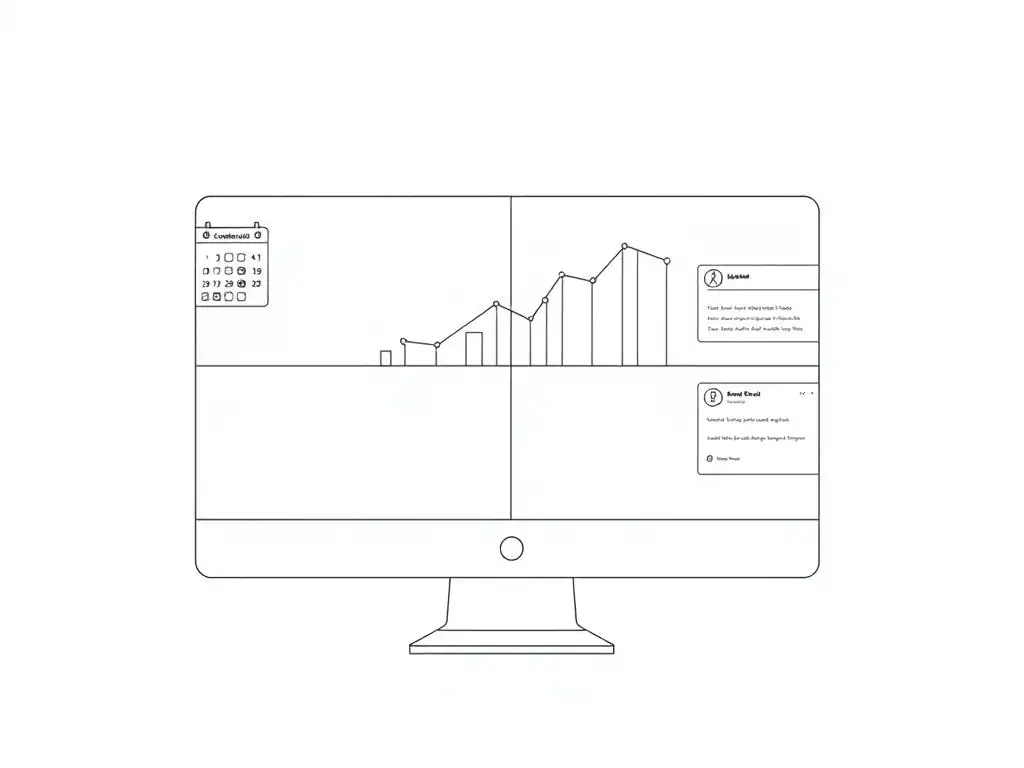
This section focuses on practical strategies to optimize your digital workspace, boosting your efficiency and reducing wasted time. We'll explore techniques to declutter your digital desktop, organize your files effectively, and manage your inbox for peak productivity – all crucial steps in achieving a streamlined and efficient digital workflow. Mastering these skills is key to optimizing digital workspace efficiency.
Decluttering Your Digital Desktop: Tips and Techniques
A cluttered digital desktop mirrors a cluttered mind. A visually overwhelming desktop filled with icons and files can significantly impede your workflow and productivity. The first step to optimizing digital workspace efficiency is to declutter your digital desktop, creating a clean and organized space.
Here are some practical tips and techniques:
- The "One-Click Rule": If you can't access a file or application with one click, it's time to reorganize. Frequently used items should be readily accessible.
- The "Trash Can Technique": Regularly review your desktop and move unnecessary files directly to the trash. Don't just move them to another folder – delete them if they are truly obsolete.
- Utilizing Folders: Create well-defined folders for different projects or categories. Use clear and concise naming conventions (e.g., "Project Alpha," "Client Files 2024").
- Employing Virtual Desktops: If your operating system supports it, use virtual desktops to separate different tasks or projects. This helps to visually separate your work and improve focus. For example, one desktop could be for email, another for writing, and another for design work. This significantly improves digital workspace efficiency.
- Regular Purges: Schedule regular desktop cleanups, perhaps weekly or bi-weekly, to prevent clutter from accumulating. Think of it as digital spring cleaning!
Organizing Your Files and Folders for Easy Access: File Management Strategies
Efficient file management is paramount for optimizing digital workspace efficiency. A disorganized file system leads to wasted time searching for files, hindering productivity. Here's how to implement effective file management strategies:
- Consistent Naming Conventions: Adopt a consistent naming convention across all your files and folders. This could be by date (YYYYMMDD), project name, or client name. Consistency is key.
- Hierarchical Structure: Create a clear hierarchical structure for your files, organizing them into logical categories and subcategories. For instance, a project folder could contain subfolders for documents, spreadsheets, images, and presentations.
- Cloud Storage Integration: Leverage cloud storage services (like Google Drive, Dropbox, or OneDrive) to store and access your files from anywhere. This adds a layer of security and accessibility, streamlining your workflow.
- Tagging and Metadata: Utilize tagging and metadata features to categorize and search your files more efficiently. This allows for quick retrieval of specific files based on keywords or attributes.
- Regular Backups: Regularly back up your important files to prevent data loss. This is a crucial aspect of efficient file management and overall digital workspace optimization. Consider automating your backups for peace of mind.
Optimizing Your Email Inbox: Effective Email Management for Productivity
Email overload is a common productivity killer. An overflowing inbox can create stress and hinder your ability to focus on important tasks. Optimizing your email management is crucial for optimizing digital workspace efficiency.
- Unsubscribe Aggressively: Unsubscribe from unwanted newsletters and mailing lists to reduce the volume of incoming emails.
- The Two-Minute Rule: If an email can be responded to in two minutes or less, do it immediately. This prevents emails from piling up.
- Batch Processing: Set aside specific times during the day to process your emails in batches. This focused approach is far more efficient than constantly checking your inbox.
- Use Filters and Folders: Utilize email filters and folders to categorize and organize your emails automatically. This helps prioritize important messages and keep your inbox manageable.
- Email Signatures: Use a professional email signature that includes your contact information and relevant links. This saves you time and ensures clear communication. Consider adding a brief disclaimer to manage expectations.
By implementing these strategies, you can drastically improve your email management and significantly optimize digital workspace efficiency. Remember, a well-managed inbox contributes significantly to a more productive and less stressful workday.
Customizing Your Browser Settings for Enhanced Workflow
Optimizing your digital workspace starts with the most fundamental tool: your web browser. Default settings often hinder productivity. By customizing your browser, you can significantly boost your efficiency and reduce wasted time. This involves several key areas.
First, consider extensions and add-ons. Many productivity-enhancing browser extensions streamline workflows. For example, extensions that block distracting websites can dramatically improve focus. Others can automate tasks like taking notes or managing passwords, freeing up mental energy for more complex tasks. Choosing the right extensions depends on your specific needs and workflow. Research different options and experiment to find the best fit. Remember to regularly review your extensions; outdated or unused ones can slow down your browser.
Second, managing bookmarks and tabs is crucial. An overwhelming number of tabs can lead to cognitive overload and decreased productivity. Utilize browser features like tab grouping to organize related tabs logically. Consider using a dedicated bookmark manager extension for better organization and retrieval of frequently used resources. Regularly review and delete unnecessary bookmarks to prevent clutter.
Third, adjusting your browser's appearance and settings can enhance comfort and efficiency. Customize font sizes, themes, and other visual elements to create a workspace that is visually appealing and less straining on your eyes. Enable features like reader mode to minimize distractions when reading articles online. Experiment with different settings until you find the optimal configuration for your needs. A personalized browser can significantly enhance your overall digital experience and contribute to a more efficient workflow. This attention to detail, though seemingly minor, can cumulatively have a big impact on your daily productivity.
Leveraging Automation Tools to Simplify Repetitive Tasks: Automation for Efficiency
Repetitive tasks are productivity killers. Fortunately, numerous automation tools exist to handle these mundane chores, freeing up valuable time for more strategic work. Implementing automation tools is a cornerstone of optimizing your digital workspace efficiency.
One common application is email management. Automation tools can filter emails, prioritize important messages, and even automatically respond to routine inquiries. This minimizes the time spent sorting through your inbox and ensures that urgent matters receive prompt attention. Consider using tools that offer features like scheduled sending, canned responses, and smart filters to further improve your efficiency.
Another area ripe for automation is social media management. Tools can schedule posts, analyze engagement metrics, and even automatically respond to comments and messages. This allows you to maintain a consistent social media presence without dedicating excessive time to manual updates. The time saved can then be reinvested in creating high-quality content or engaging with your audience on a more meaningful level.
Beyond email and social media, automation can extend to numerous other tasks. For instance, tools can automate data entry, file organization, and even aspects of project management. The key is to identify repetitive tasks that consume significant time and then explore available automation tools to streamline these processes. By strategically incorporating automation, you can reclaim valuable time and focus on higher-value tasks, dramatically improving your overall digital workspace efficiency.
Remember to evaluate the return on investment (ROI) for each automation tool before implementation. Some tools might be overkill for simpler tasks. Prioritize automating the tasks that consume the most time and offer the greatest potential for efficiency gains.
Enhancing Focus and Reducing Distractions in Your Digital Workspace
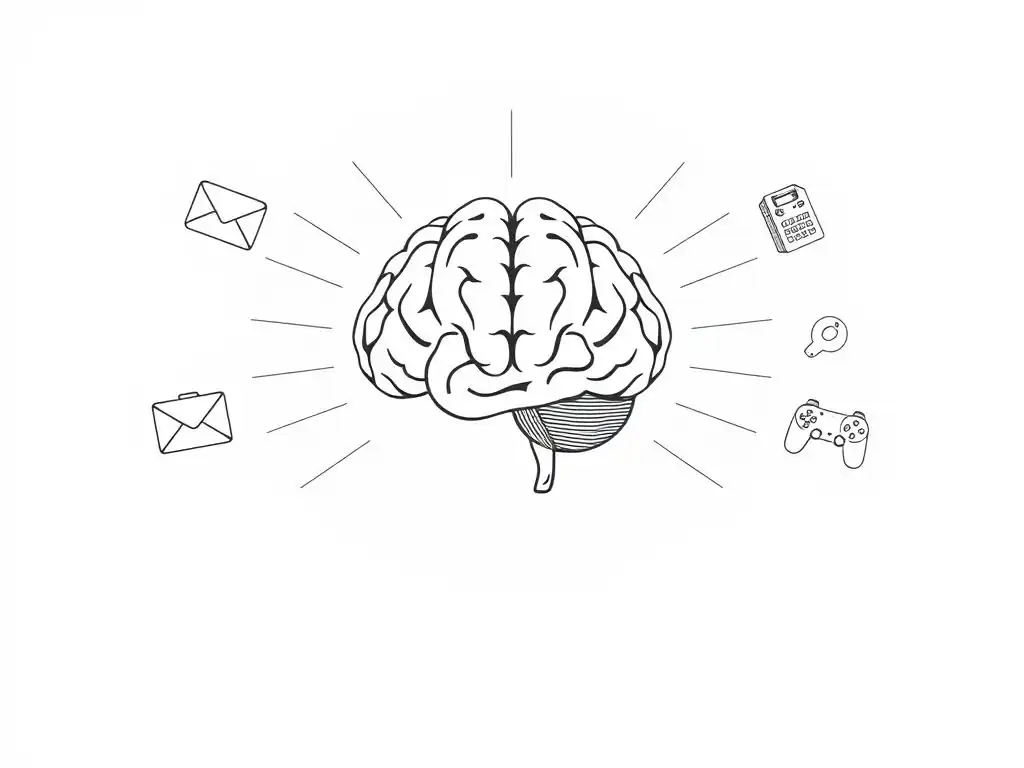
Optimizing digital workspace efficiency hinges on minimizing distractions. A cluttered digital environment directly impacts productivity, leading to wasted time and decreased output. This section explores practical strategies to reclaim your focus and create a more efficient digital workspace. We'll delve into specific techniques to combat digital distractions and harness the power of productivity tools. The goal? To achieve a state of flow where you can concentrate deeply and complete tasks effectively. This translates directly into improved efficiency and, ultimately, a better work-life balance.
Minimizing Digital Distractions: Techniques for Improved Concentration
The constant barrage of notifications, emails, and social media updates can severely hinder concentration. To optimize digital workspace efficiency, actively combat these distractions. One effective strategy is to utilize your operating system's built-in focus features. Many systems offer "Do Not Disturb" modes or focus assist functionalities that temporarily silence notifications. Experiment with different settings to find what works best for your workflow.
Beyond system settings, consider employing browser extensions designed to block distracting websites. These extensions can be incredibly effective at preventing you from getting sidetracked by social media or news sites during work hours. Furthermore, schedule specific times for checking emails and social media, rather than constantly refreshing your inbox or feeds. Batching these activities can significantly reduce interruptions and allow for more focused periods of work.
Consider the physical environment too. A clean, organized physical workspace often translates to a more organized digital one. Clutter, both physical and digital, can be a significant source of distraction. A tidy desk can promote a more focused mindset. This synergistic approach to workspace optimization leads to tangible improvements in efficiency and focus. Remember, even small changes can make a big difference in your ability to concentrate and get things done.
Utilizing Productivity Apps and Software: Time Management Tools
Effective time management is crucial for optimizing digital workspace efficiency. Numerous productivity apps and software solutions are available to help you manage your time, tasks, and projects more effectively. Consider using a task management application to create to-do lists, set deadlines, and track your progress. Many such apps offer features like prioritization matrices, allowing you to focus on the most important tasks first.
Beyond task management, explore time-tracking software to gain insights into how you spend your time. This data can reveal areas where you're losing productivity and help you identify opportunities for improvement. Some applications even integrate with calendar apps, providing a comprehensive overview of your schedule and workload. Selecting the right tools depends on your individual needs and preferences, but leveraging technology to manage your time can dramatically improve your overall efficiency. Experiment with different options to find the perfect fit for your digital workflow.
Setting Realistic Goals and Prioritizing Tasks: Prioritization Strategies for Digital Workflows
Setting realistic goals and prioritizing tasks are fundamental to optimizing digital workspace efficiency. Avoid overwhelming yourself with too many tasks at once. Break down large projects into smaller, more manageable steps. This approach makes the overall task less daunting and provides a sense of accomplishment as you complete each step.
Prioritization strategies, such as the Eisenhower Matrix (urgent/important), can help you focus on the most critical tasks first. This method ensures that you're tackling the most impactful activities, maximizing your output and minimizing wasted effort. Regularly review your goals and priorities to ensure they remain aligned with your overall objectives. Flexibility is key; adjust your plans as needed to accommodate unexpected events or changing circumstances. By strategically prioritizing tasks and setting achievable goals, you can significantly improve your digital workflow and boost overall productivity. Remember, effective prioritization is a continuous process of refinement and adaptation.
Implementing the Pomodoro Technique for Enhanced Focus: Pomodoro for Digital Productivity
The Pomodoro Technique is a powerful time management method that can significantly improve focus and productivity in your digital workspace. It involves working in focused bursts of 25 minutes, followed by a short 5-minute break. After four Pomodoros, you take a longer break of 15-20 minutes. This structured approach combats the constant distractions of the digital world by creating manageable chunks of focused work. The key to success lies in complete dedication during the 25-minute work intervals.
Resist the urge to check email, browse social media, or engage in any non-work-related activities. Use a timer – either a physical one or a dedicated app – to strictly enforce the intervals. This helps train your brain to associate specific time periods with intense focus. Many find that the anticipation of the break motivates them to work more efficiently during the Pomodoro.
Beyond the basic structure, consider experimenting with variations. Some individuals find that shorter Pomodoros (e.g., 15 minutes) are more effective for maintaining focus, especially when tackling complex or mentally demanding tasks. Others prefer longer work intervals with longer breaks. The ideal Pomodoro length is highly individual and depends on your personal concentration span and energy levels.
Experiment to find what works best for your digital workflow. The Pomodoro Technique isn't just about time management; it's about cultivating a mindful approach to work, reducing stress, and ultimately boosting your overall digital workspace efficiency. Remember to track your progress – noting your accomplishments during each Pomodoro can be surprisingly motivating.
Creating a Dedicated Workspace: Optimizing Your Physical Environment for Digital Work
Optimizing your physical environment is crucial for maximizing digital workspace efficiency. A dedicated workspace, even if small, significantly reduces distractions and improves focus. This doesn't necessarily mean a separate room; it could be a well-organized corner of your existing space. The key is to designate an area solely for work, free from the clutter and distractions of other activities. This separation helps your mind switch into "work mode" when you enter the space and disengage when you leave.
Consider the ergonomics of your setup. A comfortable chair that provides adequate back support is essential for preventing fatigue and maintaining posture. Ensure your monitor is at eye level to minimize neck strain. Proper lighting is also crucial; natural light is ideal, but a well-placed desk lamp can compensate for insufficient natural light.
A clutter-free desk is paramount. Keep only essential items within reach, and store other materials out of sight. A tidy workspace promotes a clear and focused mind, directly impacting your productivity.
Investing in ergonomic accessories, such as a keyboard wrist rest or a vertical mouse, can significantly improve comfort and reduce the risk of repetitive strain injuries. Remember, a well-designed physical workspace contributes significantly to optimizing your digital workspace efficiency, leading to a more comfortable and productive work experience. Even small improvements, such as adding a plant or incorporating calming colors, can make a big difference in creating a positive and productive atmosphere.
Mastering Communication and Collaboration in the Digital Workspace
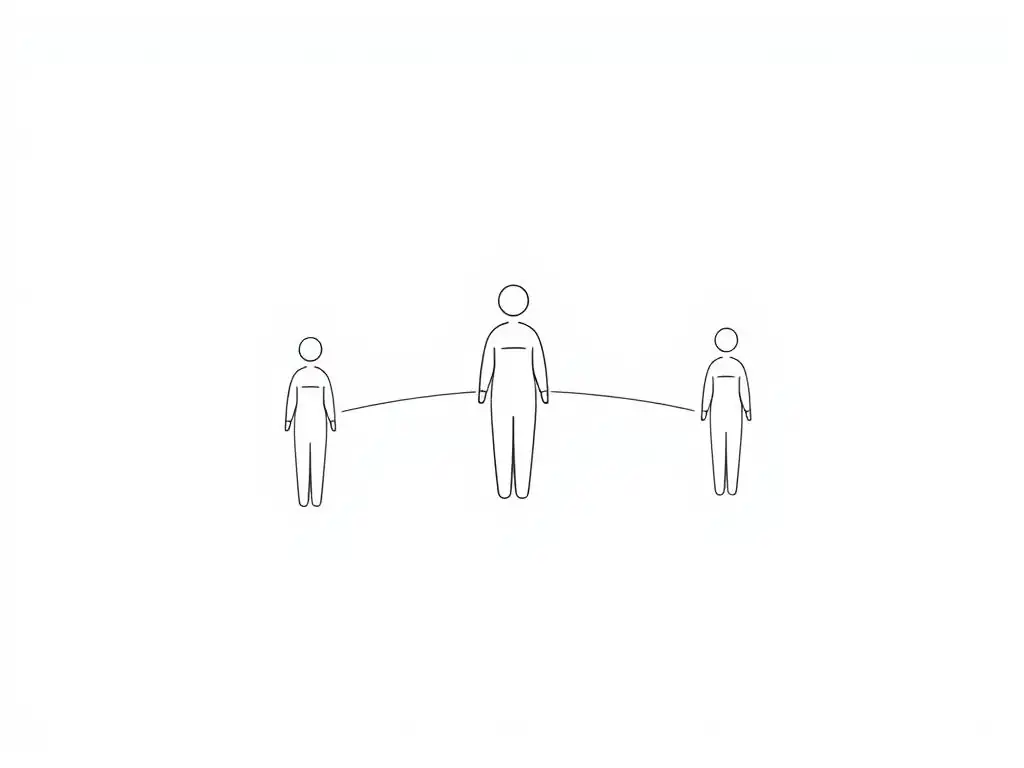
Effective communication and collaboration are cornerstones of a productive digital workspace. Optimizing these aspects directly impacts project timelines, team morale, and overall efficiency. Ignoring this crucial element can lead to bottlenecks, misunderstandings, and ultimately, a less optimized workflow. This section delves into practical strategies to enhance communication and collaboration within your digital environment, helping you achieve a smoother, more efficient workflow and optimize digital workspace efficiency.
Optimizing Communication Tools for Seamless Collaboration
The right communication tools can significantly enhance teamwork. Choosing tools that integrate well and cater to your team's specific needs is paramount. For instance, a small team might thrive using a simple instant messaging app like Slack, while a larger, more geographically dispersed team might benefit from a comprehensive platform offering video conferencing, file sharing, and task management capabilities. Consider the following factors when selecting communication tools:
- Integration: Does the tool integrate with other software you use, such as project management platforms or CRM systems? Seamless integration minimizes context switching and improves workflow.
- Scalability: Can the tool accommodate your team's growth? Choosing a scalable solution prevents the need to switch platforms as your team expands.
- Features: Does the tool offer features essential to your workflow, such as screen sharing, file sharing, persistent chat, or task assignment?
- Security: Does the tool offer robust security features to protect sensitive information? Data security is crucial, especially when handling confidential project details.
Consider the difference between a team relying solely on email for communication versus one using a platform with integrated chat, video conferencing, and file sharing. The latter significantly reduces the time spent searching for information and clarifies communication, boosting overall productivity. The key is to choose tools that streamline communication and minimize friction, thereby optimizing digital workspace efficiency.
Utilizing Project Management Software for Effective Teamwork
Project management software is indispensable for effective teamwork in a digital workspace. These tools provide centralized platforms for task assignment, progress tracking, and communication, fostering transparency and accountability. Popular options include Asana, Trello, Monday.com, and Jira, each with its own strengths and weaknesses. Selecting the right software depends on your team's size, project complexity, and preferred workflow.
Let's examine how project management software improves efficiency:
| Feature | Benefit | Example |
|---|---|---|
| Task Assignment | Clear responsibility, reduced ambiguity | Assigning specific tasks to team members in Asana |
| Progress Tracking | Real-time visibility into project status, proactive issue identification | Using Gantt charts in Monday.com to monitor deadlines |
| Communication | Centralized communication thread, reduced email clutter | Using Trello cards for discussion and updates |
| File Sharing | Easy access to project documents, version control | Storing and sharing documents directly within Jira |
| Reporting | Data-driven insights into project performance, improved decision-making | Generating reports in Asana to track progress |
Effective use of project management software reduces the risk of missed deadlines, improves team coordination, and ultimately optimizes digital workspace efficiency. Choosing a system that fits your team's needs and actively utilizing its features are critical for realizing these benefits.
Streamlining Communication Channels: Effective Communication Strategies in Digital Workspaces
Even with the right tools, ineffective communication strategies can hinder productivity. Establishing clear communication protocols and guidelines is essential for optimizing digital workspace efficiency. This includes:
- Defining communication channels: Specify which channel is appropriate for different types of communication (e.g., instant messaging for quick questions, email for formal announcements, project management software for task updates). This reduces confusion and ensures messages reach the intended audience efficiently.
- Regular check-ins: Schedule regular team meetings (virtual or in-person) to discuss progress, address challenges, and maintain team cohesion. These meetings provide opportunities for proactive problem-solving and prevent minor issues from escalating.
- Clear communication guidelines: Establish guidelines for email etiquette, meeting protocols, and response times to ensure consistent and professional communication. This fosters a more organized and efficient communication flow.
- Documenting processes: Create and maintain comprehensive documentation of workflows and processes. This ensures everyone is on the same page and reduces the need for repeated explanations. This is especially crucial for onboarding new team members.
By implementing these strategies, you can significantly reduce communication bottlenecks, improve clarity, and foster a more collaborative and efficient digital workspace. The result is a marked improvement in overall productivity and a more optimized digital workspace efficiency. Remember, clear, concise, and timely communication is the lifeblood of any successful digital team.
Building a Positive and Productive Digital Team Culture
Cultivating a positive and productive digital team culture is paramount for optimizing digital workspace efficiency. It's not just about the tools you use, but the environment you foster. A strong digital team culture translates directly into improved communication, collaboration, and ultimately, higher productivity. This involves a multifaceted approach, focusing on several key areas.
One crucial aspect is establishing clear communication channels and protocols. This isn't just about choosing the right platform (Slack, Microsoft Teams, email, etc. ), but defining how and when each channel should be used. For example, instant messaging might be ideal for quick questions, while email is better suited for formal announcements or detailed discussions.
Clear guidelines prevent confusion and ensure everyone is on the same page, minimizing wasted time searching for information or waiting for responses. Consider creating a comprehensive communication guide accessible to all team members, outlining best practices and etiquette for each channel. This proactive approach significantly improves response times and reduces the frustration often associated with unclear communication channels.
Furthermore, fostering a culture of open and honest feedback is essential. Regular check-ins, both one-on-one and as a team, allow for open dialogue about projects, challenges, and individual contributions. Creating a safe space for team members to share concerns and suggestions without fear of retribution encourages innovation and problem-solving.
This can be facilitated through anonymous feedback mechanisms or structured feedback sessions, ensuring everyone feels heard and valued. The implementation of regular team-building activities, even virtual ones, can also significantly boost morale and foster stronger relationships among team members. These activities can range from virtual coffee breaks to online games or collaborative projects outside of regular work tasks.
Another vital element is ensuring equitable access to information and resources. A centralized repository for documents, project updates, and communication logs is crucial. This reduces the time spent searching for information and minimizes the risk of working with outdated materials. This also fosters transparency and promotes accountability within the team. Utilizing project management software with robust sharing capabilities is a highly effective way to achieve this. Regular updates to this central repository are essential to maintain its effectiveness, ensuring that everyone is working with the most current information available. This reduces errors, improves collaboration, and ultimately streamlines workflows.
Finally, recognizing and rewarding achievements is crucial for maintaining motivation and productivity. Acknowledging individual and team successes, both big and small, reinforces positive behaviors and strengthens team cohesion. Public acknowledgment, such as highlighting accomplishments in team meetings or through company-wide communications, can significantly boost morale and encourage continued high performance.
A well-structured reward system, incorporating both individual and team-based incentives, further strengthens this positive reinforcement and contributes to a more productive and engaged digital team. This could include bonuses, extra time off, or simply public praise for exceeding expectations or contributing to significant team successes. Remember, a motivated and engaged team is a highly productive team.
Measuring and Maintaining Your Optimized Digital Workspace
This section focuses on the practical application of strategies to boost your digital workspace efficiency. We'll explore how to track your productivity, identify areas needing improvement, and maintain your optimized setup over time. Remember, optimizing your digital workspace isn't a one-time fix; it's an ongoing process of refinement. Consistent monitoring and adaptation are key to maximizing your productivity and minimizing wasted time.
Tracking Your Productivity and Identifying Areas for Improvement: Measuring Digital Workspace Efficiency
Optimizing your digital workspace efficiency requires understanding where your time goes. Blindly implementing changes without data-driven insights can be unproductive. Therefore, meticulous tracking is crucial. Several methods can help you measure your digital workspace efficiency:
- Time Tracking Software: Tools like Toggl Track, RescueTime, or Clockify allow you to log the time spent on various tasks and projects. This provides a clear picture of your daily activities, revealing time sinks and areas for improvement. Analyzing this data helps identify tasks that take unexpectedly long or those with low returns on investment. For example, you might discover you spend excessive time searching for files, indicating a need for better file organization.
- Productivity Journaling: A simpler, yet effective method is maintaining a daily productivity journal. Record your tasks, their start and end times, and any challenges encountered. This allows for reflection on your workday, helping you pinpoint bottlenecks and inefficient processes. Regular review of your journal entries can reveal recurring issues and areas requiring optimization.
- Key Performance Indicators (KPIs): Depending on your work, setting specific KPIs can offer valuable insights. For instance, if you're a writer, your KPI could be words per hour. Tracking this metric over time provides a quantifiable measure of your efficiency. Similarly, a graphic designer might track designs completed per week. These KPIs provide objective data to evaluate the impact of workspace optimization strategies.
The key is to be brutally honest with yourself about where your time is actually going. Only then can you effectively optimize your workflow.
The data gathered from these methods should be analyzed to identify areas for improvement. Are you spending too much time on email? Is your file management system inefficient? Are there repetitive tasks that could be automated? These questions should guide your optimization efforts. Remember, even small improvements, consistently implemented, can lead to significant gains in productivity.
Regularly Reviewing and Updating Your Digital Workflow: Maintaining an Optimized Digital Workspace
An optimized digital workspace isn't static; it requires consistent maintenance and updates to remain efficient. Regularly reviewing and updating your workflow ensures its continued effectiveness and prevents the creeping in of inefficiencies. Think of it as preventative maintenance for your digital productivity.
Consider these strategies for maintaining an optimized digital workspace:
- Scheduled Reviews: Schedule regular reviews (e.g., weekly or monthly) to assess your workflow. Analyze your time tracking data, productivity journal entries, or KPIs. Identify any recurring issues or areas where improvements can be made. This proactive approach prevents minor inefficiencies from snowballing into major productivity drains.
- Software and Tool Updates: Keep your software and tools updated. New features and improvements can significantly enhance efficiency. Outdated software can slow down your workflow and create compatibility issues, directly impacting your overall productivity.
- Decluttering: Regularly declutter your digital workspace. Delete unnecessary files, unsubscribe from unwanted emails, and reorganize your folders. A clean and organized workspace promotes clarity and reduces the time spent searching for information. A cluttered digital environment is a productivity killer.
| Task | Frequency | Expected Time Savings |
|---|---|---|
| Software Updates | Monthly | 15 minutes/month |
| Email Inbox Cleanup | Weekly | 30 minutes/week |
| File Organization Review | Quarterly | 1 hour/quarter |
These are just examples; adjust the frequency and time estimates based on your individual needs and workflow. The goal is to develop a sustainable maintenance plan that prevents your optimized workspace from becoming disorganized and inefficient.
Adapting Your Digital Workflow to Evolving Needs: Adaptability and Digital Workflows
The key to long-term digital workspace optimization lies in adaptability. Your needs and priorities will change over time, requiring adjustments to your workflow. What works efficiently today might become a bottleneck tomorrow. Therefore, embrace change and adapt your processes accordingly.
Consider these factors that necessitate workflow adaptation:
- New Projects and Tasks: When undertaking new projects, assess whether your current workflow remains effective. New tasks might require new tools or strategies. Don't be afraid to experiment and find the most efficient approach.
- Technological Advancements: New technologies and tools constantly emerge. Staying updated and incorporating relevant tools can significantly improve efficiency. Explore new software or apps that might streamline your tasks and boost your productivity.
- Changes in Team Dynamics: If you work in a team, changes in team composition or project requirements will impact your workflow. Adapt your communication and collaboration methods to maintain efficiency.
Example Scenario: Adapting to a New Project
Let's say you're a project manager and a new, complex project requires more detailed task management. Your current to-do list app might no longer suffice. You might need to switch to a project management software like Asana or Trello to better manage tasks, deadlines, and team collaboration, thereby optimizing your workflow for this specific project.
Maintaining a flexible and adaptable digital workflow is essential for continued success. Regularly evaluate your processes, embrace change, and proactively adapt to maintain peak performance and optimize digital workspace efficiency. This ongoing commitment will ensure your digital workspace continues to support your growth and productivity.
Continuously Learning and Improving Your Digital Workspace Strategies: Continuous Improvement for Digital Productivity
Optimizing your digital workspace isn't a one-time event; it's an ongoing process. The digital landscape is constantly evolving, with new tools, techniques, and best practices emerging regularly. To truly maximize your digital workspace efficiency, you must embrace continuous learning and improvement. This means actively seeking out new information and adapting your strategies as needed. This isn't just about staying up-to-date; it's about proactively identifying areas for improvement and implementing changes to enhance your productivity.
One effective method is to regularly review your workflow. Ask yourself: What processes are working well? Where are bottlenecks occurring? Are there any repetitive tasks that could be automated? Analyzing your current workflow with a critical eye can uncover hidden inefficiencies and reveal opportunities for optimization. Tools like time-tracking software can provide valuable insights into how you spend your time, highlighting areas where improvements can be made. For example, if you consistently find yourself spending excessive time searching for specific files, implementing a robust file management system could significantly improve efficiency.
Another crucial aspect of continuous improvement is experimenting with new tools and techniques. The market is flooded with productivity apps and software designed to streamline various aspects of digital workflows. Don't be afraid to try out new tools; however, carefully evaluate their effectiveness before fully integrating them into your workflow. A trial period, followed by a thorough assessment of its impact on your productivity, can help you determine if a new tool is a valuable addition or just another distraction. Remember, the goal is to find tools that genuinely enhance your workflow, not simply add more complexity.
Furthermore, actively engaging with online communities and forums focused on digital productivity can be invaluable. These platforms offer a wealth of knowledge, insights, and tips shared by experienced professionals and fellow users. Participating in discussions, sharing your own experiences, and learning from others' successes and failures can significantly accelerate your learning curve and broaden your perspective on optimizing your digital workspace efficiency. The collective wisdom of the community can provide solutions to problems you might not have considered otherwise. Consider joining relevant subreddits, professional networking groups, or online courses to enhance your knowledge and stay ahead of the curve.
Finally, don't underestimate the power of reflection. Regularly take time to reflect on your progress, analyzing what's working and what's not. This self-assessment helps identify areas needing further attention and allows you to adjust your strategies accordingly. A simple weekly review of your workflow, noting successes and challenges, can be highly effective. This reflective practice helps to refine your approach, ensuring your digital workspace remains a powerful tool for achieving your goals. Remember, optimizing your digital workspace is a journey, not a destination—a continuous process of learning, adapting, and improving. 📈
Frequently Asked Questions
What are some quick wins for optimizing my digital workspace?
A few quick wins include decluttering your desktop, organizing files into clear folders, and utilizing keyboard shortcuts to speed up tasks. Prioritize essential apps and uninstall unnecessary ones.
How can I improve my focus and reduce distractions in my digital workspace?
Employ techniques like the Pomodoro Technique to manage your time and concentration. Minimize visual clutter on your screen and disable unnecessary notifications. Consider using website blockers to avoid distractions.
What tools or software can help optimize my digital workspace efficiency?
Many tools can help! Explore task management software like Trello or Asana, note-taking apps like Evernote or OneNote, and cloud storage services like Google Drive or Dropbox for efficient file management.
How can I better organize my digital files to improve efficiency?
Implement a consistent file naming convention and organize files into logical folders using a hierarchical structure. Utilize search functions effectively and consider using metadata to tag and categorize your files for easy retrieval.
How do I maintain a consistently optimized digital workspace?
Regularly review and declutter your files and apps. Schedule short periods each week for organization and maintenance. Automate repetitive tasks whenever possible to save time and effort in the long run.
Final Reflection: The Ripple Effect of a Streamlined Digital Workspace
Optimizing your digital workspace isn't just about increased efficiency; it's about reclaiming your time and energy, fostering creativity, and ultimately, achieving a more fulfilling professional life. The seemingly small changes discussed throughout this article – from decluttering your desktop to mastering keyboard shortcuts – collectively create a powerful wave of positive impact, resonating far beyond the confines of your computer screen.
The shift towards remote and hybrid work models has amplified the importance of a well-organized digital workspace. The constant barrage of notifications, overflowing inboxes, and disorganized files can lead to burnout and decreased productivity. The key is not to prioritize what's on your schedule, but to schedule your priorities.
– Stephen Covey. This quote highlights the crucial role of intentional organization in achieving our goals, a principle that extends directly to the management of our digital environments. We must actively shape our digital spaces to support, not hinder, our ambitions.
Now, consider your own digital workspace. What small adjustments can you make today to improve its functionality and enhance your overall well-being? Perhaps it's unsubscribing from unnecessary emails, creating a consistent filing system, or finally learning those time-saving keyboard shortcuts. Take a moment to reflect on the potential impact of these seemingly minor changes. By embracing a more streamlined digital environment, you're not just optimizing your workflow; you're investing in your future success, your mental clarity, and your overall sense of accomplishment. Begin today, and experience the transformative power of a truly optimized digital workspace.
Unlock Your Digital Potential: Start Optimizing Today!
Thank you for exploring simple yet powerful ways to optimize your digital workspace! You now have the knowledge to boost your productivity and create a more enjoyable online experience. Ready to put it into practice?
- Prioritize one digital workspace improvement: This week, focus on implementing the single most impactful suggestion from this article. Even small changes can make a significant difference!
- Share your successes! Let us know in the comments which tip you chose and how it's working for you. Let's inspire each other!
- Experiment with a new organization method: Try a different app, folder structure, or workflow to discover what best suits your needs.
What small change will you make today to transform your digital life?