
Say Goodbye to Overwhelm: Expert Tips for Streamlining Digital Project Workflow


Feeling overwhelmed by your digital projects? At UltimateLifeHacks, we understand the struggle. Discover how to streamline your digital project workflow and reclaim your time with practical, actionable tips designed to boost your productivity and efficiency. Ready to experience a smoother, more organized digital life? Let's dive in!
- Understanding Your Current Digital Project Workflow: A Crucial First Step
- Streamlining Your Digital Project Workflow: Practical Strategies
- Utilizing Technology to Optimize Your Digital Workflow
- Boosting Team Collaboration and Communication for Digital Projects
- Measuring Success and Continuous Improvement of Your Digital Workflow
-
Frequently Asked Questions
- What is a streamlined digital project workflow?
- How can I streamline my digital project workflow?
- What tools can help streamline my digital project workflow?
- How do I improve communication within a streamlined digital workflow?
- How can I measure the success of my streamlined digital project workflow?
- Final Reflection: Reclaiming Control in the Digital Age
- Unleash Your Productivity: Master Your Digital Workflow Now!
Understanding Your Current Digital Project Workflow: A Crucial First Step
Feeling overwhelmed by digital projects? Juggling multiple tasks, deadlines, and communication channels can easily lead to burnout and missed opportunities. This article provides expert tips to streamline your digital project workflow, boosting productivity and reducing stress. We’ll explore practical strategies to analyze your current processes, identify areas for improvement, and implement effective solutions to conquer digital chaos and achieve peak efficiency.
Mastering your digital project workflow isn't just about using the right tools; it's about understanding how you work and optimizing that process for maximum impact. This guide will equip you with the knowledge and actionable steps to transform your digital project management, leading to a more organized, efficient, and ultimately, more fulfilling work experience. Let's begin by taking a close look at where you are now.
Assessing Current Processes: Identifying Bottlenecks and Inefficiencies
Before implementing any changes, a thorough assessment of your current digital project workflow is paramount. This involves honestly evaluating how you currently manage projects, from initiation to completion. Consider these key questions:
- Project Initiation: How do you define project scope, goals, and deliverables? Is this process clear and efficient?
- Task Management: What tools do you use to track tasks, deadlines, and progress? Are these tools effective for your needs? Are tasks clearly assigned and prioritized?
- Communication: How do you communicate with team members and stakeholders? Are communication channels clear, concise, and readily accessible? Do you experience delays or misunderstandings due to communication issues?
- Collaboration: How effectively do team members collaborate on projects? Are there any roadblocks hindering efficient teamwork?
- Review and Feedback: How do you gather feedback and review project progress? Is this process timely and effective?
Identifying bottlenecks often reveals surprising inefficiencies. For instance, a seemingly minor delay in receiving feedback can snowball into significant project delays. By meticulously examining each stage, you can pinpoint areas ripe for optimization. Consider using a simple flow chart or process map to visually represent your current workflow and clearly identify these bottlenecks. This visual representation can significantly aid in identifying areas for improvement. Remember, even small improvements can have a cumulative positive effect on your overall productivity.
Current Tools and Technologies: Strengths and Weaknesses
Your choice of tools significantly impacts workflow efficiency. This section focuses on critically evaluating the tools you currently employ. Are you utilizing project management software, communication platforms, cloud storage, or other digital tools? For each tool, consider:
| Tool | Strengths | Weaknesses | Potential Improvements |
|---|---|---|---|
| Project Management Software | Centralized task management, progress tracking | Steep learning curve, integration challenges | Explore alternative user-friendly solutions |
| Communication Platform | Real-time communication, file sharing | Notification overload, lack of organization | Implement structured communication protocols |
| Cloud Storage | Accessibility, collaboration features | Security concerns, storage limitations | Optimize file organization and explore alternative solutions |
A honest assessment will reveal both strengths and weaknesses. Perhaps your project management software excels at task management but lacks effective reporting features. Or maybe your communication platform facilitates real-time chat but struggles with archiving crucial project information. Understanding these strengths and weaknesses is key to selecting or adapting tools that better support your workflow. Remember, the right tools are those that enhance your processes, not hinder them.
Data-Driven Workflow Analysis: Pinpointing Optimization Areas
Analyzing data related to your past projects offers invaluable insights into optimizing your future workflows. This involves gathering data on:
- Project Completion Time: How long did each project take? Identify projects that significantly exceeded the expected timeframe and analyze why.
- Task Duration: How long did each individual task take? Are there any tasks consistently taking longer than anticipated?
- Resource Allocation: How effectively were resources (time, personnel, budget) allocated? Were there instances of underutilization or overallocation?
- Number of Revisions: How many revisions were required for each deliverable? High revision numbers might indicate communication or process inefficiencies.
- Client Satisfaction: Gather feedback on project outcomes. Low satisfaction scores might point to areas needing improvement.
By analyzing this data, you can identify specific areas for optimization. For example, consistently long task durations might indicate a need for improved training or more efficient tools. High revision numbers might necessitate clearer communication protocols or more robust review processes. This data-driven approach allows for a more targeted and effective streamlining strategy, ensuring that your efforts yield maximum impact. Remember that consistent data collection and analysis is crucial for continuous improvement in your digital project workflow. 📈
Streamlining Your Digital Project Workflow: Practical Strategies
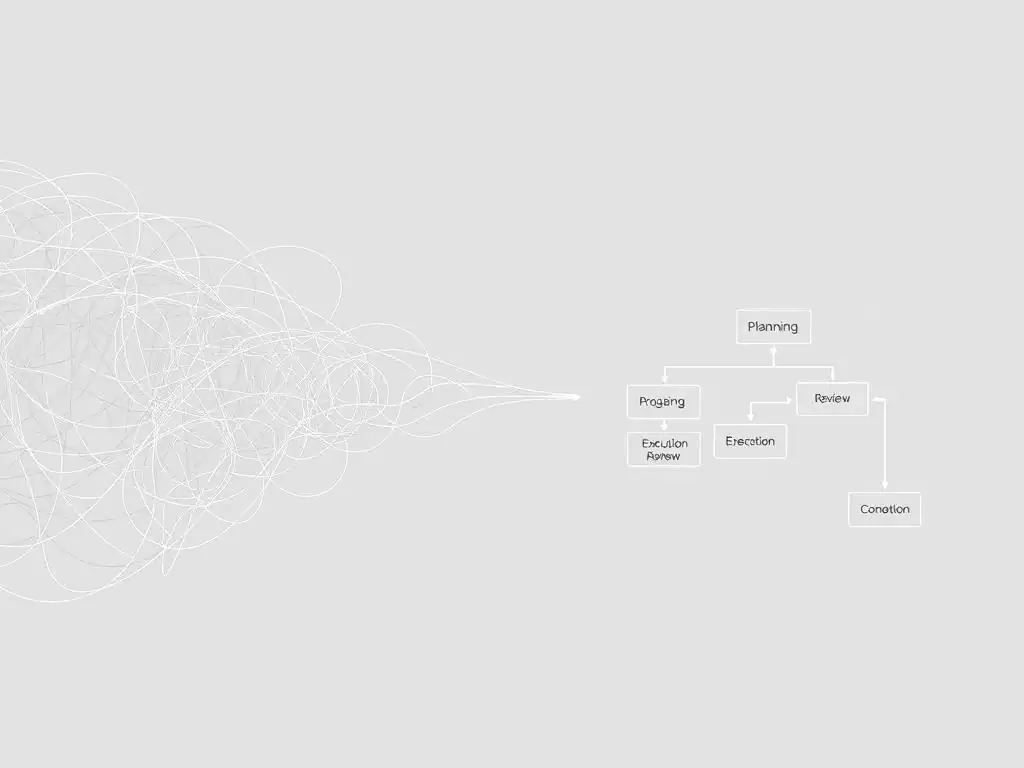
This section dives deep into actionable strategies to significantly improve your digital project workflow. We'll explore techniques to conquer overwhelm and boost your productivity, focusing on practical applications rather than theoretical concepts. The goal is to equip you with the tools to manage digital projects efficiently and effectively, ultimately freeing up valuable time and mental energy. Successfully streamlining your digital project workflow hinges on a combination of effective prioritization, robust task management, and strategic time allocation. Let's explore each in detail.
Prioritization Techniques for Digital Projects: Mastering Focus
Effective prioritization is the cornerstone of a streamlined digital workflow. Without it, you risk getting bogged down in less important tasks, delaying progress on crucial projects. Several methods can help you master this crucial skill. The Eisenhower Matrix (urgent/important), for instance, is a powerful visual tool. It categorizes tasks into four quadrants: Do, Decide, Delegate, and Delete.
This allows for a clear assessment of which tasks demand immediate attention, which can be scheduled, which can be offloaded, and which can be eliminated entirely. Another effective technique is the MoSCoW method (Must have, Should have, Could have, Won't have). This helps in prioritizing features or tasks within a project based on their necessity and impact.
Consider this example: You're managing a website redesign project. Using MoSCoW, you might prioritize the "Must have" elements like core functionality and security, followed by "Should have" features like improved navigation and SEO optimization. "Could have" elements, such as advanced analytics dashboards, might be postponed, while "Won't have" features, like a complex chat bot, are eliminated for this iteration. Strategic prioritization, using methods like these, ensures you focus your energy on the highest-impact activities, significantly enhancing your overall workflow.
Effective Task Management Strategies: Beyond GTD
Getting Things Done (GTD) is a widely known productivity methodology, but adapting it for a purely digital workflow requires refinement. While the core principles of capturing, clarifying, organizing, reflecting, and engaging remain relevant, the tools and techniques need to be optimized for a digital environment.
Instead of physical notebooks and folders, leverage digital task management tools. These tools offer features like automated reminders, subtasks, tagging, and collaborative capabilities. Explore options that integrate seamlessly with your existing software ecosystem. For example, consider utilizing project management software that allows for the breakdown of projects into smaller, manageable tasks, coupled with a calendar app for time blocking and scheduling.
Many digital task management systems allow for detailed task breakdowns, tagging for categorization, and progress tracking. This granular level of detail is crucial for maintaining clarity and control, particularly in complex digital projects. Regularly reviewing your task list and adjusting priorities based on progress and new information is essential for maintaining momentum and preventing task overload. This iterative approach keeps your digital workflow agile and responsive to changing demands.
Time Blocking for Digital Projects: Scheduling for Maximum Productivity
Time blocking is a powerful technique to allocate specific time slots for different tasks or project phases. Instead of reacting to incoming requests or tasks, you proactively schedule time for focused work. This approach dramatically improves concentration and reduces context switching, a major productivity killer.
When implementing time blocking for digital projects, consider factors like meeting schedules, email responses, and periods of higher focus. For instance, you might dedicate the first two hours of your workday to focused coding, followed by an hour for email and communication, then another block for strategic planning. This structured approach minimizes interruptions and maximizes deep work sessions.
Remember to be realistic with your time estimates and build in buffer time for unexpected delays. Over-scheduling can lead to burnout and decreased effectiveness. Regularly review and adjust your time blocks based on your progress and priorities. The key is to find a balance that works for your personal rhythm and project demands. This proactive approach to time management significantly contributes to a smoother and more efficient digital project workflow, minimizing stress and maximizing output.
Utilizing Technology to Optimize Your Digital Workflow

This section explores the crucial role of technology in streamlining your digital project workflow. Effective project management hinges on leveraging the right tools to manage tasks, collaborate effectively, and automate repetitive processes. By embracing these technological advancements, you can significantly reduce overwhelm and boost your productivity. We'll delve into specific software and platforms that can transform how you approach digital projects.
Project Management Software for Streamlined Processes
Choosing the right project management software is paramount to efficiently handling digital projects. Different software caters to various needs and project complexities. For instance, simpler projects might benefit from tools like Trello, known for its Kanban-style boards that allow for visual task organization and easy progress tracking. Its intuitive drag-and-drop interface makes it ideal for managing smaller teams or individual projects. You can easily create lists, assign tasks, set deadlines, and monitor progress with a simple glance at the board. The visual nature of Trello helps to quickly identify bottlenecks and potential delays.
More complex projects, involving larger teams and intricate dependencies, might require more robust solutions like Asana or Monday.com. These platforms offer advanced features such as Gantt charts for visualizing project timelines, detailed task dependencies, and robust reporting capabilities, providing a comprehensive overview of the project's health. They also often incorporate communication tools, reducing the need for separate messaging platforms. The ability to customize workflows and integrate with other apps further enhances their efficiency and adaptability.
Consider the following factors when selecting project management software:
| Feature | Trello | Asana/Monday.com |
|---|---|---|
| Complexity | Suitable for simpler projects | Suitable for complex projects |
| User Interface | Intuitive and user-friendly | More features, steeper learning curve |
| Collaboration | Good for smaller teams | Excellent for larger teams and collaboration |
| Reporting | Basic progress tracking | Advanced reporting and analytics |
| Pricing | Free and paid plans available | Primarily paid plans, with varying features |
Choosing the right software is a key step to effectively streamline your digital project workflow and avoid feeling overwhelmed. The right fit depends heavily on your specific needs and project characteristics.
Automation Tools to Reduce Manual Tasks
Automating repetitive tasks is a cornerstone of efficient digital project workflow management. Manual processes consume valuable time and increase the risk of errors. By implementing automation, you free up time to focus on more strategic aspects of your projects. Several tools can dramatically reduce manual workload.
For example, Zapier and IFTTT (If This Then That) are automation platforms that connect different apps and services. You can create "Zaps" or "Applets" to automate actions such as automatically adding new email contacts to a spreadsheet, creating calendar events from new tasks in your project management software, or backing up files to cloud storage. This eliminates the need for manual data entry and ensures consistency.
Consider using automation for tasks such as:
- Sending automated email confirmations upon task completion.
- Automatically updating project status reports based on task progress.
- Generating recurring invoices or reports.
- Scheduling social media posts.
The possibilities are vast, and integrating these automation tools can significantly improve efficiency and reduce the feeling of being overwhelmed by repetitive tasks. The key is to identify those routine tasks that drain your time and energy and then find the appropriate automation solution.
Cloud Storage and Collaboration Platforms: Enhancing Teamwork
Effective teamwork is integral to successful digital project completion. Cloud storage and collaboration platforms play a vital role in facilitating seamless information sharing and collaborative efforts. Services like Google Drive, Dropbox, and Microsoft OneDrive offer centralized storage for project files, enabling team members to access and modify documents in real-time. This eliminates version control issues and ensures everyone works with the most up-to-date information.
Moreover, these platforms often integrate directly with other tools like project management software, further enhancing the workflow. Features such as shared editing, commenting capabilities, and version history allow for transparent and efficient collaboration. This not only speeds up the project but also improves communication and reduces the likelihood of misunderstandings. The ability to easily share large files without email attachments further streamlines the process and minimizes the risk of losing important documents.
Choosing a cloud storage platform should consider factors such as security, storage capacity, integration with other tools, and the overall user experience. Ensuring seamless data access and collaboration is crucial for efficiently managing a digital project workflow and preventing feeling overwhelmed by disorganized information. The right platform will foster better teamwork and improve overall project outcomes.
Boosting Team Collaboration and Communication for Digital Projects

Effective collaboration is the cornerstone of a streamlined digital project workflow. Without clear communication and efficient teamwork, even the best project management tools will fall short. This section focuses on practical strategies to enhance team interaction and communication, leading to improved project outcomes and reduced stress. Successfully streamlining your digital project workflow hinges on optimizing how your team works together.
Establishing Clear Communication Channels
Clear and consistent communication is paramount. Ambiguity leads to errors, delays, and frustration. To avoid this, establish dedicated communication channels for each project. This might involve using a project management platform's built-in messaging system, a dedicated Slack channel, or even a shared email thread – the key is consistency. Everyone should know where to find project-related information and updates.
Consider these strategies for enhancing communication clarity:
- Regular Check-ins: Schedule brief daily or weekly check-ins to discuss progress, roadblocks, and upcoming tasks. These short meetings can significantly reduce the need for constant individual updates.
- Centralized Information Hub: Designate a single source of truth for all project documents, files, and relevant information. This prevents confusion caused by multiple versions of the same document scattered across various platforms. A cloud-based storage solution works well for this.
- Defined Roles and Responsibilities: Clearly outline each team member's role and responsibilities. This ensures everyone understands their contribution and avoids duplication of effort or missed tasks. A simple RACI matrix (Responsible, Accountable, Consulted, Informed) can be incredibly effective here.
Implementing Effective Feedback Mechanisms
Constructive feedback is essential for continuous improvement and project success. However, providing and receiving feedback can be challenging. To streamline this process, encourage open and honest communication, focusing on specific behaviors and outcomes rather than personal attacks.
Here are some practical tips for implementing effective feedback mechanisms:
- Regular Feedback Sessions: Schedule dedicated time for feedback, perhaps weekly or bi-weekly, depending on project complexity and team size.
- Structured Feedback Forms: Utilize standardized feedback forms to ensure consistency and completeness. This can improve the quality of feedback given and received.
- Anonymous Feedback Options: Consider incorporating anonymous feedback mechanisms to encourage honest input without fear of retribution. This can be particularly useful for identifying recurring issues or systemic problems.
- Actionable Feedback: Ensure that feedback is actionable. Instead of simply pointing out problems, suggest concrete solutions or steps for improvement. This makes the feedback more valuable and less likely to be dismissed.
Remember, effective feedback is a two-way street. Team members should feel comfortable both giving and receiving feedback in a constructive and supportive environment.
Utilizing Collaboration Tools for Seamless Teamwork
Leveraging the right collaboration tools is crucial for streamlining your digital project workflow. The market offers a wide array of options, from simple shared document editors to sophisticated project management platforms. The choice depends on your team's size, project complexity, and budget.
Consider these aspects when selecting collaboration tools:
- Feature Set: Ensure the tool offers features relevant to your workflow, such as task management, file sharing, communication channels, and progress tracking.
- Integration: Check for compatibility with other tools your team already uses to minimize disruption and maximize efficiency.
- Ease of Use: Choose a tool that is intuitive and easy to learn, so team members can quickly adopt it and maximize its benefits.
- Scalability: Select a tool that can scale to accommodate your team's growth and evolving needs.
By strategically implementing these strategies and choosing the right tools, you can significantly boost team collaboration and communication, leading to a more efficient and less overwhelming digital project workflow. This translates to improved project outcomes, happier team members, and a more positive overall work experience.
Measuring Success and Continuous Improvement of Your Digital Workflow
Successfully streamlining your digital project workflow isn't a one-time fix; it's an ongoing process. To truly understand if your implemented strategies are working, you need a system for measuring success and identifying areas for improvement. This section focuses on key performance indicators (KPIs), regular audits, and strategies for continuous optimization. By consistently monitoring and adapting your workflow, you'll maximize efficiency and minimize overwhelm.
Key Performance Indicators (KPIs) for Digital Project Success
Choosing the right KPIs is crucial for accurately assessing the effectiveness of your streamlined digital project workflow. Don't overload yourself with metrics; focus on a few key indicators that directly reflect your goals. Consider these examples:
- Project Completion Rate: This measures the percentage of projects completed on time and within budget. A high completion rate signifies a well-oiled workflow. For example, aiming for a 90% completion rate within the first quarter can be a realistic and motivating goal.
- Time Spent on Tasks: Tracking the time allocated to specific tasks helps identify bottlenecks. Tools like Toggl Track or RescueTime provide detailed insights into where your time is actually spent, allowing you to pinpoint areas needing improvement. For instance, if you consistently spend excessive time on email management, it might be time to implement better email filtering and response strategies.
- Number of Bugs or Errors: Fewer bugs indicate a more efficient and robust workflow. Tracking the number of errors detected during different stages of a project can highlight potential weaknesses in the process. A decrease in bugs over time is a strong indicator of improvement.
- Client Satisfaction: For client-facing projects, client satisfaction is paramount. Gathering feedback through surveys or direct communication reveals the impact of your workflow on the end product and overall client experience. High client satisfaction directly correlates to a successful workflow.
| KPI | Measurement Method | Target Example |
|---|---|---|
| Project Completion Rate | Track completed projects against planned projects | 90% completion within Q1 |
| Time Spent on Tasks | Time tracking software (Toggl Track, RescueTime) | Reduce email time by 50% |
| Number of Bugs/Errors | Track errors during development and testing | Reduce bugs by 25% monthly |
| Client Satisfaction | Surveys, feedback forms | 95% client satisfaction |
This table provides a clear overview of essential KPIs and how to measure them. Remember to set realistic and achievable targets for each KPI to track your progress effectively. Regularly reviewing these metrics provides valuable insights into the success of your streamlined workflow.
Regular Workflow Audits: Identifying Areas for Refinement
Regular workflow audits are essential for continuous improvement. Think of them as a "health check" for your digital project management system. These audits should be conducted at regular intervals (e.g., monthly, quarterly) to identify areas ripe for optimization.
Here's a structured approach:
- Data Collection: Gather data on your KPIs. Analyze project timelines, task durations, resource allocation, and any roadblocks encountered.
- Identify Bottlenecks: Pinpoint the stages of your workflow where delays or inefficiencies occur. Are specific tasks taking too long? Are there communication breakdowns? Are tools inadequate?
- Analyze Communication: Evaluate the effectiveness of your communication channels. Are messages clear? Are responses timely? Are there too many meetings?
- Review Tool Usage: Assess the efficiency of the tools you use for project management, communication, and collaboration. Are there better alternatives? Are you utilizing the full potential of your current tools?
- Seek Feedback: Gather feedback from team members about their experiences with the current workflow. Their perspectives often reveal hidden inefficiencies.
By systematically analyzing these areas, you'll unearth opportunities to refine your workflow and enhance productivity. Remember to document your findings and propose concrete solutions.
Adapting and Optimizing: Continuous Improvement Strategies
Once you've identified areas for improvement through your workflow audits, it's time to implement changes and optimize your processes. This is an iterative process; expect to experiment and adjust your strategies as needed.
- Automate Repetitive Tasks: Identify repetitive tasks that can be automated using tools or scripts. This frees up time for more strategic work.
- Implement Better Communication Protocols: Establish clear communication channels and protocols to minimize misunderstandings and delays.
- Invest in Better Tools: Explore new tools or upgrade existing ones to enhance efficiency and collaboration.
- Delegate Effectively: Delegate tasks to team members based on their skills and expertise.
- Embrace Agile Methodologies: Consider adopting agile methodologies like Scrum or Kanban to improve flexibility and responsiveness.
- Regularly Review and Adjust: Workflow optimization is an ongoing process. Continuously review your KPIs and make adjustments based on performance and feedback.
Remember, the key to successfully streamlining your digital project workflow is not just about implementing changes, but also about consistently monitoring, adapting, and optimizing your processes. By embracing a culture of continuous improvement, you'll steadily refine your workflow, leading to increased efficiency, reduced stress, and ultimately, greater success.
Frequently Asked Questions
What is a streamlined digital project workflow?
A streamlined digital project workflow is a process optimized for efficiency. It involves using the right tools and techniques to manage tasks, communication, and collaboration seamlessly, minimizing delays and maximizing output. This leads to reduced stress and improved project outcomes.
How can I streamline my digital project workflow?
Start by identifying bottlenecks in your current process. Then, implement automation tools, utilize cloud-based project management software, and establish clear communication channels. Regularly review and refine your system for continuous improvement.
What tools can help streamline my digital project workflow?
Many tools exist! Consider project management software like Asana or Trello, communication platforms like Slack or Microsoft Teams, and file-sharing services like Google Drive or Dropbox. The best choice depends on your specific needs and team size.
How do I improve communication within a streamlined digital workflow?
Establish clear communication protocols. Use a central platform for communication and ensure everyone is aware of the communication channels and their purpose. Regular check-ins and updates help maintain transparency and accountability.
How can I measure the success of my streamlined digital project workflow?
Track key performance indicators (KPIs) such as project completion rates, time spent on tasks, and client satisfaction. Analyze the data to identify areas for further optimization and demonstrate the improvements achieved through streamlining.
Final Reflection: Reclaiming Control in the Digital Age
The relentless pace of digital project management often leaves us feeling overwhelmed, but regaining control is not a utopian dream; it's a tangible reality achievable through strategic streamlining. The techniques explored in this article – from prioritizing tasks effectively to leveraging automation tools – are not just theoretical concepts; they are practical solutions designed to transform chaotic workflows into efficient, productive systems.
The impact of streamlined digital workflows extends far beyond increased productivity; it profoundly impacts our overall well-being. The constant pressure of juggling multiple projects and deadlines can lead to burnout and decreased job satisfaction. By implementing the strategies discussed, we can create a more sustainable and fulfilling work environment. The key is not to prioritize what's on your schedule, but to schedule your priorities.
– Stephen Covey. This quote underscores the importance of intentional planning and execution, a core principle throughout this article.
Now, consider your own digital workflow. What small adjustments can you make today to alleviate some of the pressure? Perhaps it's implementing a new project management tool, dedicating specific time blocks for focused work, or simply learning to delegate effectively. Take a moment to reflect on your current processes and identify areas for improvement. The journey towards a streamlined workflow is a continuous process of learning and adaptation, but the rewards – a sense of control, increased productivity, and a healthier work-life balance – are well worth the effort. Embrace the change, and watch your productivity soar.
Unleash Your Productivity: Master Your Digital Workflow Now!
Thanks for exploring our tips to overcome digital project overwhelm! You've learned valuable strategies for streamlining your workflow, and now it's time to apply them.
Here's how to make a real difference:
- Start with one new workflow improvement today: Focus on the tip that resonated most and integrate it into your current projects. Even small changes can significantly improve efficiency!
- Share your biggest workflow challenge in the comments below – let's collaborate and learn from each other's experiences. This will benefit everyone in the community.
- Try a time-blocking technique for a week and monitor your progress. You may be surprised by the positive impact on your productivity.
What's one small step you can take right now to simplify your digital workflow and regain control of your time?