
Digital Skills for Seamless Collaboration: Work Better Together


Ready to unlock your team's full potential? At UltimateLifeHacks, we're dedicated to boosting productivity and streamlining your life. This week, we dive into the crucial world of Digital Efficiency, exploring innovative ways to Improve team collaboration digitally. Discover practical strategies and game-changing tips that will transform your teamwork and unlock unprecedented levels of success. Let's get started!
- Enhance Team Communication Digitally: Mastering Collaborative Tools
- Boosting Team Productivity Through Digital Collaboration
- Improve Team Collaboration Digitally: Best Practices for Remote Teams
- Digital Skills for Seamless Collaboration: Enhancing Team Coordination
- Improve Team Collaboration Digitally: Choosing the Right Tools
-
Mastering Digital Skills for Efficient Teamwork: A Step-by-Step Guide
- Step 1: Assess Current Collaboration Methods and Identify Pain Points
- Step 2: Select Appropriate Digital Tools Based on Team Needs
- Step 3: Implement and Train Team Members on New Tools and Processes
- Step 4: Monitor Progress, Gather Feedback, and Make Adjustments
- Step 5: Continuously Improve Collaboration Processes for Optimal Efficiency
- Frequently Asked Questions
- Final Reflection: Weaving a Digital Tapestry of Collaboration
- Unlock Your Team's Potential: Master Collaborative Digital Skills Today!
Enhance Team Communication Digitally: Mastering Collaborative Tools
Improving team collaboration digitally is crucial in today's interconnected world. This article explores practical strategies and tools to significantly enhance communication and workflow within your team, leading to increased productivity and better results. We'll delve into the effective use of instant messaging platforms, email management techniques specifically designed for team projects, and the implementation of robust project management software.
By mastering these digital skills, you can transform your team's collaborative efforts from chaotic to streamlined, achieving a seamless and efficient working environment. This guide provides actionable steps and real-world examples to help you immediately improve your team's digital collaboration and achieve your shared goals. Let's unlock the power of digital tools to boost team performance and foster a more productive and enjoyable work experience.
Leveraging Instant Messaging for Real-Time Collaboration
Instant messaging platforms have revolutionized real-time communication. Tools like Slack, Microsoft Teams, and Google Chat offer features far beyond simple text messaging. Effective use of these platforms involves more than just sending quick messages. Consider these key strategies:
- Creating dedicated channels: Organize conversations by project, topic, or team. This prevents information overload and ensures messages reach the intended audience. For example, a project team might have channels for #general-discussion, #project-updates, #design-feedback, and #qa-testing.
- Utilizing threaded conversations: Keep discussions organized and easily searchable by using threads. This prevents long, unwieldy conversations that become difficult to follow.
- Employing rich media: Share files, images, and even short videos directly within the platform to enhance communication and clarity. A quick screen recording can often explain a complex issue far more efficiently than a lengthy email chain.
- Setting clear communication guidelines: Establish norms for response times, notification preferences, and acceptable language to maintain a professional and productive environment. Consider using emojis sparingly to add a touch of personality without disrupting the flow of communication. For example, a simple 👍 can acknowledge receipt of information without requiring a full response.
- Leveraging integrations: Many instant messaging platforms integrate with other productivity tools, allowing for seamless workflow. This could include linking to project management software, calendars, or file storage systems.
Effective Email Management for Team Projects
Email remains a critical communication tool, but managing team emails effectively is essential to avoid information silos and delays. Consider these best practices:
- Establishing clear subject lines: Use concise and descriptive subject lines that immediately convey the email's purpose. For instance, instead of "Project X," use "Project X: Urgent – Deadline Extension Request."
- Utilizing email templates: Create templates for recurring communications, such as project updates or meeting reminders, to save time and ensure consistency.
- Employing email filters and folders: Organize incoming emails using filters and folders to prioritize important messages and quickly locate past communications. Consider using labels to categorize emails by project or topic.
- Setting up automated responses: Use automated responses for out-of-office notifications or to acknowledge receipt of emails requiring a longer response time. This ensures timely communication and manages expectations.
- Practicing concise and clear writing: Avoid lengthy emails. Get straight to the point and use bullet points or numbered lists to improve readability. Remember, a shorter email is more likely to be read and acted upon promptly.
Utilizing Project Management Software for Improved Workflow
Project management software offers a centralized hub for task assignment, progress tracking, and communication. Tools like Asana, Trello, Jira, and Monday.com provide features tailored to diverse project needs. Effective use involves:
- Defining clear project goals and tasks: Begin by clearly outlining the project's objectives and breaking down larger tasks into smaller, manageable subtasks. This provides a clear roadmap for the team.
- Assigning tasks and setting deadlines: Assign tasks to individual team members with clear deadlines and expectations. Utilize the software's features for task assignment and deadline setting.
- Tracking progress and identifying bottlenecks: Regularly monitor progress using the software's reporting and visualization tools to identify any bottlenecks or delays early on. This allows for timely intervention and course correction.
- Facilitating collaboration and communication: Use the software's built-in communication features to facilitate discussions, share updates, and resolve issues within the project context.
- Utilizing project templates: Employ project templates for recurring projects to streamline setup and ensure consistency in workflow. This saves time and reduces the risk of errors.
By implementing these strategies and utilizing the appropriate digital tools, teams can significantly improve team collaboration digitally , leading to increased efficiency, improved communication, and ultimately, greater success in achieving project goals.
Boosting Team Productivity Through Digital Collaboration
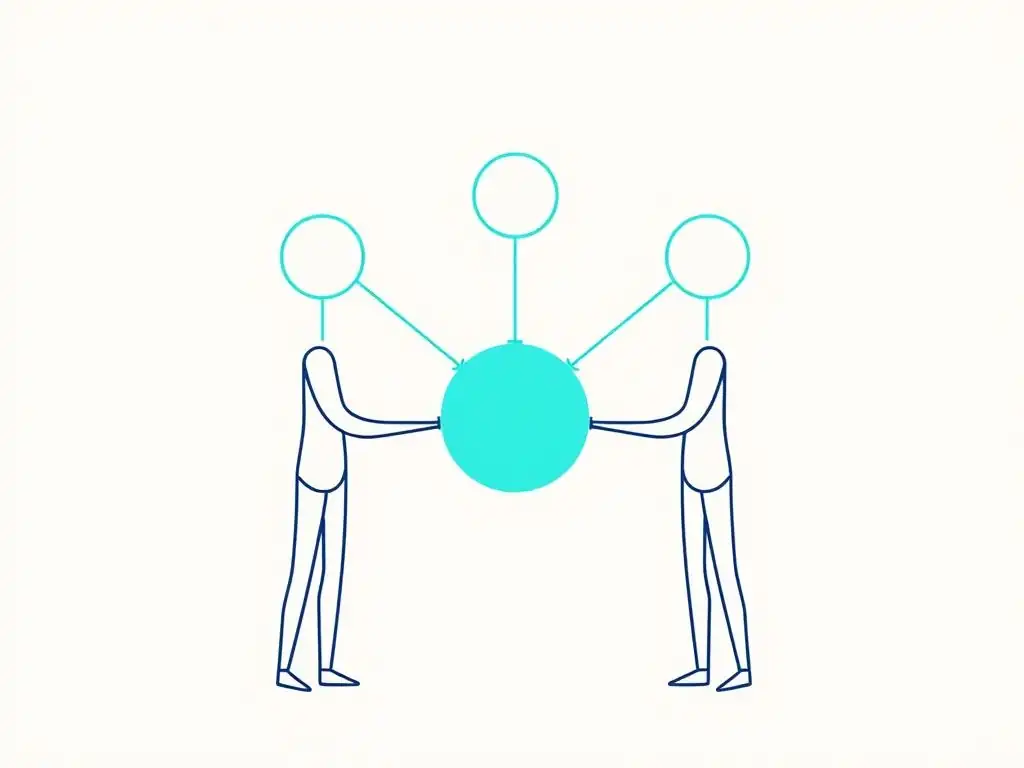
This section explores practical strategies to significantly improve team collaboration digitally, focusing on techniques to enhance productivity and streamline workflows. Effective digital collaboration isn't just about using tools; it's about optimizing their use to foster seamless teamwork and achieve shared goals. We'll examine specific methods to improve team communication, boost efficiency, and ultimately, achieve better results. The key is to leverage technology to amplify human interaction, not replace it.
Efficient document management is paramount for improving team collaboration digitally. Moving away from email chains cluttered with multiple versions of the same document is crucial. Shared cloud storage solutions like Google Drive, Dropbox, or Microsoft OneDrive offer a centralized repository for all project-related files. This ensures everyone accesses the most up-to-date version, eliminating confusion and saving valuable time spent searching for the correct file.
Furthermore, utilizing version control features within these platforms allows for easy tracking of changes. Knowing who made what edits, when, and why, fosters transparency and accountability. This also simplifies the process of reverting to previous versions if necessary, minimizing the risk of data loss or accidental overwrites. Consider implementing a clear naming convention for files to further enhance organization and searchability.
For example, using a consistent format like "[Project Name] [Document Type][Date].docx" ensures easy identification and retrieval. This simple step can dramatically reduce the time spent searching for documents, thus improving overall team productivity. Careful implementation of access permissions also prevents unauthorized edits and ensures data security.
Optimizing Online Meeting Etiquette and Efficiency
Online meetings are a cornerstone of digital collaboration, but their effectiveness hinges on proper etiquette and efficient execution. Before the meeting, circulate a clear agenda, ensuring everyone understands the meeting's objectives and their role. This pre-meeting preparation significantly reduces the time spent on unnecessary discussions during the meeting itself. Starting and ending meetings on time demonstrates respect for everyone's schedule and maintains productivity.
During the meeting, encourage active participation from all attendees. Utilize features like screen sharing to present information effectively and facilitate collaborative editing of documents. Assigning roles, such as a designated note-taker or timekeeper, can further enhance organization and efficiency. After the meeting, promptly share the minutes or a summary of key decisions and action items.
This ensures everyone is on the same page and avoids misunderstandings. Consider using a dedicated platform for meeting management to consolidate all related information and improve accessibility. Remember, the goal is to make online meetings as productive and engaging as possible, mirroring the effectiveness of face-to-face interactions. A well-structured online meeting, adhering to best practices, can significantly contribute to improving team collaboration digitally.
Utilizing Digital Whiteboards for Brainstorming and Idea Generation
Digital whiteboards offer a dynamic and collaborative space for brainstorming and idea generation, surpassing the limitations of traditional whiteboards. Tools like Miro, Mural, or even simple shared Google Docs can transform brainstorming sessions. These platforms allow multiple team members to contribute simultaneously, fostering a free-flowing exchange of ideas. The ability to organize thoughts visually, using sticky notes, diagrams, and mind maps, enhances clarity and facilitates a more structured brainstorming process.
Moreover, digital whiteboards offer features like voting mechanisms and comment sections, enabling the team to prioritize ideas and provide feedback efficiently. The ability to easily save and share the whiteboard session ensures that all generated ideas are captured and accessible for future reference. This promotes continuity and helps to avoid the loss of valuable insights.
The collaborative nature of digital whiteboards encourages active participation from all team members, regardless of their location, and fosters a more inclusive and engaging brainstorming experience. They are a powerful tool for improving team collaboration digitally, promoting creativity, and driving innovation. By leveraging these tools effectively, teams can unlock their collective potential and drive more effective problem-solving.
Improve Team Collaboration Digitally: Best Practices for Remote Teams
This section delves into practical strategies to significantly improve team collaboration digitally, focusing on techniques specifically beneficial for remote workforces. We'll explore effective communication methods, strategies for fostering a positive virtual team culture, and the best digital tools to enhance remote team building. The goal is to equip you with actionable insights to boost productivity and achieve seamless teamwork, regardless of geographical location. Optimizing digital collaboration is key to improving team performance and overall project success.
Effective Communication Strategies for Distributed Workforces
Effective communication is the bedrock of successful digital collaboration. For distributed teams, this requires a proactive and multifaceted approach. Simply relying on email isn't sufficient; diverse communication channels and strategies are needed to ensure clarity, transparency, and timely information flow.
Consider these key strategies:
- Establish clear communication protocols: Define preferred methods for different types of communication (e.g., instant messaging for quick updates, video conferencing for complex discussions, project management software for task assignments). Consistency is crucial. For example, specifying that urgent matters should be communicated via direct message on a specific platform avoids confusion and delays.
- Over-communicate, not under-communicate: In a virtual environment, it's easy for information to get lost. Regular updates, even on seemingly minor details, prevent misunderstandings and keep everyone aligned. Think of it as proactive transparency. For example, daily stand-up meetings (even short ones) can significantly improve information flow.
- Utilize asynchronous communication tools: Not everyone is available at the same time. Tools like project management software with comment threads, shared documents with version control, and asynchronous video messaging allow team members to collaborate at their own pace and across different time zones. This flexibility is crucial for improving team collaboration digitally, accommodating varying schedules and geographical locations.
- Master the art of the virtual meeting: Video conferencing is essential, but poorly managed meetings can be counterproductive. Establish a clear agenda beforehand, allocate specific time slots for discussion points, and encourage active participation from all attendees. Using screen sharing and collaborative whiteboards can enhance engagement and understanding.
Building a Strong Virtual Team Culture
Cultivating a strong virtual team culture is paramount for successful digital collaboration. While geographically dispersed, teams need to feel connected, valued, and engaged. Here's how to achieve that:
- Foster a sense of community: Regular virtual social events, such as online coffee breaks or virtual team-building activities (discussed further in the next section), help build relationships and camaraderie. These informal interactions are vital for improving team collaboration digitally by fostering a sense of belonging.
- Promote open and honest feedback: Create a safe space for team members to share their thoughts and concerns without fear of judgment. Regular check-ins and feedback sessions, both formal and informal, are crucial. This allows for early identification and resolution of potential issues, thereby improving team cohesion and productivity.
- Recognize and celebrate achievements: Publicly acknowledging individual and team accomplishments boosts morale and fosters a sense of shared success. This could involve simple email shout-outs, virtual awards, or team-wide celebrations. This simple practice significantly improves team collaboration digitally by reinforcing positive behaviors and motivating team members.
- Prioritize work-life balance: Encourage team members to maintain a healthy work-life balance to prevent burnout. This includes setting clear boundaries around working hours and encouraging the use of vacation time. A well-rested and engaged team is a more productive team.
Utilizing Digital Tools for Remote Team Building Activities
Effective team building activities are crucial for strengthening relationships and improving collaboration, especially in remote settings. Leveraging digital tools allows for engaging and inclusive experiences.
- Online games and quizzes: Platforms offering virtual team games and quizzes can be a fun and engaging way to foster collaboration and build rapport. These activities often involve problem-solving and teamwork, directly translating to improved collaboration skills in professional settings.
- Virtual escape rooms: These interactive experiences challenge teams to work together to solve puzzles and escape a virtual scenario, promoting communication and strategic thinking. This immersive activity is a highly effective method for improving team collaboration digitally, fostering creative problem-solving and strengthening team dynamics.
- Collaborative online projects: Assign tasks that require team members to work together on a shared digital document or project. This could involve creating a presentation, building a website, or developing a marketing campaign. This hands-on approach allows for direct application of collaboration skills and fosters a sense of shared accomplishment.
- Virtual coffee breaks and social events: Using video conferencing platforms to organize informal virtual gatherings allows for casual interactions and relationship building. These informal settings are vital for fostering a positive team environment, improving team collaboration digitally, and boosting overall morale. The key is to ensure these activities are inclusive and welcoming to all team members.
Digital Skills for Seamless Collaboration: Enhancing Team Coordination
This section delves into specific digital strategies to significantly improve team collaboration and boost overall productivity. We'll explore practical tools and techniques to streamline workflows, enhance communication, and foster a more efficient and harmonious team environment. The goal is to provide actionable insights to help you effectively leverage digital tools for improved team collaboration, ultimately leading to better project outcomes and a more positive work experience.
Implementing Collaborative Task Management Systems
Effective task management is the bedrock of successful teamwork. Moving beyond simple email chains and spreadsheets requires adopting a robust collaborative task management system. These systems offer centralized platforms for assigning tasks, tracking progress, setting deadlines, and facilitating communication all within a single, easily accessible interface.
Several key features to look for in a collaborative task management system include:
- Task assignment and delegation: Clearly assign tasks to specific team members, ensuring everyone understands their responsibilities. The system should allow for easy re-assignment if needed.
- Progress tracking and visualization: Visual representations like Kanban boards or Gantt charts provide a clear overview of project progress, identifying bottlenecks and potential delays early on.
- Deadline management: Set and manage deadlines effectively, with reminders and notifications to ensure timely completion of tasks.
- File sharing and collaboration: Centralized storage for all project-related documents, allowing for easy access and collaborative editing.
- Communication tools: Integrated communication features, such as comments or chat functions, facilitate quick and efficient communication within the team.
Consider the specific needs of your team when choosing a system. For example, a smaller team might benefit from a simpler system like Trello, while a larger team working on complex projects might require a more comprehensive solution like Asana or Monday.com. Careful selection and consistent usage are crucial for maximizing the benefits of these systems and improving team collaboration digitally. Implementing a system will improve team communication and efficiency, leading to better project delivery.
Utilizing Time Tracking and Reporting Tools for Enhanced Accountability
Transparency and accountability are crucial for successful teamwork. Time tracking and reporting tools provide valuable insights into how team members spend their time, identifying areas of inefficiency and highlighting areas for improvement. This data-driven approach fosters a culture of responsibility and allows for more informed decision-making.
These tools offer several key benefits:
- Accurate time allocation: Provides a detailed breakdown of time spent on various tasks and projects, revealing where time is spent most effectively and where improvements can be made.
- Improved project estimations: Historical time data helps in creating more accurate project estimations for future endeavors.
- Enhanced accountability: Tracks individual contributions, promoting responsibility and highlighting potential issues with task allocation or project planning.
- Identifying bottlenecks: Pinpoints areas where tasks are taking longer than expected, allowing for timely intervention and process improvement.
- Client billing and invoicing: For teams working with clients, accurate time tracking is essential for accurate invoicing and billing.
Tools like Toggl Track, Clockify, and Harvest offer varying levels of functionality and integration options. Choosing the right tool depends on factors such as team size, project complexity, and budget. The key is to choose a system that seamlessly integrates into existing workflows and provides easily accessible and understandable reports. Regular review of these reports can identify areas for improvement in team processes and individual contributions, further improving team collaboration digitally.
Fostering a Culture of Open Communication and Feedback
Effective communication is the lifeblood of any successful team. While task management systems facilitate task coordination, open communication and regular feedback are essential for maintaining a positive and productive team environment. Digital tools can significantly enhance this process.
Here are some strategies for fostering a culture of open communication and feedback:
- Regular team meetings (virtual or in-person): Schedule regular meetings to discuss project progress, address challenges, and facilitate open dialogue. Utilize video conferencing tools for remote teams.
- Instant messaging platforms: Use platforms like Slack or Microsoft Teams for quick communication and informal updates, fostering a sense of community and real-time collaboration.
- Feedback mechanisms: Implement systems for regular feedback, both peer-to-peer and from managers. This can include anonymous surveys, regular one-on-one meetings, or dedicated feedback channels within the chosen communication platforms.
- Document sharing and version control: Utilize cloud-based platforms for document sharing and version control, ensuring everyone works with the most up-to-date information. This minimizes confusion and streamlines the workflow.
- Knowledge sharing platforms: Establish a central repository for team knowledge, such as a wiki or shared document library, to facilitate information sharing and reduce redundancy.
By implementing these strategies and leveraging the power of digital tools, you can create a more open, transparent, and communicative team environment, leading to improved collaboration, increased productivity, and a more positive work experience for everyone involved. This ultimately contributes to achieving a better understanding and improves team collaboration digitally.
Improve Team Collaboration Digitally: Choosing the Right Tools
Improving team collaboration digitally hinges on selecting the right tools for your specific needs. The market is flooded with options, each boasting unique features. Choosing wisely can dramatically boost productivity and streamline workflows, while a poor choice can lead to frustration and inefficiency. This section focuses on crucial considerations when selecting digital tools to enhance team collaboration. Effective digital collaboration requires careful evaluation of your team's size, project complexity, and communication preferences.
Selecting Project Management Software Tailored to Your Needs
Selecting the right project management software is paramount for improved team collaboration digitally. The ideal software should align with your team's size and project complexity. For smaller teams with simpler projects, a lightweight solution like Trello might suffice. Its Kanban-style boards allow for easy task visualization and progress tracking. However, for larger teams managing complex projects with multiple dependencies, a more robust solution like Asana or Monday.com might be necessary. These platforms offer advanced features such as Gantt charts, resource allocation tools, and detailed reporting capabilities.
Consider these key factors when choosing project management software:
- Ease of Use: The software should be intuitive and easy for all team members to learn and use, regardless of their technical expertise. A steep learning curve can hinder adoption and negate the benefits.
- Integration Capabilities: The ability to integrate with other tools your team uses (e.g., communication platforms, file storage) is crucial for a seamless workflow. Avoid software that operates in isolation.
- Scalability: Choose software that can grow with your team and handle increasing project complexity. Starting with a lightweight solution and upgrading later can be more costly and disruptive than selecting a scalable option from the outset.
- Reporting and Analytics: Robust reporting features allow you to track progress, identify bottlenecks, and measure team performance. This data is invaluable for continuous improvement.
| Feature | Trello | Asana | Monday.com |
|---|---|---|---|
| Best For | Small teams, simple projects | Medium to large teams, complex projects | Medium to large teams, complex projects |
| Pricing | Free plan available | Free plan available | Free plan available |
| Key Features | Kanban boards, task assignment | Gantt charts, timelines, custom workflows | Automation, dashboards, time tracking |
| Ease of Use | Very easy | Easy | Moderately easy |
Remember, a free trial period is your best friend! Test-drive several options before committing to a paid subscription. This allows your team to experience the software firsthand and determine which best fits their workflow.
Evaluating Communication Platforms for Optimal Team Interaction
Effective communication is the backbone of successful teamwork. Choosing the right communication platform is crucial for improving team collaboration digitally. The best platform depends on your team's communication style and project requirements. For quick updates and informal discussions, instant messaging platforms like Slack or Microsoft Teams are ideal. They offer features like direct messaging, group chats, and file sharing. However, for more formal communication or discussions requiring a detailed record, email might still be necessary. Consider also the need for video conferencing capabilities, especially for remote teams.
Think about these aspects when choosing a communication platform:
- Integration with other tools: Seamless integration with your project management software and file storage is crucial to avoid communication silos.
- Security and privacy: Ensure the platform offers robust security measures to protect sensitive information.
- Mobile accessibility: Choose a platform accessible across various devices, allowing team members to stay connected regardless of location.
- Search functionality: A strong search function makes it easy to find past conversations and files.
Choosing the optimal communication platform is crucial for maintaining clear, consistent, and efficient communication within the team. A well-chosen communication platform can considerably improve team collaboration digitally. Experiment with different platforms to discover which best suits your team's dynamic.
Integrating Tools for Seamless Data Sharing and Collaboration
Seamless data sharing and collaboration are essential for efficient teamwork. Integrating your chosen project management and communication platforms is crucial to avoid data silos and ensure everyone has access to the information they need. Cloud-based storage solutions like Google Drive or Dropbox offer centralized file storage and facilitate easy file sharing and collaboration. Version control systems like Git are vital for software development teams, ensuring smooth collaboration on codebases.
Consider these points for effective data integration:
- Centralized storage: Keep all relevant project documents and files in one central location, accessible to all team members.
- Version control: Use version control systems for documents and code to track changes, prevent conflicts, and ensure data integrity.
- Access control: Implement appropriate access controls to ensure only authorized personnel can access sensitive information.
- Regular backups: Regular backups are crucial to protect against data loss.
The key to successful digital collaboration lies in the seamless integration of these different tools. Think of it as building a well-oiled machine: each part works in harmony with the others, contributing to the overall efficiency and productivity of the system. By carefully selecting and integrating the right tools, you can significantly improve team collaboration digitally and unlock your team's full potential.
Mastering Digital Skills for Efficient Teamwork: A Step-by-Step Guide
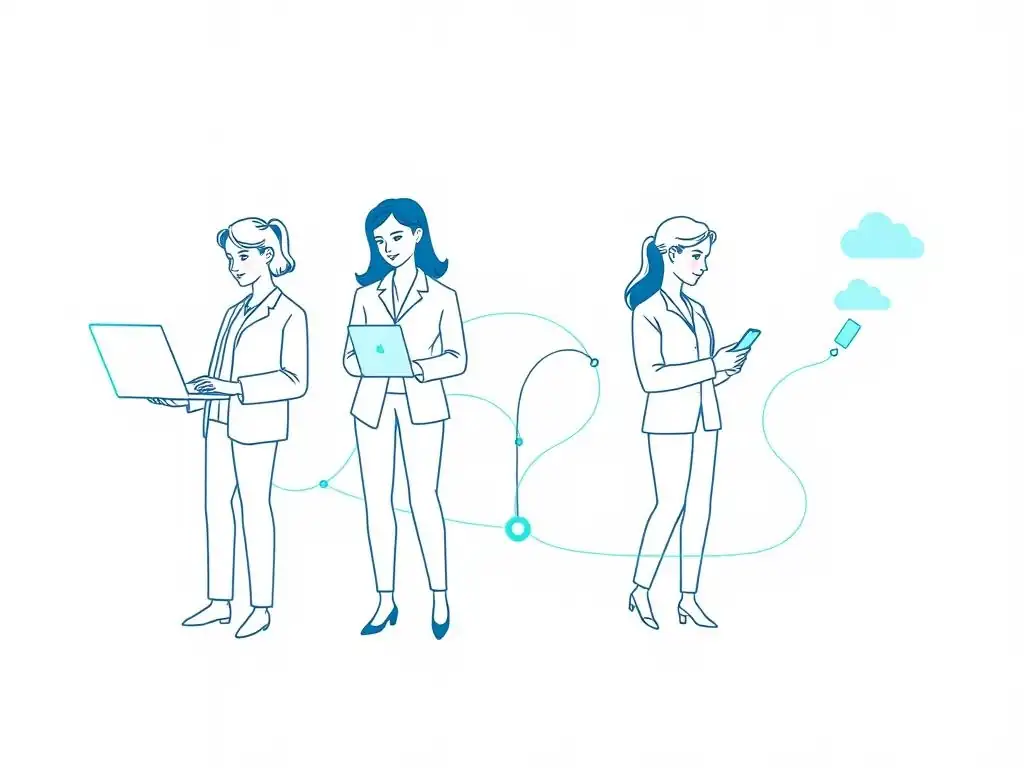
This section details a practical, step-by-step approach to improving team collaboration digitally, focusing on the selection and implementation of digital tools to enhance productivity and efficiency. We'll explore how to assess your current workflow, choose the right tools, and effectively train your team for optimal results. This guide aims to directly address the challenge of improving team collaboration digitally, offering concrete solutions for enhanced teamwork.
Step 1: Assess Current Collaboration Methods and Identify Pain Points
Before diving into new digital tools, a thorough assessment of your current collaboration methods is crucial. This involves identifying bottlenecks, inefficiencies, and areas needing improvement. Understanding your team's current pain points will guide the selection of appropriate digital solutions. This process involves both qualitative and quantitative analysis.
Consider these questions:
- Communication: How does your team currently communicate? (e.g., email, instant messaging, phone calls). Are there delays or miscommunications? Are messages easily searchable and archived?
- Project Management: How are projects managed? (e.g., spreadsheets, shared documents, dedicated project management software). Are deadlines consistently met? Are tasks clearly assigned and tracked? Is progress easily monitored?
- File Sharing: How are files shared and accessed? (e.g., email attachments, cloud storage, shared drives). Are files easily version-controlled? Is there a system for ensuring everyone has access to the most up-to-date versions?
- Meeting Efficiency: How effective are team meetings? Are they well-organized, focused, and productive? Is time wasted on unnecessary discussions or logistical issues?
To quantify your findings, consider tracking metrics like:
| Metric | Current Status | Target Status |
|---|---|---|
| Average response time to emails | 24 hours | 2 hours |
| Number of missed deadlines | 5 per month | 1 per month |
| Time spent searching for files | 1 hour/week | 15 minutes/week |
By analyzing these aspects, you'll gain a clear picture of your team's current collaboration strengths and weaknesses, paving the way for targeted improvements. This initial assessment is the cornerstone of successfully improving team collaboration digitally. Remember, a well-defined problem is half-solved!
Step 2: Select Appropriate Digital Tools Based on Team Needs
Once you've identified your team's collaboration pain points, you can begin selecting the appropriate digital tools. The best tools will depend on your specific needs and budget. There is no "one-size-fits-all" solution. Consider the following factors when making your selection:
- Team Size and Structure: The ideal tool for a small team might not scale effectively for a larger organization with complex hierarchies.
- Budget: Some tools offer free plans, while others require paid subscriptions. Consider the cost-benefit ratio of each option.
- Integration: Choose tools that integrate seamlessly with your existing software and systems. Avoid creating silos of information.
- User-Friendliness: Select tools that are intuitive and easy for your team members to learn and use. A complex tool, however powerful, is useless if it's not adopted.
- Security and Privacy: Ensure the tools you choose offer robust security features to protect sensitive data.
Examples of digital tools that can improve team collaboration include:
- Communication: Slack, Microsoft Teams, Google Chat
- Project Management: Asana, Trello, Monday.com, Jira
- File Sharing: Google Drive, Dropbox, SharePoint
- Video Conferencing: Zoom, Google Meet, Microsoft Teams
Carefully evaluate the features and functionalities of different tools before making a decision. Consider conducting trials or demos before committing to a specific platform. Prioritize tools that directly address the pain points identified in Step 1.
Step 3: Implement and Train Team Members on New Tools and Processes
Implementing new digital tools requires careful planning and execution. A successful implementation hinges on effective training and ongoing support. Simply introducing new software isn't enough; you need to ensure your team understands how to use it effectively and integrates it into their workflow.
Consider these steps:
- Phased rollout: Introduce new tools gradually, rather than all at once, to minimize disruption and allow for adjustments based on feedback.
- Comprehensive training: Provide thorough training sessions, including hands-on practice and Q&A. Consider different learning styles and provide materials in various formats (e.g., videos, documentation, live sessions).
- Ongoing support: Establish a system for ongoing support and troubleshooting. This could include a dedicated help desk, FAQs, or regular check-ins with the team.
- Feedback mechanisms: Regularly solicit feedback from team members to identify areas for improvement and address any challenges.
- Incentivize adoption: Reward team members for actively using and mastering the new tools and processes.
Remember, successful digital transformation isn't just about technology; it's about people. Invest in your team's training and support, and you'll see a significant return on your investment in improved team collaboration digitally. The key to success lies in a well-planned implementation, ongoing support, and consistent feedback loops. This iterative approach will ensure that the chosen digital tools truly improve your team's efficiency and effectiveness.
Step 4: Monitor Progress, Gather Feedback, and Make Adjustments
Effective teamwork isn't a set-it-and-forget-it process. Regular monitoring and iterative adjustments are crucial for achieving optimal results and improving team collaboration digitally. This involves actively tracking progress towards shared goals, soliciting feedback from team members, and making necessary changes to the workflow or communication strategies. For instance, a project manager might utilize a project management tool to visualize task completion rates, identify bottlenecks, and highlight areas needing immediate attention. This allows for proactive intervention, preventing minor issues from escalating into major roadblocks.
Gathering feedback is equally vital. Regular check-ins, whether through quick polls, informal meetings, or formal reviews, provide valuable insights into team dynamics and individual perspectives. This feedback loop should be a two-way street; team members should feel comfortable voicing concerns, suggestions for improvement, and celebrating successes. Tools like online feedback forms or collaborative document annotation features can streamline this process, ensuring everyone's voice is heard and considered. Analyzing this feedback can reveal areas where communication is lacking, processes are inefficient, or tools are underutilized.
Making adjustments based on the gathered data is the final, and arguably most important, element. This doesn't necessarily mean overhauling the entire system; sometimes, small tweaks can yield significant improvements. For example, adjusting meeting schedules to accommodate different time zones, implementing a new communication protocol, or clarifying roles and responsibilities can significantly impact team efficiency. The key is to be flexible and responsive to the team's needs, continuously refining the collaboration process for optimal performance. Remember, the goal is to improve team collaboration digitally, and adaptation is key to achieving that goal.
Step 5: Continuously Improve Collaboration Processes for Optimal Efficiency
Improving team collaboration digitally is an ongoing journey, not a destination. The processes and tools that work effectively today might become outdated or inefficient tomorrow. Therefore, a commitment to continuous improvement is essential for maintaining high levels of productivity and team morale. This involves regularly evaluating the effectiveness of current collaboration methods, identifying areas for optimization, and implementing changes based on data and feedback.
One effective strategy is to regularly review project post-mortems. After completing a project, take some time to reflect on what worked well, what could have been improved, and what lessons were learned. This process provides valuable insights into the strengths and weaknesses of the team's collaboration strategies. Documenting these findings ensures that lessons learned are not forgotten and can be applied to future projects, leading to a continuous cycle of improvement.
Furthermore, staying updated on the latest collaboration tools and technologies is crucial. The digital landscape is constantly evolving, with new software and platforms emerging regularly. Exploring and implementing these new tools can significantly enhance team efficiency and communication.
For example, adopting a new project management software with improved features or integrating a communication platform with better integration capabilities can drastically improve the team's ability to improve team collaboration digitally. Regularly assessing the team's needs and seeking out solutions to address those needs is a key part of maintaining a dynamic and efficient collaborative environment. Remember, continuous improvement is the cornerstone of long-term success in digital teamwork.
Frequently Asked Questions
What are some essential digital skills for improved team collaboration?
Effective digital collaboration hinges on strong communication skills utilizing platforms like Slack or Microsoft Teams, proficiency in project management tools such as Asana or Trello, and the ability to share and edit documents collaboratively using Google Docs or similar software. Mastering these tools is crucial.
How can I improve my team's digital communication?
Establish clear communication protocols. Utilize the right tools for different purposes (e.g., instant messaging for quick updates, email for formal announcements). Encourage regular check-ins and actively seek feedback to ensure everyone is on the same page.
What digital tools can boost team productivity?
Many tools can significantly enhance productivity. Project management software helps organize tasks and track progress. Video conferencing platforms facilitate real-time collaboration and brainstorming. Cloud storage ensures everyone has access to the latest files.
How can I overcome challenges in digital team collaboration?
Address issues proactively. Establish clear expectations and guidelines, including communication styles and response times. Provide adequate training on the chosen tools. Regularly review processes and adapt as needed to refine efficiency.
How can I measure the success of improved digital collaboration?
Track key metrics like project completion rates, time saved, and overall team satisfaction. Gather feedback through surveys or informal discussions to understand areas for further improvement and celebrate successes. Focus on increased efficiency and improved team morale.
Final Reflection: Weaving a Digital Tapestry of Collaboration
The seamless integration of digital tools is no longer a luxury for teams; it's the very fabric of effective collaboration in today's hyper-connected world. Failing to embrace these tools isn't just inefficient; it's a competitive disadvantage in a landscape where speed, agility, and shared understanding are paramount. The ability to collaborate effectively digitally is the key to unlocking unprecedented levels of productivity and innovation.
The shift towards digital collaboration has profoundly reshaped how we work, fostering a more fluid and interconnected professional landscape. This evolution isn't merely about using software; it's about cultivating a new mindset—one that embraces transparency, asynchronous communication, and the power of shared digital spaces. This transformation has deeply impacted my own approach to teamwork, leading to a more efficient and fulfilling experience. The best way to predict the future is to create it.
- Peter Drucker. This quote resonates deeply, as our active shaping of digital collaboration tools and strategies directly impacts the future of teamwork itself.
Consider the tools and techniques discussed in this article. How can you integrate them into your own workflow to foster stronger, more productive relationships with your colleagues? Take the time to experiment, to find the digital solutions that best suit your team's unique needs and communication styles. Embrace the opportunity to build a more connected, efficient, and ultimately, more fulfilling work environment. The future of collaboration is digital, and it's waiting for you to shape it.
Unlock Your Team's Potential: Master Collaborative Digital Skills Today!
Thanks for exploring the world of seamless collaboration! We hope you gained valuable insights into how the right digital skills can transform teamwork. Now it's time to apply that knowledge.
- Prioritize a new digital tool: Choose one collaborative platform or skill from the article—such as project management software or video conferencing best practices—and dedicate 30 minutes this week to learning it.
- Share your knowledge: Discuss your chosen tool or skill with your team; even a brief mention can spark valuable conversations and improve your collective digital proficiency.
- Experiment with digital collaboration: Try a new approach to a project, applying one of the discussed strategies. How does it impact workflow and communication?
Ready to elevate your teamwork and experience the power of seamless digital collaboration? What's the first digital skill you'll focus on mastering?