
Declutter Your Desktop: Transform Your Computer into a Productivity Powerhouse

Dive into the world of UltimateLifeHacks and unlock the secrets to a more productive and efficient you! Are you drowning in a sea of digital clutter? We'll show you how to dramatically improve your workflow and reclaim your sanity with our expert guide on how to organize your computer desktop efficiently. Discover the transformative power of a streamlined digital workspace and unlock your true productivity potential – let's get started!
- The Impact of a Cluttered Computer Desktop on Productivity
- Strategies to Organize Your Computer Desktop Efficiently
- Software and Tools for Optimized Desktop Organization
- Maintaining an Organized Computer Desktop: Long-Term Strategies
- Beyond the Desktop: Organizing Your Digital Files for Maximum Efficiency
- Transforming Your Digital Workspace for Peak Productivity
-
Frequently Asked Questions
- How can I quickly declutter my computer desktop?
- What are the best practices for organizing my computer desktop efficiently?
- Does organizing my desktop actually improve productivity?
- What software or tools can help me organize my computer desktop?
- How often should I declutter my computer desktop to maintain efficiency?
- Final Reflection: The Untapped Power of a Tidy Desktop
- Unleash Your Digital Productivity!
The Impact of a Cluttered Computer Desktop on Productivity
A cluttered computer desktop is more than just an aesthetic issue; it's a significant productivity drain. In today's digital age, our computers are central to our work and personal lives. A chaotic desktop filled with scattered files, shortcut icons, and random documents directly impacts our ability to focus, find information quickly, and manage our time effectively.
This article will explore the detrimental effects of a disorganized digital workspace and provide practical strategies to transform your computer into a productivity powerhouse. We'll delve into how to effectively organize your computer desktop to improve focus, reduce mental clutter, and ultimately, save you valuable time and energy. Learning to efficiently organize your computer desktop is a crucial skill for maximizing your productivity and minimizing stress in the digital world.
We'll explore concrete methods and quantify the potential benefits, helping you understand the true cost of a disorganized digital space and the significant return on investment of implementing effective organization strategies. This guide will empower you to conquer digital clutter and unlock your full potential.
How Desktop Clutter Affects Focus and Workflow
A visually cluttered desktop directly interferes with cognitive function. Our brains are constantly processing visual information, and a chaotic desktop creates a constant stream of distracting stimuli. This constant barrage of visual noise makes it harder to concentrate on the task at hand, leading to reduced focus and increased task-switching. Imagine trying to find a specific file amongst a sea of icons – the time wasted searching is a direct loss of productivity.
Studies have shown that a cluttered workspace, both physical and digital, can increase stress levels and decrease overall cognitive performance. Furthermore, a disorganized desktop often leads to inefficient workflows. The inability to quickly locate necessary files and applications disrupts the smooth flow of work, leading to delays and frustration.
The time spent searching for misplaced files adds up, significantly impacting your overall productivity. This constant disruption can lead to a feeling of being overwhelmed and ultimately reduce the quality of your work. Effective desktop organization, therefore, is not merely about aesthetics; it is a fundamental aspect of efficient workflow management.
The Link Between Digital Clutter and Mental Overload
The connection between physical and digital clutter and mental well-being is increasingly recognized. A cluttered desktop mirrors a cluttered mind, leading to feelings of overwhelm and anxiety. The constant visual reminders of unfinished tasks and unorganized files contribute to mental fatigue and reduce cognitive capacity. This mental overload can manifest in various ways, including decreased creativity, impaired decision-making, and increased procrastination.
Just as a tidy physical space can promote a sense of calm and focus, a well-organized digital workspace can significantly reduce mental clutter and improve cognitive function. By creating a visually appealing and organized desktop, you create a more peaceful and productive work environment that supports your mental well-being. Think of it as decluttering your mind, one file at a time. This leads to a more focused and less stressful working experience.
Measuring the Cost of Inefficient Desktop Organization
While the impact of a disorganized desktop on productivity is significant, it's difficult to assign a precise monetary value to it. However, we can estimate the cost based on the time wasted searching for files, dealing with misplaced documents, and experiencing the resulting frustration and decreased efficiency. Consider the average hourly wage of a knowledge worker. The cumulative time spent each day searching for files, dealing with system crashes due to an overloaded desktop, or simply navigating a chaotic digital space adds up quickly.
[Specific data on average time spent searching for files pending]. Even a few minutes saved per day can translate into significant time savings over a week, a month, or a year. Furthermore, the cost of errors resulting from a disorganized system—lost files, missed deadlines, or duplicated work—can be substantial.
The indirect costs, such as increased stress and decreased job satisfaction, are also considerable. By implementing efficient desktop organization strategies, you can directly reduce these costs and significantly improve your overall productivity and work satisfaction. The investment in time to organize your desktop will yield significant returns in terms of efficiency and reduced stress.
Strategies to Organize Your Computer Desktop Efficiently
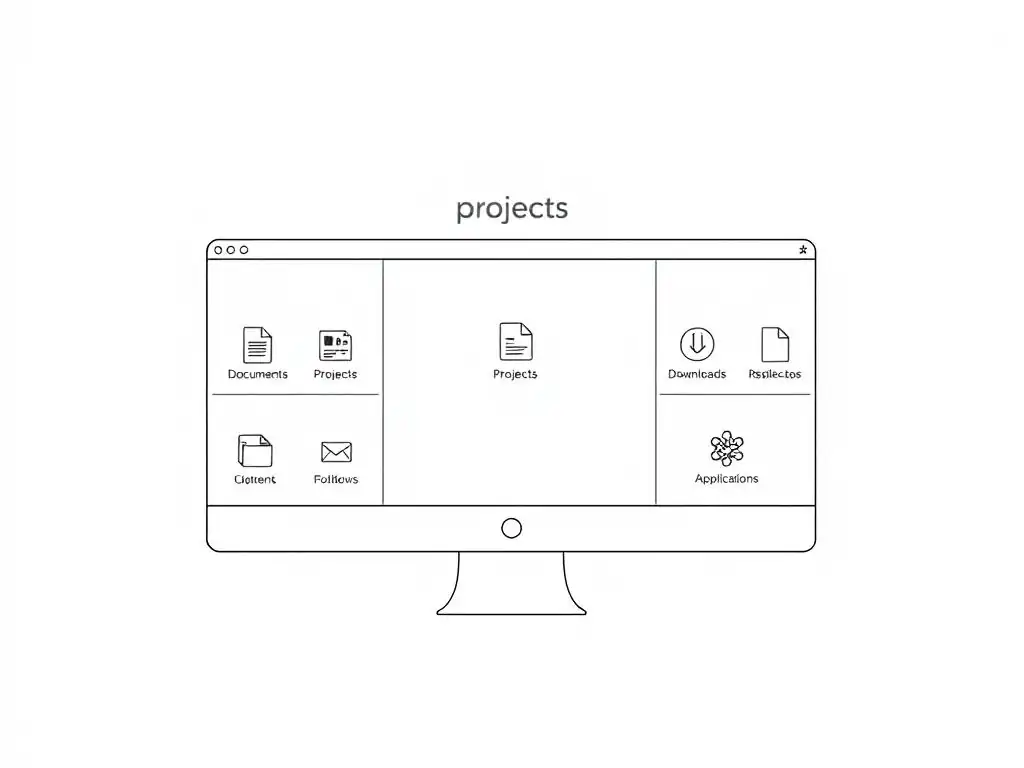
This section dives deep into practical strategies to effectively organize your computer desktop, transforming it from a chaotic mess into a productivity powerhouse. Efficient desktop organization is crucial for boosting workflow and minimizing wasted time searching for files. We'll explore proven techniques to help you conquer desktop clutter and unlock your computer's full potential for productivity.
The goal is to seamlessly integrate these strategies into your daily routine, making organization a second nature rather than a chore. Mastering these techniques will significantly improve your ability to find what you need, when you need it, resulting in a more streamlined and efficient work process. Let's get started!
The Power of File Organization: Creating a Logical System
Organizing your digital files is the cornerstone of an efficient computer desktop. A haphazard system leads to frustration and lost time. Instead, implement a logical system that reflects your work style and file types. Consider these options:
- Project-Based Organization: Group files by active projects. This is ideal for freelancers or those working on multiple simultaneous tasks. For example, you might have folders titled "Client A - Project X," "Client B - Proposal," and "Website Redesign." This method ensures easy access to all materials related to a specific project.
- Type-Based Organization: Categorize files by their type (documents, images, videos, etc.). This approach works well for those with a more generalized workflow. You could have main folders such as "Documents," "Images," "Videos," and subfolders within each for further categorization.
- Date-Based Organization: Arrange files chronologically. This is helpful for tracking progress over time or for maintaining financial records. You might use a yearly folder structure (e.g., "2023," "2024"), with monthly subfolders.
No matter which system you choose, consistency is key. Stick to your chosen method to avoid creating further disorganization. Regularly review and refine your system as your needs evolve. Think of it as a living document adapting to your workflow. The key is to find a system that works for you and maintain it diligently. Remember, the goal is to Organize computer desktop efficiently.
Utilizing Folders for Efficient Categorization
Folders are your best friends in the quest to organize your computer desktop efficiently. They provide a clear and hierarchical structure, preventing files from piling up and becoming overwhelming. However, simply creating folders isn't enough; you need a strategic approach.
- Hierarchical Structure: Avoid creating a flat folder structure. Instead, use nested folders to create a hierarchy that reflects the relationships between your files. For instance, a "Documents" folder might contain subfolders for "Work," "Personal," and "Finance," each with its own subfolders for specific projects or categories.
- Descriptive Folder Names: Use clear and concise names that accurately reflect the contents of each folder. Avoid using cryptic abbreviations or ambiguous terms. A folder named "Project Alpha Documents" is far more informative than "ProjA Docs."
- Regular Maintenance: Don't let folders become overloaded. Regularly review and purge unnecessary files. This prevents folders from becoming unwieldy and slows down access times. Think of it as spring cleaning for your digital workspace – a necessary task for maintaining an efficiently organized computer desktop. It's a small investment of time that pays off significantly in the long run.
Naming Conventions for Easy Retrieval
Consistent file naming is crucial for efficient retrieval. A well-defined naming convention allows you to quickly locate files without endlessly scrolling through lists. Consider these best practices:
- Descriptive Names: Use clear and descriptive names that accurately reflect the file's content. Avoid generic names like "Document1.docx" or "Image1.jpg." Instead, use names like "Marketing Proposal Q3 2024.docx" or "Product Launch Presentation Images.zip."
- Date-Based Prefixes: Adding a date prefix (e.g., YYYYMMDD) ensures chronological order when sorting files. This is especially useful for documents related to a project spanning several months.
- Consistent Formatting: Maintain consistent capitalization, punctuation, and spacing in your file names. This improves readability and makes searching easier. For example, consistently using underscores ("_") or hyphens ("-") as separators enhances readability.
Implementing these naming conventions, coupled with a well-structured folder system, will significantly improve your ability to organize your computer desktop efficiently. The time saved searching for files will quickly outweigh the initial effort invested in establishing these practices. Remember, a well-organized desktop is a productive desktop!
Employing Desktop Widgets Wisely: Maximizing Space and Functionality
Desktop widgets, when used strategically, can significantly enhance your desktop organization and workflow. However, poorly implemented widgets can quickly clutter your screen and negate their intended benefits. The key is mindful selection and placement. Avoid installing widgets that duplicate functionality already available within your operating system or applications. For example, if you already use a calendar application, a calendar widget might be redundant. Instead, focus on widgets that provide quick access to frequently used tools or information, such as a weather app, a note-taking widget for quick reminders, or a simple to-do list.
Consider the size and visual impact of each widget. A large, visually busy widget can overwhelm a smaller screen, hindering rather than helping your workflow. Prioritize widgets with clean, minimalist designs that don't distract from your primary tasks. Experiment with different widget placements to find a layout that maximizes screen real estate without sacrificing usability. Grouping related widgets together can improve visual organization and streamline your workflow.
For instance, you might group productivity widgets in one corner and entertainment widgets in another, keeping related functions visually separate. Regularly review your widgets; remove any that are no longer useful or that are hindering your productivity. A regularly pruned collection of widgets ensures your desktop remains a clean and effective workspace. This process of selective curation is crucial for maintaining an efficiently organized computer desktop. Remember, the goal is to improve your workflow, not to add visual noise.
Utilizing Search Functionality Effectively
Effective search is your secret weapon in quickly locating files and applications on your cluttered desktop. Most operating systems offer robust search capabilities, often accessible through a simple keyboard shortcut (like Cmd+Space on macOS or Windows Key on Windows). Mastering this functionality is paramount to efficiently organizing your computer desktop, even if it's not perfectly organized. Instead of spending precious time visually scanning your desktop for a specific file, leverage your system's search capabilities.
Learn the nuances of your operating system's search function. Understand how to use Boolean operators like "AND," "OR," and "NOT" to refine your searches and improve accuracy. For example, searching for "report AND 2024" will only return files containing both "report" and "2024" in their names or content.
Moreover, consider how you name your files and folders. Using clear, consistent naming conventions significantly improves search results. Avoid using ambiguous names or abbreviations that might confuse the search algorithm. For example, instead of naming a file "doc1.docx," opt for a descriptive name like "Quarterly Sales Report Q1 2024.docx." This not only aids in efficient searching but also makes it easier to identify files later.
Regularly review and clean up your files and folders, deleting unnecessary items and consolidating similar files. This proactive approach makes your computer's search function even more effective by reducing the amount of data it needs to sift through. A well-maintained file system drastically reduces search time, directly contributing to improved efficiency and productivity. This is a key element in the larger strategy of how to organize computer desktop efficiently.
Software and Tools for Optimized Desktop Organization
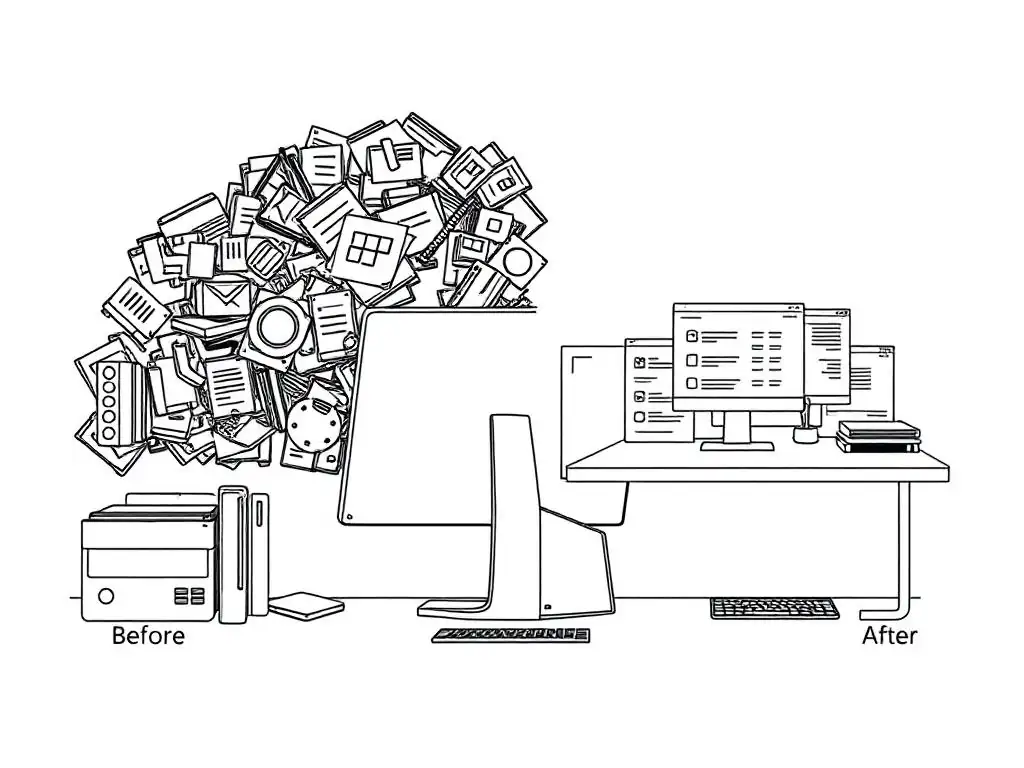
This section explores the software and tools available to help you effectively organize computer desktop efficiently. We'll examine options for file management, dedicated desktop organization apps, and cloud storage solutions to streamline your workflow and banish digital clutter. Efficient desktop management is crucial for boosting productivity and reducing stress. Let's dive in!
Top File Management Software for Windows and Mac
Effective file management is the cornerstone of a productive digital workspace. While operating systems offer basic file explorer functionalities, dedicated software enhances organization exponentially. Here's a comparison of leading options for Windows and macOS:
| Feature | Windows File Explorer Alternatives | macOS Finder Alternatives |
|---|---|---|
| Intuitive Interface | Generally user-friendly, but can lack advanced features. | Generally user-friendly, but can lack advanced features. |
| Tagging & Metadata | Limited built-in functionality; requires third-party extensions. | Improved tagging capabilities compared to Windows, but still limited for advanced users. |
| Advanced Search | Basic search functionality; advanced search requires third-party tools. | Relatively robust search, but advanced filtering may need plugins. |
| File Versioning | Requires separate software or cloud services. | Requires separate software or cloud services. |
| Customization | Moderate level of customization available. | Moderate level of customization available. |
For Windows users seeking enhanced functionality beyond the built-in File Explorer, consider exploring options that offer features like advanced search filters, powerful tagging systems, and integrated cloud storage. Similarly, macOS users might find that supplementing the Finder with specialized software significantly improves their workflow. The best choice depends on individual needs and preferences, but investing in a robust file manager can drastically improve your ability to organize computer desktop efficiently.
Recommended Desktop Organization Apps
Beyond file management, dedicated desktop organization apps provide visual clarity and streamlined access to frequently used files and applications. These apps often offer features like customizable widgets, quick launch functionality, and integrated task management tools. Here are some examples:
- Fences (Windows): This app lets you group files and folders into customizable "fences" on your desktop, keeping things tidy and easily accessible. Think of it as creating virtual drawers on your desktop. It's a great tool for visual organization.
- Circle Folders (Windows): This app offers a unique approach to organization by using circular folders that expand and collapse, providing a visually appealing and efficient way to manage files.
- [Mac App Name Pending]: Research is needed to identify a top-performing macOS equivalent to Fences or Circle Folders. Information on a leading app for macOS desktop organization is pending.
These apps can significantly improve your ability to organize computer desktop efficiently, providing a more visually appealing and functional desktop environment. Experimenting with different apps to find the best fit for your workflow is key.
Cloud Storage Solutions for Seamless File Access
Cloud storage isn't just for backups; it's a crucial component of efficient desktop organization. By storing files in the cloud, you can access them from anywhere, freeing up valuable space on your computer's hard drive and promoting a cleaner desktop.
Consider these aspects when choosing a cloud storage provider:
- Storage Capacity: Choose a plan that meets your current and future storage needs. Consider the amount of data you regularly work with.
- Security Features: Prioritize providers with robust security measures, including encryption and two-factor authentication. Data security is paramount.
- File Sharing Capabilities: Consider how easily you can share files with colleagues or clients. Collaboration tools are often essential for productivity.
- Integration with Other Apps: Look for services that integrate seamlessly with your existing workflow. Seamless integration boosts efficiency.
By strategically leveraging cloud storage, you can organize computer desktop efficiently and maintain a clutter-free workspace. This approach reduces the reliance on local storage, enabling a more streamlined and productive digital environment. ☁️
Maintaining an Organized Computer Desktop: Long-Term Strategies
Maintaining a clutter-free computer desktop isn't a one-time fix; it's an ongoing process. Think of it like tidying your physical workspace – you wouldn't just clean it once and expect it to stay pristine. Consistent effort is key to truly organize computer desktop efficiently. This section outlines long-term strategies to ensure your digital workspace remains a productivity powerhouse. We'll explore regular clean-up routines, preventative measures, and even automation techniques to help you conquer desktop chaos for good.
Regular Desktop Clean-Up Routines
Establishing a regular cleaning routine is paramount. How often you do this depends on your individual workflow, but aiming for at least a weekly clean-up is recommended. This doesn't have to be a time-consuming process. A quick 5-10 minute sweep can make a huge difference. Here's a suggested routine:
- Step 1: Delete Unnecessary Files: Ruthlessly remove any files you no longer need. This includes temporary downloads, outdated documents, and duplicate files. Think of it as a digital spring cleaning! 🧹
- Step 2: Organize Remaining Files: Group similar files into folders. Use clear and descriptive folder names. For example, instead of "Documents," consider "Work Documents," "Personal Documents," or "Project X Documents."
- Step 3: Utilize Your Desktop Efficiently: Don't just shove everything into a single folder. Create a hierarchical folder structure that makes sense for your workflow. This will help you locate files quickly and easily.
- Step 4: Leverage the Recycle Bin: Don't be afraid to use the recycle bin! It's there for a reason. Empty it regularly to free up space and prevent unnecessary clutter.
Implementing a Preventative Approach to Clutter
Proactive strategies are far more effective than reactive ones. Instead of constantly playing catch-up with desktop clutter, implement measures to prevent it from accumulating in the first place. Here are some practical tips:
- Save Files Directly to Folders: Develop the habit of saving files directly to their designated folders instead of dropping them onto your desktop. This prevents the immediate accumulation of files and keeps your desktop clean from the start.
- Use Cloud Storage: Utilize cloud storage services (like Google Drive, Dropbox, or OneDrive) to store large files or less frequently accessed documents. This frees up significant space on your hard drive and keeps your desktop clutter-free.
- Create a "To-Do" System: If you tend to use your desktop as a to-do list, consider adopting a dedicated task management system like Todoist or Asana. This will help you keep track of your tasks without cluttering your desktop.
- Regularly Review Downloads: Set aside a few minutes each day or week to review your downloads folder. Delete unnecessary files promptly to prevent clutter from building up.
Automating Desktop Organization Tasks
Technology can be your best friend when it comes to organizing your computer desktop efficiently. Several tools and techniques can automate various aspects of desktop management:
- Scheduled Tasks: Many operating systems allow you to schedule tasks, such as automatically deleting temporary files or emptying the recycle bin. This ensures your desktop is regularly cleaned without manual intervention.
- File Organization Software: Explore software applications designed to automate file organization and cleanup. These programs can scan your system, identify duplicate files, and suggest ways to improve your file organization.
- Create Shortcuts: Instead of keeping numerous files on your desktop, create shortcuts to your frequently used folders or applications. This maintains visual cleanliness while ensuring quick access to your essential files.
- Utilize Desktop Widgets Sparingly: While some widgets can be helpful, avoid overloading your desktop with too many. This can quickly lead to visual clutter and hinder productivity.
Remember, consistency is key. By incorporating these long-term strategies into your workflow, you can transform your computer desktop from a chaotic mess into a productivity powerhouse. The result? A more efficient, enjoyable, and ultimately, more productive you! 🎉
Beyond the Desktop: Organizing Your Digital Files for Maximum Efficiency
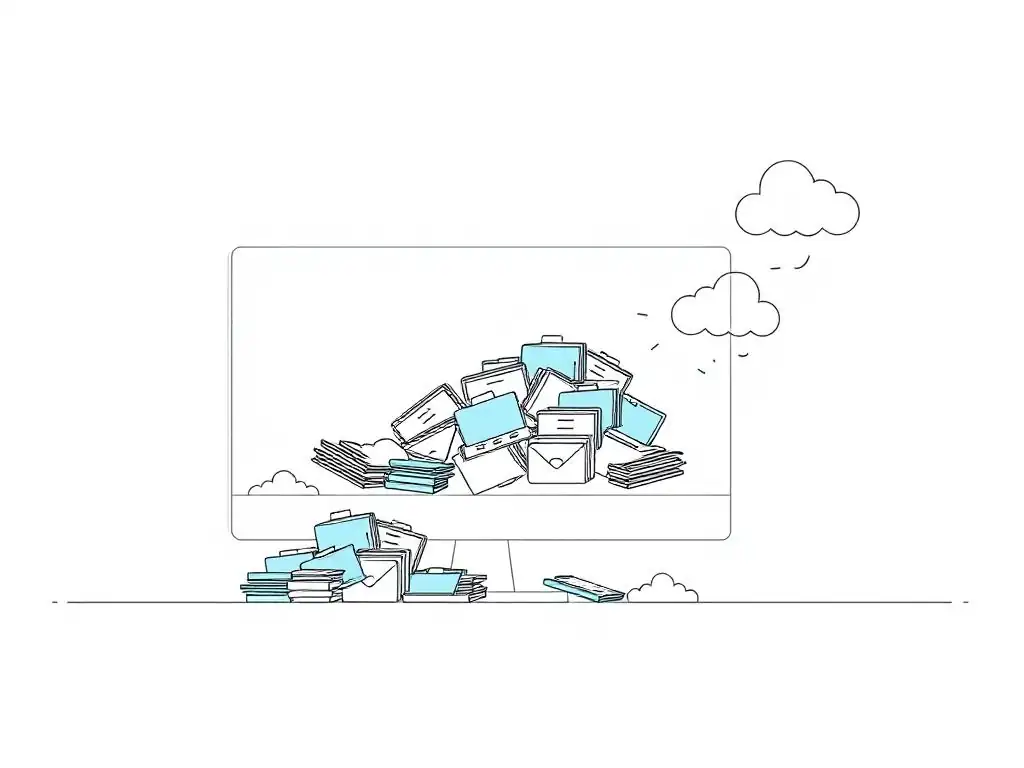
This section moves beyond the immediate visual clutter of your desktop to address the often-overlooked chaos lurking within your digital files. Organizing your computer's files effectively is crucial for maintaining productivity and preventing wasted time searching for documents. A well-structured file system acts as a digital filing cabinet, allowing you to quickly locate information when you need it, boosting efficiency and reducing stress.
We'll explore practical strategies to organize your downloads, documents, and emails, ultimately transforming your digital workspace into a well-oiled machine. Properly organizing your computer desktop efficiently is only half the battle; efficient digital file management is equally important.
Organizing Your Downloads Folder
The Downloads folder is often the digital equivalent of a junk drawer – a chaotic collection of files with no discernible order. This haphazard approach leads to wasted time searching for specific files and contributes to a sense of digital overwhelm. Here's how to transform your Downloads folder from a digital dumping ground into a well-organized system:
- Create Subfolders: Instead of letting files accumulate, create subfolders based on their type (e.g., "Documents," "Images," "Software," "Invoices"). This simple step significantly improves searchability.
- Regular Purging: Schedule regular (weekly or bi-weekly) cleanups of your Downloads folder. Delete unnecessary files, move important ones to their designated subfolders, and empty the recycle bin. This prevents the folder from becoming unwieldy.
- Automate (if possible): Explore the automation capabilities of your operating system. Some systems allow you to automatically move downloaded files to specific folders based on file type or source. This can significantly reduce manual sorting.
- Utilize Cloud Storage: Consider using cloud storage services to automatically back up and organize your downloads. Many services offer automatic file sorting and organization features, further simplifying the process. This also provides an added layer of security in case of local data loss.
Think of it this way: a cluttered Downloads folder is like a messy desk; it hampers your ability to focus and be productive. By implementing these simple steps, you'll reclaim valuable time and reduce frustration.
Streamlining Your Documents and Files
Efficiently managing your documents and files is paramount for maintaining productivity and preventing information overload. A disorganized file system can lead to lost time searching for crucial documents, missed deadlines, and increased stress. Here's a structured approach to organize your documents and files:
- Consistent Naming Conventions: Employ a consistent naming convention for all your files. This could involve using dates (YYYYMMDD), project names, or client names, ensuring uniformity across your entire file system. This greatly simplifies searching and sorting.
- Logical Folder Structure: Create a logical folder structure that mirrors your work or personal life. This could be organized by project, client, year, or any other system that makes sense to you. Maintain consistency across all your folders.
- Regular File Reviews: Schedule regular reviews of your files. Delete outdated or unnecessary documents, archive older files, and consolidate similar documents into single folders. Regular maintenance prevents your file system from becoming unwieldy.
- Metadata Tagging: Utilize metadata tagging to add keywords and descriptions to your files. This allows for efficient searching and retrieval, even if you can't remember the exact file name. Many operating systems and file management software support this feature.
Consider the time saved by easily finding that crucial contract or presentation – that’s the true value of a streamlined document system. Implementing these techniques will transform your file management from a source of frustration to a powerful productivity tool.
Efficient Email Management Techniques
Email management is often a major source of digital clutter and wasted time. An overflowing inbox can lead to feelings of overwhelm and decreased productivity. Let’s explore effective email management techniques to reclaim control of your inbox and optimize your workflow:
- Unsubscribe Aggressively: Unsubscribe from unwanted newsletters and promotional emails. This dramatically reduces the volume of incoming emails and improves inbox clarity.
- Use Filters and Folders: Create filters to automatically sort incoming emails into designated folders based on sender, subject, or keywords. This helps categorize emails and prevents them from cluttering your inbox.
- The Two-Minute Rule: Process emails according to the "two-minute rule." If an email can be responded to or dealt with in two minutes or less, do it immediately. Otherwise, schedule it for later.
- Batch Processing: Set aside specific times during the day to process your emails. This prevents email from constantly interrupting your workflow and allows for focused attention.
- Archive Regularly: Archive emails that are no longer needed. This keeps your inbox clean and improves search functionality. Using search functions within your email client is far more efficient than manually scrolling through thousands of emails.
Efficient email management is not just about clearing your inbox; it's about reclaiming your time and mental energy. By implementing these strategies, you'll transform your inbox from a source of stress into a well-organized communication hub. Remember, a clean inbox contributes significantly to organizing your computer desktop efficiently, creating a more productive digital environment.
Transforming Your Digital Workspace for Peak Productivity
This section focuses on the tangible advantages of a well-organized computer desktop, directly impacting your daily workflow and overall productivity. We'll explore how a decluttered digital environment translates to real-world efficiency gains. Organizing your computer desktop efficiently isn't just about aesthetics; it's a crucial step towards unlocking your full potential.
The Benefits of a Clean and Organized Digital Environment
A clean and organized digital environment offers numerous benefits, extending beyond simply a visually appealing workspace. Think of it as decluttering your mind, allowing for clearer thinking and improved focus. Studies have shown a direct correlation between a tidy workspace and reduced stress levels. 1 This translates to better concentration, fewer distractions, and ultimately, increased productivity.
For example, imagine searching for a specific file amongst a chaotic jumble of icons and documents. This process alone can consume precious minutes, even hours, cumulatively impacting your daily output. Contrast this with the ease of locating a file in a well-structured folder system. The time saved can be redirected towards more productive tasks, leading to significant efficiency gains over time. This is especially crucial in fast-paced professional environments where time is a valuable commodity.
The impact isn't limited to individual productivity. An organized digital workspace also improves collaboration. Sharing files and documents becomes significantly easier and less prone to errors when everything is neatly categorized and accessible. This smooth workflow enhances teamwork and project completion rates.
Boosting Your Productivity through Optimized Digital Organization
Optimizing your digital organization directly contributes to enhanced productivity. Implementing a systematic approach to file management, utilizing folders, and employing effective naming conventions are key. Consider these strategies:
- Implement a clear folder structure: Organize files into logical categories and subcategories. For example, you could use a structure like
Year/Month/Project Name/File Type. This system ensures easy retrieval of any document. - Utilize descriptive file names: Avoid vague names like "Document1.docx". Instead, opt for descriptive names like "Project Alpha - Q3 Report.docx". This instantly clarifies the file's content, saving valuable time in searching.
- Employ search effectively: Master the advanced search functions of your operating system. Learn how to use keywords and filters to pinpoint specific files quickly. This is especially helpful when dealing with a large volume of data.
- Regularly purge unnecessary files: Regularly review and delete outdated or redundant files. This prevents clutter and maintains system performance. Consider scheduling a weekly or monthly cleanup session.
Let's illustrate with a concrete example. A graphic designer with a messy desktop spends 15 minutes daily searching for files. By implementing a structured system, they could reduce this time to 2 minutes, saving 13 minutes daily. Over a year, that's approximately 4,745 minutes saved – or nearly 80 hours! This time could be used for actual design work, generating more income or simply enjoying more free time. This is a significant return on the investment of time spent organizing.
Creating a Sustainable System for Long-Term Success
Sustaining an organized digital environment requires consistent effort and discipline. However, the benefits far outweigh the initial investment of time. Here's how to build a system that's both effective and maintainable:
- Develop a routine: Schedule regular clean-up sessions – even 15 minutes a week can make a significant difference. This prevents the accumulation of digital clutter.
- Utilize automation tools: Explore software and apps that assist in file management and organization. These tools can streamline the process and save you time.
- Review and adapt: Periodically assess your system's effectiveness. Adjust your organizational structure as needed to ensure it remains relevant to your evolving workflow. Flexibility is key to long-term success.
The key to long-term success isn't perfection, but consistency. Small, regular efforts to maintain an organized desktop will yield substantial long-term benefits in terms of productivity, stress reduction, and overall efficiency. Remember, organizing your computer desktop efficiently is an ongoing process, not a one-time task. Embrace the journey towards a more productive and less stressful digital workspace.
1 [Specific study information pending]
Frequently Asked Questions
How can I quickly declutter my computer desktop?
The fastest way is to create folders for different project types or file categories. Then, drag and drop files into the appropriate folders. Empty your Recycle Bin afterward.
What are the best practices for organizing my computer desktop efficiently?
Use a consistent naming convention for your files and folders. Prioritize regular cleanup sessions, even if it's just for 5-10 minutes each week. Employ visual cues like color-coded folders for easier identification.
Does organizing my desktop actually improve productivity?
Absolutely! A clutter-free desktop reduces visual distractions and allows you to focus on tasks. Finding files becomes quicker, leading to increased efficiency and less wasted time.
What software or tools can help me organize my computer desktop?
While not strictly desktop organization, tools like file management software and cloud storage can significantly improve organization by centralizing files and enabling better searching. Consider using desktop widgets for quick access to frequently used applications.
How often should I declutter my computer desktop to maintain efficiency?
The ideal frequency depends on your usage, but aiming for a weekly or bi-weekly declutter is recommended. Short, regular sessions are more effective than infrequent large-scale cleanups.
Final Reflection: The Untapped Power of a Tidy Desktop
A clutter-free digital workspace isn't just about aesthetics; it's a cornerstone of modern productivity. In a world saturated with information and demands on our attention, mastering the art of organizing your computer desktop efficiently translates directly into increased focus, reduced stress, and ultimately, a more fulfilling work life. The impact of a well-organized digital environment extends far beyond the screen, influencing our overall approach to task management and personal well-being.
The journey to a productive digital life is a continuous process, one that mirrors our own personal growth and evolution. The simple act of decluttering our digital spaces can be surprisingly cathartic, mirroring the mental clarity it brings. As the saying goes, A cluttered desk is a sign of a cluttered mind,
and while not always true, the principle holds a powerful truth: a well-organized desktop can significantly contribute to a more focused and productive mental state. This isn't just about files and folders; it's about cultivating a mindful approach to our digital interactions, fostering a sense of control and calm amidst the chaos of modern life.
You now possess the tools to transform your computer into a productivity powerhouse. Take the time to implement the strategies discussed, and experience firsthand the positive impact on your workflow and overall well-being. Don't just organize your desktop; organize your thoughts, your priorities, and your approach to work. Embrace the power of a tidy digital space and unlock your full potential. The journey to a more efficient and fulfilling digital life starts with a single, organized desktop. Begin today.
Unleash Your Digital Productivity!
Thank you for taking the time to learn how to conquer desktop clutter and unlock your computer's true productivity potential! You've already taken the first step towards a more organized and efficient workflow. Now, let's put that knowledge into action.
- Prioritize your digital spring cleaning: Begin by tackling the folder that causes you the most stress. You'll be amazed by the immediate sense of accomplishment!
- Share your before-and-after desktop screenshots on social media using #UltimateLifeHacksDeclutter – let's inspire others to join the movement!
- Explore our other articles on time management techniques at UltimateLifeHacks.org to maximize your newfound digital efficiency.
What's the one digital habit you're most excited to change today? Let's discuss in the comments!