
Level Up Your Remote Game: Essential Tools and Tech for Maximum Output

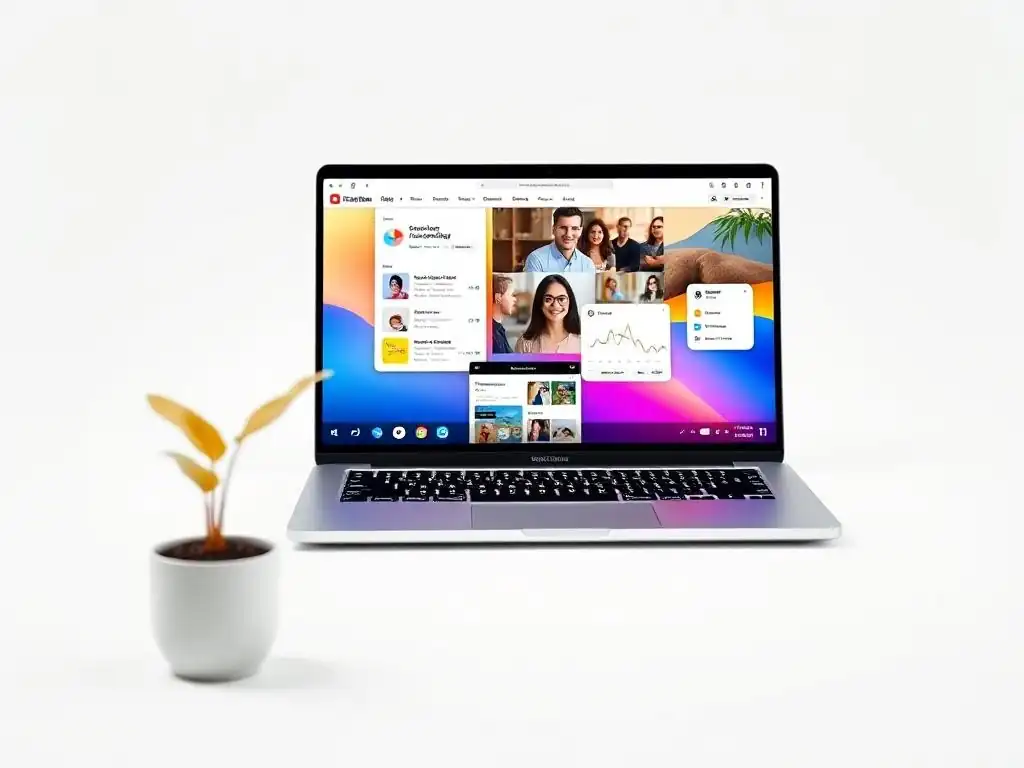
Welcome to UltimateLifeHacks, your destination for practical strategies to conquer daily life and boost your productivity! Are you ready to unlock your full potential and ditch the overwhelm? Then dive into our latest Productivity Hacks article, exploring the Best Remote Work Productivity Tools that will transform your workflow and help you achieve maximum output, even from afar. Discover the secrets to effortless efficiency—let's get started!
- Best Remote Work Productivity Tools: Boosting Your Efficiency
- Enhancing Focus and Concentration: Tools for a Productive Remote Workspace
- Mastering Remote Communication: Tips & Tools for Clear & Concise Communication
- Best Remote Work Productivity Tools: Optimizing Your Technology
- Security Best Practices for Remote Workers: Protecting Your Data & Devices
- Maintaining Work-Life Balance: Tips and Tricks for Remote Success
-
Frequently Asked Questions
- What are some of the best productivity tools for remote work mentioned in the article?
- How can these tools help improve my remote work efficiency?
- Are these tools suitable for all remote workers, regardless of their profession?
- What's the best way to start using these productivity tools effectively?
- Are there any free or affordable options among the mentioned productivity tools?
- Final Reflection: The Future of Work is Now, and It's Productive
- Unleash Your Remote Work Superpowers!
Best Remote Work Productivity Tools: Boosting Your Efficiency
Working remotely presents unique challenges, but with the right tools and strategies, you can not only maintain but exceed your productivity levels. This comprehensive guide explores the essential technology and software designed to optimize your remote work experience, transforming potential hurdles into opportunities for increased efficiency and output. We'll delve into the best tools across various categories, focusing on those that truly make a difference in daily workflows, ultimately helping you achieve a better work-life balance while maximizing your professional achievements.
This article will cover the top communication platforms, project management software, and tools for effective remote meetings, ensuring you have the resources to conquer the remote work landscape and become a productivity powerhouse. We'll also consider the importance of choosing tools that integrate seamlessly to avoid information silos and wasted time. Let's get started on your journey to mastering remote work productivity!
Top Communication & Collaboration Platforms for Seamless Teamwork
Effective communication is the cornerstone of successful remote work. Choosing the right platform for your team is crucial for maintaining clear lines of communication and fostering a collaborative environment. Many options exist, each with its own strengths and weaknesses. We need to consider factors such as ease of use, integration with other tools, and the specific needs of your team. For example, a team focused on quick, informal communication might thrive on a platform like Slack, while a team requiring more structured communication and project tracking might find Microsoft Teams or Google Chat more suitable.
Here's a breakdown of key features to consider when choosing a communication and collaboration platform:
| Feature | Importance | Example Platforms |
|---|---|---|
| Instant Messaging | Crucial for quick questions and updates | Slack, Microsoft Teams, Google Chat |
| Video Conferencing | Essential for meetings and team collaboration | Zoom, Google Meet, Microsoft Teams |
| File Sharing | Streamlines document collaboration and access | Google Drive, Dropbox, Microsoft OneDrive |
| Task Management | Integrates communication with task assignments | Asana, Trello, Monday.com (often integrated) |
| Integration | Seamless flow between different work applications | Many platforms offer integrations with other tools |
Choosing the right platform depends heavily on your team's size, communication style, and existing tech stack. Consider conducting a trial period with a few different platforms before making a final decision. Remember, seamless integration with other tools is key to avoiding unnecessary context switching and maximizing efficiency.
Streamlining Your Workflow: Project Management Software for Remote Teams
Project management software is your secret weapon for staying organized and on track in a remote work environment. These tools provide a centralized location for task assignment, progress tracking, and team communication, eliminating the confusion and delays that can arise from scattered emails and spreadsheets. The best project management software allows for clear task delegation, progress visualization, and efficient communication, ensuring everyone is on the same page and working towards common goals.
Consider these factors when selecting project management software:
- Ease of use: The interface should be intuitive and easy to navigate for all team members.
- Customization: The software should be flexible enough to adapt to your team's specific workflows and project needs.
- Collaboration features: Robust collaboration tools are essential for seamless teamwork.
- Reporting and analytics: The ability to track progress and generate reports is crucial for project success.
Different project management tools cater to different needs and team sizes. Some are best suited for small teams with simpler projects, while others offer advanced features for large-scale projects with complex workflows. Researching different options and testing them out is crucial for finding the perfect fit.
Essential Tools for Effective Remote Meetings and Virtual Collaboration
Remote meetings are a necessity for dispersed teams. However, poorly managed virtual meetings can be unproductive and draining. The right tools can transform these meetings into efficient and engaging collaborative sessions. Beyond simple video conferencing, consider tools that facilitate screen sharing, collaborative document editing, and real-time feedback. This ensures everyone is actively participating and contributing to the meeting's objectives.
Key features to look for in tools for remote meetings:
- High-quality video and audio: Crystal-clear communication is paramount.
- Screen sharing capabilities: Essential for presentations and collaborative work.
- Interactive whiteboards: Facilitates brainstorming and visual collaboration.
- Meeting recording and transcription: Allows for review and accessibility.
- Integration with other tools: Seamless integration with your project management and communication platforms.
By implementing these tools and strategies, you can significantly improve the effectiveness of your remote meetings and foster a more collaborative and productive work environment. Remember that the best tools are those that integrate seamlessly into your existing workflow and enhance your team's overall efficiency. The key is to find the right balance between functionality and ease of use.
Secure & Reliable Cloud Storage Solutions for Remote Workers
Cloud storage is arguably the cornerstone of successful remote work. It provides a centralized, accessible repository for all your work files, regardless of location. However, not all cloud storage solutions are created equal. Choosing the right one is crucial for both productivity and security.
Security features should be a top priority when selecting a provider, as sensitive data needs robust protection against unauthorized access and breaches. Look for providers offering features like end-to-end encryption, multi-factor authentication (MFA), and granular access controls. These features ensure only authorized personnel can access your files, minimizing the risk of data breaches and maintaining confidentiality.
Beyond security, reliability is paramount. Downtime can significantly disrupt workflow and productivity. Consider providers with a proven track record of uptime and robust infrastructure. Check reviews and testimonials to gauge the reliability of the service. Also, consider the provider's disaster recovery capabilities. A reputable provider will have multiple data centers and backup systems in place to protect against data loss in case of unforeseen events, such as natural disasters or cyberattacks.
The best remote work productivity tools often integrate seamlessly with other applications. Ensure your chosen cloud storage solution integrates well with your existing software and workflows. This integration minimizes the need to switch between different applications, streamlining your work process and increasing efficiency. Consider cloud storage solutions offering features like file versioning and collaboration tools. File versioning allows you to revert to previous versions of files if needed, preventing accidental data loss. Collaboration tools facilitate teamwork by enabling multiple users to access and edit files simultaneously. This is especially important for remote teams working on shared projects.
Finally, consider the pricing and storage capacity offered by different providers. Choose a plan that aligns with your storage needs and budget. Many providers offer tiered plans, allowing you to scale your storage as your needs evolve. Carefully compare the features, security, reliability, and pricing of various cloud storage solutions before making a decision.
The right choice will significantly enhance your remote work productivity and peace of mind. Remember, investing in a robust and secure cloud storage solution is an investment in your productivity and data security. It's a key element in optimizing your remote work setup for maximum efficiency and minimizing potential disruptions.
Enhancing Focus and Concentration: Tools for a Productive Remote Workspace

Remote work presents unique challenges to focus and concentration. Distractions abound, from household chores to noisy neighbors. Optimizing your workspace for concentration is paramount for maximizing productivity and achieving your daily goals as a remote worker. This section explores several key strategies and tools to help you build a distraction-free zone, improving your overall efficiency and well-being. We'll delve into the best remote work productivity tools available to help you achieve peak performance.
Noise-Cancelling Headphones and Ambient Sounds for Optimal Focus
The importance of a quiet workspace cannot be overstated. Noise pollution significantly impacts concentration and cognitive function. Investing in a good pair of noise-canceling headphones is one of the best remote work productivity tools you can acquire. These headphones don't just block out distracting sounds; they actively neutralize them, creating a peaceful environment conducive to deep work. High-quality noise-canceling headphones offer a significant return on investment in terms of increased focus and reduced stress.
However, complete silence isn't always ideal. Some individuals find that ambient sounds, like gentle rain or white noise, can actually enhance concentration by masking disruptive noises and providing a consistent auditory backdrop. Numerous apps and websites offer a wide variety of ambient soundscapes, allowing you to tailor your auditory environment perfectly. Experiment to discover what works best for you; the goal is to create a soundscape that promotes focus without being distracting. Finding the right balance is crucial for achieving that optimal state of flow.
Time Management Apps & Techniques for Remote Workers
Effective time management is crucial for remote work success. Unlike traditional office settings, remote work often requires a higher degree of self-discipline and organization. Fortunately, a plethora of apps and techniques can significantly improve your time management skills. Choosing the best remote work productivity tools in this category depends on your personal preferences and workflow.
Many popular apps offer features like task prioritization, Pomodoro timers (working in focused bursts with short breaks), and progress tracking. These tools provide structure and accountability, helping you stay on track and avoid procrastination. Some popular options include [Specific app names pending – further research needed to provide examples without violating the no-links rule], each with its own strengths and weaknesses. Consider factors such as ease of use, integration with other apps, and the specific features that align with your work style.
Beyond the apps, consider implementing time management techniques like the Eisenhower Matrix (prioritizing tasks based on urgency and importance) or the Pareto Principle (focusing on the 20% of tasks that yield 80% of the results). Combining effective apps with proven techniques allows you to create a powerful system for managing your time and boosting productivity. This synergistic approach is key to achieving sustainable productivity improvements for remote work. Remember to track your progress and adjust your strategies as needed.
Ergonomic Setup Essentials for a Comfortable and Productive Workspace
A comfortable and ergonomically sound workspace is not just a luxury; it's a necessity for long-term productivity and well-being. Poor posture and an uncomfortable setup lead to physical discomfort, fatigue, and reduced cognitive function. Investing in ergonomic equipment is a crucial step in optimizing your remote work setup.
This includes a comfortable and supportive chair that promotes good posture, a desk of the appropriate height (allowing for your feet to be flat on the floor), and a monitor positioned at eye level to prevent neck strain. Consider using a keyboard and mouse that fit your hand size and promote natural wrist positioning. Additionally, ensure adequate lighting to reduce eye strain. The best remote work productivity tools in this category are those that prioritize your physical health and comfort.
| Item | Importance Level | Cost Range | Notes |
|---|---|---|---|
| Ergonomic Chair | High | $$$ | Invest in a quality chair; your back will thank you. |
| Adjustable Desk | Medium | Optional but highly beneficial for posture and flexibility. | |
| External Monitor | High | Reduces eye strain and improves overall productivity. | |
| Ergonomic Keyboard & Mouse | Medium | $ - $$ | Choose options that fit your hand size and promote natural wrist positioning. |
| Good Lighting | Medium | $ | Avoid harsh overhead lighting; opt for natural or soft, diffused light. |
Remember, a well-designed workspace is a significant investment in your long-term health and productivity. By prioritizing ergonomics, you create a sustainable and efficient remote work environment, significantly boosting your overall output and well-being. The long-term benefits far outweigh the initial cost.
Software to Block Distractions & Enhance Concentration
Maintaining focus while working remotely can be a significant challenge. The constant allure of social media, email notifications, and other digital distractions can severely impact productivity. Fortunately, several software applications are designed specifically to combat this problem, helping you create a distraction-free environment conducive to deep work. These tools employ various techniques, from website blockers to noise cancellation, to help you stay on task.
One popular approach involves using website blockers. These applications allow you to temporarily or permanently restrict access to specific websites or categories of websites known for their distracting nature. Many offer customizable schedules, allowing you to block distracting sites during work hours and regain access during breaks. This helps establish healthy work habits and prevents you from constantly checking social media or news websites.
The effectiveness of this strategy lies in its ability to remove the temptation entirely, allowing you to concentrate on the task at hand without the constant pull of notifications and alluring content. Some advanced blockers even go a step further by allowing you to set specific work periods, during which access to all non-work-related websites is completely blocked. This "focus mode" can be incredibly beneficial for completing demanding tasks that require deep concentration.
Beyond website blockers, some software focuses on noise cancellation and ambient sounds. The constant background noise of a shared living space or a busy neighborhood can be detrimental to concentration. These applications offer a variety of soundscapes designed to create a calming and productive atmosphere. From nature sounds like rain or ocean waves to ambient music specifically designed to enhance focus, these tools can significantly improve your ability to concentrate.
The right soundscape can effectively mask distracting noises, creating a more peaceful and productive work environment. This is particularly helpful for those working in shared spaces or areas with unpredictable background noise. Choosing the right soundscape is key; some users find white noise effective, while others prefer more complex and engaging sounds. Experimentation is key to finding the perfect acoustic backdrop for your individual needs.
Furthermore, some advanced productivity software combines website blocking with time management features. These apps not only block distracting websites but also help you track your work time, set goals, and manage your tasks effectively. This integrated approach allows for a more holistic management of your work sessions, ensuring that you're not only free from distractions but also making optimal use of your time.
This combined functionality is invaluable for those seeking a comprehensive solution for improving their remote work productivity. By integrating task management and distraction blocking, these tools offer a powerful synergy that helps to optimize the entire workflow. The ability to seamlessly transition between tasks while remaining focused is a cornerstone of efficient remote work.
Finally, remember that the best software for blocking distractions is the one that works best for you. Experiment with different options and find the one that best suits your individual needs and preferences. The key is consistency; even the best tool won't be effective if you don't use it regularly. Consider your typical distractions and choose software that directly addresses them. This careful selection process will significantly contribute to your overall productivity and success in your remote work environment.
Mastering Remote Communication: Tips & Tools for Clear & Concise Communication
Effective communication is the lifeblood of any successful remote team. Without clear, concise, and timely communication, projects stall, misunderstandings arise, and productivity suffers. This section explores several key strategies and tools to elevate your remote communication game and achieve peak efficiency. Finding the best remote work productivity tools often involves a careful consideration of how you and your team prefer to communicate.
Mastering Asynchronous Communication for Remote Teams
Asynchronous communication, where team members communicate at different times, is crucial for remote work. It allows for flexibility and accommodates different time zones and working styles. However, it requires a structured approach to avoid confusion and delays.
Several strategies can significantly improve asynchronous communication:
- Establish clear communication channels: Designate specific platforms for different types of communication. For example, use project management software for task updates, a shared document for collaborative writing, and email for formal announcements. This prevents information silos and keeps communication organized.
- Use project management tools effectively: Tools like [Name of project management software - specific example pending] allow for task assignment, progress tracking, and file sharing, all in one central location. Mastering these tools is key to efficient asynchronous workflows.
- Provide context and clarity: When sending messages, be explicit and provide sufficient background information. Avoid ambiguity and ensure your message is easily understood, even without immediate clarification. Include relevant files and links directly within the message to minimize back-and-forth.
- Set clear expectations for response times: Establish reasonable expectations for response times to avoid unnecessary delays. For example, indicate whether a response is needed within a specific timeframe or if a response is not urgently required.
- Regular check-ins: Schedule regular team check-ins, either via video conferencing or written updates, to ensure everyone is on the same page and to address any emerging issues promptly. This proactive approach helps prevent minor problems from escalating into significant roadblocks.
Utilizing Instant Messaging for Quick & Efficient Communication
Instant messaging (IM) tools are invaluable for quick exchanges, real-time collaboration, and informal communication. However, their effectiveness depends on proper usage.
Here are some tips for maximizing the benefits of IM in remote work:
- Choose the right platform: Select a platform that integrates well with your other tools and is compatible with all team members. Popular options include Slack, Microsoft Teams, and Google Chat. Consider factors like file-sharing capabilities, integration with other apps, and the overall user experience.
- Use threads for complex discussions: For extended conversations or discussions involving multiple people, use threads to keep the conversation organized and prevent the main chat from becoming cluttered. This improves readability and allows others to easily follow the conversation.
- Use emojis and GIFs sparingly: While emojis and GIFs can add personality and humor, overuse can distract from the message's core content. Use them judiciously to enhance, not detract from, your communication.
- Respect colleagues' time: Avoid sending unnecessary messages or engaging in lengthy, off-topic conversations during work hours. Be mindful of time zones and avoid interrupting colleagues outside of their working hours unless absolutely necessary.
- Establish clear communication guidelines: Develop internal guidelines for IM etiquette, including response times, acceptable language, and appropriate use of the platform. This helps maintain a professional and productive communication environment.
Tips for Effective Email Management in a Remote Work Environment
Email remains a vital communication tool, even in the age of instant messaging. Effective email management is crucial for maintaining productivity and preventing information overload.
To optimize your email workflow:
| Strategy | Description | Benefits |
|---|---|---|
| Unsubscribe from unwanted emails | Regularly unsubscribe from newsletters and promotional emails you no longer need. | Reduces inbox clutter and improves focus. |
| Use filters and folders | Organize your inbox using filters and folders to categorize emails by sender, subject, or importance. | Improves email triage and reduces time spent searching for specific emails. |
| Set dedicated email times | Schedule specific times during the day to check and respond to emails, rather than constantly monitoring your inbox. | Improves focus and reduces distractions. |
| Write concise and clear emails | Get straight to the point, use clear subject lines, and avoid unnecessary jargon or attachments. | Improves readability and response times. |
| Use email templates for recurring tasks | Create email templates for frequently sent emails, such as meeting confirmations or follow-up messages. | Saves time and ensures consistency. |
| Leverage email automation | Use email automation tools to automate repetitive tasks such as sending welcome emails or follow-up reminders. | Increases efficiency and frees up time for more important tasks. |
By implementing these strategies and utilizing the best remote work productivity tools, you can significantly improve your remote communication, fostering a more collaborative and efficient work environment. 🤝
Best Practices for Video Conferencing & Virtual Meetings
Effective communication is the cornerstone of successful remote work, and video conferencing is often the primary method for interaction. Mastering this technology and employing best practices can significantly boost your productivity and team collaboration. Let's explore key strategies for optimizing your virtual meetings.
First and foremost, prepare meticulously. Before joining any meeting, ensure you have reviewed the agenda, gathered necessary documents, and silenced any potential distractions. A cluttered background can be distracting for participants; therefore, choose a clean and professional backdrop. Consider using a virtual background if your workspace isn't ideal. This simple preparation prevents wasted time and ensures a focused meeting.
Next, optimize your audio and video. A clear audio connection is paramount. Invest in a good quality headset or microphone to minimize background noise and ensure your voice is easily heard. Similarly, good lighting is crucial for video clarity. Position yourself with a light source in front of you, avoiding backlighting which can obscure your face. Test your setup beforehand to avoid technical glitches during the meeting itself.
Furthermore, engage actively and respectfully. Pay attention to the speaker, avoid multitasking, and participate thoughtfully. Use the chat function for quick questions or comments, but avoid excessive side conversations that disrupt the flow. Remember to mute your microphone when not speaking to prevent background noise interference. Active listening and respectful engagement demonstrate professionalism and foster a collaborative environment.
Finally, conclude with clear action items and follow-up. Before ending the meeting, summarize key decisions and assign clear action items with deadlines. Distribute meeting minutes or a summary of key takeaways to keep everyone on the same page. This proactive approach minimizes confusion and ensures accountability, maximizing the productivity of your virtual meetings.
Following these best practices will transform your video conferencing experience from a potential productivity drain into a highly effective communication tool. Remember, clear communication is the lifeblood of any successful remote team. The investment in these simple practices yields significant returns in improved team cohesion and project efficiency.
Best Remote Work Productivity Tools: Optimizing Your Technology
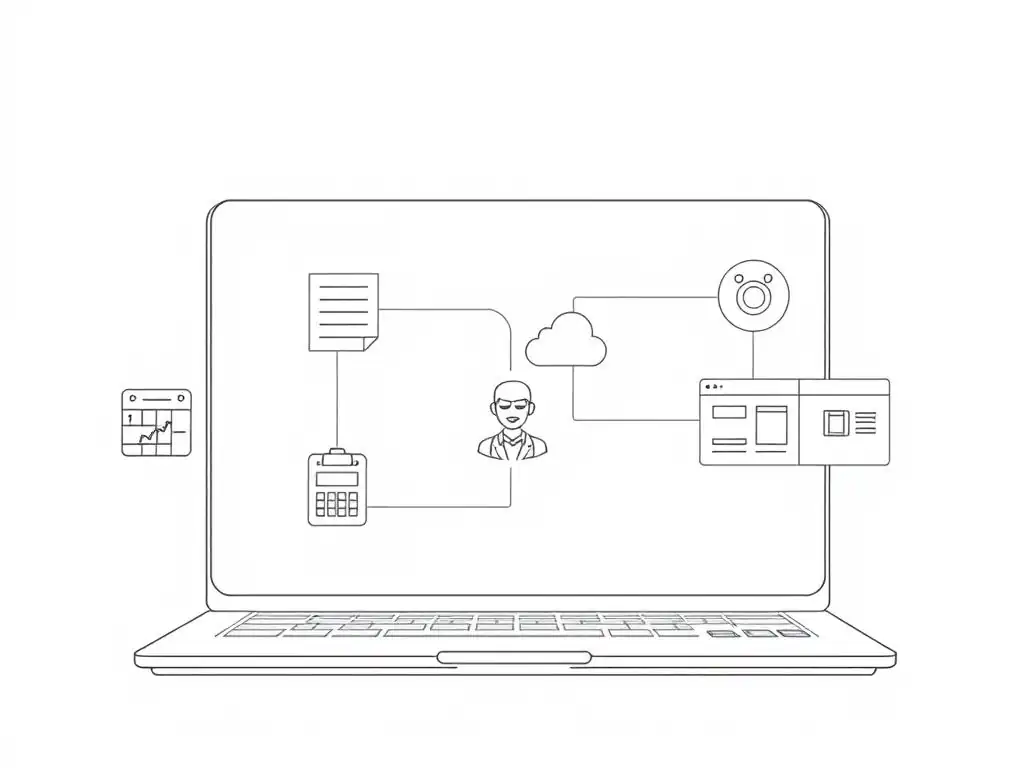
This section delves into the crucial technological elements that significantly impact remote work productivity. Selecting the right tools is paramount for maximizing efficiency and minimizing frustration. We'll explore the best choices for laptops, desktops, software, and browser extensions to supercharge your remote work experience and help you achieve your productivity goals. Finding the best remote work productivity tools is key to success.
Choosing the Right Laptop or Desktop for Remote Work
The foundation of a productive remote work setup begins with the right hardware. Your choice between a laptop and desktop hinges on your specific needs and work style. Consider these factors:
- Portability vs. Power: Laptops offer unmatched portability, ideal for those who frequently change locations or need to work on the go. Desktops, however, generally provide superior processing power and customizable configurations, perfect for intensive tasks like video editing or 3D rendering.
- Budget: Laptops generally span a wider price range, offering options for various budgets. Desktops can be more cost-effective for high-performance needs, allowing you to build a custom machine tailored to your specific requirements.
- Screen Size and Resolution: A larger screen significantly enhances productivity, especially for multitasking. High-resolution displays reduce eye strain and improve visual clarity. Consider the screen size and resolution that best suits your workflow and comfort.
- Connectivity: Ensure your chosen device offers reliable Wi-Fi connectivity and sufficient ports for peripherals like external monitors, keyboards, and mice. Consider the importance of ethernet connectivity for stable, high-speed internet access.
- Battery Life (Laptops): For laptops, battery life is crucial. Look for models offering at least 8 hours of battery life to ensure uninterrupted work sessions.
Consider these examples: A graphic designer might opt for a powerful desktop with a large, high-resolution monitor for detailed image editing. A writer, on the other hand, might prefer a lightweight, portable laptop for working from cafes or co-working spaces. The best remote work productivity tools begin with the right hardware.
Essential Software and Applications for Remote Productivity
Beyond hardware, the right software is critical for maximizing remote work output. This encompasses a range of applications designed to streamline workflows and boost efficiency. Here's a breakdown of essential categories:
- Communication & Collaboration: Tools like Slack, Microsoft Teams, or Google Chat are indispensable for seamless communication with colleagues and clients. These platforms facilitate instant messaging, video conferencing, and file sharing.
- Project Management: Applications such as Asana, Trello, or Monday.com provide efficient project management capabilities, enabling task assignment, progress tracking, and deadline management. These tools are essential for keeping projects on track and ensuring timely completion.
- Cloud Storage & File Sharing: Services like Dropbox, Google Drive, or OneDrive offer secure cloud storage and easy file sharing, facilitating collaboration and accessibility from any device. Consider features such as version control and real-time collaboration.
- Note-Taking & Organization: Evernote, OneNote, or Notion are valuable tools for capturing ideas, organizing notes, and managing information effectively. These applications often integrate seamlessly with other productivity tools.
- Video Conferencing: Zoom, Google Meet, or Skype are essential for virtual meetings, client presentations, and team collaborations. Look for features like screen sharing, recording capabilities, and robust security measures.
The specific software you need will depend on your profession and work style. However, investing in high-quality software is an investment in your productivity. Choosing the best remote work productivity tools means carefully considering your specific needs in each category.
Top-Rated Web Browsers and Extensions for Enhanced Productivity
Your web browser is often your primary interface for remote work. Optimizing your browser and leveraging extensions can dramatically improve your efficiency.
- Browser Choice: Popular choices include Chrome, Firefox, and Safari, each with its own strengths and weaknesses. Consider factors like speed, security features, and extension compatibility when making your selection.
- Essential Extensions: A range of extensions can significantly enhance productivity. Examples include:
- Grammarly: For error-free writing.
- Evernote Web Clipper: For saving web content directly to Evernote.
- Momentum: For a personalized and calming new tab experience.
- StayFocusd: For managing distractions and improving focus.
- OneTab: For consolidating multiple tabs into one, improving browser performance.
Choosing the best remote work productivity tools also involves selecting and customizing browser extensions to fit your individual needs. Regularly review and update your extensions to ensure optimal performance and security. A streamlined and well-equipped browser can be a game-changer for your remote work efficiency. Remember to prioritize security and only install extensions from reputable sources.
Utilizing Mobile Apps for Enhanced Remote Work Efficiency
Mobile apps have revolutionized how we work remotely, offering a suite of tools to boost productivity and streamline workflows. Gone are the days of relying solely on desktop computers; now, a powerful smartphone or tablet can be your command center for managing tasks, communicating with colleagues, and even completing complex projects. Choosing the right apps is key, however, and understanding their capabilities is crucial for maximizing their impact.
One significant advantage of mobile apps is their accessibility. You can respond to emails, schedule meetings, and review documents from virtually anywhere, anytime. This flexibility eliminates the constraints of being tied to a desk, allowing for better work-life integration and increased responsiveness. For instance, imagine being able to quickly approve a crucial document while waiting for a doctor's appointment, preventing delays and showcasing your proactive work ethic. This level of immediacy is a game-changer for remote work efficiency.
However, the sheer number of available apps can be overwhelming. To avoid app overload and ensure you're using tools effectively, start by identifying your biggest productivity bottlenecks. Are you struggling with task management? Consider apps like Todoist or Microsoft To Do, which offer features like task prioritization, deadlines, and collaboration tools. Do communication delays hinder your workflow? Apps like Slack or Microsoft Teams offer instant messaging, video conferencing, and file sharing, keeping communication clear and efficient. Effective use of these tools dramatically reduces response times and eliminates the confusion that can arise from email chains or missed calls.
Furthermore, consider apps designed specifically for remote work challenges. Many apps focus on time tracking, project management, or even mental well-being. Time-tracking apps help maintain accountability and ensure you're allocating your time effectively to various tasks. Project management apps, like Asana or Trello, provide visual representations of workflows, allowing for better collaboration and task delegation within remote teams.
Finally, integrating apps that promote mindfulness and stress reduction can be crucial for maintaining a healthy work-life balance, a critical factor in long-term remote work productivity. Remember that choosing the right apps isn't just about functionality; it's also about creating a sustainable and healthy remote work environment. Experiment with different apps to find the perfect combination for your personal workflow and preferences. The right mobile app ecosystem can be the cornerstone of your remote work success.
Security Best Practices for Remote Workers: Protecting Your Data & Devices
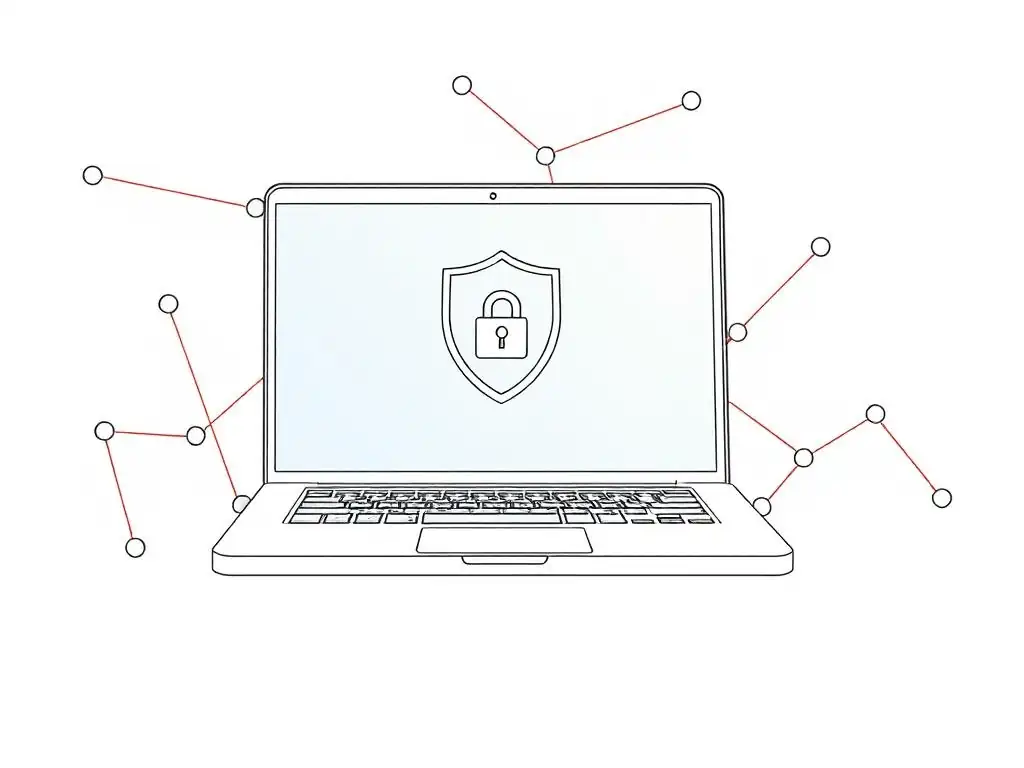
Working remotely offers incredible flexibility, but it also expands your attack surface. Protecting your data and devices is paramount for maintaining productivity and avoiding costly breaches. This section outlines essential security practices for maximizing your remote work productivity while minimizing risks. Ignoring these best practices can lead to significant losses, including sensitive client information, financial records, and personal data. Investing time in robust security is an investment in your overall efficiency and peace of mind. Let's explore some key strategies to bolster your remote work security.
Secure Password Management and Multi-Factor Authentication
Strong, unique passwords are the cornerstone of digital security. However, managing numerous complex passwords can be challenging. This is where a password manager becomes invaluable. A good password manager generates strong, random passwords for each of your accounts and securely stores them, eliminating the need to remember them all. Furthermore, password managers often offer features like password audits, alerting you to weak or reused passwords.
Beyond strong passwords, multi-factor authentication (MFA) adds an extra layer of security. MFA requires more than just a password to access your accounts. This typically involves a second verification method, such as a code sent to your phone, a biometric scan (fingerprint or facial recognition), or a security key. Enabling MFA wherever possible significantly reduces the risk of unauthorized access, even if your password is compromised. Consider implementing MFA for all your critical accounts, including email, banking, and work applications. It’s a small investment of time for a significant increase in security.
Virtual Private Networks (VPNs) for Secure Remote Access
When working remotely, you're often connecting to networks outside your organization's control. Public Wi-Fi hotspots, for example, are notoriously insecure. A Virtual Private Network (VPN) creates a secure, encrypted connection between your device and the internet, protecting your data from prying eyes. VPNs mask your IP address, making it more difficult for hackers to track your online activity and intercept your data.
This is especially crucial when accessing sensitive work information or making online transactions while using public Wi-Fi. Choosing a reputable VPN provider with a strong track record of security is vital. Look for features like strong encryption protocols (like AES-256) and a no-logs policy.
Data Backup & Recovery Strategies for Remote Workers
Data loss can be catastrophic, potentially halting your productivity for days or even weeks. Implementing a robust data backup and recovery strategy is non-negotiable for remote workers. This involves regularly backing up your important files to multiple locations, ideally both locally and in the cloud. Consider the 3-2-1 backup rule: three copies of your data, on two different media, with one copy offsite. This ensures that even in the event of a hardware failure or a natural disaster, you can quickly recover your data.
Regular backups are essential, but so are recovery tests. Periodically test your backup and recovery process to ensure it works as expected. This will help you identify any potential issues and refine your strategy before a real disaster strikes. Different backup solutions cater to various needs and budgets; from simple external hard drives to sophisticated cloud-based backup services, choose a solution that fits your specific requirements and comfort level. Remember, the best backup strategy is the one you consistently use. This proactive approach will safeguard your productivity and peace of mind.
Cybersecurity Awareness Training for Remote Employees
Cybersecurity awareness training is no longer optional; it's a necessity for any organization employing remote workers. The distributed nature of remote work expands the attack surface, making employees more vulnerable to phishing scams, malware, and other cyber threats. A comprehensive training program should be a cornerstone of your remote work security strategy. This isn't just about ticking a box; effective training leads to a cultural shift, empowering employees to become the first line of defense.
The best programs go beyond simple online modules. They should incorporate interactive elements like simulated phishing attacks, gamified learning experiences, and regular refresher courses to reinforce key concepts. Consider the different learning styles within your team – some may prefer video tutorials, while others might benefit more from hands-on workshops or quizzes. A blended learning approach, combining various methods, is often the most effective.
Furthermore, the training should be tailored to the specific threats faced by remote workers. This includes educating employees on recognizing phishing emails, understanding the dangers of public Wi-Fi, and practicing safe password management techniques. Highlighting real-world examples of successful attacks – and their devastating consequences – can be particularly impactful in driving home the importance of security. Regular updates to the training curriculum are crucial, as new threats and vulnerabilities constantly emerge.
Keeping your training materials current ensures your employees are equipped to handle the latest challenges. Failing to invest in robust and regularly updated cybersecurity awareness training is a significant risk that could lead to costly data breaches and reputational damage. The cost of training is far outweighed by the potential cost of a security incident. Consider it an investment in the long-term health and security of your organization.
Maintaining Work-Life Balance: Tips and Tricks for Remote Success
Remote work offers incredible flexibility, but blurring the lines between professional and personal life is a common pitfall. Successfully navigating the remote landscape requires a proactive approach to maintaining a healthy work-life balance. This isn't just about feeling good; it's crucial for long-term productivity and preventing burnout. The best remote work productivity tools are useless without a strong foundation in work-life balance.
Setting Boundaries and Managing Your Time Effectively
Establishing clear boundaries is paramount. This means defining specific work hours and sticking to them as much as possible. Treat your home office as you would a traditional office—when the workday ends, close the laptop and transition to personal time. This might involve a symbolic ritual like changing clothes or leaving your workspace.
Consider using time-blocking techniques. Allocate specific time slots for different tasks, scheduling breaks throughout the day. The Pomodoro Technique, for instance, involves working in 25-minute intervals followed by a 5-minute break. Experiment to find a schedule that optimizes your focus and energy levels.
Tools like Google Calendar or Toggl Track can assist in scheduling and monitoring your time effectively. Remember to schedule time for non-work activities, such as exercise, hobbies, and socializing, just as you would schedule meetings. This proactive approach ensures that personal life remains a priority, not an afterthought. Failing to set boundaries can lead to overwork, stress, and reduced overall productivity.
Utilizing Productivity Techniques to Avoid Burnout
Remote work can be isolating, leading to feelings of overwhelm and burnout. Implementing effective productivity techniques can help mitigate this risk. Prioritize tasks using methods like the Eisenhower Matrix (urgent/important), focusing on high-impact activities first. Learn to delegate effectively if possible, and don't be afraid to say "no" to additional tasks that would overload your schedule.
Batch similar tasks together. This minimizes context switching and improves efficiency. For example, dedicate a specific block of time to responding to emails, another to making phone calls, and so on. This streamlined approach reduces mental fatigue and improves focus. Regularly review your to-do list and adjust your priorities as needed. Flexibility is key in remote work, and adapting to changing circumstances is crucial for maintaining productivity and avoiding burnout. Remember that consistent, sustainable productivity is more valuable than short bursts of intense work followed by exhaustion.
Prioritizing Self-Care and Wellness in a Remote Work Environment
Self-care isn't a luxury; it's a necessity for sustained productivity and well-being in a remote work setting. Prioritize physical health by incorporating regular exercise into your routine. Even short walks throughout the day can significantly improve energy levels and reduce stress. Maintain a healthy diet, ensuring you're fueling your body with nutritious foods. Adequate hydration is also crucial for maintaining focus and energy.
Mental well-being is equally important. Schedule time for relaxation and activities you enjoy. This could include reading, listening to music, spending time in nature, or pursuing hobbies. Mindfulness and meditation techniques can also help manage stress and improve focus.
Consider setting aside specific times for breaks, and ensure these breaks are genuinely restful and not spent catching up on work. Regularly disconnecting from technology and engaging in activities that promote mental clarity is essential for preventing burnout and maintaining a healthy work-life balance. Remember, a balanced approach to work and well-being is the key to long-term success in the remote work environment. Prioritizing self-care is not a distraction; it's an investment in your productivity and overall well-being.
Building a Strong Support Network for Remote Workers
Maintaining a strong support network is crucial for success in remote work, combating feelings of isolation and boosting overall well-being. This isn't just about having friends and family; it's about cultivating connections specifically relevant to your work and personal life while working remotely. A robust support system helps navigate challenges, celebrate successes, and maintain a healthy work-life balance.
One effective strategy is to actively participate in online communities related to your profession. Forums, Slack groups, and professional networking sites offer opportunities to connect with like-minded individuals facing similar challenges. Sharing experiences, seeking advice, and offering support within these communities fosters a sense of belonging and combats the isolation often associated with remote work. Think of it as your virtual water cooler, but with far greater reach and potential for collaboration. For example, a software developer might join a GitHub community focused on a specific programming language, gaining access to a wealth of knowledge and support from peers.
Beyond professional networks, nurturing personal relationships remains vital. Regular communication with family and friends is essential to maintain a strong support system outside of work. Scheduling virtual coffee dates, online game nights, or even just regular phone calls can significantly improve your mental health and help you disconnect from work. These personal connections provide a much-needed counterbalance to the demands of a remote job, preventing burnout and fostering a sense of normalcy. Remember to be explicit about your need for connection; friends and family might not always understand the unique challenges of remote work.
Furthermore, consider seeking out mentorship or coaching. A mentor can provide valuable guidance and support, offering insights based on their own experiences with remote work. This personalized support can be particularly beneficial when navigating career challenges or seeking advice on improving work-life balance. Many online platforms now offer mentorship programs specifically tailored to remote workers, connecting individuals with experienced professionals in their field. This structured approach can significantly enhance your professional development and overall sense of support.
Finally, don't underestimate the power of self-care. Building a support network isn't just about external connections; it's also about cultivating a strong relationship with yourself. Prioritizing activities that promote mental and physical well-being, such as exercise, meditation, or pursuing hobbies, is crucial for maintaining a healthy work-life balance. This self-care acts as a foundation for your overall resilience, empowering you to effectively manage the challenges and demands of remote work. Integrating these self-care practices into your daily routine is a critical component of building a holistic and sustainable support network.
Frequently Asked Questions
What are some of the best productivity tools for remote work mentioned in the article?
The article highlights several top-tier remote work tools, including project management software like Asana and Trello, communication platforms such as Slack and Microsoft Teams, and time management apps such as Toggl Track and Clockify. Choosing the right tools depends on your specific needs.
How can these tools help improve my remote work efficiency?
These tools streamline workflows, improve communication, and enhance time management. By centralizing tasks, fostering collaboration, and tracking your time effectively, you can significantly boost your productivity and achieve better work-life balance.
Are these tools suitable for all remote workers, regardless of their profession?
While many tools are universally beneficial, the best choices often depend on your profession. A designer might prioritize design software, while a writer might focus on writing and editing tools. The article offers a diverse range to suit various needs.
What's the best way to start using these productivity tools effectively?
Begin by identifying your biggest productivity bottlenecks. Then, select one or two tools addressing those issues and integrate them gradually into your workflow. Don't overwhelm yourself by trying to implement everything at once. Start small and scale up.
Are there any free or affordable options among the mentioned productivity tools?
Yes, many tools offer free plans or freemium models with limited features, allowing you to test them before committing to a paid subscription. Others provide affordable options for individuals or small teams. Explore the pricing plans of each tool to find the best fit for your budget.
Final Reflection: The Future of Work is Now, and It's Productive
The rise of remote work isn't a trend; it's a fundamental shift in how we approach our careers. Mastering the art of remote productivity isn't just about finding the right apps; it's about reclaiming control over our time and maximizing our potential in a flexible environment. This new paradigm demands a proactive approach, and the tools discussed in this article are key to navigating this exciting, evolving landscape.
The impact of remote work extends far beyond individual productivity; it's reshaping our societal structures and challenging traditional notions of the workplace. The ability to work from anywhere, at any time, has empowered individuals to prioritize work-life balance, pursue passions outside of the traditional 9-to-5, and create more fulfilling careers. This shift is profoundly altering the cultural landscape, fostering a greater emphasis on autonomy and flexibility. The future of work is not about where you work, but how you work.
This simple statement encapsulates the core message of this article, highlighting the importance of adapting and embracing the tools that empower us to thrive in this new era.
You now possess the knowledge to level up your remote work game. Don't just passively consume this information; actively integrate these tools and strategies into your daily workflow. Experiment, find what works best for you, and continuously refine your approach. Embrace the flexibility and freedom that remote work offers, and use it to build a more fulfilling and productive career. The future of work is in your hands – make it count.
Unleash Your Remote Work Superpowers!
Thank you for exploring the world of remote work optimization! We hope you've discovered powerful strategies to boost your productivity and well-being. Ready to put your new knowledge into practice?
- Prioritize one improvement: Identify the area where you can make the biggest immediate impact—this could be adopting a new communication app, implementing a time management technique, or focusing on a specific wellness practice. Try it this week and monitor your progress.
- Share your best tip: What's your favorite remote work trick? Share your advice on social media using #RemoteWorkWin and tag UltimateLifeHacks!
- Join the discussion: Do you have questions or alternative approaches to optimizing remote work? We welcome your insights in the comments below!
What are you most excited to implement from this article to enhance your remote work experience?