
How to Master Asynchronous Communication for Better Team Collaboration


Ready to unlock a world of effortless productivity and seamless teamwork? At UltimateLifeHacks, we're dedicated to helping you streamline your life. This week, we delve into the transformative power of asynchronous communication for achieving better team collaboration. Discover how mastering this skill can dramatically boost efficiency and free up your time. Let's explore the secrets to unlocking peak performance – read on to learn how!
- Understanding Asynchronous Communication for Enhanced Team Productivity
- Essential Tools for Effective Asynchronous Team Collaboration
- Strategies for Mastering Asynchronous Communication
- Optimizing Asynchronous Workflow for Enhanced Team Collaboration
- Advanced Techniques for Asynchronous Communication Mastery
- Case Study: Implementing Asynchronous Communication in a Marketing Team
- Frequently Asked Questions
- Final Reflection: Unlocking the Power of Asynchronous Communication
- Unlock Seamless Teamwork: Take Charge of Your Async Communication!
Understanding Asynchronous Communication for Enhanced Team Productivity
Asynchronous communication, a cornerstone of modern digital efficiency, is rapidly transforming how teams collaborate. In today's increasingly distributed workforce, the ability to communicate effectively without the constraints of real-time interaction is not just beneficial—it's essential. This article delves into the nuances of asynchronous communication, exploring its advantages, contrasting it with synchronous methods, and providing practical strategies for mastering it to boost team productivity and achieve seamless collaboration, ultimately optimizing your daily routines and saving valuable time.
We'll cover how to implement asynchronous communication effectively to enhance your team's workflow and achieve better results, addressing common challenges and offering solutions for a smoother, more efficient work environment. Mastering asynchronous communication is key to unlocking significant improvements in team collaboration and overall project success, directly impacting your digital efficiency and contributing to a better work-life balance.
Defining Asynchronous Communication
Asynchronous communication refers to any type of communication where the sender and receiver aren't required to be available at the same time. Unlike synchronous communication (like a live meeting or phone call), asynchronous methods allow for a delay between sending a message and receiving a response. This delay can range from a few minutes to several days, depending on the communication method and the urgency of the message. Examples of asynchronous communication tools include:
- Messaging platforms (Slack, Microsoft Teams) with delayed responses
- Project management software (Asana, Trello) with task updates and comments
- Forums and discussion boards
- Documentation and wikis
This flexibility allows team members to work independently, at their own pace, and in their preferred time zones. It promotes a more inclusive and accessible work environment, particularly beneficial for geographically dispersed teams or those with varying schedules. Efficient asynchronous communication relies heavily on clear, concise messaging and the appropriate selection of communication tools based on the message's content and urgency.
Benefits of Asynchronous Communication
Adopting asynchronous communication strategies offers numerous advantages for team collaboration, leading to increased productivity and improved work-life balance. Some key benefits include:
- Increased Flexibility and Autonomy: Team members can work when they are most productive, regardless of time zone or personal schedule. This leads to a better work-life balance and reduced stress.
- Improved Focus and Reduced Interruptions: Asynchronous communication minimizes constant interruptions and allows for deep work sessions. This leads to better quality work and increased efficiency.
- Better Documentation and Record Keeping: All communication is documented, providing a clear audit trail for future reference. This improves transparency and accountability within the team.
- Enhanced Inclusivity and Accessibility: Team members can participate in discussions and projects at their own convenience, making it easier for those with disabilities or other scheduling conflicts to contribute effectively.
- Scalability and Efficiency: Asynchronous communication scales well with growing team sizes. It allows for efficient communication even when dealing with large amounts of information or numerous team members.
Consider this: a team working on a complex project can use asynchronous communication to brainstorm ideas, review documents, and provide feedback over several days. This allows each member time to think critically and formulate thorough responses, leading to a higher-quality outcome than a rushed synchronous meeting might produce.
Contrasting Asynchronous and Synchronous Communication
Understanding the differences between asynchronous and synchronous communication is crucial for optimizing team workflows. Here's a comparison:
| Feature | Asynchronous Communication | Synchronous Communication |
|---|---|---|
| Timing | Non-real-time; delayed response | Real-time; immediate response |
| Interaction | One-way or multi-way, but not simultaneous | Two-way; simultaneous interaction |
| Examples | Email, messaging platforms (with delayed responses), project management software | Meetings, phone calls, instant messaging (real-time chat) |
| Best for | Complex tasks, detailed feedback, geographically dispersed teams | Quick decisions, urgent matters, brainstorming sessions (sometimes) |
| Potential Drawbacks | Potential for delays, requires clear communication, may not be suitable for urgent situations | Can be disruptive, requires scheduling coordination, may lead to meeting fatigue |
Choosing the right communication method depends on the context. While synchronous communication is valuable for quick decisions and urgent matters, asynchronous methods excel in situations requiring in-depth consideration, detailed feedback, and collaboration across time zones. A balanced approach, utilizing both synchronous and asynchronous methods strategically, is often the most effective strategy for optimizing team communication and productivity.
Essential Tools for Effective Asynchronous Team Collaboration
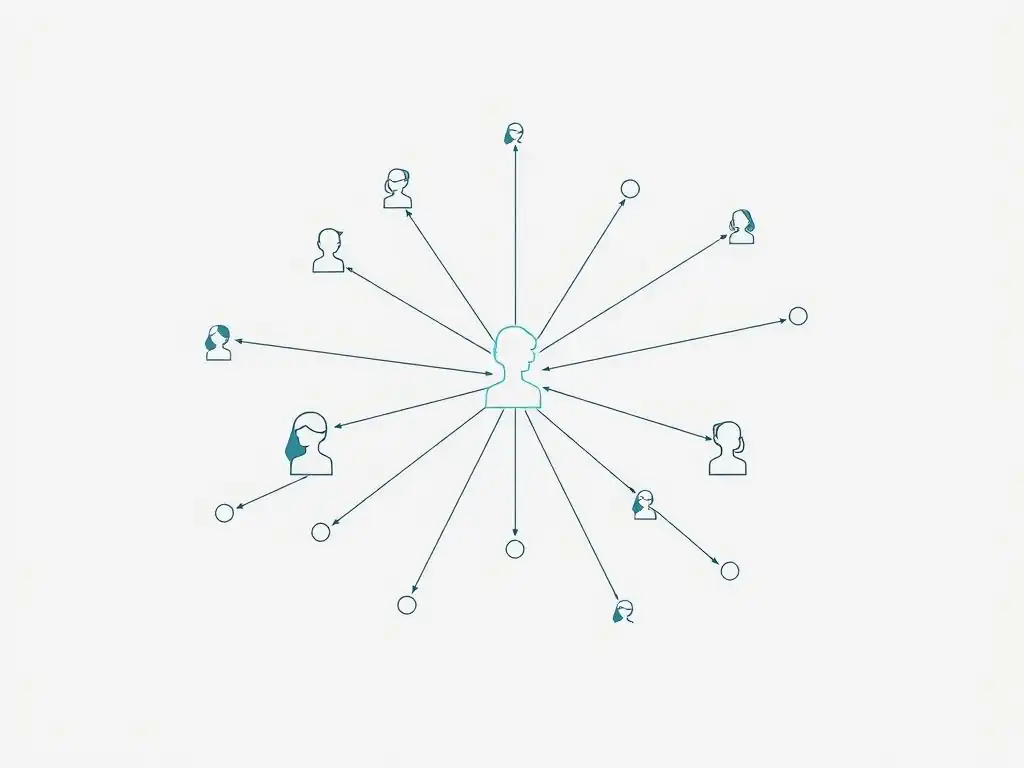
Effective asynchronous communication hinges on leveraging the right tools. Choosing the appropriate platforms and integrating them seamlessly into your workflow is paramount for maximizing productivity and minimizing misunderstandings. This section explores key tools and strategies for optimizing your team's asynchronous communication. Mastering these tools is crucial for achieving seamless asynchronous communication team collaboration.
Top Asynchronous Communication Platforms
Several platforms excel at facilitating asynchronous communication. The ideal choice depends on your team's size, communication style, and specific needs. Here's a breakdown of some popular options and their strengths:
- Slack: Slack is a widely adopted platform known for its robust channel system, allowing for organized conversations around specific projects or topics. Its ease of use and extensive integration capabilities make it a popular choice for many teams. Its strength lies in its versatility; it can handle both quick updates and more in-depth discussions. However, it can become overwhelming with too many channels or notifications.
- Microsoft Teams: Tightly integrated with other Microsoft Office applications, Teams offers a centralized hub for communication, file sharing, and video conferencing. Its strength lies in its seamless integration within the Microsoft ecosystem, making it a natural fit for organizations already heavily reliant on Microsoft products. However, its interface can feel cluttered to users unfamiliar with the Microsoft suite.
- Discord: While initially designed for gamers, Discord has gained traction in professional settings due to its versatile voice and text channels. Its strength is its robust voice communication capabilities, particularly useful for quick check-ins and informal discussions. However, its primary focus on voice may not be ideal for all asynchronous communication needs.
- Email (with caveats): While not a dedicated asynchronous communication platform, email remains a relevant tool, particularly for formal announcements or communications requiring a written record. However, relying solely on email can lead to information silos and slow down response times.
Project Management Software Integration
Integrating asynchronous communication platforms with project management software is crucial for maintaining context and tracking progress. This integration streamlines workflows and reduces the risk of miscommunication. Here are some key integration points to consider:
- Task Assignment and Updates: Many project management tools allow for direct assignment of tasks and updates within the communication platform. This ensures that everyone is aware of their responsibilities and can easily provide updates without switching between multiple applications. For example, assigning tasks directly within Slack and receiving updates in the same channel keeps everything centralized.
- File Sharing and Version Control: Integrating your communication platform with a version control system prevents confusion caused by multiple versions of documents. This ensures that everyone is working with the most up-to-date information. Seamless file sharing within the communication platform further streamlines the workflow.
- Automated Notifications: Setting up automated notifications for task assignments, deadlines, and updates helps keep everyone informed and prevents missed deadlines. This proactive approach minimizes the need for constant checking and ensures timely responses. This is particularly valuable for larger teams working on complex projects.
Choosing the Right Tools for Specific Needs
The ideal combination of tools depends heavily on the nature of your team's work and communication preferences. Consider the following factors when making your selection:
| Factor | Considerations | Example |
|---|---|---|
| Team Size | Smaller teams might prefer simpler tools, while larger teams need more robust solutions. | Slack for small teams, Microsoft Teams for larger ones. |
| Project Complexity | Complex projects require tools that facilitate detailed task management and tracking. | Asana or Jira integrated with Slack or Microsoft Teams. |
| Communication Style | Some teams prefer primarily written communication, while others rely heavily on voice. | Slack for written, Discord for voice-heavy communication. |
| Budget | Consider the cost of each platform and its features. | Free versions of Slack vs. paid plans with advanced features. |
Remember, the key to successful asynchronous communication isn’t just about choosing the right tools, but also about establishing clear communication protocols and training your team on their effective use. This proactive approach ensures that your team can leverage these tools to enhance their collaboration and productivity. A well-defined strategy for asynchronous communication team collaboration significantly improves overall efficiency.
Strategies for Mastering Asynchronous Communication

This section delves into practical strategies to effectively utilize asynchronous communication for enhanced team collaboration, directly impacting your digital efficiency and productivity. We'll explore how to establish clear protocols, tailor communication styles to different team roles, and proactively address common challenges. Mastering these strategies is key to unlocking the full potential of asynchronous workflows, leading to improved project management and a better work-life balance. This approach to asynchronous communication team collaboration will revolutionize your team's effectiveness.
Establishing Clear Communication Protocols
Effective asynchronous communication hinges on establishing clear and consistent protocols. Ambiguity leads to misunderstandings and delays, hindering productivity. Therefore, defining how, when, and where team members communicate is crucial. This involves several key steps:
- Choosing the Right Tools: Selecting the appropriate communication platforms is paramount. Consider the needs of your team and the nature of your projects. Will a project management tool like [Specific tool name pending] suffice, or do you require a combination of tools—perhaps a project management platform coupled with a messaging app like Slack or Microsoft Teams for quick updates? The choice depends on the complexity of your projects and the size of your team.
- Defining Response Times: Establishing realistic response time expectations is essential. For instance, agreeing that emails require a response within 24 hours, while urgent matters necessitate immediate attention through a designated channel, prevents unnecessary anxiety and promotes timely responses. This structured approach to asynchronous communication team collaboration is vital.
- Documenting Processes: Creating a comprehensive guide detailing communication procedures and preferred methods for different types of information is beneficial. This document should outline preferred channels for different types of communication (e.g., project updates, questions, feedback) and clarify expectations for response times. Regular updates to this document ensure it stays relevant and effective.
Tailoring Asynchronous Communication to Different Team Roles
Not all team members are equally adept at or comfortable with asynchronous communication. Adapting your approach to individual roles and communication styles is crucial for optimal team collaboration. Consider these points:
- Visual Learners: For team members who thrive on visual aids, utilize tools that allow for sharing diagrams, charts, and screen recordings. Tools such as [Specific tool name pending] can be invaluable. This caters to their learning style and ensures clear understanding.
- Detailed Communicators: Team members who prefer detailed explanations may require more comprehensive written communication. Encourage thorough documentation and the use of structured formats for information sharing to accommodate their preference.
- Concise Communicators: On the other hand, team members who prefer concise communication might find lengthy emails or messages overwhelming. Encourage the use of bullet points, summaries, and other concise communication methods. This ensures they receive the necessary information efficiently without feeling overburdened. A balanced approach to asynchronous communication team collaboration is key.
This tailored approach ensures everyone feels heard and understood, improving overall team morale and productivity.
Addressing Challenges in Asynchronous Communication
While asynchronous communication offers numerous advantages, it's not without its challenges. Proactive measures are needed to mitigate potential problems. Consider these common issues and their solutions:
| Challenge | Solution |
|---|---|
| Misunderstandings due to lack of context | Employ clear, concise language; use visual aids; encourage detailed explanations. |
| Delays in project completion | Establish clear deadlines and response times; utilize project management tools. |
| Difficulty building team cohesion | Schedule virtual coffee breaks or team meetings; foster a collaborative environment. |
| Information overload | Employ organizational tools; prioritize information; utilize filtering techniques. |
| Lack of immediate feedback | Utilize tools that offer real-time notifications or feedback mechanisms. |
Addressing these challenges proactively ensures smoother workflows and a more positive team experience. This proactive approach to asynchronous communication team collaboration is essential for long-term success. Remember, consistent review and adaptation of your strategies are key to optimizing your asynchronous communication practices.
Optimizing Asynchronous Workflow for Enhanced Team Collaboration
This section delves into the practical strategies for maximizing the benefits of asynchronous communication within your team. Successfully implementing asynchronous workflows requires careful planning and consistent execution. We'll explore best practices to ensure seamless project management and efficient task completion, even when team members are not simultaneously online. The key to success lies in establishing clear expectations, utilizing the right tools, and fostering a culture that embraces this communication style. Remember, effective asynchronous communication isn't just about what tools you use, but how you use them and the overall team dynamic they support.
Best Practices for Asynchronous Project Management
Effective asynchronous project management hinges on meticulous planning and the right tools. Think of it as orchestrating a symphony where each instrument (team member) plays their part, even without a conductor constantly present. Here are some key practices:
- Detailed Task Breakdown: Break down projects into smaller, manageable tasks with crystal-clear instructions. Ambiguity is the enemy of asynchronous communication. Each task should have a designated owner, a clear deadline, and a defined success metric. Consider using a project management tool that allows for task assignment, progress tracking, and commenting.
- Centralized Communication Hub: Designate a single platform for all project-related communication. This could be a project management software, a dedicated Slack channel, or a shared document repository. Avoid scattering updates across multiple platforms, leading to missed information and confusion.
- Regular Check-ins (Asynchronous): While the core of asynchronous communication is independent work, scheduled check-ins are crucial. These shouldn't be real-time meetings, but rather asynchronous updates. For example, team members could submit weekly progress reports via a shared document or a designated form.
- Clear Communication Protocols: Establish clear guidelines on response times. For instance, agree on a timeframe within which team members should respond to messages or requests. This prevents unnecessary delays and ensures everyone is on the same page. Consider using emojis to indicate urgency (e.g., 🔥 for high priority).
- Document Everything: Thoroughly document decisions, discussions, and project changes. This ensures everyone has access to the same information, regardless of when they joined the project or when they are available. Version control is essential to avoid confusion.
Fostering a Culture of Asynchronous Communication
Transitioning to a fully asynchronous workflow requires a shift in team culture. It's not just about adopting new tools; it's about changing mindsets and expectations. Here's how to cultivate a supportive environment:
- Training and Onboarding: Provide comprehensive training on the chosen asynchronous communication tools and methodologies. This ensures everyone is comfortable using the systems and understands the protocols.
- Open Communication and Feedback: Encourage open and honest feedback about the effectiveness of the asynchronous workflow. Regularly solicit input from team members on how to improve the process.
- Embrace Flexibility: Recognize that individuals have different working styles and preferences. Allow for flexibility in how team members engage with the asynchronous communication system, while maintaining clarity and consistency.
- Patience and Understanding: Remember that adapting to a new communication style takes time. Be patient with team members as they adjust and offer support whenever needed. Celebrate small wins to boost morale and reinforce positive behaviors.
- Lead by Example: Management should actively participate in and champion the asynchronous communication strategy. This demonstrates commitment and encourages buy-in from the rest of the team.
Measuring the Effectiveness of Asynchronous Communication
Measuring the success of your asynchronous communication strategy is crucial for continuous improvement. While qualitative feedback is valuable, quantifiable metrics provide a clearer picture of its impact. Here are some key performance indicators (KPIs) to track:
| KPI | Measurement Method | Target/Goal |
|---|---|---|
| Task Completion Rate | Percentage of tasks completed on time and within budget | Aim for a consistently high completion rate (e.g., >90%) |
| Response Time | Average time taken to respond to messages and requests | Establish a target response time (e.g., within 24 hours) |
| Project Completion Time | Time taken to complete projects from start to finish | Aim for faster project completion times compared to synchronous methods |
| Team Member Satisfaction | Surveys, feedback sessions | High levels of satisfaction with the asynchronous workflow |
| Number of Meetings Reduced | Track the number of meetings avoided due to asynchronous communication | Significant reduction in meeting time |
By tracking these KPIs, you can identify areas for improvement and demonstrate the tangible benefits of your asynchronous communication strategy. Remember that continuous monitoring and adjustment are key to optimizing your workflow and maximizing team collaboration. Regularly analyze the data and make necessary adjustments to your processes to ensure the system remains efficient and effective.
Advanced Techniques for Asynchronous Communication Mastery
This section delves into sophisticated strategies to elevate your asynchronous communication skills, moving beyond the basics to achieve peak team collaboration and efficiency. We'll explore automation, feedback mechanisms, and remote team management within the asynchronous framework. Mastering these techniques will significantly enhance productivity and reduce communication bottlenecks. The effective use of asynchronous communication team collaboration strategies is key to success in today's dynamic work environment.
Leveraging Automation for Streamlined Asynchronous Workflows
Automating repetitive tasks associated with asynchronous communication is crucial for maximizing efficiency. Think of the time wasted manually assigning tasks, sending reminders, or compiling project updates. By implementing automation, you free up valuable time for higher-level tasks requiring critical thinking and strategic decision-making. Several tools can facilitate this:
- Project Management Software: Platforms like Asana, Trello, or Monday.com offer automated features such as task assignments, deadline reminders, and progress tracking. These tools allow for seamless communication and collaboration, even when team members are working across different time zones. For example, Asana can automatically notify team members when a task is assigned to them or when a deadline is approaching. This eliminates the need for manual reminders and ensures that everyone is on the same page.
- Chatbots and AI Assistants: These can handle routine inquiries, freeing up human team members to focus on more complex issues. A chatbot can answer frequently asked questions about project timelines or company policies, reducing the number of emails or messages that need to be addressed manually.
- Workflow Automation Tools: Zapier or IFTTT can integrate various applications to create automated workflows. For instance, you can automate the process of adding new leads from a form submission to a project management tool and then automatically assigning it to a team member. This creates a seamless, automated flow for managing asynchronous tasks.
Consider this example: Imagine a marketing team using a project management software. When a content writer completes a blog post, the system automatically sends a notification to the editor, the SEO specialist, and the social media manager. This automated notification system ensures timely feedback and efficient workflow management. This is a clear demonstration of how asynchronous communication team collaboration can be optimized through automation.
Implementing Asynchronous Feedback Mechanisms
Effective feedback is crucial for continuous improvement, even within an asynchronous environment. Traditional methods often fall short in this realm. Here are some effective asynchronous feedback mechanisms:
- Structured Feedback Forms: Creating standardized forms ensures consistent feedback collection. These forms should include specific questions related to the task, project, or performance being evaluated. This promotes clarity and avoids ambiguity. For example, a form could ask about the clarity of a written document, the effectiveness of a design, or the efficiency of a process.
- Regular Check-ins with Automated Reporting: Employ project management tools to generate automated progress reports. These reports provide a snapshot of the team's performance and highlight areas needing attention. Regular review of these reports, even if just a quick glance, can foster proactive problem-solving.
- Peer Reviews and Self-Assessments: These foster accountability and promote a culture of continuous learning. Tools enabling asynchronous peer reviews can streamline the process and ensure timely feedback. For example, a platform could allow team members to review each other's work anonymously, promoting honest and constructive feedback.
The implementation of these mechanisms ensures that feedback is not only collected but also acted upon promptly, leading to continuous improvement in team performance and a smoother, more efficient workflow. The key to successful asynchronous communication team collaboration is establishing clear feedback loops.
Utilizing Asynchronous Communication for Remote Team Management
Managing remote teams effectively requires a different approach. Asynchronous communication is paramount:
- Clearly Defined Roles and Responsibilities: Documenting roles and responsibilities within a shared document eliminates ambiguity and ensures everyone understands their contributions. This is especially crucial for geographically dispersed teams.
- Regular Project Updates and Status Reports: These provide transparency and keep everyone informed. Tools like project management software can facilitate this by providing automated updates and progress reports.
- Virtual Team Building Activities: While asynchronous, these can foster a sense of community and collaboration. Online games, virtual coffee breaks, or shared document collaborations can help build relationships and improve team cohesion.
Effective remote team management hinges on proactive communication and the strategic use of technology. By embracing asynchronous communication strategies, remote teams can overcome geographical barriers and achieve a high level of productivity and collaboration. The success of asynchronous communication team collaboration in a remote setting depends on clear communication, established workflows, and the utilization of the right tools. The right tools and strategies are key to successfully managing remote teams and optimizing asynchronous communication team collaboration.
Case Study: Implementing Asynchronous Communication in a Marketing Team
This case study examines how a small marketing team transitioned to asynchronous communication, improving collaboration and individual productivity. We'll explore the challenges they faced, the solutions they implemented, and the quantifiable results they achieved. This demonstrates the practical application of asynchronous communication strategies for enhanced team collaboration and overall efficiency, a key aspect of mastering asynchronous communication team collaboration.
The Challenge
The marketing team, comprised of five members, previously relied heavily on synchronous communication methods. This meant constant back-and-forth emails, numerous impromptu meetings, and a general feeling of being constantly interrupted. This led to several key challenges:
- Inefficient Meeting Usage: Many meetings were unproductive, with participants often multitasking or addressing issues that could have been handled asynchronously. A survey revealed that team members spent an average of 10 hours per week in meetings, with 40% of that time deemed unproductive.
- Information Silos: Important information was often shared only during meetings or through scattered emails, leading to confusion and duplicated efforts. Tracking down crucial details became a time-consuming task, hindering project progress.
- Communication Bottlenecks: The team's reliance on one team member for quick responses created a significant bottleneck, delaying project completion and increasing stress levels. This single point of failure often resulted in project delays.
- Work-Life Balance Issues: The constant need for immediate responses blurred the lines between work and personal life, leading to burnout and decreased morale. Team members reported feeling overwhelmed and stressed due to the pressure of constant availability.
The Solution
To address these challenges, the team implemented a phased approach to asynchronous communication:
- Centralized Communication Platform: They adopted a project management tool that facilitated asynchronous communication through task assignments, threaded comments, and file sharing. This provided a single source of truth for all project-related information.
- Defined Communication Channels: They established clear guidelines for using different communication channels. Urgent matters warranted immediate communication via instant messaging, while less urgent updates were handled via the project management tool. Emails were reserved for external communication.
- Asynchronous Meeting Practices: They reduced the frequency of meetings, opting for asynchronous updates and discussions whenever possible. When meetings were necessary, they were meticulously planned with clear agendas and assigned action items.
- Regular Check-ins: To maintain team cohesion and address any emerging issues, they scheduled brief weekly check-in meetings focused on progress updates and roadblocks, rather than detailed discussions.
- Training and Support: The team underwent training on effective asynchronous communication techniques, emphasizing clear writing, concise messaging, and proactive information sharing.
This structured approach facilitated a smoother transition to asynchronous workflows.
The Results
The transition to asynchronous communication yielded significant improvements:
| Metric | Before Implementation | After Implementation | Percentage Change |
|---|---|---|---|
| Weekly Meeting Time (hours) | 10 | 4 | -60% |
| Project Completion Time | 25% over budget | On time or early | +25% (estimated) |
| Employee Satisfaction Score | 6.5/10 | 8.2/10 | +26% |
| Number of communication related errors | 10 per month | 2 per month | -80% |
The implementation of asynchronous communication significantly reduced meeting time, improved project completion rates, boosted employee satisfaction, and minimized errors stemming from miscommunication. The team experienced a noticeable improvement in work-life balance, resulting in increased morale and productivity. This successful transition showcases the power of adopting asynchronous communication team collaboration strategies for optimizing team performance and individual well-being. The data clearly supports the benefits of this approach for improving overall team efficiency.
Frequently Asked Questions
What is asynchronous communication?
Asynchronous communication is any type of communication where messages are exchanged outside of real-time. This contrasts with synchronous communication, like a phone call or video conference. Examples include email, project management software, and messaging apps used non-concurrently.
How does asynchronous communication improve team collaboration?
Asynchronous communication allows team members to contribute at their own pace and time zone, fostering greater flexibility and inclusivity. It also provides a documented record of discussions and decisions, reducing the risk of miscommunication.
What are some tools for asynchronous communication?
Many tools support asynchronous communication, including email, Slack, Microsoft Teams, Asana, Trello, and Monday.com. The best tool depends on your team's specific needs and workflow.
What are the challenges of asynchronous communication?
One challenge is the potential for delays in response times, which can slow down decision-making. Another is the need for clear and concise communication to avoid misunderstandings, since non-verbal cues are absent.
How can I make asynchronous communication more effective?
Establish clear communication guidelines, use the right tool for the job, and ensure everyone understands expectations regarding response times. Regular check-ins can also help maintain momentum and address any roadblocks.
Final Reflection: Unlocking the Power of Asynchronous Communication
The future of work hinges on mastering asynchronous communication; effective collaboration isn't just about being in the same room, it's about building seamless workflows regardless of time zones or schedules. This article has explored the practical strategies and mindset shifts necessary to harness the power of asynchronous tools and techniques for improved team productivity and well-being. We've seen how carefully crafted messages, strategically utilized platforms, and a commitment to clear expectations can transform the way teams interact and achieve shared goals.
The shift towards asynchronous communication is more than just a trend; it's a fundamental change in how we approach teamwork, reflecting a growing awareness of the importance of work-life balance and individual autonomy. The best way to improve productivity is to improve the quality of life.
This quote, while not specifically about asynchronous communication, perfectly encapsulates the underlying principle: by empowering individuals to work in ways that suit their needs and rhythms, we unlock their full potential and foster a more engaged and productive team. The impact on team dynamics, reducing pressure for constant availability and promoting a more inclusive work environment, is profound and deserves continued attention.
Now, consider how you can integrate these principles into your own work life. Experiment with different asynchronous tools, refine your communication style, and actively solicit feedback from your team members. Embrace the flexibility and efficiency that asynchronous communication offers, but remember that it's a tool, not a replacement for human connection.
By consciously cultivating a culture of clear communication and mutual respect, you can build a team that thrives on both collaboration and individual empowerment. The journey to mastering asynchronous communication is ongoing, but the rewards – a more productive, balanced, and fulfilling work experience – are well worth the effort.
Unlock Seamless Teamwork: Take Charge of Your Async Communication!
Thank you for exploring the world of asynchronous communication! You now have the tools to significantly improve team collaboration and boost productivity. Ready to apply your new skills?
- Implement a new asynchronous strategy this week: Choose the method that most resonated with you—perhaps writing detailed project briefs, scheduling regular check-ins, or improving how your team uses existing communication channels—and put it into practice.
- Share this article with your team: Start a conversation! Let's build a community dedicated to improving asynchronous communication practices.
- Explore a new asynchronous tool: Try a different project management platform or communication app; you might discover a new favorite productivity tool!
What's the first step you'll take today to transform your team's communication?