
The Secret to Success: Automating Your Digital Workflow


Welcome to UltimateLifeHacks, your gateway to unlocking a more efficient and fulfilling life! Are you drowning in a sea of digital tasks, struggling to manage your workflow effectively? Discover the secret to reclaiming your time and boosting your productivity with our in-depth guide on how to Automate digital workflow efficiently. Learn proven strategies and practical tips to streamline your digital processes and finally achieve that elusive work-life balance. Prepare to be amazed by what you can accomplish!
- Understanding the Benefits of Automating Your Digital Workflow
- Identifying Tasks Suitable for Automation in Your Digital Workflow
- Choosing the Right Automation Tools for Efficient Digital Workflow
- Step-by-Step Guide to Automating Your Digital Workflow Efficiently
- Advanced Techniques for Optimizing Automated Digital Workflows
- Measuring the Success of Your Automated Digital Workflow
- The Future of Automated Digital Workflows and Emerging Trends
- Frequently Asked Questions
- Final Reflection: Unlocking Potential Through Automated Efficiency
- Unlock Your Productivity: Automate Your Way to Success!
Understanding the Benefits of Automating Your Digital Workflow
Automating your digital workflow isn't just a trendy productivity tip; it's a fundamental shift towards a more efficient and fulfilling professional and personal life. In today's fast-paced digital world, juggling emails, managing files, scheduling appointments, and completing various online tasks can quickly become overwhelming.
This article delves into the secrets of automating your digital workflow, revealing how you can reclaim valuable time, minimize errors, and significantly boost your overall productivity. We'll explore practical strategies and techniques to help you efficiently automate various digital tasks, ultimately leading to a smoother, more streamlined digital experience and a better work-life balance.
Mastering digital workflow automation is key to achieving a significant boost in your overall efficiency, allowing you to focus on what truly matters – achieving your goals and enjoying a more balanced life. This guide will equip you with the knowledge and tools to efficiently automate your digital workflow, transforming your digital experience.
Increased Productivity and Efficiency Through Automation
Automating repetitive digital tasks frees up significant mental and physical energy. Imagine the time you currently spend on manual data entry, email sorting, or file organization. These seemingly small tasks, when accumulated throughout the day and week, represent a considerable drain on your productivity. By automating these processes, you're not just saving time; you're freeing your mind to focus on more strategic and creative tasks that require your unique skills and expertise. This leads to a noticeable increase in overall productivity and efficiency. Studies show that even small automation efforts can lead to a significant increase in output. For example, automating email filtering can result in a 15-20% increase in time spent on high-priority tasks. This translates directly into more accomplished projects, improved quality of work, and ultimately, greater professional success. The key is identifying those repetitive actions that can be easily automated, freeing you to focus on higher-value activities. Think of it as leveraging technology to amplify your capabilities. The benefits extend beyond individual efficiency; automated workflows often contribute to improved team collaboration and overall organizational effectiveness.
Time Savings: Reclaiming Your Valuable Time
One of the most compelling reasons to automate your digital workflow is the significant time savings it offers. Time is our most valuable resource, and reclaiming even small chunks of it throughout the day can have a profound impact on our well-being and overall success. Automating tasks like social media scheduling, invoice generation, or appointment reminders allows you to reclaim hours each week that can be dedicated to more meaningful pursuits – spending time with loved ones, pursuing hobbies, or simply enjoying some well-deserved rest.
The cumulative effect of these time savings can be substantial, leading to a more balanced and less stressful lifestyle. Consider the impact of regaining, for example, 2 hours per week – that's over 100 hours per year!
This newfound time can be reinvested in personal growth, professional development, or simply enjoying life to the fullest. The feeling of having more control over your time is incredibly empowering and contributes significantly to improved mental health and overall well-being.
Reduced Errors and Improved Accuracy in Digital Tasks
Manual data entry and repetitive digital tasks are prone to human error. Typos, missed deadlines, and inaccurate information can have significant consequences, ranging from minor inconveniences to substantial financial losses. Automating these tasks drastically reduces the likelihood of such errors. Automated systems consistently perform tasks with precision and accuracy, minimizing the risk of mistakes and ensuring data integrity.
This improvement in accuracy translates into more reliable data for decision-making, more efficient workflows, and ultimately, greater success in both professional and personal endeavors. Imagine the peace of mind knowing that your automated system is handling crucial tasks with unwavering accuracy, freeing you from the worry of human error. This reliability is a significant benefit, contributing to a more efficient and less stressful work environment. Moreover, reduced errors often lead to a decrease in the need for corrections and revisions, further boosting overall efficiency and productivity.
Streamlining Your Digital Processes for Seamless Workflow
Automating your digital workflow isn't just about using fancy software; it's about fundamentally changing how you approach your tasks. A streamlined digital process ensures that information flows smoothly, reducing bottlenecks and delays. Think of it like a well-oiled machine – each part works in harmony, contributing to the overall efficiency. Before automation, you might spend hours manually transferring data between different applications, searching for files, or double-checking information. This is time that could be better spent on strategic activities that directly contribute to your goals. Automating these repetitive tasks frees up valuable time and mental energy.
Consider a marketing team, for example. Before automation, sending out marketing emails might involve manually inputting contact information into an email client, creating the email content, and then meticulously tracking open rates and click-throughs. This process is prone to errors and requires significant manual effort. With automation, the team can integrate their CRM with their email marketing platform, automatically segmenting their audience and personalizing emails based on individual preferences.
The system then tracks engagement metrics, providing valuable data for future campaigns. This allows the marketing team to focus on creating compelling content and strategizing campaign goals, rather than getting bogged down in tedious, manual tasks. The result?
Increased efficiency, improved campaign performance, and a happier, more productive team. The key is to identify those repetitive, time-consuming tasks that can be easily automated, leading to a significant improvement in overall workflow efficiency. This is crucial for effectively automating your digital workflow efficiently.
The benefits extend beyond just time savings. Automation significantly reduces the risk of human error. Manual data entry, for example, is prone to typos and inconsistencies. Automated systems, on the other hand, ensure accuracy and consistency, leading to more reliable data and better decision-making. This is particularly important in fields where accuracy is paramount, such as finance or healthcare.
Imagine the potential consequences of a single misplaced decimal point in a financial report, or an inaccurate medication dosage due to manual data entry. Automating these processes minimizes these risks, ensuring accuracy and reliability. The positive impact on data integrity alone makes the investment in automation worthwhile. This contributes significantly to a more reliable and robust digital workflow, ultimately leading to better business outcomes. The impact on quality control and error reduction is undeniable, making automation a crucial component of a modern, efficient digital workspace.
Identifying Tasks Suitable for Automation in Your Digital Workflow
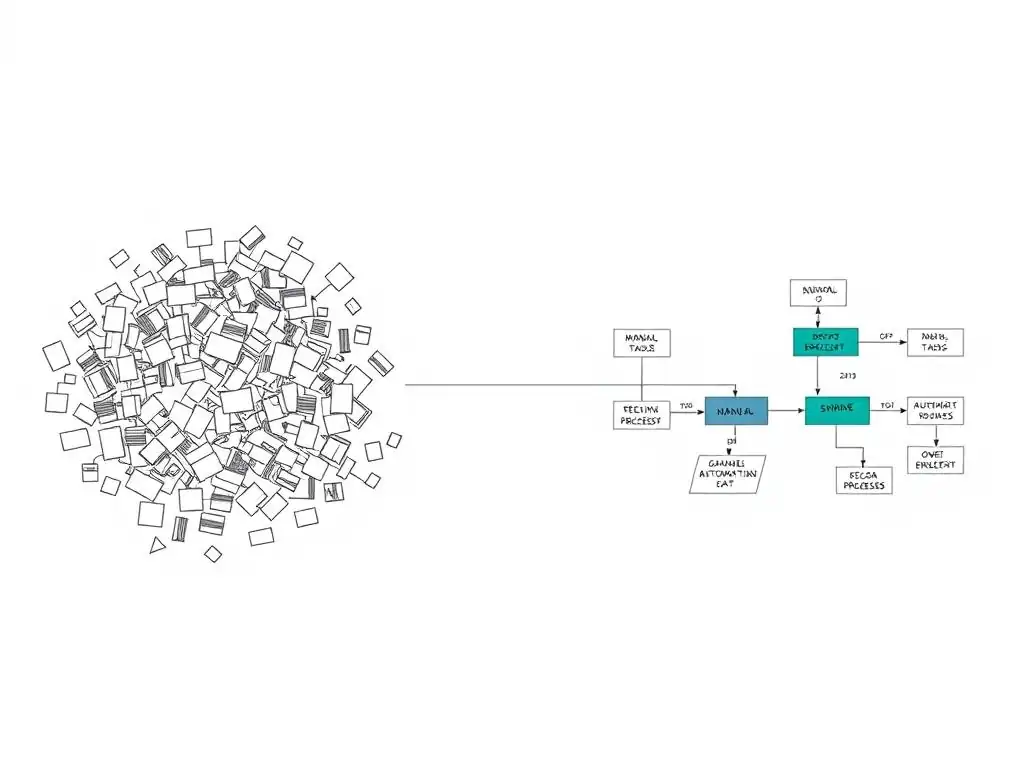
Automating your digital workflow efficiently isn't about replacing everything you do with robots; it's about strategically identifying tasks ripe for automation. This process requires a discerning eye and a clear understanding of your current workflow. The goal is to free up your time and mental energy for higher-level tasks that demand human creativity and critical thinking. We'll explore how to pinpoint those ideal candidates for automation.
Analyzing Your Current Digital Workflow for Automation Opportunities
Before diving into automation solutions, a thorough analysis of your existing digital workflow is crucial. This involves documenting every step of your daily digital tasks. Consider using a tool like a spreadsheet or even a simple notebook to meticulously list each action. For example:
- Checking emails: How many emails do you receive daily? How much time do you spend sorting, reading, and responding?
- Social media management: Do you schedule posts, engage with comments, or monitor mentions? How much time does this consume?
- Data entry: Are you manually inputting data into spreadsheets or databases? What's the volume of data and frequency of entry?
- File management: How do you organize and archive your digital files? Is this process efficient, or does it often lead to wasted time searching?
- Report generation: Do you create regular reports? What software do you use, and how long does it take?
Once you've documented your workflow, look for patterns. Identify tasks that are:
- Repetitive: Tasks performed multiple times daily or weekly.
- Time-consuming: Tasks that eat up a significant portion of your workday.
- Error-prone: Tasks where human error is a common occurrence.
- Rule-based: Tasks that follow clear, consistent rules or procedures.
Prioritizing High-Volume, Repetitive Digital Tasks for Automation
After analyzing your workflow, prioritize tasks based on their volume and repetitiveness. The Pareto Principle (80/20 rule) often applies here: 80% of your results likely come from 20% of your efforts. Focus on automating those high-impact, high-volume tasks first. For instance:
| Task | Volume/Frequency | Time Spent (Estimate) | Automation Potential | Priority |
|---|---|---|---|---|
| Email Filtering | 100+ emails/day | 30 minutes/day | High | 👍👍👍 |
| Social Media Scheduling | 5 posts/week | 1 hour/week | High | 👍👍 |
| Data Entry (Invoices) | 50 invoices/month | 5 hours/month | High | 👍👍 |
| Report Generation (Sales) | Weekly | 2 hours/week | Medium | 👍 |
| File Organization | Ongoing | 30 minutes/week | Low | ⚪ |
This table helps visualize which tasks offer the greatest return on investment (ROI) for automation. Start with the high-priority tasks marked with multiple 👍 emojis.
Evaluating the Feasibility and Cost-Effectiveness of Automation Solutions
Not all tasks are equally feasible or cost-effective to automate. Before investing in software or services, consider:
- Cost of automation tools: Research the price of different automation solutions. Some offer free plans, while others require monthly or annual subscriptions.
- Implementation time: How long will it take to set up and configure the automation tool?
- Technical expertise: Do you have the technical skills to implement and maintain the automation, or will you need external assistance?
- Return on investment (ROI): Will the time saved and increased efficiency justify the cost of the automation solution? Consider calculating the time saved multiplied by your hourly rate.
By carefully evaluating these factors, you can make informed decisions about which tasks to automate and which solutions best suit your needs and budget. Remember, efficient automation is a journey, not a destination. Start small, focus on high-impact tasks, and gradually expand your automation strategy as you gain experience and confidence.
Choosing the Right Automation Tools for Efficient Digital Workflow
Automating your digital workflow efficiently requires careful consideration of the available tools. The market is flooded with options, each boasting unique features and capabilities. Choosing the right tool isn't just about finding the most popular software; it's about finding the best fit for your specific needs and existing infrastructure. This section will guide you through the process, helping you navigate the complexities and select the automation tools that will truly optimize your digital processes. Remember, the goal is to automate digital workflow efficiently, not to add complexity.
Exploring Different Automation Software and Platforms
The landscape of automation software is vast. You'll find options ranging from simple, task-specific tools to comprehensive, enterprise-grade platforms. Here's a breakdown of some common categories:
- Robotic Process Automation (RPA): These tools are designed to automate repetitive, rule-based tasks. They are excellent for mimicking human actions within digital systems, like data entry or form filling. Think of them as "software robots" performing tasks tirelessly and accurately. Many RPA platforms offer a user-friendly interface, requiring minimal coding expertise.
- Workflow Automation Platforms: These platforms offer a more holistic approach, allowing you to orchestrate complex workflows involving multiple applications and systems. They often include features like visual workflow designers, integrations with various APIs, and robust monitoring capabilities. These are ideal for streamlining more intricate processes.
- Integration Platforms as a Service (iPaaS): These platforms focus on connecting different applications and services. While not strictly automation tools, they are crucial for enabling automation by facilitating data exchange and communication between disparate systems. They are particularly useful in complex environments with numerous applications.
- Custom-built solutions: For highly specialized needs or intricate workflows, a custom-built solution might be necessary. However, this typically involves significant development time and costs. This option should only be considered after a thorough evaluation of existing off-the-shelf options.
Consider the following factors when comparing different platforms: ease of use, scalability, security features, integration capabilities, and pricing models. A free trial or a demo version can be invaluable in assessing whether a particular platform meets your specific requirements.
Selecting Tools Based on Your Specific Needs and Budget
Choosing the right automation tools is a crucial step in efficiently automating your digital workflow. This selection process demands a clear understanding of your needs and budgetary constraints. Don't be swayed by flashy marketing; focus on functionality and value.
| Feature | Considerations | Example |
|---|---|---|
| Task Complexity | Simple, repetitive tasks vs. complex, multi-step processes | Data entry vs. order fulfillment workflow |
| Integration Needs | Number and type of applications needing integration | CRM, ERP, email, payment gateways |
| Scalability | Ability to handle increasing workload and data volume | Growing business needs |
| Security | Data encryption, user authentication, compliance with industry regulations | HIPAA compliance for healthcare organizations |
| Budget | One-time costs vs. subscription fees, cost per user, implementation costs | Free tools vs. enterprise-grade solutions |
| Technical Expertise | Required coding skills and technical support needs | No-code vs. low-code platforms |
Before investing in any tool, create a detailed list of your current workflows. Identify the bottlenecks and repetitive tasks ripe for automation. This will inform your choice of automation software, ensuring that the tools you select directly address your specific pain points and contribute to a more efficient digital workflow.
Integrating Automation Tools with Your Existing Digital Systems
Successfully automating your digital workflow hinges on seamless integration with your existing systems. A poorly integrated automation tool can create more problems than it solves. Before implementing any automation solution, assess the compatibility of the chosen tools with your current software and hardware infrastructure.
Consider these points:
- API access: Many automation tools rely on Application Programming Interfaces (APIs) to connect with other systems. Ensure that your target systems offer the necessary APIs and that the chosen automation platform supports them.
- Data formats: Confirm compatibility between the data formats used by your existing systems and the automation tool. Data transformation might be necessary if there are inconsistencies.
- Security protocols: Implement robust security measures to protect sensitive data during the integration process. This includes secure authentication, data encryption, and regular security audits.
- Testing: Thoroughly test the integration to identify and resolve any issues before full deployment. Start with a pilot project to minimize the risk of widespread disruption.
A successful integration ensures a smooth and efficient automated workflow, maximizing productivity and minimizing errors. Remember, a well-integrated system is the cornerstone of efficient digital workflow automation. Prioritize compatibility and security to avoid future complications and maximize the benefits of your automation efforts.
Step-by-Step Guide to Automating Your Digital Workflow Efficiently
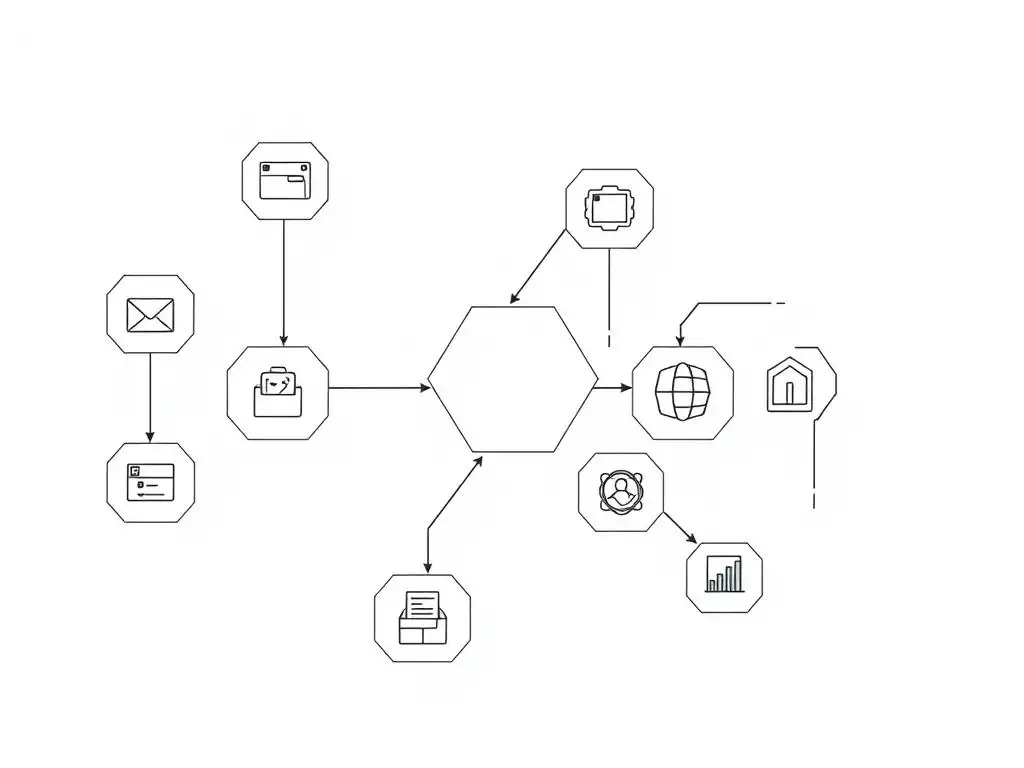
This section provides a practical, step-by-step guide to efficiently automating your digital workflow. We'll move from initial planning to ongoing optimization, ensuring you maximize the benefits of automation. Remember, the key to successful automation lies in careful planning and consistent monitoring. Automating your digital workflow efficiently isn't just about choosing the right tools; it's about integrating them seamlessly into your existing processes.
Setting Clear Goals and Defining Your Automation Strategy
Before diving into specific tools, you need a clear understanding of what you want to achieve. Defining your automation strategy involves identifying repetitive tasks, analyzing their current workflow, and setting measurable goals. This foundational step is crucial for maximizing the return on your automation investment. Let's consider a concrete example:
Imagine you're a social media manager handling multiple accounts. Manually scheduling posts across various platforms is time-consuming and prone to errors. Your goal might be to reduce posting time by 50% while increasing engagement by 15%. To achieve this, you'd need to identify specific tasks ripe for automation, such as:
- Scheduling posts across different platforms.
- Generating reports on post performance.
- Responding to common comments and inquiries (potentially using chatbots).
- Monitoring brand mentions.
To define your strategy further, consider these questions:
- What are the most time-consuming digital tasks you perform daily/weekly?
- Which tasks are repetitive and easily standardized?
- What are the potential risks of automating certain processes (e.g., loss of personalized touch)?
- What are your key performance indicators (KPIs) for measuring success? (e.g., time saved, increased efficiency, improved accuracy)
A well-defined strategy, complete with measurable goals, will guide your automation journey and ensure you're focusing your efforts on high-impact areas. Remember, start small and scale gradually. Don't try to automate everything at once.
Implementing Automation Tools and Configuring Settings
Once you have a clear strategy, it's time to choose and implement the appropriate automation tools. The market offers a vast array of options, ranging from simple browser extensions to sophisticated enterprise-level platforms. The selection depends heavily on your specific needs and budget. Here are some factors to consider when choosing tools:
| Feature | Importance | Example Tools |
|---|---|---|
| Ease of Use | Crucial for quick adoption and integration | Zapier, IFTTT, Make (formerly Integromat) |
| Integration Options | Essential for connecting different apps | Various APIs, native integrations |
| Cost | Align with your budget and ROI | Free plans, paid subscriptions with varying features |
| Security | Paramount for data protection | Tools with robust security protocols and encryption |
| Scalability | Important for future growth | Cloud-based solutions offering flexible scaling |
After selecting your tools, meticulous configuration is key. Each tool has its own settings and requires careful attention to detail. Incorrect configuration can lead to errors, inefficiencies, and even data loss. Thoroughly review documentation, utilize tutorials, and test your automation thoroughly before fully deploying it. This minimizes disruptions and ensures a smooth transition. Remember to document your configurations for future reference and troubleshooting.
Monitoring and Optimizing Your Automated Digital Workflow for Peak Performance
Automating your digital workflow isn't a one-time event; it's an ongoing process of refinement. Continuous monitoring and optimization are crucial for maximizing efficiency and preventing potential problems. Regularly review your automated processes to identify areas for improvement. Consider these points:
- Error Rate: Track the frequency of errors and investigate their root causes. Adjust settings or implement error handling mechanisms as needed.
- Efficiency: Monitor how much time and effort you're saving. Are there bottlenecks or inefficiencies in the automated workflow?
- Data Accuracy: Verify the accuracy of the data processed by your automation tools. Regular data checks are essential to maintain data integrity.
- Scalability: As your needs evolve, ensure your automation tools can handle increased workloads without performance degradation.
Remember, the goal is to continuously improve your automated digital workflow. Regular review, analysis, and adjustments will ensure long-term success and a significant boost in productivity. Embrace the iterative nature of automation – ongoing optimization is the key to unlocking its full potential. By consistently monitoring and refining your automated processes, you'll be well on your way to mastering the art of efficiently automating your digital workflow.
Troubleshooting and Addressing Potential Issues in Your Automated System
Automating your digital workflow, while incredibly beneficial for boosting productivity, isn't without its potential pitfalls. Unexpected errors can disrupt the smooth operation of your automated system, leading to frustration and lost time. Proactive troubleshooting and a well-defined strategy for addressing issues are crucial for maintaining efficiency. This section will equip you with the knowledge and techniques to identify and resolve common problems.
One frequent issue is data inconsistencies. For instance, if your automation relies on data pulled from multiple sources, discrepancies in formatting or data types can cause the system to malfunction. Imagine an automated email marketing campaign where inconsistent email addresses lead to undeliverable messages. To prevent this, implement rigorous data validation checks at each stage of the process. This might involve using data cleaning tools or scripting to standardize data formats before they enter the automation pipeline. Regular data audits can also help identify and correct inconsistencies before they escalate into larger problems.
Another common challenge is software glitches or updates. Software updates, while often beneficial, can sometimes introduce bugs that disrupt your automated workflows. A sudden change in API functionality, for example, could break the integration between different applications within your system. To mitigate this risk, thoroughly test your automated system after any software update. Consider creating a rollback plan to quickly revert to a previous, stable version if necessary. Staying informed about software updates and proactively testing compatibility is key to preventing disruptions.
Furthermore, unexpected errors can arise from various unforeseen circumstances. Perhaps a crucial file becomes corrupted, a network connection is temporarily lost, or a third-party service experiences downtime. A robust error-handling mechanism is essential in such cases. This could involve implementing logging systems to track errors, setting up alerts to notify you of issues, and designing your automation with redundancy and fail-safes to minimize the impact of unforeseen events. For example, using multiple backup systems for crucial data ensures that even if one fails, the workflow can continue.
Finally, scaling issues can arise as your business grows and the volume of data processed by your automated system increases. What worked efficiently with a small dataset might become a bottleneck as the volume of data expands. Regular performance monitoring and optimization are crucial to address scaling issues proactively. This might involve optimizing your code, upgrading hardware, or migrating to a more scalable cloud-based solution.
Planning for scalability from the outset is crucial to ensure your automated workflow remains efficient even as your business expands. Remember that proactively addressing potential problems is far more efficient than reacting to crises. By implementing these strategies, you can significantly reduce downtime and maintain the smooth operation of your automated digital workflow, maximizing its benefits for your productivity and success.
Advanced Techniques for Optimizing Automated Digital Workflows
This section delves into sophisticated strategies to elevate your automated digital workflow beyond basic task automation. We'll explore how to handle complex processes, leverage the power of AI, and foster seamless collaboration using automation. Successfully automating your digital workflow efficiently requires understanding and implementing these advanced techniques. The goal is not just to automate tasks, but to create a truly optimized and intelligent system.
Utilizing Automation for Advanced Tasks and Complex Processes
Automating simple, repetitive tasks is a great starting point, but the true power of automation lies in its ability to handle more complex processes. This often involves orchestrating multiple applications and services to achieve a specific outcome. For instance, consider the process of managing client onboarding: This might involve automatically generating welcome emails upon form submission, creating new entries in your CRM, assigning tasks to relevant team members, and even triggering automated follow-up communications.
This level of automation requires a more robust approach than simple "if-this-then-that" rules. You might need to utilize workflow management tools that allow for conditional logic, branching pathways, and error handling. Properly structuring these complex workflows requires careful planning and thorough understanding of your processes. Mapping out each step, including potential bottlenecks and exceptions, is crucial before implementing any automation. Failure to do so can lead to errors and inefficiencies.
Consider using a visual workflow designer to map out your processes. This allows for easier identification of potential problems and makes collaboration with your team much simpler. The ability to visually represent the flow of information and tasks is invaluable for complex processes. Furthermore, robust logging and monitoring are essential to identify and resolve any issues that may arise within the automated workflow. This allows for proactive problem-solving and ensures the continued smooth operation of your automated system. Regular review and optimization of these complex workflows are essential for maintaining efficiency and effectiveness.
Integrating AI and Machine Learning for Enhanced Automation
Integrating AI and machine learning (ML) into your automated digital workflow can unlock a new level of efficiency and intelligence. AI-powered tools can analyze data, learn from patterns, and make decisions autonomously, significantly reducing manual intervention. For example, an AI-powered chatbot can handle routine customer inquiries, freeing up human agents to focus on more complex issues. Similarly, ML algorithms can analyze large datasets to identify trends and predict future outcomes, enabling proactive decision-making.
The benefits extend beyond simple task automation. AI can personalize user experiences, improve accuracy in data entry, and even automate creative tasks such as generating marketing copy or summarizing lengthy documents. However, implementing AI and ML requires a careful consideration of data privacy and security. Ensuring compliance with relevant regulations is paramount. The initial investment in AI and ML integration might be significant, but the long-term return on investment (ROI) in terms of increased efficiency and reduced operational costs can be substantial. Careful planning and selection of the right AI tools are critical for successful implementation.
Leveraging Automation to Improve Collaboration and Teamwork
Effective teamwork is essential for success, and automation can significantly enhance collaboration. By automating routine tasks, you free up team members to focus on more strategic and creative work, fostering a more efficient and productive environment. For example, automating task assignments based on team member skills and availability can optimize resource allocation and prevent bottlenecks. Automated progress reports and notifications can keep everyone informed about project status, improving transparency and accountability.
Furthermore, automation can facilitate seamless information sharing and knowledge management. Automated document sharing and version control systems can prevent confusion and ensure everyone is working with the latest information. Integrated communication tools can streamline collaboration and reduce the time spent on unnecessary meetings or email exchanges. The key is to choose automation tools that integrate seamlessly with your existing communication and collaboration platforms.
This ensures a smooth transition and avoids creating new complexities. Investing in training and support for your team is also crucial for ensuring successful adoption of automated collaboration tools. The goal is to create a cohesive and efficient workflow that empowers your team to achieve its objectives.
Measuring the Success of Your Automated Digital Workflow
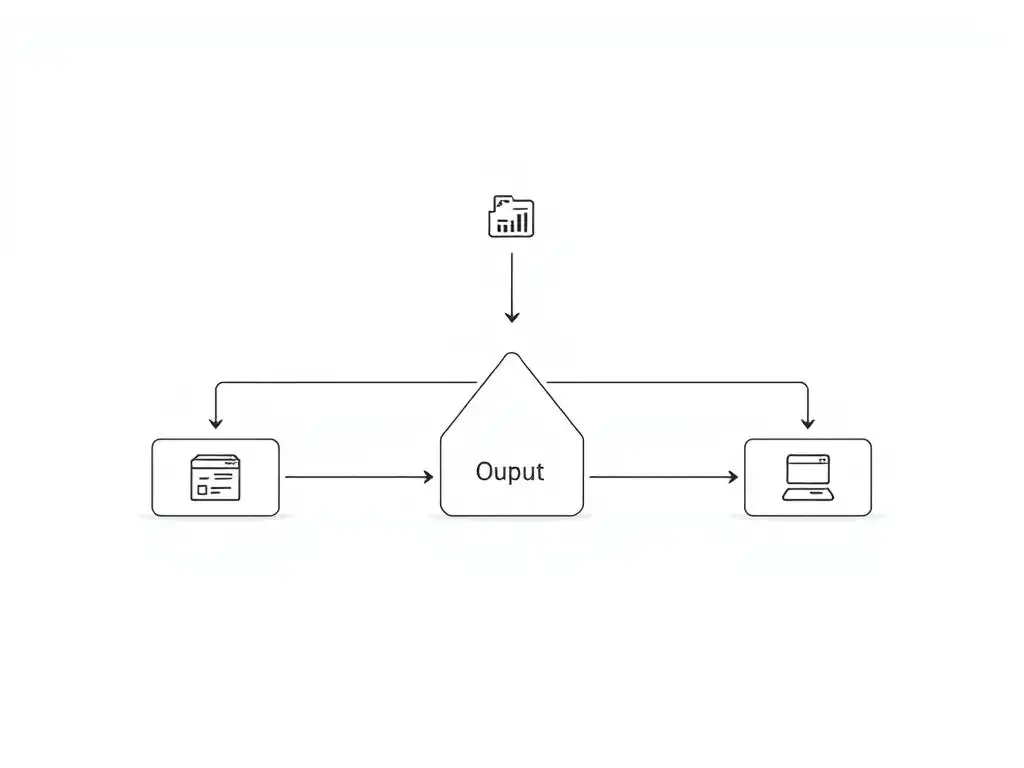
Automating your digital workflow isn't just about setting up systems; it's about demonstrably improving efficiency and productivity. Measuring the success of your automation efforts is crucial to ensure you're achieving your goals and identifying areas for further refinement. This section focuses on practical strategies to track your progress and optimize your automated systems for maximum impact. Successfully automating your digital workflow efficiently requires a data-driven approach.
Tracking Key Metrics to Assess the Impact of Automation
To effectively gauge the success of your automated digital workflow, you need to establish key performance indicators (KPIs). These metrics will provide quantifiable data to measure the impact of your automation efforts. Consider tracking the following:
- Time Saved: This is arguably the most important metric. Before automation, accurately time how long specific tasks took. After implementation, compare this to the time spent now. For instance, if sending out weekly newsletters used to take 2 hours and now takes 15 minutes, you've saved 1 hour and 45 minutes per week – a significant gain!
- Error Reduction: Automation significantly minimizes human error. Track the number of errors before and after automation. A decrease in errors directly translates to improved accuracy and reduced rework. For example, if data entry errors dropped from 5% to 1%, you've dramatically improved data integrity.
- Increased Productivity: Measure your overall productivity using metrics like tasks completed per day or week. A rise in this number reflects the positive impact of your automated workflow. Let's say you used to complete 10 tasks daily; after automation, you're completing 15. That's a 50% increase in productivity!
- Cost Savings: While not always directly measurable, automation can lead to cost savings. Consider the reduced need for manual labor or the minimized expenses associated with error correction. This is often a long-term benefit that requires careful analysis over time.
- Improved Employee Morale: Automating repetitive tasks frees up employees to focus on higher-value work, potentially leading to increased job satisfaction. This is more qualitative, but you can gauge it through employee surveys or feedback sessions.
| Metric | Before Automation | After Automation | Improvement |
|---|---|---|---|
| Time Spent (Weekly) | 10 hours | 2 hours | 8 hours |
| Errors (%) | 5% | 1% | 4% |
| Tasks Completed/Day | 10 | 15 | 50% |
Remember to establish baseline metrics before implementing any automation to have a clear comparison point. Regularly monitor and record these KPIs to track progress and fine-tune your automated systems. 📈
Analyzing Data to Identify Areas for Further Improvement
Tracking key metrics is only half the battle. The real value lies in analyzing that data to identify areas where your automated workflow can be further optimized. This involves identifying bottlenecks, inefficiencies, and areas for potential expansion of automation.
For example, if your error reduction in a specific automated task is lower than expected, it may indicate a flaw in the automation process itself. This might require reviewing the automation script, adjusting parameters, or even redesigning the entire process. Similarly, if you're not seeing the anticipated time savings, it might suggest that the automation isn't fully integrated or that other manual processes are still creating bottlenecks.
Analyzing your data should be an iterative process. Regularly review your KPIs, looking for trends and patterns. Use data visualization tools (charts, graphs) to easily identify areas needing attention. Don't be afraid to experiment with different automation strategies and continuously refine your approach based on the data you collect. The goal is to continuously improve the efficiency and effectiveness of your automated digital workflow.
Continuously Refining Your Automated Workflow for Ongoing Optimization
Automating your digital workflow efficiently is not a one-time event; it's an ongoing process of refinement and improvement. The business environment is constantly evolving, and so too should your automation strategies. Regularly reassess your automated processes to ensure they remain relevant, efficient, and effective.
This includes:
- Staying Updated: New tools and technologies emerge constantly. Regularly research and explore new automation options to see if they can enhance your existing workflows.
- Adapting to Changes: Your business needs may change over time, necessitating adjustments to your automated systems. Be prepared to adapt your automation strategies to accommodate these changes.
- Seeking Feedback: Gather feedback from employees using the automated systems. Their insights can identify areas for improvement that you might have overlooked.
- Regular Audits: Conduct periodic audits of your automated workflows to identify inefficiencies and potential areas for improvement. This could involve reviewing error logs, analyzing task completion times, and assessing overall system performance.
By embracing a culture of continuous improvement and regularly refining your automated workflow, you can unlock the full potential of automation and achieve truly efficient digital task management. Remember, the journey to efficient automation is a marathon, not a sprint! 🏃♂️
The Future of Automated Digital Workflows and Emerging Trends
The future of automating digital workflows hinges on continuous innovation and the adoption of emerging technologies. Efficient automation isn't just about current tools; it's about anticipating and integrating the next generation of solutions. This proactive approach is crucial for businesses and individuals aiming to maintain a competitive edge and maximize productivity. We're moving beyond simple task automation towards intelligent systems capable of learning, adapting, and optimizing workflows autonomously.
Exploring New Technologies and Automation Solutions
Several technological advancements are poised to revolutionize how we automate digital workflows. Artificial Intelligence (AI), specifically Machine Learning (ML), is at the forefront. ML algorithms can analyze vast datasets to identify patterns and predict future needs, enabling proactive automation rather than reactive responses. Imagine a system that anticipates your upcoming project deadlines and automatically schedules relevant tasks, allocates resources, and even sends reminders – all without your direct intervention. This level of predictive automation significantly reduces manual effort and minimizes the risk of overlooking crucial steps.
Another significant trend is the rise of Robotic Process Automation (RPA) coupled with low-code/no-code platforms. RPA traditionally focuses on automating repetitive tasks within applications, but the integration with intuitive, user-friendly platforms democratizes automation. This means that even users without extensive coding experience can design and implement automated workflows, significantly expanding the potential for automation across various sectors. This ease of use fosters widespread adoption and allows businesses to quickly scale their automation efforts.
Furthermore, the convergence of blockchain technology with automation offers exciting possibilities for secure and transparent workflow management. Blockchain's immutable ledger can track every step of an automated process, ensuring accountability and preventing unauthorized alterations. This is particularly valuable in industries with stringent regulatory requirements or sensitive data handling. For example, automating supply chain management using blockchain could provide complete traceability and enhance transparency throughout the entire process.
Adapting to Evolving Digital Landscapes and Staying Ahead of the Curve
The digital landscape is constantly evolving, with new applications, platforms, and technologies emerging at a rapid pace. To efficiently automate your digital workflow, you must embrace a mindset of continuous learning and adaptation. This means regularly evaluating your current automation strategies and identifying areas for improvement. Staying abreast of the latest trends in automation technology is paramount to preventing your systems from becoming obsolete and ensuring your processes remain efficient and effective.
Consider the challenges posed by rapidly evolving software interfaces. An automated workflow meticulously designed for a specific application might break if the application undergoes a significant update. Therefore, robust error handling and mechanisms for adapting to interface changes are crucial for long-term automation success. This often involves using flexible scripting languages and building in mechanisms for automated updates and adjustments to the automation scripts themselves. Building in flexibility and monitoring performance closely are key elements in maintaining an effective automated system.
Regularly reviewing and updating your automation processes is not just about maintaining efficiency; it’s about mitigating risks. Outdated or poorly maintained automation can lead to errors, security vulnerabilities, and ultimately, decreased productivity. A proactive approach to maintenance and adaptation is crucial for maximizing the long-term benefits of automation.
Embracing the Potential of Automation for Future Productivity Gains
The potential benefits of automating digital workflows extend far beyond simple time savings. Efficient automation can lead to significant improvements in accuracy, consistency, and overall productivity. By freeing up human resources from repetitive tasks, automation enables employees to focus on higher-value activities that require creativity, critical thinking, and strategic decision-making. This shift in focus can unlock significant innovation and drive business growth.
Consider the impact on employee morale. Automating tedious and repetitive tasks reduces the likelihood of burnout and allows employees to experience greater job satisfaction. This translates to improved employee retention and a more engaged workforce. Furthermore, the increased efficiency resulting from automation can lead to cost savings, allowing businesses to allocate resources to other critical areas.
This includes investing in further automation initiatives, employee development, or even new business ventures. The cumulative effect of these gains can significantly improve a company's bottom line and long-term sustainability. Ultimately, embracing the potential of automation is an investment in a more productive, efficient, and fulfilling future.
Frequently Asked Questions
What is a digital workflow, and why should I automate it?
A digital workflow is the sequence of steps involved in completing a task using digital tools. Automating it improves efficiency by reducing manual work, minimizing errors, and freeing up time for more strategic activities. This ultimately leads to increased productivity.
How can I automate my digital workflow efficiently?
Efficient automation involves identifying repetitive tasks, choosing the right automation tools (like Zapier or IFTTT), and carefully mapping out your workflow before implementation. Start small, focusing on high-impact areas first.
What are some examples of tasks I can automate?
You can automate tasks like social media scheduling, email marketing, file organization, data entry, and project management updates. The possibilities are vast, depending on your specific needs and tools.
What are the potential downsides of automating my digital workflow?
Over-automation can lead to a lack of control and unexpected errors if not properly configured. It's also crucial to ensure data security and compliance with relevant regulations when using automation tools.
Where can I learn more about automating my digital workflow efficiently?
Explore resources like online courses, blogs (like UltimateLifeHacks!), and automation tool documentation. Experiment with different tools and strategies to find what best suits your needs and working style.
Final Reflection: Unlocking Potential Through Automated Efficiency
The relentless pace of the digital age demands efficiency, and mastering the art of automating your digital workflow isn't just a productivity hack—it's a necessity for survival. Failing to streamline your processes in today's hyper-competitive landscape means falling behind, losing valuable time and resources, and ultimately, hindering your potential for success. The strategies outlined in this article are not merely suggestions; they are essential tools for navigating the complexities of the modern digital world.
The impact of automation extends far beyond individual productivity; it's reshaping entire industries and influencing how we interact with technology. The shift towards automation is a powerful force, constantly evolving and demanding adaptation. As we become increasingly reliant on digital tools, the ability to harness their power efficiently becomes paramount. The key is not to prioritize what's on your schedule, but to schedule your priorities.
– Stephen Covey. This quote perfectly encapsulates the importance of strategically planning and automating tasks to focus on what truly matters—achieving your goals.
Now, consider your own digital workflow. Where are the bottlenecks? Which tasks consume excessive time and energy? I urge you to take the insights from this article and actively implement them in your daily routine. Start small, identify one area for improvement, and gradually build upon your successes. Embrace the power of automation, not as a replacement for human ingenuity, but as a powerful tool to amplify your capabilities and unlock your true potential. The journey to a more efficient and fulfilling digital experience begins with a single, deliberate step.
Unlock Your Productivity: Automate Your Way to Success!
Thanks for exploring the world of automated digital workflows! You've learned how streamlining your processes can free up valuable time and energy. Now let's put that knowledge into action.
Here's how to get started:
- Start with one small automation today: Choose a single area of your digital workflow—perhaps email management, social media scheduling, or file organization—and find a tool to automate it. Even a small improvement can significantly impact your productivity.
- Experiment with different automation tools: Explore free trials or freemium versions of various apps to find the perfect fit for your needs and preferences. Don't hesitate to try something new!
- Share your success! Tell us about your experience on our social media channels—what worked well, and what challenges did you overcome? We'd love to hear your stories.
What's the first digital task you'd like to automate, and why?