
Are You Making These Common Password Mistakes? Find Out Now

Ready to unlock a world of effortless efficiency and reclaim your precious time? Welcome to UltimateLifeHacks, your ultimate resource for practical tips and tricks to optimize your daily life. But first, let's address a critical element of your digital security: passwords. Our latest guide on common password mistakes reveals surprising vulnerabilities you might not know you have. Discover how to strengthen your digital defenses and safeguard your online world – read on to learn more!
- Common Password Mistakes Guide: Unveiling Weaknesses in Your Security
- Strengthening Your Password Security: Practical Tips and Strategies
- Beyond Passwords: Holistic Digital Security Measures
- Frequently Asked Questions
- Final Reflection: Securing Your Digital Fortress: It's More Than Just a Password
- Secure Your Digital Life: Take Control Now!
Common Password Mistakes Guide: Unveiling Weaknesses in Your Security
In today's hyper-connected world, our digital lives are brimming with sensitive information. From banking details and social media accounts to email inboxes and online shopping platforms, our passwords stand as the first line of defense against unauthorized access. Yet, many of us unknowingly make common password mistakes, significantly weakening this crucial layer of security. This comprehensive guide will delve into the most prevalent errors people make when creating and managing passwords, providing practical strategies to bolster your online security and safeguard your personal data.
We'll explore the dangers of password reuse, the pitfalls of easily guessable passwords, and the benefits of leveraging password managers – equipping you with the knowledge to create a robust and secure password ecosystem. Understanding these common pitfalls is the first step towards significantly improving your overall digital security posture and reducing your vulnerability to cyber threats. Let's dive in!
Reusing Passwords Across Multiple Accounts: The Biggest Risk
Reusing the same password across multiple online accounts is arguably the most significant password mistake individuals make. This practice dramatically increases your vulnerability to large-scale data breaches. If a hacker gains access to one account using a reused password, they effectively gain access to all accounts using that same credential. This can lead to identity theft, financial loss, and reputational damage. Imagine the consequences if your email and banking passwords are identical – a single breach could compromise both. The risk is exponentially amplified if the compromised account is connected to other sensitive data.
Think of it like this: you wouldn't use the same key to unlock your front door, your car, and your office. Why treat your online accounts any differently? Each online account holds unique data; therefore, each requires a unique, strong password. The effort of managing multiple unique passwords is far outweighed by the potential devastation of a single breach.
Choosing Easily Guessable Passwords: Birthdays, Names, and More
Another prevalent mistake is selecting passwords that are easily guessable. Using personal information like birthdays, anniversaries, pet names, or names of family members is a recipe for disaster. Hackers often employ readily available information to crack passwords, making easily guessable credentials a prime target. Even seemingly innocuous details, when combined with readily available information, can be easily deciphered.
Furthermore, using simple variations of existing passwords, such as adding a single number or symbol, is also extremely risky. Modern password-cracking tools can quickly identify these minor alterations, rendering them practically useless. Think about how much information you share online – this information can easily be used to guess your password if it's not complex enough. The key is to choose passwords that are both memorable for you but completely unpredictable to others.
Ignoring Password Managers: A Missed Opportunity for Enhanced Security
Many people avoid using password managers, believing they are too complicated or unnecessary. This is a significant oversight. Password managers are invaluable tools for generating, storing, and managing strong, unique passwords for all your online accounts. They eliminate the need to remember countless complex passwords, while simultaneously enhancing your overall security posture. A robust password manager employs strong encryption to protect your stored credentials, making it significantly harder for hackers to access your information.
Moreover, many password managers offer additional security features such as two-factor authentication and breach monitoring, providing an extra layer of protection against unauthorized access. By utilizing a password manager, you not only simplify password management but also dramatically increase your overall online security. The convenience and enhanced security offered by password managers far outweigh any perceived drawbacks. It's a simple step that can make a substantial difference in protecting your digital life.
Falling for Phishing Scams: Protecting Yourself from Password Theft
Phishing scams are a major vector for password theft, and sadly, many fall victim due to a lack of awareness or caution. These scams often involve deceptively realistic emails, text messages, or websites that mimic legitimate organizations. The goal? To trick you into revealing your sensitive information, including your passwords. A common tactic is to create a sense of urgency, prompting immediate action, like clicking a link to "verify your account" or update your payment information. This urgency prevents victims from taking the time to critically assess the communication's authenticity.
One particularly effective phishing technique involves crafting emails that appear to originate from your bank, a social media platform, or even a trusted online retailer. These emails often contain personalized details, making them seem even more credible. For example, a phishing email might mention your name, account number (partially or entirely), and recent transactions, creating a convincing illusion of legitimacy. This level of personalization is a key indicator of a sophisticated phishing attempt. Remember, legitimate organizations rarely request sensitive information via email or text message.
To protect yourself, carefully scrutinize any suspicious communication before clicking any links or providing any information. Look for inconsistencies in the sender's email address, grammar, and overall tone. Legitimate organizations usually have professional-looking emails with consistent branding.
Hover your mouse over links to see the actual URL before clicking—this can reveal if the link is leading to a fake website. If you're unsure about the authenticity of a communication, contact the organization directly using contact information found on their official website, rather than the one provided in the suspicious communication. This simple step can significantly reduce your risk of falling victim to a phishing scam and protect your passwords.
Regularly updating your software and using strong, unique passwords for each account also adds another layer of defense. Remember, vigilance and critical thinking are your best weapons against phishing attacks. Never underestimate the power of skepticism when it comes to protecting your online security.
Strengthening Your Password Security: Practical Tips and Strategies
This section delves into practical strategies for bolstering your password security, going beyond the basics of "choose a strong password." We'll explore actionable techniques to significantly reduce your vulnerability to common password attacks. Remember, a robust password strategy is a cornerstone of digital security and protecting your personal information. This guide will help you build a more secure online presence.
Creating Strong, Unique Passwords: Length, Complexity, and Randomness
Creating truly secure passwords requires a multifaceted approach. Simply using a combination of upper and lowercase letters, numbers, and symbols isn't enough. The key lies in a potent combination of length, complexity, and randomness.
Let's break it down:
- Length: Aim for passwords that are at least 12 characters long. Longer passwords are exponentially harder to crack using brute-force attacks. Think of it like a combination lock – the more digits, the more combinations exist.
- Complexity: Incorporate a mix of uppercase and lowercase letters, numbers, and symbols. Avoid easily guessable patterns like sequential numbers (12345) or repeating characters (aaaaaa). The more unpredictable the character sequence, the better.
- Randomness: This is crucial. Avoid using personal information (birthdates, pet names, etc.) as these are easily discovered by hackers. Instead, strive for truly random character strings. You can use a password generator for this purpose – many free and reliable options are available.
Here's a table illustrating the difference in cracking time based on password length and complexity:
| Password Length | Complexity | Estimated Cracking Time (Brute Force) |
|---|---|---|
| 8 characters | Low (letters only) | Seconds to minutes |
| 12 characters | Medium (letters, numbers) | Hours to days |
| 16 characters | High (letters, numbers, symbols) | Years to decades |
Consider this example: P@$$wOrd123! is much weaker than gJ7$%kL#n2pYfV. The second password is longer, incorporates a random mix of characters, and is significantly more resistant to cracking attempts. Remember, the goal is to make it computationally infeasible for attackers to guess your password.
Utilizing a Password Manager: Streamlining Password Management
Managing numerous unique and complex passwords can become overwhelming. This is where a password manager shines. These tools generate strong, random passwords, securely store them, and allow you to access them with a single master password.
Using a password manager offers several key advantages:
- Improved Security: Eliminates the temptation to reuse passwords or choose weak ones.
- Enhanced Convenience: Easily access your passwords across multiple devices.
- Centralized Management: Keeps all your passwords organized in one secure location.
- Enhanced Security Features: Many offer additional features such as two-factor authentication and security audits.
Choosing a reputable password manager is crucial. Research different options and select one with strong security protocols and a positive reputation. Remember to protect your master password meticulously – it's the key to your entire password vault. Losing this password renders the entire system useless.
Enabling Two-Factor Authentication (2FA): Adding an Extra Layer of Protection
Two-factor authentication (2FA) adds an extra layer of security to your accounts by requiring two forms of verification: something you know (your password) and something you have (a code from your phone or authenticator app). Even if someone obtains your password, they still need access to your secondary verification method to gain entry.
The benefits of enabling 2FA are undeniable:
- Significant Security Boost: Makes it considerably more difficult for unauthorized users to access your accounts, even if your password is compromised.
- Reduced Risk of Account Takeover: A critical defense against phishing attacks and other malicious activities.
- Increased Peace of Mind: Knowing that your accounts have an additional layer of protection provides a sense of security.
Many services now offer 2FA as a standard security feature. Activating this feature should be a priority for all your important online accounts, including email, banking, and social media. While it might add a slight inconvenience, the enhanced security it provides far outweighs the minor hassle. Think of it as installing a burglar alarm for your digital life – a small price to pay for significantly improved protection against cyber threats.
Regularly Updating Passwords: Best Practices and Recommendations
Regularly changing your passwords is a crucial aspect of robust password security. While the exact frequency depends on the sensitivity of the account and the potential risk, a good rule of thumb is to update passwords at least every three months for high-value accounts like banking and email. For less sensitive accounts, you might consider updating them every six months. However, it’s more important to change your passwords when a security breach occurs, regardless of the time elapsed since the last update. This proactive approach minimizes the window of vulnerability.
The key isn't just changing passwords frequently; it's about doing it effectively. Simply adding a number to the end of your old password is a terrible practice, easily cracked by brute-force attacks or simple password-cracking tools. Instead, aim for significant changes. Consider using a password manager to generate completely random and complex passwords, ensuring each password is unique to each account. This eliminates the risk of a compromise on one account leading to access to others. A password manager not only generates strong passwords but also securely stores them, removing the burden of remembering numerous complex strings.
Remember, password rotation isn't just about the frequency; it's about the method. Employing a systematic approach, potentially leveraging a password manager's features for scheduled updates, ensures you maintain a high level of security without the overwhelming task of manually managing numerous passwords. Think of it as preventative maintenance for your digital life – a small effort with significant rewards in terms of protecting your personal information and online accounts.
Ignoring regular updates leaves you vulnerable to potential data breaches and identity theft, potentially leading to significant financial and emotional distress. Prioritizing regular password updates is a simple yet effective step towards significantly bolstering your overall online security posture. Failing to do so leaves you exposed to unnecessary risk.
Beyond Passwords: Holistic Digital Security Measures
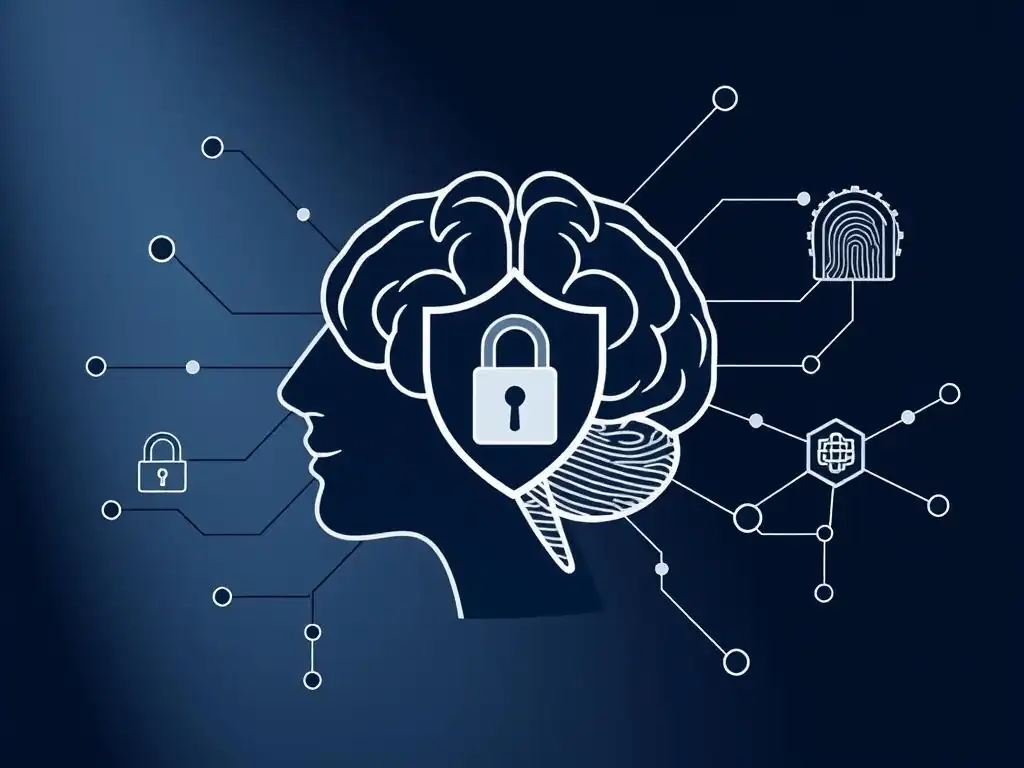
Password security is crucial, but it's only one piece of the digital security puzzle. A strong password can be easily bypassed if other aspects of your online security are weak. Think of it like this: you might have a fortress-like door (your password), but if the walls (your overall digital security) are crumbling, intruders can still find a way in. This section explores crucial steps beyond password management to bolster your overall digital security posture. This holistic approach is essential for a truly secure online experience, and contributes to a comprehensive "common password mistakes guide".
Protecting Your Devices: Software Updates, Anti-Virus, and More
Regular software updates are paramount. These updates often include critical security patches that plug vulnerabilities exploited by malicious actors. Failing to update your operating system, applications, and even your router leaves gaping holes in your defenses. Imagine leaving your front door unlocked – it's an open invitation for trouble. Think of updates as reinforcing your digital walls.
Furthermore, a robust anti-virus program is non-negotiable. Many free and paid options exist, offering real-time protection against malware, viruses, and other threats. These programs act as your digital security guards, constantly monitoring for suspicious activity. Regular scans, scheduled automatically, are key. Don't just rely on the initial installation; ensure your anti-virus remains active and updated. Consider also employing a firewall, another crucial layer of defense that monitors and controls network traffic, preventing unauthorized access to your devices. Ignoring these precautions is a significant entry in any "common password mistakes guide".
Beyond software, consider physical security. Don't leave your laptop unattended in public places, and use strong screen locks to prevent unauthorized access if your device is lost or stolen. These simple, often overlooked steps contribute significantly to your overall digital security. A comprehensive approach, including software updates, anti-virus protection, and physical security measures, is vital for comprehensive digital safety.
Recognizing Phishing Attempts: Identifying and Avoiding Suspicious Emails
Phishing attacks are a major threat, often exploiting vulnerabilities in human psychology rather than technical weaknesses. These attacks typically involve deceptive emails, websites, or messages designed to trick you into revealing sensitive information like passwords, credit card details, or social security numbers. Recognizing phishing attempts is a crucial skill in the fight for digital security, and a key component of any comprehensive "common password mistakes guide."
Several red flags should raise your suspicion. Look for grammatical errors, suspicious sender addresses, urgent or threatening language, requests for personal information, and unusual links. Hover over links before clicking to see their actual destination – a common tactic of phishers is to mask malicious links behind legitimate-looking URLs. If something feels off, it probably is. Don't hesitate to contact the company directly to verify the legitimacy of a request. Remember, legitimate organizations rarely ask for sensitive information via email. Your vigilance is your best defense against phishing scams.
Safeguarding Your Personal Information: Online Privacy Best Practices
Protecting your personal information online requires a multi-faceted approach. This goes beyond strong passwords and extends to how you manage your data across various online platforms. A key element of a robust "common password mistakes guide" is understanding the importance of online privacy.
Avoid oversharing personal details on social media. Limit the information you make publicly available, and be mindful of the privacy settings on your accounts. Use strong and unique passwords for all your online accounts, and consider using a password manager to simplify this process. Enable two-factor authentication (2FA) whenever possible, adding an extra layer of security to your accounts. This requires a second form of verification, often a code sent to your phone, making it significantly harder for attackers to gain access even if they obtain your password.
Regularly review your privacy settings on all your online accounts and applications. Understand what information you're sharing and with whom. Consider using a VPN (Virtual Private Network) to encrypt your internet traffic and protect your privacy when using public Wi-Fi networks. A proactive and informed approach to online privacy is essential for maintaining digital security in today's interconnected world. By combining strong passwords with these broader security practices, you create a much more robust defense against cyber threats.
Frequently Asked Questions
What are some common password mistakes people make?
Many people use easily guessable passwords, like birthdays or pet names. They also reuse passwords across multiple accounts and fail to use sufficient password length and complexity.
How can I create a strong password?
Create a password that's at least 12 characters long, combines uppercase and lowercase letters, numbers, and symbols, and is unique to each account. Consider using a password manager to help.
Why is reusing passwords dangerous?
Reusing passwords means that if one account is compromised, all your other accounts are at risk. Hackers can gain access to your personal information and financial accounts.
What are some tips for remembering complex passwords?
Use a password manager to securely store and manage your passwords. You can also create memorable passwords by using phrases or sentences as a base, then modifying them.
What should I do if I think my password has been compromised?
Immediately change your password on all affected accounts. Enable two-factor authentication wherever possible and monitor your accounts for suspicious activity. Consider reporting the incident to the relevant service provider.
Final Reflection: Securing Your Digital Fortress: It's More Than Just a Password
The vulnerability of weak passwords is not a theoretical threat; it's a daily reality. Millions of accounts are compromised every year due to easily guessable passwords, highlighting the urgent need for stronger digital security practices. This isn't just about protecting online banking; it's about safeguarding our identities, our privacy, and our very lives in an increasingly interconnected world.
The pervasiveness of password-related breaches underscores the critical need for ongoing education and awareness. We've explored common pitfalls, from predictable patterns to easily cracked combinations, but the true impact extends far beyond individual accounts. Data breaches can lead to identity theft, financial loss, and even reputational damage. As the saying goes, Security is a journey, not a destination.
This journey requires constant vigilance and a commitment to best practices, not just for ourselves, but for the collective digital security of our communities.
You now possess the knowledge to build stronger, more secure passwords. But knowledge without action is powerless. Take a moment to review your current passwords. Are they truly secure? Are you using password managers? Are you practicing good password hygiene? Make the conscious decision today to elevate your digital security. Your future self will thank you for it.
Secure Your Digital Life: Take Control Now!
Thank you for learning about common password pitfalls! You've gained crucial knowledge to protect your digital security. Ready to put this knowledge into action?
- Prioritize creating strong, unique passwords for each of your important online accounts. This is the most important step to safeguarding your information. Weak or reused passwords leave you vulnerable to hacking and identity theft.
- Consider using a password manager to simplify and strengthen your password security. These tools generate strong, unique passwords and store them securely, eliminating the need to remember dozens of complex combinations.
- Share this information with your friends and family to help them avoid the same security risks. Let's work together to build a safer online community.
What's your plan to improve your online security today? Start by changing your passwords on your most sensitive accounts, and then explore password management options to further enhance your protection.