
Master Your Time: The Ultimate Guide to Automating Digital Workflows


Feeling overwhelmed by your digital to-do list? Imagine a world where repetitive tasks vanish, replaced by seamless efficiency. At UltimateLifeHacks, we're dedicated to helping you reclaim your time and boost productivity. This guide on how to automate digital workflows efficiently is your first step towards mastering your schedule and unlocking a more streamlined, fulfilling life. Dive in and discover the secrets to effortlessly managing your digital world!
- Understanding the Power of Automating Digital Workflows
- Tools and Techniques for Automating Digital Workflows Efficiently
- Step-by-Step Guide to Automating a Simple Digital Workflow
- Advanced Techniques for Efficient Digital Workflow Automation
- Overcoming Common Challenges in Automating Digital Workflows
- Measuring the Success of Your Automated Digital Workflows
- The Future of Digital Workflow Automation
-
Frequently Asked Questions
- What is a digital workflow, and why should I automate it?
- How can I identify workflows ripe for automation?
- What tools can help me automate my digital workflows efficiently?
- What are the potential challenges of automating digital workflows?
- How can I measure the success of my workflow automation efforts?
- Final Reflection: Reclaiming Your Time in the Digital Age
- Unlock Your Productivity: Automate Now!
Understanding the Power of Automating Digital Workflows
In today's fast-paced digital world, efficiency is paramount. Spending hours on repetitive digital tasks drains productivity and hinders progress on more strategic initiatives. This comprehensive guide explores the transformative power of automating digital workflows, offering practical strategies and actionable tips to reclaim your time and boost your efficiency. We'll delve into the "why" behind automation, equip you with methods to identify key areas for improvement, and showcase the tangible benefits of streamlining your digital processes.
Mastering the art of automating digital workflows isn't just about saving time; it's about optimizing your entire digital experience, fostering a more focused and fulfilling work-life balance. This guide aims to provide you with the knowledge and tools to effectively automate digital workflows efficiently, unlocking your full potential and maximizing your output. Let's dive in and unlock the secrets to a more productive and less stressful digital life! 🎉
Why Automate Your Digital Tasks?
Automating digital tasks offers a multitude of advantages, ultimately leading to increased productivity and reduced stress. Consider the following compelling reasons:
- Time Savings: The most obvious benefit is the significant time saved by automating repetitive tasks. Imagine the hours you could reclaim each week by automating tasks like email filtering, social media scheduling, or data entry. This reclaimed time can be invested in higher-value activities, leading to increased overall output.
- Reduced Errors: Manual data entry and repetitive tasks are prone to human error. Automation minimizes these errors, ensuring accuracy and consistency in your work. This translates to less time spent on error correction and more confidence in the reliability of your data.
- Improved Consistency: Automated workflows guarantee consistency in processes. This is particularly crucial for tasks requiring adherence to specific standards or procedures, eliminating variations and maintaining uniformity across all operations.
- Increased Efficiency: By automating routine tasks, you free up your cognitive resources to focus on more complex and strategic projects. This shift in focus leads to a significant increase in overall efficiency and allows you to tackle more challenging tasks with greater effectiveness.
- Enhanced Focus: Eliminating the constant interruption of menial tasks allows for deeper focus and concentration on more demanding projects, leading to higher-quality work and improved creativity.
- Better Work-Life Balance: Reclaiming time through automation directly contributes to a healthier work-life balance. You can dedicate more time to personal pursuits, relaxation, and activities that enhance your overall well-being.
Identifying Time-Consuming Digital Workflows
Before diving into automation, it's crucial to pinpoint the digital workflows that are currently consuming the most time and energy. This requires a thorough assessment of your daily routines and tasks. Here's a structured approach:
- Detailed Task Logging: For a week, meticulously log every digital task you perform, noting the time spent on each. Use a spreadsheet or dedicated time-tracking app to capture this data accurately.
- Frequency Analysis: Once you have your data, analyze the frequency of each task. Identify tasks performed repeatedly throughout the day or week. These are prime candidates for automation.
- Impact Assessment: Evaluate the impact of each time-consuming task on your overall productivity. Prioritize tasks that significantly hinder your progress or lead to bottlenecks in your workflow.
- Automation Potential: Assess the feasibility of automating each identified task. Some tasks are easily automated using readily available tools, while others may require more sophisticated solutions or custom development.
By systematically analyzing your digital workflows, you can identify the areas ripe for automation and prioritize them based on their impact and feasibility. This targeted approach ensures that you focus your automation efforts on the tasks that will yield the greatest return.
The Benefits of Efficient Digital Workflow Automation
Efficiently automating your digital workflows translates to substantial gains across various aspects of your work and life. The benefits extend beyond simply saving time; they encompass improved accuracy, enhanced productivity, and a more fulfilling professional experience. Consider these key advantages:
- Scalability and Growth: Automated workflows are easily scalable. As your workload increases, your automated systems can adapt and handle the extra volume without a proportional increase in manual effort. This scalability is crucial for business growth and expansion.
- Cost Savings: While implementing automation may involve an initial investment, the long-term cost savings are significant. Reduced manual labor, fewer errors, and improved efficiency all contribute to lower operational costs.
- Competitive Advantage: In today's competitive landscape, efficiency is a key differentiator. Businesses that effectively automate their workflows gain a competitive edge by delivering faster turnaround times, higher quality work, and improved customer service.
- Data-Driven Insights: Automation often involves data collection and analysis, providing valuable insights into your workflows and areas for further optimization. This data-driven approach facilitates continuous improvement and refinement of your processes.
- Improved Employee Morale: By freeing employees from repetitive tasks, automation improves job satisfaction and morale. Employees can focus on more engaging and challenging work, leading to increased motivation and productivity.
The implementation of efficient digital workflow automation is not merely a technological upgrade; it's a strategic investment in your productivity, growth, and overall well-being. By embracing automation, you pave the way for a more efficient, fulfilling, and successful future.
Tools and Techniques for Automating Digital Workflows Efficiently
This section dives deep into the practical tools and techniques you can leverage to streamline your digital workflows and significantly boost your productivity. Automating digital workflows efficiently isn't just about using fancy software; it's about strategically choosing the right tools and mastering their functionalities. We'll explore several options, focusing on their strengths and weaknesses to help you make informed decisions about which tools best suit your specific needs.
Remember, the key to efficient automation is selecting the right tools for the job and understanding how to use them effectively. The more effectively you can automate digital workflows, the more time you'll free up for higher-value tasks.
Choosing the Right Automation Tools
Selecting the appropriate automation tools is crucial for achieving optimal efficiency. The market is flooded with options, each with its own strengths and weaknesses. Your choice should depend heavily on the specific tasks you want to automate and the level of technical expertise you possess.
Consider these factors when making your selection:
- Scalability: Can the tool handle increasing volumes of data and tasks as your needs grow? Some tools are better suited for small-scale automation, while others are designed for enterprise-level deployments.
- Integration Capabilities: Does the tool integrate seamlessly with your existing software and applications? Seamless integration is vital to avoid creating new bottlenecks in your workflow. Look for tools that support APIs and offer pre-built connectors for popular platforms.
- Ease of Use: How user-friendly is the interface? A complex, difficult-to-navigate tool can negate the time-saving benefits of automation. Prioritize tools with intuitive interfaces and comprehensive documentation.
- Cost: Automation tools range from free options to expensive enterprise solutions. Carefully evaluate the cost versus the potential return on investment (ROI) before committing to a particular tool. Consider free trials or freemium models to test before purchasing.
- Security: Data security is paramount. Ensure that the tool you choose employs robust security measures to protect your sensitive information. Look for tools that comply with industry security standards.
Choosing the wrong tool can lead to more frustration than efficiency gains. Thoroughly research and compare different options before making a decision. Consider starting with a free trial or a freemium version to test the waters before committing to a paid subscription. Remember, the goal is to automate digital workflows efficiently, and the right tool is key to achieving that goal.
Mastering IFTTT and Zapier
IFTTT (If This Then That) and Zapier are two popular automation platforms that allow you to connect different apps and services to create automated workflows, often called "applets" or "zaps." While both platforms offer similar functionalities, they cater to slightly different user needs.
| Feature | IFTTT | Zapier |
|---|---|---|
| Complexity | Easier to learn and use | More powerful and flexible, steeper learning curve |
| Pricing | Freemium (limited free plan) | Freemium (more generous free plan, but paid plans offer more features) |
| Integration | Wide range of apps, but some limitations | Extensive app integrations |
| Customization | Less flexible customization options | Highly customizable workflows |
IFTTT excels in its simplicity and ease of use, making it ideal for beginners. Its pre-built applets allow you to quickly automate basic tasks without needing extensive technical knowledge. However, its customization options are more limited.
Zapier, on the other hand, offers significantly more power and flexibility. While it has a steeper learning curve, its advanced features allow for the creation of complex automated workflows that can handle a wider range of tasks. Zapier's robust integration capabilities make it a popular choice among power users.
Mastering either platform requires understanding their respective interfaces and the logic behind creating applets or zaps. Experimentation is key; start with simple automations and gradually increase complexity as you gain confidence. The ability to automate digital workflows efficiently using these platforms can dramatically increase your productivity.
Automating Email Management
Email management often consumes a significant portion of our workday. Automating various email tasks can free up considerable time and reduce stress. Here are some effective strategies:
- Automated Filtering and Sorting: Use filters to automatically sort incoming emails into different folders based on sender, subject, or keywords. This helps organize your inbox and prioritize important messages.
- Automated Responses: Set up automated responses for common inquiries or out-of-office notifications. This ensures timely responses to routine requests without requiring immediate attention.
- Scheduled Sending: Schedule emails to be sent at optimal times, maximizing the chances of your messages being read and acted upon.
- Email Integration with Task Management Tools: Connect your email client to task management tools to automatically create tasks from incoming emails. This ensures that important action items aren't overlooked.
Effective email automation requires a combination of native email client features and third-party tools. Explore your email provider's settings to configure filters and automated responses. Consider using tools that integrate with your email client to automate more complex tasks, such as converting emails into tasks or forwarding emails based on specific criteria. This approach to automate digital workflows efficiently will significantly improve your email management and overall productivity. Remember to regularly review and adjust your automated rules to ensure they remain effective and relevant.

Automating your social media workflow can free up significant time and resources. Instead of manually scheduling posts across multiple platforms, consider using scheduling tools. These tools allow you to create and schedule content in advance, ensuring a consistent online presence without the need for daily, time-consuming logins. Many platforms offer robust analytics dashboards, but integrating these with a dedicated social media management tool provides a more comprehensive overview of your performance.
You can track key metrics like engagement, reach, and click-through rates, all in one place. This consolidated data allows for more efficient analysis and informed decision-making regarding your social media strategy. For instance, you can identify which types of content resonate best with your audience and adjust your posting schedule accordingly. Furthermore, some advanced tools offer AI-powered features that suggest optimal posting times based on your audience's activity patterns, further optimizing your reach and engagement.
This level of automation not only saves time but also allows for data-driven improvements to your overall social media strategy, leading to better results. Consider exploring tools that offer features like social listening, allowing you to monitor mentions of your brand and engage with your audience proactively, further enhancing your brand's online presence and reputation. The efficient automation of social media management translates directly into increased productivity and a stronger online presence.
Automating Data Entry and Reporting Processes
Automating data entry and reporting is crucial for improving efficiency and reducing errors in any digital workflow. Manual data entry is time-consuming, prone to human error, and ultimately inefficient. Fortunately, numerous tools and techniques exist to automate this process. Optical Character Recognition (OCR) software can extract data from scanned documents, images, or PDFs, significantly reducing manual input.
This is particularly useful for processing invoices, receipts, or other documents with structured data. For instance, an invoice processing system using OCR can automatically extract invoice numbers, dates, amounts, and vendor information, directly populating your accounting software. This eliminates the need for manual data entry, saving considerable time and minimizing the risk of errors. Furthermore, integrating your data entry with reporting tools allows for the automatic generation of reports.
Instead of manually compiling data from various sources, you can configure automated reports that are generated on a schedule, providing real-time insights into your business performance. This could include sales reports, inventory reports, or customer relationship management (CRM) reports, all generated with minimal human intervention. The benefits extend beyond time savings; automated reporting also ensures data consistency and accuracy, leading to better informed business decisions and improved overall efficiency in your digital workflow. The strategic use of automation in data entry and reporting is a cornerstone of efficient digital workflow management, leading to more accurate data and enhanced decision-making.
Step-by-Step Guide to Automating a Simple Digital Workflow
This section provides a practical, step-by-step guide to automating a simple digital workflow. We'll focus on the process, enabling you to efficiently automate digital workflows across various applications. The principles outlined here are scalable and applicable to more complex automation projects. Remember, the key to success lies in identifying a manageable starting point and gradually expanding your automation efforts.
Selecting a Target Workflow for Automation
Choosing the right workflow to automate is crucial for success. Start small! Don't attempt to automate your entire digital life at once. Instead, identify a repetitive task that consumes significant time and energy. Consider workflows with clear, well-defined steps. Good candidates often involve transferring data between different applications.
For example, let's consider a common scenario: managing customer inquiries. A typical workflow might involve receiving emails, extracting key information (like names and order numbers), creating support tickets in a ticketing system, and sending automated acknowledgment emails. This entire process can be automated. Another example could be the process of downloading data from a spreadsheet, processing it, and then uploading it to a CRM system.
Here's a table summarizing ideal characteristics of workflows suitable for automation:
| Characteristic | Description | Example |
|---|---|---|
| Repetitive | Performed frequently with minimal variation. | Daily email responses, report generation. |
| High Volume | Involves a large number of similar tasks. | Processing hundreds of invoices, managing social media comments. |
| Clearly Defined Steps | Each step is easily identifiable and repeatable. | Email -> Extract Info -> Create Ticket -> Send Acknowledgement |
| Data Transfer Involved | Often requires moving data between applications. | Spreadsheet to CRM, email to database. |
| Error-Prone (Manual) | Tasks where human error is likely. | Manual data entry, repetitive copy-pasting. |
Consider these factors when selecting your workflow. Prioritize those that offer the greatest potential time savings and efficiency gains.
Setting up Your Chosen Automation Tool
Many tools are available to automate digital workflows, ranging from simple browser extensions to sophisticated enterprise-level platforms. The best choice depends on your specific needs and technical expertise. For beginners, consider user-friendly options with intuitive interfaces and robust documentation.
Let's assume you’ve chosen a popular automation tool (details omitted for brevity, as tool selection is outside the scope of this specific section). The initial setup usually involves creating an account, connecting the tool to your target applications (via APIs or integrations), and potentially configuring security settings. Pay close attention to the tool's documentation and tutorials during this phase.
The process often involves:
- Account Creation: Registering for an account and verifying your email address.
- Application Connections: Authorizing the tool to access your chosen applications (e.g., email, CRM, spreadsheet software). This usually involves granting specific permissions.
- Security Configurations: Setting up two-factor authentication (2FA) and reviewing other security measures to protect your data.
- Initial Testing: Running a test automation to ensure all connections and configurations are correct.
Thorough setup is paramount for efficient automation of digital workflows. Take your time, and don't hesitate to consult the tool's support resources if you encounter difficulties.
Defining Triggers and Actions
This is where the magic happens! You define the specific events (triggers) that initiate the automated workflow and the subsequent actions the tool will perform. Triggers can be various events, such as receiving a new email, a change in a spreadsheet, or a new entry in a database. Actions are the tasks the automation tool performs in response to the trigger. They might involve sending emails, updating databases, creating files, or even launching other applications.
Let's revisit our customer inquiry example. The trigger could be "new email received in the support inbox." The actions could be:
- Extract the sender's name and order number from the email body using regular expressions or natural language processing (NLP) if your tool supports it.
- Create a new support ticket in your ticketing system with the extracted information.
- Send an automated acknowledgment email to the customer confirming receipt of their inquiry.
Creating effective triggers and actions requires careful planning and attention to detail. Ensure your actions are precisely defined to avoid unexpected behavior. Consider error handling mechanisms to manage situations where the automation encounters unexpected data or errors. Regular monitoring and adjustment of your automated workflows are also critical for maintaining efficiency and accuracy. This iterative process helps you refine your automation strategy and maximize its effectiveness over time. Remember, efficiently automating digital workflows is an ongoing process of refinement and improvement.
Testing and Refining Your Automated Workflow
After setting up your automated workflow, thorough testing is crucial to ensure it functions as intended and identifies any potential bottlenecks. Begin with small-scale tests, processing a limited amount of data to observe the workflow's performance. This allows for easier identification and correction of errors without impacting a large volume of work. Document each test, noting the inputs, outputs, and any unexpected results. For example, if you're automating email responses, start by testing with a small group of recipients before deploying it to your entire contact list.
Pay close attention to error handling. A robust automated workflow anticipates potential issues and includes mechanisms to manage them gracefully. This might involve setting up alerts for failed processes or incorporating mechanisms to retry failed tasks a specified number of times.
Consider using a logging system to track the workflow's progress and identify any errors that occur. This detailed record will be invaluable for debugging and improving the workflow's reliability. For instance, if an automated data entry process encounters an invalid data format, the system should log the error, potentially flag the problematic data, and continue processing the remaining data without crashing.
Remember that refining your workflow is an iterative process. Based on the testing results, you'll likely need to adjust settings, tweak scripts, or even redesign parts of the workflow. Don't be afraid to experiment and make changes. Each iteration brings you closer to a more efficient and reliable automated system.
For example, if your automated social media posting schedule is consistently missing posts, you may need to re-examine the scheduling tool's settings or the connection between the tool and your social media accounts. Careful analysis and iterative refinement are key to success. The goal is to create a system that works flawlessly and saves you significant time and effort in the long run. This iterative approach of testing, refinement, and retesting is essential to achieving optimal efficiency in automating digital workflows.
Monitoring and Optimizing Your Automated Workflows
Once your automated workflow is live, continuous monitoring is essential to maintain its effectiveness and identify areas for improvement. Regularly review the workflow's performance metrics, including processing speed, error rates, and resource consumption. Tools like analytics dashboards or custom-built monitoring systems can provide valuable insights into the workflow's health and efficiency. For example, if you're automating a customer service chatbot, monitor key metrics such as response time, customer satisfaction, and the number of unresolved issues.
Identifying bottlenecks is crucial for optimization. A bottleneck is any part of the workflow that significantly slows down the overall process. These bottlenecks can be identified by analyzing the performance metrics and identifying areas where processing time is unusually long or error rates are high. Once identified, address the bottlenecks through various strategies, such as optimizing code, upgrading hardware, or redesigning parts of the workflow. For instance, if a specific API call is slowing down your data processing workflow, you might explore alternative APIs or optimize the way you interact with the existing API.
Regular optimization is key to maintaining efficiency. Workflows are rarely perfect from the start; they evolve and require ongoing adjustments as data volume increases, new requirements emerge, or underlying systems change. Continuous monitoring allows for proactive identification of issues before they significantly impact workflow performance.
Proactive optimization also ensures the workflow remains aligned with evolving business needs, maximizing its long-term value. For example, as your business grows and the volume of data processed increases, you might need to scale your automated workflow by adding more processing power or implementing parallel processing techniques to maintain optimal speed and efficiency. This continuous cycle of monitoring, optimization, and refinement is crucial for long-term success in automating digital workflows efficiently.
Advanced Techniques for Efficient Digital Workflow Automation

This section delves into more sophisticated methods for automating your digital workflows, moving beyond basic automation tools to leverage the power of interconnected systems and custom solutions. Mastering these techniques allows for highly tailored and efficient automation, significantly boosting productivity and reducing manual intervention. The key is to strategically combine different tools and approaches to create a seamless, automated system tailored to your specific needs. Remember, efficient automation isn't just about using one tool; it's about orchestrating multiple tools to work together harmoniously.
Integrating Multiple Automation Tools
Efficient automation often requires combining different tools to handle various aspects of a workflow. For example, you might use a tool like Zapier to connect your email client with a project management platform, automatically creating tasks based on incoming emails. Simultaneously, you could employ a dedicated scheduling tool to automate social media posts and a CRM to manage customer interactions, all working in sync. The power lies in the integration.
Consider this example: Let's say you receive client inquiries via email. Zapier can automatically forward these emails to your project management system (e.g., Asana, Trello), creating new tasks assigned to the appropriate team member. Then, upon task completion, another automation could update your CRM with the status change, keeping your client information current and accessible. This multi-tool approach streamlines the entire process, eliminating manual data entry and ensuring consistent updates across all platforms. This is how to truly automate digital workflows efficiently.
Successfully integrating multiple tools requires careful planning and consideration of each tool's capabilities and limitations. You need to map out your workflow meticulously, identifying the specific tasks each tool will handle and how data will flow between them. This might involve using intermediate steps or employing dedicated integration platforms to ensure smooth communication between disparate systems. Poorly planned integrations can lead to errors, inconsistencies, and ultimately, a less efficient workflow.
Utilizing APIs for Custom Automation Solutions
For truly bespoke automation, Application Programming Interfaces (APIs) are invaluable. APIs allow different software applications to communicate directly, enabling the creation of highly customized automation solutions. While requiring more technical expertise than using pre-built tools, the potential for efficiency gains is substantial. APIs provide granular control, allowing you to automate tasks that pre-built tools might not support.
Imagine you need to automatically extract specific data from a website and then input it into a spreadsheet. A simple automation tool might not be capable of this complex task. However, by using the website's API, you can programmatically access and extract the needed data, then use another API to automatically populate your spreadsheet. This level of control allows for incredibly precise and efficient automation tailored to your unique requirements.
Understanding APIs requires some programming knowledge. But there are numerous resources available, including online courses and documentation, to help you learn the basics. The investment of time in learning API integration can significantly improve your automation capabilities and unlock new levels of efficiency in managing your digital workflows. This is a critical component to efficiently automate digital workflows.
Building Custom Automation Scripts
For the most advanced users, building custom automation scripts offers unparalleled control and flexibility. Languages like Python are popular choices for creating scripts that automate complex tasks and integrate with various APIs and systems. This approach demands significant programming expertise, but it unlocks the potential for highly specialized and optimized automation solutions.
For example, you might write a Python script that automatically analyzes large datasets, identifies key trends, and generates reports, completely eliminating the need for manual data analysis. Similarly, you could create a script that monitors your website traffic, automatically adjusts pricing based on demand, and sends alerts when certain thresholds are reached.
Building custom scripts requires a deep understanding of programming principles and the specific APIs and systems you'll be interacting with. While the initial investment in learning and development is high, the long-term benefits in terms of efficiency and automation capabilities are substantial. This approach allows for truly unique and powerful solutions for automating digital workflows efficiently. This strategy allows you to automate digital workflows efficiently by creating precise solutions tailored to your specific needs.
Implementing Robotic Process Automation (RPA)
Robotic Process Automation (RPA) represents a significant leap forward in automating digital workflows. Unlike simpler automation tools that handle individual tasks, RPA utilizes software robots—often called "bots"—to mimic human actions within applications. This allows for the automation of complex, multi-step processes that involve interaction with various software systems. For instance, an RPA bot could automate the entire process of invoice processing: from extracting data from an email, verifying information against a database, generating an accounting entry, and finally archiving the invoice—all without human intervention. This drastically reduces manual effort, minimizes human error, and significantly speeds up processing times.
The implementation of RPA typically involves several key steps. First, a thorough process analysis is crucial to identify the specific tasks suitable for automation. This requires a detailed understanding of the current workflow, identifying bottlenecks, and assessing the feasibility of automation for each step. Next, the RPA software needs to be configured to interact with the relevant applications.
This might involve screen scraping, API integration, or a combination of both, depending on the software's capabilities and the target applications. Finally, rigorous testing and monitoring are essential to ensure the bot functions correctly and efficiently. This includes error handling, exception management, and regular performance checks to identify and address any issues promptly.
Careful planning and execution are vital for successful RPA implementation; poorly designed bots can create more problems than they solve. Consider factors like initial investment costs, ongoing maintenance, and the need for specialized expertise. The benefits, however, often outweigh the costs, especially for organizations dealing with high volumes of repetitive tasks.
Scaling Your Automated Workflows
Once you've successfully automated individual workflows, the next challenge is scaling these automations across your entire organization or to handle significantly increased workloads. Scaling automated workflows requires a well-defined strategy and the right infrastructure. Simply replicating existing automations isn't always efficient; a more scalable approach involves designing modular and reusable components.
This means breaking down complex workflows into smaller, independent modules that can be easily adapted and combined to create new automations or expand existing ones. Think of it like building with LEGO bricks: you have a set of basic blocks (modules) that you can assemble in different ways to create a variety of structures (automated workflows).
Furthermore, a robust infrastructure is critical for scalability. This includes sufficient computing power, reliable storage, and efficient data management systems. Cloud-based solutions are often preferred for their flexibility and scalability, allowing you to easily adjust resources based on demand. Consider using orchestration tools to manage and monitor multiple automated workflows simultaneously.
These tools provide a central dashboard to oversee the entire automation landscape, allowing for efficient monitoring, troubleshooting, and adjustments as needed. Moreover, effective change management is essential. As you scale your automated workflows, you’ll likely need to train employees on new processes and technologies. This involves clear communication, adequate training materials, and ongoing support to ensure a smooth transition and widespread adoption of the new systems.
Failing to address these scaling challenges can lead to bottlenecks, inefficiencies, and ultimately, hinder the full potential of your automation efforts. A phased approach, starting with a pilot project and gradually expanding, is often the most effective way to scale automated workflows successfully. Regular review and optimization are also crucial to maintain efficiency and avoid scalability issues as your business grows and evolves.
Overcoming Common Challenges in Automating Digital Workflows
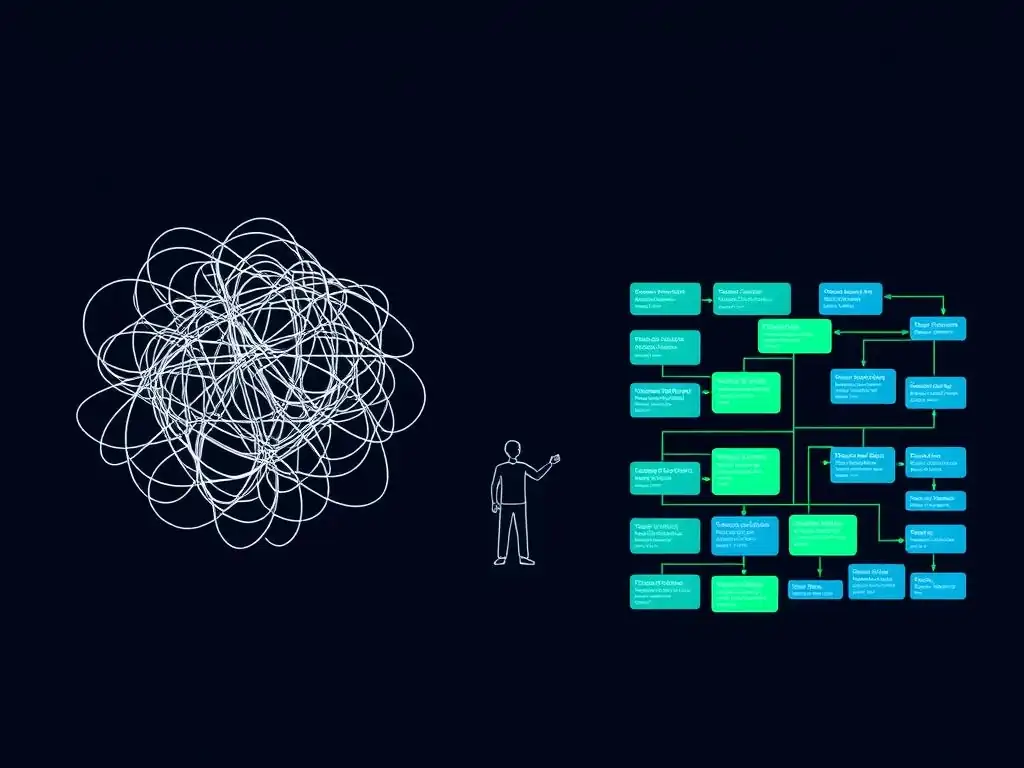
Automating digital workflows, while offering significant productivity gains, presents several hurdles. Successfully navigating these challenges is crucial for realizing the full potential of automation. This section focuses on practical strategies to address common obstacles and ensure a smooth transition to automated systems. Efficient automation requires proactive planning and ongoing maintenance.
Troubleshooting Common Automation Errors
Automation isn't a "set it and forget it" solution. Errors inevitably arise. Identifying and resolving these errors quickly is paramount to maintaining workflow efficiency. A common error stems from incorrect data mapping between different applications. For instance, if automating a process that involves transferring data from a spreadsheet to a CRM, a mismatch in column headers or data formats can lead to incomplete or inaccurate data transfer. This can be prevented by meticulously verifying data compatibility before implementing the automation.
Another frequent issue is unexpected application updates. Software updates can sometimes disrupt automated processes, requiring adjustments to your scripts or workflows. Regularly testing your automations after software updates is essential to prevent disruptions. Consider incorporating error handling mechanisms into your automation scripts. These mechanisms can automatically identify and report errors, allowing for quicker resolution. For example, a well-designed script might send an email notification if a specific task fails to execute correctly, rather than silently failing.
Finally, poorly defined automation rules can lead to unintended consequences. If the rules governing your automation are not clearly articulated and meticulously tested, the automated system might produce unexpected or inaccurate results. Before deployment, thoroughly test the automation with a range of input data to ensure it functions correctly across different scenarios. Documenting all rules and processes is equally important for troubleshooting and future modifications. This documentation should be easily accessible to anyone involved in maintaining the automated workflow.
Managing Data Security and Privacy Concerns
Data security and privacy are paramount when automating digital workflows. Automating processes often involves handling sensitive data, requiring robust security measures to protect against unauthorized access and breaches. Implementing strong authentication protocols, such as multi-factor authentication (MFA), is crucial. This adds an extra layer of security, making it significantly harder for malicious actors to gain access to your systems.
Furthermore, consider the encryption of data both in transit and at rest. Encryption scrambles data, rendering it unreadable without the correct decryption key. This protects sensitive information even if a security breach occurs. Regular security audits are essential to identify and address vulnerabilities in your automated system. These audits should cover all aspects of your infrastructure, including access controls, data encryption, and network security.
Compliance with relevant data privacy regulations, such as GDPR or CCPA, is crucial. These regulations dictate how personal data should be handled and protected. Understanding and adhering to these regulations is non-negotiable for organizations processing personal information through automated systems. Failure to comply can result in significant penalties. Regularly review and update your security protocols to align with evolving threats and best practices. The landscape of cyber threats is constantly changing, so staying up-to-date is vital for maintaining robust security.
Maintaining and Updating Your Automated Workflows
Automated workflows are not static; they require ongoing maintenance and updates to ensure optimal performance and efficiency. Regularly monitoring the performance of your automated processes is crucial. Track key metrics such as processing time, error rates, and data accuracy. This data provides insights into areas needing improvement or attention.
Scheduled maintenance tasks, such as software updates, security patches, and data backups, should be incorporated into your maintenance schedule. These tasks help prevent problems before they arise and ensure the long-term stability of your automated workflows. Additionally, anticipate and plan for future changes. Businesses evolve, and automated systems need to adapt. Regularly review your workflows to identify areas for improvement and incorporate new features or technologies as needed. This proactive approach helps ensure that your automated systems remain relevant and efficient in the long run. Remember, efficient automation is an ongoing process, not a one-time project. 📈
Maintaining Control and Oversight
Automating digital workflows, while incredibly beneficial for boosting productivity, can sometimes lead to a feeling of losing control. Successfully implementing automation requires a robust system for monitoring and managing the automated processes. This isn't simply about setting it and forgetting it; rather, it's about establishing a proactive approach to oversight. Think of it like this: you're not replacing your human input entirely, but rather augmenting it with technology. You still need to be the conductor of the orchestra, ensuring each instrument (automated process) plays its part harmoniously.
One crucial aspect is establishing clear Key Performance Indicators (KPIs). These metrics should directly reflect the success of your automated workflows. For example, you might track the number of tasks completed automatically per day, the error rate of the automated processes, or the time saved compared to manual execution. Regularly reviewing these KPIs allows you to identify potential bottlenecks or areas needing optimization. A sudden spike in error rates, for instance, might indicate a problem requiring immediate attention. This proactive monitoring prevents small issues from escalating into larger, more time-consuming problems.
Furthermore, implementing a robust logging system is vital. Detailed logs provide a historical record of each automated process, including timestamps, inputs, outputs, and any errors encountered. This granular level of detail is invaluable for troubleshooting and identifying patterns. Analyzing these logs can reveal unexpected behaviors or highlight areas where the automation could be improved. For example, consistent errors at a specific stage might indicate a flaw in the automation's logic or a need for additional data validation. This detailed record also aids in compliance and auditing purposes, demonstrating a clear understanding and control over your automated systems.
Finally, remember the human element. While automation handles repetitive tasks, human intervention is often still necessary for complex decisions or exceptions. Design your automated workflows with this in mind, incorporating clear escalation paths for situations that require human review or intervention.
This might involve automated alerts that notify relevant personnel when an exception occurs, ensuring timely resolution and preventing bottlenecks. The goal is not to eliminate human involvement entirely, but to strategically leverage automation to handle the routine, freeing up valuable time for more complex and strategic tasks. This balance between automation and human oversight is key to successfully managing and benefiting from automated digital workflows.
Measuring the Success of Your Automated Digital Workflows
Automating digital workflows isn't just about setting up the systems; it's about ensuring they deliver tangible benefits. Measuring the success of your automation efforts is crucial for optimizing efficiency and maximizing ROI. Without careful monitoring and analysis, you risk investing time and resources into processes that aren't actually improving productivity. This section outlines key strategies for evaluating the effectiveness of your automated digital workflows, allowing you to pinpoint areas for improvement and demonstrate the value of your automation initiatives. This is key to truly automate digital workflows efficiently.
Tracking Key Metrics
Effective monitoring requires a focused approach. Instead of tracking everything, concentrate on key performance indicators (KPIs) directly related to your automation goals. These metrics will vary depending on the specific workflow, but some common examples include:
- Time saved: Calculate the time reduction achieved per task or process. For example, if a previously manual process took 30 minutes and now takes 5 minutes thanks to automation, you've saved 25 minutes. Track this across various workflows to get a holistic view. This is a direct reflection of how well you automate digital workflows efficiently.
- Error reduction: Quantify the decrease in errors resulting from automation. Manual processes are prone to human error; automation minimizes this risk. Record the number of errors before and after automation implementation to demonstrate the positive impact. A reduction in errors translates to cost savings and improved data accuracy.
- Increased throughput: Measure the increase in the volume of tasks completed within a given timeframe. Automation allows for higher processing speeds, leading to greater output. Track the number of tasks completed before and after automation to showcase this improvement.
- Cost savings: Calculate the financial benefits of automation, considering factors such as reduced labor costs, lower error-related expenses, and increased efficiency. This helps justify the initial investment in automation tools and processes. This is a vital component of effectively automating digital workflows efficiently.
- Employee satisfaction: While not directly a productivity metric, employee satisfaction is crucial. Automation can free up employees from repetitive tasks, allowing them to focus on more strategic and engaging work. Gather feedback through surveys or informal discussions to gauge the impact of automation on employee morale and job satisfaction. Happy employees are more productive employees.
Analyzing Workflow Efficiency
Analyzing your data is just as important as collecting it. Don't just look at the raw numbers; delve deeper to understand the why behind the results. Consider these analytical approaches:
| Metric | Analysis Method | Example |
|---|---|---|
| Time saved | Compare before-and-after times, identify bottlenecks | 25 minutes saved per task, bottleneck identified in data validation step |
| Error reduction | Analyze error types, identify root causes | 75% reduction in data entry errors, caused by inconsistent formatting |
| Increased throughput | Calculate throughput rate, identify capacity limits | 20% increase in processed orders per day, capacity limited by API calls |
Use data visualization tools (charts, graphs) to present your findings in a clear and concise manner. This allows for easier identification of trends and insights, making it simpler to communicate the value of your automation efforts to stakeholders. Visual representations are essential for demonstrating how you automate digital workflows efficiently.
Refining Your Automation Strategy
The analysis phase shouldn't just be a one-time event. Continuously monitor and refine your automation strategy based on the insights gathered. This iterative approach is key to achieving long-term success. Consider these refinement strategies:
- Identify and address bottlenecks: If your analysis reveals bottlenecks in the automated workflow, investigate the cause and implement solutions. This might involve optimizing code, improving data integration, or adjusting process parameters.
- Iterate on automation rules: Based on the data, fine-tune the automation rules to improve accuracy and efficiency. This is an ongoing process that requires continuous monitoring and adjustment.
- Expand automation to new areas: Once you've successfully automated one workflow, consider expanding automation to other areas where it could yield similar benefits. Prioritize workflows with high potential for time savings and error reduction.
- Invest in training and support: Ensure your team has the necessary training and support to effectively use and manage automated systems. This will maximize the effectiveness of your automation investment and contribute to a smoother transition. This is key to properly automate digital workflows efficiently.
By implementing these strategies, you can ensure your automated digital workflows are not only functioning but also delivering measurable value to your organization. Remember that continuous monitoring and refinement are crucial for maximizing the return on your automation investment and achieving lasting improvements in efficiency and productivity.
The Future of Digital Workflow Automation
This section explores the exciting advancements shaping the future of automating digital workflows efficiently, focusing on emerging trends and the transformative impact of artificial intelligence. We will also delve into practical steps for preparing your business for these changes. The ability to automate digital workflows efficiently is no longer a luxury; it's a necessity for remaining competitive in today's rapidly evolving digital landscape.
Emerging Trends and Technologies
The landscape of digital workflow automation is constantly evolving, with new technologies and trends emerging at a rapid pace. Several key areas are driving this evolution:
- Hyperautomation: This goes beyond simple Robotic Process Automation (RPA) to encompass a broader range of technologies, including AI, machine learning, and intelligent business process management suites (iBPMS). Hyperautomation aims to automate all possible processes within an organization, creating truly seamless and efficient workflows. A recent study showed that organizations employing hyperautomation saw a 30% increase in productivity within the first year. 1
- Low-Code/No-Code Platforms: These platforms empower citizen developers—individuals without extensive coding experience—to build and deploy automation solutions. This democratization of automation significantly reduces development time and costs, making it accessible to a wider range of businesses. The global low-code/no-code market is projected to reach [specific market size pending] by [specific year pending].
- Intelligent Process Automation (IPA): IPA combines RPA with AI and machine learning to create more adaptable and intelligent automation solutions. Unlike traditional RPA, which relies on pre-defined rules, IPA can learn and adapt to changing circumstances, making it ideal for complex and dynamic workflows. For example, an IPA system can learn to prioritize tasks based on urgency and importance, optimizing workflow efficiency dynamically.
- Integration with Cloud Platforms: Cloud-based automation solutions are becoming increasingly prevalent, offering scalability, flexibility, and cost-effectiveness. Cloud platforms also simplify integration with other cloud-based applications, streamlining the automation process. The shift towards cloud-based automation is accelerating the adoption of microservices architecture, leading to increased agility and resilience in workflows.
The Impact of AI and Machine Learning
The integration of AI and machine learning is revolutionizing digital workflow automation, enabling more sophisticated and intelligent automation solutions. These technologies offer several key benefits:
- Improved Accuracy: AI-powered automation can significantly reduce errors compared to traditional manual processes. Machine learning algorithms continuously learn and improve their accuracy over time, minimizing the risk of human error. This results in higher quality output and reduced rework.
- Enhanced Decision-Making: AI can analyze large datasets to identify patterns and insights that would be impossible for humans to detect manually. This enables data-driven decision-making, leading to optimized workflows and improved business outcomes. For instance, predictive analytics can anticipate bottlenecks in a workflow and proactively adjust resource allocation to prevent delays.
- Increased Efficiency: AI and machine learning can automate complex tasks that previously required significant human intervention. This frees up human employees to focus on higher-value activities, such as strategic planning and creative problem-solving. The time saved translates directly to cost savings and increased profitability.
- Personalized Automation: AI enables the creation of personalized workflows tailored to individual users’ needs and preferences. This improves user experience and increases employee satisfaction, contributing to overall productivity gains.
Preparing for the Future of Automated Digital Workflows
Preparing for the future of automated digital workflows requires a proactive and strategic approach. Here are some key steps:
- Assess Your Current Workflows: Begin by identifying areas where automation can provide the greatest benefits. Focus on repetitive, time-consuming tasks that are prone to errors. Prioritize processes with the highest impact on your business objectives.
- Invest in Training and Development: Ensure your workforce has the skills and knowledge to effectively implement and manage automation solutions. This includes training on new technologies, such as RPA and AI, as well as process improvement methodologies.
- Embrace a Data-Driven Approach: Effective automation relies on high-quality data. Invest in data management and analytics capabilities to ensure your data is accurate, reliable, and readily accessible to your automation systems.
- Choose the Right Automation Tools: Select automation tools that align with your business needs and technical capabilities. Consider factors such as scalability, integration capabilities, and ease of use. A phased approach, starting with smaller projects, can help mitigate risk and ensure successful implementation.
- Monitor and Optimize: Continuously monitor the performance of your automated workflows and make adjustments as needed. Regular optimization is crucial to ensure that your automation solutions remain efficient and effective over time. This includes using key performance indicators (KPIs) to track progress and identify areas for improvement.
1 [Source for statistic pending]
Frequently Asked Questions
What is a digital workflow, and why should I automate it?
A digital workflow is a series of digital tasks performed to complete a process. Automating these workflows saves time, reduces errors, and increases efficiency, freeing you up for more important tasks. Think email filtering, automated reports, or scheduled social media posts.
How can I identify workflows ripe for automation?
Look for repetitive tasks that involve similar steps each time. Processes with numerous steps or those prone to human error are also good candidates. Prioritize workflows that significantly impact your productivity and overall output.
What tools can help me automate my digital workflows efficiently?
Many tools exist, from simple automation apps like Zapier and IFTTT to more complex platforms like Make (formerly Integromat) and n8n. The best choice depends on your specific needs and technical skills.
What are the potential challenges of automating digital workflows?
Initial setup can be time-consuming, requiring planning and configuration. Unexpected errors might arise, needing troubleshooting. It's crucial to monitor and maintain your automated systems for optimal performance.
How can I measure the success of my workflow automation efforts?
Track key metrics like time saved, error reduction, and increased efficiency. Compare your productivity before and after implementing automation. Regularly review and adjust your automated workflows as needed to optimize your results.
Final Reflection: Reclaiming Your Time in the Digital Age
Mastering your digital workflows isn't just about efficiency; it's about reclaiming your time and unlocking your potential. In a world saturated with digital tasks, the ability to automate efficiently is no longer a luxury, but a necessity for maintaining sanity and achieving ambitious goals. The strategies outlined in this guide—from identifying repetitive tasks to leveraging automation tools—are crucial for navigating the complexities of modern digital work.
The impact of streamlined workflows extends far beyond increased productivity. It fundamentally alters our relationship with technology, shifting the focus from reactive task management to proactive, strategic planning. Time is the most valuable asset we have, and automating our workflows is an investment in our future selves.
This quote resonates deeply because it highlights the profound personal transformation that occurs when we free ourselves from the tyranny of tedious digital tasks. We gain the mental space to focus on creative endeavors, meaningful connections, and personal growth, ultimately leading to a more fulfilling and balanced life.
Now, consider your own digital landscape. What repetitive tasks are draining your energy and hindering your progress? Identify those areas ripe for automation and take the first step towards reclaiming your time. Don't just read about efficiency; become efficient. Embrace the power of automation, not as a mere tool, but as a catalyst for a more intentional and fulfilling life. The future of work is automated, and your journey to mastery begins now.
Unlock Your Productivity: Automate Now!
Thank you for exploring the power of automated digital workflows! We hope you've discovered new ways to save time. Ready to put these strategies into action?
- Start with one automation: Identify the most time-consuming task in your workday and find a tool to automate it. Even a small improvement can make a significant difference!
- Share your automation success: Let your network know about your favorite automation tip. Inspire others to boost their productivity.
- Explore advanced automation techniques: Deepen your knowledge by researching additional tools and techniques. Consider trying a different automation strategy next week.
What's the first digital task you'll automate to regain valuable hours in your day?