
Automate Your Data Backups: Protect Your Valuable Information

Ready to reclaim your time and conquer digital chaos? At UltimateLifeHacks, we're dedicated to providing you with practical strategies for a more efficient and fulfilling life. This week, we delve into the crucial – and often overlooked – world of data backup. Discover how automating your data backup solutions can safeguard your precious information and free you from the anxieties of potential loss. Learn how to effortlessly secure your future – read on to uncover the secrets to seamless and automated data protection!
- Understanding the Importance of Automated Data Backup Solutions
- Exploring Different Automate Data Backup Solutions
- Implementing Automated Data Backup Solutions: A Step-by-Step Guide
- Optimizing Your Automated Data Backup Strategy for Maximum Efficiency
- Advanced Techniques for Automate Data Backup Solutions
- Frequently Asked Questions
- Final Reflection: The Enduring Importance of Automated Data Backup
- Unleash Your Data's Freedom: Take Control Now!
Understanding the Importance of Automated Data Backup Solutions
In today's digital age, data is everything. From personal photos and financial records to crucial business documents and client information, our lives are increasingly intertwined with digital files. The potential consequences of data loss – whether due to hardware failure, cyberattacks, natural disasters, or human error – can be devastating, ranging from minor inconveniences to catastrophic financial and reputational damage.
This article explores the critical importance of implementing automated data backup solutions, outlining best practices and strategies to safeguard your valuable information and minimize the risk of irreversible data loss. We'll delve into the various aspects of automated data backup, guiding you toward a robust and reliable system tailored to your specific needs and technical capabilities. Successfully automating your data backups is not just a good idea—it's a necessity for anyone who values their digital assets and wants to maintain peace of mind in the face of unforeseen circumstances.
This guide will equip you with the knowledge and understanding to effectively protect your data and mitigate the risks associated with its loss. Let's explore how to effectively implement "Automate data backup solutions."
The Risks of Data Loss: Financial and Reputational Impacts
Data loss can have far-reaching consequences, impacting both your personal life and your professional endeavors. Financially, the costs can be staggering. Consider the expenses associated with recovering lost files, rebuilding systems, and potentially paying legal fees or fines resulting from regulatory non-compliance. For businesses, data loss can lead to significant downtime, lost productivity, and damage to customer relationships.
The loss of sensitive client information, for example, can result in hefty fines and irreparable damage to your reputation. Furthermore, the recovery process itself can be incredibly time-consuming and stressful, potentially disrupting your workflow and causing significant delays in projects. Consider these real-world examples: a small business losing its customer database, a photographer losing years of work, or a hospital losing patient records.
The financial and emotional toll can be immense. The impact extends beyond mere monetary loss; it affects your ability to operate efficiently, maintain trust with your stakeholders, and ultimately, achieve your goals. A robust automated backup system mitigates these risks considerably.
Data Backup Best Practices: A Proactive Approach
Proactive data protection is paramount. Instead of reacting to data loss, a proactive approach focuses on prevention. This involves establishing a comprehensive data backup strategy that incorporates several key best practices. First, adopt the 3-2-1 rule: maintain three copies of your data, on two different media types, with one copy stored offsite. This ensures redundancy and protects against multiple points of failure.
Second, regularly test your backups to verify their integrity and ensure they can be restored successfully. This seemingly simple step can save you immeasurable time and frustration in the event of a disaster. Third, choose a backup solution that automates the entire process. This eliminates the risk of human error and ensures that your backups are performed consistently and reliably.
Fourth, encrypt your backups to protect sensitive data from unauthorized access. Finally, regularly review and update your backup strategy to account for changes in your data storage needs and technological advancements. By adhering to these best practices, you can significantly reduce the risk of data loss and ensure the long-term security of your valuable information. Regularly scheduling and automating your backups is key to the success of this strategy.
Choosing the Right Backup Strategy for Your Needs
Selecting the appropriate backup strategy depends heavily on your specific needs and technical capabilities. Factors to consider include the volume of data you need to protect, the sensitivity of that data, your budget, and your technical expertise. Several options exist, ranging from simple cloud-based solutions to more complex on-premise systems. Cloud-based backups offer convenience and scalability, while on-premise solutions provide greater control and customization.
For individuals, a simple cloud-based solution might suffice. For businesses with large amounts of sensitive data, a more robust, multi-layered approach might be necessary, potentially incorporating both cloud and on-premise backups, and potentially employing specialized backup software. Regardless of the chosen solution, ensure it aligns with your data protection goals and provides the necessary level of security and reliability. Carefully evaluating the pros and cons of each option is essential before making a decision that could significantly impact your data security.
Remember, the best strategy is one that is implemented consistently and thoroughly tested. Consider factors such as recovery time objective (RTO) and recovery point objective (RPO) when making your selection. These metrics dictate how quickly you need to recover your data and how much data loss you can tolerate.
Exploring Different Automate Data Backup Solutions
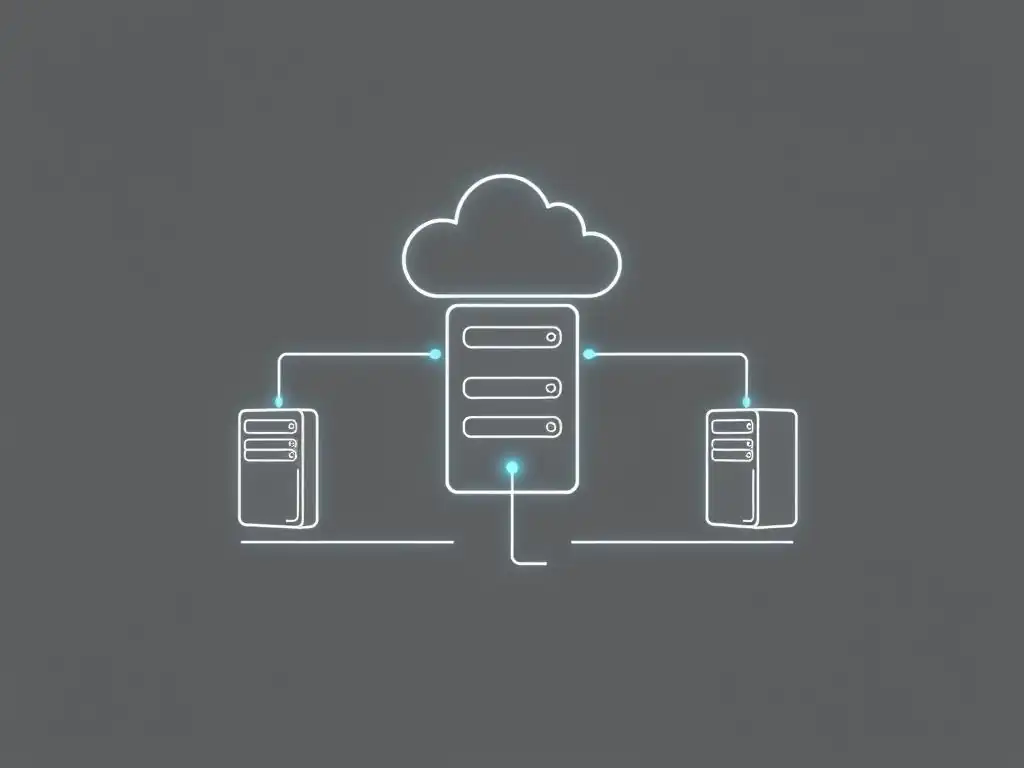
This section dives deep into the diverse world of automated data backup solutions, exploring the advantages and disadvantages of each approach. Choosing the right strategy depends heavily on your specific needs, budget, and technical expertise. Understanding the nuances of each solution is crucial for effective data protection and minimizing the risk of data loss. We'll examine three primary categories: cloud-based, local, and hybrid backup strategies. Selecting the optimal "automate data backup solutions" depends on a careful assessment of your individual requirements.
Cloud-Based Backup Services: Ease and Accessibility
Cloud-based backup services offer unparalleled convenience and accessibility. These services handle the complexities of data storage and retrieval, often providing automated backups scheduled at your convenience. Many offer various levels of service, including versioning (keeping multiple copies of your data over time), encryption for security, and disaster recovery options. The ease of use is a significant advantage, particularly for users less comfortable with technical configurations.
The accessibility aspect is also noteworthy. You can access your backed-up data from virtually anywhere with an internet connection, providing a crucial safety net in case of equipment failure or even theft. However, reliance on a third-party provider introduces considerations such as service outages, potential data breaches, and the ongoing cost of subscription fees. It's essential to carefully vet potential providers, examining their security protocols, uptime guarantees, and customer support capabilities before committing.
Understanding the terms of service, particularly regarding data ownership and access, is also crucial. Consider factors such as data transfer limits and the specific types of files supported. Many services offer free trials, allowing you to test their suitability before committing to a paid subscription.
Local Backup Solutions: Hardware and Software Options
Local backup solutions involve storing your data on physical hardware, such as external hard drives, network-attached storage (NAS) devices, or even a second internal hard drive within your computer. This approach offers greater control over your data and eliminates reliance on internet connectivity. However, it requires more technical knowledge for setup and maintenance, including the selection of appropriate hardware, the configuration of backup software, and the implementation of robust security measures to protect against physical theft or damage.
Software plays a crucial role in automating local backups. Many operating systems include built-in backup utilities, while specialized backup software offers more advanced features, such as incremental backups (only backing up changes since the last backup) and data compression to save storage space. The choice between hardware options depends on your storage needs and budget.
External hard drives are cost-effective for smaller datasets, while NAS devices provide greater capacity and network accessibility, making them suitable for multiple users or larger data volumes. Regular maintenance, including hardware checks and software updates, is essential to prevent data loss due to hardware failure or outdated software vulnerabilities. A robust local backup strategy is an important component of a comprehensive data protection plan, particularly for sensitive data requiring stringent control.
Hybrid Backup Strategies: Combining Cloud and Local Storage
Hybrid backup strategies leverage the benefits of both cloud and local storage. This approach typically involves backing up critical data locally for immediate access and then replicating or syncing that data to the cloud for redundancy and offsite protection. This dual approach mitigates the risks associated with relying solely on one method. For example, you might maintain a local backup on a NAS device for quick recovery of frequently accessed files, while simultaneously syncing a copy to a cloud service for disaster recovery and protection against local hardware failures or theft.
Implementing a hybrid strategy requires careful planning and coordination between local and cloud solutions. It's essential to establish a clear backup schedule, ensuring regular backups of both local and cloud storage. The choice of cloud service and local hardware will depend on specific needs and budget constraints. It's also important to consider data synchronization strategies, ensuring that both local and cloud copies remain consistent and up-to-date.
This approach, while requiring more technical expertise, provides a highly robust and secure solution for protecting valuable data, offering a balance between accessibility, control, and redundancy. This "automate data backup solutions" strategy is ideal for users who value both convenience and the security of having multiple copies of their data in different locations. Careful consideration of data encryption and security protocols across both platforms is crucial for maintaining data confidentiality and integrity.
Implementing Automated Data Backup Solutions: A Step-by-Step Guide
This section details the practical steps involved in setting up automated data backup solutions, ensuring the security and accessibility of your valuable information. Implementing a robust automated system is crucial for peace of mind and business continuity. We'll walk through the process, providing actionable advice to help you choose and configure the best solution for your specific needs. This guide focuses on automating your data backup strategy, a vital component of any comprehensive digital security plan.
Step 1: Assess Your Data and Backup Needs
Before diving into software and scheduling, a thorough assessment of your data and backup requirements is paramount. This involves identifying the types of data you need to protect, their volume, and the recovery time objective (RTO) and recovery point objective (RPO) you’re comfortable with.
Understanding your RTO and RPO is vital. RTO defines how long you can tolerate being without access to your data before it impacts your operations. For example, an e-commerce business might have a very low RTO (minutes), while a personal blogger might accept a higher RTO (hours). RPO specifies how much data loss you can tolerate. A high RPO means you're comfortable with losing a few hours of data, while a low RPO requires near-real-time backups.
Consider the following factors when assessing your needs:
- Data Types: Do you need to back up documents, photos, videos, databases, virtual machines, or a combination? Different data types may require different backup strategies and solutions.
- Data Volume: The amount of data you need to back up directly impacts the storage space you’ll require and the time it takes to complete a backup. Larger datasets necessitate more efficient backup solutions.
- Criticality of Data: Not all data is created equal. Identify your most critical data (e.g., financial records, client databases) and prioritize their protection. Consider using multiple backup methods for highly critical data.
- Budget: Automated backup solutions range in price. Assess your budget and choose a solution that aligns with your financial constraints while meeting your needs.
Step 2: Choosing the Right Backup Software or Service
Selecting the appropriate backup software or service is crucial for the success of your automated data backup strategy. The market offers a wide range of options, each with its own strengths and weaknesses. The best choice depends heavily on your specific requirements, technical expertise, and budget.
Here's a breakdown of common options:
| Backup Solution Type | Pros | Cons | Suitable for |
|---|---|---|---|
| Cloud Backup Services | Ease of use, scalability, accessibility, offsite protection | Dependency on internet connection, potential cost, security concerns | Individuals, small businesses, large enterprises |
| Local Backup Software | Cost-effective, direct control, faster backups (for smaller datasets) | Limited scalability, risk of data loss from local hardware failure | Individuals, small businesses |
| Hybrid Backup Solutions | Combines cloud and local backup, maximizing data protection | Requires more management, potential for higher cost | Businesses with high data security needs |
| Version Control Systems (e.g., Git) | Excellent for code and configuration files, granular version history | Not ideal for all data types | Developers, IT professionals |
Consider factors like ease of use, features, security, scalability, and cost when making your decision. Research different options, read reviews, and compare pricing before committing to a specific solution. Remember to check for features like automated scheduling, incremental backups, and data encryption.
Step 3: Setting Up Your Automated Backup Schedule
Once you've selected your backup software or service, the final step is to configure an automated backup schedule. This ensures your data is regularly backed up without manual intervention, minimizing the risk of data loss.
The frequency of your backups should align with your RPO. For critical data with a low RPO, you might opt for hourly or even continuous backups. Less critical data might only require daily or weekly backups.
Here are some best practices for setting up your automated backup schedule:
- Choose a consistent schedule: Regularity is key. Establish a schedule that fits your needs and stick to it.
- Test your backups: Regularly test your backups to ensure they are working correctly and you can restore your data if needed.
- Utilize incremental backups: This method only backs up changes since the last backup, saving time and storage space.
- Monitor your backups: Use the monitoring features of your backup software to track the status of your backups and receive alerts if any issues arise.
- Consider offsite backups: Store backups in a separate location to protect against local disasters (fire, theft, etc.). This is particularly important for critical data. This emphasizes the importance of choosing a robust and reliable solution for your "Automate data backup solutions" needs.
By following these steps, you can establish a reliable and efficient automated data backup system, safeguarding your valuable information and minimizing the impact of potential data loss. Remember, proactive data protection is a cornerstone of digital security and productivity.
Step 4: Testing Your Backup System Regularly
Regular testing is crucial to ensure your automated data backup solution functions correctly and protects your valuable information. A seemingly perfectly configured system can still fail due to unforeseen circumstances, software glitches, or hardware malfunctions. Don't assume everything is working flawlessly; proactive testing prevents potential data loss disasters. A comprehensive test should involve more than just verifying that a backup ran; it should verify the restorability of the data.
One effective method is to perform a test restore. This involves restoring a portion of your backed-up data to a separate location – ideally, a different hard drive or even a cloud-based storage system. This process simulates a real-world data recovery scenario, allowing you to identify any issues with file corruption, incomplete backups, or compatibility problems. Document the entire process, noting the time it took, any errors encountered, and the overall success of the restoration. This documentation will be invaluable if you ever need to perform a full recovery.
Consider scheduling these test restores on a regular basis – perhaps quarterly or even semi-annually, depending on the criticality of your data. The frequency should be proportionate to the risk associated with data loss. For businesses handling sensitive financial or customer data, more frequent testing is strongly recommended. For personal users, a less frequent schedule might suffice, but regular checks are still crucial. Remember, the cost of a failed backup far outweighs the time invested in testing. Think of it as an insurance policy against potential catastrophe. The peace of mind is worth the effort.
Step 5: Monitoring and Maintaining Your Backup System
Maintaining your automated data backup system isn't a one-time task; it's an ongoing process requiring consistent attention. This involves more than just setting it and forgetting it. Continuous monitoring and proactive maintenance are vital to ensure the long-term reliability and effectiveness of your backup strategy. Ignoring this aspect can lead to system failures and potential data loss. Think of it like maintaining your car – regular check-ups prevent major breakdowns.
Effective monitoring involves regularly checking the backup logs for any errors or warnings. Most automated backup solutions provide detailed logs that record the status of each backup job. Review these logs to identify any issues, such as failed backups, incomplete transfers, or storage space limitations. Addressing these issues promptly prevents them from escalating into larger problems. Many solutions offer email alerts for critical events, providing immediate notification of potential problems. Utilize these features to stay informed.
Maintenance tasks include updating your backup software regularly. Software updates often include bug fixes, performance improvements, and enhanced security features. Keeping your software up-to-date is essential for maintaining optimal performance and protecting against vulnerabilities. Additionally, regularly review your backup storage capacity. Ensure you have sufficient space to accommodate future backups, and consider upgrading your storage solution as needed to prevent backups from failing due to space constraints. This proactive approach ensures your data remains safe and readily accessible when needed. Remember, a well-maintained system is a reliable system.
Optimizing Your Automated Data Backup Strategy for Maximum Efficiency
This section delves into advanced techniques to refine your automated data backup strategy, maximizing efficiency and minimizing storage space while maintaining robust data protection. We'll explore methods to streamline your backup process and ensure your valuable data remains safe and accessible. Choosing the right approach is crucial for effectively managing your "Automate data backup solutions."
Implementing Versioning and Retention Policies
Implementing a robust versioning and retention policy is paramount for efficient data backup management. Versioning allows you to keep multiple copies of your backups, enabling you to revert to previous versions if needed. This is particularly useful in case of accidental data deletion or corruption. Consider these points:
- Versioning Strategies: You can employ full versioning (keeping every backup), incremental versioning (saving only changes since the last backup), or a hybrid approach. The optimal strategy depends on your data's volatility and storage capacity. For frequently changing data, incremental versioning is more efficient. For mission-critical data, full versioning might provide greater peace of mind.
- Retention Policies: Define how long you need to retain each backup version. Legal and regulatory requirements often dictate minimum retention periods. For example, financial data may require longer retention than temporary project files. A well-defined retention policy prevents your backup storage from becoming unmanageable. Consider using a tiered approach, archiving older backups to cheaper, less accessible storage.
- Example: Imagine a graphic designer. They could implement daily incremental backups for their active projects, retaining the last 7 versions. For completed projects, they might keep a full backup every month for a year, then archive them to cloud storage. This balances immediate recovery capabilities with long-term data preservation.
Utilizing Incremental and Differential Backups
Understanding the difference between incremental and differential backups is key to optimizing storage space and backup times. Both methods significantly reduce the amount of data transferred compared to full backups. However, they differ in how they achieve this:
- Incremental Backups: Only the changes made since the last backup (either full or incremental) are saved. This results in smaller backup files, but restoring data requires accessing all incremental backups since the last full backup. Think of it like building upon the previous layer.
- Differential Backups: Only the changes made since the last full backup are saved. This leads to larger backup files than incremental backups, but restoring data is faster as only the last full backup and the most recent differential backup are needed. It’s like always comparing back to the original.
| Backup Type | Description | Storage Space | Restore Time |
|---|---|---|---|
| Full | Copies all files and folders. | Highest | Fastest |
| Incremental | Copies only changes since the last backup. | Lowest | Slowest |
| Differential | Copies only changes since the last full backup. | Medium | Medium |
Choosing between incremental and differential backups depends on your priorities. If storage space is a major concern, incremental backups are preferable. If faster restores are more important, differential backups might be a better fit.
Encrypting Your Backups for Enhanced Security
Data breaches are a significant concern, making backup encryption crucial for protecting sensitive information. Encryption ensures that even if your backups are compromised, the data remains unreadable without the decryption key. Consider these aspects:
- Encryption Methods: Several encryption algorithms offer varying levels of security. AES-256 is a widely accepted standard offering strong encryption. Choose an algorithm that aligns with your security requirements and the capabilities of your backup software.
- Key Management: Securely storing and managing your encryption keys is paramount. Losing your keys renders your backups inaccessible. Consider using a key management system or splitting keys across multiple locations.
- Best Practices: Always encrypt your backups, regardless of where they are stored (local drives, cloud storage, etc.). Regularly review and update your encryption settings to ensure they remain secure and aligned with evolving security standards. Remember, a robust "Automate data backup solutions" strategy incorporates strong encryption. Protecting your data is not just about having backups; it's about ensuring those backups are secure.
Automating Data Backup Verification and Reporting
Verifying the success of your automated data backups is crucial. A seemingly successful backup process might still contain errors or omissions, leading to data loss in a recovery scenario. Manual verification is time-consuming and prone to human error, highlighting the importance of automating this critical step. Several strategies can ensure automated verification and reporting, providing peace of mind and minimizing the risk of data loss.
One effective method involves incorporating checksum verification into your backup process. Checksums are unique digital fingerprints generated from your data. Before and after a backup, the checksum of your source data is calculated and compared. Any discrepancy indicates a problem during the backup process. This automated comparison can be integrated into your backup script, generating alerts or reports if a mismatch is detected. This method ensures data integrity and quickly identifies potential issues, allowing for immediate corrective action. For example, a mismatch might indicate a corrupted file, a failed transfer, or a problem with the storage medium.
Beyond checksum verification, consider implementing automated integrity checks. These checks go beyond simple checksum comparisons to verify the overall health and accessibility of your backups. This could involve attempting to read a small portion of each backed-up file to confirm its readability.
A more comprehensive approach might involve a simulated restore process—attempting to restore a small subset of the backed-up data to a temporary location. While more resource-intensive, this method provides a higher level of confidence in the backup's integrity. Automated reporting on these checks, delivered via email or integrated into a monitoring dashboard, keeps you informed about the status of your backups and allows for proactive problem-solving.
Regular reporting is essential for maintaining a robust data backup strategy. Automated reports should include key metrics such as backup completion times, verification results (including checksum comparisons and integrity checks), storage space utilization, and any errors or warnings encountered during the process. These reports can be scheduled to be sent at regular intervals, providing a clear picture of the health of your backup system.
Customizable reporting options allow you to tailor the information to your specific needs and preferences, focusing on the metrics most relevant to your data security and recovery objectives. Consider using a centralized reporting system to consolidate data from multiple backup sources, providing a comprehensive overview of your entire data protection strategy. This consolidated view allows for easier identification of trends and potential issues across your entire backup infrastructure.
The frequency of reporting should be determined based on the criticality of your data and your risk tolerance. For highly sensitive data, daily or even hourly reports might be necessary.
Advanced Techniques for Automate Data Backup Solutions
This section delves into sophisticated strategies for automating your data backup processes, moving beyond basic scheduling features to achieve robust and reliable data protection. We'll explore leveraging scripting languages, seamless integration with existing workflows, and the crucial aspect of disaster recovery planning. Mastering these techniques will significantly enhance the security and accessibility of your valuable information, ensuring business continuity and minimizing potential data loss. This is key for effectively implementing comprehensive automate data backup solutions.
Utilizing Scripting for Automated Backup Processes
Automating backups using scripting offers unparalleled flexibility and control. Languages like Python and Bash provide powerful tools to customize backup schedules, destinations, and even data filtering. For instance, a Python script could be used to selectively back up only modified files since the last backup, significantly reducing backup time and storage space. This targeted approach is especially valuable for large datasets.
Consider this example of a simplified Python script snippet that could be adapted for various backup scenarios:
import os
import shutil
import time

source_dir = "/path/to/source/directory"
backup_dir = "/path/to/backup/directory"

# Get the current timestamp for the backup directory name
timestamp = time.strftime("%Y%m%d_%H%M%S")
backup_path = os.path.join(backup_dir, f"backup_{timestamp}")

# Create the backup directory
os.makedirs(backup_path, exist_ok=True)

# Copy files from the source directory to the backup directory
for filename in os.listdir(source_dir):
    source_file = os.path.join(source_dir, filename)
    destination_file = os.path.join(backup_path, filename)
    shutil.copy2(source_file, destination_file) # copy2 preserves metadata

print(f"Backup completed successfully to: {backup_path}")
This script, while basic, demonstrates the core principles of using Python for automated backups. More complex scripts can incorporate error handling, compression, encryption, and integration with cloud storage services. Remember to tailor scripts to your specific needs and always thoroughly test them before deploying them in a production environment. Properly implemented, scripting provides a highly effective method to bolster your automate data backup solutions.
Integrating Backup Solutions with Existing Workflows
Seamless integration of backup solutions into your existing workflows is paramount for efficiency and user experience. This can be achieved through various methods, depending on the tools and systems you utilize. For example, integrating your backup software with your project management system can trigger automatic backups upon project completion or at regular intervals defined by project milestones.
Example Integration Scenarios
Consider these scenarios:
- CRM Integration: Automating backups whenever new customer data is added or modified in your CRM.
- Cloud Storage Integration: Configuring automated backups to seamlessly upload data to cloud storage services like Google Drive, Dropbox, or Amazon S3.
- Version Control Systems (VCS): Leveraging VCS like Git to track changes and enable automated backups of your code repositories.
Effective integration minimizes manual intervention, reducing the risk of human error and ensuring consistent, reliable backups. This integrated approach is a cornerstone of a truly robust and efficient automate data backup solutions strategy. The ultimate goal is a system where backups happen automatically and transparently as part of your regular workflow, without requiring dedicated time or attention.
Implementing Disaster Recovery Planning for Data Restoration
A comprehensive automate data backup solutions strategy isn't complete without a robust disaster recovery plan. This plan outlines the procedures to follow in case of data loss or system failure. It should detail steps for restoring data from backups, including testing the restoration process regularly to ensure its effectiveness.
The plan should address various scenarios, such as:
- Hardware failure: Procedures for restoring data from backups to a new server or machine.
- Software failure: Methods for restoring data and reinstalling software.
- Natural disasters: Strategies for accessing offsite backups and restoring data in a new location.
- Cyberattacks: Procedures for restoring data from clean backups not affected by the attack.
| Scenario | Restoration Method | Testing Frequency |
|---|---|---|
| Hardware Failure | Restore from cloud or local backup to new system | Quarterly |
| Software Failure | Restore from backup, reinstall software, test functionality | Bi-annually |
| Natural Disaster | Restore from offsite backup to alternate location | Annually |
| Cyberattack | Restore from isolated, secure backup | Annually |
Regular testing is crucial. Simulate different scenarios to verify the plan's effectiveness and identify potential weaknesses. A well-defined and regularly tested disaster recovery plan ensures business continuity and minimizes downtime in the event of unexpected data loss. This proactive approach is an essential element of any successful automate data backup solutions implementation. Don't underestimate the importance of planning for the worst-case scenario.
Frequently Asked Questions
What are the benefits of automating data backups?
Automating your backups offers significant peace of mind by ensuring your data is protected regularly and consistently. It eliminates the risk of human error and saves you valuable time.
How does automated data backup work?
Automated backup solutions use scheduled tasks or cloud services to automatically copy your data to a separate location (e.g., external drive, cloud storage). This process happens without manual intervention.
What types of data should I back up?
You should back up all critical data, including documents, photos, videos, and system files. Consider the impact of data loss – if losing it would be devastating, it should be backed up.
Are automated data backup solutions expensive?
The cost varies depending on the solution and storage needs. There are free options available, as well as paid services with varying levels of features and storage capacity.
How often should I back up my data?
The frequency depends on your needs, but daily or even multiple times daily is recommended for critical data. A good rule of thumb is to back up as often as you make significant changes to your important files.
Final Reflection: The Enduring Importance of Automated Data Backup
The relentless march of technology demands equally relentless vigilance in protecting our digital assets. A single catastrophic event—a hardware failure, a ransomware attack, or even a simple human error—can wipe out years of work, irreplaceable memories, and crucial business data in an instant. This is why embracing automated data backup solutions isn't just a good idea; it's a necessity in today's interconnected world.
The pervasive reliance on digital information has fundamentally altered how we live, work, and interact. The ease with which we create and store data often overshadows the equally critical need to safeguard it. This shift in our relationship with data underscores the importance of proactive measures like automated backups. The greatest danger for most of us is not that our aim is too high and we miss it, but that it is too low and we reach it.
This quote, often attributed to Michelangelo, perfectly encapsulates the risk of complacency when it comes to data security. We must aim higher than simply storing our data; we must actively protect it.
Consider the implications of data loss—the financial repercussions for businesses, the emotional toll of losing personal photos and documents, the disruption to daily life. You, the reader, hold the power to mitigate these risks. Take the time to research and implement an automated backup solution that fits your needs. Don't wait for disaster to strike; proactively safeguard your valuable information today. Your future self will thank you.
Unleash Your Data's Freedom: Take Control Now!
Protecting your data is crucial, and automating backups offers invaluable peace of mind. Now, let's put your new knowledge to work. Are you ready to safeguard your valuable information?
- Prioritize your backup strategy: Identify your most critical data and implement a tailored backup solution immediately. This is the first and most important step. Don't delay!
- Explore different backup services: Research and compare various options to find the best fit for your needs and budget. Trying a new service can be beneficial.
- Share your best backup tip: Leave a comment below and share your successful strategies with the community. Let's learn from each other!
What's one simple step you can take today to enhance your data backup security?