
Unlock Your Phone's Hidden Potential: 10 Secret Smartphone Hacks You Need to Know


Ready to reclaim your time and unlock the untapped potential of your smartphone? UltimateLifeHacks reveals 10 hidden smartphone productivity hacks you probably never knew existed, transforming your phone from a distraction into a powerful tool for efficiency. Discover how these secret techniques can streamline your daily workflow and free up hours you never thought possible. Dive in and learn how to master your digital life!
- Boost Your Smartphone Productivity: Unveiling Hidden Features
- Enhance Your Smartphone's Organization and Efficiency
- Secret Smartphone Hacks for Time Management
- Hidden Smartphone Features for Enhanced Security and Privacy
- Frequently Asked Questions
- Final Reflection: Unlocking a More Productive You
- Unleash Your Smartphone's Superpowers!
Smartphones have become indispensable tools in our daily lives, seamlessly integrating into our work and personal routines. But are you truly maximizing their potential? Beyond the basic apps and functions, a wealth of hidden features and productivity hacks await discovery. This article delves into ten secret smartphone hacks designed to significantly boost your efficiency, save you valuable time, and unlock the true power of your mobile device.
We'll explore techniques that go beyond the obvious, focusing on practical strategies to streamline your workflow and conquer your to-do list. These “hidden smartphone productivity hacks” will transform how you interact with your phone, making it a more powerful and intuitive tool for achieving your goals. Prepare to be amazed by what your smartphone can truly do!
Master Text Selection and Editing for Increased Efficiency
Efficient text selection and editing are fundamental to smartphone productivity. Many users are unaware of the advanced techniques available beyond the simple tap-and-drag method. For instance, did you know you can triple-tap to select a word, or quadruple-tap to select an entire sentence? This significantly speeds up the process of correcting typos, copying information, or making edits within emails, messages, or documents.
Furthermore, exploring your phone's accessibility settings can reveal even more powerful selection tools, including options for precise cursor control and expanded selection capabilities. Mastering these techniques can save you countless minutes each day, dramatically improving your overall efficiency. Consider these specific examples:
- Triple-tap selection: Instead of slowly dragging your finger across a paragraph, a quick triple-tap instantly selects the word under your finger.
- Quadruple-tap selection: Similarly, a quadruple-tap selects the entire sentence, allowing for quick copy-pasting or deletion.
- Cursor control: Accessibility settings often include features such as a trackpad or magnifying glass to precisely position the cursor for more accurate edits.
Speed Up Typing with Advanced Keyboard Shortcuts
Typing on a smartphone can often feel slow and cumbersome. However, leveraging advanced keyboard shortcuts can dramatically increase your typing speed and reduce errors. Most smartphone keyboards offer a range of shortcuts, often hidden within the settings menu. These include features like predictive text, autocorrect, and swipe typing, but also less-known shortcuts like inserting symbols, numbers, or special characters with a single tap. Exploring and mastering these shortcuts can transform your typing experience, allowing you to input text more quickly and accurately.
Consider the following:
- Swipe typing: Instead of tapping each letter individually, swipe your finger across the keyboard to input words quickly and efficiently.
- Voice-to-text: For longer texts, utilize your phone's voice-to-text functionality to dictate your message hands-free, significantly reducing typing time.
- Customizable keyboard shortcuts: Many keyboards allow you to create custom shortcuts for frequently used phrases or words, further accelerating your typing speed. For example, you could assign a shortcut to your email address or a common work phrase.
Leverage Voice Commands for Hands-Free Productivity
Voice commands represent one of the most underutilized productivity features on modern smartphones. Beyond simply initiating calls or sending texts, voice commands can control a vast array of applications and functions. You can set reminders, create calendar events, dictate emails, search the web, and even control your smart home devices – all without lifting a finger. This hands-free functionality is particularly beneficial when multitasking or during situations where typing is impractical or impossible.
Explore your phone's voice assistant settings to discover the full range of capabilities and customize commands to suit your specific needs. This will free up your hands for other tasks, leading to increased overall productivity and efficiency. Examples of practical applications include:
- Hands-free note-taking: Dictate meeting notes, shopping lists, or ideas on the go.
- Quick task creation: Add items to your to-do list using voice commands.
- Scheduling appointments: Create calendar events and reminders using voice input.
- Information retrieval: Quickly search for information online using voice search.
Enhance Your Smartphone's Organization and Efficiency

This section explores practical techniques to transform your smartphone from a digital clutter zone into a streamlined productivity powerhouse. We'll delve into effective file management, home screen customization, and the power of smart folders – all crucial for maximizing your phone's potential and boosting your overall efficiency. Mastering these simple yet powerful strategies will significantly improve your workflow and reduce wasted time searching for information. Let's unlock the hidden productivity within your smartphone!
Conquer Clutter: Smart File Management Techniques
Effective file management is the cornerstone of a productive smartphone experience. A chaotic file system leads to wasted time searching for documents, photos, and apps. Fortunately, several techniques can help you regain control and achieve effortless organization.
First, adopt a consistent naming convention. Instead of random names like "IMG001.jpg," use descriptive names like "ProjectX_MeetingNotes.pdf" or "Vacation2024_Day1.jpg." This simple step dramatically improves searchability.
Second, utilize your phone's built-in file management capabilities. Most smartphones offer folders and subfolders for categorization. Create folders based on project, type of file (documents, images, videos), or any other logical system that works for you. For instance, you might have folders for "Work," "Personal," "Travel," each with further sub-folders for specific projects or trips.
Third, leverage cloud storage services effectively. Services like Google Drive, Dropbox, or iCloud offer seamless synchronization across devices and excellent search functionalities. Regularly back up your important files to the cloud to prevent data loss and ensure accessibility from any device. Consider using cloud storage for less frequently accessed files to free up space on your phone's internal storage.
Finally, regularly clean up your files. Delete unnecessary files, old photos, and unused apps. This will not only free up storage space but also make your phone run more smoothly. Consider setting aside a specific time each week for a quick file cleanup. Think of it as a digital spring cleaning!
Customize Your Home Screen for Optimal Workflow
Your smartphone's home screen is your digital command center. A well-organized home screen significantly impacts your productivity. Avoid a cluttered display overflowing with apps; instead, strategically place frequently used apps within easy reach.
Consider grouping apps by function. For example, you could have a section for communication apps (email, messaging), another for productivity apps (calendar, notes), and a third for entertainment. Use folders to further organize apps within these groups. This reduces visual clutter and makes it easier to find the app you need.
Utilize widgets strategically. Widgets provide quick access to information like calendar events, weather updates, or news headlines without needing to open the corresponding app. Choose widgets that provide relevant information and add value to your workflow. Avoid adding too many widgets, as this can lead to a cluttered home screen.
Experiment with different home screen layouts. Some people prefer a minimalist approach with only essential apps, while others prefer a more visual layout with widgets and folders. Find the layout that best suits your personal style and workflow. The key is to create a home screen that supports your productivity and reduces the time it takes to access crucial apps and information.
Utilize Smart Folders for Effortless Organization
Smart folders are a powerful tool for effortless organization, often overlooked but incredibly useful for streamlining your workflow. These dynamic folders automatically group files based on predefined criteria, such as file type, date modified, or even app-specific tags.
For example, a smart folder could automatically gather all your recent photos taken in the last week, eliminating the need to manually search through your photo library. Another smart folder might collect all documents related to a specific project, regardless of where they are stored on your device.
The availability and functionality of smart folders vary depending on your device and operating system. Explore the built-in file management features of your smartphone to discover how to create and utilize smart folders. This is a hidden smartphone productivity hack that can save you significant time and effort in the long run.
By automating file organization, you free up mental energy to focus on more important tasks, maximizing your efficiency and productivity. Consider experimenting with different smart folder configurations to find the optimal setup for your specific needs. The possibilities are surprisingly extensive and can significantly enhance your daily workflow.
Secret Smartphone Hacks for Time Management
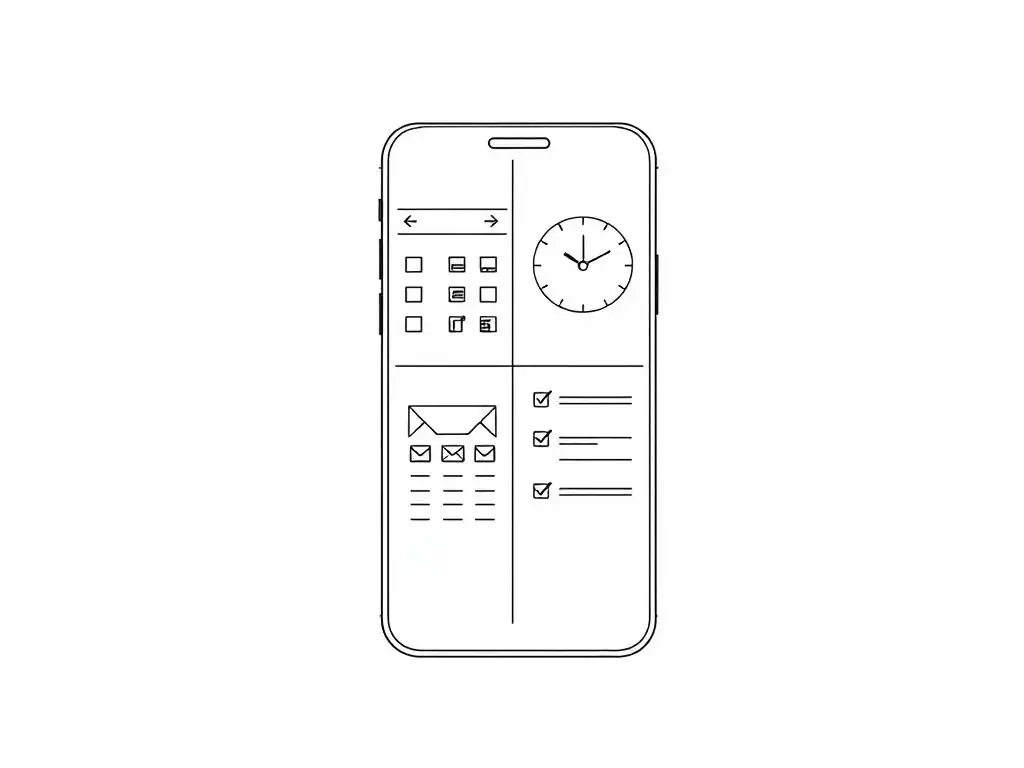
This section delves into leveraging your smartphone's built-in features for superior time management, uncovering hidden productivity hacks often overlooked. We'll explore how to tame notifications, set reminders effectively, and harness calendar features for optimal scheduling. Mastering these techniques can significantly boost your daily efficiency and reduce wasted time. This is about transforming your phone from a distraction into a powerful productivity tool.
Master the Art of Notifications: Prioritize and Filter
Our smartphones are constantly vying for our attention. The incessant buzz of notifications can be a major productivity killer, disrupting focus and creating a sense of overwhelm. The key is not to eliminate notifications entirely, but to master them. This involves strategic prioritization and aggressive filtering.
First, identify your essential notifications. Do you need immediate alerts from your boss, a critical client, or family members? These deserve immediate attention. For everything else, consider the following strategies:
- Categorize Notifications: Group similar notifications (e.g., social media, news, email) and manage them separately. This allows for targeted adjustments rather than a blanket approach.
- Schedule Notification Silencing: Use "Do Not Disturb" mode strategically. Silence notifications during focused work periods or dedicated relaxation time. Many phones allow customization to allow calls from specific contacts even in DND mode.
- Prioritize Apps: Many smartphones allow you to set notification importance levels per application. Use this feature to prioritize apps that require immediate attention and mute less critical ones.
Consider this scenario: Imagine you're working on a crucial project. Constant social media notifications disrupt your concentration. By silencing these notifications for a set period, you can maintain focus and complete the project more efficiently. This simple act can save you valuable time and reduce stress. This is a core element of effective time management, directly addressing the keyword "Hidden smartphone productivity hacks".
Set Reminders and Alarms Effectively for Enhanced Productivity
Reminders and alarms are often underutilized tools for boosting productivity. They're not just for appointments; they can be powerful tools for managing tasks, remembering deadlines, and even breaking down large projects into manageable chunks. The trick is to use them strategically and efficiently.
- Detailed Reminders: Don't just set a reminder for "meeting." Set it for "meeting with John at 2 PM in Conference Room B." The more detail, the less likely you are to miss crucial information.
- Recurring Reminders: For tasks that need to be completed regularly (e.g., taking medication, paying bills, submitting reports), set recurring reminders to eliminate the risk of forgetting.
- Location-Based Reminders: Use location-based reminders for errands or tasks related to specific locations. For example, set a reminder to "pick up dry cleaning" when you're near the dry cleaner.
Think about this: You have a large project due next week. Instead of feeling overwhelmed, break it into smaller, daily tasks. Set reminders for each task, ensuring you stay on track and avoid last-minute rushes. This proactive approach directly contributes to improved efficiency and demonstrates a sophisticated understanding of time management, enhancing your overall productivity. This directly addresses the core theme of "Hidden smartphone productivity hacks".
Schedule Your Day: Utilizing Built-in Calendar Features
Your smartphone's calendar isn't just for scheduling appointments. It's a powerful tool for visualizing your day, allocating time effectively, and ensuring you stay on top of your tasks. Many people underestimate the power of a well-organized digital calendar.
- Color-Coding: Assign different colors to different categories of events (e.g., work, personal, appointments). This allows for quick visual identification of your schedule.
- Time Blocking: Allocate specific time blocks for different tasks or activities. This helps you focus on one thing at a time and avoid multitasking, which often reduces efficiency.
- Set Realistic Goals: Don't overschedule your day. Build in buffer time for unexpected delays or interruptions. This prevents feeling overwhelmed and stressed.
Consider this: By scheduling your day, including dedicated time for breaks and personal tasks, you'll experience a significant improvement in your overall well-being and productivity. This is a key component of effective time management and demonstrates a mastery of "Hidden smartphone productivity hacks", transforming your phone into a powerful personal assistant. This detailed approach to scheduling promotes a more balanced and productive lifestyle.
This section delves into the often-overlooked security and privacy features built into your smartphone, empowering you to safeguard your personal data and enhance your digital well-being. Many users are unaware of the robust protection available at their fingertips, leading to vulnerabilities that can be easily addressed. Let's explore some hidden gems to boost your smartphone's security and privacy.
Boost Your Phone's Security: Enabling Advanced Privacy Settings
Modern smartphones offer a plethora of advanced privacy settings that go beyond the basic security measures. Activating these features can significantly reduce your risk of data breaches and unauthorized access. For instance, consider enabling features like:
- Two-Factor Authentication (2FA): This adds an extra layer of security by requiring a second form of verification, such as a code sent to your email or a notification on a secondary device, in addition to your password. Activating 2FA on all your important accounts, including email, banking apps, and social media, is crucial for preventing unauthorized access even if your password is compromised. Think of it as adding a sturdy lock to your digital front door! 🔒
- Biometric Authentication: Many phones offer fingerprint or facial recognition as a convenient and secure way to unlock your device. While not foolproof, these methods significantly increase security compared to simple passcodes. Ensure you're utilizing the strongest biometric option available on your device and regularly update your biometric data if necessary.
- App-Specific Passwords: For enhanced security, consider using unique and strong passwords for each app. This limits the damage if one app's security is compromised. Using a password manager (discussed in the next section) can help you manage these numerous passwords effectively.
- Regular Software Updates: Keeping your phone's operating system and apps updated is paramount. Updates often include critical security patches that address known vulnerabilities. Enable automatic updates to ensure you always have the latest security protections in place.
Secure Your Data: Utilizing Password Managers and Encryption
Protecting your sensitive data is paramount in today's digital world. Password managers and encryption play a pivotal role in achieving this.
- Password Managers: These apps generate and securely store strong, unique passwords for all your accounts. This eliminates the need to remember numerous complex passwords and significantly reduces your risk of password reuse, a common vulnerability. Choosing a reputable password manager with robust security features is crucial. Consider features like end-to-end encryption and multi-factor authentication for your password manager itself.
- File Encryption: Encrypting sensitive files on your phone prevents unauthorized access even if your device is lost or stolen. Most operating systems offer built-in file encryption capabilities, or you can utilize third-party encryption apps. This is especially important for storing confidential documents, financial information, or other sensitive data.
Enhance Privacy: Controlling App Permissions and Data Access
Many apps request access to various aspects of your phone, such as your location, contacts, and photos. Carefully reviewing and managing these permissions is crucial for protecting your privacy.
- Review App Permissions: Regularly check which permissions each app has been granted and revoke any unnecessary access. For example, do you really need a weather app to access your location history? Precise location access can be particularly sensitive, so limit it to apps that genuinely require it.
- Limit Data Collection: Be aware of the data that apps collect and how it's used. Many apps collect far more data than necessary. Opt-out of data sharing whenever possible, and choose apps with transparent privacy policies.
- Use a VPN (Virtual Private Network): A VPN encrypts your internet traffic, making it harder for others to track your online activity and access your data. This is particularly useful when using public Wi-Fi networks. A VPN adds an extra layer of security and privacy, shielding your online identity.
By implementing these hidden smartphone hacks, you can significantly enhance your device's security and privacy, protecting yourself from potential threats and maintaining control over your personal data. Remember, proactive security measures are essential for a safer and more secure digital life.
Frequently Asked Questions
The article reveals several hidden productivity hacks, including using focus mode to minimize distractions, leveraging voice-to-text for faster note-taking, and employing automation tools to streamline repetitive tasks. These are just a few examples from the ten hacks detailed.
How can I use my smartphone more efficiently for work?
The article highlights strategies like utilizing built-in calendar and reminder features, employing productivity apps to manage tasks, and leveraging shortcuts to access frequently used functions quicker. This leads to improved workflow and better time management.
Are these smartphone hacks suitable for beginners?
Yes, many of the hacks are beginner-friendly, requiring minimal technical expertise. The article focuses on practical tips that can be easily implemented by anyone looking to improve their smartphone usage.
Will these hacks help me save time?
Absolutely! By streamlining tasks, minimizing distractions, and automating processes, these time-saving hacks will significantly increase your efficiency and productivity. You'll regain valuable time in your day.
Where can I find more information about these smartphone productivity hacks?
The complete details of these ten secret smartphone hacks are available in the full article on UltimateLifeHacks. It's packed with practical advice to unlock your phone's hidden potential.
Final Reflection: Unlocking a More Productive You
The relentless pace of modern life demands efficiency, and our smartphones, often seen as distractions, are powerful tools for achieving it. Mastering even a few hidden productivity hacks can dramatically alter your daily workflow, freeing up valuable time and mental energy for what truly matters. This isn't just about optimizing your device; it's about optimizing your life.
The impact of readily available technology on our productivity is undeniable. We've moved from bulky devices to pocket-sized powerhouses, yet the challenge remains: harnessing that power effectively. The key is not to prioritize what's on your schedule, but to schedule your priorities.
This quote, often attributed to Stephen Covey, perfectly encapsulates the essence of this article. By learning to leverage the hidden features of your smartphone, you're not just managing your tasks; you're actively shaping your priorities and reclaiming control over your time.
Consider the possibilities: Imagine the projects you could complete, the connections you could foster, the moments you could savor, all thanks to a few minutes spent exploring the untapped potential of your phone. You hold the key to a more productive and fulfilling life – the knowledge is here; now it's time to put it into action. Explore the hacks, experiment with the tips, and discover the unique ways you can unlock your phone's hidden potential to unlock a more productive and empowered you.
Unleash Your Smartphone's Superpowers!
Thanks for exploring our smartphone secrets! We hope you discovered some amazing new tricks to simplify and enhance your tech life. Ready to put your newfound knowledge into practice?
- Master your new skills: Try at least three of your favorite tips from the article today. See how much time and frustration you can save!
- Share the knowledge: Spread the word! Tell your friends and family about your favorite hidden smartphone feature. You might just become the unexpected tech hero they need.
- Challenge yourself: Identify one task you'd like your phone to handle more efficiently, and then research a solution.
What clever smartphone trick are you most excited to try first? Let us know in the comments below!