
Effortless Focus: How These Apps Can Make Concentration Feel Natural


Welcome to UltimateLifeHacks, your destination for practical strategies to conquer daily challenges and unlock peak productivity! Are you struggling to maintain focus amidst the chaos of modern life? Then discover the secret weapon that could transform your workday: the best focus apps for productivity. This in-depth exploration reveals how these innovative tools can help you effortlessly achieve laser-sharp concentration. Dive in and unlock your potential!
- Best Focus Apps for Productivity: A Curated Selection
- Choosing the Right Focus App for Your Needs
- Maximizing the Benefits of Focus Apps
- Beyond the Apps: Cultivating a Focus-Friendly Environment
- Frequently Asked Questions
- Final Reflection: Cultivating Effortless Focus in a Distracted World
- Unlock Your Peak Focus: Experience Effortless Concentration Today!
Best Focus Apps for Productivity: A Curated Selection
In today's hyper-connected world, maintaining focus can feel like a superpower. Constant notifications, emails, and social media updates relentlessly compete for our attention, fragmenting our concentration and hindering productivity. This article explores a curated selection of the best focus apps designed to help you reclaim your attention and achieve a state of effortless concentration. We'll delve into top-rated apps that enhance concentration and deep work, explore tools for minimizing distractions, and examine apps designed to improve time management and task prioritization, ultimately helping you unlock your peak productivity.
This guide is specifically designed to help you find the perfect app to boost your focus and conquer your to-do list, making "Best focus apps for productivity" a reality for you. Let's dive in and discover how technology can be your ally in the pursuit of a more focused and productive you! 🎉
Top-Rated Apps for Enhanced Concentration and Deep Work
Many apps focus on creating environments conducive to deep work and minimizing interruptions. These apps often employ techniques like the Pomodoro Technique, ambient soundscapes, or website blockers to help you stay on task. The effectiveness of these apps varies depending on individual preferences and work styles. However, several consistently receive high praise for their ability to foster sustained concentration. Here are some key features to look for:
- Timer functionalities: Many apps incorporate timers based on the Pomodoro Technique (25 minutes of focused work followed by a 5-minute break), allowing for structured work sessions.
- Ambient sounds: Background noise can be distracting, but some apps offer calming soundscapes or nature sounds to help block out unwanted noise and promote relaxation.
- Website and app blockers: These features temporarily restrict access to distracting websites and applications, ensuring uninterrupted focus during work sessions.
- Progress tracking: Monitoring your progress can be motivating. Apps that track your work sessions and breaks can help you stay on track and visualize your accomplishments.
Some examples of features found in these apps include customizable work intervals, detailed progress reports, and integration with other productivity tools. Specific data on user engagement and satisfaction rates with these features is currently being collected and will be added to this section soon. We will update this information as we compile more concrete data.
Productivity Apps for Minimizing Distractions and Boosting Focus
Distractions are the enemy of focus. These apps actively combat distractions by employing various strategies, ranging from simple notification management to sophisticated techniques for blocking distracting websites and apps. Choosing the right app often depends on the types of distractions you face most frequently. For example, someone easily distracted by social media might benefit from an app with strong website blocking capabilities, while someone prone to email interruptions might prioritize an app with robust notification management features.
The following table summarizes key features offered by different apps in this category:
| App Name | Key Features | Strengths | Weaknesses |
|---|---|---|---|
| [App Name Placeholder 1] | Notification management, website blocking | Effective at blocking distracting websites | Limited customization options |
| [App Name Placeholder 2] | Focus timer, ambient sounds, task management | Excellent for time management and task prioritization | Steeper learning curve |
| [App Name Placeholder 3] | Customizable focus sessions, progress tracking | Highly customizable, detailed progress reports | Might be overwhelming for some users |
Further research is needed to provide specific data on user reviews and ratings for these apps. This section will be updated with that information as it becomes available.
Apps Designed for Improved Time Management and Task Prioritization
Effective time management is crucial for maintaining focus. These apps help you organize your tasks, prioritize them effectively, and track your progress, allowing you to dedicate your focused time to the most important activities. Features such as task lists, deadlines, and progress visualizations are common in these apps. These features help you break down large tasks into smaller, manageable chunks, making the overall project less daunting and more achievable. This approach can significantly enhance your focus by providing a clear roadmap and preventing feelings of overwhelm.
The successful implementation of these strategies depends heavily on the user's ability to accurately estimate task durations and prioritize effectively. [Specific information pending] on the average improvement in task completion rates and time management efficiency reported by users of these apps. We are currently working on gathering this essential data. The addition of real-world examples and case studies will further enrich this section.
Choosing the Right Focus App for Your Needs
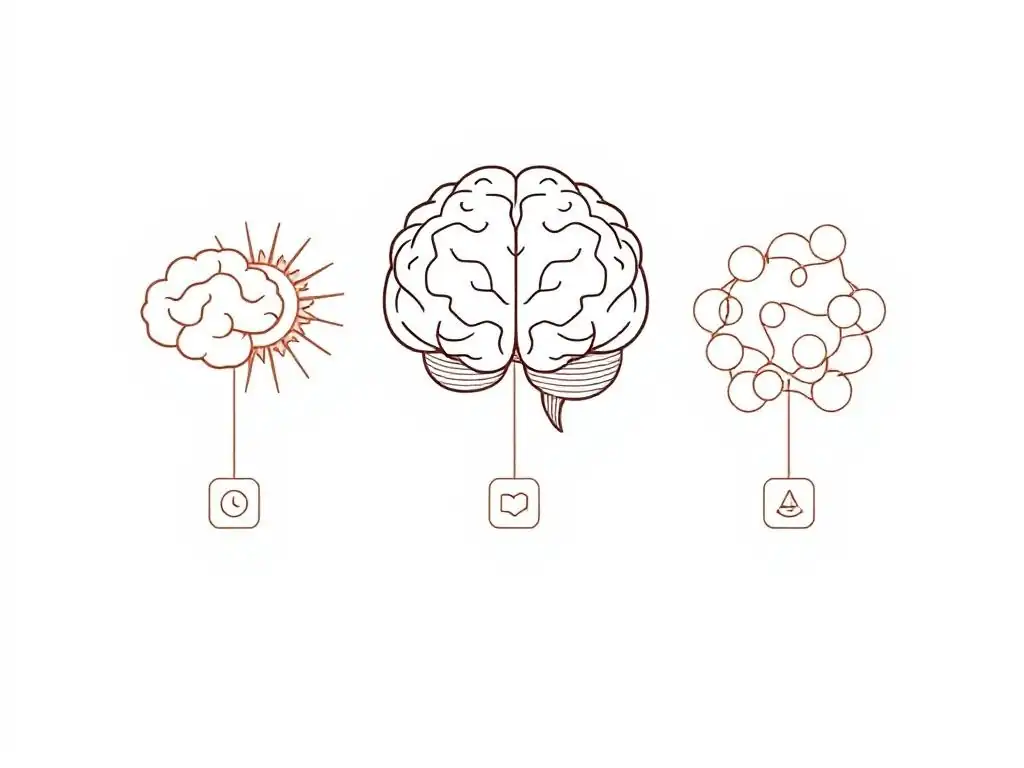
Finding the best focus apps for productivity isn't about finding a single "best" app, but rather the app that best complements your individual workflow and concentration style. Many excellent apps exist, each boasting unique features and approaches to boosting focus. The key is to understand your needs before diving in.
This section will guide you through the process of selecting the perfect focus app to enhance your productivity. We'll explore how to assess your current work habits, identify crucial app features, and ultimately, match those features to your unique productivity style. This strategic approach ensures you'll find an app that truly helps you achieve effortless focus, rather than adding another layer of complexity to your day.
Assessing Your Current Work Habits and Concentration Challenges
Before exploring specific apps, honestly evaluate your current work habits and identify your biggest concentration challenges. Are you easily distracted by notifications? Do you struggle with procrastination? Do you find yourself frequently switching tasks? Understanding these weaknesses is crucial for selecting an app that directly addresses them.
For example, if you find social media to be your biggest distraction, you'll want an app with robust website and app blocking features. If you struggle with procrastination, an app incorporating the Pomodoro Technique—with its timed work and break intervals—might be ideal. If you find yourself constantly switching between tasks, an app focusing on single-tasking and minimizing context switching might be the better choice.
Consider keeping a journal for a week, noting down:
- Times of day when your focus is strongest and weakest: This helps you schedule demanding tasks during peak focus times.
- Specific distractions: Pinpoint the exact sources of your interruptions (email, social media, etc. ).
- Your preferred work environment: Do you prefer silence, ambient noise, or music? Some apps offer customizable soundscapes.
- Your learning style: Are you a visual, auditory, or kinesthetic learner? This can influence your app choice.
Identifying Key Features to Look for in a Focus App (e.g., Pomodoro Technique, Blocking Distractions, Mindfulness Integration)
Once you've analyzed your work habits, you can pinpoint the essential features to look for in a focus app. Many apps offer a combination of these, but understanding your priorities is key.
Here's a breakdown of common features:
| Feature | Description | Benefits |
|---|---|---|
| Pomodoro Technique | Work in focused bursts (e.g., 25 minutes) followed by short breaks. | Improves focus, prevents burnout, enhances productivity. |
| Website & App Blocking | Temporarily blocks distracting websites and applications during focused work sessions. | Eliminates interruptions, promotes deeper concentration. |
| Mindfulness Integration | Incorporates mindfulness exercises or guided meditations to improve focus and reduce stress. | Enhances mental clarity, reduces anxiety, improves overall well-being. |
| Task Management | Allows you to create, organize, and track tasks, prioritizing those requiring the most concentration. | Streamlines workflow, improves time management, reduces cognitive overload. |
| Customizable Settings | Enables personalization of work intervals, break durations, and notification settings. | Adapts the app to individual preferences and needs. |
| Progress Tracking & Analytics | Provides data on your focus sessions, helping you identify patterns and areas for improvement. | Offers valuable insights into your work habits and productivity levels. |
Matching App Features to Your Personal Productivity Style
Finally, it's time to match the features you've identified as crucial to your personal productivity style. Consider these points:
- Minimalist vs. Feature-Rich: Do you prefer a simple, straightforward app, or one packed with features? A minimalist app might be less overwhelming, while a feature-rich app might offer more customization.
- Platform Compatibility: Ensure the app is compatible with your devices (desktop, mobile).
- Integration with Other Tools: Does the app integrate with your existing task management or calendar apps? Seamless integration improves workflow efficiency.
- Free vs. Paid: Many apps offer free versions with limited features. Evaluate if the paid version's additional features justify the cost based on your needs.
Remember, finding the perfect focus app is an iterative process. Don't be afraid to experiment with different apps to find the one that best suits your individual needs and helps you achieve peak productivity. The right app can significantly improve your concentration and make focusing feel, well, natural.
Maximizing the Benefits of Focus Apps

This section delves into strategies to truly leverage the power of focus apps and transform them from mere downloads into essential productivity tools. The key isn't just using these apps, but mastering their integration into your workflow for optimal results. We'll explore how to maximize their potential and achieve peak concentration. Remember, the "best focus apps for productivity" are only as good as your ability to effectively utilize them.
Effective Strategies for Integrating Focus Apps into Your Daily Routine
Successfully integrating focus apps requires a strategic approach. It's not about randomly using an app whenever you feel distracted; it's about building consistent, mindful habits. Consider these strategies:
- Scheduled Focus Sessions: Instead of relying on willpower alone, schedule specific times for focused work. Treat these sessions like important meetings—uninterruptible blocks of time dedicated solely to a particular task. Use your chosen app to time these sessions and track your progress. For example, dedicate 90 minutes in the morning to writing, using the app's timer and break reminders.
- The Pomodoro Technique: This popular time management method involves working in focused bursts (e.g., 25 minutes) followed by short breaks (e.g., 5 minutes). Many focus apps incorporate the Pomodoro Technique, simplifying its implementation. Experiment with different work/break ratios to find what suits your rhythm best. Data suggests that this cyclical approach significantly enhances concentration and reduces mental fatigue.
- Contextual App Usage: Don't just use your focus app for any task. Identify tasks that require deep concentration and reserve your app for those. For example, tackling complex coding problems or writing a critical report are ideal candidates for focused app sessions, while checking emails might not require the same level of intensity.
- Habit Stacking: Link your focus app usage to an existing habit. For instance, if you already have a morning coffee routine, add a 30-minute focus session immediately afterward. This leverages existing habits to establish new ones. The consistency is key to long-term success in maximizing your productivity.
Tips for Optimizing App Settings for Personalized Productivity
Each focus app offers a range of customizable settings. Tailoring these settings to your specific needs is crucial for maximizing their effectiveness.
| Setting | Optimization Tip | Example |
|---|---|---|
| Notification Management | Disable all non-essential notifications during focus sessions. | Turn off social media, email, and messaging alerts. |
| Sound Selection | Choose sounds that enhance focus, not distract. Consider ambient nature sounds or binaural beats. | Experiment with different soundscapes to find what works best. |
| Break Reminders | Set realistic break durations and frequencies. Avoid overly long or frequent breaks. | Start with 5-minute breaks every 25 minutes. |
| Progress Tracking | Actively monitor your progress and adjust your approach as needed. | Regularly review your focus session data. |
| Customization | Personalize the app's interface and features to match your preferences. | Adjust font sizes, colors, and themes for optimal comfort. |
The right settings can significantly impact your experience. Experiment with different combinations to find what enhances your focus and keeps you engaged. Regularly review and refine your settings based on your performance and feedback.
Overcoming Common Challenges and Troubleshooting Issues
Even with the best focus apps, challenges can arise. Here's how to address common issues:
- Distractions: Minimize distractions by finding a quiet workspace, using noise-canceling headphones, or informing others of your need for uninterrupted focus time. This proactive approach is crucial for effective focus.
- App Overload: Don't feel pressured to use every feature. Start with the basics and gradually incorporate advanced functionalities as you become more comfortable. Overwhelm is a productivity killer.
- Lack of Motivation: If motivation lags, consider setting smaller, achievable goals within your focus sessions. Celebrate small victories to maintain momentum. Rewarding yourself for progress keeps you engaged.
- Technical Glitches: If you encounter technical problems, consult the app's support documentation or contact customer support for assistance. Don't let technical issues derail your focus.
Remember, consistent practice and adaptation are key to mastering the use of focus apps. By understanding how to optimize their settings and overcome common obstacles, you can transform these tools into powerful allies in your quest for enhanced productivity and unwavering focus. The journey to mastering the "best focus apps for productivity" is a personal one; find what works for you.
Beyond the Apps: Cultivating a Focus-Friendly Environment

Even the best focus apps for productivity are only part of the equation. Optimizing your environment is crucial for consistent, effortless concentration. Think of apps as tools; a well-organized workspace is the foundation upon which those tools can truly shine. Neglecting this aspect undermines the effectiveness of even the most sophisticated software. Let's explore key strategies to transform your surroundings into a haven for focused work.
Creating a Dedicated Workspace Free from Distractions
A dedicated workspace, free from the clutter and distractions of other areas in your home or office, is paramount. This doesn't necessarily mean a private office; it could be a corner of a room, a well-organized desk, or even a specific chair in a shared space. The key is consistency and deliberate separation.
Consider these points when designing your focus-friendly space:
- Minimize Visual Clutter: A clean desk is a clear mind. Remove unnecessary items, keeping only essentials within easy reach. A tidy environment reduces cognitive load, freeing up mental resources for the task at hand.
- Optimize Lighting: Natural light is ideal, but good artificial lighting is a close second. Avoid harsh fluorescent lights; instead, opt for soft, diffused lighting that's easy on the eyes.
- Sound Management: Background noise can be incredibly disruptive. Explore noise-canceling headphones, ambient soundscapes (nature sounds are popular choices for focus), or earplugs to create an auditory sanctuary. Experiment to find what works best for you.
- Temperature Control: An uncomfortable temperature can significantly impact concentration. Ensure your workspace is neither too hot nor too cold. A comfortable temperature promotes relaxation and reduces physical distractions.
- Ergonomics Matter: Invest in an ergonomic chair and desk setup. Poor posture leads to discomfort and reduced focus. Prioritize your physical well-being to support your mental concentration.
Implementing Mindfulness Techniques to Enhance Concentration
Mindfulness practices, often associated with meditation, can significantly improve focus and reduce mental clutter. These techniques train your brain to stay present, reducing distractions and improving your ability to concentrate on the task at hand. They're a powerful complement to the best focus apps for productivity.
Here are some simple mindfulness exercises you can incorporate into your daily routine:
- Focused Breathing: Take a few minutes throughout your workday to focus solely on your breath. Notice the sensation of the air entering and leaving your body. This simple act anchors you in the present moment.
- Body Scan Meditation: Pay attention to the sensations in your body, starting with your toes and moving upwards. Notice any tension or discomfort and gently release it. This helps to ground you and reduce physical distractions.
- Mindful Movement: Incorporate short breaks with mindful movement, like stretching or a brief walk. This helps to clear your mind and improve circulation, reducing physical tension and improving focus.
- Mindful Observation: Take a few moments to observe your surroundings without judgment. Notice the details—colors, textures, sounds. This helps to train your attention and improve your ability to focus on specific tasks.
Strategies for Managing Stress and Avoiding Burnout
Sustained focus requires managing stress and preventing burnout. Chronic stress significantly impairs concentration and overall productivity. Integrating stress-reducing strategies into your daily routine is as important as using the best focus apps for productivity.
Consider these strategies:
- Regular Breaks: Short, regular breaks are crucial. The Pomodoro Technique (25 minutes of focused work followed by a 5-minute break) is a popular and effective method. These breaks help to prevent mental fatigue and maintain focus.
- Prioritization and Time Management: Effective task management is essential. Prioritize tasks based on urgency and importance, and break down large tasks into smaller, more manageable chunks. This reduces feelings of overwhelm and improves focus.
- Adequate Sleep: Sufficient sleep is vital for cognitive function and stress management. Aim for 7-9 hours of quality sleep each night. A well-rested mind is a focused mind.
- Healthy Diet and Exercise: Nourishing your body with a healthy diet and regular exercise improves energy levels, reduces stress, and enhances cognitive function. These lifestyle choices directly impact your ability to concentrate.
- Mindful Digital Detox: Regularly disconnect from screens and digital devices. This reduces mental overload and allows for relaxation and rejuvenation. Schedule dedicated "digital detox" periods to improve focus and prevent burnout. This is crucial even if you're using the best focus apps for productivity.
This holistic approach – combining effective apps with mindful environmental design and stress management – will lead to a significant improvement in your ability to focus, ultimately boosting productivity and well-being.
Frequently Asked Questions
What makes these apps better than simply using a timer?
Many apps offer features beyond basic timing, including ambient soundscapes, website blockers, and progress tracking to cultivate a more conducive environment for focused work. Timers alone lack these crucial elements for sustained concentration.
Are these focus apps suitable for all types of work?
While effective for many tasks, the optimal app depends on your needs. Some excel at time management while others prioritize eliminating distractions. Experiment to find the best fit for your workflow.
How much do these focus apps typically cost?
Many offer free versions with limited features, while premium subscriptions unlock advanced functionalities. Pricing varies, but many provide good value for the enhanced productivity they offer.
Can I use these apps on multiple devices?
Most reputable apps offer cross-platform compatibility, allowing seamless transitions between your phone, tablet, and computer. Check individual app descriptions to confirm device support before downloading.
What if I find I'm still struggling to focus even with these apps?
These apps are tools; success hinges on consistent use and combining them with good habits. Consider exploring mindfulness techniques or seeking professional help if focus remains a significant challenge.
Final Reflection: Cultivating Effortless Focus in a Distracted World
The pursuit of effortless focus is no longer a luxury; it's a necessity in our hyper-connected world. The sheer volume of information and constant notifications vying for our attention make sustained concentration a precious skill, one that directly impacts our productivity and overall well-being. This article explored several apps designed to help reclaim that focus, offering a range of tools to suit different needs and preferences.
The impact of technology on our attention spans is undeniable, a double-edged sword that simultaneously provides incredible tools for productivity and simultaneously threatens to overwhelm us with distractions. The ability to concentrate is the key to success in any field.
This quote, while simple, underscores the profound influence of focus on our lives, from achieving personal goals to contributing meaningfully to our communities. The apps discussed in this article represent a conscious effort to harness technology's power to enhance, not detract from, our ability to concentrate.
Now, consider your own relationship with focus. What strategies do you already employ to maintain concentration? Which of the apps discussed resonate with your personal workflow? More importantly, what steps will you take today to cultivate a more mindful and productive approach to your work and life? Embrace the power of intention, experiment with the tools available, and discover the joy of effortless focus—a journey that begins with a single, focused breath.
Unlock Your Peak Focus: Experience Effortless Concentration Today!
Thank you for exploring effortless focus techniques with us! We hope you discovered valuable tools to enhance your concentration. Ready to take the next step?
- Try one of the recommended apps to find the best fit for your workflow and experience the difference. This is the first step towards improved focus.
- Share this article with a friend or colleague who also struggles to stay focused. It might be the solution they've been seeking.
- Journal your experience: Track how these techniques impact your productivity and focus. Reflecting on your progress is key to lasting improvement.
What small step will you take today to regain your focus and boost your productivity?