
The Secret to a Less Stressful Life: Digital Organization Tips

Feeling overwhelmed by your digital clutter? Imagine a life where your inbox doesn't control you, where finding files is effortless, and technology works for you, not against you. On UltimateLifeHacks, we're dedicated to helping you achieve that. Discover the secrets to Organize your digital life less stress and unlock a more productive, less stressful you. Dive in and reclaim your time!
- Conquer Digital Clutter: Mastering Your Digital Files
- Streamline Your Digital Workflow: Productivity Hacks for a Less Hectic Life
- Prioritize Digital Wellbeing: Minimizing Digital Distractions for a Peaceful Mind
- Organize Digital Life Less Stress: Putting it All Together for a More Balanced Life
- Frequently Asked Questions
- Final Reflection: Reclaiming Your Time, Reclaiming Your Peace
- Unleash Your Inner Zen: Tidy Your Digital Life Today!
Conquer Digital Clutter: Mastering Your Digital Files
Digital clutter is the modern-day equivalent of a messy desk. It's stressful, time-consuming, and can significantly impact your productivity and overall well-being. This article delves into practical strategies for organizing your digital life, helping you reclaim your time and reduce stress by implementing simple yet effective digital organization tips.
We'll explore techniques to tame your overflowing inbox, create efficient file systems, and optimize your cloud storage, all contributing to a less chaotic and significantly less stressful digital existence. Mastering your digital files is the key to unlocking a more organized and peaceful life, proving that organizing your digital life less stress is entirely achievable. Let's dive in and discover how to achieve that coveted sense of digital calm.
Taming the Email Beast: Strategies for Inbox Zero
The inbox. That seemingly bottomless pit of emails, often the source of considerable daily stress. But achieving "Inbox Zero" isn't about deleting everything; it's about a strategic approach to email management. The first step is to unsubscribe from unnecessary mailing lists. Many of us subscribe to newsletters and promotional emails we rarely read, cluttering our inboxes unnecessarily. Regularly review your subscriptions and unsubscribe from anything you no longer find valuable.
Next, implement a system for processing emails efficiently. The popular "4 D's" method – Delete, Do, Delegate, Defer – is a great starting point. Delete irrelevant emails immediately. "Do" refers to emails requiring immediate action; handle them promptly. "Delegate" tasks to others where appropriate. Finally, "Defer" emails that require action later by scheduling them in your calendar or task management system. This method prevents emails from piling up and allows for focused attention on important messages.
Consider using filters and folders to categorize incoming emails. This helps to prioritize important messages and quickly locate specific types of correspondence. Many email providers offer robust filtering options; take the time to configure them to suit your needs. Remember to regularly archive older emails to keep your inbox clutter-free. This process, while seeming initially time-consuming, will save you considerable time and stress in the long run, making "Organize digital life less stress" a manageable goal.
File Organization Systems for Effortless Retrieval
A chaotic file system is a productivity killer. Spending hours searching for a specific document is incredibly frustrating and adds unnecessary stress to your day. A well-structured file system, however, makes retrieving information quick and easy. Consider using a consistent naming convention for your files, using descriptive names that clearly indicate the file's content. Avoid using generic names like "Document1" or "File2."
Implement a logical folder structure. Instead of dumping everything into one folder, create a hierarchical system that reflects your workflow and information needs. For example, you might have a main folder divided into subfolders for "Projects," "Clients," "Personal," etc., with further sub-folders within each category. There's no single "best" system; experiment to find one that works for you. Consistency is key.
Regularly review and purge your files. Delete outdated or unnecessary documents to prevent your storage from overflowing and hindering your efficiency. This process, often overlooked, is crucial for maintaining a streamlined and efficient file system. This contributes significantly to the overall goal of organizing your digital life for less stress. 📅
Cloud Storage Optimization: Maximizing Space and Efficiency
Cloud storage is essential in today's digital world, but managing it effectively is crucial. Regularly review your cloud storage to identify and delete unnecessary files. Many people have gigabytes of unused data taking up valuable space. Utilize the search function within your cloud storage platform to locate duplicate files and delete them. This will free up space and improve performance.
Consider using cloud storage services that offer version history. This is particularly useful for important documents, as it allows you to revert to previous versions if needed. This feature provides an added layer of security and peace of mind. Think of it as a digital safety net.
Furthermore, explore different cloud storage options to compare pricing and features. Choosing a plan that best suits your needs will help you optimize both cost and efficiency. By effectively managing your cloud storage, you not only save space but also contribute to a more streamlined and less stressful digital environment, directly addressing the desire to "Organize digital life less stress".
Streamline Your Digital Workflow: Productivity Hacks for a Less Hectic Life
This section delves into practical strategies for optimizing your digital workflow, directly impacting stress levels by minimizing digital clutter and maximizing efficiency. We'll explore specific techniques and tools to help you achieve a more organized and less stressful digital life. Remember, organizing your digital life isn't just about tidying up; it's about reclaiming your time and mental energy. The goal is to organize digital life less stress.
Scheduling and Calendar Management: Conquer Time Conflicts
Effective calendar management is paramount for reducing stress. Overlapping appointments and forgotten deadlines contribute significantly to daily anxiety. The key is choosing the right tool and implementing a consistent system. Many people find success using color-coding for different categories (work, personal, appointments, etc.). This visual cue helps quickly assess the day's schedule at a glance.
Consider these best practices:
- Prioritize: Schedule the most important tasks first, ensuring sufficient time allocation. Don't overschedule yourself; leave buffer time between appointments to account for unexpected delays.
- Set Reminders: Utilize reminder features, both on your calendar app and potentially through email or text notifications for crucial events. Experiment with different reminder times to find what works best for you. For instance, a reminder 15 minutes before a meeting might be ideal, while a reminder the day before a significant deadline is also essential.
- Sync Across Devices: Ensure your calendar syncs seamlessly across all your devices (phone, computer, tablet) for consistent access and updates. This prevents missed appointments due to relying on a single device.
- Regular Review: Dedicate a few minutes each week to review your upcoming schedule, ensuring accuracy and identifying potential conflicts. This proactive approach minimizes last-minute scrambling and associated stress.
Let's illustrate with an example: Imagine a scenario where you have multiple projects with looming deadlines. Using a calendar with color-coded categories (e.g., Project A: Red, Project B: Blue) allows you to visually identify potential conflicts and proactively reschedule tasks to avoid burnout and missed deadlines. This proactive approach directly contributes to organizing digital life less stress.
Task Management Apps: Choosing the Right Tool for Your Needs
The market offers a plethora of task management apps, each with unique features. The best choice depends on individual needs and preferences. Some popular options include Todoist, Any.do, and Microsoft To Do. The key is to select an app that integrates well with your existing workflow and offers features you'll actually use.
Consider these factors when choosing a task management app:
- Ease of Use: The app should be intuitive and easy to navigate. A complex interface can be counterproductive and add to your stress.
- Features: Consider features like subtasks, prioritization options, due dates, reminders, and collaboration tools.
- Integration: Check for integration with other apps you frequently use (email, calendar, etc.). Seamless integration streamlines your workflow.
- Platform Compatibility: Ensure the app is compatible with all your devices (phone, computer, tablet).
For example, if you're working on multiple projects simultaneously, an app with subtask capabilities and project views can be highly beneficial. This allows you to break down large tasks into smaller, more manageable steps, making the overall process less daunting. This granular approach contributes significantly to organizing digital life less stress.
Automation Tools: Streamlining Repetitive Tasks
Automation tools are invaluable for reducing stress by eliminating repetitive tasks. Many services offer automation capabilities, freeing up your time and mental energy. Examples include Zapier and IFTTT (If This Then That). These platforms allow you to create "applets" or "zaps" that automate specific actions based on predefined triggers.
Here are some examples of tasks you can automate:
- File Organization: Automatically sort and save incoming files based on criteria like sender, date, or file type.
- Social Media Posting: Schedule posts in advance to maintain a consistent online presence without constant manual updates.
- Email Management: Filter and categorize incoming emails automatically, ensuring important messages are prioritized.
- Data Backup: Set up automated backups of your important files to prevent data loss and associated stress.
By strategically employing automation, you free up significant time and mental energy, reducing overall stress levels. This proactive approach is a cornerstone of organizing digital life less stress. The reduction in time spent on repetitive tasks allows for focus on more critical and engaging activities, ultimately contributing to a more balanced and less stressful digital experience.
Prioritize Digital Wellbeing: Minimizing Digital Distractions for a Peaceful Mind
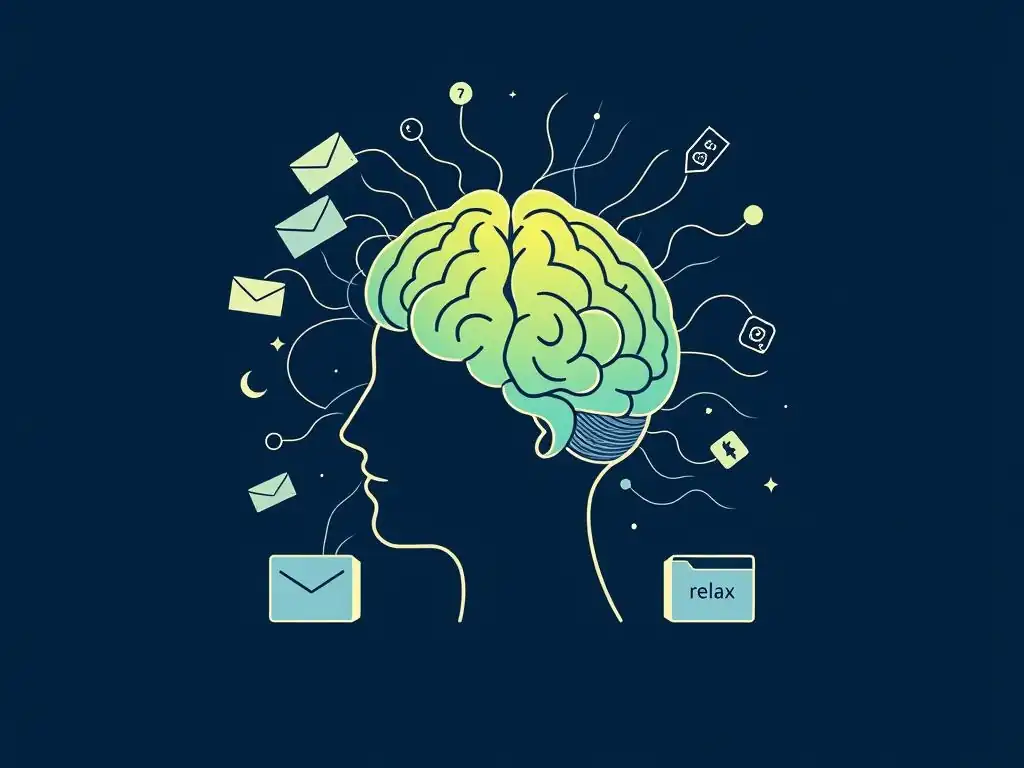

Digital clutter isn't just about overflowing inboxes; it's a significant contributor to stress and anxiety. Organizing your digital life directly impacts your mental wellbeing. A chaotic digital space often mirrors a chaotic mind, leading to feelings of overwhelm and reduced productivity. Prioritizing digital wellbeing isn't about eliminating technology entirely—it's about mastering its use to enhance, not hinder, your peace of mind.
This involves conscious effort and strategic planning to regain control of your digital environment and, consequently, your mental state. The benefits extend beyond stress reduction; improved focus, increased productivity, and a greater sense of control over your time are all significant advantages of a well-organized digital life. This section will explore practical techniques to minimize digital distractions and cultivate a more peaceful mindset.
Setting Digital Boundaries: Time Limits and Focus Techniques
The key to minimizing digital distractions lies in setting clear boundaries. This involves implementing time limits on apps and websites known to be major time-wasters. Many devices and operating systems offer built-in tools for this, allowing you to schedule specific times for app usage or block access during focused work periods.
For example, using the "Focus" mode on iPhones or the equivalent features on Android devices can significantly curb impulsive app checking. Beyond built-in features, consider using productivity apps that enforce these boundaries more strictly. These apps often provide detailed reports on your digital usage, helping you identify problematic patterns and refine your strategies.
Furthermore, incorporating focused work techniques like the Pomodoro Technique can dramatically improve concentration and reduce the urge to constantly check notifications. This method involves working in short, intense bursts (e.g., 25 minutes) followed by short breaks. This structured approach minimizes distractions by creating dedicated periods for focused work and scheduled periods for digital engagement.
By consciously separating these activities, you can reduce the feeling of being constantly pulled in multiple directions, leading to less stress and improved mental clarity. Experiment with different time intervals to find what works best for your individual workflow and attention span. Remember, consistency is key to establishing effective digital boundaries.
Mindfulness and Digital Detox: Reclaiming Your Time and Energy
Regular digital detox periods are crucial for mental wellbeing. These aren't about complete technology abstinence, but rather scheduled breaks to disconnect from constant notifications and the pressure to be perpetually "online." Even short periods of disconnection, like 30 minutes before bed or an hour each weekend, can significantly improve sleep quality and reduce stress. During these detoxes, focus on activities that promote relaxation and mindfulness, such as meditation, reading, spending time in nature, or engaging in hobbies.
Consider incorporating mindfulness practices into your daily routine, even during your digital interactions. This can include being more intentional about what you consume online, actively choosing content that uplifts and inspires you rather than passively scrolling through negativity. Practice mindful browsing: consciously avoid clicking on every notification and instead prioritize important tasks.
This mindful approach can be incredibly effective in reducing feelings of overwhelm and restoring a sense of control over your digital experience. The aim is to cultivate a more conscious relationship with technology, using it as a tool rather than allowing it to control you. Remember, reclaiming your time and energy is a crucial step towards a less stressful life.
Utilizing Technology for Self-Care: Apps and Tools for Wellbeing
Ironically, technology can be a powerful tool for improving your digital wellbeing. Many apps are designed to promote mindfulness, stress reduction, and better sleep habits. These apps offer guided meditations, breathing exercises, sleep sounds, and other features aimed at calming the mind and reducing anxiety. Utilizing these resources can complement the strategies discussed above, creating a holistic approach to digital organization and wellbeing.
Furthermore, consider using apps designed to track your digital usage, identify your peak distraction times, and help you stay on task. These tools can provide valuable insights into your digital habits, allowing you to make informed decisions about how you manage your time and energy online. Remember, the goal is not to eliminate technology but to optimize its use to create a more balanced and less stressful life.
By strategically incorporating technology into your self-care routine, you can leverage its power to enhance your mental wellbeing and cultivate a more peaceful relationship with the digital world. The key is to be mindful and intentional in your approach, choosing apps and tools that support your goals for a less stressful, more organized digital life.
Organize Digital Life Less Stress: Putting it All Together for a More Balanced Life
This section focuses on the holistic approach to digital organization, emphasizing the synergistic effect of various strategies for minimizing stress and maximizing productivity. We'll move beyond individual tips and explore how to integrate them into a sustainable, personalized system. The goal isn't just to organize your digital life, but to optimize it for less stress and improved well-being. This means creating a system that works for you, not the other way around. Remember, a perfectly organized system is only useful if you actually use it consistently.
Creating a Personalized Digital Organization Plan
Developing a personalized digital organization plan is crucial for long-term success. A "one-size-fits-all" approach rarely works. Consider your specific needs, tech proficiency, and daily routines. Start by identifying your digital pain points. Where do you lose the most time? Where do you feel the most overwhelmed? Are you struggling with email overload, a cluttered desktop, or difficulty finding specific files?
Once you've pinpointed your problem areas, you can begin to build your personalized solution. This might involve:
- Choosing the right tools: Explore different apps and software to manage emails, files, tasks, and calendars. Some popular options include task management apps like Todoist or Any.do, note-taking apps like Evernote or OneNote, and cloud storage services like Google Drive or Dropbox. Experiment to find what suits your workflow best.
- Establishing a clear filing system: Develop a consistent naming convention for your files and folders. Use descriptive names and a logical structure. For example, instead of "Document1.docx," use "2024_ProjectX_MeetingNotes.docx". This seemingly small detail drastically improves searchability and reduces wasted time.
- Setting realistic goals: Don't try to overhaul your entire digital life overnight. Start small, focusing on one area at a time. For example, tackle your email inbox before moving on to your file storage. Celebrate small victories to maintain motivation.
Consider this example: A freelance writer struggling with project organization might start by implementing a task management app to track deadlines and client communication, then move to a cloud-based system to store project-related files, and finally, establish a consistent email filtering system. This phased approach makes the process less daunting and ensures lasting results.
Regularly Reviewing and Refining Your System
Creating a digital organization system is only half the battle. Regular review and refinement are crucial for maintaining its effectiveness. Think of it as ongoing maintenance, not a one-time fix. Your needs and digital landscape will change over time, necessitating adjustments to your system.
Here's a suggested review schedule:
| Frequency | Action | Example |
|---|---|---|
| Weekly | Review your task list, clear completed items, and prioritize upcoming tasks. | Delete completed tasks from your task manager, re-prioritize remaining items. |
| Monthly | Review your file system, delete unnecessary files, and reorganize folders. | Delete old project files, consolidate similar documents into one folder. |
| Quarterly | Evaluate the effectiveness of your chosen apps and tools. | Consider switching to a different email client or task management app. |
| Annually | Conduct a comprehensive review of your entire digital organization system. | Re-evaluate your filing system, update your naming conventions, etc. |
This proactive approach ensures your system remains relevant and efficient, preventing it from becoming another source of stress. Regular reviews also help identify areas where you can further optimize your workflow. The key is consistency—regular maintenance is far less stressful than a complete system overhaul later.
Embracing the Ongoing Process of Digital Decluttering
Digital decluttering is not a one-off event; it's an ongoing process. Just as physical clutter accumulates, so does digital clutter. Regular decluttering prevents overwhelm and keeps your system running smoothly. It's about actively managing your digital environment to reduce stress and improve efficiency.
Here are some practical steps for ongoing digital decluttering:
- Unsubscribe from unwanted emails: Unsubscribe from newsletters and promotional emails you no longer find valuable. This significantly reduces inbox clutter and improves email management.
- Delete unnecessary files: Regularly delete temporary files, outdated documents, and duplicate files. Consider using cloud storage to free up space on your computer's hard drive.
- Archive old projects: Instead of deleting completed projects entirely, archive them in a designated folder. This allows you to retain access to important information while keeping your active workspace clear.
- Utilize cloud storage: Cloud services provide a centralized location for your files, making them easily accessible from any device. This reduces the risk of data loss and simplifies file management.
Think of digital decluttering as a form of digital hygiene. Just as you brush your teeth daily, regular digital decluttering keeps your digital environment healthy and organized. This consistent effort pays off in reduced stress and increased productivity. Remember, a clean digital space contributes to a calm and focused mind. By embracing this ongoing process, you’ll effectively organize your digital life for less stress and a more balanced lifestyle.
Frequently Asked Questions
How can I organize my digital life to reduce stress?
The key is to implement a system that works for you. This could involve using cloud storage, folder organization, and regular file cleanups. Prioritize automation where possible.
What are some quick wins for better digital organization?
Start with deleting unnecessary files and unsubscribing from unwanted emails. Then, create a centralized storage system for important documents. Finally, set reminders for regular digital cleanups.
Which apps or tools can help me organize my digital life?
Many options exist, depending on your needs! Consider cloud storage like Google Drive or Dropbox, note-taking apps like Evernote or OneNote, and password managers like LastPass or 1Password. Explore and find what best fits your workflow.
How often should I dedicate time to digital organization?
Ideally, aim for regular, short sessions rather than infrequent, large-scale cleanups. Even 15-30 minutes a week can make a significant difference in maintaining a well-organized digital space and reducing stress.
What if I'm overwhelmed by the sheer amount of digital clutter?
Don't panic! Start small. Focus on one area at a time, like your email inbox or your desktop. Break down the task into manageable chunks and celebrate small victories along the way. Remember, progress, not perfection, is the goal.
Final Reflection: Reclaiming Your Time, Reclaiming Your Peace
The overwhelming tide of digital information threatens to drown us all, but mastering digital organization isn't just about efficiency; it's about reclaiming our mental and emotional well-being. A less cluttered digital life translates directly to a less cluttered mind, freeing up mental space for creativity, connection, and genuine joy. The simple act of organizing your digital world can be a powerful act of self-care.
The impact of constant digital notifications and information overload is undeniable. We live in a state of perpetual partial attention, constantly juggling emails, messages, and deadlines. This relentless pressure takes a toll, fostering anxiety and hindering our ability to truly focus. The ability to concentrate intensely is a form of intelligence.
– This quote highlights the importance of reclaiming our focus, a key benefit of a well-organized digital life. By taking control of our digital spaces, we cultivate a more mindful and present existence.
Now, consider your own digital landscape. What areas feel most chaotic? Where do you lose precious time searching for files or struggling with overflowing inboxes? I urge you to take the first step, however small, towards a more organized digital life. Start with one area – perhaps your email inbox or your desktop – and apply even one of the strategies discussed in this article. Experience the calm that follows. Embrace the freedom that comes from a more intentional relationship with your technology. You deserve the peace of mind that a well-organized digital life can bring.
Unleash Your Inner Zen: Tidy Your Digital Life Today!
Thank you for exploring ways to reduce stress through better digital organization! We hope you discovered practical strategies you can implement right away. Ready to take control and find more peace of mind?
- Tackle one digital area at a time: Dedicate just 15 minutes today to decluttering a single area of your digital life, such as your email inbox, phone photos, or cloud storage. This small step can make a significant difference.
- Share your successes: Share your favorite digital organization tip in the comments below – inspiring others is a wonderful way to reinforce your new habits!
- Try a new app: Explore productivity or organization apps that might better suit your needs. Many excellent options exist; experimenting could reveal a perfect fit for you.
What digital area will you tackle first to bring more calm into your life?