
Get More Done: Project Management Tools That Optimize Your Time

Ready to reclaim your time and conquer your to-do list? At UltimateLifeHacks, we're dedicated to simplifying your life with practical strategies and innovative solutions. Discover how the best project management tools can dramatically improve your efficiency and unlock hidden productivity. Dive into our latest article on "Get More Done: Project Management Tools That Optimize Your Time" and learn the secrets to mastering your schedule—it's time to experience the ultimate life upgrade.
- Best Project Management Tools for Time Optimization: A Comprehensive Guide
- Boosting Productivity with Project Management Software: Practical Tips and Tricks
- Beyond Time Management: Project Management Tools for Improved Team Collaboration
- Selecting the Best Project Management Tool for Your Specific Needs: A Decision-Making Framework
- Project Management Tools and Time Optimization: Maximizing Your ROI
- Frequently Asked Questions
- Final Reflection: Mastering Time, Mastering Projects
- Unleash Your Productivity: Take Control of Your Projects Now!
Best Project Management Tools for Time Optimization: A Comprehensive Guide
Feeling overwhelmed by your never-ending to-do list? Do you struggle to juggle multiple projects and deadlines effectively? In today's fast-paced world, efficient time management is crucial for success, both personally and professionally.
This comprehensive guide explores the power of project management tools in optimizing your time and boosting your productivity. We'll delve into how the right tool can transform your workflow, helping you prioritize tasks, track progress, and ultimately, get more done in less time. This article will equip you with the knowledge to choose the best project management tool to fit your specific needs and workflow, ultimately saving you valuable time and reducing stress.
We'll examine key features, benefits, and potential drawbacks of several leading tools, ensuring you find the perfect solution to conquer your project management challenges and become a true master of your time. Let's dive into the world of project management tools and unlock your potential for increased efficiency! 🎉
Understanding Your Time Management Needs: Choosing the Right Project Management Tool
Before diving into specific tools, it's crucial to assess your individual needs and preferences. Consider these key questions:
- Team size: Are you working solo, or as part of a larger team? Some tools are better suited for individual use, while others excel in collaborative environments.
- Project complexity: Do your projects involve simple tasks, or intricate workflows with multiple dependencies? The complexity of your projects will dictate the level of functionality you need from your chosen tool.
- Budget: Project management tools range in price, from free options to enterprise-level solutions. Determine your budget and explore tools that fit within your financial constraints.
- Integration needs: Do you need your project management tool to integrate with other applications you regularly use, such as email, calendar, or communication platforms?
- Desired features: Consider essential features such as task management, time tracking, progress visualization, collaboration tools, and reporting capabilities.
Choosing the right tool is a crucial first step. A poorly chosen tool can actually decrease your efficiency. Take the time to carefully consider these factors to ensure a seamless transition to a more productive workflow.
Top 5 Project Management Tools for Enhanced Time Efficiency
This section showcases five top-tier project management tools renowned for their time-saving capabilities. Each tool offers unique strengths, catering to diverse needs and preferences. Let's explore!
Asana: Streamlining Workflows and Boosting Team Collaboration
Asana is a popular choice for teams of all sizes. Its intuitive interface and robust features make it ideal for managing complex projects. Asana excels at streamlining workflows through features like task assignments, progress tracking, and automated notifications. Its strong collaboration features facilitate seamless teamwork, minimizing communication bottlenecks and maximizing efficiency. Specific features include customizable dashboards, detailed reporting, and integrations with other popular apps. Asana offers a free plan for smaller teams, with paid plans available for more advanced features and larger teams.
Trello: Visual Project Management for Improved Task Organization
Trello's Kanban-style interface provides a visual representation of your projects, making it easy to track progress and prioritize tasks. Its drag-and-drop functionality allows for effortless task organization and re-prioritization. Trello’s simplicity makes it accessible for both beginners and experienced users. Its visual approach can significantly improve task organization, leading to better time management and reduced project delays. The free version is suitable for many individual users and small teams, while paid plans offer additional features and integrations.
Monday.com: Centralized Project Management for Enhanced Time Tracking
Monday.com is a highly customizable platform offering a centralized hub for all your project management needs. Its powerful time tracking features allow users to monitor project progress accurately, identifying potential bottlenecks and optimizing resource allocation. Monday.com's flexibility allows teams to tailor the platform to their specific workflows, maximizing efficiency and minimizing wasted time. It offers a wide range of integrations, enhancing its versatility and appeal to various users. While a free plan is available, the most powerful features are typically found in the paid plans.
Notion: All-in-One Workspace for Project Management and Beyond
Notion stands out as a versatile all-in-one workspace, seamlessly integrating project management with note-taking, wikis, and databases. This consolidated approach can significantly reduce context switching, saving valuable time and improving focus. Notion's highly customizable nature allows users to tailor their workspace to their precise needs, fostering a more efficient and personalized workflow. Its comprehensive feature set makes it a powerful tool for individuals and teams alike, though its flexibility can also lead to a steeper learning curve. Notion offers both free and paid plans, catering to a wide range of users.
ClickUp: Customizable Project Management for Diverse Work Styles
ClickUp is known for its highly customizable nature, offering a wide range of views and features to accommodate diverse work styles and project needs. Its extensive customization options allow users to tailor the platform to perfectly match their workflow, enhancing efficiency and productivity. ClickUp's comprehensive feature set includes task management, time tracking, collaboration tools, and reporting capabilities, making it a powerful and versatile solution for teams of all sizes. The free plan offers a good starting point, with paid plans providing access to more advanced features and integrations.
Boosting Productivity with Project Management Software: Practical Tips and Tricks

This section delves into practical strategies for maximizing the productivity-enhancing capabilities of project management software. We'll move beyond simply choosing the best project management tools time and explore how to truly leverage these tools for optimal time management and efficiency. The key is not just having the right software, but using it effectively. This involves understanding your workflow, strategically integrating the tools, and continuously adapting your approach. Remember, the goal is to streamline your processes, reducing wasted time and boosting overall output. The "best" tool is the one that best fits your needs and workflow.
Effective Time Blocking Techniques with Project Management Tools
Effective time blocking is crucial for optimizing your workflow. Project management tools aren't just for task lists; they're powerful time management aids. Instead of vaguely scheduling "work on project X," allocate specific time blocks dedicated to specific tasks within that project. For instance, instead of "Marketing Campaign," you might have blocks like: "Write social media posts (1 hour)," "Design campaign graphics (2 hours)," and "Schedule social media posts (30 minutes)." This level of detail is key.
Many project management tools allow for calendar integration, enabling you to visually see how your time is allocated. This visual representation helps prevent over-scheduling and highlights potential conflicts. Furthermore, by setting realistic time blocks, you build in accountability and encourage focused work. Don't underestimate the power of breaking down large tasks into smaller, manageable time blocks.
This makes the overall project less daunting and increases the likelihood of completion. Experiment with different time block lengths to find what works best for your focus and energy levels. Some find shorter, 25-minute Pomodoro Technique blocks beneficial, while others prefer longer, hour-long sessions. The key is consistency and self-awareness.
Mastering Task Prioritization for Optimal Time Allocation
Prioritization is the cornerstone of effective time management. Project management tools offer various features to aid in this crucial step. Many tools allow for task tagging, assigning priorities (high, medium, low), and using Kanban boards to visually manage workflow. The Eisenhower Matrix (Urgent/Important) is a particularly useful framework that can be easily implemented within many project management systems. By categorizing tasks based on urgency and importance, you can focus your energy on the most impactful activities first.
Consider these examples: A high-priority, urgent task might be fixing a critical bug in a live application. A high-priority, not urgent task could be planning the next product launch. A low-priority, urgent task might be responding to a less critical email, and a low-priority, not urgent task could be organizing your project files. By understanding this framework and utilizing your project management tool's prioritization features, you can consistently allocate your time to the most valuable tasks, maximizing your overall productivity and achieving your goals more efficiently.
Utilizing Automation Features for Enhanced Time Efficiency
Modern project management tools offer a range of automation features designed to save you time and reduce manual effort. These features can significantly improve your efficiency. Examples include:
- Automated reminders and notifications: Receive timely alerts about upcoming deadlines, assigned tasks, or important meetings. This eliminates the need for manual tracking and reduces the risk of missed deadlines.
- Automated task assignments: Configure automated workflows to automatically assign tasks based on predefined rules or criteria. This streamlines team collaboration and ensures that tasks are distributed efficiently.
- Automated reporting: Generate automated reports on project progress, task completion rates, and other key metrics. This allows you to track progress effectively without manually compiling data.
- Integrations with other tools: Connect your project management tool with other applications you frequently use, such as email, calendars, and communication platforms. This creates a seamless workflow and reduces context switching.
By strategically utilizing these automation features, you can reclaim significant amounts of time previously spent on repetitive tasks, freeing you up to focus on higher-level activities that require your critical thinking and expertise. This ultimately leads to increased efficiency and a more fulfilling work experience. Explore the automation capabilities of your chosen project management software to discover how you can optimize your workflow and achieve even greater productivity.
Beyond Time Management: Project Management Tools for Improved Team Collaboration
This section delves into the crucial role of project management tools in boosting team collaboration beyond simple time management. Effective project management isn't just about scheduling tasks; it's about fostering a collaborative environment that streamlines workflows and enhances overall productivity. The best project management tools time efficiently by providing a centralized hub for communication, task assignment, and progress tracking, leading to significant improvements in team dynamics and project outcomes. We'll explore how these tools achieve this, focusing on the key aspects of communication and accountability.
Fostering Seamless Communication and Workflow Optimization
Effective communication is the cornerstone of any successful team project. Project management tools significantly improve communication by providing a single platform for all project-related discussions, updates, and file sharing. This eliminates the chaos of scattered emails, instant messages, and phone calls, fostering a more organized and efficient workflow.
Consider this scenario: a marketing team launching a new product. Without a centralized communication system, updates might get lost in email threads, leading to confusion and delays. A project management tool, however, allows team members to post updates, share documents (like marketing materials and campaign schedules), and engage in threaded discussions all within the project's dedicated space. This ensures everyone is on the same page, reducing misunderstandings and improving response times. The best project management tools time effectively by minimizing communication bottlenecks, allowing teams to focus on achieving project milestones rather than searching for information.
Furthermore, many tools offer features like automated notifications and task assignments, ensuring that everyone is aware of their responsibilities and deadlines. This proactive approach prevents tasks from falling through the cracks and streamlines the overall workflow. Features such as kanban boards visually represent the project's progress, further enhancing transparency and accountability.
Enhancing Team Accountability and Project Transparency
Transparency is crucial for maintaining team accountability. Project management tools provide a clear and readily accessible overview of every aspect of a project, from individual tasks and deadlines to overall progress and budget. This level of visibility promotes a sense of shared responsibility and encourages team members to stay on track.
For example, a software development team using a project management tool can track the progress of each sprint, identifying potential roadblocks early on. The tool's reporting features can highlight any tasks that are falling behind schedule, allowing the team lead to intervene proactively and provide support. This proactive approach prevents minor setbacks from escalating into major delays, optimizing project timelines and resource allocation. The best project management tools time effectively by facilitating this kind of proactive monitoring and intervention.
Moreover, these tools often incorporate features for time tracking, allowing team members to log their hours spent on specific tasks. This data provides valuable insights into project efficiency and resource allocation, identifying areas for improvement and optimizing workflows for future projects. The ability to track time spent on individual tasks combined with progress visualization empowers team leaders to identify bottlenecks and allocate resources more effectively.
This leads to improved project delivery and a more efficient use of time and resources, ultimately maximizing productivity. The enhanced transparency provided by these features contributes significantly to improved team accountability and better project outcomes.
Selecting the Best Project Management Tool for Your Specific Needs: A Decision-Making Framework
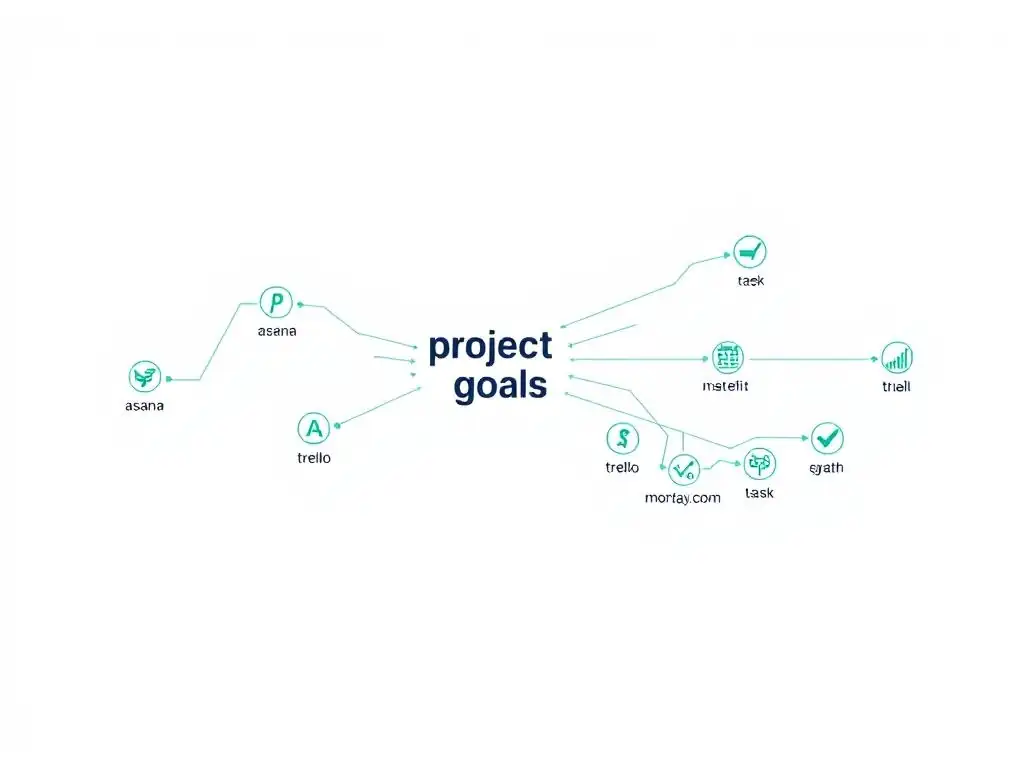
Choosing the best project management tool isn't about picking the most popular option; it's about finding the perfect fit for your unique workflow and project demands. This requires a structured approach, moving beyond superficial comparisons and delving into the core functionalities that directly impact your time management. The "Best project management tools time" aren't a monolithic entity; they're diverse solutions tailored to different needs. This section provides a framework to guide your selection process, ensuring you invest your time wisely in a tool that truly optimizes your productivity.
Evaluating Key Features and Functionality for Optimal Time Management
Effective project management hinges on several crucial features. Before committing to a specific tool, rigorously assess its capabilities in the following areas:
- Task Management: Does the tool allow for detailed task creation, assignment, prioritization (using methods like the Eisenhower Matrix), and dependency tracking? Can you easily break down large projects into smaller, manageable tasks? Look for features like subtasks, custom fields for adding context, and progress tracking visualizations. For example, a Gantt chart can be invaluable for visualizing project timelines and dependencies. Consider whether the tool supports Kanban boards, which are visually appealing and effective for managing workflow.
- Collaboration and Communication: Seamless collaboration is vital. Does the tool offer robust communication features? Does it facilitate real-time chat, file sharing, and @mentions for efficient team communication? Can you easily assign tasks and track progress in a shared space? Effective communication directly reduces time wasted on clarification and misunderstandings.
- Reporting and Analytics: Data-driven decision-making is key to optimizing time management. The ability to generate insightful reports on project progress, task completion rates, and team performance is crucial. Look for tools that provide customizable dashboards and reports that allow you to track key performance indicators (KPIs) and identify bottlenecks. This feature helps you understand where time is being spent and make informed adjustments.
- Integration with Other Tools: Seamless integration with other applications you regularly use (e.g., email clients, calendars, communication platforms) is essential. A fragmented workflow can significantly impact efficiency. Check for integrations with tools like Google Calendar, Slack, or other commonly used software in your professional environment.
Considering Budget and Scalability for Long-Term Efficiency
While functionality is paramount, the financial implications and scalability of a project management tool are equally significant for long-term efficiency.
- Pricing Models: Examine the various pricing models offered—per-user, per-project, or tiered plans. Carefully evaluate which model best aligns with your current needs and projected growth. Consider the cost-benefit ratio: a slightly more expensive tool might offer features that save significantly more time in the long run. Some tools offer free plans for smaller teams or projects, allowing you to test the software before committing financially.
- Scalability: As your projects and team grow, will the chosen tool be able to adapt? Can it handle an increasing number of users, projects, and data without compromising performance? A scalable solution avoids the need to switch tools as your business expands, preventing time-consuming migrations and retraining. Consider the potential for future growth when making your selection. This proactive approach prevents costly and time-consuming transitions later.
- Support and Training: Access to reliable customer support and comprehensive training resources is crucial, especially when dealing with new software. Look for tools that offer readily available support documentation, tutorials, and potentially live chat or phone support to address any issues promptly. This reduces time spent troubleshooting and ensures a smoother onboarding process for your team. A robust support system minimizes downtime and maximizes productivity.
Choosing the right project management tool is an investment in your time and efficiency. By carefully evaluating features, budget, and scalability, you can select a solution that empowers you to achieve more, faster, and smarter. Remember, the "best" tool is the one that best suits your specific needs and workflow.
Project Management Tools and Time Optimization: Maximizing Your ROI
This section delves into the crucial aspect of measuring the effectiveness of project management tools in saving time and ultimately, maximizing your return on investment (ROI). Choosing the best project management tools time isn't just about selecting a popular platform; it's about understanding how it contributes to your bottom line. We'll explore practical methods to quantify these benefits and demonstrate the tangible value these tools offer.
Measuring the Impact of Project Management Tools on Time Savings
Accurately measuring time savings requires a structured approach. Before implementing any new project management software, establish a baseline. This involves tracking your current time allocation across various project tasks. Use a time-tracking app or a simple spreadsheet to record the time spent on each activity for a representative period (e.g., two weeks). Be meticulous; include everything from meetings and email communication to actual task completion.
After implementing your chosen project management tool, repeat the time tracking process for a similar period. Compare the "before" and "after" data to pinpoint specific areas where time savings occurred. For example:
| Task Category | Time Spent Before (hours) | Time Spent After (hours) | Time Saved (hours) | Percentage Improvement |
|---|---|---|---|---|
| Task Planning | 15 | 8 | 7 | 47% |
| Task Execution | 40 | 30 | 10 | 25% |
| Communication/Meetings | 10 | 5 | 5 | 50% |
| Total | 65 | 43 | 22 | 34% |
This table clearly illustrates the time saved across different project phases. Remember to consider both direct and indirect time savings. Direct savings are the obvious reductions in time spent on specific tasks. Indirect savings might include reduced rework due to improved collaboration and clarity, or less time spent chasing information. Don't underestimate the value of these less tangible benefits! The overall percentage improvement is a key metric reflecting the tool's efficiency in optimizing your best project management tools time.
Calculating the Return on Investment (ROI) of Project Management Software
Calculating the ROI of your project management software requires converting the time savings into monetary value. This involves assigning a cost to your time (or your team's time). This could be your hourly rate, your salary divided by working hours per year, or a project-specific hourly rate.
Let's assume, based on the table above, that your hourly rate is $50. The total time saved over the measured period is 22 hours. Therefore, the direct monetary savings are 22 hours * $50/hour = $1100.
However, the ROI extends beyond direct cost savings. Consider these factors:
- Improved project success rates: A well-managed project is more likely to be completed on time and within budget. Quantify the potential cost overruns avoided thanks to better project visibility and control offered by the software. This could be a significant additional component of your ROI calculation.
- Increased employee productivity: Happy and efficient employees are more productive. The software's contribution to reducing stress and improving workflow can indirectly boost overall team output. This is harder to quantify but should still be considered qualitatively.
- Reduced risk of project failure: The software's ability to identify potential bottlenecks and risks early on can significantly reduce the likelihood of project failure and the associated costs.
The total ROI is the sum of all these benefits (direct cost savings + avoided cost overruns + increased productivity + risk reduction). While some factors are easier to quantify than others, a thorough analysis will provide a clear picture of the value your project management software delivers. By carefully tracking and analyzing these factors, you can demonstrate the tangible return on investment and justify the cost of the best project management tools time for your organization. Remember to regularly reassess your ROI to ensure the software continues to provide value and adapt your strategy as needed.
Frequently Asked Questions
What are the best project management tools for saving time?
Several tools excel at time optimization. Asana, Trello, and Monday.com are popular choices offering features like task management, collaboration tools, and time tracking to boost efficiency. The best choice depends on your specific needs and team size.
How can project management tools improve my efficiency?
Project management tools drastically improve efficiency by centralizing tasks, enhancing collaboration, and providing clear overviews of project progress. This minimizes wasted time on searching for information or coordinating with team members.
Are these tools suitable for both individuals and teams?
Yes, absolutely! Many project management tools cater to both solo users and large teams. While some features might be more relevant to teams (like collaborative editing), the core functionality of task management and organization benefits everyone.
Do I need to be tech-savvy to use these tools?
Most project management tools boast user-friendly interfaces designed for ease of use. While learning the initial features takes some time, the intuitive design of many platforms makes them accessible to users of all technical skill levels.
How can I choose the right project management tool for my needs?
Consider factors like budget, team size, required features, and integration capabilities with other software you use. Many tools offer free trials, allowing you to test them before committing to a paid subscription. Start by identifying your key needs and then explore the options that best fit.
Final Reflection: Mastering Time, Mastering Projects
The relentless pace of modern life demands efficiency, and effective project management is no longer a luxury but a necessity. The tools discussed in this article – from sleek, intuitive interfaces to powerful, feature-rich platforms – represent a crucial shift in how we approach productivity. They aren't just software; they're strategic partners in conquering our to-do lists and achieving ambitious goals.
The impact of streamlined project management extends far beyond individual productivity; it shapes entire industries and work cultures. The ability to collaborate seamlessly, track progress transparently, and ultimately deliver projects on time and within budget has become a defining factor in success. Time is the most valuable asset we have, and project management tools are the key to unlocking its full potential.
This simple truth underscores the profound influence these tools have on our professional and personal lives, allowing us to reclaim our time and focus on what truly matters.
Now, consider your own workflow. What aspects could benefit from the strategic implementation of a project management tool? I encourage you to experiment, explore the options outlined in this article, and discover the one that best aligns with your needs and style. Don't just manage your projects; master your time. The journey to increased productivity and a more fulfilling life begins with a single, well-planned step.
Unleash Your Productivity: Take Control of Your Projects Now!
Thank you for exploring project management tools with us! We hope you feel empowered to tackle your to-do list and achieve more than ever before. Ready to put your new knowledge into practice?
- Start with one new tool: Choose a project management system from the article that appeals to you and begin using it, even for a small project. This is the key to boosting your productivity.
- Share your best tip: Do you have a favorite time-saving project management technique? Share it with our community in the comments! Let's learn from each other.
- Expand your knowledge: Deepen your understanding of project management through online tutorials or webinars.
What project will you tackle next, and which tool will you use to succeed?