
Transform Your Workflow: MustHave Project Management Tools for Ultimate Productivity


Welcome to UltimateLifeHacks, your gateway to a more efficient and fulfilling life! Are you struggling to juggle multiple projects and feeling overwhelmed? Discover how to reclaim your time and boost your productivity with our expert guide on the Best project management tools for ultimate productivity. We'll unveil the secrets to streamlined workflows and reveal the tools that will transform your daily routine. Ready to unlock your full potential? Let's dive in!
- Choosing the Best Project Management Tools for Productivity
-
Top Project Management Tools for Enhanced Productivity
- Asana: Streamlining Teamwork and Task Management for Optimal Efficiency
- Trello: Visualizing Projects and Boosting Team Collaboration for Peak Productivity
- Monday.com: Intuitive Project Management for Enhanced Workflow and Results
- Notion: A Versatile Workspace for Project Management and Beyond
- Jira: Powerful Project Tracking for Agile Development and Complex Projects
- Maximizing Productivity with the Right Project Management Tool
- Beyond the Tools: Essential Project Management Strategies for Success
- Choosing the Best Project Management Tool for Your Specific Needs: A Decision Framework
- Frequently Asked Questions
- Final Reflection: Mastering Your Workflow, Mastering Your Time
- Unlock Your Productivity: Master Your Workflow Today!
Choosing the Best Project Management Tools for Productivity
Transforming your workflow into a well-oiled, productivity-enhancing machine requires more than just good intentions; it demands the right tools. This article dives deep into the world of project management software, exploring the best options to boost your efficiency and conquer even the most complex projects. We'll guide you through the process of selecting the perfect tool for your needs, considering factors like budget, collaboration features, and reporting capabilities.
By the end, you'll be equipped to choose the project management software that will truly maximize your productivity and help you achieve your goals faster and more effectively. This guide focuses on helping you find the best project management tools for productivity, ensuring you select the software that best aligns with your individual workflow and project requirements. Let's get started on your journey to ultimate productivity!
Understanding Your Project Management Needs: A Crucial First Step
Before diving into the vast ocean of project management software, it's crucial to understand your specific needs. What type of projects do you typically manage? Are they simple tasks, complex multi-stage projects, or a mix of both? The answer to this question will significantly impact your choice of software.
Consider these key questions:
- Team size: Are you working solo, or do you need a tool that facilitates seamless collaboration with a large team? Larger teams often require more robust communication and task assignment features.
- Project complexity: Do your projects involve intricate workflows, multiple dependencies, and various stakeholders? Complex projects necessitate tools with advanced features like Gantt charts, Kanban boards, and resource allocation capabilities.
- Industry specifics: Certain industries have specific requirements. For example, software development projects often benefit from tools with integrated version control and bug tracking.
- Integration needs: Does your chosen tool need to integrate with other existing software like your CRM, calendar, or communication platforms? Seamless integration streamlines your workflow and avoids data silos.
Failing to thoroughly assess your needs can lead to choosing a tool that's either too simplistic or overly complex, ultimately hindering your productivity rather than boosting it. Take the time to honestly evaluate your workflow and project requirements; it’s the foundation for selecting the best project management tools for productivity.
Identifying Key Features: Collaboration, Task Management, Reporting, and More
Once you understand your needs, it's time to identify the key features you require in a project management tool. This section focuses on some of the most important features to consider when choosing software to optimize your workflow and help you achieve peak productivity.
Here's a breakdown of essential features:
- Task Management: Look for tools that allow for clear task creation, assignment, prioritization, and tracking of progress. Features like subtasks, dependencies, and deadlines are essential for effective task management.
- Collaboration: Effective collaboration tools are crucial for team projects. Features like shared workspaces, real-time communication, and file sharing are key for seamless teamwork.
- Reporting and Analytics: Robust reporting tools provide valuable insights into project progress, identifying potential bottlenecks and areas for improvement. Clear visualizations of data are key for effective project monitoring.
- Calendar and Scheduling: Integrated calendars and scheduling features help visualize project timelines and deadlines, ensuring projects stay on track and prevent scheduling conflicts.
- Customization: The ability to customize workflows and dashboards to match your specific needs is a significant advantage. Flexibility allows for tailoring the software to your unique working style.
Choosing a tool with a comprehensive suite of features tailored to your specific needs will greatly impact your efficiency and overall productivity. Remember, the best project management tools for productivity are those that seamlessly integrate into your existing workflow.
Budget Considerations: Free vs. Paid Project Management Software
The cost of project management software varies significantly, ranging from free options to expensive enterprise solutions. Choosing the right pricing tier depends heavily on your budget and the scale of your projects.
Let's consider the pros and cons:
| Feature | Free Software | Paid Software |
|---|---|---|
| Cost | Zero upfront cost | Recurring subscription fees or one-time purchase |
| Features | Limited functionality | Extensive features and functionalities |
| Support | Limited or no customer support | Dedicated customer support |
| Scalability | Often not suitable for large teams or projects | Can handle large teams and complex projects |
| Customization | Limited customization options | Advanced customization options |
Carefully weigh the benefits of each option against your budget and project requirements. While free tools can be suitable for small, simple projects, more complex projects often necessitate the advanced features and support offered by paid solutions. Ultimately, the best project management tools for productivity are those that provide the right balance of features and affordability for your specific situation. Remember to factor in the long-term cost-benefit analysis.
Top Project Management Tools for Enhanced Productivity
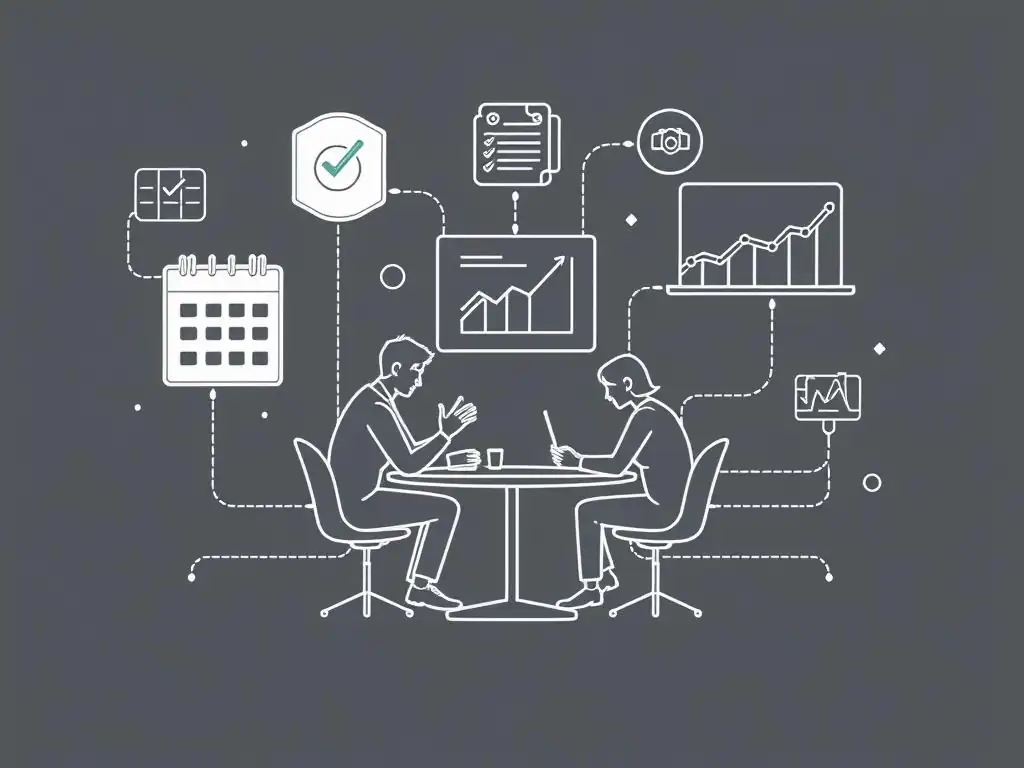
This section dives deep into three leading project management tools renowned for boosting productivity. We'll explore their core features, highlighting how they contribute to streamlined workflows and improved team collaboration. Choosing the best project management tool depends heavily on your specific needs and team dynamics, but understanding the strengths of each is crucial for making an informed decision. This analysis focuses on their impact on achieving best project management tools productivity.
Asana: Streamlining Teamwork and Task Management for Optimal Efficiency
Asana excels at centralizing tasks and communication within teams. Its intuitive interface makes it accessible to users of all technical skill levels, promoting widespread adoption and minimizing the learning curve. Asana's strength lies in its ability to break down complex projects into manageable subtasks, assigning responsibilities and setting deadlines with ease.
Asana offers a robust suite of features designed for best project management tools productivity:
- Task assignment and prioritization: Easily assign tasks to team members, set due dates, and prioritize tasks based on urgency and importance. The visual representation of progress makes it simple to track individual and overall project timelines.
- Progress tracking and reporting: Real-time progress tracking allows for proactive identification of potential bottlenecks. Comprehensive reporting features provide valuable insights into team performance and project efficiency. This data-driven approach is key to continuous improvement and maximizing productivity.
- Communication and collaboration: In-app communication features, including comments and direct messaging, reduce reliance on external platforms and keep all project-related discussions centralized. This streamlines communication and prevents information silos, significantly improving efficiency.
For example, a marketing team using Asana could effectively manage the launch of a new product. Each team member (content writer, graphic designer, social media manager) would have clearly defined tasks within a project, enabling seamless collaboration and timely completion. The progress tracking features would highlight any delays, allowing for swift intervention and preventing project slippage.
Trello: Visualizing Projects and Boosting Team Collaboration for Peak Productivity
Trello utilizes a Kanban-style board system, offering a highly visual approach to project management. This visual representation makes it incredibly easy to grasp the current status of projects at a glance. Its simple drag-and-drop interface facilitates intuitive task management and workflow adjustments, making it a favorite among teams seeking a user-friendly yet effective solution.
Trello's contribution to best project management tools productivity is largely due to its:
- Visual workflow management: The Kanban boards provide a clear overview of the project lifecycle, from planning to completion. This visual clarity enhances understanding and facilitates efficient task management.
- Flexible customization: Trello's highly customizable nature allows teams to tailor the system to their specific needs and preferences. This adaptability is crucial for seamless integration into diverse workflows.
- Powerful integrations: Trello integrates with numerous other productivity tools, expanding its functionality and streamlining workflows. This integration capability is a key factor in its effectiveness and broad appeal.
Imagine a software development team using Trello. They can create separate columns representing different stages of development (e.g., "To Do," "In Progress," "Testing," "Done"). Each card represents a specific task or bug fix, allowing the team to visually track progress and identify any bottlenecks instantly. This visual representation fosters transparency and accountability, promoting efficient collaboration and faster project completion.
Monday.com: Intuitive Project Management for Enhanced Workflow and Results
Monday.com boasts a highly intuitive interface and a wide array of features designed for complex projects and large teams. Its versatility allows it to adapt to various project management methodologies, catering to diverse organizational needs and preferences. The platform's focus on automation and customization contributes significantly to improving best project management tools productivity.
Monday.com's key features enhancing productivity include:
- Automation features: Automate repetitive tasks, such as assigning tasks based on criteria or sending notifications upon task completion. This automation frees up valuable time for more strategic work.
- Customizable dashboards: Create personalized dashboards to track key metrics and project progress. This customized approach ensures that relevant information is readily available, facilitating informed decision-making.
- Extensive integrations: Seamless integration with other popular tools enhances functionality and streamlines workflows. This avoids the need for constant context switching between different applications.
A large-scale construction project, for instance, could leverage Monday.com's capabilities to manage multiple teams, track material deliveries, and monitor progress across various phases. The automation features could streamline repetitive reporting tasks, while customizable dashboards would provide a real-time overview of the entire project's status, enabling proactive management and preventing potential delays. This structured approach contributes to significant improvements in efficiency and project delivery.
Notion: A Versatile Workspace for Project Management and Beyond
Notion has rapidly become a favorite among professionals seeking a highly customizable and versatile workspace. Its strength lies in its adaptability; it's not just a project management tool, but a comprehensive platform for note-taking, wikis, databases, and more. This makes it ideal for individuals and teams who need a central hub for all their work-related information. For project management specifically, Notion offers several key features. You can create Kanban boards to visualize workflows, assign tasks with deadlines and collaborators, and track progress visually.
The database functionality allows for powerful customization, enabling you to create unique project views tailored to your specific needs. For example, you could create a database to track marketing campaigns, complete with budget allocation, deadlines, and key performance indicators (KPIs). Furthermore, Notion's collaborative features facilitate seamless teamwork, allowing multiple users to contribute and update information simultaneously. The ability to integrate with other apps expands its functionality further, strengthening its position as a central hub for managing various aspects of a project.
Its intuitive interface, combined with its powerful features, makes Notion a strong contender for the title of "best project management tool for productivity," especially for those who value flexibility and customization. Notion's free plan offers a good starting point, allowing users to explore its capabilities before upgrading to a paid plan for enhanced features and storage. The learning curve is relatively gentle, with plenty of online resources available to help users master its intricacies. Ultimately, Notion's versatility and robust feature set make it a compelling choice for individuals and teams looking to streamline their workflow and boost overall productivity.
Jira: Powerful Project Tracking for Agile Development and Complex Projects
Jira, a product of Atlassian, is a heavyweight champion in the project management arena, particularly well-suited for agile development teams and complex projects. While its interface might seem initially daunting, its power lies in its deep functionality and robust features designed for meticulous project tracking. Jira excels in managing large-scale projects with numerous interconnected tasks and dependencies. Its core strength is its ability to seamlessly integrate with other Atlassian products, such as Confluence (for documentation) and Bitbucket (for code repositories), creating a cohesive ecosystem for software development teams. The use of sprints, Kanban boards, and scrum boards allows for efficient workflow management within an agile framework.
Jira's issue tracking system is unparalleled, enabling teams to meticulously document bugs, feature requests, and other project-related issues, ensuring nothing falls through the cracks. This granular level of detail is crucial for maintaining transparency and accountability within large teams. Jira's customizable workflows allow teams to tailor the system to their specific needs, defining statuses, transitions, and notifications to fit their unique processes. Advanced features, such as roadmaps and reporting dashboards, provide valuable insights into project progress, enabling proactive identification and mitigation of potential roadblocks.
While the initial learning curve might be steeper than some other tools on the market, the comprehensive training resources and extensive community support available make it manageable. Jira's pricing model is tiered, offering various options to cater to different team sizes and needs. For teams working on complex software projects or requiring robust issue tracking, Jira's powerful features and agile integrations make it a top contender for the title of "best project management tool for productivity". The investment in time and resources to learn Jira is often repaid many times over by the increased efficiency and improved project outcomes it facilitates.
Maximizing Productivity with the Right Project Management Tool
Choosing the right project management tool is crucial for maximizing your productivity. The best tool isn't a one-size-fits-all solution; the ideal choice depends heavily on your specific needs, team size, project complexity, and budget. Factors to consider include ease of use, collaboration features, integration capabilities with other software you already use, and the types of reporting features offered.
A powerful tool can streamline workflows, improve communication, and ultimately lead to significant gains in efficiency. However, a poorly chosen tool can add complexity and hinder productivity, so careful consideration is paramount. The ultimate goal is to find a project management solution that seamlessly integrates into your existing workflow, enhancing it rather than creating additional burdens.
Think about how many hours per week you currently spend on project management tasks – even a modest reduction in this time represents a significant boost to your overall productivity. This translates directly into more time for focused work on high-impact activities, and ultimately, greater success in achieving your goals.
Integrating Project Management Tools with Your Existing Workflow
Successfully integrating a new project management tool requires a strategic approach. Simply introducing the software isn't enough; you need to ensure seamless integration with your existing systems and processes. This might involve migrating existing data, training your team on the new software, and adjusting existing workflows to take full advantage of the tool's capabilities. Consider the following steps for a smooth transition:
- Data Migration: Carefully plan how you will transfer existing project data into the new system. This could involve manual entry, automated imports, or a combination of both. The goal is to minimize disruption and ensure data accuracy.
- Team Training: Invest time in comprehensive training for your team. Ensure everyone understands the tool's features and how to use them effectively. Regular check-ins and ongoing support can help address any challenges that arise.
- Workflow Optimization: Analyze your current workflows and identify areas where the new tool can improve efficiency. This might involve adjusting task assignments, communication channels, or reporting procedures. Don't be afraid to experiment and iterate to find what works best.
- Integration with Existing Tools: Explore how the project management tool integrates with other software you regularly use, such as email clients, communication platforms, or CRM systems. Seamless integration minimizes context switching and improves overall workflow.
For example, imagine a marketing team using a spreadsheet for campaign tracking. Switching to a project management tool allows for better task assignment, progress tracking, and collaborative note-taking, all within a centralized platform. This eliminates the need to constantly update and share spreadsheets, saving valuable time and reducing the risk of errors.
Optimizing Task Management: Prioritization, Delegation, and Time Blocking
Effective task management is the cornerstone of project success. A good project management tool facilitates prioritization, delegation, and time blocking, all critical elements of maximizing productivity. Let's delve into each:
- Prioritization: Utilize features like task ranking, urgency labels, and dependency mapping to prioritize tasks effectively. Focus on high-impact activities first, ensuring that crucial tasks are completed on time. Many tools offer Kanban boards, which visually represent workflow stages and allow for intuitive prioritization.
- Delegation: Assign tasks to team members based on their skills and availability. Clear task assignments with deadlines and expectations minimize confusion and ensure accountability. The right project management tool simplifies delegation, allowing for easy tracking of individual contributions and overall project progress.
- Time Blocking: Integrate time blocking techniques with your project management system. Schedule specific blocks of time for particular tasks, enhancing focus and minimizing distractions. This structured approach improves time management and allows for more accurate progress estimations.
For instance, a software development team might use time blocking to allocate specific hours for coding, testing, and meetings, ensuring a balanced approach to project development. The project management tool then tracks the progress against these allocated time blocks, providing valuable insights into team efficiency and potential bottlenecks. This data-driven approach allows for proactive adjustments and optimization of the development process.
Leveraging Reporting Features for Data-Driven Decision Making
Project management tools offer robust reporting features that provide valuable insights into project performance. These reports allow for data-driven decision-making, enabling you to identify areas for improvement and optimize your workflows. Key reporting aspects include:
- Progress Tracking: Monitor progress against deadlines, identify potential delays, and proactively address any challenges. Visual representations, such as Gantt charts and progress bars, are particularly helpful in communicating project status to stakeholders.
- Resource Allocation: Analyze resource utilization to identify bottlenecks and optimize team assignments. Understanding where resources are being spent allows for more efficient allocation and prevents overworking individuals or underutilizing others.
- Cost Tracking: Monitor project expenses against budgets, identify cost overruns, and take corrective actions as needed. Detailed cost reports help maintain financial control and ensure projects stay within budget.
By regularly reviewing these reports, you can gain a clear understanding of your team's performance, identify areas needing improvement, and make data-backed decisions to enhance productivity. For example, if reports consistently show delays in a particular phase of a project, you can analyze the root cause and implement changes to prevent similar delays in future projects. This iterative process of data analysis and improvement is crucial for continuous optimization and maximizing the "best project management tools productivity" potential.
Boosting Team Collaboration and Communication
Effective project management hinges on seamless team collaboration and clear communication. The right tools can significantly enhance these crucial aspects, transforming potentially chaotic workflows into streamlined, efficient processes. Many modern project management tools offer integrated communication features, minimizing the reliance on disparate platforms like email and instant messaging. This centralized approach reduces the risk of miscommunication and ensures everyone remains informed and on the same page.
For example, consider a marketing team launching a new product. Using a tool with built-in chat functionality, file sharing, and task assignment features allows the team to discuss campaign strategies, share design assets, and track individual responsibilities within a single interface. This prevents crucial updates from getting lost in email threads or overlooked in separate messaging apps. The result is a more focused, productive team, better equipped to handle the complexities of a product launch.
The benefits extend beyond simple communication. Features like shared calendars and progress tracking offer real-time visibility into project status. Team members can monitor deadlines, identify potential roadblocks, and proactively address issues before they escalate. This proactive approach significantly reduces the likelihood of project delays and minimizes the frustration associated with information silos. Real-time updates and notifications keep everyone informed, fostering a sense of shared responsibility and accountability.
Furthermore, these tools often incorporate features designed to improve the quality of communication. For instance, some platforms allow for threaded comments on tasks, promoting organized discussions and preventing the confusion that can arise from long, unorganized email chains. The ability to assign tasks and set deadlines within the platform also clarifies responsibilities and expectations, minimizing misunderstandings and reducing the need for constant clarification.
The result is a more efficient and harmonious working environment, leading to improved team morale and increased productivity. Selecting a project management tool with robust communication features is a crucial step in optimizing teamwork and boosting overall project success. This translates directly to better "best project management tools productivity" results.
Beyond the Tools: Essential Project Management Strategies for Success

Even the best project management tools are only as effective as the strategies employed alongside them. Choosing the right software is a crucial first step towards maximizing productivity, but true success hinges on implementing robust project management strategies. Ignoring these fundamental aspects can lead to delays, cost overruns, and ultimately, project failure, even with the most sophisticated tools at your disposal. This section focuses on critical strategies that complement the technological aspects of project management, leading to truly optimized workflows.
Effective Communication and Team Alignment for Seamless Project Execution
Effective communication is the bedrock of any successful project. Without clear, consistent, and transparent communication channels, even the most meticulously planned projects can derail. This is especially true in collaborative environments where multiple team members contribute diverse skills and perspectives. Misunderstandings and miscommunication can lead to duplicated efforts, missed deadlines, and ultimately, a less than stellar end product.
Consider these key strategies for enhancing communication and team alignment:
- Establish clear communication protocols: Define preferred communication methods (e.g., email for formal updates, instant messaging for quick questions, regular team meetings for progress reviews) and ensure everyone understands and adheres to them. This minimizes confusion and ensures all important information is disseminated efficiently.
- Utilize project management software effectively: Many tools offer built-in communication features like task comments, shared files, and notification systems. Leverage these features to centralize communication and track conversations related to specific tasks or project phases.
- Promote active listening and feedback: Encourage team members to actively listen to each other's ideas and concerns. Create a culture of constructive feedback where individuals feel comfortable expressing their opinions without fear of judgment. This fosters a collaborative environment where everyone feels valued and heard.
- Regular progress meetings: Schedule regular meetings to discuss progress, address roadblocks, and ensure everyone is on the same page. These meetings should be focused and productive, with clear agendas and defined outcomes. Consider using a visual project management board during these meetings to track progress visually.
Data shows that teams with strong communication practices complete projects 20% faster on average than those with poor communication. Investing in effective communication strategies is not just a "nice-to-have," but a crucial factor influencing project success and overall team productivity. This translates directly to improved efficiency and better utilization of your chosen project management tools.
Proactive Risk Management and Contingency Planning for Unforeseen Challenges
No project is immune to unforeseen challenges. From unexpected technical issues to resource constraints and shifting priorities, various factors can impact project timelines and outcomes. Proactive risk management involves identifying potential problems before they occur and developing strategies to mitigate their impact. This is crucial for maintaining project momentum and preventing costly delays.
Here's how to implement proactive risk management:
- Risk identification: Regularly assess potential risks throughout the project lifecycle. Involve the entire team in this process, leveraging their diverse expertise to identify a wide range of potential issues.
- Risk assessment: Analyze the likelihood and potential impact of each identified risk. Prioritize risks based on their severity and urgency.
- Risk response planning: Develop strategies to mitigate identified risks. These strategies might include developing alternative plans, securing additional resources, or establishing contingency budgets.
- Contingency planning: Create detailed plans for handling unforeseen circumstances. This might involve establishing backup plans for critical tasks, identifying alternative resources, or creating a buffer in the project schedule to account for potential delays.
For example, a software development project might anticipate potential delays due to unexpected bugs. A well-defined contingency plan might involve allocating extra time for debugging, assigning additional developers to critical tasks, or having a backup testing environment ready. This proactive approach prevents minor setbacks from escalating into major project disruptions. Integrating these risk management strategies into your workflow significantly enhances the overall effectiveness of your project management tools.
Continuous Improvement and Process Optimization for Ongoing Productivity Gains
Project management isn't a one-time event; it's an ongoing process. Continuous improvement involves regularly evaluating project performance, identifying areas for optimization, and implementing changes to enhance productivity in future projects. This iterative approach ensures that your project management processes evolve and become more efficient over time.
Here are some key strategies for continuous improvement:
- Post-project reviews: After each project, conduct a thorough review to analyze what worked well, what could be improved, and what lessons were learned. Involve the entire team in this process to gather diverse perspectives.
- Data analysis: Track key project metrics (e.g., time spent on tasks, budget utilization, resource allocation) to identify bottlenecks and areas for improvement. Use data-driven insights to inform decisions regarding process optimization.
- Process automation: Identify repetitive tasks that can be automated to free up time for more strategic activities. Many project management tools offer automation features to streamline workflows.
- Team feedback: Regularly solicit feedback from team members on project processes. Their insights can reveal hidden inefficiencies and suggest improvements that might not be apparent to project managers.
By consistently implementing these strategies, teams can refine their project management processes and achieve continuous productivity gains. This iterative approach ensures that your chosen project management tools are used to their full potential, yielding significant improvements in efficiency and overall project success. The process of continuous improvement is a critical component in maximizing the value of using "Best project management tools productivity."
Measuring Success and Tracking Key Performance Indicators (KPIs)
Defining success in project management isn't simply about completing tasks on time and within budget. It's about achieving the project's overarching goals and delivering tangible value. This requires a robust system for measuring success, and that system hinges on Key Performance Indicators (KPIs). Choosing the right KPIs is crucial; they should directly reflect the project's objectives and provide actionable insights. For example, if the project aims to increase website traffic, a relevant KPI would be the number of unique visitors. If the goal is to improve customer satisfaction, customer satisfaction scores (CSAT) would be a key metric.
Effective KPI tracking involves more than just collecting data; it's about analyzing trends and identifying areas for improvement. Regularly reviewing your KPIs allows you to proactively address potential issues before they escalate into major problems. For instance, a consistent drop in a key metric like customer engagement might signal the need to adjust the project strategy or address a specific element causing dissatisfaction. This proactive approach is key to maximizing productivity and achieving project goals efficiently.
Tools like dashboards can visually represent your KPIs, making it easier to identify trends and anomalies at a glance. Remember to set realistic targets for your KPIs, ensuring they are measurable, achievable, relevant, and time-bound (SMART). This prevents setting unrealistic expectations and allows for accurate progress tracking.
Furthermore, regular reporting on KPIs is essential for transparency and accountability. Sharing your progress with stakeholders ensures everyone is aligned with the project's trajectory and allows for collaborative problem-solving. This open communication fosters a sense of shared ownership and increases the likelihood of project success. The process of tracking and reporting on KPIs shouldn't be viewed as a mere formality; it’s a vital component of continuous improvement and a powerful tool for optimizing future projects.
By continuously analyzing your KPIs, you can refine your project management strategies and consistently improve your efficiency and overall success rate. This iterative approach transforms project management from a reactive process into a proactive, data-driven endeavor. The data you collect informs the next project, making your project management prowess increasingly sharper. Don't underestimate the power of data-driven decision making in project success!
Choosing the Best Project Management Tool for Your Specific Needs: A Decision Framework
Selecting the best project management tool isn't about finding a single "best" option, but rather identifying the tool that best aligns with your unique workflow and project demands. This requires a strategic approach, considering several key factors before committing to a particular platform. Ignoring these crucial aspects can lead to wasted time, inefficient processes, and ultimately, diminished productivity – the very opposite of what you're aiming for! This framework will guide you through the decision-making process to ensure you choose the right tool for your productivity needs.
Evaluating Features and Functionality Based on Your Project Requirements
The core functionality of a project management tool should directly address your project's specific needs. A feature-rich platform might seem appealing, but unnecessary features can lead to confusion and decreased efficiency. Consider these essential features and how they relate to your typical projects:
- Task Management: Does your workflow rely heavily on individual tasks, subtasks, or complex dependencies? Some tools excel at simple task lists, while others offer advanced features like Gantt charts for visualizing project timelines and dependencies. For example, if you manage complex software development projects, a tool with robust dependency tracking is crucial. For simpler projects, a basic task list might suffice.
- Collaboration Features: How important is real-time collaboration for your team? Look for tools with integrated communication features like chat, file sharing, and commenting directly on tasks. Consider whether you need features like @mentions to notify specific team members or approval workflows for critical tasks.
- Reporting and Analytics: Do you need detailed reports on project progress, resource allocation, or team performance? Some tools provide comprehensive dashboards and customizable reports, offering valuable insights into project health and potential bottlenecks. The level of reporting needed will depend on the size and complexity of your projects and the need for data-driven decision-making.
- Integration Capabilities: Does your project management need to integrate with other tools you already use, such as CRM software, communication platforms, or time tracking apps? Seamless integration can significantly enhance workflow efficiency. Consider the specific integrations you need and ensure the project management tool offers compatibility.
Considering Team Size and Collaboration Needs
The optimal project management tool is heavily influenced by team size and the level of collaboration required. A tool suitable for a small team might prove inadequate for a large, distributed workforce.
| Team Size | Recommended Tool Features | Example Considerations |
|---|---|---|
| Small (1-5 people) | Simple task management, basic communication features, shared calendars | Easy-to-use interface, minimal training required, cost-effective |
| Medium (5-20 people) | Robust task management, advanced collaboration features, reporting | Clear roles and permissions, efficient communication channels |
| Large (20+ people) | Comprehensive features, advanced reporting, granular permissions | Scalability, integration with other enterprise tools, dedicated support |
Consider the following aspects of team collaboration:
- Communication Channels: Does your team primarily communicate through email, instant messaging, or video conferencing? The tool should seamlessly integrate with these channels.
- Role-Based Permissions: Do you need different levels of access for different team members? Robust permission management is crucial for larger teams to maintain data security and control.
- Shared Workspaces: Does your team require shared workspaces for document collaboration and file management? The chosen tool should support these functionalities.
Matching Your Budget with Available Options
Project management tools range from free, basic options to expensive enterprise-grade solutions. Your budget should directly influence your selection. Consider these aspects:
- Pricing Models: Many tools offer different pricing tiers based on features, users, and storage. Carefully evaluate the features included in each tier to ensure you're getting the best value for your money.
- Free vs. Paid: Free tools often have limited features and may not be suitable for complex projects or large teams. However, they can be a great starting point for smaller teams or individuals.
- Return on Investment (ROI): Consider the potential benefits of a paid tool in terms of improved productivity, reduced errors, and enhanced collaboration. A higher-priced tool might ultimately save you time and money in the long run. Quantify the potential benefits to justify the investment.
Remember, the “best” project management tool for boosting productivity is a personalized choice. By carefully evaluating your specific needs, team dynamics, and budget, you can choose the tool that will truly optimize your workflow and help you achieve ultimate productivity.
Making the Right Choice for Long-Term Productivity and Success
Selecting the right project management tool isn't just about finding a solution for today's tasks; it's about building a foundation for sustained productivity and future success. A poorly chosen tool can lead to frustration, wasted time, and ultimately, hinder your progress. Conversely, a well-integrated tool becomes an indispensable asset, streamlining workflows and fostering a sense of control and accomplishment. Consider these factors for long-term compatibility:
The initial ease of use is important, but equally crucial is the tool's scalability. Will it adapt to your growing needs? Can it handle increasing project complexity and team size? Look for tools with robust features and customization options that can evolve with your business or personal projects. A tool that feels perfect now might become a bottleneck later if it lacks the capacity to expand with your ambitions.
Think about integration with other tools you already use. Seamless integration with your communication platforms (like Slack or Microsoft Teams), calendar apps, and other productivity software is vital for a smooth workflow. Avoid tools that create silos of information, forcing you to constantly switch between applications. A unified system maximizes efficiency and reduces the risk of missed deadlines or miscommunications.
Finally, consider the tool's long-term cost. While the initial price might seem attractive, factor in ongoing subscription fees, potential add-on costs, and the hidden costs of training and support. A cheaper tool that requires significant time investment for learning and troubleshooting might ultimately prove more expensive than a slightly pricier, more intuitive option. Prioritize user-friendliness and robust support to minimize disruptions and maximize return on investment.
The best project management tools for productivity are those that seamlessly integrate into your existing workflow and support your long-term goals, not just your immediate needs. Investing wisely now will pay dividends in the long run. Choosing a tool that aligns with your long-term vision ensures that it remains a valuable asset, helping you achieve both short-term and long-term objectives.
Frequently Asked Questions
What are the best project management tools for boosting productivity?
Several tools excel, depending on your needs. Asana and Trello are great for visual project tracking, while Monday.com offers robust features for larger teams. Consider your team size and project complexity when choosing.
How can project management tools improve my workflow?
These tools streamline task assignment, collaboration, and progress tracking. They centralize information, reducing confusion and improving communication, ultimately leading to increased efficiency and on-time project delivery.
Are project management tools suitable for solopreneurs?
Absolutely! Even solopreneurs benefit from organized task management and goal setting. Tools like Todoist or TickTick offer simpler interfaces perfect for individual use, improving focus and time management.
What features should I look for in a project management tool?
Essential features include task management, collaboration tools, progress visualization, and reporting capabilities. Consider features like integration with other apps and customizability to fit your specific workflow.
How much do project management tools typically cost?
Pricing varies widely, from free plans with limited features to premium subscriptions offering advanced functionalities. Many providers offer free trials, allowing you to test the tool before committing to a paid plan. Evaluate your budget and needs to find the best value for your money.
Final Reflection: Mastering Your Workflow, Mastering Your Time
The relentless pace of modern life demands efficiency, and effective project management is no longer a luxury but a necessity. The tools discussed in this article represent more than just software; they are keystones to unlocking personal and professional productivity, offering a pathway to a less stressful and more fulfilling existence. Choosing the right tool, tailored to your specific needs, can be the difference between chaotic overwhelm and empowered control.
The impact of streamlined workflows extends far beyond individual productivity; it ripples outwards, affecting team dynamics, project success rates, and even overall workplace morale. The key is not to prioritize what's on your schedule, but to schedule your priorities.
– Stephen Covey. This quote perfectly encapsulates the shift in mindset that effective project management tools facilitate. By consciously choosing and utilizing these tools, we not only improve our own efficiency but contribute to a more productive and collaborative environment for everyone around us. This, in turn, fosters a sense of accomplishment and reduces the pervasive feeling of being constantly behind.
Now, consider your own workflow. What areas feel cumbersome or inefficient? Which tasks consistently drain your energy and time? Take the insights from this article and actively experiment with different project management tools. Don't be afraid to try several before finding the perfect fit. The journey towards mastering your workflow is a personal one, but the rewards – a more balanced life, increased accomplishment, and a renewed sense of control – are undeniably worth the effort. Embrace the power of technology to transform your productivity and unlock your full potential.
Unlock Your Productivity: Master Your Workflow Today!
Thank you for exploring project management tools with us! We hope you discovered some valuable solutions to streamline your workflow and boost your productivity. Ready to take the next step?
- Get Started: Choose the tool that best suits your needs and begin a free trial or set up a basic account. This is the first step towards increased efficiency.
- Share Your Feedback: Let the UltimateLifeHacks community know which tool you chose and why! Share your initial impressions in the comments below – your insights will help others.
- Collaborate with Colleagues: Encourage a coworker to try a new project management tool with you. This provides mutual support and creates a more productive team environment.
What workflow improvement are you most excited to implement?