
The Ultimate Task Management System: Productivity Hacks for Organization


Ready to reclaim your time and conquer your to-do list? At UltimateLifeHacks, we're dedicated to providing you with practical strategies for a more efficient and fulfilling life. Discover the secrets to effortless organization and unlock your peak productivity with our in-depth exploration of the Best task management system. Dive in and learn how to transform your daily routine—you might be surprised by how much you can achieve!
- Choosing the Best Task Management System for Your Needs
- Setting Up Your Chosen Task Management System
- Implementing Effective Task Management Strategies
- Tracking Progress and Refining Your System
- Advanced Task Management Techniques for Peak Productivity
- Maintaining Momentum and Long-Term Success with Your Task Management System
- Frequently Asked Questions
- Final Reflection: Mastering Your Time, Mastering Your Life
- Unleash Your Inner Productivity Powerhouse!
Choosing the Best Task Management System for Your Needs
Mastering your to-do list is the cornerstone of peak productivity. This article explores the crucial elements in selecting the best task management system for your unique needs, helping you transform from overwhelmed to effortlessly organized. Finding the right system isn't about choosing the most popular option; it's about identifying the tools that perfectly align with your individual workflow and goals. We'll delve into various systems, comparing their features, and ultimately guiding you towards building a personalized productivity powerhouse. This comprehensive guide will equip you with the knowledge to choose the best task management system, ultimately maximizing your efficiency and minimizing stress – helping you conquer your day, every day. We'll cover everything from identifying your personal productivity style to understanding the cost-benefit analysis of free versus paid options, ensuring you make an informed decision that truly boosts your productivity. Ready to unlock your ultimate productivity potential? Let's dive in! 🎉
Identifying Your Workflow and Productivity Style
Before diving into the plethora of task management software available, it's crucial to understand your current workflow and productivity style. Are you a list-maker who thrives on ticking off completed tasks? Or do you prefer a more visual approach, perhaps using Kanban boards? Understanding your preferences is paramount to selecting a system that complements, rather than hinders, your natural rhythm.
Consider these questions to better understand your workflow:
- How do you currently manage your tasks? (e.g., notepad, spreadsheet, existing app)
- What are your biggest productivity challenges? (e.g., procrastination, prioritization, forgetting tasks)
- Do you prefer a simple or complex system? A minimalist approach might be ideal if you value simplicity, while a more robust system might be necessary for managing complex projects.
- Do you work solo or collaboratively? Collaborative projects demand systems with features like shared task lists and real-time updates.
- What devices do you primarily use? Ensure the system is compatible with your preferred devices (desktop, mobile, tablet).
Understanding your answers will significantly narrow down your options and guide you towards a system that truly fits your needs. For example, if you're a visual learner, a Kanban-style system might be a better fit than a simple to-do list app. Similarly, if collaboration is key, you'll need a system with robust team features.
Evaluating Different Task Management Software Options
The market offers a vast array of task management software, each with its unique features and strengths. From simple to-do list apps to sophisticated project management platforms, the options can feel overwhelming. To navigate this landscape effectively, consider the following key features:
| Feature | Importance | Example Implementations |
|---|---|---|
| Task Creation & Editing | Essential for adding and modifying tasks | Simple text input, drag-and-drop functionality |
| Prioritization | Crucial for focusing on high-impact tasks | Due dates, priority levels, tagging |
| Project Management | Important for managing complex projects | Kanban boards, Gantt charts, subtasks |
| Collaboration | Essential for teamwork | Shared task lists, real-time updates, comments |
| Reporting & Analytics | Useful for tracking progress and efficiency | Progress bars, completion rates, time tracking features |
| Integrations | Helpful for connecting with other apps | Calendar integration, email integration, file sharing |
| Platform Compatibility | Ensures accessibility across devices | Web, mobile, desktop apps |
By carefully evaluating these features in relation to your identified workflow needs, you can effectively shortlist the most suitable options. Remember to try out free trials or freemium versions before committing to a paid subscription.
Free vs. Paid Task Management Systems: A Cost-Benefit Analysis
The choice between free and paid task management systems often boils down to a cost-benefit analysis. Free systems offer a convenient entry point, often providing basic features sufficient for individual users with simple needs. However, they might lack advanced functionalities like robust collaboration tools, detailed reporting, or seamless integrations.
Paid systems, on the other hand, typically provide a wider range of features, enhanced support, and often better security. The cost, however, needs to be weighed against the potential increase in productivity and efficiency they offer. Consider the value of your time: If a paid system significantly improves your efficiency and reduces wasted time, the investment might be worthwhile. Ultimately, the best choice depends on your individual needs, budget, and the value you place on specific features. Careful consideration of your workflow and project complexity will illuminate the optimal path.
Key Features to Look for in a Task Management System (e.g., collaboration, integrations, mobile accessibility)
Choosing the best task management system hinges on identifying the features crucial to your workflow. A system that works wonders for a solo entrepreneur might be completely inadequate for a large team. Let's delve into some key features to consider:
Collaboration Features: For teams, robust collaboration tools are paramount. Look for systems that allow for seamless task assignment, shared project views, real-time updates, and integrated communication channels. Features like commenting directly on tasks, @mentions for notifications, and file sharing within the task itself significantly boost team productivity. The ability to assign due dates and track progress collectively is also crucial for maintaining project timelines and accountability.
Consider systems offering different permission levels to manage access and maintain data security. For example, some systems allow managers to assign tasks, while others let team members contribute suggestions and updates. This level of granular control is essential for efficient teamwork.
Integrations: A truly effective task management system integrates seamlessly with your existing tools. Consider the software you regularly use: email clients, calendar apps, project management software, communication platforms, etc. A good system will have APIs or integrations with these platforms, avoiding the need to switch between multiple applications.
This integration minimizes context switching, saving valuable time and preventing potential errors caused by data duplication or inconsistencies. For instance, a system that integrates with your email allows you to directly convert emails into tasks, eliminating manual input and reducing the risk of oversight. Similarly, calendar integration helps you schedule tasks directly into your daily schedule, ensuring you allocate sufficient time for each task.
Mobile Accessibility: In today's mobile-first world, accessibility across devices is non-negotiable. The best task management systems provide fully functional mobile apps (iOS and Android) mirroring the desktop experience. This ensures you can access, update, and manage your tasks from anywhere, anytime. This mobility is particularly beneficial for those who work remotely or have unpredictable schedules.
The mobile app should offer all core functionalities, including task creation, editing, prioritization, and progress tracking. A seamless transition between devices is essential, allowing for uninterrupted workflow regardless of the device being used. Think about the features you use most frequently on your desktop – are they equally accessible and user-friendly on the mobile app? This consistency is vital for maintaining productivity on the go.
Other Important Considerations:
Beyond these core features, other factors influence the effectiveness of a task management system. These include:
- Intuitive User Interface (UI) and User Experience (UX): A system should be easy to navigate and understand, regardless of your technical expertise. A clean, intuitive interface minimizes the learning curve and streamlines workflow.
- Customizability: The ability to personalize the system to your specific needs is crucial. This includes features like custom fields, task views, and reporting options. A flexible system adapts to your evolving requirements.
- Security and Data Privacy: Consider the system's security measures to protect sensitive information. Look for features like data encryption, two-factor authentication, and robust access controls.
- Pricing and Scalability: Evaluate the pricing model and ensure the system scales with your needs as your team or project grows. Some systems offer free plans with limited features, while others have tiered pricing based on user count or features. Carefully assess the value proposition against your budget and long-term needs.
- Reporting and Analytics: Access to data and insights is critical for tracking progress, identifying bottlenecks, and improving efficiency. Look for systems that provide comprehensive reporting and analytics capabilities.
By carefully considering these features, you can choose a task management system that significantly enhances your productivity and streamlines your workflow, ultimately helping you achieve your goals more effectively. Remember, the "best" system is the one that best suits your specific needs and preferences.
Setting Up Your Chosen Task Management System
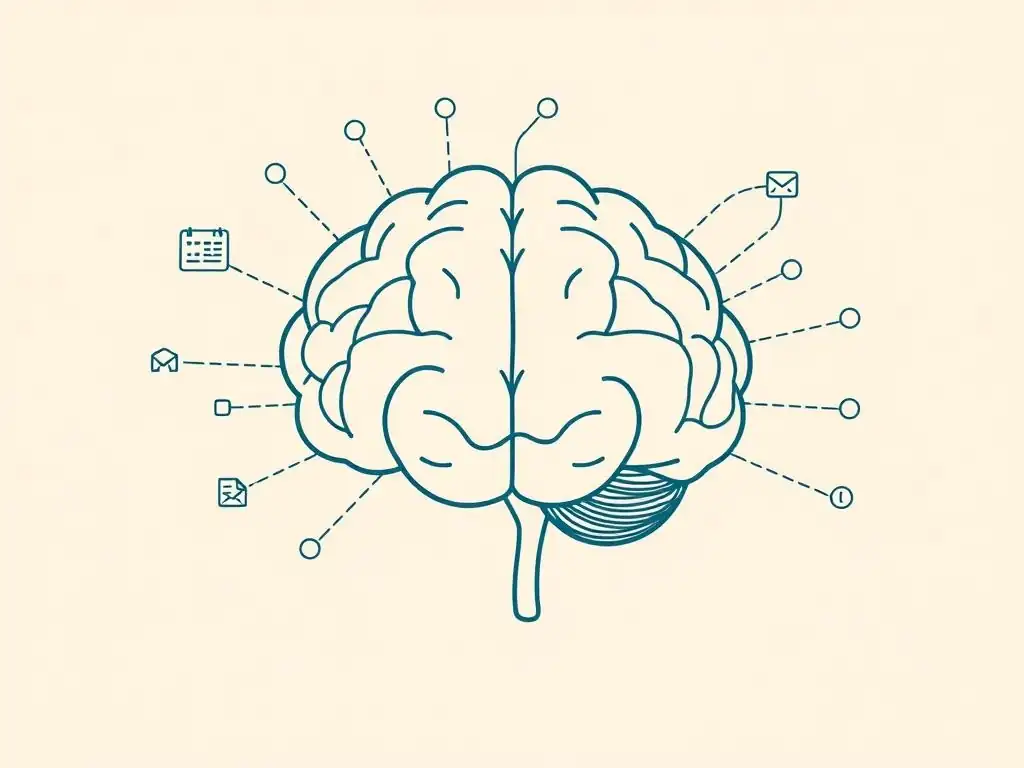
Choosing the right task management system is only half the battle. Successfully implementing it requires careful setup and configuration tailored to your specific needs and workflow. This section focuses on optimizing your chosen system for peak performance, regardless of whether it's a digital tool like Todoist or Asana, or a classic pen-and-paper method. The key to finding the best task management system lies not just in the software itself, but in how effectively you utilize its features.
Optimizing Your System for Maximum Efficiency
The most effective task management systems are those that integrate seamlessly into your existing routines. Avoid overwhelming yourself with complex features you won't use. Instead, focus on mastering the core functionalities that directly support your productivity goals. For example, if you struggle with procrastination, prioritize features that facilitate breaking down large tasks into smaller, more manageable steps. This process, often called "task decomposition," significantly reduces the perceived difficulty and improves your motivation to start and complete tasks.
Consider using features like recurring tasks for routine activities. Setting up weekly or daily reminders for essential tasks like checking emails or exercising eliminates the mental overhead of remembering them. Additionally, experimenting with different notification settings is crucial. Too many notifications can be distracting, while too few can lead to missed deadlines. Finding the optimal balance is key to maximizing efficiency and minimizing stress. Some systems allow for customized notification sounds, which can help you quickly identify the urgency of a particular task.
For digital task managers, take advantage of integrations with other apps. If you use Google Calendar, for instance, linking your task manager can create a unified view of your schedule and deadlines, improving your overall time management. Properly configuring your system is just as crucial as choosing the right one. Don't underestimate the power of a well-organized digital workspace.
Creating Effective Task Categories and Prioritization Methods
Effective categorization and prioritization are fundamental to a successful task management system. Simply listing tasks isn't enough; you need a strategy to organize them meaningfully. A well-structured system should allow you to quickly identify urgent tasks, delegate less important ones, and schedule tasks strategically throughout your day or week.
Consider using a system like the Eisenhower Matrix (urgent/important), categorizing tasks into four quadrants: Do, Decide, Delegate, and Delete. This method helps you prioritize tasks based on their urgency and importance, ensuring you focus on the most critical items first. Another popular method is the MoSCoW method (Must have, Should have, Could have, Won't have), which is particularly useful for project management. This allows for a clearer understanding of which tasks are essential and which can be deferred or eliminated altogether.
Furthermore, employing color-coding or tagging can significantly improve the visual organization of your tasks. This allows for quick visual scanning and identification of tasks based on their nature or priority. For example, you could assign red to urgent tasks, yellow to important but not urgent, and green to low-priority tasks. The visual cues help your brain quickly process and prioritize the information. This visual organizational method is especially beneficial for individuals who are visual learners.
Mastering Task Assignment and Delegation (if applicable)
If your task management system involves teamwork or delegation, mastering this aspect is critical. Clear assignment and delegation processes are essential for efficient collaboration and timely project completion. This requires establishing clear communication channels and utilizing the system's collaboration features effectively.
For example, if you use a shared task management system like Asana or Trello, leverage its features for assigning tasks, setting deadlines, and providing comments. Ensure that responsibilities are clearly defined and that each team member understands their role. Regular check-ins and progress updates are essential to maintain momentum and identify potential roadblocks early on. Consider using a consistent naming convention for tasks and projects to avoid confusion.
A well-defined workflow will minimize misunderstandings and ensure everyone is on the same page. Regular reviews of task assignments and the delegation process will help refine your system over time and improve overall efficiency. Remember, a well-structured, best task management system fosters seamless collaboration and boosts productivity across the team.
Integrating Your Task Management System with Other Tools (Calendar, Email, etc.)
Seamless integration is key to a truly effective task management system. A siloed system, disconnected from your other crucial productivity tools, will quickly become a burden rather than a benefit. The best task management systems offer robust integration options, allowing you to centralize your workflow and avoid context switching.
Consider the importance of linking your task manager with your calendar. This allows you to schedule tasks directly, setting reminders and deadlines within the context of your daily, weekly, or monthly plans. Imagine trying to manage a project launch with separate calendar and task lists – the potential for missed deadlines and scheduling conflicts is significant. A unified system prevents this, providing a single source of truth for your commitments.
Email integration is equally crucial, especially for those who manage their workflow heavily through email. Many task management systems allow you to automatically create tasks from emails, either by forwarding messages or using specific keywords within the email body. This eliminates the manual step of transcribing email requests into your task list, saving valuable time and reducing the risk of overlooking important actions.
For example, if you receive an email requesting a report by Friday, the system could automatically create a task titled "Prepare Report" with a due date of Friday. This automation drastically streamlines your inbox management and ensures nothing falls through the cracks.
Beyond calendars and email, explore integrations with other tools you frequently use. This could include project management software, note-taking applications, or communication platforms. A well-integrated system allows you to manage all aspects of your work from a central hub, fostering improved focus and reduced cognitive overload. For instance, linking your task manager to a project management platform allows you to assign tasks to team members, track progress, and manage dependencies all within the same ecosystem.
This comprehensive approach significantly boosts team collaboration and project efficiency. The ability to seamlessly move tasks between different apps, based on their context and progress, is a powerful feature to look for in your chosen system. This ensures your workflow remains fluid and adaptable to changing priorities. This holistic approach to integration is vital for building a truly best task management system for your needs.
Implementing Effective Task Management Strategies
This section delves into practical strategies for effective task management, crucial for maximizing productivity and achieving your goals. We'll explore techniques to help you organize your workload, prioritize effectively, and maintain focus throughout your day. Finding the best task management system for you involves experimenting with different methods and adapting them to your individual workflow. The key is consistent application and refinement over time. Remember, even the best system won't work if you don't use it!
The Power of Time Blocking and Scheduling for Task Completion
Time blocking is a powerful technique that involves scheduling specific blocks of time for particular tasks. Instead of simply listing tasks, you allocate dedicated time slots for their completion. This approach promotes focused work and prevents task-switching, a major productivity killer. For example, instead of writing "Write report," you'd schedule "Write report: 9:00 AM - 11:00 AM." This creates a sense of urgency and accountability.
Effective time blocking requires realistic estimations. Don't overestimate your capacity! Start with shorter blocks and gradually increase the duration as you become more proficient. Consider incorporating buffer time between tasks to account for unexpected delays or interruptions. This buffer time is crucial for maintaining your workflow and preventing stress.
Regularly review and adjust your schedule based on your progress and changing priorities. The effectiveness of this method significantly improves with practice, so be patient and persistent. The more you use time blocking, the better you will become at estimating time requirements for tasks. This leads to a more accurate and efficient schedule, further improving your productivity.
Prioritizing Tasks Using the Eisenhower Matrix (Urgent/Important)
The Eisenhower Matrix, also known as the Urgent/Important Matrix, is a simple yet effective tool for prioritizing tasks. It categorizes tasks into four quadrants:
| Quadrant | Description | Example | Action |
|---|---|---|---|
| I | Urgent & Important | Crisis, deadline approaching | Do it immediately |
| II | Important, but Not Urgent | Planning, relationship building | Schedule it |
| III | Urgent, but Not Important | Interruptions, some meetings | Delegate it or eliminate it if possible |
| IV | Neither Urgent nor Important | Time wasters, busywork | Eliminate it |
By consistently applying the Eisenhower Matrix, you can focus your energy on high-impact activities (Quadrant I & II) while minimizing time spent on less important tasks (Quadrant III & IV). This strategic prioritization improves efficiency and prevents you from getting bogged down in less crucial activities. Regularly reviewing your task list through this lens ensures that you're always working on what truly matters. The key is to proactively move tasks from Quadrant III and IV to Quadrant II, preventing them from becoming urgent crises. This proactive approach is a cornerstone of effective time management.
Utilizing the Pomodoro Technique for Focused Work
The Pomodoro Technique is a time management method that uses a timer to break down work into intervals, traditionally 25 minutes long, separated by short breaks. Each 25-minute interval is called a "pomodoro." After each pomodoro, you take a short 5-minute break. After four pomodoros, you take a longer break, typically 15-20 minutes.
This structured approach combats procrastination and improves focus. The short, regular breaks prevent mental fatigue and help maintain concentration throughout the workday. The technique encourages mindful work during the pomodoro and intentional rest during the breaks. Experiment with different pomodoro lengths and break durations to find what works best for you. Some individuals find that shorter pomodoros, like 15 minutes, are more effective, while others prefer longer ones.
The key is consistency and finding a rhythm that sustains your focus without leading to burnout. The Pomodoro Technique is a fantastic addition to any best task management system, offering a practical method for maintaining concentration and avoiding burnout. It's a simple yet remarkably effective way to improve focus and productivity. 🍅
Minimizing Distractions and Maximizing Focus During Work Sessions
Minimizing distractions is paramount for effective task management. Our attention spans are finite resources, easily depleted by the constant barrage of notifications and interruptions in the modern world. To truly master a best task management system, you must actively cultivate an environment conducive to deep, focused work. This isn't just about silencing your phone; it's a holistic approach encompassing several key strategies.
One highly effective technique is the Pomodoro Technique. This method involves working in focused bursts of 25 minutes, followed by a 5-minute break. These short, intense work sessions help maintain concentration and prevent burnout. After four Pomodoros, take a longer break of 15-20 minutes. This structured approach allows for regular rejuvenation, preventing mental fatigue and maintaining productivity throughout the day. Experiment with different timings to find what works best for your individual rhythm and concentration levels.
Beyond the Pomodoro Technique, consider implementing physical strategies to minimize distractions. A dedicated workspace, free from clutter and unnecessary items, can significantly improve focus. A clean, organized environment promotes a clear and focused mind. Think about lighting; natural light is often preferred, but ensure your workspace is well-lit to avoid eye strain and fatigue, common distractions that hinder productivity.
Furthermore, actively managing digital distractions is crucial. Turn off non-essential notifications on your computer and phone. Utilize website blockers to prevent yourself from getting sidetracked by social media or other time-wasting websites during your work sessions. Consider using apps designed to minimize distractions, some of which allow you to schedule specific times for accessing certain websites or applications. This planned approach ensures that you are actively controlling your digital environment, rather than being controlled by it.
Finally, remember the importance of mindful breaks. During your breaks, engage in activities that help you relax and recharge. Step away from your computer, stretch, walk around, or practice mindfulness techniques. Avoid checking emails or engaging in other work-related activities during these breaks. These short respites are crucial for maintaining sustained focus and preventing burnout, vital components of a truly effective task management system. By consistently implementing these strategies, you can significantly enhance your focus and significantly improve your overall productivity.
Tracking Progress and Refining Your System
This section focuses on the crucial aspect of continuous improvement within your chosen task management system. A static system won't serve you well in the long run; regular review and adaptation are key to maximizing its effectiveness and truly achieving a "best task management system" for your needs. The ability to track progress and refine your approach is what separates effective task management from mere to-do list creation. Let's explore the key strategies for achieving this.
Regularly Reviewing Your Task Management System for Improvements
Regular review isn't just about checking off boxes; it's a deep dive into the mechanics of your system. Think of it as a performance review for your own productivity. Schedule dedicated time, perhaps weekly or bi-weekly, to assess your system's effectiveness. Consider these questions:
- Is my system truly reflecting my priorities? Are the most important tasks consistently at the forefront? Are less urgent tasks appropriately prioritized?
- Am I utilizing all the features of my chosen system? Many task management tools offer features like subtasks, dependencies, recurring tasks, and custom fields. Are you leveraging these to their full potential? Underutilization is a common productivity pitfall.
- Are there any recurring bottlenecks or frustrations? Identifying consistent roadblocks will pinpoint areas needing adjustment. This might involve changing your workflow, adding new categories, or even switching to a different system entirely.
- How accurately does my system predict my workload? If your estimations consistently fall short, you need to recalibrate your time management techniques within the system. This might involve more granular task breakdown or more realistic time allocation.
- What aspects of my current system are working exceptionally well? Recognizing successes helps you reinforce positive habits and maintain momentum.
Consider using a simple checklist to guide your reviews: ✅ Review task completion rates. ✅ Analyze time spent on each task category. ✅ Identify recurring issues. ✅ Evaluate system efficiency. ✅ Plan adjustments for the next cycle.
Analyzing Completed Tasks to Identify Areas for Optimization
Analyzing past successes and failures provides invaluable insights. Don't just focus on what you completed, but how you completed it. Did you encounter unexpected roadblocks? Were your time estimates accurate? Were there any tasks that could have been streamlined?
For example, let's say you consistently overestimate the time needed for email management. Analyzing completed tasks might reveal that unsubscribing from irrelevant newsletters or implementing a stricter email-checking schedule could significantly improve your efficiency. This data-driven approach allows for continuous improvement, transforming your task management system into a finely-tuned productivity engine.
You can track this information in a simple spreadsheet or within your task management software itself, if it offers reporting features. Key metrics to track include: average task completion time, task completion rate, and the frequency of task delays. This data will illuminate areas for improvement and help you fine-tune your approach.
Adapting Your System to Changing Needs and Priorities
Life is dynamic; your task management system should be equally adaptable. What worked flawlessly last month might be completely ineffective next month. This is especially true in professional settings where projects evolve, priorities shift, and new responsibilities arise.
Regularly assess whether your system still aligns with your current goals and priorities. Are you working on a new project requiring a different approach? Has your workload significantly increased or decreased? Have your personal circumstances changed, impacting your available time and energy?
Adapting your system might involve adding new categories, adjusting priorities, modifying your workflow, or even exploring alternative task management methodologies. Flexibility is key; rigidity will only hinder your progress. Remember, the "best task management system" is the one that best adapts to your evolving needs and helps you achieve your goals consistently. Embrace change, and your productivity will flourish.
Measuring Your Productivity Gains with Your New Task Management System
Implementing a new task management system is only half the battle. To truly understand its effectiveness and ensure ongoing improvement, you need a robust system for measuring your productivity gains. This isn't just about ticking off boxes; it's about quantifying the impact on your overall workflow and identifying areas for refinement. A crucial first step is establishing baseline metrics.
Before you even begin using your new system, take a week or two to track your existing productivity levels. This could involve noting the number of tasks completed daily, the time spent on each task, and the overall number of unfinished tasks remaining at the end of each day. This baseline provides a crucial benchmark against which you can compare your performance after implementing your new system.
Once you've established your baseline, start using your new task management system. Continue tracking your productivity metrics, using the same methods as before. After a trial period – perhaps a month – compare your new data to your baseline. Look for quantifiable improvements. Did you complete more tasks? Did your average task completion time decrease?
Did you experience a reduction in unfinished tasks? These are all key indicators of success. Don't just look at the overall numbers; also analyze individual task categories. For example, if you manage projects, compare project completion times before and after the system change. If you focus on individual tasks, note whether your daily or weekly task counts have increased.
Remember, the goal isn't simply to see improvement; it's to understand why you're seeing improvement (or lack thereof). If your productivity has increased significantly, analyze what aspects of the new system contributed most to this success. Did the prioritization features help? Did the visual organization of tasks make a difference? Understanding these contributing factors allows you to refine your system and optimize it further.
Conversely, if you haven't seen the expected improvements, don't be discouraged. Analyze your data carefully to pinpoint potential bottlenecks or areas for improvement within your system. Perhaps certain features aren't being used effectively, or the system's structure doesn't align perfectly with your workflow. This analysis is crucial for iterative refinement.
Finally, consider incorporating qualitative feedback. Alongside the quantitative data, reflect on your experience. How does the system impact your stress levels? Does it feel more intuitive and efficient?
This subjective feedback provides valuable context and can highlight areas that might not be apparent in the numbers alone. Regularly reviewing both quantitative and qualitative data, and making adjustments as needed, is key to building a truly effective and personalized task management system. This iterative approach ensures your system remains a powerful tool for maximizing your productivity over the long term. The best task management system is one that constantly adapts to your needs and evolves alongside your productivity journey.
Advanced Task Management Techniques for Peak Productivity
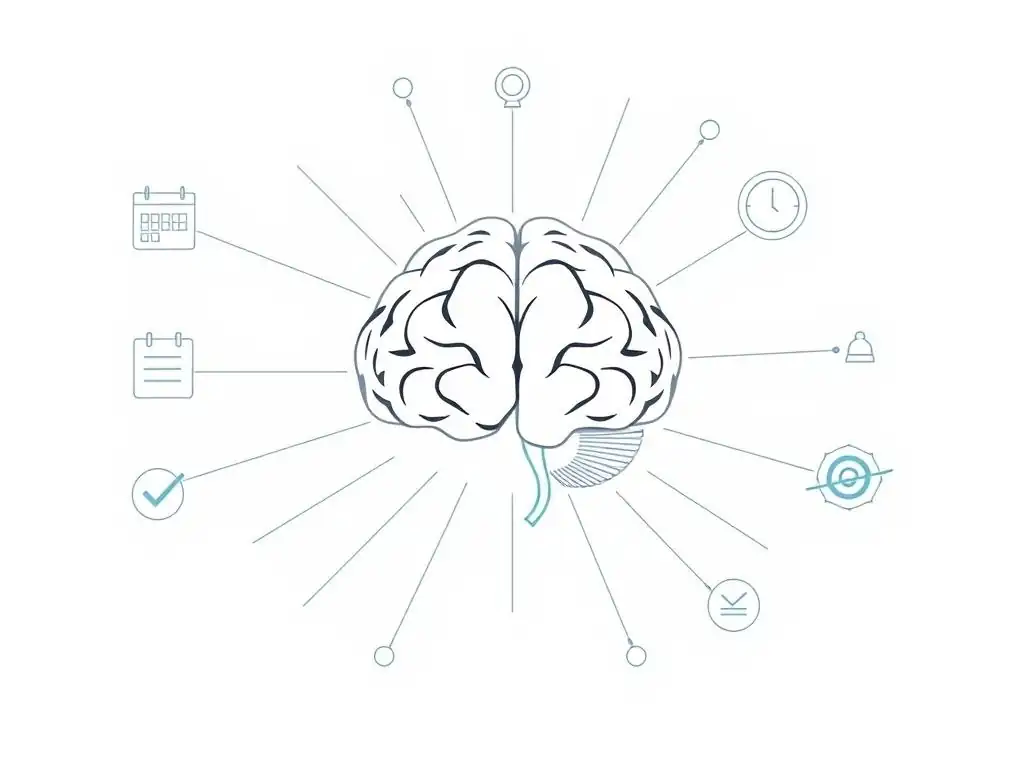
This section delves into sophisticated task management strategies that go beyond basic to-do lists, helping you achieve peak productivity and master your workflow. We'll explore proven methods to visualize your tasks, implement robust methodologies, and leverage technology to automate repetitive actions, ultimately optimizing your "Best task management system."
Utilizing Kanban Boards for Visual Task Management
Kanban, originating from Toyota's manufacturing processes, offers a powerful visual approach to task management. It's particularly effective for managing projects and workflows involving multiple tasks and collaborators. The core principle involves visualizing your workflow using a board divided into columns representing different stages of a task's lifecycle: "To Do," "In Progress," "Review," and "Done." Each task is represented by a card, moved across the board as its status changes.
This visual representation provides several key benefits:
- Improved Workflow Visibility: The entire team (or even just you) can instantly see the status of every task, identifying bottlenecks and potential delays proactively.
- Enhanced Collaboration: Kanban boards facilitate seamless collaboration, making it easy to understand individual contributions and overall project progress.
- Reduced Work-in-Progress (WIP): By limiting the number of tasks in progress simultaneously, Kanban helps prevent context switching and improves focus, leading to faster task completion.
- Increased Efficiency: The visual nature of Kanban makes it easy to prioritize tasks, identify dependencies, and manage resources effectively.
Consider this example: You're managing a website redesign project. Tasks like "Design Homepage," "Develop Navigation Menu," and "Write Content for About Us" are represented as cards, moving from "To Do" to "In Progress" to "Review" and finally "Done." The visual progress tracking helps ensure timely completion and prevents tasks from falling through the cracks. This approach significantly contributes to building the best task management system for your needs.
Implementing the Getting Things Done (GTD) Methodology
The Getting Things Done (GTD) methodology, developed by David Allen, provides a comprehensive framework for managing personal and professional tasks. Its core principle is to capture every task, project, and idea, then process them systematically to achieve clarity and control. GTD involves several key steps:
- Capture: Collect all tasks, big or small, using a trusted system (e.g., a notebook, digital app).
- Clarify: Review each item, deciding whether it's actionable, deletable, or deferrable.
- Organize: Categorize actionable items into projects, next actions, and waiting lists.
- Reflect: Regularly review your system to ensure everything is up-to-date and relevant.
- Engage: Focus on the next actionable steps, prioritizing tasks based on context and importance.
GTD's strength lies in its systematic approach to task management. It helps prevent overwhelm by breaking down complex projects into manageable steps, clarifying priorities, and providing a clear path to completion. Employing GTD consistently contributes to a more efficient and less stressful workflow, helping you build your own "Best task management system." The meticulous nature of GTD, while demanding initially, ultimately saves significant time and energy in the long run.
Leveraging Automation Tools to Streamline Your Workflow
Automation is a game-changer in task management. Numerous tools can automate repetitive tasks, freeing up your time for higher-value activities. These tools range from simple reminder apps to sophisticated project management software with integrated automation features.
Here are some examples of automation you can implement:
- Automated Email Filtering: Set up rules to automatically sort and prioritize emails, ensuring important messages are noticed immediately.
- Scheduled Task Reminders: Use calendar apps or task management software to schedule reminders for upcoming deadlines and appointments.
- Automated Reporting: Many project management tools automatically generate reports on progress, helping you track performance and identify areas for improvement.
- Zapier/IFTTT Integrations: These platforms connect different apps and automate workflows between them. For example, you could automatically add a new task to your to-do list when a new email arrives in a specific folder.
By strategically automating repetitive tasks, you significantly reduce your workload and free up mental space for focused work. This, in turn, enhances your overall productivity and contributes to the development of a highly effective "Best task management system." The key is to identify those time-consuming, repetitive tasks that can be easily automated, maximizing your efficiency and minimizing wasted effort. Choosing the right automation tools depends on your specific needs and workflow, but the potential for increased productivity is undeniable.
Building Effective Habits for Consistent Task Management
Building a robust task management system isn't just about choosing the right app or method; it's about cultivating consistent, effective habits. This is where true productivity gains are unlocked. Without consistent application, even the best system will fail to deliver its promised benefits. Think of it like this: a finely tuned sports car is useless if it's left in the garage. Similarly, the best task management system is ineffective without consistent use.
One crucial habit is daily review and planning. This doesn't need to be a lengthy process, but allocating even 15 minutes each morning and evening to review your tasks, prioritize, and plan for the day ahead can significantly impact your productivity. In the morning, review your to-do list, adjust priorities based on any overnight changes, and mentally prepare for the day. In the evening, review what you accomplished, note any unfinished tasks, and plan for tomorrow. This simple ritual ensures you stay focused and proactive.
Another key habit is time blocking. Instead of just listing tasks, assign specific time slots for completing them. This helps manage time more effectively and prevents task-switching, a major productivity killer. Research shows that switching between tasks can reduce productivity by as much as 40%. 1 By allocating specific time blocks, you create a structured workflow, minimizing distractions and maximizing focus.
Furthermore, prioritization techniques are essential. Not all tasks are created equal. Learning to prioritize tasks using methods like the Eisenhower Matrix (urgent/important) or the MoSCoW method (must have/should have/could have/won't have) can significantly improve your efficiency. Focusing on high-impact tasks first ensures you make the most of your available time. This prevents getting bogged down in less important tasks, leading to feelings of overwhelm and reduced accomplishment.
Finally, regular system review and adjustment is crucial. What works perfectly one month might become inefficient the next. Regularly assess your task management system's effectiveness. Are you consistently meeting your goals? Are there areas for improvement? Are there any bottlenecks in your workflow? Don't be afraid to adapt and modify your system as needed to ensure it remains aligned with your evolving needs and goals. This iterative approach ensures your system stays optimized for peak productivity. Remember, a static system is a stagnant system.
1 [Citation needed: Specific research on task-switching productivity loss]
Maintaining Momentum and Long-Term Success with Your Task Management System
Successfully implementing a task management system isn't a one-time event; it's an ongoing process requiring consistent effort and adaptation. The "best task management system" isn't a static entity; it's the system that best adapts to your evolving needs and maintains its effectiveness over time. This section explores strategies for sustaining your productivity gains and avoiding common pitfalls.
Overcoming Common Task Management Challenges
Many individuals start with enthusiasm, meticulously inputting tasks into their chosen system, only to find their motivation waning after a few weeks. Several common challenges hinder long-term success:
- Information Overload: Too many tasks, too many details, can lead to paralysis by analysis. The key is prioritization. Employ the Eisenhower Matrix (urgent/important) to categorize tasks, focusing on high-impact activities first. Regularly review and purge outdated or irrelevant tasks. Remember, a cluttered system is a useless system.
- Lack of Accountability: Without a mechanism for tracking progress and holding yourself accountable, it's easy to slip back into old habits. Consider using a buddy system, sharing your goals with a colleague or friend, or employing a time-tracking app to monitor your progress visually. Regular self-reflection is crucial; schedule weekly reviews to assess your performance and make adjustments.
- Inflexibility: Life throws curveballs. Sticking rigidly to a system that doesn't adapt to unexpected changes or personal preferences is a recipe for failure. The "best task management system" is flexible and adaptable. Experiment with different methods, tools, and strategies to find what works best for you at different stages of a project or in different life seasons.
- Ignoring the "System": Many people mistake a tool (e.g., a specific app) for a system. A true system encompasses the entire process, from task capture to review and reflection. Ignoring any part of the process weakens the entire system. A robust system should include regular review cycles, a clear definition of success metrics, and processes for handling setbacks.
Staying Motivated and Avoiding Burnout
Maintaining momentum requires consistent motivation. Burnout is a real threat when dealing with substantial workloads. Here are some strategies to combat this:
- Celebrate Small Wins: Acknowledge and celebrate every accomplishment, no matter how small. This positive reinforcement helps maintain motivation and prevents feelings of overwhelm. Use a reward system—treat yourself after completing a challenging task or reaching a milestone. This positive feedback loop is crucial for long-term adherence to your system.
- Prioritize Self-Care: Adequate rest, healthy eating, and regular exercise are essential for preventing burnout. Schedule time for activities you enjoy, and don't hesitate to take breaks when needed. Ignoring your well-being will ultimately undermine your productivity. Remember, sustainable productivity requires sustainable habits.
- Regular Breaks and Mindfulness: Incorporate short breaks throughout your workday to prevent mental fatigue. Practice mindfulness techniques, such as meditation or deep breathing, to reduce stress and improve focus. These seemingly small actions significantly impact your overall productivity and well-being.
- Adjust Your Expectations: Perfectionism is the enemy of productivity. Focus on progress, not perfection. Accept that some tasks will take longer than anticipated, and don't be afraid to adjust your schedule accordingly. Flexibility is key to long-term success.
Continuous Improvement and Adaptation of Your System
The "best task management system" is a living document, constantly evolving to meet your changing needs. Regular review and refinement are essential for sustained effectiveness.
- Regular System Audits: Schedule regular audits (monthly or quarterly) to assess your system's performance. Identify areas for improvement, and don't hesitate to make changes based on your findings. This iterative process is crucial for optimizing your workflow and maximizing productivity.
- Experimentation and Iteration: Don't be afraid to experiment with different techniques and tools. What works for one person might not work for another. Track your results and iterate based on your experiences. The goal is to find the system that best aligns with your personal preferences and working style. This ongoing process of refining your methods is key to long-term success.
- Seek Feedback: Ask for feedback from colleagues or mentors on your system. An outside perspective can help identify blind spots and areas for improvement that you might have overlooked. This collaborative approach can lead to significant gains in efficiency and productivity. Consider joining online communities dedicated to productivity and task management; sharing experiences and learning from others can be invaluable.
Remember, the journey towards optimal productivity is a marathon, not a sprint. By consistently addressing these challenges and adapting your approach, you can maintain momentum and achieve long-term success with your chosen task management system. The best task management system is the one that works best for you, and that requires continuous refinement and adaptation.
The Benefits of a Well-Organized Task Management System: Increased Productivity and Reduced Stress
A robust task management system isn't just about ticking off to-dos; it's a cornerstone of achieving peak productivity and significantly reducing stress. The benefits extend far beyond simply completing tasks; they impact your overall well-being and professional success. A well-structured system allows you to prioritize effectively, preventing that overwhelming feeling of being constantly swamped. Instead of reacting to urgent tasks, you proactively manage your workload, leading to a more controlled and less chaotic workday.
This proactive approach translates directly into increased productivity. By clearly defining tasks, setting realistic deadlines, and tracking progress, you eliminate wasted time spent searching for information or re-prioritizing constantly. Imagine the time saved by not having to sift through endless emails or sticky notes to remember what needs to be done. This newfound efficiency allows you to focus on high-impact activities, leading to a significant boost in output and overall accomplishment.
Furthermore, a clear and organized task management system directly combats stress. The feeling of being overwhelmed is often rooted in uncertainty and a lack of control. By visualizing your workload and systematically addressing each task, you gain a sense of mastery and control over your time.
This structured approach reduces the mental load associated with juggling multiple responsibilities, leading to a calmer and more focused mental state. The reduced stress translates to improved mental health, better sleep, and increased overall well-being – all essential components of a successful and fulfilling life. The clarity provided by a well-maintained system allows for better decision-making, leading to fewer mistakes and less time spent rectifying errors.
Ultimately, a well-organized task management system is an investment in your mental health and professional success, offering a substantial return on the time invested in its setup and maintenance. It's a productivity hack that pays dividends in both efficiency and peace of mind.
Frequently Asked Questions
What is the best task management system?
There's no single "best" system; the ideal choice depends on your individual needs and preferences. Consider factors like complexity, integration with other tools, and your preferred working style. Experiment to find what works for you.
How can I choose the right task management system for me?
Start by identifying your key requirements: Do you need collaboration features? How important is mobile access? Consider free trials or free versions of different systems before committing.
Are there any free task management systems available?
Yes! Many excellent options offer free plans with limited features, allowing you to test their functionality before upgrading. Examples include Todoist, Any.do, and Trello.
How can I improve my productivity using a task management system?
Effective use involves prioritization, clear task definition, and consistent use. Break down large tasks into smaller, manageable steps and schedule time blocks for focused work.
What are some common mistakes to avoid when using a task management system?
Avoid overcomplicating your system with too many features or categories. Don't overwhelm yourself by adding too many tasks at once. Regularly review and adjust your system as needed to maintain efficiency.
Final Reflection: Mastering Your Time, Mastering Your Life
The quest for the ultimate task management system isn't just about ticking boxes; it's about reclaiming control over your time and unlocking your full potential. In a world saturated with information and demands, effective organization isn't a luxury—it's a necessity for navigating the complexities of modern life and achieving lasting success. This article explored various strategies and tools, but the true takeaway transcends any specific app or methodology.
The impact of effective task management extends far beyond increased productivity. It fosters a sense of calm amidst the chaos, allowing for greater focus and intentionality in all aspects of life. The key is not to prioritize what's on your schedule, but to schedule your priorities.
This quote, often attributed to Stephen Covey, perfectly encapsulates the transformative power of intentional task management. It's not simply about completing tasks, but about aligning your actions with your values and long-term goals, creating a life that feels both productive and fulfilling.
Now, consider your own approach to task management. What systems have worked for you in the past? What adjustments could you make to better align your daily actions with your aspirations? I invite you to experiment, adapt, and personalize the strategies discussed here to create a system that truly works for you. Embrace the journey of continuous improvement, and watch as your productivity blossoms, leading to a more balanced, meaningful, and ultimately, more successful life.
Unleash Your Inner Productivity Powerhouse!
Thank you for exploring our productivity hacks! We hope you discovered valuable strategies to improve your task management. Now, let's put those insights into action:
- Start using a task management system today: Choose a strategy from the article and dedicate 15 minutes to setting it up. Even a small change can make a significant difference!
- Share your successes (and challenges!) with our community in the comments below. Let's learn and grow together!
- Try a new time-blocking technique or app for a week and track your progress. What unexpected results will you find?
Ready to conquer your to-do list and reclaim your time? What's the first productivity technique you'll implement?